Introduction
Secure File Transfer Clients (SFTP/FTPS) are applications used to transfer files securely between local systems and remote servers using encrypted protocols such as SFTP (SSH File Transfer Protocol) and FTPS (FTP Secure). These tools provide a graphical or command-line interface to manage file transfers, ensuring data confidentiality and integrity.
With increasing cybersecurity risks and the need for secure data exchange, organizations and developers rely on SFTP/FTPS clients to protect sensitive information during transfers. These tools are essential for IT operations, DevOps workflows, web hosting, and enterprise data management.
Real-world use cases:
- Uploading and managing website files on servers
- Secure file exchange between teams and systems
- Backup and synchronization of server data
- Managing cloud storage and remote systems
- DevOps deployment workflows
What buyers should evaluate:
- Protocol support (SFTP, FTPS, SCP)
- Security features and encryption
- Ease of use and interface design
- File transfer speed and reliability
- Automation and scripting capabilities
- Cross-platform compatibility
- Integration with cloud services
- Session management and logging
- Support for large file transfers
Best for:
Developers, system administrators, IT teams, DevOps engineers, and businesses managing secure file transfers.
Not ideal for:
Users looking for full enterprise MFT automation platforms or simple cloud storage tools.
Key Trends in Secure File Transfer Clients
- Increased adoption of SFTP over traditional FTP
- Integration with cloud storage platforms
- Automation through scripting and CLI tools
- Enhanced encryption and security features
- Cross-platform compatibility improvements
- Support for large file transfers and resume capabilities
- GUI-based tools becoming more user-friendly
- Integration with DevOps and CI/CD pipelines
- Focus on performance and speed optimization
How We Selected These Tools (Methodology)
- Popularity among developers and IT professionals
- Support for secure transfer protocols
- Performance and reliability
- Ease of use and interface quality
- Automation and scripting capabilities
- Cross-platform support
- Security features and encryption
- Integration capabilities
- Community support and documentation
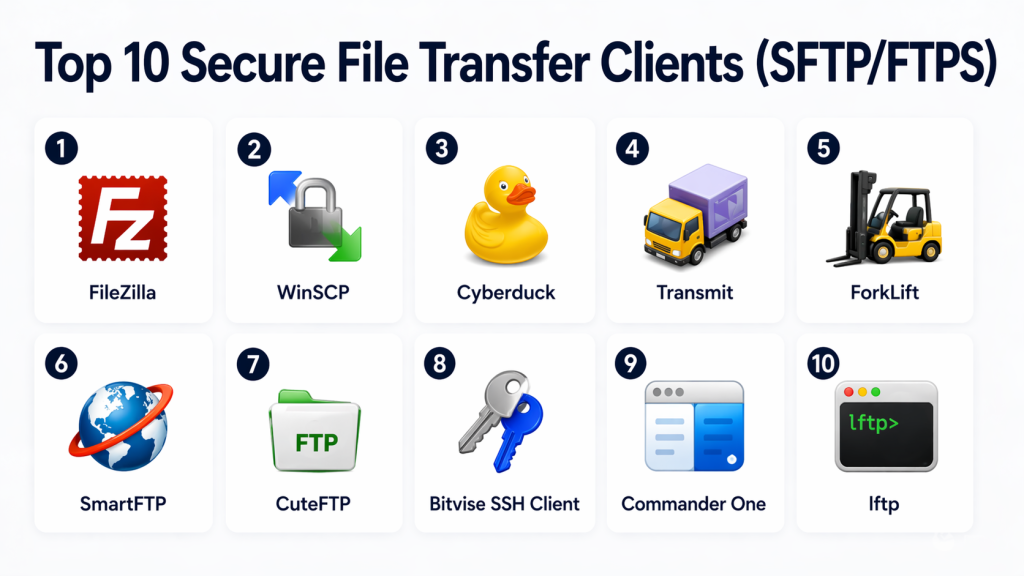
Top 10 Secure File Transfer Clients (SFTP/FTPS)
#1 — FileZilla
Short description:
FileZilla is one of the most widely used open-source SFTP and FTPS clients known for its simplicity and reliability. It provides an intuitive interface for managing file transfers. Users can easily connect to servers and transfer files securely. It is ideal for beginners and professionals alike.
Key Features
- SFTP and FTPS support
- Drag-and-drop interface
- File transfer queue
- Resume support
- Site manager
Pros
- Free and open-source
- Easy to use
Cons
- Limited advanced automation
- Basic UI design
Platforms / Deployment
Windows / macOS / Linux
Security & Compliance
Encryption via SFTP/FTPS
Integrations & Ecosystem
- FTP servers
- Web hosting platforms
Support & Community
Large community and documentation
#2 — WinSCP
Short description:
WinSCP is a popular Windows-based file transfer client focused on secure file management. It supports multiple protocols and offers scripting capabilities. Users can automate transfers and manage remote files efficiently. It is ideal for Windows users and system administrators.
Key Features
- SFTP, SCP, FTP support
- Scripting and automation
- File synchronization
- Integrated editor
- Session management
Pros
- Strong automation
- Reliable performance
Cons
- Windows-only
- UI feels outdated
Platforms / Deployment
Windows
Security & Compliance
Encryption via SSH
Integrations & Ecosystem
- Windows tools
- Scripts and automation
Support & Community
Strong community support
#3 — Cyberduck
Short description:
Cyberduck is a user-friendly file transfer client that supports cloud storage and secure protocols. It allows users to manage files across servers and cloud platforms. The interface is simple and intuitive. It is ideal for users needing both cloud and server access.
Key Features
- SFTP and FTPS support
- Cloud storage integration
- Bookmark management
- File preview
- Drag-and-drop
Pros
- Easy to use
- Cloud integrations
Cons
- Limited advanced features
- Occasional performance issues
Platforms / Deployment
Windows / macOS
Security & Compliance
Encryption support
Integrations & Ecosystem
- Cloud storage services
- FTP servers
Support & Community
Active community
#4 — Transmit
Short description:
Transmit is a premium file transfer client designed for macOS users. It offers fast and reliable file transfers with a polished interface. Users can manage files across servers and cloud services. It is ideal for professionals working in the Apple ecosystem.
Key Features
- SFTP and FTPS support
- High-speed transfers
- Cloud integration
- File syncing
- Favorites management
Pros
- Fast performance
- Clean UI
Cons
- macOS only
- Paid tool
Platforms / Deployment
macOS
Security & Compliance
Encryption
Integrations & Ecosystem
- Cloud platforms
- FTP servers
Support & Community
Good support
#5 — ForkLift
Short description:
ForkLift is a dual-pane file manager and transfer client for macOS. It combines file management with secure transfer capabilities. Users can easily sync and manage files across servers. It is ideal for macOS power users.
Key Features
- Dual-pane interface
- SFTP/FTP support
- File synchronization
- Batch operations
- Preview tools
Pros
- Powerful file management
- Fast transfers
Cons
- macOS only
- Learning curve
Platforms / Deployment
macOS
Security & Compliance
Encryption
Integrations & Ecosystem
- Cloud services
- FTP servers
Support & Community
Moderate support
#6 — SmartFTP
Short description:
SmartFTP is a professional file transfer client designed for Windows users. It supports multiple protocols and offers advanced features. Users can automate transfers and manage files efficiently. It is ideal for business and enterprise use.
Key Features
- SFTP/FTPS support
- Automation tools
- File synchronization
- Transfer scheduling
- Multi-connection support
Pros
- Advanced features
- Reliable performance
Cons
- Paid software
- Complex interface
Platforms / Deployment
Windows
Security & Compliance
Encryption
Integrations & Ecosystem
- Enterprise tools
- Scripts
Support & Community
Professional support
#7 — CuteFTP
Short description:
CuteFTP is a long-standing file transfer client known for its reliability and security features. It provides secure file transfers with automation capabilities. Users can manage large file transfers efficiently. It is suitable for business environments.
Key Features
- Secure protocols
- Automation
- Backup transfers
- Scheduling
- File compression
Pros
- Stable performance
- Automation features
Cons
- Paid tool
- Outdated UI
Platforms / Deployment
Windows / macOS
Security & Compliance
Encryption
Integrations & Ecosystem
- FTP servers
- Business tools
Support & Community
Established support
#8 — Bitvise SSH Client
Short description:
Bitvise SSH Client is a powerful SSH-based file transfer client for secure connections. It provides advanced tunneling and file transfer capabilities. Users can securely manage remote systems and files. It is ideal for technical users and administrators.
Key Features
- SSH-based transfers
- Terminal access
- Port forwarding
- File transfer
- Secure authentication
Pros
- Strong security
- Advanced features
Cons
- Complex for beginners
- Windows-focused
Platforms / Deployment
Windows
Security & Compliance
SSH encryption
Integrations & Ecosystem
- SSH servers
- Network tools
Support & Community
Good technical support
#9 — Commander One
Short description:
Commander One is a dual-pane file manager with built-in file transfer capabilities for macOS. It allows users to manage files across local and remote systems. The interface is intuitive and efficient. It is ideal for macOS users seeking productivity tools.
Key Features
- Dual-pane interface
- FTP/SFTP support
- File management
- Archive support
- Cloud connections
Pros
- User-friendly
- Efficient file management
Cons
- macOS only
- Limited enterprise features
Platforms / Deployment
macOS
Security & Compliance
Encryption
Integrations & Ecosystem
- Cloud storage
- FTP servers
Support & Community
Moderate support
#10 — lftp
Short description:
lftp is a command-line file transfer client designed for advanced users and automation. It supports multiple protocols and scripting. Users can automate complex file transfer workflows. It is ideal for developers and system administrators.
Key Features
- Command-line interface
- Script automation
- Multi-protocol support
- Resume transfers
- Mirroring
Pros
- Highly flexible
- Powerful automation
Cons
- No GUI
- Steep learning curve
Platforms / Deployment
Linux / macOS
Security & Compliance
Encryption
Integrations & Ecosystem
- Shell scripting
- Automation tools
Support & Community
Strong open-source community
Comparison Table (Top 10)
| Tool Name | Best For | Platform(s) Supported | Deployment | Standout Feature | Public Rating |
|---|---|---|---|---|---|
| FileZilla | Beginners | Multi-platform | Local | Ease of use | N/A |
| WinSCP | Windows users | Windows | Local | Automation | N/A |
| Cyberduck | Cloud users | Windows/macOS | Local | Cloud integration | N/A |
| Transmit | macOS users | macOS | Local | Speed | N/A |
| ForkLift | Power users | macOS | Local | File management | N/A |
| SmartFTP | Businesses | Windows | Local | Advanced tools | N/A |
| CuteFTP | Enterprises | Multi-platform | Local | Automation | N/A |
| Bitvise | Security users | Windows | Local | SSH features | N/A |
| Commander One | macOS users | macOS | Local | Dual-pane UI | N/A |
| lftp | Developers | Linux/macOS | Local | CLI automation | N/A |
Evaluation & Scoring of Secure File Transfer Clients
| Tool Name | Core (25%) | Ease (15%) | Integrations (15%) | Security (10%) | Performance (10%) | Support (10%) | Value (15%) | Weighted Total (0–10) |
|---|---|---|---|---|---|---|---|---|
| FileZilla | 9 | 9 | 7 | 8 | 8 | 8 | 9 | 8.4 |
| WinSCP | 9 | 8 | 8 | 9 | 8 | 8 | 9 | 8.6 |
| Cyberduck | 8 | 9 | 8 | 8 | 7 | 7 | 8 | 8.0 |
| Transmit | 8 | 9 | 7 | 8 | 9 | 7 | 7 | 8.0 |
| ForkLift | 8 | 8 | 7 | 8 | 8 | 7 | 7 | 7.8 |
| SmartFTP | 9 | 7 | 8 | 8 | 8 | 8 | 7 | 8.0 |
| CuteFTP | 8 | 7 | 7 | 8 | 8 | 7 | 7 | 7.7 |
| Bitvise | 8 | 6 | 7 | 9 | 8 | 7 | 8 | 7.8 |
| Commander One | 7 | 8 | 6 | 8 | 7 | 6 | 7 | 7.3 |
| lftp | 9 | 5 | 7 | 9 | 9 | 7 | 9 | 8.0 |
How to interpret scores:
These scores compare tools across key criteria. Higher scores indicate stronger capabilities in that area. GUI tools score higher in ease of use, while CLI tools excel in automation and flexibility. Choose based on your workflow needs.
Which Secure File Transfer Client Is Right for You?
Solo / Freelancer
FileZilla and Cyberduck are easy to use and free.
SMB
WinSCP and SmartFTP provide balance between features and cost.
Mid-Market
SmartFTP and CuteFTP offer more advanced features.
Enterprise
Bitvise and SmartFTP provide strong security and scalability.
Budget vs Premium
Free tools work well for most users; premium tools offer advanced features.
Feature Depth vs Ease of Use
FileZilla is simple; lftp is powerful but complex.
Integrations & Scalability
Cyberduck supports cloud integrations effectively.
Security & Compliance Needs
Bitvise and WinSCP provide strong security.
Frequently Asked Questions (FAQs)
1. What is an SFTP client?
An SFTP client is a tool used to securely transfer files using SSH protocol. It ensures encrypted communication between systems. These tools are widely used in IT and development workflows.
2. What is the difference between SFTP and FTPS?
SFTP uses SSH for encryption, while FTPS uses SSL/TLS. Both are secure but operate differently. SFTP is generally simpler to configure.
3. Are these tools secure?
Yes, they use encryption protocols to protect data. Security depends on proper configuration and usage. Strong authentication methods improve safety.
4. Which tool is best for beginners?
FileZilla and Cyberduck are user-friendly and easy to learn. They provide simple interfaces and basic features.
5. Can I automate file transfers?
Yes, tools like WinSCP and lftp support automation and scripting. This is useful for repetitive tasks.
6. Are these tools free?
Some tools like FileZilla and lftp are free. Others offer paid versions with advanced features.
7. Do they support large file transfers?
Yes, most tools support large files and resume interrupted transfers. This ensures reliability.
8. Can I connect to cloud storage?
Some tools like Cyberduck support cloud integrations. Others focus on server-based transfers.
9. What platforms are supported?
Most tools support Windows, macOS, and Linux. Some are platform-specific.
10. What should I consider before choosing?
Evaluate security, ease of use, automation, and platform compatibility. Choose based on your workflow.
Conclusion
Secure File Transfer Clients (SFTP/FTPS) play a critical role in enabling safe and efficient file transfers across systems and networks. They provide essential capabilities such as encryption, authentication, and reliable file synchronization, making them indispensable for developers, IT teams, and businesses handling sensitive data.
From beginner-friendly tools like FileZilla to advanced solutions like WinSCP and Bitvise, each tool offers unique strengths tailored to different user needs. While some prioritize ease of use, others focus on automation, performance, or security.
Selecting the right tool depends on your workflow, technical expertise, and security requirements. Testing a few options and evaluating features like automation, integration, and performance can help you make the right decision.
Ultimately, the right SFTP/FTPS client will improve efficiency, enhance security, and support seamless file transfer operations across your environment.
