Introduction
File Sync & Share Tools are cloud-based platforms that allow users to synchronize files across devices and securely share them with individuals or teams. These tools ensure that files are always up to date, accessible from anywhere, and easy to collaborate on in real time.
As remote work, distributed teams, and digital collaboration continue to grow, file sync and sharing solutions have become essential for modern workflows. They reduce dependency on manual file transfers, improve version control, and enhance productivity across organizations.
Real-world use cases:
- Sharing documents securely with clients and teams
- Synchronizing files across multiple devices
- Collaborative editing and project workflows
- Backup and version control for important files
- Managing large file transfers across locations
What buyers should evaluate:
- Sync performance and reliability
- File sharing permissions and controls
- Security and encryption capabilities
- Integration with productivity tools
- Storage limits and pricing
- Offline access and version history
- Ease of use and onboarding
- Access control and user management
- Scalability for growing teams
Best for:
Freelancers, remote teams, SMBs, enterprises, creative professionals, and organizations handling collaborative workflows.
Not ideal for:
Users who need only simple offline storage or those without consistent internet access.
Key Trends in File Sync & Share Tools
- AI-based file organization and smart syncing
- Zero-trust security frameworks
- Increased focus on encrypted file sharing
- Real-time collaboration enhancements
- Integration with workflow automation tools
- Hybrid storage models (cloud + local)
- Advanced permission and access control systems
- Faster sync technologies and edge delivery
- API-driven extensibility for developers
How We Selected These Tools (Methodology)
- Strong market presence and adoption
- Reliable file syncing performance
- Feature completeness and collaboration capabilities
- Security and compliance readiness
- Integration ecosystem strength
- Support for multiple platforms and devices
- Ease of use for both individuals and teams
- Scalability across different business sizes
- Quality of documentation and customer support
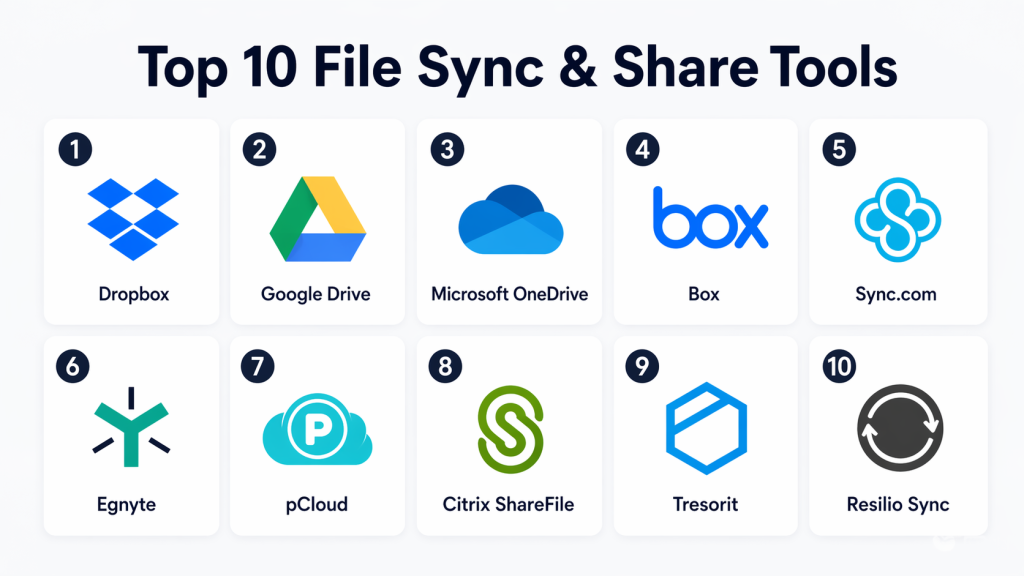
Top 10 File Sync & Share Tools
#1 — Dropbox
Short description:
Dropbox is a widely used file sync and sharing platform known for its reliability and simplicity. It allows users to sync files across devices and collaborate seamlessly with teams. The platform offers strong sharing controls and versioning features. It is ideal for individuals and teams looking for a user-friendly solution.
Key Features
- Smart sync
- File versioning
- File sharing controls
- Offline access
- File previews
Pros
- Fast syncing
- Easy to use
Cons
- Expensive at scale
- Limited advanced features
Platforms / Deployment
Web / Windows / macOS / Linux / iOS / Android — Cloud
Security & Compliance
Encryption, MFA, SSO
Integrations & Ecosystem
- Slack
- Zoom
- Microsoft Office
Support & Community
Strong support and large user base
#2 — Google Drive
Short description:
Google Drive is a cloud-based file sync and sharing tool designed for collaboration and accessibility. It enables real-time editing and file sharing across teams. Integration with productivity apps enhances workflow efficiency. It is suitable for individuals, startups, and enterprises.
Key Features
- Real-time collaboration
- File sharing
- Version history
- Shared drives
- AI-powered search
Pros
- Excellent collaboration
- Easy accessibility
Cons
- Limited admin control
- Storage pricing increases
Platforms / Deployment
Web / Windows / macOS / iOS / Android — Cloud
Security & Compliance
Encryption, MFA
Integrations & Ecosystem
- Docs, Sheets
- Gmail
- Third-party apps
Support & Community
Extensive documentation
#3 — Microsoft OneDrive
Short description:
Microsoft OneDrive is a file sync and sharing solution integrated with Microsoft tools. It allows users to store, sync, and collaborate on files across devices. Businesses benefit from built-in security and compliance features. It is ideal for organizations using Microsoft ecosystems.
Key Features
- File syncing
- Sharing controls
- Versioning
- Backup features
- Office integration
Pros
- Strong enterprise integration
- Secure environment
Cons
- Learning curve
- Sync issues sometimes
Platforms / Deployment
Web / Windows / macOS / iOS / Android — Cloud
Security & Compliance
SSO, MFA, encryption
Integrations & Ecosystem
- Microsoft 365
- Teams
- SharePoint
Support & Community
Enterprise-grade support
#4 — Box
Short description:
Box is an enterprise-focused file sync and sharing platform built for secure collaboration. It provides advanced governance, compliance, and workflow automation features. Organizations use it to manage sensitive files securely. It is best suited for regulated industries and large teams.
Key Features
- Secure file sharing
- Workflow automation
- Content management
- Audit logs
- Access controls
Pros
- Strong compliance
- Enterprise features
Cons
- Higher cost
- Complex setup
Platforms / Deployment
Web / Windows / macOS / iOS / Android — Cloud
Security & Compliance
SOC 2, encryption
Integrations & Ecosystem
- Salesforce
- Slack
- Google Workspace
Support & Community
Strong enterprise support
#5 — Sync.com
Short description:
Sync.com is a privacy-focused file sync and sharing tool with end-to-end encryption. It ensures that only users can access their files, providing high security. Sharing and collaboration features are simple and effective. It is ideal for users with strict privacy requirements.
Key Features
- End-to-end encryption
- File sharing
- Backup
- Version history
- Access control
Pros
- Strong security
- Affordable pricing
Cons
- Limited integrations
- Slower sync
Platforms / Deployment
Web / Windows / macOS / iOS / Android — Cloud
Security & Compliance
Zero-knowledge encryption
Integrations & Ecosystem
Limited integrations
Support & Community
Good support
#6 — Egnyte
Short description:
Egnyte is a hybrid file sync and sharing platform designed for enterprise environments. It combines cloud and on-premise storage for flexibility and control. Advanced governance and compliance features support secure collaboration. It is ideal for organizations with regulatory requirements.
Key Features
- Hybrid storage
- Secure sharing
- Data governance
- Audit trails
- File syncing
Pros
- Flexible deployment
- Strong compliance
Cons
- Expensive
- Complex configuration
Platforms / Deployment
Cloud / Hybrid
Security & Compliance
SOC 2, encryption
Integrations & Ecosystem
- Microsoft
- Enterprise tools
Support & Community
Enterprise-level support
#7 — pCloud
Short description:
pCloud is a cloud-based file sync and sharing tool with strong privacy features. It offers client-side encryption and flexible pricing options. Users can sync files across devices and share them securely. It is ideal for individuals and small teams.
Key Features
- File syncing
- Encryption
- File sharing
- Versioning
- Offline access
Pros
- Privacy-focused
- Flexible pricing
Cons
- Limited enterprise features
- Smaller ecosystem
Platforms / Deployment
Web / Windows / macOS / Linux / iOS / Android — Cloud
Security & Compliance
Encryption
Integrations & Ecosystem
Limited integrations
Support & Community
Moderate support
#8 — Citrix ShareFile
Short description:
Citrix ShareFile is a secure file sharing and syncing solution designed for business use. It offers strong data protection and workflow automation features. Organizations use it to manage and share files securely. It is ideal for enterprises handling sensitive data.
Key Features
- Secure file sharing
- Workflow automation
- Access control
- File syncing
- Reporting
Pros
- Strong security
- Business features
Cons
- Expensive
- Complex UI
Platforms / Deployment
Web / Windows / macOS / iOS / Android — Cloud
Security & Compliance
Encryption, compliance tools
Integrations & Ecosystem
- Microsoft tools
- CRM systems
- Enterprise apps
Support & Community
Enterprise support
#9 — Tresorit
Short description:
Tresorit is a highly secure file sync and sharing platform with end-to-end encryption. It focuses on privacy and compliance for businesses and individuals. Files are protected with strong encryption and access controls. It is ideal for security-conscious users.
Key Features
- End-to-end encryption
- Secure sharing
- File syncing
- Version history
- Access controls
Pros
- High security
- Compliance-ready
Cons
- Expensive
- Limited integrations
Platforms / Deployment
Web / Windows / macOS / Linux / iOS / Android — Cloud
Security & Compliance
Encryption, privacy-focused
Integrations & Ecosystem
Limited integrations
Support & Community
Strong support
#10 — Resilio Sync
Short description:
Resilio Sync is a peer-to-peer file sync tool that works without traditional cloud storage. It allows users to sync files directly between devices for faster performance. It is ideal for large file transfers and decentralized workflows. It suits users needing high-speed syncing without cloud dependency.
Key Features
- Peer-to-peer syncing
- Fast transfer speeds
- No cloud storage required
- Secure transfers
- Cross-device sync
Pros
- High performance
- No storage limits
Cons
- Requires setup
- Not cloud-based
Platforms / Deployment
Windows / macOS / Linux / iOS / Android — Self-hosted
Security & Compliance
Encryption
Integrations & Ecosystem
Minimal integrations
Support & Community
Moderate support
Comparison Table (Top 10)
| Tool | Best For | Platform | Deployment | Feature | Rating |
|---|---|---|---|---|---|
| Dropbox | General use | Multi | Cloud | Sync reliability | N/A |
| Google Drive | Collaboration | Multi | Cloud | Real-time editing | N/A |
| OneDrive | Microsoft users | Multi | Cloud | Office integration | N/A |
| Box | Enterprises | Multi | Cloud | Compliance | N/A |
| Sync.com | Security | Multi | Cloud | Encryption | N/A |
| Egnyte | Enterprises | Multi | Hybrid | Governance | N/A |
| pCloud | Individuals | Multi | Cloud | Privacy | N/A |
| ShareFile | Businesses | Multi | Cloud | Secure sharing | N/A |
| Tresorit | Security | Multi | Cloud | Encryption | N/A |
| Resilio Sync | P2P users | Multi | Self-hosted | Speed | N/A |
Evaluation & Scoring
| Tool | Core | Ease | Integrations | Security | Performance | Support | Value | Total |
|---|---|---|---|---|---|---|---|---|
| Dropbox | 9 | 9 | 8 | 8 | 9 | 8 | 7 | 8.4 |
| Google Drive | 9 | 9 | 9 | 8 | 8 | 8 | 8 | 8.6 |
| OneDrive | 9 | 8 | 9 | 9 | 8 | 8 | 8 | 8.6 |
| Box | 9 | 7 | 8 | 9 | 8 | 9 | 7 | 8.3 |
| Sync.com | 8 | 7 | 6 | 10 | 7 | 7 | 8 | 7.8 |
| Egnyte | 9 | 7 | 8 | 9 | 8 | 9 | 7 | 8.3 |
| pCloud | 8 | 8 | 6 | 9 | 7 | 7 | 8 | 7.9 |
| ShareFile | 8 | 7 | 8 | 9 | 8 | 8 | 7 | 8.0 |
| Tresorit | 8 | 7 | 6 | 10 | 7 | 8 | 7 | 7.9 |
| Resilio Sync | 7 | 6 | 5 | 8 | 10 | 6 | 8 | 7.3 |
How to interpret scores:
These scores are relative comparisons across tools. Higher scores indicate better overall performance in that category. Enterprise tools typically score higher in security and integrations, while simpler tools perform better in usability. Choose based on your needs.
Which File Sync & Share Tool Is Right for You?
Solo / Freelancer
Dropbox, Google Drive, and pCloud are easy to use and affordable.
SMB
Google Drive, OneDrive, and Sync.com offer balance between cost and features.
Mid-Market
Box and Egnyte provide better collaboration and governance.
Enterprise
Box, Egnyte, and ShareFile offer advanced security and compliance.
Budget vs Premium
Free tools work for individuals; enterprises should invest in premium solutions.
Feature Depth vs Ease of Use
Dropbox is simple; Box is feature-rich.
Integrations & Scalability
Google Drive and OneDrive excel in integrations.
Security & Compliance Needs
Tresorit, Sync.com, and Box are best for high security.
Frequently Asked Questions (FAQs)
1. What is file sync and share?
It allows users to sync files across devices and share them securely with others. It ensures files are always updated and accessible. Most tools also support collaboration.
2. Is file sharing secure?
Yes, most tools provide encryption and access controls. Security depends on the platform and configuration. Always enable MFA and permissions.
3. What is the difference from cloud storage?
File sync tools focus on syncing and sharing, while storage tools focus on storing data. Many tools combine both functionalities.
4. Can I access files offline?
Yes, most tools allow offline access through local syncing. Changes sync when reconnected.
5. How much does it cost?
Pricing varies based on storage and features. Many tools offer free plans.
6. Which tool is best for teams?
Google Drive, Dropbox, and OneDrive are popular for team collaboration.
7. What integrations should I look for?
Look for integrations with productivity and communication tools.
8. Can I switch tools easily?
Migration is possible but requires planning. Large data transfers take time.
9. What are common mistakes?
Ignoring security settings and underestimating storage needs.
10. Is encryption important?
Yes, especially for sensitive data. End-to-end encryption offers highest protection.
Conclusion
File Sync & Share tools have become essential for modern collaboration, enabling teams to work efficiently across devices and locations. From simple file sharing to enterprise-grade security and governance, these tools play a critical role in digital workflows.
Each platform offers unique strengths—some focus on usability and collaboration, while others prioritize security and compliance. Choosing the right solution depends on your specific needs, team size, and operational requirements.
Instead of relying on a single “best” tool, it is more effective to shortlist a few options and evaluate them based on real-world usage. Testing features like syncing speed, sharing controls, and integrations can help ensure the right fit.
Ultimately, the right file sync and share solution should enhance productivity, maintain data security, and scale with your growth. A well-informed decision will help you build a more efficient and collaborative digital environment.
