Introduction
Archiving Tools are specialized solutions designed to store, organize, preserve, and retrieve inactive data over the long term. Unlike backup tools, which are mainly used for recovery after loss or failure, archiving tools are built for retention, compliance, searchability, and efficient long-term storage. They help organizations keep old but important data accessible without overloading production systems.
As data volumes continue to grow across email, documents, collaboration platforms, and business applications, archiving has become essential for compliance, governance, legal readiness, and storage optimization. Modern archiving tools now support cloud environments, metadata indexing, policy-driven retention, and stronger security controls. They are increasingly used to manage communication records, preserve documents, support audits, and simplify eDiscovery across distributed environments.
Real-world use cases include:
- Email and communication retention for legal and compliance purposes
- Long-term storage of documents, contracts, and internal records
- eDiscovery and audit support
- Reducing primary storage consumption
- Preserving historical data for governance and reference
What buyers should evaluate:
- Retention policy flexibility
- Search and indexing performance
- eDiscovery and legal hold capabilities
- Security controls and access management
- Storage efficiency and lifecycle automation
- Cloud, hybrid, or self-hosted deployment support
- Integration with email, SaaS, and file systems
- Scalability for long-term growth
- Reporting and audit visibility
- Ease of administration
Best for: IT teams, compliance managers, legal teams, records managers, regulated industries, and enterprises with large amounts of email, document, or communication data.
Not ideal for: Teams looking only for short-term recovery, simple file sync, or lightweight consumer storage. In those cases, backup tools, file-sharing platforms, or basic cloud storage may be better suited than a full archiving platform.
Key Trends in Archiving Tools
- AI-assisted classification and tagging are improving record organization and retrieval
- Cloud archiving is becoming the default model for many organizations
- Immutable and tamper-resistant storage is gaining importance for compliance
- More vendors are supporting archiving across email, chat, files, and SaaS platforms
- Automated lifecycle policies are reducing manual records management work
- eDiscovery capabilities are becoming a standard expectation, not a premium add-on
- Archive search speed and metadata indexing are improving for large data estates
- Hybrid deployment models remain important for regulated industries
- Security features such as role-based access, audit trails, and encryption are becoming more visible in buyer evaluations
- Cost optimization through tiered storage is influencing platform design and pricing models
How We Selected These Tools (Methodology)
- We prioritized vendors with strong market recognition and long-term relevance in archiving
- We favored tools with broad archiving coverage across email, files, and business communications
- We evaluated search, indexing, retrieval, and policy management capabilities
- We considered enterprise readiness, scalability, and operational maturity
- We looked for strong compliance and governance alignment where clearly known
- We assessed deployment flexibility across cloud, hybrid, and self-hosted use cases
- We considered ecosystem strength, including integrations with productivity and storage platforms
- We balanced enterprise-heavy products with tools that also work for smaller teams
- We gave weight to usability, administrative control, and long-term management efficiency
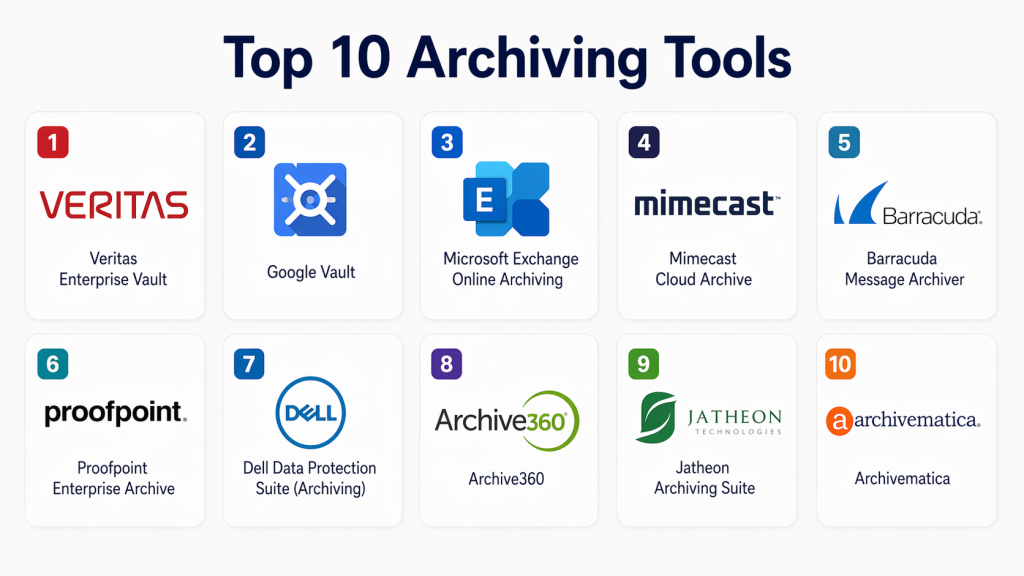
Top 10 Archiving Tools
#1 — Veritas Enterprise Vault
Short description :
Veritas Enterprise Vault is a long-established archiving platform built for large organizations that need strong retention, search, and governance controls. It is widely used for archiving email, files, and enterprise content across regulated environments. The platform is particularly well suited to teams that need mature compliance workflows and large-scale data management. It remains a strong option for enterprises with complex archiving requirements.
Key Features
- Email, file, and content archiving across enterprise environments
- Policy-based retention and disposition controls
- Advanced search and eDiscovery workflows
- Storage optimization and deduplication support
- Legal hold and supervision capabilities
- Broad support for enterprise-scale deployments
Pros
- Strong fit for regulated enterprise environments
- Mature retention and eDiscovery capabilities
- Well suited for large-scale archival data management
Cons
- Setup and administration can be complex
- Often better suited to large organizations than smaller teams
- May require specialist expertise for ongoing management
Platforms / Deployment
Windows / Linux
Cloud / Self-hosted / Hybrid
Security & Compliance
Encryption, RBAC, audit capabilities
SOC 2 / ISO 27001 / HIPAA / GDPR: Not publicly stated
Integrations & Ecosystem
Veritas Enterprise Vault is designed to operate within larger enterprise ecosystems, especially where email, file archiving, governance, and legal workflows already exist. Its broader value often comes from how well it fits into existing enterprise infrastructure and records management processes.
- Microsoft Exchange environments
- File systems and shared storage
- Enterprise governance workflows
- eDiscovery processes
- Large-scale retention programs
Support & Community
Veritas has a long enterprise history, and the platform benefits from mature documentation and structured vendor support. Community discussion exists but is more enterprise-admin focused than broad or open. Support quality is typically strongest in formal enterprise relationships.
#2 — Google Vault
Short description :
Google Vault is an archiving and eDiscovery tool built for organizations using Google Workspace. It helps retain, search, and export data across services such as Gmail, Drive, and Chat. It is best for teams already standardized on Google’s ecosystem and looking for a straightforward compliance and legal hold capability. Its simplicity is one of its strongest advantages.
Key Features
- Retention rules for supported Google Workspace data
- Search and export for legal and audit needs
- Legal hold functionality
- Centralized administration inside the Google ecosystem
- Archiving for Gmail, Drive, and certain collaboration data
- Straightforward cloud delivery model
Pros
- Easy to use for Google Workspace organizations
- Native experience with Google services
- Minimal infrastructure management required
Cons
- Limited value outside the Google ecosystem
- Less flexible for mixed-platform archiving needs
- Advanced records management depth may not match larger enterprise suites
Platforms / Deployment
Web
Cloud
Security & Compliance
Encryption, access controls
SOC 2 / ISO 27001 / HIPAA / GDPR: Not publicly stated
Integrations & Ecosystem
Google Vault works best when an organization is already deeply invested in Google Workspace. Its strength is not broad third-party extensibility but rather native consistency across Google services used for communication and collaboration.
- Gmail
- Google Drive
- Google Chat
- Google Workspace administration
- Internal governance workflows
Support & Community
Documentation is generally clear and accessible, especially for Workspace administrators. Support depends on the broader Google Workspace plan in use. Community familiarity is strong because of the platform’s simplicity and wide Workspace footprint.
#3 — Microsoft Exchange Online Archiving
Short description :
Microsoft Exchange Online Archiving is designed for organizations that need long-term email retention inside Microsoft environments. It supports mailbox archiving, retention workflows, and compliance-oriented management for businesses using Exchange and Microsoft 365. It is especially relevant for enterprises standardizing on Microsoft productivity tools. For email-centric archiving, it remains a practical and familiar option.
Key Features
- Email archiving for Exchange-based environments
- Retention and mailbox lifecycle management
- Search support for compliance and legal needs
- Integration with broader Microsoft administration workflows
- Scalable cloud-based archive storage
- Familiar experience for Microsoft-centric teams
Pros
- Strong fit for Microsoft-based organizations
- Familiar administrative model for existing Microsoft teams
- Scales well for enterprise email archiving
Cons
- Primarily focused on Microsoft email environments
- Less suitable as a broad archive across many content sources
- Licensing and packaging can be confusing for some buyers
Platforms / Deployment
Web
Cloud
Security & Compliance
Encryption, RBAC, audit support
SOC 2 / ISO 27001 / HIPAA / GDPR: Not publicly stated
Integrations & Ecosystem
This tool fits naturally into Microsoft-centric IT environments and is most valuable when email retention is a key priority. It benefits from Microsoft’s broader ecosystem rather than a separate standalone archive strategy.
- Exchange Online
- Outlook environments
- Microsoft 365 administration
- Compliance workflows
- Enterprise email governance processes
Support & Community
Microsoft documentation is extensive, though sometimes dense. Admin familiarity is high because many IT teams already operate inside the Microsoft ecosystem. Support quality typically depends on the organization’s Microsoft relationship and support plan.
4 — Mimecast Cloud Archive
Short description :
Mimecast Cloud Archive is a cloud-based archiving solution primarily focused on email retention, search, and resilience. It is often chosen by organizations that want archiving tied closely to email security and continuity. The platform suits businesses that need strong availability and policy-based retention without managing heavy internal archive infrastructure. It is particularly appealing in messaging-centric compliance use cases.
Key Features
- Cloud-based email archiving
- Fast search and retrieval capabilities
- Retention policy management
- Support for legal and audit workflows
- Tight alignment with messaging resilience and continuity
- Centralized cloud administration
Pros
- Strong option for email-centric archiving needs
- Easier deployment than many traditional archive platforms
- Good fit for organizations also using email security services
Cons
- Heavily centered on communication archiving rather than full enterprise content archiving
- May not meet broader file or application archiving needs alone
- Value is strongest when email is the main archiving priority
Platforms / Deployment
Cloud
Security & Compliance
Encryption, access controls, audit support
SOC 2 / ISO 27001 / HIPAA / GDPR: Not publicly stated
Integrations & Ecosystem
Mimecast Cloud Archive fits best in organizations where email governance, continuity, and compliance are tightly connected. Its ecosystem value often comes from related messaging and security workflows rather than wide archival breadth across every enterprise content type.
- Microsoft 365 email environments
- Exchange-based messaging
- Messaging continuity workflows
- Security and governance processes
- Compliance review workflows
Support & Community
Mimecast is well known in enterprise messaging circles, and its documentation is usually practical for administrators. Support is typically structured around business and enterprise tiers. Community familiarity is solid among email and security teams.
5 — Barracuda Message Archiver
Short description :
Barracuda Message Archiver is designed to simplify email and message retention for organizations that need accessible search, retention, and compliance support. It is often attractive to SMBs and mid-sized businesses that want a more approachable archiving product. The platform focuses on practicality rather than deep enterprise customization. It works well where messaging is the core archiving need.
Key Features
- Email and messaging archiving
- Searchable archive access
- Retention policy enforcement
- Centralized message storage
- Support for audit and compliance review
- Appliance and cloud-oriented usage models
Pros
- Easier to approach than some enterprise-heavy archive tools
- Good fit for SMB and mid-market environments
- Straightforward focus on messaging retention
Cons
- Less depth than larger enterprise governance suites
- Primarily messaging focused
- Advanced analytics and discovery depth may be limited
Platforms / Deployment
Cloud / Self-hosted / Hybrid
Security & Compliance
Encryption, access controls
SOC 2 / ISO 27001 / HIPAA / GDPR: Not publicly stated
Integrations & Ecosystem
Barracuda Message Archiver is typically adopted as part of an organization’s messaging and security stack. Its strength is operational simplicity around message retention rather than broad content archiving across every enterprise system.
- Email systems
- Messaging workflows
- Backup and continuity processes
- Compliance review use cases
- SMB IT environments
Support & Community
Barracuda usually provides approachable documentation and support for practical IT teams. Community strength is better in SMB and mid-market contexts than in large enterprise governance circles. It is often chosen for usability rather than ecosystem breadth.
6 — Proofpoint Enterprise Archive
Short description :
Proofpoint Enterprise Archive is built for organizations that need secure, compliant archiving of communications and strong support for investigation workflows. It is especially relevant where legal, compliance, and risk teams are heavily involved in data retention decisions. The platform emphasizes governance, analytics, and defensible retention practices. It is best suited to organizations with mature compliance expectations.
Key Features
- Communication and email archiving
- Advanced search and investigation support
- Retention and legal hold controls
- Supervision and compliance-oriented workflows
- Analytics and policy enforcement capabilities
- Scalable cloud delivery model
Pros
- Strong compliance and governance orientation
- Suitable for regulated and investigation-heavy environments
- Good fit where archive search and control are critical
Cons
- Can be costly for smaller organizations
- May be more than basic archiving buyers need
- Administrative complexity can be higher than lighter-weight tools
Platforms / Deployment
Cloud
Security & Compliance
Encryption, RBAC, audit support
SOC 2 / ISO 27001 / HIPAA / GDPR: Not publicly stated
Integrations & Ecosystem
Proofpoint Enterprise Archive is typically strongest in environments where communication governance, legal review, and compliance oversight are central requirements. Its ecosystem strength is closely tied to messaging, risk management, and security workflows.
- Email and communications platforms
- Compliance and legal workflows
- Investigation processes
- Security review environments
- Governance programs
Support & Community
Proofpoint has strong enterprise visibility and structured support offerings. Documentation is generally geared toward professional admins and compliance teams. Community discussion exists, though most real depth appears in enterprise customer relationships and partner ecosystems.
7 — Dell Data Protection Suite (Archiving)
Short description :
Dell’s archiving-related capabilities are relevant for larger organizations that want archiving as part of a broader data protection and infrastructure strategy. It is most appropriate for enterprises with significant storage, retention, and lifecycle management requirements. Rather than a lightweight archive product, it fits buyers seeking integrated data protection depth. It can be powerful, but usually requires a more mature IT environment.
Key Features
- Long-term data retention support
- Storage optimization and lifecycle management
- Integration with broader data protection workflows
- Support for enterprise-scale environments
- Centralized administrative visibility
- Hybrid infrastructure alignment
Pros
- Strong fit for enterprise infrastructure strategies
- Useful where archive and protection are managed together
- Scales well in large environments
Cons
- Complex compared with simpler archiving products
- Better aligned to enterprises than small teams
- Can involve higher implementation effort
Platforms / Deployment
Cloud / Self-hosted / Hybrid
Security & Compliance
Encryption, RBAC
SOC 2 / ISO 27001 / HIPAA / GDPR: Not publicly stated
Integrations & Ecosystem
Dell’s ecosystem value is strongest when archiving is part of a broader enterprise data management strategy. Buyers often gain the most from it when they already operate significant storage, infrastructure, or protection investments in the same environment.
- Enterprise storage systems
- Data protection workflows
- Hybrid infrastructure environments
- Governance and retention processes
- Large IT operations
Support & Community
Dell offers structured enterprise support and professional services options. Documentation is generally useful for experienced infrastructure teams. Community energy is less open-source-like and more tied to enterprise customer programs and partner channels.
8 — Archive360
Short description :
Archive360 focuses on cloud-based archiving, migration, and information governance use cases. It is often considered by organizations modernizing archive strategies or moving legacy content into more current environments. The platform is especially relevant for regulated businesses that need control over preserved communications and records. It fits buyers that want cloud-forward archiving with governance alignment.
Key Features
- Cloud-based archiving workflows
- Archive migration and modernization support
- Search and metadata handling
- Retention and governance controls
- Support for regulated use cases
- Centralized archive management
Pros
- Strong fit for archive modernization projects
- Cloud-oriented operating model
- Useful for governance-heavy migration scenarios
Cons
- More specialized than general-purpose archive tools
- May not be the simplest option for small teams
- Best value often appears in specific migration or compliance contexts
Platforms / Deployment
Cloud
Security & Compliance
Encryption, access controls
SOC 2 / ISO 27001 / HIPAA / GDPR: Not publicly stated
Integrations & Ecosystem
Archive360 is most compelling in projects involving migration, modernization, and governance. It tends to matter most in organizations looking to consolidate archive strategies or move away from older archive platforms.
- Microsoft-oriented environments
- Archive modernization initiatives
- Governance workflows
- Cloud storage strategies
- Compliance-driven retention programs
Support & Community
Support is generally enterprise focused, and onboarding often matters because the platform is frequently used in more strategic archiving projects. Community visibility is narrower than that of broad productivity vendors, but the product has relevance in specialized governance and migration circles.
#9 — Jatheon Archiving Suite
Short description :
Jatheon Archiving Suite is designed for organizations that need retention, monitoring, and search across communication data with a compliance angle. It is often relevant to public sector, education, and regulated teams that want a more focused archive solution. The platform emphasizes retention control and discoverability without trying to be everything for every workload. It is practical for organizations with defined compliance-driven communication archiving needs.
Key Features
- Email and communication archiving
- Search and retrieval tools
- Retention policy controls
- Monitoring and reporting functions
- Compliance-oriented archive management
- Support for regulated communication review needs
Pros
- Focused approach for compliance-oriented archiving
- Easier to understand than some large enterprise suites
- Useful for organizations with clear communication retention policies
Cons
- Smaller ecosystem than larger vendors
- Less broad enterprise coverage than top-tier archive platforms
- Scalability may be less compelling for very large global deployments
Platforms / Deployment
Cloud / Self-hosted / Hybrid
Security & Compliance
Encryption, audit support
SOC 2 / ISO 27001 / HIPAA / GDPR: Not publicly stated
Integrations & Ecosystem
Jatheon’s value is usually strongest where communication retention and review matter more than broad content archiving across many enterprise systems. It is more focused and targeted than sprawling enterprise archive stacks.
- Email platforms
- Compliance review processes
- Reporting and monitoring workflows
- Regulated communication retention
- Public sector or education environments
Support & Community
Support is generally more direct and product-specific than community driven. Documentation is usually sufficient for admins with a clear deployment plan. The ecosystem is smaller, so buyers may rely more heavily on vendor guidance than community-generated resources.
#10 — Archivematica
Short description :
Archivematica is an open-source digital preservation system aimed at long-term archival preservation rather than conventional enterprise message archiving. It is widely discussed in digital preservation, libraries, museums, and archival institutions that need standards-oriented workflows. The platform is best for preservation-focused environments with technical resources. It is not a simple plug-and-play business archive, but it fills an important niche.
Key Features
- Open-source digital preservation workflows
- Metadata and preservation package handling
- Automation for archival processing steps
- Long-term preservation orientation
- Flexible self-hosted deployment model
- Strong relevance for institutional archive use cases
Pros
- Open-source flexibility and control
- Strong fit for preservation-focused organizations
- Useful for specialized archival workflows
Cons
- Requires technical expertise and operational ownership
- Not ideal for organizations seeking turnkey business archiving
- Enterprise support expectations should be set carefully
Platforms / Deployment
Web / Linux
Self-hosted
Security & Compliance
Not publicly stated
Integrations & Ecosystem
Archivematica fits best in digital preservation environments rather than general enterprise email archiving. Its ecosystem tends to be shaped by archival institutions, metadata workflows, and preservation processes.
- Preservation workflows
- Storage systems
- Metadata management processes
- Institutional archive environments
- Open-source infrastructure stacks
Support & Community
Archivematica benefits from an active open-source and archival community. Documentation is valuable, but successful deployment often depends on technical capability. Community strength is meaningful, though formal enterprise-style support is more limited than commercial products.
Comparison Table (Top 10)
| Tool Name | Best For | Platform(s) Supported | Deployment (Cloud/Self-hosted/Hybrid) | Standout Feature | Public Rating |
|---|---|---|---|---|---|
| Veritas Enterprise Vault | Large enterprises with strong compliance needs | Windows / Linux | Hybrid | Mature eDiscovery and retention controls | N/A |
| Google Vault | Google Workspace organizations | Web | Cloud | Native Google Workspace archiving | N/A |
| Microsoft Exchange Online Archiving | Microsoft-based email retention | Web | Cloud | Deep Microsoft email integration | N/A |
| Mimecast Cloud Archive | Email-centric compliance and continuity | Web | Cloud | Messaging-focused cloud archiving | N/A |
| Barracuda Message Archiver | SMB and mid-market messaging retention | Web / Windows | Hybrid | Simple message archiving workflows | N/A |
| Proofpoint Enterprise Archive | Regulated communication archiving | Web | Cloud | Compliance and investigation depth | N/A |
| Dell Data Protection Suite (Archiving) | Infrastructure-heavy enterprises | Windows / Linux | Hybrid | Archive alignment with broader data protection | N/A |
| Archive360 | Archive modernization and migration | Web | Cloud | Cloud-forward archive modernization | N/A |
| Jatheon Archiving Suite | Compliance-focused communication retention | Web / Windows | Hybrid | Focused communication archiving | N/A |
| Archivematica | Digital preservation institutions | Web / Linux | Self-hosted | Open-source preservation workflows | N/A |
Evaluation & Scoring of Archiving Tools
| Tool Name | Core (25%) | Ease (15%) | Integrations (15%) | Security (10%) | Performance (10%) | Support (10%) | Value (15%) | Weighted Total (0–10) |
|---|---|---|---|---|---|---|---|---|
| Veritas Enterprise Vault | 9 | 6 | 8 | 8 | 9 | 8 | 7 | 7.85 |
| Google Vault | 8 | 9 | 7 | 7 | 8 | 8 | 8 | 7.95 |
| Microsoft Exchange Online Archiving | 8 | 8 | 8 | 8 | 8 | 8 | 8 | 8.00 |
| Mimecast Cloud Archive | 8 | 8 | 7 | 8 | 8 | 8 | 7 | 7.70 |
| Barracuda Message Archiver | 7 | 8 | 6 | 7 | 7 | 7 | 8 | 7.20 |
| Proofpoint Enterprise Archive | 9 | 7 | 7 | 8 | 8 | 8 | 7 | 7.80 |
| Dell Data Protection Suite (Archiving) | 8 | 6 | 7 | 8 | 8 | 8 | 6 | 7.15 |
| Archive360 | 8 | 7 | 7 | 7 | 8 | 7 | 7 | 7.30 |
| Jatheon Archiving Suite | 7 | 8 | 6 | 7 | 7 | 7 | 7 | 7.00 |
| Archivematica | 7 | 5 | 6 | 5 | 7 | 6 | 8 | 6.40 |
These scores are comparative, not absolute. A higher weighted total suggests a stronger all-around balance across archiving capabilities, usability, ecosystem fit, and value. That does not automatically make it the best choice for every buyer. For example, Archivematica scores lower overall for general business use, but it can still be a better fit for preservation-focused institutions than mainstream enterprise archive tools. Use the scores to shortlist options, then validate them against your actual retention, governance, and search requirements.
Which Archiving Tools Tool Is Right for You?
Solo / Freelancer
Most solo users do not need a full archiving platform unless they work in legal, regulated, or records-heavy fields. For basic long-term storage, standard cloud storage or backup may be more practical. If preservation or structured digital archive management matters, Archivematica can be relevant, but it is typically too technical for casual users. In most solo scenarios, a full archive platform is more than necessary.
SMB
SMBs usually benefit most from simple, focused archiving tools that reduce administrative overhead. Barracuda Message Archiver is attractive for organizations focused on message retention without heavy enterprise complexity. Google Vault is a strong choice for Google Workspace businesses, while Microsoft Exchange Online Archiving suits Microsoft-centric teams. SMB buyers should prioritize ease of use, retention clarity, and predictable operational cost.
Mid-Market
Mid-market organizations often need more policy depth, stronger search, and better compliance readiness than SMB tools alone can provide. Mimecast Cloud Archive and Archive360 can be strong options depending on whether the priority is messaging governance or archive modernization. Jatheon may also fit organizations with communication retention needs and tighter compliance policies. Mid-market buyers should focus on balancing governance strength with operational simplicity.
Enterprise
Enterprises usually need scalability, defensible retention, eDiscovery readiness, and stronger governance controls. Veritas Enterprise Vault and Proofpoint Enterprise Archive are better suited to these environments, especially where legal review, regulated records management, or large-scale communication retention are central needs. Dell may also fit infrastructure-heavy organizations that want archive functionality aligned with broader enterprise data protection. Enterprises should prioritize control, ecosystem fit, and operational maturity over simplicity alone.
Budget vs Premium
Budget-oriented buyers should look for solutions that are practical and focused rather than broad and deeply customizable. Barracuda Message Archiver, Google Vault, and Microsoft Exchange Online Archiving can deliver strong value when the organization already uses the surrounding ecosystem. Premium solutions such as Veritas Enterprise Vault and Proofpoint Enterprise Archive justify their position when governance, legal readiness, and large-scale retention control matter more than simplicity. The right choice depends on whether cost efficiency or policy depth matters more.
Feature Depth vs Ease of Use
If feature depth is your top priority, Veritas Enterprise Vault and Proofpoint Enterprise Archive are stronger candidates because they align well with large-scale compliance and discovery needs. If ease of use matters more, Google Vault and Barracuda Message Archiver tend to be easier to adopt and manage. Microsoft Exchange Online Archiving often lands in the middle, giving Microsoft-based organizations a familiar operating model without requiring a separate heavy archive stack. Choose based on the team’s administrative capacity as much as the feature list.
Integrations & Scalability
Organizations with deep Google or Microsoft investments should often stay close to those ecosystems because the operational fit is simpler and administration is more unified. Enterprises with broader infrastructure and governance complexity may benefit more from Veritas, Proofpoint, or Dell. Archive360 is worth considering when archive consolidation or migration is part of the strategy. Scalability should be evaluated not only in storage terms, but also in search speed, policy management, and administrative control over time.
Security & Compliance Needs
If compliance and legal defensibility are major requirements, prioritize tools with stronger retention controls, search, audit visibility, and governance alignment. Veritas Enterprise Vault and Proofpoint Enterprise Archive are more appropriate for these high-control environments. Microsoft and Google options are strong when compliance needs exist within their ecosystems, but they may not cover every advanced governance scenario. For lighter needs, Barracuda or Jatheon can be sufficient, especially when communication retention is the main concern rather than enterprise-wide governance.
Frequently Asked Questions (FAQs)
What is an archiving tool?
An archiving tool is a platform used to store inactive or older data for long-term retention while keeping it searchable and manageable. It is commonly used for email, documents, files, and communication records that must be preserved for compliance, legal, or operational reasons. Unlike everyday storage, archiving is policy driven and retention focused. Unlike backup, it is not primarily designed for disaster recovery. Its value comes from preservation, searchability, and governance.
How is archiving different from backup?
Backup is designed to restore lost or damaged data after an incident, while archiving is designed to retain inactive data over a long period in an organized and searchable form. Backups are usually recovery oriented and time sensitive. Archives are more focused on retention, legal readiness, and historical reference. Many organizations need both because they solve different problems. Treating backup and archiving as interchangeable often leads to weak data management practices.
Why do businesses need archiving tools?
Businesses need archiving tools when they must retain data for compliance, audit, legal, or governance reasons. These tools also help reduce strain on production systems by moving inactive data into structured long-term storage. They improve searchability and make it easier to respond to audits or legal requests. In regulated industries, archiving can be operationally essential rather than optional. Even outside compliance-heavy sectors, it can improve storage efficiency and information control.
What kinds of data can be archived?
Many types of data can be archived, including email, shared files, documents, collaboration records, logs, and communication histories. The exact scope depends on the product and the integrations it supports. Some tools focus mainly on messaging, while others support broader enterprise content retention. Preservation-focused tools may handle digital assets and metadata packages instead of typical business email archives. Buyers should confirm exactly which workloads are supported before choosing a platform.
Are cloud archiving tools secure?
Cloud archiving tools can be secure, but buyers should validate their controls carefully. Important areas to review include encryption, access controls, audit logs, retention enforcement, and administrative permissions. Security also depends on how the organization configures identity, user roles, and storage policies. A cloud deployment model alone does not guarantee strong governance. The right question is not whether it is cloud based, but whether the tool’s security and control model matches your risk requirements.
What is eDiscovery in archiving?
eDiscovery refers to the process of searching, identifying, preserving, and exporting archived data for legal, regulatory, or investigative purposes. It is especially important when organizations need to respond to litigation, audits, or internal reviews. Good archiving platforms make this process easier with strong indexing, filtering, retention, and legal hold capabilities. Not every archiving product offers the same level of eDiscovery depth. If legal response speed matters, this should be a major buying factor.
How long should archived data be kept?
There is no single answer because retention periods depend on industry regulations, internal policy, and business value. Some organizations may only need to retain certain records for a few years, while others may need long-term or indefinite preservation. Over-retention can create legal and storage issues just as under-retention can create compliance risk. A good archiving tool should support clear, policy-based retention and defensible deletion workflows. Buyers should align archive policy with legal, compliance, and records teams.
Can archiving reduce storage costs?
Yes, archiving can reduce storage costs by moving inactive data out of high-performance production systems and into more efficient long-term storage tiers. It can also reduce clutter in active environments and improve system performance. However, cost savings depend on the platform design, storage model, and retention practices. Poor archive governance can still create unnecessary storage growth. The goal should be efficient long-term retention, not simply moving data somewhere else.
Is it difficult to switch archiving tools?
Switching archiving tools can be challenging because archive platforms often hold long-lived, compliance-sensitive data. Migration complexity depends on the size of the archive, metadata structure, legal hold requirements, and the formats used by the old system. This is why tools like Archive360 can matter in modernization projects. Organizations should plan archive transitions carefully and involve legal or compliance stakeholders where necessary. A rushed migration can create governance, access, or defensibility issues.
What should buyers look for when choosing an archiving tool?
Buyers should look at retention flexibility, search quality, eDiscovery support, integration fit, security controls, scalability, and ease of administration. It is also important to confirm whether the platform is message focused, enterprise content focused, or preservation focused. The right tool should match the organization’s actual workflows, not just offer a long feature list. Compliance-heavy buyers should prioritize governance and defensibility. Smaller teams may get better results from simpler tools with clearer administration.
Conclusion
Archiving Tools are essential for organizations that need to preserve data over the long term without losing control over accessibility, compliance, and governance. While some platforms focus mainly on email retention, others support broader enterprise archiving or even digital preservation. That is why the best choice depends less on brand recognition and more on what kind of data you need to retain, how searchable it must be, and how strict your compliance obligations are.
For Google- or Microsoft-centric organizations, native ecosystem tools may offer the simplest path. For enterprises with deeper legal, governance, or large-scale retention needs, platforms like Veritas Enterprise Vault and Proofpoint Enterprise Archive provide more control. And for specialized preservation workflows, Archivematica remains relevant in its own niche. A smart next step is to shortlist four or five tools, validate retention and search workflows, and confirm that integrations, security, and administration match your operational reality.
