Introduction
Backup & Recovery Tools are software solutions designed to protect data, applications, and systems by creating copies (backups) and restoring them in case of failure, cyberattacks, or accidental loss. These tools ensure business continuity by minimizing downtime and preventing irreversible data loss.
In today’s environment, where ransomware attacks, cloud adoption, and distributed workforces are increasing, backup and recovery are no longer optional—they are foundational to IT resilience. Modern tools go beyond simple backups by offering automation, AI-driven recovery validation, and hybrid cloud support.
Real-world use cases include:
- Recovering data after ransomware attacks
- Disaster recovery for cloud and on-prem systems
- Protecting SaaS applications like email and collaboration tools
- Ensuring compliance with data retention regulations
- Supporting DevOps environments with rapid restore capabilities
Key evaluation criteria:
- Backup types (full, incremental, differential)
- Recovery speed and reliability
- Security (encryption, ransomware protection)
- Cloud and hybrid support
- Automation and scheduling
- Scalability and performance
- Integration ecosystem
- Cost and licensing flexibility
Best for: IT managers, DevOps teams, MSPs, enterprises, and compliance-driven industries like finance and healthcare.
Not ideal for: Individuals with minimal data needs or businesses that rely entirely on disposable workloads where backup is less critical.
Key Trends in Backup & Recovery Tools
- AI-powered anomaly detection for ransomware and unusual data changes
- Immutable backups becoming standard to prevent tampering
- SaaS backup growth (Microsoft 365, Google Workspace protection)
- Cloud-native backup architectures replacing legacy systems
- Zero Trust security integration with backup workflows
- Automated disaster recovery orchestration with minimal manual intervention
- Cross-platform backup (multi-cloud + hybrid) gaining importance
- Usage-based pricing models replacing traditional licensing
- API-first platforms for DevOps and automation workflows
- Faster recovery SLAs driven by business continuity demands
How We Selected These Tools (Methodology)
- Strong market adoption and enterprise trust
- Comprehensive feature sets across backup and recovery
- Proven performance and reliability in real deployments
- Clear security capabilities and ransomware protection
- Robust integration ecosystems
- Flexibility across SMB to enterprise use cases
- Support for modern environments (cloud, containers, SaaS)
- Positive user feedback and operational usability
- Vendor innovation and roadmap strength
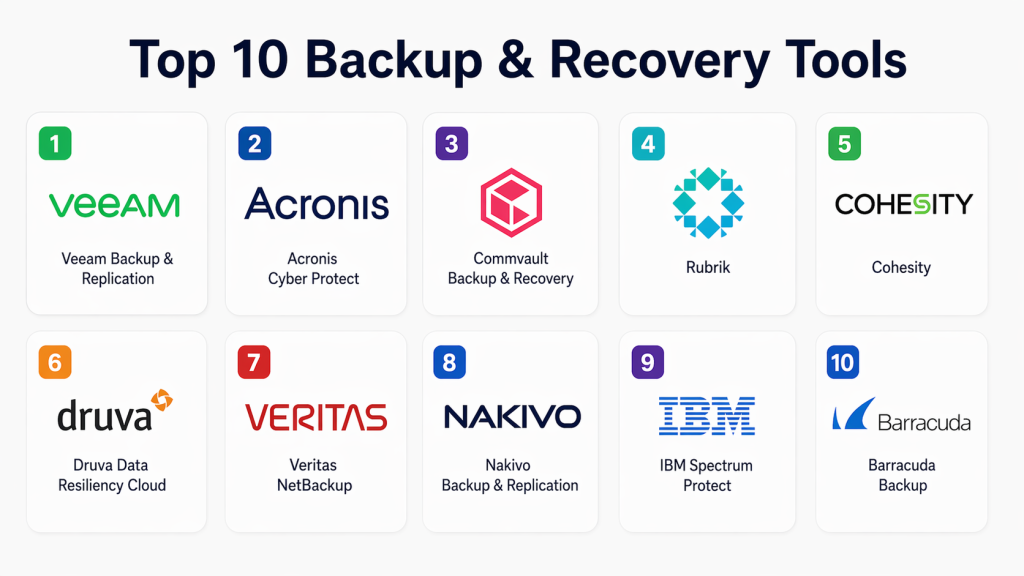
Top 10 Backup & Recovery Tools
#1 — Veeam Backup & Replication
Short description:
Veeam is a widely adopted backup solution focused on virtualized, cloud, and hybrid environments. It is known for its fast recovery capabilities and enterprise-grade reliability, making it a top choice for IT teams managing complex infrastructures.
Key Features
- VM-level backup and recovery
- Instant recovery for applications
- Immutable backup support
- Cloud-native backup integration
- Advanced replication features
- Ransomware protection mechanisms
Pros
- High-speed recovery
- Strong virtualization support
- Mature ecosystem
Cons
- Complex setup for beginners
- Pricing can scale quickly
Platforms / Deployment
Windows / Linux
Cloud / Self-hosted / Hybrid
Security & Compliance
Encryption, RBAC, audit logs, MFA support
Compliance: Varies / Not publicly stated
Integrations & Ecosystem
Strong integration with virtualization, cloud providers, and enterprise tools.
- VMware, Hyper-V
- AWS, Azure
- Kubernetes platforms
- Storage systems
Support & Community
Well-established community, strong enterprise support, extensive documentation.
#2 — Acronis Cyber Protect
Short description:
Acronis combines backup with cybersecurity features, offering a unified solution for data protection and threat defense. Ideal for SMBs and MSPs.
Key Features
- Integrated backup and anti-malware
- Disk imaging
- Cloud backup
- AI-based ransomware protection
- Disaster recovery orchestration
Pros
- All-in-one solution
- Strong endpoint protection
Cons
- Interface complexity
- Licensing variations
Platforms / Deployment
Windows / macOS / Linux
Cloud / Hybrid
Security & Compliance
Encryption, anti-malware, MFA
Compliance: Not publicly stated
Integrations & Ecosystem
Supports integration with IT management and cloud services.
- Microsoft environments
- Virtual machines
- Cloud storage
Support & Community
Good support options; widely used in MSP environments.
#3 — Commvault Backup & Recovery
Short description:
Commvault is an enterprise-grade platform offering deep control over backup policies and data lifecycle management, ideal for large organizations.
Key Features
- Unified data management
- AI-driven automation
- Multi-cloud backup
- Granular recovery options
- Compliance management
Pros
- Highly scalable
- Rich feature set
Cons
- Steep learning curve
- Expensive for SMBs
Platforms / Deployment
Windows / Linux
Cloud / Hybrid
Security & Compliance
Encryption, RBAC, audit logs
Compliance: Varies
Integrations & Ecosystem
Enterprise integrations with cloud and storage platforms.
- AWS, Azure
- Databases
- SaaS platforms
Support & Community
Strong enterprise support; documentation-heavy.
#4 — Rubrik
Short description:
Rubrik focuses on simplicity and automation, delivering fast deployment and easy management for modern data protection.
Key Features
- Policy-based automation
- Instant recovery
- Cloud integration
- Ransomware detection
- Immutable backups
Pros
- Easy to use
- Fast deployment
Cons
- Premium pricing
- Limited customization
Platforms / Deployment
Cloud / Hybrid
Security & Compliance
Encryption, zero-trust architecture
Compliance: Not publicly stated
Integrations & Ecosystem
Integrates well with cloud-native platforms.
- AWS, Azure, GCP
- SaaS apps
- Kubernetes
Support & Community
Strong enterprise support with modern UI/UX focus.
5 — Cohesity
Short description:
Cohesity provides hyper-converged backup and data management, combining backup, analytics, and storage.
Key Features
- Converged data platform
- Backup and archival
- AI-based insights
- Cloud tiering
- Fast recovery
Pros
- Consolidated platform
- Scalable architecture
Cons
- Requires infrastructure investment
- Learning curve
Platforms / Deployment
Cloud / Hybrid
Security & Compliance
Encryption, immutability
Compliance: Not publicly stated
Integrations & Ecosystem
Supports enterprise ecosystems and cloud services.
- VMware
- Cloud storage
- Databases
Support & Community
Enterprise-level support; growing community.
6 — Druva Data Resiliency Cloud
Short description:
Druva is a fully cloud-native backup platform designed for simplicity and scalability without on-prem infrastructure.
Key Features
- SaaS-based backup
- Endpoint protection
- Cloud workload backup
- Automated recovery
- Global deduplication
Pros
- No hardware required
- Easy scalability
Cons
- Internet dependency
- Limited on-prem control
Platforms / Deployment
Cloud
Security & Compliance
Encryption, compliance controls
Compliance: Varies
Integrations & Ecosystem
Cloud-first integrations with SaaS and cloud providers.
- AWS
- Microsoft 365
- Google Workspace
Support & Community
Strong SaaS support model with guided onboarding.
7 — Veritas NetBackup
Short description:
Veritas is a long-standing enterprise backup solution offering deep functionality and scalability for large environments.
Key Features
- Enterprise backup orchestration
- Multi-cloud support
- Automation
- Disaster recovery
- Data lifecycle management
Pros
- Highly reliable
- Enterprise-ready
Cons
- Complex deployment
- High cost
Platforms / Deployment
Windows / Linux
Hybrid
Security & Compliance
Encryption, RBAC
Compliance: Not publicly stated
Integrations & Ecosystem
Broad enterprise integrations.
- Cloud providers
- Databases
- Storage systems
Support & Community
Strong enterprise support; legacy user base.
#8 — Nakivo Backup & Replication
Short description:
Nakivo is a cost-effective backup solution designed for SMBs and mid-market businesses.
Key Features
- VM backup
- Cloud backup
- Replication
- Instant recovery
- Backup verification
Pros
- Affordable
- Easy deployment
Cons
- Limited enterprise features
- Smaller ecosystem
Platforms / Deployment
Windows / Linux
Cloud / Hybrid
Security & Compliance
Encryption
Compliance: Not publicly stated
Integrations & Ecosystem
Supports common virtualization and cloud platforms.
- VMware
- AWS
- NAS systems
Support & Community
Good SMB-focused support; smaller community.
9 — IBM Spectrum Protect
Short description:
IBM Spectrum Protect is designed for large-scale enterprise environments, focusing on efficient storage and data management.
Key Features
- Incremental backup
- Storage optimization
- Enterprise scalability
- Automation
- Policy-based management
Pros
- Efficient storage usage
- Enterprise-grade
Cons
- Complex setup
- Requires expertise
Platforms / Deployment
Windows / Linux
Hybrid
Security & Compliance
Encryption, RBAC
Compliance: Varies
Integrations & Ecosystem
Integrates with enterprise IT systems.
- IBM ecosystem
- Databases
- Cloud
Support & Community
Enterprise support; technical expertise required.
#10 — Barracuda Backup
Short description:
Barracuda offers a simple and reliable backup solution for SMBs with strong cloud integration.
Key Features
- Appliance-based backup
- Cloud replication
- Email and SaaS backup
- Disaster recovery
- Centralized management
Pros
- Easy setup
- Good for SMBs
Cons
- Limited customization
- Appliance dependency
Platforms / Deployment
Cloud / Hybrid
Security & Compliance
Encryption
Compliance: Not publicly stated
Integrations & Ecosystem
Supports SMB-focused integrations.
- Microsoft 365
- VMware
- Cloud storage
Support & Community
Accessible support; SMB-friendly documentation.
Comparison Table (Top 10)
| Tool Name | Best For | Platform(s) Supported | Deployment | Standout Feature | Public Rating |
|---|---|---|---|---|---|
| Veeam | Enterprises | Windows/Linux | Hybrid | Instant recovery | N/A |
| Acronis | SMB/MSP | Multi-OS | Cloud/Hybrid | Cyber protection | N/A |
| Commvault | Enterprise | Multi-OS | Hybrid | Data management | N/A |
| Rubrik | Enterprise | Cloud-based | Hybrid | Automation | N/A |
| Cohesity | Mid-large | Multi-OS | Hybrid | Hyper-converged | N/A |
| Druva | Cloud-first | Cloud | Cloud | SaaS-native | N/A |
| Veritas | Enterprise | Multi-OS | Hybrid | Scalability | N/A |
| Nakivo | SMB | Multi-OS | Hybrid | Cost-effective | N/A |
| IBM Spectrum | Enterprise | Multi-OS | Hybrid | Storage efficiency | N/A |
| Barracuda | SMB | Multi-OS | Hybrid | Simplicity | N/A |
Evaluation & Scoring of Backup & Recovery Tools
| Tool Name | Core | Ease | Integrations | Security | Performance | Support | Value | Weighted Total |
|---|---|---|---|---|---|---|---|---|
| Veeam | 9 | 8 | 9 | 9 | 9 | 9 | 8 | 8.8 |
| Acronis | 8 | 7 | 8 | 9 | 8 | 8 | 8 | 8.0 |
| Commvault | 9 | 6 | 9 | 9 | 9 | 8 | 7 | 8.3 |
| Rubrik | 8 | 9 | 8 | 9 | 9 | 8 | 7 | 8.4 |
| Cohesity | 8 | 7 | 8 | 8 | 9 | 8 | 7 | 8.0 |
| Druva | 8 | 9 | 8 | 8 | 8 | 8 | 8 | 8.2 |
| Veritas | 9 | 6 | 8 | 9 | 9 | 8 | 6 | 8.1 |
| Nakivo | 7 | 8 | 7 | 7 | 7 | 7 | 9 | 7.6 |
| IBM Spectrum | 8 | 6 | 8 | 8 | 8 | 7 | 6 | 7.5 |
| Barracuda | 7 | 9 | 7 | 7 | 7 | 7 | 8 | 7.6 |
How to interpret scores:
- Scores are relative comparisons, not absolute ratings.
- A higher weighted total indicates better overall balance.
- Enterprises should prioritize security and performance, while SMBs may value ease and cost more.
- No single tool is best for all use cases—fit matters more than ranking.
Which Backup & Recovery Tools Tool Is Right for You?
Solo / Freelancer
- Use simple cloud solutions like Druva or Barracuda
- Focus on ease of use and automation
SMB
- Nakivo or Acronis provide balance of cost and features
- Look for minimal setup and strong support
Mid-Market
- Cohesity or Rubrik offer scalability and automation
- Prioritize hybrid capabilities
Enterprise
- Veeam, Commvault, or Veritas
- Focus on compliance, scalability, and performance
Budget vs Premium
- Budget: Nakivo, Barracuda
- Premium: Rubrik, Commvault
Feature Depth vs Ease of Use
- Feature-rich: Commvault, Veritas
- Easy to use: Druva, Rubrik
Integrations & Scalability
- Enterprise ecosystems: Veeam, Commvault
- Cloud-native: Druva
Security & Compliance Needs
- High compliance: Veeam, Commvault
- Basic needs: Nakivo, Barracuda
Frequently Asked Questions (FAQs)
What is the difference between backup and disaster recovery?
Backup focuses on storing copies of data, while disaster recovery ensures full system restoration after failures. Backup is a component of disaster recovery, but DR includes processes, infrastructure, and automation for business continuity.
How often should backups be performed?
Backup frequency depends on data criticality. Many organizations use daily backups with incremental updates every few hours. High-availability systems may require near real-time replication.
What is immutable backup?
Immutable backups cannot be altered or deleted for a defined period. This protects data from ransomware attacks and accidental deletion, making it a critical modern feature.
Are cloud backups better than on-premise backups?
Cloud backups offer scalability and accessibility, while on-prem provides control. Most organizations adopt hybrid models for flexibility and redundancy.
How long should data be retained?
Retention depends on compliance and business needs. Some industries require long-term retention, while others prioritize short-term operational recovery.
Can backup tools protect against ransomware?
Yes, modern tools include ransomware detection, immutability, and anomaly detection. However, they must be combined with broader security practices.
What are common mistakes in backup strategies?
Common mistakes include not testing recovery, relying on a single backup location, and ignoring security configurations.
How difficult is it to switch backup tools?
Switching can be complex due to data migration and policy changes. Proper planning and phased migration help reduce risks.
Do backup tools support SaaS applications?
Yes, many tools now support SaaS backups like email and collaboration platforms, which are not fully protected by default providers.
What is the cost structure of backup tools?
Pricing varies based on storage, features, and deployment. Many vendors now offer subscription-based or usage-based pricing models.
Conclusion
Backup & Recovery Tools have evolved into comprehensive data resilience platforms, combining storage, security, and automation into a single solution. The rise of ransomware, cloud workloads, and compliance demands has made selecting the right tool more critical than ever. While enterprise tools like Veeam and Commvault deliver unmatched depth, cloud-native platforms like Druva offer simplicity and scalability for modern teams.
There is no universal “best” solution—your choice should align with your infrastructure, budget, and risk tolerance. Organizations should carefully evaluate recovery speed, security capabilities, and integration fit before making a decision.
A practical next step is to shortlist 4–5 tools, run pilot deployments, and validate real-world recovery scenarios. This ensures your backup strategy is not just theoretical—but truly reliable when it matters most.
