Introduction
Patch Management Tools are software platforms that help organizations identify, test, deploy, and monitor updates (patches) for operating systems, applications, and devices. These patches fix security vulnerabilities, improve system performance, and ensure compliance with internal and external standards.
In modern IT environments, patch management has become a mission-critical cybersecurity practice. With increasing ransomware attacks, zero-day vulnerabilities, and distributed workforces, delayed patching can lead to serious security breaches. Today’s tools are evolving with automation, AI-based prioritization, and real-time compliance reporting, enabling faster and safer patch deployment across complex infrastructures.
Real-world use cases:
- Automatically patching critical vulnerabilities across endpoints
- Managing updates for remote and hybrid workforces
- Ensuring compliance with regulatory standards
- Reducing downtime with controlled patch rollouts
- Updating third-party applications across enterprise environments
What buyers should evaluate:
- Automation and scheduling capabilities
- OS and third-party patch coverage
- Deployment flexibility (cloud/on-prem)
- Reporting and compliance tracking
- Integration ecosystem
- Scalability across devices
- Ease of use and UI experience
- Security controls (RBAC, encryption)
- Performance and reliability
- Cost vs value
Best for: IT managers, security teams, DevOps engineers, MSPs, and enterprises managing multi-device, multi-location infrastructures.
Not ideal for: Small teams with limited systems or organizations relying only on native OS updates without compliance or automation needs.
Key Trends in Patch Management Tools
- AI-driven patch prioritization based on exploitability and risk scoring
- Autonomous patch deployment workflows with minimal manual effort
- Zero-touch patching for remote and mobile endpoints
- Tight integration with EDR, SIEM, and vulnerability scanners
- Cloud-native patching platforms replacing legacy on-prem systems
- Real-time compliance dashboards for audits and reporting
- Automated rollback mechanisms for safer deployments
- Cross-platform support including containers and cloud workloads
- API-first architecture enabling DevOps automation
- Security-first patching aligned with Zero Trust strategies
How We Selected These Tools (Methodology)
- Strong market adoption and industry credibility
- Comprehensive patching capabilities across OS and applications
- Proven performance and reliability signals
- Robust security and compliance readiness
- Wide integration ecosystem
- Fit for SMB, mid-market, and enterprise segments
- Ease of deployment and operational efficiency
- Vendor innovation and roadmap direction
- Quality of documentation and customer support
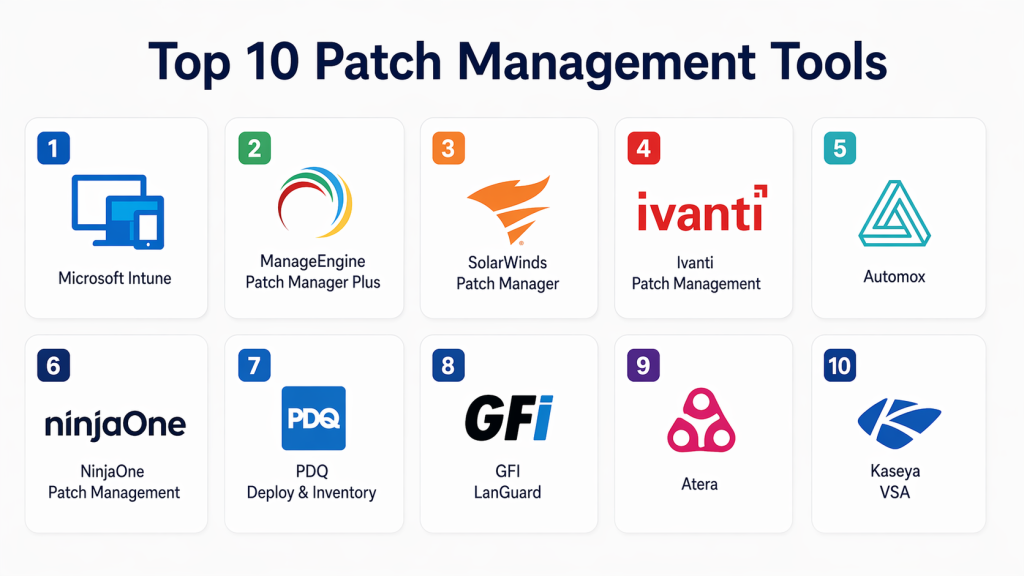
Top 10 Patch Management Tools
#1 — Microsoft Intune
Short description: A cloud-based endpoint management platform designed for organizations using Microsoft ecosystems for unified device and patch control.
Key Features
- Automated OS and application patching
- Integration with Windows Update
- Endpoint compliance policies
- Mobile device management
- Conditional access enforcement
- Remote device configuration
Pros
- Strong Microsoft ecosystem integration
- Cloud-native scalability
Cons
- Limited third-party patching
- Complex configuration
Platforms / Deployment
Cloud / Windows / macOS / iOS / Android
Security & Compliance
SSO, MFA, RBAC, encryption, compliance policies
Integrations & Ecosystem
Deep integration with Microsoft services and enterprise tools.
- Azure AD
- Microsoft Defender
- Microsoft 365
- PowerShell
Support & Community
Extensive enterprise documentation and support
#2 — ManageEngine Patch Manager Plus
Short description: A comprehensive patch management solution supporting multiple operating systems and third-party applications.
Key Features
- Automated patch deployment
- Third-party patching
- Patch testing workflows
- Compliance reporting
- Remote patching
- Vulnerability detection
Pros
- Broad application coverage
- Flexible deployment options
Cons
- UI feels outdated
- Requires tuning for advanced features
Platforms / Deployment
Windows / Linux / macOS / Cloud / On-prem
Security & Compliance
RBAC, audit logs, encryption
Integrations & Ecosystem
Works with IT management and service tools.
- ServiceDesk systems
- Endpoint management tools
- APIs
Support & Community
Reliable support and documentation
3 — SolarWinds Patch Manager
Short description: Enterprise-focused patching tool integrated with IT monitoring systems for centralized control.
Key Features
- WSUS integration
- Automated patch scheduling
- Compliance reporting
- Third-party patching
- Risk assessment
Pros
- Strong reporting capabilities
- Enterprise scalability
Cons
- Requires infrastructure setup
- Licensing complexity
Platforms / Deployment
Windows / On-prem
Security & Compliance
RBAC, audit logs
Integrations & Ecosystem
Integrates with IT operations platforms.
- Orion Platform
- Active Directory
Support & Community
Enterprise-level support
#4 — Ivanti Patch Management
Short description: Advanced patch management solution focused on security-driven automation and enterprise scalability.
Key Features
- Risk-based patch prioritization
- Automated deployment
- Endpoint visibility
- Patch rollback
- Multi-OS support
Pros
- Strong security capabilities
- Highly scalable
Cons
- Higher cost
- Learning curve
Platforms / Deployment
Windows / Linux / macOS / Cloud / Hybrid
Security & Compliance
SSO, MFA, encryption, compliance features
Integrations & Ecosystem
Broad enterprise integrations.
- ITSM platforms
- Security tools
- APIs
Support & Community
Enterprise-grade support
#5 — Automox
Short description: Cloud-native patch management platform designed for distributed teams and modern IT environments.
Key Features
- Agent-based patching
- Cloud dashboard
- Automated policies
- Cross-platform support
- Remote management
Pros
- Easy deployment
- Strong remote capabilities
Cons
- Limited deep customization
- Pricing scalability
Platforms / Deployment
Cloud / Windows / macOS / Linux
Security & Compliance
Encryption, RBAC, audit logs
Integrations & Ecosystem
Designed for automation workflows.
- APIs
- DevOps tools
- Security platforms
Support & Community
Strong onboarding and documentation
#6 — NinjaOne Patch Management
Short description: Patch management combined with RMM capabilities for IT teams and managed service providers.
Key Features
- Automated patch deployment
- Endpoint monitoring
- Remote access
- Policy-based patching
- Reporting dashboards
Pros
- Easy to use
- Unified RMM + patching
Cons
- Limited enterprise depth
- Fewer integrations
Platforms / Deployment
Cloud / Windows / macOS
Security & Compliance
Encryption, RBAC
Integrations & Ecosystem
Focused on IT operations workflows.
- PSA tools
- Monitoring platforms
Support & Community
Highly rated support
#7 — PDQ Deploy & Inventory
Short description: Lightweight and efficient patch management tool designed primarily for Windows environments.
Key Features
- Automated deployments
- Patch scheduling
- Software inventory
- Remote execution
- Custom scripting
Pros
- Fast and efficient
- Cost-effective
Cons
- Windows-only
- Limited cloud support
Platforms / Deployment
Windows / On-prem
Security & Compliance
Not publicly stated
Integrations & Ecosystem
Works well with scripting and Windows tools.
- PowerShell
- Windows ecosystem
Support & Community
Strong community support
#8 — GFI LanGuard
Short description: Patch management tool combined with vulnerability scanning for enhanced security visibility.
Key Features
- Patch deployment
- Network scanning
- Vulnerability detection
- Compliance reporting
- Asset discovery
Pros
- Combines patching and security
- Strong visibility
Cons
- UI limitations
- Scaling challenges
Platforms / Deployment
Windows / On-prem
Security & Compliance
Not publicly stated
Integrations & Ecosystem
Focused on security tools.
- Network scanners
- Reporting systems
Support & Community
Moderate support
#9 — Atera
Short description: Cloud-based IT management platform with integrated patching, designed for MSPs and SMBs.
Key Features
- Automated patching
- Remote monitoring
- Ticketing system
- Reporting tools
- IT automation
Pros
- All-in-one platform
- Cost-effective
Cons
- Limited enterprise features
- Customization constraints
Platforms / Deployment
Cloud / Windows / macOS
Security & Compliance
RBAC, encryption
Integrations & Ecosystem
Supports MSP workflows.
- PSA tools
- Automation scripts
Support & Community
Good SMB support
#10 — Kaseya VSA
Short description: Enterprise IT management platform offering robust patch automation and endpoint control.
Key Features
- Patch automation
- Endpoint monitoring
- Remote control
- Policy management
- Reporting
Pros
- Highly scalable
- Strong automation
Cons
- Complex interface
- Pricing transparency issues
Platforms / Deployment
Cloud / Hybrid / Windows / macOS / Linux
Security & Compliance
MFA, RBAC, audit logs
Integrations & Ecosystem
Broad enterprise integrations.
- ITSM tools
- Security platforms
- APIs
Support & Community
Enterprise-level support
Comparison Table (Top 10)
| Tool Name | Best For | Platform(s) Supported | Deployment | Standout Feature | Public Rating |
|---|---|---|---|---|---|
| Microsoft Intune | Enterprise | Multi-platform | Cloud | Microsoft integration | N/A |
| ManageEngine | SMB & Enterprise | Multi-platform | Hybrid | Third-party patching | N/A |
| SolarWinds | Enterprise | Windows | On-prem | Reporting | N/A |
| Ivanti | Enterprise | Multi-platform | Hybrid | Risk-based patching | N/A |
| Automox | Remote teams | Multi-platform | Cloud | Cloud-native patching | N/A |
| NinjaOne | MSPs | Multi-platform | Cloud | RMM integration | N/A |
| PDQ Deploy | SMB | Windows | On-prem | Fast deployment | N/A |
| GFI LanGuard | Security teams | Windows | On-prem | Vulnerability scanning | N/A |
| Atera | MSPs | Multi-platform | Cloud | All-in-one IT | N/A |
| Kaseya VSA | Enterprise | Multi-platform | Hybrid | Automation engine | N/A |
Evaluation & Scoring of Patch Management Tools
| Tool Name | Core | Ease | Integrations | Security | Performance | Support | Value | Weighted Total |
|---|---|---|---|---|---|---|---|---|
| Microsoft Intune | 9 | 7 | 9 | 9 | 8 | 8 | 7 | 8.3 |
| ManageEngine | 8 | 7 | 8 | 7 | 8 | 7 | 8 | 7.8 |
| SolarWinds | 8 | 6 | 7 | 7 | 8 | 7 | 6 | 7.2 |
| Ivanti | 9 | 6 | 8 | 9 | 8 | 8 | 6 | 8.0 |
| Automox | 8 | 9 | 7 | 7 | 8 | 8 | 7 | 8.0 |
| NinjaOne | 7 | 9 | 6 | 7 | 7 | 9 | 8 | 7.8 |
| PDQ Deploy | 7 | 8 | 5 | 6 | 8 | 7 | 9 | 7.3 |
| GFI LanGuard | 7 | 6 | 6 | 6 | 7 | 6 | 7 | 6.7 |
| Atera | 7 | 8 | 6 | 7 | 7 | 7 | 8 | 7.3 |
| Kaseya VSA | 8 | 6 | 8 | 8 | 8 | 7 | 6 | 7.6 |
How to interpret scores:
These scores provide a comparative benchmark based on weighted evaluation criteria. A higher score indicates stronger overall capabilities, but priorities vary depending on organizational needs. Enterprises should emphasize security and integrations, while SMBs may prioritize ease of use and cost efficiency. Scores are indicative, not absolute, and should be validated through real-world testing and pilot deployments.
Which Patch Management Tools Is Right for You?
Solo / Freelancer
Lightweight tools like PDQ Deploy or Atera are ideal for small-scale environments with limited complexity and budget.
SMB
ManageEngine, NinjaOne, and Automox provide a strong balance between usability, automation, and cost efficiency.
Mid-Market
Automox and Ivanti offer scalable solutions with enhanced automation and security features for growing organizations.
Enterprise
Microsoft Intune, Ivanti, and Kaseya VSA are best suited for large-scale deployments requiring compliance and deep integrations.
Budget vs Premium
- Budget-friendly: PDQ Deploy, Atera
- Premium solutions: Ivanti, Kaseya
Feature Depth vs Ease of Use
- Easy-to-use: NinjaOne, Automox
- Feature-rich: Ivanti, SolarWinds
Integrations & Scalability
Choose tools with strong APIs and integrations with ITSM, DevOps, and security ecosystems for long-term growth.
Security & Compliance Needs
Organizations in regulated industries should prioritize tools with audit logs, encryption, and compliance reporting.
Frequently Asked Questions (FAQs)
1. What is patch management and why is it important?
Patch management is the process of identifying, testing, and deploying software updates to fix vulnerabilities and improve performance. It is critical because unpatched systems are a major entry point for cyberattacks. Organizations that maintain regular patch cycles reduce security risks and improve system reliability. It also ensures compliance with regulatory standards and internal policies.
2. How do patch management tools work?
Patch management tools scan systems for missing updates, prioritize patches based on severity, and automate deployment. They often include scheduling, testing environments, and reporting dashboards. Modern tools also integrate with security systems to identify high-risk vulnerabilities. This automation reduces manual effort and ensures consistency across environments.
3. Are patch management tools suitable for small businesses?
Yes, many tools are designed specifically for SMBs with simplified interfaces and affordable pricing. Tools like Atera and NinjaOne provide easy deployment and automation. Small businesses benefit from reduced manual workload and improved security posture. However, very small setups may rely on native OS update mechanisms if requirements are minimal.
4. What are the common challenges in patch management?
Common challenges include testing patches before deployment, managing downtime, and handling compatibility issues. Organizations also struggle with visibility across distributed environments. Delayed patching due to operational concerns is another issue. Advanced tools help mitigate these challenges through automation and reporting.
5. Can patching disrupt business operations?
Yes, poorly managed patching can cause downtime or system instability. However, modern tools provide scheduling, testing environments, and rollback features. These capabilities allow patches to be applied during maintenance windows. Proper planning ensures minimal disruption to operations.
6. Do patch management tools support third-party applications?
Most modern tools support third-party patching, but coverage varies by vendor. Some tools specialize in broader application ecosystems. This is important because many vulnerabilities originate from third-party software. Buyers should evaluate coverage carefully before selecting a tool.
7. What is the difference between cloud and on-prem patch management?
Cloud-based tools offer flexibility, remote management, and easier scalability. On-prem solutions provide more control and may be required for strict compliance environments. Hybrid models combine both approaches. The choice depends on infrastructure and security requirements.
8. How do patch management tools improve security?
They ensure vulnerabilities are addressed quickly and consistently across all systems. Integration with security tools helps prioritize critical patches. Automated deployment reduces human error. This significantly lowers the attack surface and improves overall cybersecurity posture.
9. How should organizations choose the right patch management tool?
Organizations should evaluate based on infrastructure complexity, security needs, and budget. Integration capabilities and scalability are also important. Running pilot tests helps validate performance and usability. The best tool aligns with long-term operational goals.
10. Can patch management tools integrate with DevOps workflows?
Yes, many modern tools provide APIs and integrations with CI/CD pipelines and DevOps platforms. This enables automated patching as part of software delivery workflows. It improves efficiency and ensures systems remain secure without manual intervention. Integration flexibility is a key factor for modern IT teams.
Conclusion
Patch management has evolved into a critical component of modern IT and cybersecurity strategies. As organizations adopt hybrid work models and cloud-native architectures, the need for automated, scalable, and secure patching solutions has never been greater. The tools covered in this guide represent a balanced mix of enterprise-grade platforms and SMB-friendly solutions, each offering unique strengths depending on your environment.
There is no one-size-fits-all solution. Enterprises may prioritize compliance, integrations, and advanced automation, while smaller teams may focus on ease of use and cost efficiency. Understanding your infrastructure, risk profile, and operational needs is essential to making the right choice.
To move forward effectively, shortlist a few tools that align with your requirements, run pilot implementations, and evaluate their real-world performance. Pay close attention to integration capabilities, security features, and automation depth. A well-chosen patch management tool will not only reduce risk but also improve operational efficiency and long-term resilience
