Introduction
Remote Monitoring & Management (RMM) tools are software platforms that allow IT teams and managed service providers (MSPs) to monitor, manage, and maintain devices, networks, and endpoints remotely. These tools provide centralized visibility into system health, automate routine tasks, and enable proactive issue resolution before problems escalate.
In today’s distributed IT environments, RMM tools have become essential. With hybrid work, cloud-first infrastructure, and increasing cybersecurity threats, organizations need continuous monitoring and automation to maintain uptime and security.
Common use cases include:
- Monitoring endpoint health (CPU, disk, memory)
- Automated patch management
- Remote troubleshooting and support
- Network performance monitoring
- Security alerts and incident response
What buyers should evaluate:
- Automation capabilities
- Patch management efficiency
- Scalability and multi-tenant support
- Security features (MFA, RBAC, encryption)
- Integration ecosystem
- Reporting and analytics
- Ease of deployment and use
- Pricing flexibility
- Remote access performance
Best for: MSPs, IT teams, system administrators, and organizations managing distributed infrastructure across industries like healthcare, finance, SaaS, and education.
Not ideal for: Very small teams with minimal IT needs or organizations already fully managed by external providers with no in-house control requirements.
Key Trends in Remote Monitoring & Management (RMM) Tools
- AI-driven anomaly detection and predictive maintenance
- Increased automation of patching and remediation workflows
- Integration with security platforms (EDR/XDR)
- Cloud-native and SaaS-first RMM solutions
- Unified endpoint management (UEM) convergence
- API-first ecosystems for customization
- Real-time analytics dashboards with actionable insights
- Compliance-focused reporting and auditing features
- Remote workforce optimization capabilities
- Usage-based and flexible pricing models
How We Selected These Tools (Methodology)
- Strong market presence and adoption among MSPs and enterprises
- Comprehensive feature sets covering monitoring, automation, and remote access
- Proven reliability and performance in real-world environments
- Security capabilities and compliance readiness
- Integration support with ITSM, PSA, and security tools
- Suitability for different business sizes (SMB to enterprise)
- Vendor ecosystem maturity and extensibility
- Ease of use and onboarding experience
- Community support and documentation quality
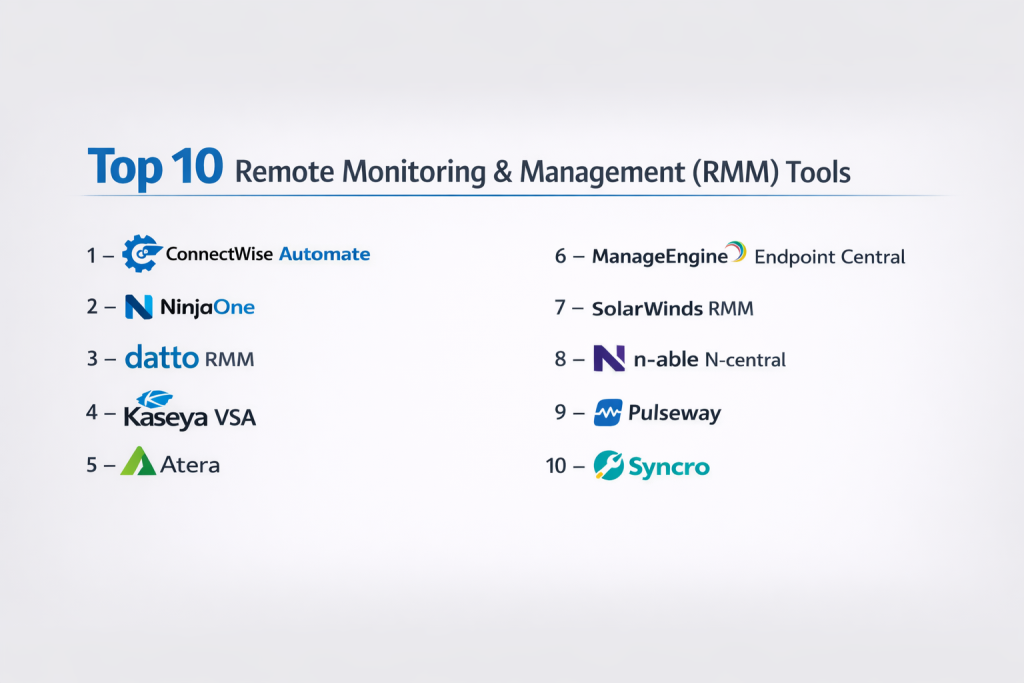
Top 10 Remote Monitoring & Management (RMM) Tools Tools
#1 — ConnectWise Automate
Short description: A powerful RMM platform designed for MSPs, offering deep automation and scripting capabilities for large-scale IT environments.
Key Features
- Advanced scripting engine
- Patch management automation
- Remote control tools
- Network monitoring
- Asset discovery
- Alerting and reporting
- Multi-tenant support
Pros
- Highly customizable automation
- Strong MSP-focused features
Cons
- Steep learning curve
- Complex initial setup
Platforms / Deployment
Web / Windows / macOS / Linux
Cloud / Self-hosted
Security & Compliance
MFA, RBAC, encryption; certifications not publicly stated
Integrations & Ecosystem
ConnectWise ecosystem is extensive with integrations into PSA tools, ticketing systems, and third-party security platforms.
- PSA integrations
- ITSM tools
- Security tools
- API support
Support & Community
Strong MSP community, detailed documentation, tiered support options.
#2 — NinjaOne
Short description: A modern, cloud-based RMM tool known for simplicity, automation, and fast deployment.
Key Features
- Endpoint monitoring
- Patch management
- Remote access
- Automation policies
- Backup integration
- Reporting dashboard
Pros
- Easy to use
- Fast deployment
Cons
- Limited advanced customization
- Pricing varies
Platforms / Deployment
Web / Windows / macOS / Linux
Cloud
Security & Compliance
MFA, RBAC; certifications not publicly stated
Integrations & Ecosystem
Offers integrations with backup, security, and ticketing systems.
- Backup tools
- PSA integrations
- API access
Support & Community
Highly rated support experience; onboarding is straightforward.
#3 — Datto RMM
Short description: A cloud-based RMM solution focused on automation, patching, and MSP efficiency.
Key Features
- Automated patching
- Remote monitoring
- Policy-based management
- Scripting engine
- Device health tracking
Pros
- Strong automation
- MSP-friendly interface
Cons
- Limited customization depth
- Reporting can be basic
Platforms / Deployment
Web / Windows / macOS / Linux
Cloud
Security & Compliance
MFA, encryption; certifications not publicly stated
Integrations & Ecosystem
Integrates with backup and security solutions.
- Backup integrations
- PSA tools
- API support
Support & Community
Good MSP-focused support; community knowledge base available.
#4 — Kaseya VSA
Short description: A comprehensive RMM platform offering automation, monitoring, and security integration.
Key Features
- Endpoint monitoring
- Patch automation
- Remote control
- Network monitoring
- Automation workflows
Pros
- Feature-rich
- Scalable
Cons
- Interface complexity
- Requires training
Platforms / Deployment
Web / Windows / macOS / Linux
Cloud / Self-hosted
Security & Compliance
MFA, RBAC; certifications not publicly stated
Integrations & Ecosystem
Broad integrations across IT management tools.
- Security tools
- Backup solutions
- API integrations
Support & Community
Mixed feedback; documentation available.
#5 — Atera
Short description: An all-in-one RMM and PSA platform designed for SMBs and IT professionals.
Key Features
- RMM + PSA combined
- Patch management
- Remote access
- Billing and ticketing
- Automation
Pros
- Simple pricing model
- Easy to deploy
Cons
- Limited enterprise features
- Scaling challenges
Platforms / Deployment
Web / Windows / macOS
Cloud
Security & Compliance
MFA; certifications not publicly stated
Integrations & Ecosystem
Integrates with IT tools and business apps.
- Ticketing tools
- Backup solutions
- API support
Support & Community
Responsive support; growing community.
#6 — ManageEngine Endpoint Central
Short description: A unified endpoint management solution with strong RMM capabilities for enterprises.
Key Features
- Endpoint monitoring
- Patch management
- Software deployment
- Mobile device management
- Asset management
Pros
- Comprehensive features
- Enterprise-ready
Cons
- Complex interface
- Learning curve
Platforms / Deployment
Web / Windows / macOS / Linux / iOS / Android
Cloud / Self-hosted
Security & Compliance
RBAC, audit logs; certifications not publicly stated
Integrations & Ecosystem
Strong enterprise integrations.
- ITSM tools
- Security tools
- API support
Support & Community
Well-documented; enterprise-level support.
#7 — SolarWinds RMM
Short description: A cloud-based RMM solution with strong monitoring and automation features.
Key Features
- Remote monitoring
- Patch management
- Backup integration
- Network monitoring
- Automation scripts
Pros
- Reliable monitoring
- Good automation
Cons
- UI can feel outdated
- Pricing varies
Platforms / Deployment
Web / Windows / macOS
Cloud
Security & Compliance
MFA; certifications not publicly stated
Integrations & Ecosystem
Supports integrations with IT and security tools.
- Backup solutions
- PSA tools
- APIs
Support & Community
Established community; support varies.
#8 — N-able N-central
Short description: A scalable RMM platform tailored for MSPs managing complex environments.
Key Features
- Endpoint monitoring
- Automation policies
- Patch management
- Remote control
- Network monitoring
Pros
- Scalable
- Strong MSP features
Cons
- Setup complexity
- Requires expertise
Platforms / Deployment
Web / Windows / macOS / Linux
Cloud / Self-hosted
Security & Compliance
MFA, RBAC; certifications not publicly stated
Integrations & Ecosystem
Extensive MSP ecosystem integrations.
- PSA tools
- Security tools
- APIs
Support & Community
Strong MSP community and documentation.
#9 — Pulseway
Short description: A mobile-first RMM tool offering real-time monitoring and management capabilities.
Key Features
- Mobile app control
- Real-time alerts
- Patch management
- Automation workflows
- Remote desktop
Pros
- Excellent mobile experience
- Real-time alerts
Cons
- Limited enterprise depth
- Customization constraints
Platforms / Deployment
Web / Windows / macOS / Linux / iOS / Android
Cloud
Security & Compliance
MFA; certifications not publicly stated
Integrations & Ecosystem
Supports integrations with monitoring and IT tools.
- APIs
- Security tools
- Backup solutions
Support & Community
Good documentation; active user base.
#10 — Syncro
Short description: An RMM and PSA combined platform designed for small IT teams and MSPs.
Key Features
- RMM + PSA integration
- Remote monitoring
- Ticketing system
- Automation
- Billing features
Pros
- Cost-effective
- All-in-one solution
Cons
- Limited scalability
- Fewer advanced features
Platforms / Deployment
Web / Windows / macOS
Cloud
Security & Compliance
MFA; certifications not publicly stated
Integrations & Ecosystem
Supports integrations with business tools.
- PSA integrations
- APIs
- Backup tools
Support & Community
Growing community; support is adequate.
Comparison Table (Top 10)
| Tool Name | Best For | Platform(s) Supported | Deployment | Standout Feature | Public Rating |
|---|---|---|---|---|---|
| ConnectWise Automate | MSPs | Multi-platform | Cloud/Self-hosted | Advanced automation | N/A |
| NinjaOne | SMB/MSPs | Multi-platform | Cloud | Ease of use | N/A |
| Datto RMM | MSPs | Multi-platform | Cloud | Automation policies | N/A |
| Kaseya VSA | Enterprises | Multi-platform | Hybrid | Feature depth | N/A |
| Atera | SMB | Multi-platform | Cloud | RMM + PSA | N/A |
| ManageEngine Endpoint Central | Enterprises | Multi-platform | Hybrid | UEM features | N/A |
| SolarWinds RMM | SMB/Enterprise | Multi-platform | Cloud | Monitoring reliability | N/A |
| N-able N-central | MSPs | Multi-platform | Hybrid | Scalability | N/A |
| Pulseway | SMB | Multi-platform | Cloud | Mobile-first | N/A |
| Syncro | Small teams | Multi-platform | Cloud | All-in-one platform | N/A |
Evaluation & Scoring of Remote Monitoring & Management (RMM) Tools
| Tool | Core | Ease | Integrations | Security | Performance | Support | Value | Weighted Total |
|---|---|---|---|---|---|---|---|---|
| ConnectWise | 9 | 6 | 9 | 8 | 8 | 8 | 7 | 8.0 |
| NinjaOne | 8 | 9 | 7 | 7 | 8 | 9 | 8 | 8.1 |
| Datto RMM | 8 | 8 | 7 | 7 | 8 | 8 | 7 | 7.8 |
| Kaseya VSA | 9 | 6 | 8 | 8 | 8 | 7 | 7 | 7.9 |
| Atera | 7 | 9 | 7 | 7 | 7 | 8 | 9 | 8.0 |
| ManageEngine | 9 | 6 | 8 | 8 | 8 | 8 | 7 | 8.0 |
| SolarWinds | 8 | 7 | 8 | 7 | 8 | 7 | 7 | 7.7 |
| N-central | 9 | 6 | 8 | 8 | 8 | 8 | 7 | 8.0 |
| Pulseway | 7 | 8 | 7 | 7 | 7 | 7 | 8 | 7.5 |
| Syncro | 7 | 8 | 6 | 6 | 7 | 7 | 9 | 7.4 |
How to interpret scores:
- Scores are comparative across tools, not absolute benchmarks.
- Higher scores indicate stronger overall capability for most use cases.
- Weighting emphasizes core features and value.
- Ease of use is critical for SMB adoption.
- Enterprises should prioritize security and integrations over simplicity.
Which Remote Monitoring & Management (RMM) Tools Tool Is Right for You?
Solo / Freelancer
Choose tools like Syncro or Atera for simplicity and cost-effectiveness.
SMB
NinjaOne, Atera, and Pulseway offer ease of use and fast deployment.
Mid-Market
Datto RMM and SolarWinds provide balanced features and scalability.
Enterprise
ManageEngine Endpoint Central and Kaseya VSA offer depth and control.
Budget vs Premium
Budget tools: Syncro, Atera
Premium tools: ConnectWise, Kaseya
Feature Depth vs Ease of Use
- Deep features: ConnectWise, Kaseya
- Easy to use: NinjaOne, Atera
Integrations & Scalability
Choose N-central or ManageEngine for large-scale integrations.
Security & Compliance Needs
Enterprise tools provide better controls; smaller tools may lack depth.
Frequently Asked Questions (FAQs)
1. What is an RMM tool?
An RMM tool helps monitor and manage IT systems remotely, enabling proactive maintenance and automation.
2. Who uses RMM tools?
Primarily MSPs, IT teams, and system administrators.
3. Are RMM tools expensive?
Pricing varies widely; some offer per-device or per-user pricing.
4. Do RMM tools include security features?
Yes, most include basic security like patching and monitoring, but advanced security varies.
5. Can RMM tools scale?
Yes, many are designed for scalability across thousands of endpoints.
6. What is the difference between RMM and PSA?
RMM handles monitoring; PSA handles business operations like billing and ticketing.
7. Are cloud RMM tools better?
Cloud tools offer easier deployment, but self-hosted may offer more control.
8. How long does implementation take?
Typically a few days to weeks depending on complexity.
9. Can I switch RMM tools easily?
Switching requires planning, data migration, and retraining.
10. What are alternatives to RMM tools?
Alternatives include UEM platforms or manual IT management tools.
Conclusion
Remote Monitoring & Management tools are essential for modern IT operations, enabling proactive monitoring, automation, and efficient remote support. While platforms like ConnectWise and Kaseya offer deep enterprise capabilities, tools like NinjaOne and Atera excel in usability and speed. The right choice depends on your organization’s size, complexity, and integration needs. Rather than chasing a single “best” tool, focus on aligning features with your operational priorities. Start by shortlisting 2–3 tools, run pilot deployments, and validate automation, integrations, and security before making a final decision
