Introduction
IT Service Management (ITSM) tools are software platforms that help organizations design, deliver, manage, and improve IT services. In simple terms, they act as the backbone for handling IT support requests, incidents, changes, assets, and workflows in a structured and efficient way.
In the modern digital-first environment, ITSM tools are no longer optional. With hybrid work, cloud-native infrastructure, and increasing security expectations, organizations need centralized systems to maintain service reliability, automate operations, and ensure compliance.
Common real-world use cases include:
- Managing IT help desk tickets and service requests
- Automating incident and problem management workflows
- Tracking IT assets and configuration items
- Enabling change management and release processes
- Supporting employee self-service portals
Key evaluation criteria for buyers:
- Ease of use and onboarding
- Automation and AI capabilities
- Integration ecosystem
- Security and compliance readiness
- Scalability and performance
- Reporting and analytics
- Pricing and total cost of ownership
- Customization flexibility
Best for: IT managers, DevOps teams, enterprise IT departments, MSPs, and growing companies that need structured IT operations.
Not ideal for: Very small teams with minimal IT needs or those already using lightweight ticketing systems without process complexity.
Key Trends in IT Service Management (ITSM) Tools
- AI-powered service desks with auto-ticket routing and resolution suggestions
- Hyperautomation combining workflows, bots, and AI decision-making
- Shift-left support through self-service portals and knowledge bases
- Cloud-first and SaaS dominance with reduced reliance on on-premise systems
- Integrated ITSM + ITOM + AIOps platforms
- Enhanced security controls like zero-trust and advanced identity management
- Low-code/no-code customization for workflows and dashboards
- Omnichannel support (chat, email, voice, Slack-like integrations)
- Real-time analytics and predictive insights
- Consumption-based pricing models becoming more common
How We Selected These Tools (Methodology)
- High market adoption and industry recognition
- Comprehensive ITSM feature sets
- Proven reliability and scalability
- Strong integration ecosystems
- Security and compliance capabilities
- Suitability across SMB, mid-market, and enterprise
- Vendor support quality and community presence
- Flexibility for customization and automation
- Alignment with modern IT trends (AI, cloud, DevOps)
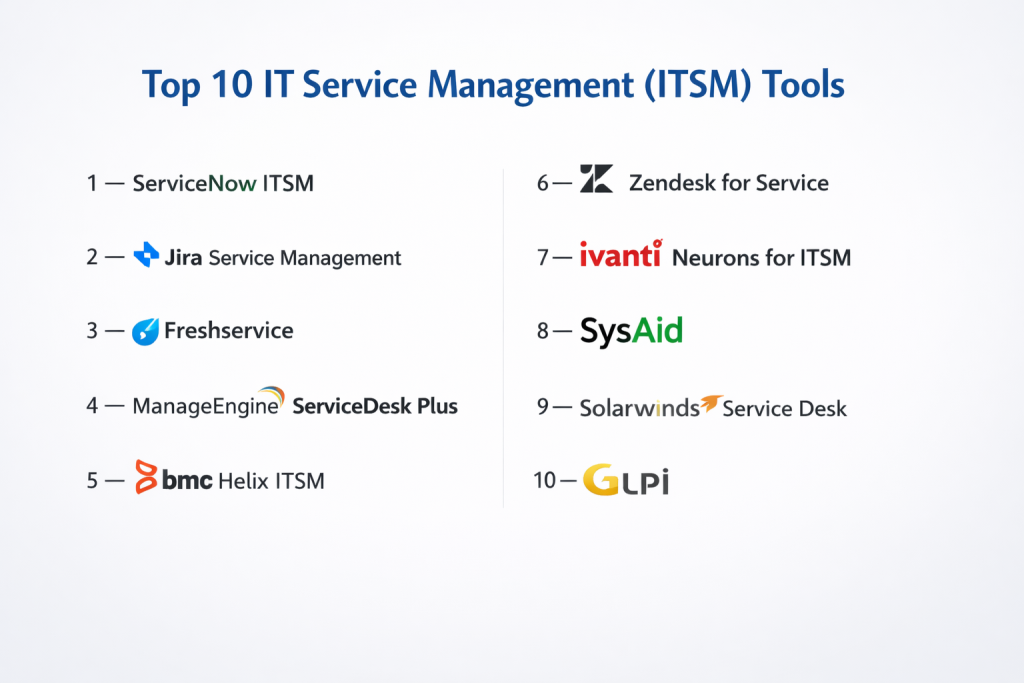
Top 10 IT Service Management (ITSM) Tools
#1 — ServiceNow ITSM
Short description: Enterprise-grade ITSM platform designed for large organizations with complex workflows and global operations.
Key Features
- Incident, problem, and change management
- AI-driven workflows and automation
- CMDB (Configuration Management Database)
- Advanced reporting and dashboards
- IT asset and service lifecycle management
- Workflow automation engine
Pros
- Extremely scalable and customizable
- Strong enterprise ecosystem
Cons
- Expensive for smaller teams
- Complex implementation
Platforms / Deployment
Cloud / Hybrid
Security & Compliance
SSO, MFA, RBAC, encryption, audit logs; compliance varies by deployment
Integrations & Ecosystem
Strong ecosystem with enterprise tools, APIs, and third-party integrations
- Cloud providers
- DevOps tools
- CRM platforms
Support & Community
Strong enterprise support, extensive documentation, large community
#2 — Jira Service Management
Short description: Developer-friendly ITSM tool designed for teams already using agile and DevOps workflows.
Key Features
- Incident and request management
- Integration with development pipelines
- Automation rules engine
- Knowledge base integration
- SLA tracking
Pros
- Excellent for DevOps teams
- Flexible workflows
Cons
- Can become complex with scale
- UI may require learning
Platforms / Deployment
Cloud / Self-hosted
Security & Compliance
SSO, encryption, RBAC; compliance varies
Integrations & Ecosystem
Deep integration with development tools and APIs
- CI/CD tools
- Code repositories
- Collaboration tools
Support & Community
Large global community, strong documentation
#3 — Freshservice
Short description: User-friendly ITSM tool designed for SMBs and mid-sized companies.
Key Features
- Ticketing and incident management
- Asset management
- Workflow automation
- Self-service portal
- AI-powered support
Pros
- Easy to use
- Fast deployment
Cons
- Limited deep customization
- Advanced features cost more
Platforms / Deployment
Cloud
Security & Compliance
SSO, MFA, encryption; compliance varies
Integrations & Ecosystem
Supports common SaaS integrations
- Collaboration tools
- CRM systems
- Monitoring tools
Support & Community
Good onboarding, responsive support
#4 — ManageEngine ServiceDesk Plus
Short description: Comprehensive ITSM tool with strong asset and incident management features.
Key Features
- Incident and problem management
- Asset lifecycle tracking
- Change management
- Reporting tools
- CMDB
Pros
- Affordable pricing
- Rich feature set
Cons
- UI feels outdated
- Performance may vary
Platforms / Deployment
Cloud / Self-hosted
Security & Compliance
Varies / Not publicly stated
Integrations & Ecosystem
Wide integration support
- Network tools
- Monitoring platforms
- Directory services
Support & Community
Good documentation, active user base
#5 — BMC Helix ITSM
Short description: AI-driven ITSM platform designed for large enterprises and complex environments.
Key Features
- AI and predictive analytics
- Multi-cloud service management
- Workflow automation
- Service catalog
- Incident management
Pros
- Strong AI capabilities
- Enterprise-grade features
Cons
- High cost
- Complex setup
Platforms / Deployment
Cloud / Hybrid
Security & Compliance
Varies / Not publicly stated
Integrations & Ecosystem
Enterprise integrations and APIs
- Cloud services
- Enterprise tools
Support & Community
Enterprise support model
#6 — Zendesk for Service
Short description: Customer-focused service management tool adaptable for ITSM use cases.
Key Features
- Ticketing system
- Knowledge base
- Automation workflows
- Omnichannel support
- Reporting tools
Pros
- Easy to use
- Strong customer support features
Cons
- Not ITSM-native
- Limited deep IT features
Platforms / Deployment
Cloud
Security & Compliance
SSO, encryption; compliance varies
Integrations & Ecosystem
Extensive marketplace integrations
- CRM
- Communication tools
Support & Community
Strong support ecosystem
#7 — Ivanti Neurons for ITSM
Short description: AI-powered ITSM solution with automation and self-healing capabilities.
Key Features
- AI automation
- Incident and problem management
- Asset discovery
- Workflow automation
- Self-service portal
Pros
- Advanced automation
- Good asset visibility
Cons
- Learning curve
- Pricing not transparent
Platforms / Deployment
Cloud / Hybrid
Security & Compliance
Varies / Not publicly stated
Integrations & Ecosystem
Supports enterprise integrations and APIs
Support & Community
Moderate community presence
#8 — SysAid
Short description: Cost-effective ITSM tool focused on automation and simplicity.
Key Features
- Ticket management
- Asset management
- Workflow automation
- Reporting
- Self-service portal
Pros
- Affordable
- Easy to deploy
Cons
- Limited advanced features
- UI could improve
Platforms / Deployment
Cloud / Self-hosted
Security & Compliance
Varies / Not publicly stated
Integrations & Ecosystem
Basic integrations available
Support & Community
Good SMB support
#9 — SolarWinds Service Desk
Short description: Cloud-based ITSM solution with strong asset and incident tracking.
Key Features
- Incident management
- Asset management
- Service catalog
- Reporting dashboards
- Automation
Pros
- Clean UI
- Strong asset tracking
Cons
- Limited customization
- Smaller ecosystem
Platforms / Deployment
Cloud
Security & Compliance
Varies / Not publicly stated
Integrations & Ecosystem
Integrates with monitoring and IT tools
Support & Community
Decent documentation and support
#10 — GLPI
Short description: Open-source ITSM tool ideal for organizations seeking cost control and flexibility.
Key Features
- Ticket management
- Asset tracking
- Inventory management
- Plugin support
- Reporting
Pros
- Free and open-source
- Highly customizable
Cons
- Requires technical expertise
- Limited enterprise features
Platforms / Deployment
Self-hosted
Security & Compliance
Varies / Not publicly stated
Integrations & Ecosystem
Plugin-based ecosystem
Support & Community
Strong open-source community
Comparison Table (Top 10)
| Tool Name | Best For | Platform(s) Supported | Deployment | Standout Feature | Public Rating |
|---|---|---|---|---|---|
| ServiceNow | Enterprise | Web | Cloud/Hybrid | Advanced workflows | N/A |
| Jira Service Management | DevOps teams | Web | Cloud/Self-hosted | Dev integration | N/A |
| Freshservice | SMB | Web | Cloud | Ease of use | N/A |
| ManageEngine | SMB/Mid | Web | Hybrid | Asset management | N/A |
| BMC Helix | Enterprise | Web | Hybrid | AI automation | N/A |
| Zendesk | Support teams | Web | Cloud | Omnichannel support | N/A |
| Ivanti | Enterprise | Web | Hybrid | AI automation | N/A |
| SysAid | SMB | Web | Hybrid | Cost-effective | N/A |
| SolarWinds | Mid-market | Web | Cloud | Asset tracking | N/A |
| GLPI | Open-source users | Web | Self-hosted | Free flexibility | N/A |
Evaluation & Scoring of IT Service Management (ITSM) Tools
| Tool | Core | Ease | Integrations | Security | Performance | Support | Value | Weighted Total |
|---|---|---|---|---|---|---|---|---|
| ServiceNow | 10 | 7 | 10 | 9 | 9 | 9 | 6 | 8.7 |
| Jira SM | 9 | 8 | 9 | 8 | 8 | 8 | 8 | 8.4 |
| Freshservice | 8 | 9 | 8 | 7 | 8 | 8 | 9 | 8.3 |
| ManageEngine | 8 | 7 | 7 | 7 | 7 | 7 | 9 | 7.6 |
| BMC Helix | 9 | 6 | 9 | 8 | 9 | 8 | 6 | 8.0 |
| Zendesk | 7 | 9 | 8 | 7 | 8 | 9 | 8 | 8.0 |
| Ivanti | 8 | 7 | 8 | 8 | 8 | 7 | 7 | 7.8 |
| SysAid | 7 | 8 | 6 | 6 | 7 | 7 | 8 | 7.2 |
| SolarWinds | 7 | 8 | 7 | 7 | 7 | 7 | 7 | 7.3 |
| GLPI | 6 | 6 | 6 | 6 | 6 | 6 | 10 | 6.7 |
How to interpret scores:
These scores are relative comparisons based on features, usability, and market positioning. A higher score does not mean universally better—it indicates stronger alignment for typical use cases. Organizations should weigh criteria differently depending on priorities like cost, scalability, or integrations.
Which IT Service Management (ITSM) Tool Is Right for You?
Solo / Freelancer
Lightweight tools like Freshservice or SysAid are sufficient.
SMB
Freshservice, ManageEngine, or SolarWinds offer balance between cost and features.
Mid-Market
Jira Service Management and SolarWinds provide scalability with integrations.
Enterprise
ServiceNow, BMC Helix, or Ivanti are better suited for large-scale operations.
Budget vs Premium
- Budget: GLPI, SysAid
- Premium: ServiceNow, BMC Helix
Feature Depth vs Ease of Use
- Deep features: ServiceNow, BMC
- Easy to use: Freshservice, Zendesk
Integrations & Scalability
Choose Jira SM or ServiceNow for large ecosystems.
Security & Compliance Needs
Enterprise tools provide stronger compliance capabilities.
Frequently Asked Questions (FAQs)
1. What is ITSM?
ITSM refers to managing IT services using structured processes and tools.
2. Are ITSM tools only for large companies?
No, many tools cater to SMBs and startups.
3. How much do ITSM tools cost?
Pricing varies widely based on features and scale.
4. How long does implementation take?
From days (SMB tools) to months (enterprise platforms).
5. Do ITSM tools support automation?
Yes, most modern tools include workflow automation.
6. Can ITSM tools integrate with DevOps?
Yes, especially tools like Jira Service Management.
7. Are ITSM tools secure?
Most offer enterprise-grade security features.
8. What is a CMDB?
A database that tracks IT assets and relationships.
9. Can I switch ITSM tools later?
Yes, but migration requires planning.
10. What are alternatives to ITSM?
Basic helpdesk tools or custom-built systems.
Conclusion
IT Service Management tools play a critical role in modern IT operations, helping organizations streamline workflows, improve service delivery, and maintain system reliability. From enterprise-grade platforms like ServiceNow and BMC Helix to cost-effective solutions like Freshservice and GLPI, the market offers a wide range of options tailored to different needs and budgets. The “best” tool ultimately depends on your organization’s size, technical maturity, and integration requirements. Instead of chasing features alone, focus on usability, scalability, and long-term value. A practical next step is to shortlist two or three tools, run pilot implementations, and validate how well they integrate with your existing systems and workflows.
