Introduction
Business Phone Systems (VoIP) allow organizations to make and receive calls over the internet instead of traditional telephone lines. These systems convert voice into digital signals, enabling flexible, scalable, and cost-effective communication across teams and locations. Modern VoIP platforms go beyond calling—they integrate messaging, video, analytics, and automation into a unified communication experience.
In today’s hybrid and remote work environment, VoIP systems are critical for maintaining seamless communication across distributed teams. They support global operations, reduce infrastructure costs, and provide advanced features like call routing, IVR, and AI-powered insights that traditional systems cannot match.
Common use cases include:
- Customer support and call centers
- Sales and outbound calling teams
- Internal communication across distributed teams
- Remote workforce connectivity
- Multi-location business operations
Key evaluation criteria for buyers:
- Call quality and uptime reliability
- IVR and call routing capabilities
- Scalability and global coverage
- Integration with CRM and helpdesk tools
- AI features (call analytics, transcription)
- Security and compliance
- Pricing flexibility
- Ease of setup and management
Best for: SMBs, enterprises, customer support teams, and remote-first organizations needing scalable communication systems.
Not ideal for: Very small teams with minimal calling needs or businesses requiring highly specialized on-prem telephony systems.
Key Trends in Business Phone Systems (VoIP)
- AI-driven call analytics and transcription
- Integration with CRM and customer experience platforms
- Cloud-native architectures replacing on-prem systems
- Omnichannel communication (voice, SMS, chat)
- Mobile-first VoIP experiences
- Advanced call routing and automation
- API-first customization and extensibility
- Enhanced security and compliance features
- Usage-based and flexible pricing models
How We Selected These Tools (Methodology)
- Strong adoption across SMB and enterprise markets
- Comprehensive VoIP and telephony features
- Reliable performance and uptime reputation
- Security and compliance capabilities
- Integration ecosystem depth
- Scalability for global operations
- Ease of use and admin control
- Innovation in AI and automation
- Quality of support and onboarding
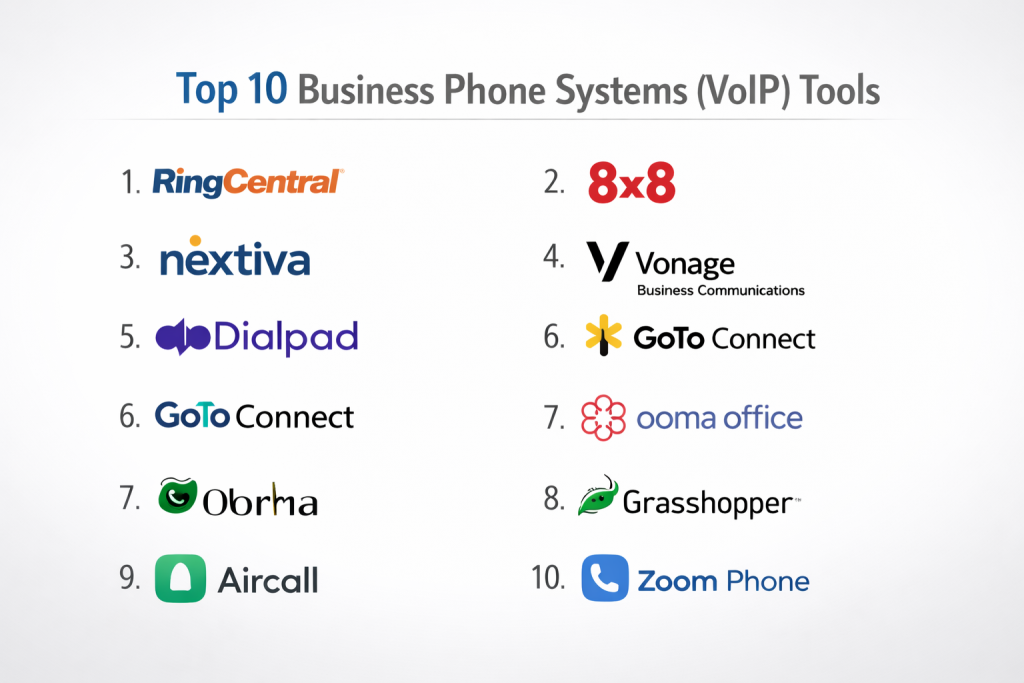
Top 10 Business Phone Systems (VoIP) Tools
#1 — RingCentral
Short description: A cloud-based VoIP platform designed for businesses of all sizes, combining calling, messaging, and collaboration features. It supports global communication with enterprise-grade reliability and scalability. Teams can manage calls, meetings, and workflows from a single interface. It is widely used by enterprises and growing companies.
Key Features
- Cloud PBX system
- Advanced call routing and IVR
- Voicemail-to-text
- Video meetings integration
- Analytics and reporting
- Mobile and desktop apps
Pros
- Highly scalable
- Strong feature set
Cons
- Pricing complexity
- Learning curve
Platforms / Deployment
Web / Windows / macOS / iOS / Android
Cloud
Security & Compliance
SSO, MFA, encryption, GDPR (varies by plan)
Integrations & Ecosystem
Strong integration ecosystem with CRM, helpdesk, and productivity tools.
- Salesforce
- Microsoft 365
- Google Workspace
- Zendesk
Support & Community
Enterprise-grade support with strong documentation and onboarding resources.
#2 — 8×8
Short description: A unified VoIP and communication platform offering global calling, contact center capabilities, and analytics. It is designed for businesses that need both internal communication and customer engagement tools. The platform supports international operations and compliance requirements. It is suitable for mid-sized and enterprise organizations.
Key Features
- VoIP calling
- Contact center integration
- Global PSTN coverage
- Call analytics
- Team messaging
- Video conferencing
Pros
- Global reach
- UC + CCaaS capabilities
Cons
- UI feels dated
- Limited customization
Platforms / Deployment
Web / Desktop / Mobile
Cloud
Security & Compliance
Not publicly stated
Integrations & Ecosystem
Integrates with business systems and APIs for extensibility.
- CRM tools
- Helpdesk platforms
- APIs
Support & Community
Standard enterprise support; varies by plan.
#3 — Nextiva
Short description: A VoIP solution focused on reliability and customer experience, offering voice, messaging, and analytics tools. It is designed to help businesses manage communication and customer interactions efficiently. The platform emphasizes uptime and support quality. It is commonly used by SMBs and mid-market companies.
Key Features
- VoIP calling
- Auto-attendant
- Call analytics
- CRM features
- Mobile apps
- Team collaboration
Pros
- Reliable performance
- Strong customer support
Cons
- Limited advanced features
- UI improvements needed
Platforms / Deployment
Web / Desktop / Mobile
Cloud
Security & Compliance
Not publicly stated
Integrations & Ecosystem
Supports integrations with business and CRM tools.
- CRM platforms
- Helpdesk systems
Support & Community
Known for responsive customer support and onboarding assistance.
#4 — Vonage Business Communications
Short description: A flexible VoIP platform that combines calling, messaging, and APIs for customization. It is designed for businesses that need programmable communication capabilities. The platform supports scalable deployments and integrations. It is popular among developers and growing companies.
Key Features
- VoIP calling
- Messaging and video
- API access
- Call routing
- Virtual numbers
- Analytics
Pros
- Strong API ecosystem
- Flexible deployment
Cons
- Pricing complexity
- UI inconsistencies
Platforms / Deployment
Web / Desktop / Mobile
Cloud
Security & Compliance
Varies / N/A
Integrations & Ecosystem
Developer-friendly integrations and APIs for customization.
- CRM tools
- Custom APIs
Support & Community
Moderate support with a growing developer community.
#5 — Dialpad
Short description: An AI-powered VoIP platform focused on smart communication and real-time insights. It offers voice, messaging, and analytics capabilities in a modern interface. The platform emphasizes automation and productivity improvements. It is ideal for tech-forward teams.
Key Features
- AI call transcription
- Voice intelligence
- Call analytics
- Messaging
- Video meetings
- Mobile support
Pros
- Advanced AI features
- Modern interface
Cons
- Limited legacy integrations
- Pricing varies
Platforms / Deployment
Web / Desktop / Mobile
Cloud
Security & Compliance
Encryption, SSO (details vary)
Integrations & Ecosystem
Modern integrations with productivity and CRM tools.
- Google Workspace
- Salesforce
- Slack
Support & Community
Good onboarding experience and growing support ecosystem.
#6 — GoTo Connect
Short description: A VoIP solution designed for SMBs, combining calling, meetings, and messaging into a single platform. It offers easy setup and reliable performance for small teams. The platform simplifies communication management without heavy technical requirements. It is suitable for businesses seeking affordability and simplicity.
Key Features
- Cloud VoIP
- Call routing
- Video meetings
- Messaging
- Auto-attendant
- Mobile apps
Pros
- Easy to deploy
- SMB-friendly
Cons
- Limited advanced features
- Fewer integrations
Platforms / Deployment
Web / Desktop / Mobile
Cloud
Security & Compliance
Not publicly stated
Integrations & Ecosystem
Supports basic integrations and APIs.
- CRM tools
- Calendar apps
Support & Community
Good SMB-level support with available documentation.
#7 — Ooma Office
Short description: A VoIP system tailored for small businesses, offering affordable calling and basic communication features. It focuses on simplicity and quick setup for non-technical users. The platform supports essential telephony needs without complexity. It is ideal for startups and small teams.
Key Features
- VoIP calling
- Virtual receptionist
- Call forwarding
- Mobile app
- Voicemail
- Conference calling
Pros
- Affordable pricing
- Simple setup
Cons
- Limited scalability
- Basic features
Platforms / Deployment
Desktop / Mobile
Cloud
Security & Compliance
Not publicly stated
Integrations & Ecosystem
Limited integrations compared to larger platforms.
- Basic tools
- APIs
Support & Community
Standard support with limited community resources.
#8 — Grasshopper
Short description: A virtual phone system designed for entrepreneurs and small businesses needing a professional presence. It offers call forwarding and virtual numbers without complex infrastructure. The platform is simple and easy to manage. It is best for solo users and startups.
Key Features
- Virtual phone numbers
- Call forwarding
- Voicemail
- Auto-attendant
- Mobile apps
- Business texting
Pros
- Very easy to use
- No hardware required
Cons
- Not a full VoIP system
- Limited advanced features
Platforms / Deployment
Web / Mobile
Cloud
Security & Compliance
Varies / N/A
Integrations & Ecosystem
Minimal integrations.
- Basic tools
Support & Community
Basic support with limited advanced resources.
#9 — Aircall
Short description: A cloud-based VoIP system designed for sales and support teams, focusing on integrations and workflow automation. It helps teams manage customer communication efficiently. The platform integrates deeply with CRM and helpdesk tools. It is popular among SaaS companies.
Key Features
- VoIP calling
- Call routing
- CRM integrations
- Analytics
- Call recording
- Team collaboration
Pros
- Strong integrations
- Easy to use
Cons
- Pricing can be high
- Limited advanced telephony
Platforms / Deployment
Web / Desktop / Mobile
Cloud
Security & Compliance
Not publicly stated
Integrations & Ecosystem
Strong integration with CRM and support tools.
- Salesforce
- HubSpot
- Zendesk
Support & Community
Good onboarding and support for SaaS teams.
#10 — Zoom Phone
Short description: A VoIP solution integrated into the Zoom ecosystem, combining calling with meetings and messaging. It provides a unified experience for teams already using Zoom. The platform is easy to deploy and manage. It is suitable for SMBs and enterprises.
Key Features
- Cloud VoIP
- Call routing
- Voicemail transcription
- Integration with Zoom meetings
- Mobile apps
- Analytics
Pros
- Seamless Zoom integration
- Easy setup
Cons
- Add-ons required
- Limited standalone features
Platforms / Deployment
Web / Desktop / Mobile
Cloud
Security & Compliance
Encryption, SSO (varies)
Integrations & Ecosystem
Works well within the Zoom ecosystem and external tools.
- CRM tools
- Productivity apps
Support & Community
Strong documentation and large user base.
Comparison Table (Top 10)
| Tool Name | Best For | Platform(s) Supported | Deployment | Standout Feature | Public Rating |
|---|---|---|---|---|---|
| RingCentral | Enterprise | All platforms | Cloud | Global VoIP | N/A |
| 8×8 | Mid-market | All platforms | Cloud | UC + CCaaS | N/A |
| Nextiva | SMB | All platforms | Cloud | Reliability | N/A |
| Vonage | Developers | All platforms | Cloud | APIs | N/A |
| Dialpad | AI teams | All platforms | Cloud | AI insights | N/A |
| GoTo Connect | SMB | All platforms | Cloud | Ease of use | N/A |
| Ooma Office | Small business | Desktop/Mobile | Cloud | Affordability | N/A |
| Grasshopper | Solo users | Mobile/Web | Cloud | Simplicity | N/A |
| Aircall | Sales teams | All platforms | Cloud | CRM integrations | N/A |
| Zoom Phone | Zoom users | All platforms | Cloud | Zoom ecosystem | N/A |
Evaluation & Scoring of Business Phone Systems (VoIP)
| Tool Name | Core (25%) | Ease (15%) | Integrations (15%) | Security (10%) | Performance (10%) | Support (10%) | Value (15%) | Weighted Total (0–10) |
|---|---|---|---|---|---|---|---|---|
| RingCentral | 9 | 7 | 9 | 8 | 9 | 8 | 7 | 8.4 |
| 8×8 | 8 | 7 | 7 | 7 | 8 | 7 | 7 | 7.5 |
| Nextiva | 7 | 8 | 6 | 6 | 8 | 8 | 8 | 7.5 |
| Vonage | 8 | 7 | 8 | 7 | 7 | 7 | 7 | 7.5 |
| Dialpad | 8 | 8 | 7 | 7 | 8 | 7 | 8 | 7.8 |
| GoTo Connect | 7 | 8 | 6 | 6 | 7 | 7 | 8 | 7.2 |
| Ooma Office | 6 | 9 | 5 | 6 | 7 | 6 | 9 | 6.9 |
| Grasshopper | 6 | 9 | 5 | 5 | 6 | 6 | 9 | 6.6 |
| Aircall | 8 | 8 | 9 | 6 | 8 | 7 | 7 | 7.8 |
| Zoom Phone | 7 | 8 | 7 | 7 | 8 | 7 | 8 | 7.6 |
Interpretation:
These scores are relative and help compare tools based on common business needs. A higher score indicates balanced performance across features, usability, and value. Always align scoring with your specific use case and priorities.
Which Business Phone System (VoIP) Is Right for You?
Solo / Freelancer
Grasshopper or Ooma Office for simplicity and affordability.
SMB
GoTo Connect or Nextiva for ease of use and reliability.
Mid-Market
Aircall or 8×8 for better integrations and scalability.
Enterprise
RingCentral or Vonage for advanced features and global operations.
Budget vs Premium
- Budget: Ooma, Grasshopper
- Premium: RingCentral, 8×8
Feature Depth vs Ease of Use
- Advanced: RingCentral, Vonage
- Simple: Grasshopper, Ooma
Integrations & Scalability
- Strong integrations: Aircall, RingCentral
- Developer flexibility: Vonage
Security & Compliance Needs
- Higher security: RingCentral
- Moderate: Others vary
Frequently Asked Questions (FAQs)
1. What is VoIP?
VoIP allows voice communication over the internet instead of traditional phone lines.
2. Is VoIP reliable?
Yes, with a stable internet connection, VoIP can offer high-quality and reliable calls.
3. Can VoIP replace traditional phone systems?
Yes, most businesses now use VoIP as a replacement for legacy systems.
4. What equipment is needed?
Usually just a computer or smartphone; optional VoIP phones can be used.
5. Are VoIP systems secure?
Most platforms offer encryption and authentication, but features vary.
6. Can VoIP integrate with CRM tools?
Yes, many VoIP systems integrate with CRM and support tools.
7. How scalable is VoIP?
Highly scalable—new users can be added easily.
8. What are the cost benefits?
Lower setup costs and flexible pricing compared to traditional systems.
9. How long does setup take?
Often within a few hours to a few days depending on complexity.
10. Are there any limitations?
Depends on internet quality and provider capabilities.
Conclusion
Business Phone Systems (VoIP) have transformed how organizations communicate by replacing traditional telephony with flexible, cloud-based solutions. Platforms like RingCentral and 8×8 offer enterprise-grade capabilities, while tools like Ooma and Grasshopper provide simple and affordable options for smaller teams. The right choice depends on your business size, communication needs, and integration requirements. AI-powered insights, scalability, and ecosystem compatibility are becoming critical differentiators in this space. To make the best decision, shortlist a few tools, test them in real-world scenarios, and ensure they align with your operational and technical goals.
