Introduction
Chat Apps are communication platforms that enable real-time messaging, collaboration, and file sharing between individuals and teams. These tools support text, voice, and video communication, making them essential for both personal and professional interactions.
In today’s hybrid and remote work environment, chat apps have become a central hub for team collaboration. Modern platforms go beyond simple messaging by offering integrations, automation, and workspace organization features that improve productivity and streamline communication across distributed teams.
Common Use Cases
- Team communication and collaboration
- Instant messaging and group chats
- File sharing and document collaboration
- Remote work coordination
- Internal notifications and updates
What Buyers Should Evaluate
- Messaging and collaboration features
- Voice and video capabilities
- Integration with productivity tools
- Security and compliance features
- Ease of use and adoption
- Scalability across teams
- Customization and workflows
- Pricing and value
Best for: Businesses, remote teams, startups, and organizations needing fast and efficient communication tools.
Not ideal for: Teams with minimal communication needs or reliance on traditional communication methods only.
Key Trends in Chat Apps
- AI-powered assistants and chat automation
- Integration with project management and productivity tools
- Unified communication platforms (UCaaS)
- Enhanced security and compliance features
- Voice and video integration within chat apps
- Mobile-first communication experiences
- Real-time collaboration and document sharing
- Cross-platform messaging support
- Increased focus on data privacy
How We Selected These Tools (Methodology)
- Evaluated market adoption and popularity
- Assessed messaging and collaboration features
- Reviewed integration ecosystem and APIs
- Considered scalability across SMB and enterprise
- Analyzed performance and reliability
- Evaluated security and compliance features
- Reviewed support and onboarding experience
- Balanced ease of use with advanced capabilities
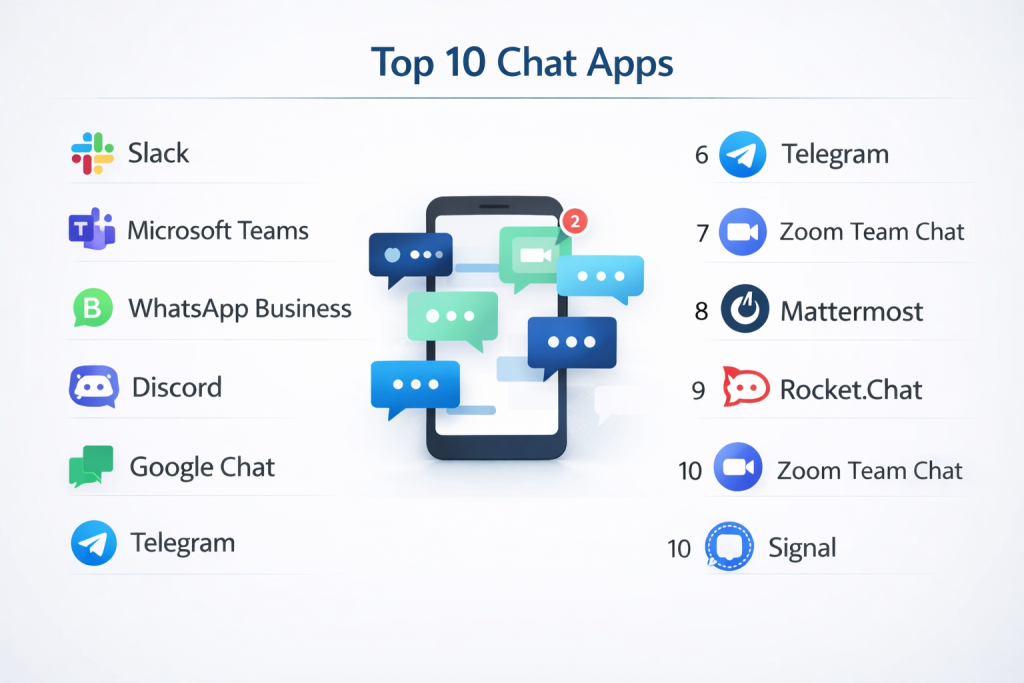
Top 10 Chat Apps
#1 — Slack
Short description: Team collaboration platform that provides organized channels, real-time messaging, and integrations to streamline communication and workflows across teams.
Key Features
- Channel-based messaging
- File sharing
- Integrations
- Automation workflows
- Search functionality
Pros
- Highly scalable
- Strong integrations
Cons
- Notification overload
- Pricing tiers
Platforms / Deployment
Web / Mobile / Desktop / Cloud
Security & Compliance
Not publicly stated
Integrations & Ecosystem
Extensive integrations ecosystem.
- Productivity tools
- APIs
- Automation platforms
Support & Community
Large user base and resources.
#2 — Microsoft Teams
Short description: Collaboration platform that combines chat, video conferencing, and file sharing within the Microsoft ecosystem for seamless workplace communication.
Key Features
- Chat and messaging
- Video conferencing
- File sharing
- Integration with Office tools
- Team collaboration
Pros
- Strong enterprise integration
- Unified communication
Cons
- Complex interface
- Performance issues at times
Platforms / Deployment
Web / Mobile / Desktop / Cloud
Security & Compliance
Not publicly stated
Integrations & Ecosystem
Part of Microsoft ecosystem.
- Office tools
- APIs
Support & Community
Strong enterprise support.
#3 — WhatsApp Business
Short description: Messaging platform designed for business communication, enabling companies to connect with customers through chat, automation, and messaging features.
Key Features
- Messaging
- Automation tools
- Broadcast messages
- Media sharing
- Customer communication
Pros
- Widely used
- Easy to adopt
Cons
- Limited enterprise features
- Privacy concerns
Platforms / Deployment
Mobile / Web
Security & Compliance
Not publicly stated
Integrations & Ecosystem
Limited integrations compared to enterprise tools.
- APIs
- Messaging tools
Support & Community
Large global user base.
#4 — Discord
Short description: Communication platform offering text, voice, and video chat, widely used for communities, teams, and real-time collaboration.
Key Features
- Text channels
- Voice and video chat
- Community management tools
- Integrations
- Notifications
Pros
- Highly engaging
- Scalable communities
Cons
- Less formal structure
- Moderation challenges
Platforms / Deployment
Web / Mobile / Desktop / Cloud
Security & Compliance
Not publicly stated
Integrations & Ecosystem
Supports integrations with bots and APIs.
- APIs
- Automation tools
Support & Community
Massive user community.
#5 — Google Chat
Short description: Messaging platform integrated within Google Workspace, enabling team collaboration and communication with seamless document sharing.
Key Features
- Messaging
- File sharing
- Integration with Google tools
- Spaces and groups
- Notifications
Pros
- Easy integration with Google
- Simple interface
Cons
- Limited advanced features
- Basic customization
Platforms / Deployment
Web / Mobile / Cloud
Security & Compliance
Not publicly stated
Integrations & Ecosystem
Part of Google ecosystem.
- Workspace tools
- APIs
Support & Community
Strong documentation and support.
#6 — Telegram
Short description: Messaging app focused on speed, security, and large group communication with support for bots and channels.
Key Features
- Messaging
- Channels and groups
- Bots
- File sharing
- Cloud storage
Pros
- Fast and secure
- Large group support
Cons
- Limited enterprise features
- Less structured collaboration
Platforms / Deployment
Web / Mobile / Desktop
Security & Compliance
Not publicly stated
Integrations & Ecosystem
Supports integrations through bots.
- APIs
- Bots
Support & Community
Large global user base.
#7 — Zoom Team Chat
Short description: Chat platform integrated with Zoom, providing messaging, file sharing, and collaboration alongside video conferencing features.
Key Features
- Messaging
- File sharing
- Video integration
- Channels
- Notifications
Pros
- Integrated with video calls
- Easy to use
Cons
- Limited compared to dedicated chat apps
- Smaller ecosystem
Platforms / Deployment
Web / Mobile / Desktop / Cloud
Security & Compliance
Not publicly stated
Integrations & Ecosystem
Integrates with Zoom ecosystem.
- APIs
- Collaboration tools
Support & Community
Reliable support and documentation.
#8 — Mattermost
Short description: Open-source chat platform designed for secure team communication and collaboration, often used by enterprises needing self-hosted solutions.
Key Features
- Messaging
- Channels
- File sharing
- Integrations
- Automation
Pros
- Self-hosted option
- Strong security control
Cons
- Setup complexity
- Requires maintenance
Platforms / Deployment
Web / Mobile / Desktop / Self-hosted
Security & Compliance
Not publicly stated
Integrations & Ecosystem
Supports integrations via plugins and APIs.
- APIs
- Dev tools
Support & Community
Active open-source community.
#9 — Rocket.Chat
Short description: Open-source communication platform that provides messaging, collaboration, and customization for teams requiring control over data and deployment.
Key Features
- Messaging
- Channels
- Video calls
- Integrations
- Customization
Pros
- Highly customizable
- Self-hosted
Cons
- Technical setup required
- Learning curve
Platforms / Deployment
Web / Mobile / Desktop / Self-hosted
Security & Compliance
Not publicly stated
Integrations & Ecosystem
Supports integrations through APIs.
- APIs
- Dev tools
Support & Community
Strong open-source support.
#10 — Signal
Short description: Privacy-focused messaging app designed for secure communication with end-to-end encryption and minimal data collection.
Key Features
- Messaging
- Voice and video calls
- Encryption
- File sharing
- Privacy controls
Pros
- Strong security
- Free to use
Cons
- Limited business features
- Smaller ecosystem
Platforms / Deployment
Mobile / Desktop
Security & Compliance
End-to-end encryption (others not publicly stated)
Integrations & Ecosystem
Limited integrations.
- Messaging ecosystem
Support & Community
Growing privacy-focused community.
Comparison Table (Top 10)
| Tool Name | Best For | Platform(s) Supported | Deployment | Standout Feature | Public Rating |
|---|---|---|---|---|---|
| Slack | Team collaboration | Web, Mobile | Cloud | Integrations | N/A |
| Microsoft Teams | Enterprise teams | Web, Mobile | Cloud | Unified communication | N/A |
| WhatsApp Business | Customer messaging | Mobile | Cloud | Wide adoption | N/A |
| Discord | Communities | Web, Mobile | Cloud | Voice + chat | N/A |
| Google Chat | Workspace users | Web | Cloud | Google integration | N/A |
| Telegram | Large groups | Web, Mobile | Cloud | Speed | N/A |
| Zoom Team Chat | Video users | Web, Mobile | Cloud | Video integration | N/A |
| Mattermost | Secure teams | Web, Mobile | Self-hosted | Open-source | N/A |
| Rocket.Chat | Custom deployments | Web, Mobile | Self-hosted | Flexibility | N/A |
| Signal | Secure messaging | Mobile | Cloud | Privacy | N/A |
Evaluation & Scoring of Chat Apps
| Tool Name | Core | Ease | Integrations | Security | Performance | Support | Value | Weighted Total |
|---|---|---|---|---|---|---|---|---|
| Slack | 9 | 9 | 10 | 7 | 9 | 9 | 7 | 8.8 |
| Microsoft Teams | 9 | 7 | 10 | 8 | 8 | 9 | 8 | 8.5 |
| WhatsApp Business | 7 | 10 | 6 | 6 | 9 | 8 | 9 | 7.9 |
| Discord | 8 | 9 | 8 | 6 | 9 | 8 | 9 | 8.3 |
| Google Chat | 7 | 9 | 8 | 7 | 8 | 8 | 8 | 7.9 |
| Telegram | 8 | 9 | 7 | 7 | 9 | 8 | 9 | 8.3 |
| Zoom Team Chat | 7 | 9 | 7 | 6 | 8 | 8 | 8 | 7.8 |
| Mattermost | 8 | 7 | 9 | 9 | 8 | 8 | 8 | 8.2 |
| Rocket.Chat | 8 | 7 | 9 | 9 | 8 | 8 | 8 | 8.2 |
| Signal | 7 | 9 | 5 | 10 | 8 | 7 | 9 | 7.9 |
How to interpret scores:
These scores provide a comparative view of each platform’s strengths across key criteria. Higher scores indicate well-rounded solutions, while mid-range scores highlight tools suited for specific needs like security or ease of use. Always align tool selection with your communication requirements.
Which Chat App Is Right for You?
Solo / Freelancer
Telegram and Signal are simple and effective.
SMB
Slack and Discord offer strong usability and flexibility.
Mid-Market
Google Chat and Zoom Team Chat provide scalability and integrations.
Enterprise
Microsoft Teams, Mattermost, and Rocket.Chat are best for large organizations.
Budget vs Premium
- Budget: Telegram, Signal
- Premium: Slack, Microsoft Teams
Feature Depth vs Ease of Use
- Deep features: Slack, Teams
- Easy to use: WhatsApp, Telegram
Integrations & Scalability
Choose tools with strong API and ecosystem support.
Security & Compliance Needs
Mattermost, Rocket.Chat, and Signal offer strong security options.
Frequently Asked Questions (FAQs)
1. What are chat apps?
They are tools for real-time messaging and communication.
2. Why are chat apps important?
They improve collaboration and communication speed.
3. Are they suitable for businesses?
Yes, many apps are designed for business use.
4. Do they support video calls?
Most modern chat apps include video features.
5. Can they integrate with other tools?
Yes, many support integrations and APIs.
6. Are chat apps secure?
Security varies; verify compliance needs.
7. How long does implementation take?
Usually quick, from minutes to days.
8. What is the cost?
Pricing varies from free to premium plans.
9. Can they replace email?
Partially, but email is still used for formal communication.
10. What are alternatives?
Email, phone calls, or collaboration tools.
Conclusion
Chat Apps have become a foundational component of modern communication, enabling teams and individuals to collaborate efficiently in real time. With features like messaging, integrations, automation, and security, these tools help organizations streamline workflows and improve productivity. While enterprise solutions offer advanced integrations and scalability, smaller teams can benefit from simple and accessible platforms. The right choice depends on your communication needs, team size, and integration requirements. To make the best decision, shortlist a few tools, test them in real scenarios, and evaluate how effectively they support your collaboration and communication goals.
