Introduction
Workflow Automation Platforms help businesses automate repetitive tasks, approvals, notifications, data movement, and multi-step business processes across teams and software systems. Instead of relying on manual handoffs, spreadsheets, or email follow-ups, these platforms create structured workflows that run faster, more accurately, and with better visibility.
They matter even more now because companies use many SaaS tools and distributed teams. Manual processes slow growth, create errors, and reduce productivity. Workflow automation improves speed, consistency, compliance, and employee experience while freeing teams to focus on higher-value work.
Real-world use cases:
- Employee onboarding and access provisioning
- Invoice approvals and finance workflows
- CRM lead routing and sales alerts
- IT ticket escalation processes
- Marketing campaign handoff automation
What buyers should evaluate:
- Ease of workflow building
- Integrations with existing apps
- Approval and logic depth
- Security and permissions
- Reporting and audit trails
- Scalability
- AI assistance features
- Pricing model
- Mobile usability
- Governance controls
Best for: Operations teams, IT departments, HR, finance, RevOps, growing SMBs, and enterprises seeking process efficiency.
Not ideal for: Very small teams with only a few recurring tasks or businesses needing only one simple automation between two apps.
Key Trends in Workflow Automation Platforms for 2026 and Beyond
- AI-generated workflows from plain language prompts
- Self-healing automations with retry logic
- Embedded approvals inside chat apps
- Stronger no-code + pro-code hybrid models
- Process mining to identify automation opportunities
- Event-driven workflows using webhooks and APIs
- Governance-first automation programs
- Cross-department orchestration becoming standard
- Usage-based pricing growth
- More analytics on ROI and time saved
How We Selected These Tools (Methodology)
- Market adoption and brand recognition
- Breadth of workflow capabilities
- Integration ecosystem strength
- Ease of use for non-technical users
- Enterprise governance readiness
- Reliability and scaling reputation
- AI and innovation momentum
- Support and documentation quality
- Fit across SMB to enterprise segments
- Overall business value
Top 10 Workflow Automation Platforms
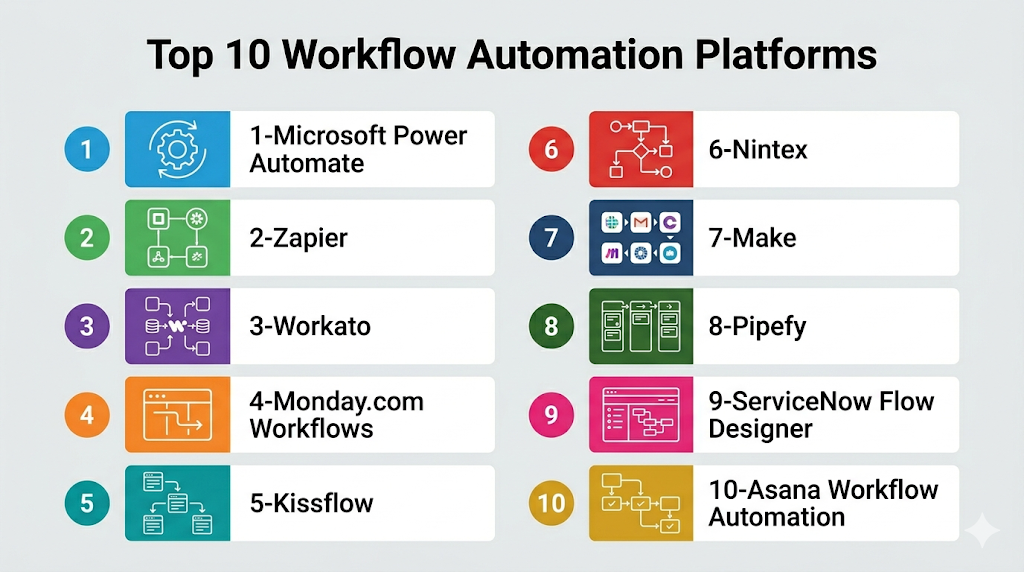
Top 10 Tools List
- Microsoft Power Automate
- Zapier
- Workato
- Monday.com Workflows
- Kissflow
- Nintex
- Make
- Pipefy
- ServiceNow Flow Designer
- Asana Workflow Automation
#1 — Microsoft Power Automate
Short description: Enterprise workflow automation platform deeply integrated with Microsoft products. Ideal for organizations using Microsoft 365 and Dynamics.
Key Features
- Low-code workflow builder
- Desktop RPA automation
- AI Builder tools
- Approval workflows
- Hundreds of connectors
- Governance controls
- Analytics dashboards
Pros
- Strong Microsoft ecosystem value
- Good enterprise governance
- Broad automation coverage
Cons
- Licensing can be complex
- Best inside Microsoft stack
- Advanced flows need learning time
Platforms / Deployment
Web / Windows / iOS / Android
Cloud / Hybrid
Security & Compliance
SSO, MFA, RBAC, encryption, audit logs.
Integrations & Ecosystem
Strong with Microsoft ecosystem plus third-party apps.
- Teams
- SharePoint
- Dynamics
- Outlook
- Salesforce
Support & Community
Large documentation base and active user community.
#2 — Zapier
Short description: Popular no-code automation platform built for fast app-to-app workflows. Excellent for SMBs and solo users.
Key Features
- Thousands of app integrations
- Multi-step workflows
- Templates
- AI workflow assistance
- Webhooks support
- Conditional logic
- Easy onboarding
Pros
- Extremely easy to use
- Huge connector library
- Fast deployment
Cons
- Less ideal for deep enterprise governance
- Costs can grow with usage
- Limited complex orchestration compared to enterprise tools
Platforms / Deployment
Web
Cloud
Security & Compliance
Encryption, admin controls vary by plan.
Integrations & Ecosystem
- Gmail
- Slack
- HubSpot
- Shopify
- Airtable
Support & Community
Strong tutorials and broad user base.
#3 — Workato
Short description: Enterprise automation platform combining integrations and workflow orchestration. Best for fast-growing mid-market and enterprise teams.
Key Features
- Recipe automation builder
- AI copilots
- Enterprise connectors
- Workflow orchestration
- Governance tools
- Error handling
- Embedded automation
Pros
- Strong business workflow depth
- Fast time to value
- Enterprise-ready controls
Cons
- Premium pricing
- Advanced usage needs governance
- Can be complex for small teams
Platforms / Deployment
Web
Cloud
Security & Compliance
SSO, RBAC, logging, encryption.
Integrations & Ecosystem
- Salesforce
- NetSuite
- Slack
- Workday
- ServiceNow
Support & Community
Strong support reputation.
#4 — Monday.com Workflows
Short description: Workflow automation built into a popular work management platform. Best for collaborative teams.
Key Features
- No-code automations
- Status triggers
- Notifications
- Cross-board workflows
- Templates
- Dashboards
- Team collaboration tools
Pros
- Easy for business teams
- Great project visibility
- Fast setup
Cons
- Best within Monday ecosystem
- Less advanced backend automation
- Costs rise with seats
Platforms / Deployment
Web / iOS / Android
Cloud
Security & Compliance
SSO and admin controls on higher plans.
Integrations & Ecosystem
- Slack
- Gmail
- Jira
- Outlook
- CRM tools
Support & Community
Strong onboarding and templates.
#5 — Kissflow
Short description: Low-code workflow and process management platform focused on business operations teams.
Key Features
- Process builder
- Form workflows
- Approval chains
- Analytics
- Case management
- No-code apps
- Role permissions
Pros
- Business-user friendly
- Good for approvals and forms
- Strong process visibility
Cons
- Smaller ecosystem than leaders
- Advanced integrations may need help
- Less developer-centric
Platforms / Deployment
Web
Cloud
Security & Compliance
RBAC, encryption, admin controls.
Integrations & Ecosystem
- Google Workspace
- Microsoft tools
- APIs
- CRM apps
Support & Community
Good guided onboarding.
#6 — Nintex
Short description: Enterprise workflow and document automation platform used for complex approvals and process transformation.
Key Features
- Workflow builder
- Document generation
- Process mapping
- eSignature workflows
- Analytics
- Governance tools
- Connectors
Pros
- Strong enterprise process suite
- Great document workflows
- Mature platform
Cons
- Premium pricing
- Broad suite can feel complex
- SMB overkill
Platforms / Deployment
Web / Hybrid
Security & Compliance
Enterprise security controls vary by deployment.
Integrations & Ecosystem
- Microsoft 365
- Salesforce
- SharePoint
- APIs
Support & Community
Strong enterprise support.
#7 — Make
Short description: Visual automation platform known for flexible scenario building and strong value.
Key Features
- Visual scenario editor
- Multi-step logic
- Scheduling
- Webhooks
- Data mapping
- Large connector set
- Templates
Pros
- Flexible automation design
- Good pricing value
- Strong for power users
Cons
- Interface can feel technical
- Governance lighter than enterprise tools
- Learning curve vs Zapier
Platforms / Deployment
Web
Cloud
Security & Compliance
Standard cloud security controls vary by plan.
Integrations & Ecosystem
- Shopify
- Slack
- Google apps
- Airtable
- APIs
Support & Community
Active community and templates.
#8 — Pipefy
Short description: Process automation platform focused on operations workflows and service delivery.
Key Features
- Request intake forms
- SLA workflows
- Approvals
- Portals
- Analytics
- Automation rules
- Role controls
Pros
- Great for operations teams
- Strong request workflows
- Clean UI
Cons
- Less broad integration brand recognition
- Specialized use cases strongest
- Premium tiers for advanced needs
Platforms / Deployment
Web
Cloud
Security & Compliance
Admin controls, access permissions, encryption.
Integrations & Ecosystem
- Slack
- Salesforce
- ERP tools
- APIs
Support & Community
Good onboarding resources.
#9 — ServiceNow Flow Designer
Short description: Workflow automation platform within the ServiceNow ecosystem. Strong for IT and enterprise service operations.
Key Features
- ITSM workflow automation
- Approvals
- Case workflows
- Low-code builder
- Cross-department flows
- Governance
- Reporting
Pros
- Excellent for IT operations
- Strong enterprise controls
- Deep ServiceNow value
Cons
- Best for ServiceNow customers
- Premium enterprise pricing
- Broader business use may need setup
Platforms / Deployment
Web
Cloud
Security & Compliance
Enterprise-grade controls, logging, RBAC.
Integrations & Ecosystem
- IT tools
- HR systems
- CRM tools
- APIs
Support & Community
Strong enterprise support network.
#10 — Asana Workflow Automation
Short description: Built-in workflow automation for task and project management teams.
Key Features
- Rules automation
- Task routing
- Notifications
- Templates
- Forms
- Team collaboration
- Reporting dashboards
Pros
- Great for project teams
- Easy adoption
- Good visibility
Cons
- Best inside Asana workflows
- Less suited for backend integrations
- Advanced automation limited vs specialists
Platforms / Deployment
Web / iOS / Android
Cloud
Security & Compliance
SSO/admin controls on enterprise tiers.
Integrations & Ecosystem
- Slack
- Google Workspace
- Microsoft tools
- CRM apps
Support & Community
Strong help center and user adoption.
Comparison Table (Top 10)
| Tool Name | Best For | Platform(s) Supported | Deployment | Standout Feature | Public Rating |
|---|---|---|---|---|---|
| Power Automate | Microsoft enterprises | Web/Desktop | Cloud/Hybrid | RPA + workflows | N/A |
| Zapier | SMBs | Web | Cloud | Ease of use | N/A |
| Workato | Mid-market/Enterprise | Web | Cloud | Enterprise automation | N/A |
| Monday.com | Teams | Web/Mobile | Cloud | Work management workflows | N/A |
| Kissflow | Business ops | Web | Cloud | Process apps | N/A |
| Nintex | Enterprises | Web | Hybrid | Document automation | N/A |
| Make | Power users | Web | Cloud | Visual scenarios | N/A |
| Pipefy | Operations teams | Web | Cloud | Service workflows | N/A |
| ServiceNow | IT enterprises | Web | Cloud | IT workflows | N/A |
| Asana | Project teams | Web/Mobile | Cloud | Task automation | N/A |
Evaluation & Scoring of Workflow Automation Platforms
| Tool Name | Core | Ease | Integrations | Security | Performance | Support | Value | Weighted Total |
|---|---|---|---|---|---|---|---|---|
| Power Automate | 9 | 8 | 8 | 9 | 8 | 8 | 9 | 8.50 |
| Zapier | 8 | 10 | 9 | 7 | 8 | 8 | 8 | 8.45 |
| Workato | 9 | 8 | 9 | 8 | 8 | 8 | 7 | 8.20 |
| Monday.com | 7 | 9 | 7 | 7 | 8 | 8 | 8 | 7.75 |
| Kissflow | 8 | 8 | 7 | 7 | 8 | 7 | 8 | 7.70 |
| Nintex | 9 | 7 | 8 | 8 | 8 | 8 | 6 | 7.80 |
| Make | 8 | 8 | 8 | 7 | 8 | 7 | 9 | 8.00 |
| Pipefy | 8 | 8 | 7 | 7 | 8 | 7 | 8 | 7.65 |
| ServiceNow | 9 | 7 | 8 | 9 | 9 | 8 | 6 | 8.00 |
| Asana | 7 | 9 | 7 | 7 | 8 | 8 | 8 | 7.75 |
How to interpret scores:
These scores compare tools within the workflow automation category. Higher scores often reflect stronger balance across features, usability, integrations, and value. The best tool still depends on your existing stack and use case.
Which Workflow Automation Platform Is Right for You?
Solo / Freelancer
Choose Zapier or Make for fast and affordable automations.
SMB
Choose Zapier, Monday.com, Kissflow, or Asana.
Mid-Market
Choose Workato, Power Automate, or Nintex.
Enterprise
Choose Power Automate, Workato, ServiceNow, or Nintex.
Budget vs Premium
- Budget: Zapier, Make
- Premium: Workato, ServiceNow, Nintex
Feature Depth vs Ease of Use
- Depth: Workato, ServiceNow, Nintex
- Ease: Zapier, Monday.com, Asana
Integrations & Scalability
- Broad integrations: Zapier, Workato, Power Automate
- Enterprise scale: ServiceNow, Workato
Security & Compliance Needs
Choose Microsoft, ServiceNow, Nintex, or Workato.
Frequently Asked Questions (FAQs)
1. What is workflow automation?
It uses software to automate repetitive business processes using triggers, rules, and approvals.
2. Is coding required?
No. Most modern platforms are no-code or low-code.
3. Which tool is best for beginners?
Zapier is often easiest to start with.
4. What is best for enterprises?
Power Automate, Workato, ServiceNow, and Nintex are strong options.
5. Can workflows include approvals?
Yes. Most platforms support multi-step approvals and notifications.
6. Are these tools secure?
Leading vendors provide encryption, access controls, and audit features.
7. How are these tools priced?
Usually by users, workflows, tasks, runs, or enterprise plans.
8. Can I automate across multiple apps?
Yes. That is one of the main benefits.
9. What mistakes should buyers avoid?
Ignoring governance, connector limits, and scaling costs.
10. Can I switch later?
Yes, though complex workflows may require rebuilding.
Conclusion
Workflow automation platforms can significantly improve productivity, reduce manual work, and create more consistent business operations. Smaller teams often benefit most from easy tools like Zapier or Make, while larger organizations may need enterprise-grade governance from Power Automate, Workato, or ServiceNow. Project-focused teams may prefer Monday.com or Asana, while operations teams may like Kissflow or Pipefy. The best choice depends on your apps, budget, process complexity, and compliance needs. Start by shortlisting 2–3 tools, automate one high-impact workflow first, and measure time saved before scaling further.
