Introduction
Mobile App Development Platforms are tools and frameworks that help developers and businesses build, test, and deploy mobile applications for platforms like Android and iOS. These platforms range from cross-platform frameworks and low-code tools to full-stack development environments that support backend, frontend, and deployment workflows.
In today’s mobile-first world, businesses must deliver seamless app experiences across devices. Modern mobile development platforms enable faster development cycles, cross-platform compatibility, and integration with cloud services. With AI-assisted coding, automation, and real-time testing, these platforms significantly reduce development time while improving app performance and scalability.
Common use cases include:
- Native and cross-platform mobile app development
- Enterprise mobile applications
- MVP and startup app development
- Mobile backend integration
- App testing and deployment
What buyers should evaluate:
- Cross-platform vs native capabilities
- Performance and scalability
- Integration with backend services
- Development speed and ease of use
- Testing and debugging tools
- Community and ecosystem
- Security and compliance features
- Cost and licensing
Best for: Developers, startups, enterprises, and product teams building mobile applications at scale.
Not ideal for: Simple applications that can be handled with no-code tools or basic website alternatives.
Key Trends in Mobile App Development Platforms for the Future
- Cross-platform development dominance
- AI-assisted coding and debugging
- Integration with cloud-native services
- Low-code and no-code hybrid platforms
- Real-time testing and deployment pipelines
- Focus on performance optimization
- Increased use of APIs and microservices
- Enhanced security and privacy features
- Automation of DevOps workflows
- Expansion of progressive web apps (PWAs)
How We Selected These Tools (Methodology)
- Evaluated adoption among developers and enterprises
- Assessed cross-platform and native capabilities
- Compared performance and scalability
- Reviewed integration ecosystems
- Considered ease of development and learning curve
- Analyzed community and support
- Checked deployment and testing tools
- Included tools for beginners to advanced developers
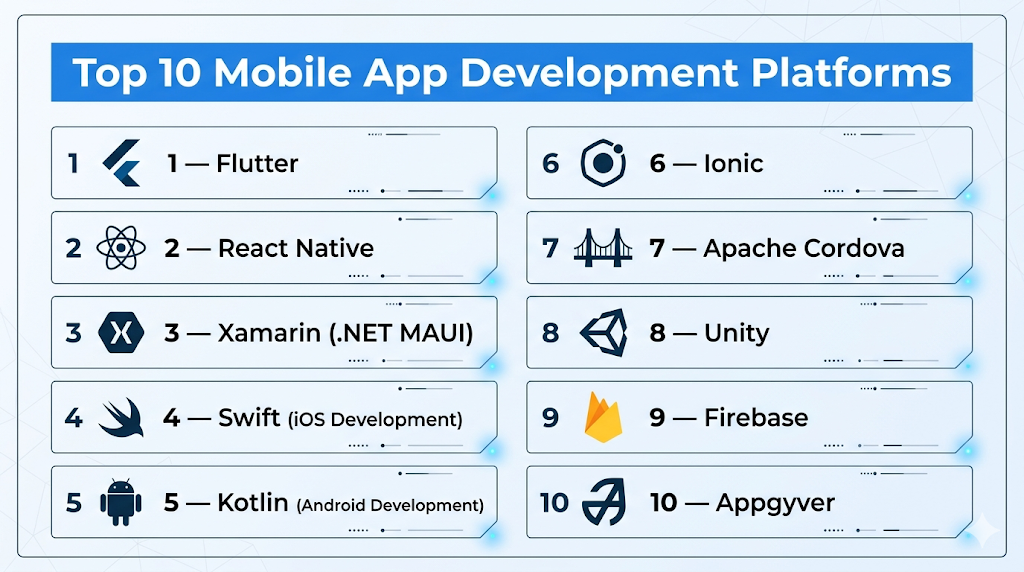
Top 10 Mobile App Development Platforms
#1 — Flutter
Short description: Google’s UI toolkit for building natively compiled applications from a single codebase.
Key Features
- Cross-platform development
- Fast UI rendering
- Hot reload
- Rich widget library
- Native performance
- Integration with Firebase
- Strong community
Pros
- High performance
- Single codebase
Cons
- Learning curve
- Large app size
Platforms / Deployment
Android / iOS / Web / Desktop
Security & Compliance
Google security framework
Integrations & Ecosystem
Strong integrations.
- Firebase
- APIs
- Cloud services
Support & Community
Large global community.
#2 — React Native
Short description: JavaScript framework for building cross-platform mobile apps using React.
Key Features
- Cross-platform development
- Reusable components
- Native modules
- Hot reload
- Large ecosystem
- API integration
- Performance optimization
Pros
- Large community
- Flexible
Cons
- Performance limitations in complex apps
- Dependency on third-party libraries
Platforms / Deployment
Android / iOS
Security & Compliance
Basic controls (not publicly stated)
Integrations & Ecosystem
Extensive ecosystem.
- APIs
- Libraries
- Cloud tools
Support & Community
Very strong community.
#3 — Xamarin (.NET MAUI)
Short description: Microsoft platform for building cross-platform apps using .NET.
Key Features
- Cross-platform development
- Native APIs
- Code sharing
- Visual Studio integration
- UI toolkit
- Performance optimization
- Enterprise tools
Pros
- Strong Microsoft integration
- Enterprise-ready
Cons
- Learning curve
- Smaller community than React Native
Platforms / Deployment
Android / iOS / Windows
Security & Compliance
Microsoft security framework
Integrations & Ecosystem
Microsoft ecosystem.
- Azure
- APIs
- .NET tools
Support & Community
Strong enterprise support.
#4 — Swift (iOS Development)
Short description: Apple’s programming language for building native iOS applications.
Key Features
- Native performance
- Strong type safety
- Apple ecosystem integration
- UI frameworks
- Performance optimization
- Secure coding
- Modern syntax
Pros
- Best performance for iOS
- Native experience
Cons
- iOS-only
- Requires Apple ecosystem
Platforms / Deployment
iOS / macOS
Security & Compliance
Apple security framework
Integrations & Ecosystem
Apple ecosystem.
- APIs
- SDKs
Support & Community
Strong developer community.
#5 — Kotlin (Android Development)
Short description: Official language for Android app development with modern features.
Key Features
- Native Android development
- Interoperability with Java
- Concise syntax
- Performance optimization
- Coroutines for async
- Strong tooling
- Google support
Pros
- Official Android language
- High performance
Cons
- Android-only
- Learning curve
Platforms / Deployment
Android
Security & Compliance
Google security framework
Integrations & Ecosystem
Android ecosystem.
- APIs
- SDKs
Support & Community
Strong community.
#6 — Ionic
Short description: Framework for building hybrid mobile apps using web technologies.
Key Features
- HTML/CSS/JavaScript
- Cross-platform apps
- UI components
- Integration with Angular/React
- Native plugins
- PWA support
- CLI tools
Pros
- Easy for web developers
- Fast development
Cons
- Performance limitations
- Hybrid approach
Platforms / Deployment
Android / iOS / Web
Security & Compliance
Basic controls (not publicly stated)
Integrations & Ecosystem
Web ecosystem.
- APIs
- Plugins
Support & Community
Large community.
#7 — Apache Cordova
Short description: Open-source framework for building mobile apps using web technologies.
Key Features
- Cross-platform apps
- Plugin architecture
- Web technologies
- Native APIs access
- CLI tools
- Integration tools
- Open-source
Pros
- Open-source
- Flexible
Cons
- Performance issues
- Outdated approach
Platforms / Deployment
Android / iOS
Security & Compliance
Basic controls (not publicly stated)
Integrations & Ecosystem
Plugin ecosystem.
- APIs
- Plugins
Support & Community
Declining adoption.
#8 — Unity
Short description: Game development platform also used for mobile app development.
Key Features
- Game engine
- Cross-platform support
- 3D/2D rendering
- Asset store
- Performance optimization
- VR/AR support
- Scripting
Pros
- Strong for gaming apps
- Cross-platform
Cons
- Not ideal for standard apps
- Learning curve
Platforms / Deployment
Android / iOS / PC / Console
Security & Compliance
Basic controls (not publicly stated)
Integrations & Ecosystem
Strong ecosystem.
- APIs
- Assets
Support & Community
Large community.
#9 — Firebase
Short description: Backend platform for building and managing mobile applications.
Key Features
- Backend services
- Authentication
- Database
- Analytics
- Hosting
- Cloud functions
- Real-time updates
Pros
- Easy backend setup
- Scalable
Cons
- Vendor lock-in
- Pricing at scale
Platforms / Deployment
Cloud
Security & Compliance
Google security framework
Integrations & Ecosystem
Strong integrations.
- APIs
- Cloud tools
Support & Community
Strong support.
#10 — Appgyver
Short description: Low-code platform for building mobile apps with visual development tools.
Key Features
- Visual builder
- Logic flows
- API integrations
- Cross-platform support
- Templates
- Data management
- Hosting
Pros
- No-code/low-code hybrid
- Flexible
Cons
- Learning curve
- Smaller ecosystem
Platforms / Deployment
Web / Mobile
Security & Compliance
Basic controls (not publicly stated)
Integrations & Ecosystem
Moderate integrations.
- APIs
- Business tools
Support & Community
Growing adoption.
Comparison Table (Top 10)
| Tool Name | Best For | Platform(s) Supported | Deployment | Standout Feature | Public Rating |
|---|---|---|---|---|---|
| Flutter | Cross-platform apps | Android/iOS/Web | Cloud/Local | Single codebase | N/A |
| React Native | Cross-platform | Android/iOS | Local | JavaScript ecosystem | N/A |
| Xamarin | Enterprise | Android/iOS | Cloud/Local | Microsoft integration | N/A |
| Swift | iOS apps | iOS | Local | Native performance | N/A |
| Kotlin | Android apps | Android | Local | Official language | N/A |
| Ionic | Hybrid apps | Android/iOS/Web | Cloud | Web-based apps | N/A |
| Cordova | Hybrid apps | Android/iOS | Local | Open-source | N/A |
| Unity | Game apps | Multi-platform | Local | Game engine | N/A |
| Firebase | Backend | Cloud | Cloud | Backend services | N/A |
| Appgyver | Low-code apps | Web/Mobile | Cloud | Visual builder | N/A |
Evaluation & Scoring of Mobile App Development Platforms
| Tool Name | Core (25%) | Ease (15%) | Integrations (15%) | Security (10%) | Performance (10%) | Support (10%) | Value (15%) | Weighted Total |
|---|---|---|---|---|---|---|---|---|
| Flutter | 10 | 8 | 9 | 9 | 9 | 9 | 8 | 9.1 |
| React Native | 9 | 8 | 10 | 8 | 8 | 10 | 8 | 9.0 |
| Xamarin | 9 | 7 | 9 | 9 | 9 | 8 | 7 | 8.6 |
| Swift | 9 | 7 | 8 | 9 | 10 | 8 | 7 | 8.7 |
| Kotlin | 9 | 7 | 8 | 9 | 10 | 8 | 7 | 8.7 |
| Ionic | 8 | 9 | 8 | 7 | 7 | 8 | 9 | 8.2 |
| Cordova | 7 | 8 | 7 | 7 | 6 | 7 | 9 | 7.6 |
| Unity | 8 | 6 | 8 | 7 | 9 | 8 | 7 | 7.9 |
| Firebase | 9 | 9 | 10 | 9 | 9 | 9 | 8 | 9.2 |
| Appgyver | 8 | 8 | 7 | 7 | 8 | 7 | 8 | 7.9 |
Interpretation:
Scores reflect comparative strengths across performance, development speed, and ecosystem support. Cross-platform tools dominate for flexibility, while native tools excel in performance.
Which Mobile App Development Platform Is Right for You?
Solo / Freelancer
- Best: Flutter, Ionic
- Easy and flexible
SMB
- Best: React Native, Appgyver
- Balanced features
Mid-Market
- Best: Flutter, Xamarin
- Scalable and flexible
Enterprise
- Best: Flutter, Firebase, Xamarin
- Advanced capabilities
Budget vs Premium
- Budget: Ionic, Appgyver
- Premium: Xamarin
Feature Depth vs Ease of Use
- Feature-heavy: Flutter, Xamarin
- Easy-to-use: Ionic
Integrations & Scalability
- Strong: Firebase, React Native
- Moderate: Ionic
Security & Compliance Needs
- Enterprise-grade: Firebase, Xamarin
- Basic: Cordova
Frequently Asked Questions (FAQs)
What are mobile app development platforms?
They are tools used to build and deploy mobile applications.
What is cross-platform development?
It allows building apps for multiple platforms using one codebase.
Are native apps better?
They offer better performance but require separate development.
Do I need coding skills?
Most platforms require coding, except low-code tools.
Are these platforms free?
Some are free, while others have licensing costs.
Can I integrate backend services?
Yes, most platforms support backend integration.
Are they scalable?
Yes, especially enterprise-grade platforms.
Which platform is best for beginners?
Flutter and Ionic are beginner-friendly.
What is the future of mobile development?
AI-assisted and cross-platform development.
Can I build enterprise apps?
Yes, many platforms support enterprise applications.
Conclusion
Mobile app development platforms have become essential for building scalable, high-performance applications in a mobile-first world. From cross-platform frameworks like Flutter and React Native to native development tools like Swift and Kotlin, businesses have multiple options based on their needs and technical expertise. While enterprise platforms offer deep integrations and scalability, simpler tools provide faster development and ease of use. The best approach is to define your app requirements, shortlist a few platforms, test their capabilities, and ensure they align with your long-term development and scalability goals before making a final decision.
