Introduction
Subcontractor Management Tools are software platforms designed to help general contractors, project managers, and construction teams coordinate, track, and manage subcontractor activities. These tools provide centralized workflows for hiring, onboarding, scheduling, task assignment, performance tracking, compliance, and communication. By digitizing subcontractor management, teams reduce administrative overhead, minimize errors, and maintain accountability across projects and sites.
Why it matters: In 2026+, construction projects are increasingly complex, often involving multiple subcontractors across different trades, locations, and schedules. Effective subcontractor management ensures timely task completion, improves communication, maintains safety and compliance standards, and provides visibility into performance and project costs. Cloud-based platforms allow real-time updates, mobile task management, and analytics for data-driven decision-making.
Real-world use cases include:
- General contractors: manage multiple subcontractors across projects efficiently.
- Construction managers: track subcontractor performance, schedule tasks, and ensure accountability.
- Project owners: receive transparent updates on subcontractor progress and compliance.
- Facilities management: coordinate maintenance and service subcontractors for timely operations.
- Large construction firms: standardize subcontractor workflows and documentation across multiple sites.
Best for: general contractors, project managers, construction management firms, and facility managers overseeing multiple trades and subcontractors across medium-to-large projects.
Not ideal for: small teams or projects with very few subcontractors where manual tracking or simple spreadsheets suffice.
Key Trends in Subcontractor Management Tools
- Cloud-based platforms: centralize subcontractor data and project oversight across multiple sites.
- Mobile access: field personnel can update task status, report issues, and communicate in real time.
- Integration with project management tools: ensures seamless task assignment and schedule alignment.
- Performance tracking and analytics: provides KPIs on subcontractor reliability, quality, and timeliness.
- Compliance and safety monitoring: tracks licenses, certifications, and safety training.
- Workflow automation: automates task notifications, approvals, and reporting.
- Document management: central repository for contracts, work orders, and change orders.
- Multi-project coordination: enables subcontractor scheduling across simultaneous projects.
- AI-assisted task prioritization: emerging tools predict delays or potential bottlenecks.
- Collaboration tools: chat, notifications, and updates reduce communication gaps between teams.
How We Selected These Tools
- Evaluated market adoption in construction, facilities, and project management.
- Prioritized feature completeness, including task assignment, scheduling, compliance, reporting, and communication.
- Assessed security and data management for cloud and mobile deployments.
- Considered integration ecosystems with project management, accounting, and collaboration tools.
- Ensured coverage across customer segments from SMB contractors to enterprise firms.
- Reviewed ease of adoption for project managers and field supervisors.
- Checked scalability across multiple projects, subcontractors, and sites.
- Focused on practical fit for residential, commercial, and industrial construction.
- Verified mobile and offline functionality for field access.
- Considered analytics and predictive capabilities for subcontractor performance.
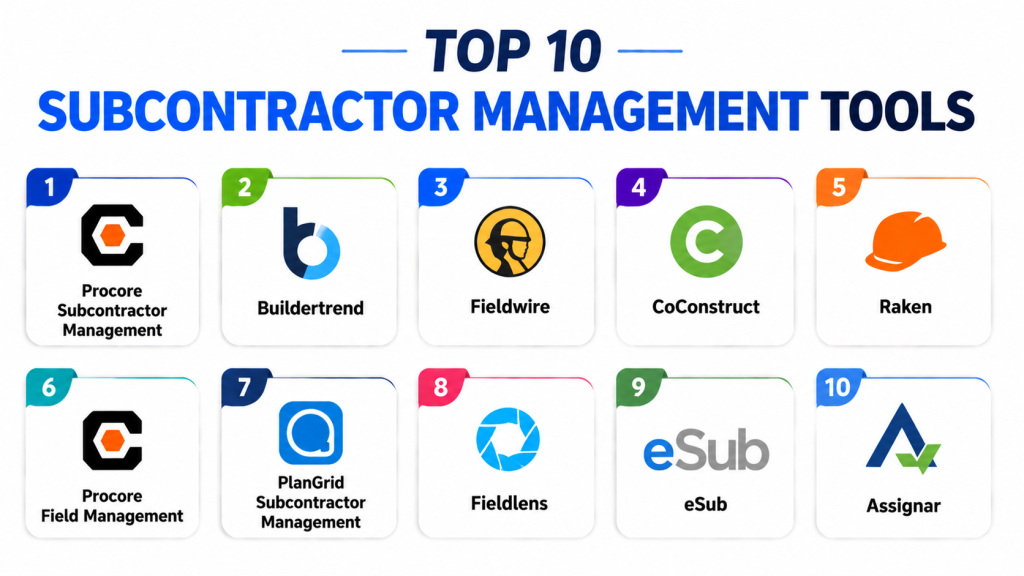
Top 10 Subcontractor Management Tools
1- Procore Subcontractor Management
Short description: Procore provides comprehensive subcontractor management, allowing contractors to assign tasks, track progress, and monitor compliance across projects. Ideal for enterprise construction teams.
Key Features
- Subcontractor task assignment and tracking
- Contract and compliance management
- Performance dashboards and analytics
- Mobile field updates
- Automated notifications and alerts
- Document and work order management
- Integration with project schedules
Pros
- Enterprise-grade subcontractor oversight
- Mobile-friendly for field teams
- Centralized documentation and reporting
Cons
- Premium pricing for SMBs
- Learning curve for complex workflows
- Advanced analytics require configuration
Platforms / Deployment
Web / iOS / Android
Cloud
Security & Compliance
Not publicly stated
Integrations & Ecosystem
- ERP and accounting systems
- Project management tools
- Reporting dashboards
- Cloud storage and document management
- Notifications and alerts
Support & Community
Comprehensive documentation, onboarding, and enterprise support.
2- Buildertrend
Short description: Buildertrend combines project management with subcontractor management, enabling task assignment, scheduling, and communication for residential and commercial projects.
Key Features
- Subcontractor scheduling and task assignment
- Change order management
- Mobile updates and punch list tracking
- Document management and approvals
- Real-time reporting dashboards
- Communication and messaging tools
- Integration with accounting and project tools
Pros
- Integrates project management with subcontractor workflows
- Mobile accessibility for field teams
- Cloud-based collaboration
Cons
- Premium pricing
- Advanced features may require training
- Best suited for mid-to-large residential projects
Platforms / Deployment
Web / iOS / Android
Cloud
Security & Compliance
Not publicly stated
Integrations & Ecosystem
- Accounting and project tools
- Document management
- Reporting dashboards
- Email/SMS notifications
Support & Community
Onboarding, training, and documentation included.
3- Fieldwire
Short description: Fieldwire provides mobile-first subcontractor management, allowing task assignment, progress tracking, and real-time updates for construction teams.
Key Features
- Task and punch list assignment
- Real-time mobile updates
- Subcontractor scheduling
- Photo and annotation capture
- Offline functionality
- Reporting and analytics dashboards
- Multi-project management
Pros
- Real-time collaboration in the field
- Easy for small-to-mid teams
- Offline access for remote sites
Cons
- Advanced integrations may require setup
- Premium plans needed for full functionality
- Limited enterprise-grade analytics
Platforms / Deployment
Web / iOS / Android
Cloud
Security & Compliance
Not publicly stated
Integrations & Ecosystem
- Project management tools
- Reporting dashboards
- Email notifications
- Cloud storage and file sharing
Support & Community
Documentation, webinars, and email support available.
4- CoConstruct
Short description: CoConstruct provides subcontractor task assignment, tracking, and communication for custom home builders, including mobile updates and approvals.
Key Features
- Task and work order management
- Subcontractor communication tools
- Photo and video documentation
- Change order and approval workflow
- Mobile field updates
- Reporting dashboards
- Document management
Pros
- Integrated client and subcontractor communication
- Mobile-first for field teams
- Streamlines residential construction workflows
Cons
- Less suited for commercial projects
- Advanced features require training
- Premium pricing for small teams
Platforms / Deployment
Web / iOS / Android
Cloud
Security & Compliance
Not publicly stated
Integrations & Ecosystem
- Accounting tools
- Project management platforms
- Reporting dashboards
- Document storage and sharing
Support & Community
Email support, tutorials, and training resources.
5- Raken
Short description: Raken is a field reporting and subcontractor management tool, providing task assignment, photo documentation, and real-time updates.
Key Features
- Mobile task assignment
- Subcontractor scheduling
- Photo and video capture
- Real-time updates and notifications
- Offline functionality
- Reporting dashboards
- Daily logs and compliance tracking
Pros
- Fast real-time updates
- Mobile and offline support
- Simple task management for field teams
Cons
- Premium features for enterprise may be costly
- Learning curve for large teams
- Limited integrations without setup
Platforms / Deployment
Web / iOS / Android
Cloud
Security & Compliance
Not publicly stated
Integrations & Ecosystem
- Project management platforms
- Reporting dashboards
- Email/SMS notifications
- Cloud storage
Support & Community
Online tutorials, documentation, and email support.
6- Procore Field Management
Short description: Procore Field Management module enables subcontractor task assignment, punch list tracking, and collaboration for enterprise construction projects.
Key Features
- Subcontractor task assignment and tracking
- Real-time field updates
- Document and change order management
- Punch list management
- Performance dashboards
- Mobile access for field personnel
- Multi-project oversight
Pros
- Enterprise-grade functionality
- Scalable across multiple projects
- Mobile-first platform
Cons
- Higher cost for SMBs
- Training required for advanced features
- Premium plan needed for full functionality
Platforms / Deployment
Web / iOS / Android
Cloud
Security & Compliance
Not publicly stated
Integrations & Ecosystem
- ERP and accounting tools
- Project management platforms
- Reporting dashboards
- Notifications and alerts
Support & Community
Documentation, training, and enterprise support.
7- PlanGrid Subcontractor Management
Short description: PlanGrid allows subcontractors to receive task assignments, report progress, and submit punch lists in real-time from mobile devices.
Key Features
- Task assignment and tracking
- Real-time updates from field teams
- Photo capture and annotation
- Offline access
- Notifications and alerts
- Reporting dashboards
- Integration with project documents
Pros
- Mobile-first and easy to use
- Real-time collaboration
- Offline capability for remote sites
Cons
- Premium features require subscription
- Limited advanced workflow customization
- Enterprise analytics require setup
Platforms / Deployment
Web / iOS / Android
Cloud
Security & Compliance
Not publicly stated
Integrations & Ecosystem
- Project management platforms
- Email notifications
- Cloud storage and reporting
Support & Community
Documentation, online tutorials, and email support.
8- Fieldlens
Short description: Fieldlens provides task management, punch list tracking, and subcontractor communication for construction teams, supporting mobile and real-time updates.
Key Features
- Task assignment and progress tracking
- Subcontractor scheduling
- Photo and video documentation
- Real-time updates and notifications
- Offline functionality
- Reporting dashboards
- Multi-project oversight
Pros
- Real-time collaboration
- Mobile-friendly for field teams
- Offline updates for remote work
Cons
- Limited analytics for small teams
- Subscription required for full features
- Learning curve for large projects
Platforms / Deployment
Web / iOS / Android
Cloud
Security & Compliance
Not publicly stated
Integrations & Ecosystem
- Project management platforms
- Reporting dashboards
- Notifications via email/SMS
- Cloud storage
Support & Community
Online tutorials, documentation, and email support.
9- eSub
Short description: eSub is a cloud-based subcontractor management tool with task tracking, document management, and collaboration features for mid-market and enterprise teams.
Key Features
- Subcontractor task assignment
- Daily logs and progress tracking
- Document and plan sharing
- Punch list management
- Mobile field access
- Reporting and analytics
- Integration with project management tools
Pros
- Scales across multiple projects
- Cloud-based mobile access
- Efficient task tracking for subcontractors
Cons
- Premium pricing
- Some setup required for workflows
- Learning curve for larger teams
Platforms / Deployment
Web / iOS / Android
Cloud
Security & Compliance
Not publicly stated
Integrations & Ecosystem
- Project management tools
- Reporting dashboards
- Notifications and email alerts
- Document storage
Support & Community
Documentation, webinars, and email support.
10- Assignar
Short description: Assignar provides subcontractor scheduling, task management, and field tracking with mobile access, real-time updates, and compliance monitoring.
Key Features
- Task and schedule assignment
- Subcontractor tracking
- Photo and video capture
- Real-time updates and notifications
- Reporting dashboards
- Offline functionality
- Integration with ERP and accounting tools
Pros
- Mobile-friendly for field teams
- Efficient scheduling and tracking
- Offline capability
Cons
- Premium pricing for enterprise features
- Training required for full adoption
- Advanced integrations need setup
Platforms / Deployment
Web / iOS / Android
Cloud
Security & Compliance
Not publicly stated
Integrations & Ecosystem
- ERP and accounting software
- Reporting dashboards
- Notifications and alerts
- Document management
Support & Community
Online support, tutorials, and documentation.
Comparison Table
| Tool Name | Best For | Platform(s) Supported | Deployment | Standout Feature | Public Rating |
|---|---|---|---|---|---|
| Procore Subcontractor Management | Enterprise projects | Web, iOS, Android | Cloud | Task assignment & compliance | N/A |
| Buildertrend | Residential & commercial | Web, iOS, Android | Cloud | Integrated PM & subcontractor workflow | N/A |
| Fieldwire | Construction teams | Web, iOS, Android | Cloud | Mobile task updates | N/A |
| CoConstruct | Custom home builders | Web, iOS, Android | Cloud | Client & subcontractor collaboration | N/A |
| Raken | Field reporting | Web, iOS, Android | Cloud | Mobile daily logs & punch lists | N/A |
| Procore Field Management | Enterprise projects | Web, iOS, Android | Cloud | Enterprise-grade task oversight | N/A |
| PlanGrid Subcontractor Management | Field inspections | Web, iOS, Android | Cloud | Blueprint-linked punch lists | N/A |
| Fieldlens | Field teams | Web, iOS, Android | Cloud | Real-time collaboration | N/A |
| eSub | Mid-market & enterprise | Web, iOS, Android | Cloud | Document management & task tracking | N/A |
| Assignar | Scheduling & compliance | Web, iOS, Android | Cloud | Mobile subcontractor tracking | N/A |
Evaluation & Scoring of Subcontractor Management Tools
| Tool Name | Core 25% | Ease 15% | Integrations 15% | Security 10% | Performance 10% | Support 10% | Value 15% | Weighted Total 0–10 |
|---|---|---|---|---|---|---|---|---|
| Procore | 9 | 8 | 8 | 8 | 9 | 8 | 7 | 8.25 |
| Buildertrend | 8 | 8 | 8 | 8 | 8 | 8 | 7 | 7.95 |
| Fieldwire | 8 | 9 | 8 | 8 | 8 | 8 | 7 | 8.05 |
| CoConstruct | 8 | 8 | 7 | 7 | 8 | 7 | 7 | 7.55 |
| Raken | 8 | 8 | 7 | 7 | 8 | 7 | 7 | 7.55 |
| Procore Field Management | 9 | 7 | 8 | 8 | 9 | 8 | 7 | 8.05 |
| PlanGrid Subcontractor Management | 9 | 8 | 8 | 8 | 8 | 8 | 7 | 7.95 |
| Fieldlens | 8 | 8 | 7 | 7 | 8 | 7 | 7 | 7.55 |
| eSub | 8 | 8 | 7 | 7 | 8 | 7 | 7 | 7.55 |
| Assignar | 8 | 8 | 8 | 8 | 8 | 7 | 7 | 7.85 |
Which Subcontractor Management Tool Is Right for You?
Solo / Freelancer
Small contractors can use Raken, Fieldwire, or CoConstruct for lightweight mobile task management and punch list updates.
SMB
Small-to-mid teams benefit from Buildertrend, Fieldwire, Raken, or CoConstruct for task tracking, scheduling, and mobile updates.
Mid-Market
Mid-sized firms managing multiple projects should consider Procore, PlanGrid Subcontractor Management, or Fieldlens for real-time collaboration and analytics.
Enterprise
Large contractors require Procore, Procore Field Management, Assignar, or eSub for enterprise-grade scheduling, compliance, and reporting.
Budget vs Premium
Budget-conscious SMBs: Raken, Fieldwire, CoConstruct. Premium/enterprise: Procore, Buildertrend, Assignar, eSub.
Feature Depth vs Ease of Use
Ease-first: Raken, Fieldwire, CoConstruct. Feature-depth: Procore, Assignar, eSub, Buildertrend.
Integrations & Scalability
Teams needing ERP, accounting, project management, or multi-location support: Procore, Assignar, eSub, Buildertrend.
Security & Compliance Needs
Enterprises requiring audit trails, compliance tracking, and multi-location oversight: Procore, Procore Field Management, Assignar.
Frequently Asked Questions
1. What is a subcontractor management tool?
A platform for assigning, tracking, and monitoring subcontractor tasks, schedules, and performance on construction projects.
2. How does it improve project delivery?
By streamlining communication, tracking progress, and ensuring accountability, it reduces delays and rework.
3. Can subcontractors update tasks via mobile?
Yes, most top tools provide iOS/Android apps for real-time updates from the field.
4. Do these tools integrate with project management software?
Yes, integrations with ERP, BIM, and scheduling platforms are common.
5. Are reporting dashboards available?
All top tools provide dashboards for tracking completion, performance, and compliance.
6. Can tasks be assigned to multiple trades?
Yes, most solutions allow assignment across multiple subcontractors and trades.
7. Are offline updates supported?
Many tools, including Raken, Fieldwire, and PlanGrid, support offline functionality.
8. Are photos and documentation supported?
Yes, images, videos, and annotations are integral for approvals and verification.
9. How many projects can these tools handle?
Enterprise solutions like Procore and Assignar support multi-project and multi-location oversight.
10. What is the ROI of using these tools?
Reduced delays, fewer errors, better compliance, improved subcontractor performance, and more efficient project closeouts.
Conclusion
Subcontractor Management Tools are essential for modern construction teams aiming to improve communication, track performance, and ensure timely project completion. SMBs benefit from Raken, Fieldwire, or CoConstruct for lightweight mobile task management, while mid-market and enterprise teams gain efficiency and oversight with Procore, Buildertrend, PlanGrid Subcontractor Management, Assignar, or eSub. Organizations should shortlist 2–3 solutions, pilot them on active projects, validate mobile access, reporting, and communication workflows, and then scale adoption once processes are proven effective.
