Introduction
Punch List Management Tools help construction teams, project managers, and facility operators track incomplete tasks, defects, or items that need correction before project completion. They digitize traditional paper punch lists, streamline task assignment, provide real-time updates, and maintain accountability across teams and stakeholders.
Why it matters: In 2026+, construction projects are increasingly complex, with multiple trades, contractors, and inspection requirements. Digitized punch lists reduce rework, improve communication between teams, ensure compliance, and accelerate project closeout. Cloud-based mobile solutions allow field personnel to capture photos, assign tasks, update statuses, and generate reports in real time, improving efficiency and reducing errors.
Real-world use cases include:
- General contractors: track deficiencies during project completion and assign corrective tasks.
- Subcontractors: receive and manage task lists digitally to ensure accountability.
- Project managers: monitor task completion, approve corrections, and document quality compliance.
- Facility managers: maintain operational standards during renovations or turnover.
- Architects and inspectors: review and approve items in punch lists remotely.
Best for: contractors, project managers, field supervisors, quality assurance teams, and facility managers across residential, commercial, and industrial projects.
Not ideal for: small projects with minimal tasks or teams that manage punch lists with basic spreadsheets and do not require real-time tracking or mobile workflows.
Key Trends in Punch List Management Tools
- Mobile-first applications: Field teams can capture tasks, photos, and updates from any location.
- Cloud-based dashboards: Centralized oversight for multiple projects and sites.
- Integration with project management tools: Seamless flow of punch list items into schedules and workflows.
- Photo and video documentation: Provides evidence for approvals and inspections.
- Workflow automation: Automatic notifications, task assignment, and status tracking.
- Real-time reporting and analytics: Insights into completion rates, trends, and bottlenecks.
- Offline functionality: Ensures field updates are captured even without internet connectivity.
- Collaboration across trades: Allows multiple contractors and subcontractors to view and update items.
- Compliance tracking: Maintains records for regulatory or client audits.
- AI-assisted defect recognition: Emerging tools suggest or classify defects from images to streamline inspections.
How We Selected These Tools
- Evaluated market adoption across construction, facilities, and commercial projects.
- Prioritized feature completeness, including task tracking, photo capture, status updates, and reporting.
- Assessed security and data management for cloud and mobile deployments.
- Considered integration ecosystem with project management, BIM, ERP, and scheduling tools.
- Ensured coverage across customer segments, from SMB contractors to enterprise construction firms.
- Reviewed ease of adoption for field teams, project managers, and QA personnel.
- Checked scalability across projects, teams, and locations.
- Focused on practical fit for residential, commercial, and industrial construction.
- Verified offline and mobile functionality for field inspections.
- Considered analytics and reporting capabilities for tracking and compliance.
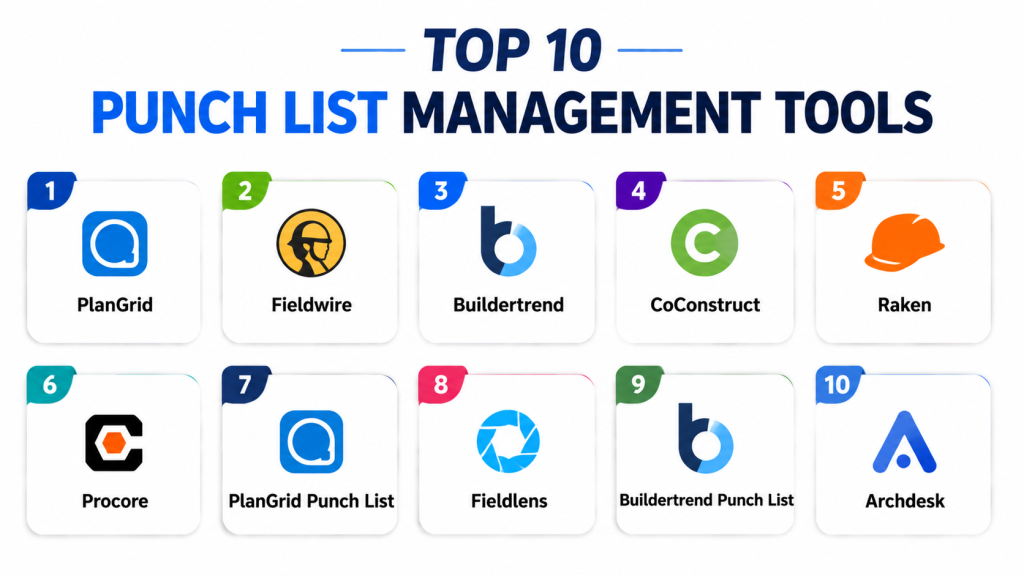
Top 10 Punch List Management Tools
1- PlanGrid
Short description: PlanGrid is a mobile-first punch list and construction management tool enabling teams to capture tasks, photos, and updates directly from the field. Ideal for contractors and project managers.
Key Features
- Real-time task assignment and tracking
- Photo and annotation capture
- Integration with blueprints and drawings
- Offline access for field use
- Reporting and analytics dashboards
- Multi-project management
- Collaboration across trades
Pros
- Easy mobile access for field teams
- Streamlines communication and approvals
- Integrates with project plans
Cons
- Advanced analytics require premium plan
- Learning curve for complex workflows
- High volume projects may require setup
Platforms / Deployment
Web / iOS / Android
Cloud
Security & Compliance
Not publicly stated
Integrations & Ecosystem
- Project management tools
- BIM/CAD integration
- Reporting dashboards
- Cloud storage and notifications
Support & Community
Documentation, webinars, and email support available.
2- Fieldwire
Short description: Fieldwire provides punch list and task management features for construction teams, combining mobile inspections, collaboration, and reporting.
Key Features
- Task assignment and progress tracking
- Photo capture and annotation
- Blueprint and plan integration
- Offline task management
- Automated notifications and reminders
- Analytics and reporting dashboards
- Multi-site project management
Pros
- Strong collaboration tools
- Mobile-friendly and offline capable
- Efficient for field inspections
Cons
- Complex projects may need advanced setup
- Integration with external systems requires configuration
- Premium plans needed for full features
Platforms / Deployment
Web / iOS / Android
Cloud
Security & Compliance
Not publicly stated
Integrations & Ecosystem
- Project management platforms
- BIM/CAD tools
- Email notifications
- Reporting dashboards
Support & Community
Online tutorials, documentation, and email support.
3- Buildertrend
Short description: Buildertrend combines project management and punch list management, offering mobile updates, task assignment, and reporting for residential and commercial projects.
Key Features
- Punch list creation and tracking
- Mobile task management and updates
- Change order and approval workflow
- Photo capture and annotations
- Integration with scheduling and accounting
- Real-time reporting dashboards
- Multi-project management
Pros
- Combines project management and punch lists
- Mobile accessibility for field staff
- Cloud-based collaboration
Cons
- More expensive than standalone punch list apps
- Learning curve for SMBs
- Implementation requires planning
Platforms / Deployment
Web / iOS / Android
Cloud
Security & Compliance
Not publicly stated
Integrations & Ecosystem
- Accounting and scheduling software
- Cloud storage and notifications
- Reporting dashboards
Support & Community
Onboarding, documentation, and dedicated support.
4- CoConstruct
Short description: CoConstruct provides punch list and project management for custom home builders, including mobile updates, client communication, and task tracking.
Key Features
- Punch list management
- Task assignment and tracking
- Client collaboration and approvals
- Photo and video capture
- Offline mobile functionality
- Reporting dashboards
- Integration with accounting tools
Pros
- Integrated client communication
- Designed for residential builders
- Mobile accessibility
Cons
- Less suitable for large commercial projects
- Premium pricing for small teams
- Some advanced reporting requires training
Platforms / Deployment
Web / iOS / Android
Cloud
Security & Compliance
Not publicly stated
Integrations & Ecosystem
- Accounting software
- Project management platforms
- Reporting dashboards
Support & Community
Documentation, email support, and training resources.
5- Raken
Short description: Raken is a field reporting and punch list app, providing mobile updates, photo capture, and real-time task tracking for construction teams.
Key Features
- Mobile punch list creation
- Photo and video capture
- Real-time progress updates
- Offline mode for field use
- Task assignment and notifications
- Reporting dashboards
- Daily logs and compliance tracking
Pros
- Real-time field reporting
- Easy for mobile teams
- Offline functionality
Cons
- Enterprise-level features may require premium plan
- Learning curve for advanced templates
- Limited integration without configuration
Platforms / Deployment
Web / iOS / Android
Cloud
Security & Compliance
Not publicly stated
Integrations & Ecosystem
- Project management tools
- Email notifications
- Reporting dashboards
Support & Community
Online tutorials, documentation, and customer support.
6- Procore
Short description: Procore is a construction management platform with punch list functionality, enabling team collaboration, task tracking, and reporting.
Key Features
- Punch list and task management
- Integration with project schedules
- Photo and annotation capture
- Automated notifications
- Real-time dashboards and reporting
- Multi-project oversight
- Collaboration across trades
Pros
- Enterprise-grade platform
- Scales across large projects
- Centralized team communication
Cons
- Premium pricing
- Complex setup for SMBs
- Requires training for field teams
Platforms / Deployment
Web / iOS / Android
Cloud
Security & Compliance
Not publicly stated
Integrations & Ecosystem
- Project management and ERP tools
- Email and notification systems
- Reporting dashboards
Support & Community
Comprehensive support, documentation, and training.
7- PlanGrid Punch List
Short description: PlanGrid’s punch list feature integrates with its construction documentation platform for tracking tasks, photos, and approvals.
Key Features
- Task creation and status tracking
- Photo and annotation capture
- Offline access for field updates
- Automated notifications
- Multi-location project oversight
- Reporting dashboards
- Collaboration with project documents
Pros
- Seamless integration with drawings
- Mobile-first and offline functionality
- Efficient task tracking
Cons
- May be overkill for small projects
- Premium features require subscription
- Learning curve for large teams
Platforms / Deployment
Web / iOS / Android
Cloud
Security & Compliance
Not publicly stated
Integrations & Ecosystem
- Project management tools
- Cloud storage
- Email/SMS notifications
Support & Community
Documentation, email support, and onboarding.
8- Fieldlens
Short description: Fieldlens provides real-time punch list and field communication tools, enabling teams to assign tasks, capture photos, and monitor progress.
Key Features
- Punch list creation and updates
- Photo and video capture
- Task assignment and notifications
- Real-time collaboration
- Offline mode for field work
- Reporting dashboards
- Multi-project tracking
Pros
- Real-time collaboration for teams
- Mobile-friendly
- Supports remote updates
Cons
- Limited advanced analytics
- May require subscription for full functionality
- Learning curve for large teams
Platforms / Deployment
Web / iOS / Android
Cloud
Security & Compliance
Not publicly stated
Integrations & Ecosystem
- Project management tools
- Email/SMS notifications
- Reporting dashboards
Support & Community
Online tutorials, documentation, and email support.
9- Buildertrend Punch List
Short description: Buildertrend combines project management with punch list tracking for residential and commercial projects, supporting mobile updates and reporting.
Key Features
- Punch list and task assignment
- Mobile updates and notifications
- Photo and annotation capture
- Reporting dashboards
- Integration with scheduling tools
- Multi-project management
- Offline access
Pros
- Combines project management and punch lists
- Mobile accessibility
- Cloud-based collaboration
Cons
- Premium pricing
- Complex features may require training
- Overkill for small projects
Platforms / Deployment
Web / iOS / Android
Cloud
Security & Compliance
Not publicly stated
Integrations & Ecosystem
- Project management platforms
- Accounting and scheduling tools
- Reporting dashboards
Support & Community
Onboarding, documentation, and support resources.
10- Archdesk
Short description: Archdesk is an enterprise construction management platform with punch list functionality, real-time updates, and analytics dashboards.
Key Features
- Punch list and task tracking
- Workflow automation
- Photo and video capture
- Notifications and updates
- Reporting dashboards
- Multi-project oversight
- Integration with ERP and accounting systems
Pros
- Enterprise-grade analytics
- Mobile and cloud-based access
- Supports multi-location projects
Cons
- Premium pricing
- Setup requires training
- Advanced features for large teams
Platforms / Deployment
Web / iOS / Android
Cloud
Security & Compliance
Not publicly stated
Integrations & Ecosystem
- ERP and project management tools
- Email/SMS notifications
- Reporting dashboards
Support & Community
Enterprise support, documentation, and training resources.
Comparison Table
| Tool Name | Best For | Platform(s) Supported | Deployment | Standout Feature | Public Rating |
|---|---|---|---|---|---|
| PlanGrid | Contractors & project managers | Web, iOS, Android | Cloud | Mobile punch list with drawings | N/A |
| Fieldwire | Construction teams | Web, iOS, Android | Cloud | Real-time task updates | N/A |
| Buildertrend | Residential & commercial | Web, iOS, Android | Cloud | Integrated project & punch list | N/A |
| CoConstruct | Custom home builders | Web, iOS, Android | Cloud | Client collaboration & punch lists | N/A |
| Raken | Field reporting | Web, iOS, Android | Cloud | Daily logs + punch list | N/A |
| Procore | Enterprise projects | Web, iOS, Android | Cloud | Enterprise-grade project integration | N/A |
| PlanGrid Punch List | Field inspections | Web, iOS, Android | Cloud | Blueprint-linked punch lists | N/A |
| Fieldlens | Field teams | Web, iOS, Android | Cloud | Real-time collaboration | N/A |
| Buildertrend Punch List | Residential & commercial | Web, iOS, Android | Cloud | Combined PM & punch list | N/A |
| Archdesk | Enterprise construction | Web, iOS, Android | Cloud | Analytics + multi-project oversight | N/A |
Evaluation & Scoring of Punch List Management Tools
| Tool Name | Core 25% | Ease 15% | Integrations 15% | Security 10% | Performance 10% | Support 10% | Value 15% | Weighted Total 0–10 |
|---|---|---|---|---|---|---|---|---|
| PlanGrid | 9 | 9 | 8 | 8 | 9 | 8 | 8 | 8.50 |
| Fieldwire | 8 | 9 | 8 | 8 | 8 | 8 | 8 | 8.15 |
| Buildertrend | 8 | 8 | 8 | 8 | 8 | 8 | 7 | 7.95 |
| CoConstruct | 8 | 8 | 7 | 7 | 8 | 7 | 7 | 7.65 |
| Raken | 8 | 8 | 7 | 7 | 8 | 7 | 7 | 7.70 |
| Procore | 9 | 7 | 8 | 8 | 9 | 8 | 7 | 8.05 |
| PlanGrid Punch List | 9 | 8 | 8 | 8 | 8 | 8 | 7 | 7.95 |
| Fieldlens | 8 | 8 | 7 | 7 | 8 | 7 | 7 | 7.65 |
| Buildertrend Punch List | 8 | 8 | 7 | 7 | 8 | 7 | 7 | 7.65 |
| Archdesk | 9 | 7 | 8 | 8 | 9 | 8 | 7 | 8.05 |
Which Punch List Management Tool Is Right for You?
Solo / Freelancer
Smaller contractors or renovation teams can use Raken, CoConstruct, or Fieldwire for lightweight mobile punch list workflows.
SMB
Small-to-mid-sized teams benefit from PlanGrid, Fieldwire, Buildertrend, or CoConstruct for task tracking, photo capture, and mobile accessibility.
Mid-Market
Mid-sized firms handling multiple sites or projects should consider PlanGrid, Procore, or Fieldlens for collaborative, multi-location oversight and reporting.
Enterprise
Large contractors and construction management firms need Procore, Archdesk, or Buildertrend Enterprise for advanced analytics, workflow automation, and multi-project visibility.
Budget vs Premium
Budget-focused SMBs: Raken, Fieldwire, CoConstruct. Premium/enterprise: PlanGrid, Procore, Archdesk, Buildertrend.
Feature Depth vs Ease of Use
Ease-first: Raken, Fieldwire, CoConstruct. Feature-depth: PlanGrid, Procore, Archdesk, Buildertrend.
Integrations & Scalability
Organizations needing ERP, project management, or BIM integrations: Procore, Archdesk, PlanGrid, Buildertrend.
Security & Compliance Needs
Enterprises requiring audit trails, multi-location oversight, and compliance tracking: Procore, Archdesk, PlanGrid.
Frequently Asked Questions
1. What is a punch list management tool?
A software system that digitizes incomplete task tracking, defects, and project closeout items for construction projects.
2. How does it improve project completion?
By streamlining task assignment, real-time updates, and documentation, it reduces rework and accelerates closeouts.
3. Can field teams use mobile devices?
Yes, most top apps provide iOS/Android apps for on-site task capture and photo documentation.
4. Do these tools integrate with project management software?
Yes, many integrate with BIM, ERP, or project management platforms for seamless workflow.
5. Are there reporting dashboards?
All top tools provide dashboards for progress tracking, completion status, and analytics.
6. Can multiple trades collaborate on the same punch list?
Yes, most apps allow multiple subcontractors, teams, and inspectors to update tasks in real time.
7. Do these apps work offline?
Many, like PlanGrid and Fieldwire, support offline functionality for remote field updates.
8. Are photos and annotations supported?
Yes, images and markups are integral for documenting defects and approvals.
9. Can tasks be assigned to subcontractors directly?
Yes, most solutions allow task assignment, notifications, and approval tracking.
10. What industries benefit most?
Residential, commercial, industrial construction, and renovation projects benefit the most.
Conclusion
Punch List Management Tools are essential for modern construction teams aiming to accelerate project closeouts, reduce rework, and maintain accountability. SMBs can benefit from Raken, Fieldwire, or CoConstruct for lightweight mobile task management, while mid-market and enterprise teams gain efficiency and oversight with PlanGrid, Procore, Archdesk, or Buildertrend. Organizations should shortlist 2–3 solutions, pilot them on active projects, validate mobile access, reporting, notifications, and collaborative features, and scale adoption once workflows prove effective.
