Introduction
Mobile Workforce Apps are software solutions designed to help organizations manage, monitor, and optimize their remote, field, and mobile employees. These apps provide real-time access to task management, scheduling, communication, and performance tracking from mobile devices, making the workforce more connected and productive.
In 2026, the rise of hybrid work models, remote field teams, and mobile-first operations makes these tools essential. They allow organizations to maintain operational efficiency, ensure data accuracy, and enhance workforce engagement even outside the traditional office.
Real-world use cases include:
- Field service management for technicians and repair teams.
- On-site sales and client management for distributed sales forces.
- Healthcare mobile staff scheduling and patient visit tracking.
- Retail and delivery workforce coordination across multiple locations.
- Inspection and auditing teams in construction, energy, and manufacturing sectors.
What buyers should evaluate:
- Real-time task and schedule management
- Offline capabilities for areas with poor connectivity
- Integration with ERP, CRM, and payroll systems
- Security, compliance, and data privacy features
- User interface and mobile UX
- Reporting, analytics, and KPI tracking
- AI-driven insights or automation features
- Scalability across workforce size
- Multi-platform support (iOS, Android, Web)
- Cost and licensing flexibility
Best for: organizations with distributed teams, field service companies, healthcare providers, retail chains, and enterprise operations needing mobility and real-time oversight.
Not ideal for: purely office-based teams without mobile operations, small businesses with minimal workforce coordination needs, or teams already served by existing integrated ERP/CRM mobile modules.
Key Trends in Mobile Workforce Apps
- Increased AI-assisted task routing, predictive scheduling, and automated workforce optimization.
- Offline-first mobile apps that synchronize seamlessly when connectivity resumes.
- Integrated GPS and geofencing for accurate location tracking of field staff.
- Real-time collaboration tools embedded in mobile apps for instant communication.
- Multi-platform support including Android, iOS, and web portals.
- Compliance automation, audit logging, and secure data handling for sensitive industries.
- Cloud-based deployment with hybrid support for legacy systems.
- Low-code and no-code workflow customization for admins.
- Advanced analytics dashboards with AI insights for performance monitoring.
- Subscription-based pricing models with modular add-ons for enterprise scalability.
How We Selected These Tools (Methodology)
- Market adoption and mindshare across industries.
- Feature completeness for mobile workforce management, offline use, and analytics.
- Reliability and performance signals from real-world usage patterns.
- Security posture, including SSO, encryption, and audit capabilities.
- Integration breadth with CRM, ERP, payroll, and communication platforms.
- Customer fit across segments: SMB, mid-market, enterprise.
- Mobile UX, platform coverage, and offline support.
- Scalability and ease of deployment.
- Vendor support, community strength, and documentation.
- AI or automation capabilities relevant to workforce optimization.
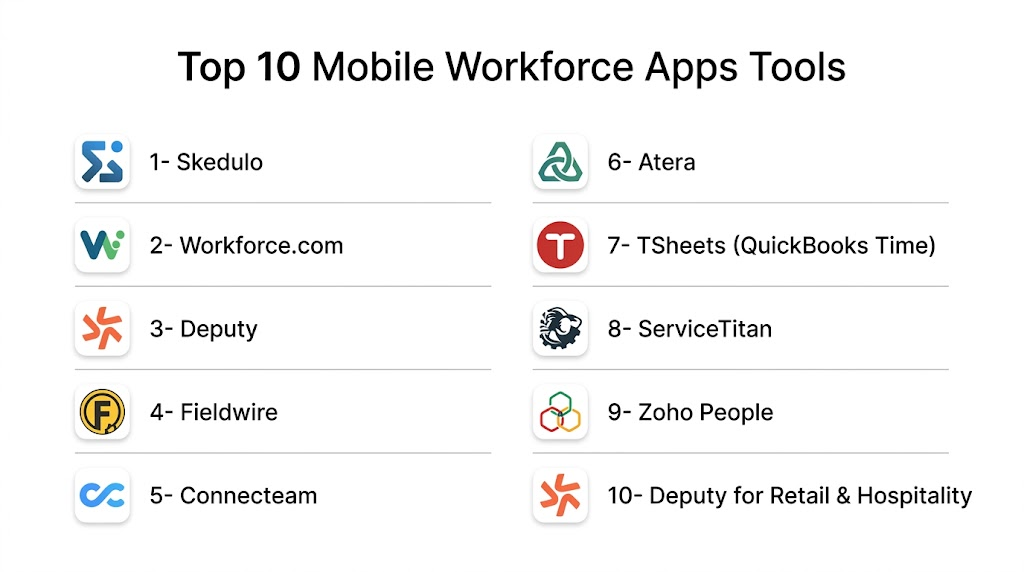
Top 10 Mobile Workforce Apps Tools
1- Skedulo
Short description: Skedulo is designed for deskless workers and field teams, offering intelligent scheduling, real-time updates, and mobile task management for enterprises with distributed staff.
Key Features
- Intelligent scheduling with AI-based optimization
- Mobile-first task and appointment management
- Offline capabilities with automatic sync
- Customer and job history access
- Analytics and reporting dashboards
- Integration with Salesforce, ERP, and CRM systems
Pros
- Streamlined scheduling reduces manual work
- Mobile-friendly UI with offline access
- Strong integration ecosystem
Cons
- Enterprise-focused; may be complex for small businesses
- Pricing can be high for smaller teams
Platforms / Deployment
- iOS, Android, Web
- Cloud
Security & Compliance
- SSO/SAML, MFA, encryption, audit logs
- SOC 2, GDPR
Integrations & Ecosystem
Supports Salesforce, ServiceNow, and major ERP systems. APIs allow workflow extensions.
- Salesforce CRM
- ServiceNow
- Microsoft Dynamics
- Custom API integrations
Support & Community
Varies; includes enterprise support plans, online documentation, and community forums.
2- Workforce.com
Short description: Workforce.com centralizes workforce management, time tracking, and employee engagement across mobile and remote teams, providing insights and compliance tools.
Key Features
- Employee scheduling and shift planning
- Time and attendance tracking via mobile devices
- Labor compliance monitoring
- Mobile notifications for shift changes
- Reporting and analytics dashboards
Pros
- Comprehensive workforce management features
- Easy-to-use mobile interface
- Compliance tracking for regulated industries
Cons
- Limited advanced AI automation
- Some features require premium tiers
Platforms / Deployment
- iOS, Android, Web
- Cloud
Security & Compliance
- Not publicly stated
Integrations & Ecosystem
Connects with HRIS and payroll systems.
- ADP Payroll
- QuickBooks
- BambooHR
- Zapier API
Support & Community
Customer support with knowledge base; active user community.
3- Deputy
Short description: Deputy is a scheduling, time-tracking, and team communication tool for mobile and on-site employees, helping businesses streamline workforce operations.
Key Features
- Shift scheduling and swap management
- Time tracking with geolocation
- Payroll export and integration
- Mobile notifications and task reminders
- Performance reporting
Pros
- User-friendly mobile app
- Easy shift management and approvals
- Integration with multiple payroll platforms
Cons
- Limited offline functionality
- Advanced reporting may require add-ons
Platforms / Deployment
- iOS, Android, Web
- Cloud
Security & Compliance
- SSO, encryption
- GDPR compliance
Integrations & Ecosystem
Integrates with accounting, payroll, and HR platforms.
- Xero, QuickBooks
- ADP
- Google Workspace
Support & Community
24/7 support, online resources, community forums.
4- Fieldwire
Short description: Fieldwire focuses on construction and field operations, providing mobile task management, blueprint viewing, and issue tracking for mobile teams.
Key Features
- Plan and blueprint access on mobile
- Task assignment and tracking
- Photo and annotation support
- Issue tracking and reporting
- Offline capabilities
Pros
- Excellent for construction and field service
- Offline-friendly mobile app
- Visual task and document management
Cons
- Niche focus may limit broader workforce use
- Advanced analytics require premium plans
Platforms / Deployment
- iOS, Android, Web
- Cloud
Security & Compliance
- Not publicly stated
Integrations & Ecosystem
Works with project management and collaboration tools.
- Procore
- BIM 360
- Dropbox
Support & Community
Standard support plans; community resources available.
5- Connecteam
Short description: Connecteam is a mobile workforce management solution covering scheduling, communication, task management, and compliance tracking for deskless teams.
Key Features
- Shift planning and scheduling
- Internal communication and announcements
- Task management with progress tracking
- Compliance and training modules
- Mobile forms and checklists
Pros
- All-in-one mobile workforce solution
- Easy onboarding for mobile staff
- Training and compliance features
Cons
- Some advanced reporting features limited
- Pricing scales with feature use
Platforms / Deployment
- iOS, Android, Web
- Cloud
Security & Compliance
- Encryption, MFA
- SOC 2
Integrations & Ecosystem
Integrates with HRIS and communication platforms.
- Slack, Zapier, QuickBooks
- HR and payroll integrations
Support & Community
24/7 support; comprehensive documentation.
6- Atera
Short description: Atera is a mobile-enabled IT service management and field support platform for MSPs and IT teams, offering scheduling, monitoring, and ticketing.
Key Features
- Remote monitoring and management
- Ticketing and helpdesk features
- Mobile app for field technicians
- Asset and client management
- Automated workflows
Pros
- IT-focused mobile workforce management
- Simple mobile app for field techs
- Strong ticketing and workflow automation
Cons
- Not ideal for non-IT field teams
- Limited offline support
Platforms / Deployment
- iOS, Android, Web
- Cloud
Security & Compliance
- Not publicly stated
Integrations & Ecosystem
Works with ITSM and RMM tools.
- PSA tools
- Remote monitoring tools
- APIs for custom integrations
Support & Community
Email and chat support; online knowledge base.
7- TSheets (QuickBooks Time)
Short description: TSheets provides time tracking and mobile workforce management, with GPS and scheduling features, integrated into QuickBooks for payroll and HR.
Key Features
- GPS-enabled time tracking
- Shift scheduling and alerts
- Mobile clock-in/out
- Payroll integration
- Reporting and analytics
Pros
- Strong QuickBooks integration
- Easy mobile tracking for field staff
- Geolocation for compliance
Cons
- Limited task management features
- Offline mode basic
Platforms / Deployment
- iOS, Android, Web
- Cloud
Security & Compliance
- Not publicly stated
Integrations & Ecosystem
Integrates primarily with accounting and payroll platforms.
- QuickBooks
- Xero
- ADP
Support & Community
Email and phone support; online guides.
8- ServiceTitan
Short description: ServiceTitan is a field service and mobile workforce platform for home service businesses, offering scheduling, dispatching, and mobile job management.
Key Features
- AI-based scheduling and dispatch
- Mobile job tracking for technicians
- Customer management and invoicing
- Reporting dashboards
- Integration with accounting and payment platforms
Pros
- Tailored for home service and field operations
- AI-assisted routing improves efficiency
- Strong mobile app features
Cons
- Industry-specific; may not suit other sectors
- Pricing may be high for smaller businesses
Platforms / Deployment
- iOS, Android, Web
- Cloud
Security & Compliance
- Not publicly stated
Integrations & Ecosystem
Integrates with QuickBooks, payment, and CRM tools.
- QuickBooks
- Payment gateways
- CRM platforms
Support & Community
Premium support, online training, active user community.
9- Zoho People
Short description: Zoho People offers HR and workforce management with mobile capabilities, including attendance, leave management, and task tracking.
Key Features
- Mobile attendance and leave tracking
- Task and project management
- Employee self-service portal
- Notifications and approval workflows
- Reporting and analytics
Pros
- Mobile-friendly HR and workforce management
- Affordable and scalable
- Strong integrations within Zoho ecosystem
Cons
- Limited offline task management
- Reporting capabilities basic for complex needs
Platforms / Deployment
- iOS, Android, Web
- Cloud
Security & Compliance
- Not publicly stated
Integrations & Ecosystem
Zoho ecosystem and third-party integrations via APIs.
- Zoho CRM
- Zoho Projects
- Zapier
Support & Community
Email support, documentation, Zoho community forums.
10- Deputy for Retail & Hospitality
Short description: Deputy specializes in scheduling and workforce management for retail and hospitality, supporting mobile check-ins, shift swaps, and notifications.
Key Features
- Staff scheduling with shift swapping
- Mobile check-in/out
- Notifications and reminders
- Payroll integration
- Reporting dashboards
Pros
- Optimized for retail and hospitality staff
- Mobile-first design
- Simplifies complex scheduling
Cons
- Limited offline functionality
- Advanced analytics require add-ons
Platforms / Deployment
- iOS, Android, Web
- Cloud
Security & Compliance
- Not publicly stated
Integrations & Ecosystem
Integrates with payroll and HR platforms.
- Xero
- QuickBooks
- ADP
Support & Community
Documentation and chat support; active user community.
Comparison Table (Top 10)
| Tool Name | Best For | Platform(s) Supported | Deployment | Standout Feature | Public Rating |
|---|---|---|---|---|---|
| Skedulo | Field & mobile teams | iOS, Android, Web | Cloud | AI-based scheduling | N/A |
| Workforce.com | Multi-industry workforce | iOS, Android, Web | Cloud | Compliance & scheduling | N/A |
| Deputy | SMB & mid-market | iOS, Android, Web | Cloud | Shift management | N/A |
| Fieldwire | Construction & field ops | iOS, Android, Web | Cloud | Mobile blueprint & task mgmt | N/A |
| Connecteam | Deskless & distributed teams | iOS, Android, Web | Cloud | All-in-one mobile workforce | N/A |
| Atera | IT teams & MSPs | iOS, Android, Web | Cloud | Field IT support | N/A |
| TSheets | Payroll & time tracking | iOS, Android, Web | Cloud | GPS time tracking | N/A |
| ServiceTitan | Home service ops | iOS, Android, Web | Cloud | AI dispatch & scheduling | N/A |
| Zoho People | HR & mobile workforce | iOS, Android, Web | Cloud | Employee self-service | N/A |
| Deputy for Retail & Hospitality | Retail & hospitality | iOS, Android, Web | Cloud | Shift swapping | N/A |
Evaluation & Scoring of Mobile Workforce Apps
| Tool Name | Core (25%) | Ease (15%) | Integrations (15%) | Security (10%) | Performance (10%) | Support (10%) | Value (15%) | Weighted Total |
|---|---|---|---|---|---|---|---|---|
| Skedulo | 9 | 8 | 9 | 8 | 9 | 8 | 7 | 8.6 |
| Workforce.com | 8 | 8 | 7 | 7 | 8 | 8 | 8 | 7.8 |
| Deputy | 8 | 9 | 8 | 7 | 8 | 8 | 8 | 8.0 |
| Fieldwire | 7 | 8 | 7 | 7 | 8 | 7 | 7 | 7.4 |
| Connecteam | 8 | 9 | 8 | 8 | 8 | 8 | 8 | 8.2 |
| Atera | 7 | 8 | 7 | 7 | 8 | 7 | 7 | 7.2 |
| TSheets | 7 | 9 | 7 | 7 | 8 | 8 | 7 | 7.6 |
| ServiceTitan | 8 | 8 | 7 | 8 | 8 | 8 | 7 | 7.8 |
| Zoho People | 7 | 8 | 7 | 7 | 7 | 7 | 8 | 7.4 |
| Deputy for Retail & Hospitality | 7 | 8 | 7 | 7 | 7 | 7 | 7 | 7.2 |
Interpretation: Higher weighted scores indicate better overall fit for mobile workforce needs; comparative evaluation shows Skedulo and Connecteam leading in core capabilities, AI features, and ease of use.
Which Mobile Workforce Apps Tool Is Right for You?
Solo / Freelancer
Use lightweight, intuitive tools like Deputy or TSheets for simple scheduling and time tracking.
SMB
Connecteam and Deputy offer comprehensive features, easy onboarding, and mobile-first capabilities.
Mid-Market
Skedulo or Workforce.com provide robust scheduling, AI optimization, and reporting dashboards.
Enterprise
Skedulo, ServiceTitan, and Fieldwire scale across distributed teams, integrate with ERP/CRM, and support compliance.
Budget vs Premium
Budget-focused: Deputy, TSheets, Zoho People
Premium: Skedulo, ServiceTitan, Connecteam
Feature Depth vs Ease of Use
Balance: Connecteam offers broad features while maintaining mobile usability. Skedulo prioritizes depth and AI optimization.
Integrations & Scalability
Fieldwire, ServiceTitan, and Skedulo integrate with multiple platforms and scale to thousands of mobile users.
Security & Compliance Needs
Choose vendors with known SOC 2, encryption, SSO/MFA support, or GDPR alignment for regulated industries.
Frequently Asked Questions (FAQs)
- What are Mobile Workforce Apps?
They are software solutions for managing remote, field, or mobile employees via mobile devices, including scheduling, task management, and reporting. - Do these apps work offline?
Many offer offline capabilities, syncing data once connectivity is restored, but offline feature depth varies by tool. - Are they suitable for small businesses?
Yes, lightweight apps like Deputy or TSheets are ideal, while enterprise-focused solutions may be complex or costly. - How secure are mobile workforce apps?
Security varies. Look for encryption, SSO/MFA, audit logs, and compliance certifications like SOC 2 or GDPR. - Can these apps integrate with payroll and HR systems?
Yes, most support payroll, HRIS, and ERP integrations through built-in connectors or APIs. - Which industries benefit most?
Field services, healthcare, retail, hospitality, construction, and distributed sales teams gain the most from mobile workforce apps. - Do these apps support AI-driven scheduling?
Top-tier solutions like Skedulo and ServiceTitan use AI for optimized scheduling and task assignment. - What platforms are supported?
Most apps support iOS, Android, and Web, ensuring mobile and desktop access for admins and employees. - Can I track employee location?
Many provide GPS-based clock-in/clock-out and geofencing for field workforce tracking. - How do I choose the right tool?
Evaluate workforce size, industry needs, mobile vs desktop usage, integrations, security requirements, and budget.
Conclusion
Mobile Workforce Apps are essential in 2026 for businesses managing distributed and mobile employees. Tools like Skedulo, Connecteam, and Deputy provide robust scheduling, task management, and mobile collaboration features. Choosing the right app depends on company size, workforce type, industry, and integration needs. Start by shortlisting 2–3 tools, pilot with a team, and validate integration, usability, and security before full deployment.
