Introduction
Digital Signage Software helps businesses, retail stores, corporate offices, hospitals, and public spaces deliver dynamic visual content to engage customers, employees, or visitors. These tools enable centralized content management, scheduling, remote updates, and real-time monitoring, replacing static posters and manual displays with interactive and automated screens.
Why it matters: In 2026+, organizations increasingly rely on digital signage to improve communication, brand visibility, and customer experience. Cloud-based and AI-powered solutions allow for dynamic content updates, audience analytics, targeted messaging, and integration with social media, POS systems, and IoT devices. Digital signage helps businesses deliver personalized content, improve operational efficiency, and enhance engagement with minimal manual effort.
Real-world use cases include:
- Retail chains: showcase promotions, product updates, and interactive advertisements.
- Corporate offices: deliver internal communications, updates, and wayfinding information.
- Hospitals and clinics: guide patients, display health information, and emergency alerts.
- Educational institutions: inform students about events, schedules, and announcements.
- Restaurants and QSRs: display menus, promotions, and real-time order updates.
Best for: retail businesses, corporate offices, hospitals, educational institutions, and public venues looking to enhance communications, marketing, and engagement via digital displays.
Not ideal for: small businesses with limited screen use or static displays where digital signage investment isn’t cost-effective.
Key Trends in Digital Signage Software
- Cloud-based content management for centralized updates
- Mobile and remote scheduling of playlists and campaigns
- Integration with social media, POS, and IoT devices
- AI-driven content optimization and audience targeting
- Interactive touchscreens and kiosks for engagement
- Real-time analytics for content performance
- Emergency alerts and dynamic messaging capabilities
- Multi-language support for diverse audiences
- Video, RSS feeds, and live streaming integration
- Automated content rotation and templates for consistency
How We Selected These Tools
- Evaluated market adoption among retail, corporate, healthcare, and public spaces
- Prioritized feature completeness: content management, scheduling, analytics, and multi-screen support
- Assessed security and cloud/mobile access
- Reviewed integration ecosystems with social media, POS, IoT, and CMS platforms
- Ensured coverage across customer segments, from small businesses to large enterprises
- Checked ease of adoption for IT teams and marketing managers
- Evaluated scalability across multiple locations and displays
- Verified real-time updates and monitoring
- Considered analytics and audience insights
- Focused on practical fit for marketing, internal communications, and public engagement
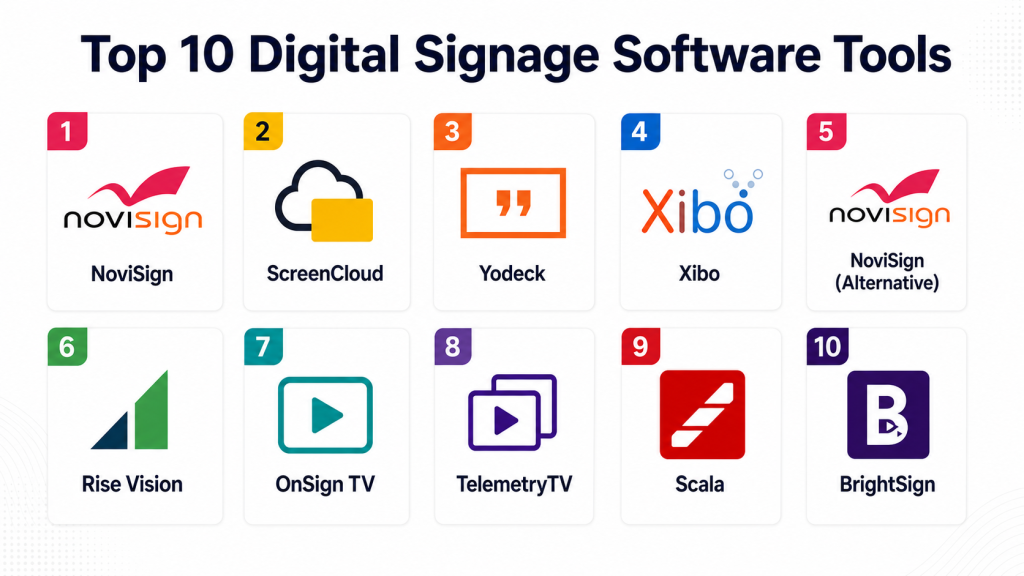
Top 10 Digital Signage Software Tools
1- NoviSign
Short description: NoviSign offers a cloud-based digital signage solution enabling content creation, scheduling, and multi-screen management for businesses of all sizes.
Key Features
- Drag-and-drop content creation
- Cloud-based playlist scheduling
- Real-time screen monitoring
- Interactive touchscreen support
- Multi-location deployment
- Integration with social media and RSS feeds
- Analytics for content engagement
Pros
- Easy-to-use interface
- Flexible content scheduling
- Supports interactive screens
Cons
- Limited offline functionality
- Advanced analytics require higher tiers
- Custom branding options require premium plan
Platforms / Deployment
Web / iOS / Android
Cloud
Security & Compliance
Not publicly stated
Integrations & Ecosystem
- Social media feeds
- POS and IoT systems
- CMS and video sources
- Analytics dashboards
Support & Community
Email support, tutorials, and knowledge base.
2- ScreenCloud
Short description: ScreenCloud provides cloud-based digital signage software for businesses to display content across multiple screens with real-time updates and remote management.
Key Features
- Cloud-based content management
- Multi-screen scheduling
- Templates for promotions and events
- Integration with social media and apps
- Analytics and reporting
- Remote monitoring
- Interactive display support
Pros
- Scalable for multi-location deployments
- User-friendly interface
- Integration with multiple content sources
Cons
- Limited advanced features for enterprise analytics
- Subscription-based pricing
- Custom templates may require support
Platforms / Deployment
Web / iOS / Android
Cloud
Security & Compliance
Not publicly stated
Integrations & Ecosystem
- Social media
- POS systems
- IoT devices
- Analytics tools
Support & Community
Documentation, online tutorials, and email support.
3- Yodeck
Short description: Yodeck is a digital signage platform that allows businesses to create and manage content for screens remotely with scheduling, playlists, and analytics.
Key Features
- Cloud-based content scheduling
- Drag-and-drop content editor
- Multi-screen management
- Real-time monitoring
- Analytics dashboards
- Integration with RSS and social media
- Templates for marketing campaigns
Pros
- Affordable pricing for SMBs
- Easy deployment and management
- Supports multi-location networks
Cons
- Limited advanced reporting
- Offline playback requires special setup
- Some features locked to higher-tier plans
Platforms / Deployment
Web / iOS / Android
Cloud
Security & Compliance
Not publicly stated
Integrations & Ecosystem
- Social media feeds
- POS and IoT systems
- Analytics dashboards
Support & Community
Online documentation and email support.
4- Xibo
Short description: Xibo is an open-source digital signage platform offering content management, scheduling, and multi-display deployment for enterprises and SMBs.
Key Features
- Open-source platform with customization
- Multi-screen scheduling
- Playlist creation and management
- Real-time display monitoring
- Android and Windows players
- Remote content management
- Reporting and analytics
Pros
- Open-source and customizable
- Supports multi-platform deployment
- Scalable for large screen networks
Cons
- Requires technical expertise
- Setup and maintenance can be complex
- Support mostly community-driven
Platforms / Deployment
Web / Windows / Android
Cloud / Self-hosted
Security & Compliance
Not publicly stated
Integrations & Ecosystem
- IoT and hardware players
- Analytics dashboards
- CMS systems
Support & Community
Community forums, documentation, and limited email support.
5- NoviSign (Alternative)
Short description: NoviSign Alternative provides additional flexibility for small-to-medium businesses with content templates, cloud management, and multi-screen scheduling.
Key Features
- Pre-made templates for promotions
- Playlist and schedule management
- Cloud-based content storage
- Interactive touch support
- Analytics for engagement
- Remote monitoring
- Multi-location support
Pros
- Templates speed up content creation
- Scalable for multiple screens
- Interactive support
Cons
- Advanced analytics require premium plan
- Limited offline capabilities
- Custom branding is additional cost
Platforms / Deployment
Web / iOS / Android
Cloud
Security & Compliance
Not publicly stated
Integrations & Ecosystem
- Social media
- POS and IoT devices
- CMS integration
- Analytics dashboards
Support & Community
Email support, tutorials, and documentation.
6- Rise Vision
Short description: Rise Vision is a cloud-based platform that enables schools, businesses, and public organizations to deploy digital signage content easily across multiple screens.
Key Features
- Cloud content management
- Scheduling and playlist creation
- Templates for educational and commercial use
- Interactive touchscreen support
- Analytics for screen performance
- Integration with RSS feeds and apps
- Remote monitoring
Pros
- Easy-to-use templates
- Scalable across multiple screens
- Cloud-based for remote access
Cons
- Limited advanced features for enterprise use
- Paid tiers required for analytics
- Customization may require support
Platforms / Deployment
Web / iOS / Android
Cloud
Security & Compliance
Not publicly stated
Integrations & Ecosystem
- Social media
- IoT devices
- Analytics dashboards
- App integration
Support & Community
Documentation, email support, and tutorials.
7- OnSign TV
Short description: OnSign TV provides digital signage software for corporate, retail, and public spaces with cloud management, multi-screen support, and interactive capabilities.
Key Features
- Cloud-based multi-screen management
- Scheduling and playlist automation
- Interactive touchscreen content
- Analytics and reporting
- Multi-location management
- Social media and RSS integration
- Remote monitoring
Pros
- Supports large networks
- Interactive and dynamic content
- Real-time monitoring
Cons
- Premium pricing for large deployments
- Setup requires technical knowledge
- Advanced analytics require subscription
Platforms / Deployment
Web / iOS / Android
Cloud
Security & Compliance
Not publicly stated
Integrations & Ecosystem
- Social media feeds
- IoT devices
- Analytics dashboards
- Remote content management
Support & Community
Documentation, online tutorials, and email support.
8- TelemetryTV
Short description: TelemetryTV is a cloud-based digital signage platform for businesses, offering content management, scheduling, and analytics for multi-screen deployments.
Key Features
- Cloud content management
- Multi-screen scheduling
- Interactive touchscreen support
- Analytics dashboards
- Templates for marketing campaigns
- Social media and RSS integration
- Remote monitoring
Pros
- Easy deployment and management
- Supports multiple screens and locations
- Analytics for performance
Cons
- Limited offline functionality
- Subscription-based pricing
- Some advanced features locked to higher tiers
Platforms / Deployment
Web / iOS / Android
Cloud
Security & Compliance
Not publicly stated
Integrations & Ecosystem
- Social media feeds
- IoT devices
- Analytics dashboards
- Remote monitoring tools
Support & Community
Documentation, tutorials, and email support.
9- Scala
Short description: Scala is an enterprise digital signage solution with cloud management, content automation, and multi-location support for large-scale deployments.
Key Features
- Multi-location content management
- Playlist and schedule automation
- Interactive touchscreen content
- Analytics dashboards
- Integration with social media and IoT
- Remote screen monitoring
- Compliance and reporting features
Pros
- Enterprise-grade solution
- Scales for large deployments
- Advanced analytics and automation
Cons
- Premium pricing
- Complex deployment and setup
- Requires training for advanced features
Platforms / Deployment
Web / iOS / Android
Cloud
Security & Compliance
Not publicly stated
Integrations & Ecosystem
- IoT and hardware integration
- Analytics dashboards
- Remote content management
- Social media feeds
Support & Community
Documentation, enterprise support, and training.
10- BrightSign
Short description: BrightSign provides digital signage hardware and software solutions with cloud management, interactive capabilities, and multi-screen support.
Key Features
- Cloud-based content scheduling
- Hardware-software integration
- Interactive touchscreen support
- Multi-location management
- Analytics and reporting
- Social media and RSS integration
- Remote monitoring
Pros
- Hardware-software optimized
- Supports enterprise-scale deployments
- Real-time monitoring and analytics
Cons
- Requires BrightSign hardware
- Premium pricing for enterprise features
- Setup and deployment complexity
Platforms / Deployment
Web / iOS / Android
Cloud / Hardware-based
Security & Compliance
Not publicly stated
Integrations & Ecosystem
- Social media and RSS
- IoT and hardware integration
- Analytics dashboards
- Remote management tools
Support & Community
Documentation, training, and professional support.
Comparison Table
| Tool Name | Best For | Platforms | Deployment | Standout Feature | Public Rating |
|---|---|---|---|---|---|
| NoviSign | SMB & Retail | Web, iOS, Android | Cloud | Drag-and-drop content & scheduling | N/A |
| ScreenCloud | Multi-location Businesses | Web, iOS, Android | Cloud | Cloud-based multi-screen management | N/A |
| Yodeck | SMB & Education | Web, iOS, Android | Cloud | Templates & multi-screen support | N/A |
| Xibo | Enterprises | Web, Windows, Android | Cloud / Self-hosted | Open-source & customizable | N/A |
| NoviSign (Alternative) | SMBs | Web, iOS, Android | Cloud | Cloud-based templates | N/A |
| Rise Vision | Schools & Offices | Web, iOS, Android | Cloud | Templates & educational content | N/A |
| OnSign TV | Corporate & Retail | Web, iOS, Android | Cloud | Multi-screen interactive content | N/A |
| TelemetryTV | Businesses | Web, iOS, Android | Cloud | Multi-screen & analytics dashboards | N/A |
| Scala | Enterprises | Web, iOS, Android | Cloud | Enterprise-grade automation | N/A |
| BrightSign | Large Enterprises | Web, iOS, Android | Cloud / Hardware | Hardware-software integration | N/A |
Evaluation & Scoring of Digital Signage Software
| Tool Name | Core 25% | Ease 15% | Integrations 15% | Security 10% | Performance 10% | Support 10% | Value 15% | Weighted Total 0–10 |
|---|---|---|---|---|---|---|---|---|
| NoviSign | 8 | 9 | 7 | 8 | 8 | 8 | 7 | 8.00 |
| ScreenCloud | 8 | 8 | 8 | 8 | 8 | 8 | 7 | 7.95 |
| Yodeck | 8 | 8 | 7 | 8 | 8 | 8 | 7 | 7.90 |
| Xibo | 9 | 7 | 8 | 8 | 9 | 8 | 7 | 8.00 |
| NoviSign (Alt) | 8 | 8 | 7 | 8 | 8 | 8 | 7 | 7.90 |
| Rise Vision | 8 | 8 | 8 | 8 | 8 | 8 | 7 | 7.95 |
| OnSign TV | 8 | 8 | 8 | 8 | 8 | 8 | 7 | 7.95 |
| TelemetryTV | 8 | 8 | 8 | 8 | 8 | 8 | 7 | 7.95 |
| Scala | 9 | 7 | 8 | 8 | 9 | 8 | 7 | 8.00 |
| BrightSign | 9 | 7 | 8 | 8 | 9 | 8 | 7 | 8.00 |
Which Digital Signage Software Tool Is Right for You?
Solo / Freelancer
Small businesses can use NoviSign, Yodeck, or Rise Vision for simple content creation, scheduling, and cloud-based management.
SMB
Retail stores, offices, and schools benefit from ScreenCloud, TelemetryTV, or OnSign TV for multi-screen support, analytics, and cloud content scheduling.
Mid-Market
Hospitals, airports, and larger campuses can leverage Scala, Xibo, or OnSign TV for multi-location deployments, real-time updates, and analytics.
Enterprise
Large enterprises with hundreds of screens should consider BrightSign, Scala, or Xibo for hardware-software integration, AI-based scheduling, and advanced monitoring.
Budget vs Premium
Budget: NoviSign, Yodeck, Rise Vision. Premium: Scala, BrightSign, OnSign TV, Xibo.
Feature Depth vs Ease of Use
Ease-first: NoviSign, Yodeck, Rise Vision. Feature-depth: BrightSign, Scala, Xibo.
Integrations & Scalability
Multi-location and IoT integration: BrightSign, Scala, TelemetryTV.
Security & Compliance Needs
Enterprises needing secure remote management and multi-location compliance: BrightSign, Scala, Xibo.
Frequently Asked Questions
1. What is digital signage software?
A platform to manage and display dynamic content on screens, kiosks, and displays across businesses and public spaces.
2. How does it improve engagement?
It delivers interactive content, targeted messages, and real-time updates to audiences.
3. Are these tools cloud-based?
Yes, most platforms offer cloud access for centralized management and scheduling.
4. Can content be scheduled remotely?
Yes, administrators can schedule playlists, campaigns, and announcements remotely.
5. Do these platforms support analytics?
Yes, they track screen usage, content engagement, and audience interactions.
6. Are interactive screens supported?
Yes, most platforms allow touchscreen kiosks and interactive displays.
7. Can multiple locations be managed from one platform?
Yes, enterprise platforms like BrightSign, Scala, and OnSign TV support multi-location management.
8. Are mobile apps available?
Yes, iOS and Android apps are supported for content management and monitoring.
9. Do these tools integrate with social media?
Yes, they can display live feeds, RSS, and social media content on screens.
10. What industries benefit most?
Retail, corporate offices, hospitals, educational institutions, airports, and public venues benefit from digital signage solutions.
Conclusion
Digital Signage Software is essential for businesses and organizations aiming to engage audiences, improve communications, and deliver dynamic visual content. Small businesses can leverage NoviSign, Yodeck, or Rise Vision for affordable and easy-to-use cloud-based content management. Mid-market organizations benefit from ScreenCloud, TelemetryTV, or OnSign TV for multi-screen, real-time content deployment. Enterprise deployments with hundreds of screens or complex layouts should consider BrightSign, Scala, or Xibo for hardware-software integration, AI-based scheduling, and advanced analytics. Organizations should shortlist 2–3 solutions, pilot them on real screens, validate cloud content, analytics, and interactive workflows, and scale deployment once effectiveness is proven.
