Introduction
Digital Audio Workstations (DAWs) are software platforms used to record, edit, mix, and produce audio. In simple terms, a DAW is the central hub where music, podcasts, sound design, and audio post-production come together. Whether you’re composing a song, editing dialogue, or mixing a film score, DAWs provide the tools to manage the entire audio lifecycle.
DAWs are more relevant than ever. The rise of creator economies, AI-assisted production, remote collaboration, and streaming-first workflows has significantly increased demand for efficient, scalable audio tools. Modern DAWs now include intelligent automation, cloud integration, and real-time collaboration features that go beyond traditional audio editing.
Common use cases include:
- Music production (electronic, hip-hop, orchestral, etc.)
- Podcast recording and editing
- Film, TV, and game audio post-production
- Voiceover and audiobook production
- Live performance and sound design
What buyers should evaluate:
- Audio editing and mixing capabilities
- Plugin support (VST, AU, AAX)
- Performance and latency handling
- Ease of use and learning curve
- Collaboration and cloud features
- Integration with hardware and third-party tools
- Platform compatibility (Windows/macOS/Linux)
- Pricing model (one-time vs subscription)
- Community and support ecosystem
Best for: Music producers, audio engineers, podcasters, content creators, media production teams, and studios across all sizes.
Not ideal for: Users who only need basic audio trimming or simple recording; lightweight tools or mobile apps may be more suitable in those cases.
Key Trends in Digital Audio Workstations (DAWs)
- AI-assisted production: Automated mixing, mastering, and arrangement suggestions are becoming standard.
- Cloud collaboration: Real-time multi-user editing and cloud project syncing are gaining adoption.
- Plugin ecosystems expanding: Greater reliance on third-party plugins and marketplaces.
- Subscription models rising: More vendors shifting toward recurring pricing.
- Cross-platform workflows: Increased demand for compatibility across macOS, Windows, and even Linux.
- Low-latency performance optimization: Especially critical for live recording and streaming.
- Integration with video tools: DAWs increasingly integrate with video editing platforms for post-production.
- Immersive audio support: Growth in Dolby Atmos and spatial audio capabilities.
- Hardware-software convergence: Deep integrations with MIDI controllers and audio interfaces.
- AI voice and sound generation: Synthetic audio creation tools embedded into DAWs.
How We Selected These Tools (Methodology)
The tools in this list were selected based on a balanced evaluation framework:
- Strong market adoption and industry recognition
- Comprehensive feature sets for recording, editing, and mixing
- Proven reliability and performance in professional workflows
- Mature plugin and integration ecosystems
- Availability across multiple platforms and user segments
- Scalability from beginner to enterprise-level use cases
- Evidence of ongoing innovation (AI, cloud, collaboration)
- Community strength and educational resources
- Support for modern audio standards (e.g., spatial audio)
- Fit across diverse use cases (music, podcasting, post-production)
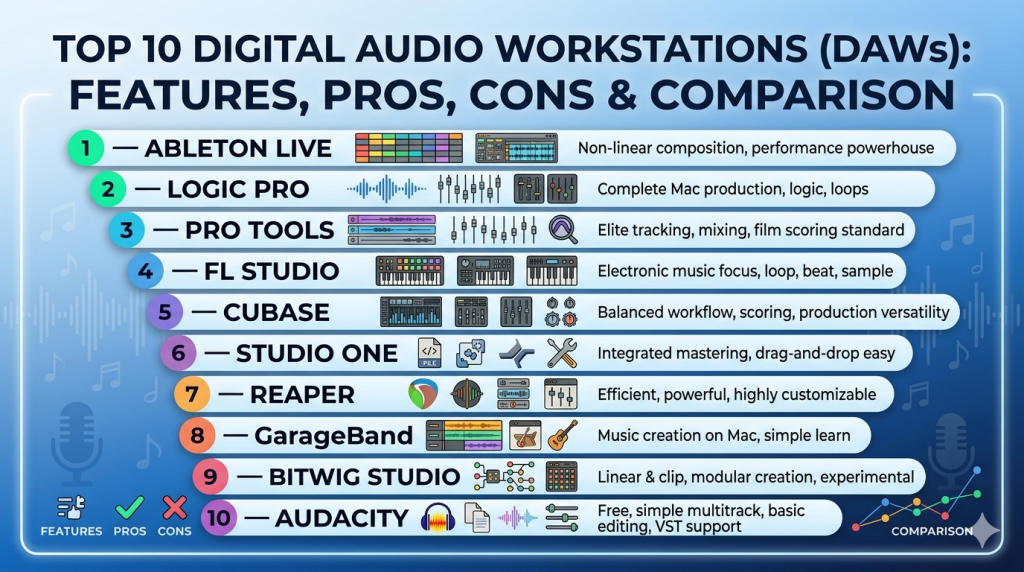
Top 10 Digital Audio Workstations (DAWs)
#1 — Ableton Live
Short description: A widely used DAW known for its intuitive workflow and strong live performance capabilities, ideal for electronic music producers and performers.
Key Features
- Session and Arrangement views for flexible workflows
- Built-in instruments and effects
- Real-time audio warping
- MIDI sequencing and automation
- Max for Live integration
- Live performance tools
- Audio-to-MIDI conversion
Pros
- Excellent for live performance and looping
- Fast workflow for creative experimentation
Cons
- Can be expensive for full version
- Less suited for traditional recording workflows
Platforms / Deployment
- Windows / macOS
Security & Compliance
- Not publicly stated
Integrations & Ecosystem
Ableton supports a broad plugin ecosystem and hardware integration.
- VST/AU plugin support
- MIDI controllers (Push, third-party)
- Max for Live extensions
- Audio interfaces
- Sync with external gear
Support & Community
Strong global community, extensive tutorials, and active forums.
#2 — Logic Pro
Short description: A macOS-exclusive DAW offering a comprehensive suite of production tools for music creators and professionals.
Key Features
- Advanced MIDI editing
- Built-in instruments and loops
- Spatial audio support
- Smart tempo and pitch correction
- Live loops interface
- Integrated mastering tools
Pros
- High value with one-time purchase
- Deep integration with Apple ecosystem
Cons
- macOS only
- Limited third-party hardware integration compared to some competitors
Platforms / Deployment
- macOS
Security & Compliance
- Not publicly stated
Integrations & Ecosystem
- AU plugin support
- Apple ecosystem (GarageBand, Final Cut Pro)
- MIDI devices
- Audio interfaces
Support & Community
Large user base with extensive learning resources.
#3 — Pro Tools
Short description: Industry-standard DAW for professional audio production, widely used in studios and post-production.
Key Features
- Advanced editing and mixing tools
- AAX plugin support
- High-end audio recording capabilities
- Collaboration features
- Surround and immersive audio support
- Cloud collaboration tools
Pros
- Industry standard for studios
- Powerful editing capabilities
Cons
- Steep learning curve
- Subscription pricing can be costly
Platforms / Deployment
- Windows / macOS
Security & Compliance
- Not publicly stated
Integrations & Ecosystem
- AAX plugins
- Professional audio hardware
- Video editing tools
- Control surfaces
Support & Community
Strong enterprise support and professional training ecosystem.
#4 — FL Studio
Short description: Popular DAW for beginners and professionals, especially in electronic and hip-hop production.
Key Features
- Pattern-based workflow
- Piano roll editor
- Built-in synthesizers
- Lifetime free updates
- Audio recording and editing
- Automation clips
Pros
- Beginner-friendly interface
- Strong value with lifetime updates
Cons
- Less optimized for recording bands
- Workflow may not suit all users
Platforms / Deployment
- Windows / macOS
Security & Compliance
- Not publicly stated
Integrations & Ecosystem
- VST plugin support
- MIDI devices
- Third-party instruments
- Audio interfaces
Support & Community
Large online community and tutorial ecosystem.
#5 — Cubase
Short description: A professional DAW known for its advanced MIDI capabilities and comprehensive production features.
Key Features
- Advanced MIDI editing
- Audio comping and editing
- VariAudio pitch correction
- Surround sound support
- Score editor
- Automation tools
Pros
- Strong MIDI capabilities
- Suitable for complex compositions
Cons
- Complex interface for beginners
- Pricing tiers can be confusing
Platforms / Deployment
- Windows / macOS
Security & Compliance
- Not publicly stated
Integrations & Ecosystem
- VST plugins
- Hardware controllers
- Audio interfaces
- Scoring tools
Support & Community
Well-documented with strong professional user base.
#6 — Studio One
Short description: A modern DAW focused on streamlined workflows and integrated mastering tools.
Key Features
- Drag-and-drop workflow
- Integrated mastering suite
- Multi-track recording
- MIDI and audio editing
- Chord track and harmony tools
- Automation features
Pros
- Intuitive interface
- Strong mastering capabilities
Cons
- Smaller ecosystem than competitors
- Advanced features may require higher-tier plans
Platforms / Deployment
- Windows / macOS
Security & Compliance
- Not publicly stated
Integrations & Ecosystem
- VST/AU plugins
- PreSonus hardware
- MIDI devices
- Audio interfaces
Support & Community
Growing community with solid documentation.
#7 — Reaper
Short description: A highly customizable and lightweight DAW known for flexibility and affordability.
Key Features
- Customizable interface
- Low system resource usage
- Extensive plugin support
- Advanced routing
- Scripting and automation
- Multi-track recording
Pros
- Affordable pricing
- Highly customizable
Cons
- Less polished UI
- Requires setup for optimal workflow
Platforms / Deployment
- Windows / macOS / Linux
Security & Compliance
- Not publicly stated
Integrations & Ecosystem
- VST plugins
- Scripting APIs
- MIDI devices
- Audio interfaces
Support & Community
Strong community-driven support and forums.
#8 — GarageBand
Short description: Entry-level DAW for beginners and hobbyists, part of the Apple ecosystem.
Key Features
- Easy-to-use interface
- Built-in loops and instruments
- MIDI and audio recording
- Smart instruments
- Integration with Logic Pro
- Basic mixing tools
Pros
- Free for Apple users
- Very beginner-friendly
Cons
- Limited advanced features
- macOS/iOS only
Platforms / Deployment
- macOS / iOS
Security & Compliance
- Not publicly stated
Integrations & Ecosystem
- Apple ecosystem
- AU plugins
- MIDI devices
- iOS apps
Support & Community
Extensive beginner tutorials and documentation.
#9 — Bitwig Studio
Short description: A flexible DAW designed for modern music production and sound design.
Key Features
- Modular sound design tools
- Clip launcher
- Advanced automation
- Cross-platform support
- Built-in instruments
- MPE support
Pros
- Innovative workflow
- Strong sound design capabilities
Cons
- Smaller user base
- Fewer tutorials compared to mainstream DAWs
Platforms / Deployment
- Windows / macOS / Linux
Security & Compliance
- Not publicly stated
Integrations & Ecosystem
- VST plugins
- MIDI devices
- Modular tools
- Audio interfaces
Support & Community
Growing but niche community.
#10 — Audacity
Short description: Open-source audio editing software focused on basic editing and recording tasks.
Key Features
- Multi-track editing
- Audio effects
- Recording capabilities
- Plugin support
- Open-source flexibility
- Cross-platform support
Pros
- Free and open-source
- Lightweight and easy to use
Cons
- Limited professional features
- Basic UI and workflow
Platforms / Deployment
- Windows / macOS / Linux
Security & Compliance
- Not publicly stated
Integrations & Ecosystem
- Plugin support
- Audio interfaces
- Open-source extensions
- File format compatibility
Support & Community
Strong open-source community support.
Comparison Table (Top 10)
| Tool Name | Best For | Platform(s) Supported | Deployment | Standout Feature | Public Rating |
|---|---|---|---|---|---|
| Ableton Live | Live performance | Windows, macOS | Local | Session view workflow | N/A |
| Logic Pro | Mac-based production | macOS | Local | Built-in instruments | N/A |
| Pro Tools | Studio professionals | Windows, macOS | Local/Cloud | Industry-standard editing | N/A |
| FL Studio | Beat making | Windows, macOS | Local | Lifetime updates | N/A |
| Cubase | Composers | Windows, macOS | Local | Advanced MIDI tools | N/A |
| Studio One | Modern workflows | Windows, macOS | Local | Integrated mastering | N/A |
| Reaper | Custom workflows | Windows, macOS, Linux | Local | Customization | N/A |
| GarageBand | Beginners | macOS, iOS | Local | Ease of use | N/A |
| Bitwig Studio | Sound design | Windows, macOS, Linux | Local | Modular system | N/A |
| Audacity | Basic editing | Windows, macOS, Linux | Local | Open-source | N/A |
Evaluation & Scoring of Digital Audio Workstations (DAWs)
| Tool Name | Core | Ease | Integrations | Security | Performance | Support | Value | Weighted Total |
|---|---|---|---|---|---|---|---|---|
| Ableton Live | 9 | 8 | 8 | 6 | 9 | 8 | 7 | 8.2 |
| Logic Pro | 9 | 8 | 7 | 6 | 9 | 8 | 9 | 8.4 |
| Pro Tools | 10 | 6 | 9 | 7 | 9 | 9 | 6 | 8.3 |
| FL Studio | 8 | 9 | 8 | 6 | 8 | 8 | 9 | 8.3 |
| Cubase | 9 | 7 | 8 | 6 | 9 | 8 | 7 | 8.1 |
| Studio One | 8 | 8 | 7 | 6 | 8 | 7 | 8 | 7.9 |
| Reaper | 8 | 7 | 8 | 6 | 9 | 7 | 9 | 8.1 |
| GarageBand | 6 | 10 | 6 | 6 | 7 | 7 | 10 | 7.8 |
| Bitwig Studio | 8 | 7 | 7 | 6 | 8 | 7 | 7 | 7.6 |
| Audacity | 6 | 9 | 6 | 5 | 7 | 7 | 10 | 7.5 |
How to interpret the scores:
- Scores are comparative, not absolute; they reflect relative strengths within this list.
- “Core” carries the highest weight, emphasizing production capabilities.
- “Ease” and “Value” matter more for beginners and small teams.
- “Integrations” and “Performance” are critical for professional workflows.
- Lower “Security” scores reflect limited public information, not necessarily weak security.
Which Digital Audio Workstations (DAWs) Tool Is Right for You?
Solo / Freelancer
- Best choices: FL Studio, Ableton Live, GarageBand
- Focus on affordability, ease of use, and creative workflow.
SMB
- Best choices: Studio One, Cubase, Reaper
- Balance between cost, features, and team collaboration.
Mid-Market
- Best choices: Ableton Live, Logic Pro, Bitwig Studio
- Require scalability and advanced production features.
Enterprise
- Best choices: Pro Tools
- Industry-standard workflows, collaboration, and high-end production.
Budget vs Premium
- Budget: Audacity, GarageBand, Reaper
- Premium: Pro Tools, Ableton Live, Cubase
Feature Depth vs Ease of Use
- Deep features: Pro Tools, Cubase
- Easy to use: GarageBand, FL Studio
Integrations & Scalability
- Strong integrations: Pro Tools, Ableton Live
- Scalable workflows: Cubase, Studio One
Security & Compliance Needs
- Most DAWs: Limited public security disclosures
- Enterprise users should validate requirements separately
Frequently Asked Questions (FAQs)
What is a DAW used for?
A DAW is used to record, edit, mix, and produce audio. It’s the primary tool for music production, podcasting, and audio post-production.
Are DAWs free or paid?
Some DAWs are free (e.g., Audacity), while others use one-time purchases or subscriptions. Pricing varies widely.
Which DAW is best for beginners?
GarageBand and FL Studio are commonly recommended for beginners due to ease of use and learning resources.
Do DAWs support plugins?
Yes, most DAWs support plugins like VST, AU, or AAX, which extend functionality.
Can I collaborate in real time?
Some DAWs offer cloud collaboration features, but real-time editing is still evolving.
What hardware do I need?
Typically, a computer, audio interface, and optionally MIDI controllers or microphones.
Are DAWs cross-platform?
Many DAWs support Windows and macOS; fewer support Linux.
How hard is it to learn a DAW?
Learning curves vary. Beginner tools are easier, while professional DAWs require training.
Can I switch DAWs easily?
Switching is possible but may require workflow adjustments and plugin compatibility checks.
What’s the difference between DAWs and audio editors?
DAWs are comprehensive production tools, while audio editors focus on simple editing tasks.
Conclusion
Digital Audio Workstations are essential tools for modern audio production, serving everyone from hobbyists to professional studios. The “best” DAW depends heavily on your workflow, budget, and technical requirements.
If you’re just starting out, tools like GarageBand or FL Studio offer a gentle learning curve. For professionals, Pro Tools and Ableton Live provide advanced capabilities and industry-standard workflows.
