Introduction
Construction Management Software is a specialized platform designed to help construction companies plan, coordinate, and execute projects efficiently. It centralizes project schedules, budgets, resources, documents, and team communication, ensuring real-time visibility across all stages of a construction project. In 2026, the construction industry is embracing digital transformation, AI-assisted project planning, and integrated mobile tools to reduce delays, cost overruns, and safety risks.
Real-world use cases include:
- Coordinating subcontractors and teams across multiple sites in real time.
- Managing project budgets and cost tracking with automated alerts.
- Monitoring equipment usage, maintenance, and inventory levels.
- Ensuring regulatory compliance with automated documentation and audit trails.
- Providing mobile access for field workers to update progress and submit reports.
Best for: General contractors, construction project managers, mid-size to large firms, real estate developers, and infrastructure companies looking to streamline project management and collaboration.
Not ideal for: Small contractors or teams that only manage one-off projects with limited staff, where simpler spreadsheet or lightweight task management tools may suffice.
Key Trends in Construction Management Software
- AI-driven project scheduling and predictive risk analysis
- Mobile-first field management with offline capabilities
- Integration with Building Information Modeling (BIM) tools
- Cloud-native platforms with hybrid deployment options
- Enhanced document management and version control
- Automated cost tracking and budget alerts
- IoT-enabled equipment tracking and usage analytics
- Advanced compliance tracking for safety and regulations
- Customizable dashboards and reporting for stakeholders
- Subscription-based pricing with tiered features
How We Selected These Tools (Methodology)
- Market adoption and industry mindshare
- Breadth and depth of core construction management features
- Reliability and performance signals from user feedback
- Security and compliance posture
- Integration ecosystem with ERP, BIM, and accounting tools
- Suitability for different company sizes and project complexity
- Vendor support, documentation, and training offerings
- Mobile and cloud deployment options
- Scalability for multi-site or multi-project environments
- Cost-effectiveness relative to feature set
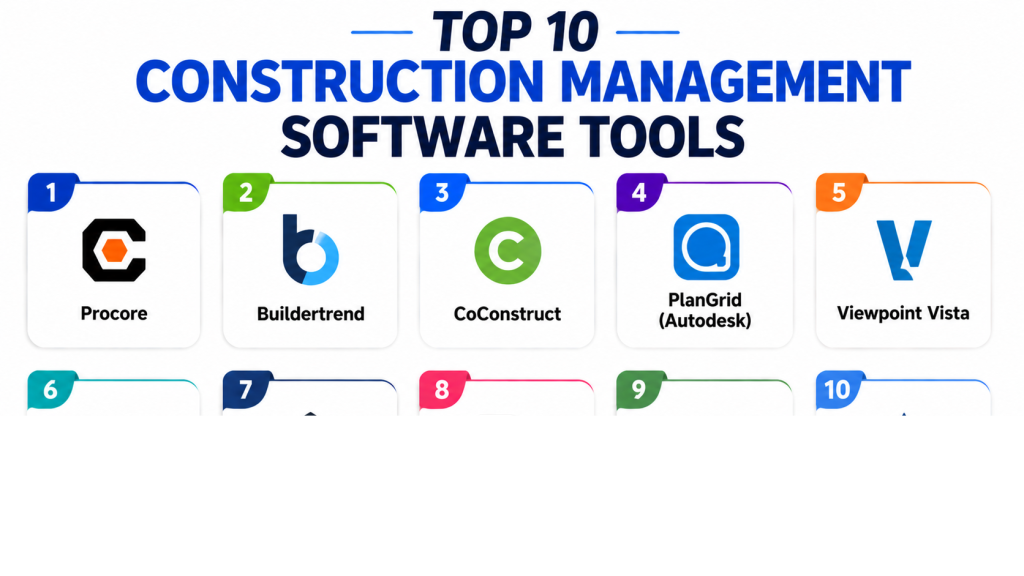
Top 10 Construction Management Software Tools
1- Procore
Short description: A cloud-based construction management platform suitable for enterprise contractors, offering project management, financials, and field collaboration tools in a unified interface.
Key Features
- Project scheduling and task tracking
- Budgeting and cost management
- RFIs, submittals, and change order management
- Mobile access for field teams
- Document and drawing management
- Quality and safety inspections
- Analytics and reporting dashboards
Pros
- Unified platform for office and field teams
- Strong mobile app with offline capabilities
- Scalable for large enterprise projects
Cons
- Premium pricing may be high for SMBs
- Learning curve for first-time users
- Limited flexibility for niche workflows
Platforms / Deployment
- Web, iOS, Android
- Cloud
Security & Compliance
- SSO/SAML, MFA, encryption, RBAC
- SOC 2, ISO 27001, GDPR
Integrations & Ecosystem
Supports accounting, BIM, ERP systems, and custom APIs.
- Autodesk BIM 360
- Sage, QuickBooks, Viewpoint
- SharePoint
- API for custom integrations
Support & Community
- 24/7 support, knowledge base, training resources, user community
2- Buildertrend
Short description: Cloud-based platform for residential builders and remodelers offering project management, financial tools, and client communication features.
Key Features
- Project scheduling and Gantt charts
- Budget and cost tracking
- Client portal for progress updates
- Change orders and RFIs
- Mobile field management
- Subcontractor management
- Document and photo management
Pros
- Easy for SMBs and remodelers
- Client communication built-in
- Mobile-friendly interface
Cons
- Less suited for large commercial projects
- Limited advanced analytics
- Pricing scales with number of projects
Platforms / Deployment
- Web, iOS, Android
- Cloud
Security & Compliance
- Not publicly stated
Integrations & Ecosystem
Integrates with QuickBooks, Xero, and other accounting tools.
- QuickBooks
- Xero
- Zapier automation
- Email and calendar tools
Support & Community
- Online resources, tutorials, email/chat support, user forum
3- CoConstruct
Short description: Designed for custom home builders and remodelers, offering budgeting, scheduling, and client communication in one platform.
Key Features
- Project estimating and budgeting
- Schedule management
- Client portal
- Change order management
- Time tracking and daily logs
- Mobile field app
- Reporting and analytics
Pros
- Tailored for residential projects
- Strong client communication features
- Mobile and desktop apps
Cons
- Limited suitability for large commercial projects
- Integrations more limited than enterprise tools
- Learning curve for advanced features
Platforms / Deployment
- Web, iOS, Android
- Cloud
Security & Compliance
- Not publicly stated
Integrations & Ecosystem
Supports accounting and payment tools.
- QuickBooks
- Xero
- Zapier for automation
Support & Community
- Email, chat support, onboarding tutorials, community forums
4- PlanGrid (Autodesk)
Short description: Construction productivity software focused on blueprint and document management for field teams.
Key Features
- Document and blueprint management
- Markups and version control
- Issue tracking and RFIs
- Task assignment and punch lists
- Mobile access for offline use
- Photo capture and annotations
- Real-time collaboration
Pros
- Strong for blueprint-heavy workflows
- Excellent mobile functionality
- Integration with Autodesk ecosystem
Cons
- Limited financial/project tracking
- Better suited for field documentation
- Enterprise pricing
Platforms / Deployment
- Web, iOS, Android
- Cloud
Security & Compliance
- Not publicly stated
Integrations & Ecosystem
- Autodesk BIM 360
- Procore
- API for custom integrations
Support & Community
- Online documentation, chat support, knowledge base
5- Viewpoint Vista
Short description: Enterprise construction ERP software combining project management, accounting, and field management for commercial construction firms.
Key Features
- Financial management and accounting
- Project scheduling
- Resource and subcontractor management
- Document control
- Reporting dashboards
- Mobile field access
- Compliance tracking
Pros
- Comprehensive ERP solution
- Scalable for enterprise projects
- Strong reporting and analytics
Cons
- Complex setup and configuration
- Training required for effective use
- Higher cost for SMBs
Platforms / Deployment
- Web, Windows
- Cloud / On-premises
Security & Compliance
- Not publicly stated
Integrations & Ecosystem
- BIM tools, accounting software, API integrations
- Microsoft Office Suite
- Viewpoint apps ecosystem
Support & Community
- Dedicated support, training, user community
6- Jonas Construction Software
Short description: Cloud-based construction ERP focused on financials, project management, and service management for mid-market construction companies.
Key Features
- Accounting and financial management
- Project tracking
- Service management
- Mobile access for field staff
- Reporting and analytics
- Scheduling and resource management
Pros
- Strong ERP capabilities
- Scalable for growing companies
- Mobile access
Cons
- Limited adoption in small contractors
- User interface can be complex
- Advanced customization may require support
Platforms / Deployment
- Web, iOS, Android
- Cloud
Security & Compliance
- Not publicly stated
Integrations & Ecosystem
- Accounting software, API integrations, third-party apps
- QuickBooks
- Sage
- Microsoft Office Suite
Support & Community
- Online help, email support, training sessions
7- e-Builder
Short description: Cloud-based project management software for owners and contractors in commercial construction.
Key Features
- Capital project management
- Budget and cost control
- Document and RFI management
- Scheduling and workflow automation
- Reporting and analytics dashboards
- Mobile access for field teams
Pros
- Designed for commercial projects
- Strong workflow automation
- Scalable for large programs
Cons
- Less suited for residential projects
- Complexity for small teams
- Premium pricing
Platforms / Deployment
- Web, iOS, Android
- Cloud
Security & Compliance
- Not publicly stated
Integrations & Ecosystem
- ERP, BIM, and accounting tools
- Autodesk integrations
- API for custom workflows
Support & Community
- Online resources, training, support teams
8- RedTeam
Short description: Construction management software for commercial contractors offering project management, financials, and collaboration tools.
Key Features
- Project scheduling and management
- Budgeting and financial tracking
- Subcontractor management
- Document control and RFIs
- Mobile access and reporting
Pros
- Comprehensive project management
- Strong field collaboration tools
- Easy-to-use interface
Cons
- Smaller user community
- Limited advanced analytics
- Learning curve for ERP-style features
Platforms / Deployment
- Web, iOS, Android
- Cloud
Security & Compliance
- Not publicly stated
Integrations & Ecosystem
- Accounting software, document management, APIs
- QuickBooks
- Sage
- Zapier
Support & Community
- Email, phone support, onboarding tutorials
9- CMiC
Short description: Integrated construction ERP software for financial, project, and field management.
Key Features
- Financial and accounting management
- Project scheduling and tracking
- Document management
- Mobile field reporting
- Analytics and dashboards
- Compliance and safety tracking
Pros
- All-in-one platform
- Strong reporting capabilities
- Scalable for enterprise
Cons
- Complex implementation
- Expensive for small contractors
- Learning curve for new users
Platforms / Deployment
- Web, Windows, iOS, Android
- Cloud / On-premises
Security & Compliance
- Not publicly stated
Integrations & Ecosystem
- ERP, BIM, accounting integrations
- APIs for custom tools
- Third-party connectors
Support & Community
- Online support, dedicated customer success teams
10- Assignar
Short description: Construction workforce and asset management software for contractors to track labor, equipment, and compliance.
Key Features
- Workforce scheduling
- Asset and equipment tracking
- Compliance management
- Mobile field apps
- Reporting and analytics dashboards
- Timesheet management
Pros
- Focused on workforce and equipment
- Mobile-first solution
- Streamlined compliance tracking
Cons
- Limited project financials
- Best for mid-size teams
- Smaller ecosystem of integrations
Platforms / Deployment
- Web, iOS, Android
- Cloud
Security & Compliance
- Not publicly stated
Integrations & Ecosystem
- Accounting tools, ERP, API access
- QuickBooks
- Sage
- BIM integrations
Support & Community
- Online documentation, chat support, onboarding programs
Comparison Table (Top 10)
| Tool Name | Best For | Platform(s) Supported | Deployment | Standout Feature | Public Rating |
|---|---|---|---|---|---|
| Procore | Enterprise contractors | Web, iOS, Android | Cloud | Unified office & field platform | N/A |
| Buildertrend | Residential builders | Web, iOS, Android | Cloud | Client communication | N/A |
| CoConstruct | Custom home builders | Web, iOS, Android | Cloud | Estimating & budgeting | N/A |
| PlanGrid | Field teams & blueprints | Web, iOS, Android | Cloud | Blueprint management | N/A |
| Viewpoint Vista | Enterprise commercial | Web, Windows | Cloud/On-prem | ERP with accounting | N/A |
| Jonas | Mid-market construction | Web, iOS, Android | Cloud | ERP & financial management | N/A |
| e-Builder | Commercial owners/contractors | Web, iOS, Android | Cloud | Workflow automation | N/A |
| RedTeam | Commercial contractors | Web, iOS, Android | Cloud | Field collaboration | N/A |
| CMiC | Enterprise projects | Web, Windows, iOS, Android | Cloud/On-prem | Integrated ERP & project management | N/A |
| Assignar | Workforce & asset management | Web, iOS, Android | Cloud | Labor & equipment tracking | N/A |
Evaluation & Scoring of Construction Management Software
| Tool Name | Core (25%) | Ease (15%) | Integrations (15%) | Security (10%) | Performance (10%) | Support (10%) | Value (15%) | Weighted Total (0–10) |
|---|---|---|---|---|---|---|---|---|
| Procore | 9 | 8 | 9 | 8 | 9 | 8 | 7 | 8.6 |
| Buildertrend | 8 | 9 | 7 | 7 | 8 | 8 | 8 | 8.1 |
| CoConstruct | 8 | 8 | 7 | 7 | 7 | 7 | 7 | 7.5 |
| PlanGrid | 7 | 8 | 7 | 7 | 7 | 7 | 7 | 7.3 |
| Viewpoint Vista | 9 | 7 | 8 | 8 | 9 | 8 | 6 | 8.2 |
| Jonas | 8 | 7 | 7 | 7 | 8 | 7 | 7 | 7.5 |
| e-Builder | 8 | 7 | 7 | 7 | 8 | 7 | 7 | 7.5 |
| RedTeam | 7 | 8 | 7 | 7 | 7 | 7 | 7 | 7.2 |
| CMiC | 9 | 7 | 8 | 8 | 9 | 8 | 6 | 8.2 |
| Assignar | 7 | 8 | 7 | 7 | 7 | 7 | 7 | 7.2 |
Interpretation: Higher scores indicate better comparative performance across core features, ease, integration, security, and value. Weighted totals help buyers prioritize tools that balance functionality with usability and cost-effectiveness.
Which Construction Management Software Tool Is Right for You?
Solo / Freelancer
- Buildertrend or CoConstruct for small residential projects
- Focus on ease of use, client communication, and affordability
SMB
- Procore, Buildertrend, or RedTeam
- Balances project management, field collaboration, and cost
Mid-Market
- Jonas, e-Builder, or CMiC
- Provides ERP capabilities, financial oversight, and workflow management
Enterprise
- Procore, Viewpoint Vista, or CMiC
- Scalable for multi-site projects with advanced reporting and compliance
Budget vs Premium
- Budget-conscious teams may prefer Buildertrend, CoConstruct, or Assignar
- Premium platforms like Procore or Viewpoint Vista offer comprehensive enterprise features
Feature Depth vs Ease of Use
- Deep feature platforms: CMiC, Viewpoint Vista
- Easy-to-use platforms: Buildertrend, CoConstruct
Integrations & Scalability
- Procore, CMiC, and Viewpoint Vista offer extensive ERP/BIM integrations and multi-site scalability
- Smaller platforms suitable for fewer integrations and simpler workflows
Security & Compliance Needs
- Enterprise users should prioritize Procore, CMiC, and Viewpoint Vista for stronger security and regulatory compliance support
Frequently Asked Questions (FAQs)
1. What pricing models do construction management tools use?
Most platforms offer subscription-based pricing, typically per user or per project. Some enterprise solutions have custom pricing based on project scale.
2. How long does onboarding take?
Onboarding varies by platform and company size; SMBs may start in days, while large enterprises may require weeks for setup and training.
3. Can these tools handle multi-site projects?
Yes, enterprise platforms like Procore, Viewpoint Vista, and CMiC are designed for multi-site coordination, while SMB tools may be limited.
4. How do mobile apps improve construction management?
Field teams can update progress, submit reports, track issues, and access blueprints in real-time, improving project visibility and reducing errors.
5. What integrations are essential?
Integrations with accounting software, BIM tools, ERP systems, and document management platforms enhance workflow efficiency and data accuracy.
6. Are these platforms secure?
Top platforms include encryption, SSO/MFA, audit logs, and compliance with SOC 2, ISO 27001, and GDPR where applicable. Some tools have limited public info.
7. Can I switch tools mid-project?
Switching is possible but can be complex; it requires careful data migration and may disrupt ongoing workflows if not planned properly.
8. Do these tools support reporting and analytics?
Yes, most provide dashboards, KPIs, and reporting modules. Enterprise platforms often offer advanced analytics and customizable reports.
9. Are there AI features in 2026 platforms?
AI assists in predictive scheduling, risk analysis, automated alerts, and resource optimization for select advanced platforms.
10. What common mistakes should teams avoid?
Avoid underestimating training needs, ignoring integrations, choosing a tool without mobile access, or selecting overly complex platforms for small projects.
Conclusion
Construction Management Software is essential for modern contractors seeking efficiency, transparency, and control across projects. Choosing the right platform depends on team size, project type, budget, and integration requirements. Smaller teams benefit from tools like Buildertrend or CoConstruct, while large enterprises should consider Procore, CMiC, or Viewpoint Vista for scalability and ERP integration. The next step is to shortlist 2–3 tools based on your specific workflow, run a pilot to assess ease of use, and validate integrations, security, and reporting capabilities before full deployment.
