Introduction
Capital Project Management Software helps organizations plan, execute, and monitor large-scale projects such as infrastructure, energy, and industrial developments. It centralizes budgets, schedules, resources, and reporting to provide complete oversight across multi-year initiatives. In 2026, organizations face increasing complexity, regulatory requirements, and pressure to control costs, making these platforms essential for large capital investments.
Real-world use cases include:
- Managing multi-site construction or infrastructure projects with cross-functional teams.
- Tracking capital expenditure, budgets, and financial performance.
- Coordinating contractors, vendors, and subcontractors.
- Monitoring project milestones, timelines, and risk factors.
- Ensuring regulatory compliance and audit readiness.
Best for: Enterprise organizations, government agencies, energy companies, and industrial firms managing complex capital projects.
Not ideal for: Small businesses or teams with one-off or small-scale projects, where simpler project management tools or spreadsheets may suffice.
Key Trends in Capital Project Management Software
- AI-powered predictive scheduling and risk assessment
- Cloud-native platforms with hybrid deployment options
- Integration with ERP, BIM, and financial systems
- Enhanced document and version control
- IoT-enabled equipment and resource tracking
- Automated budget alerts and financial reporting
- Real-time dashboards for stakeholders
- Compliance management for safety and environmental regulations
- Mobile access for field teams with offline functionality
- Subscription and usage-based pricing models
How We Selected These Tools (Methodology)
- Market adoption and brand recognition in large-scale capital projects
- Breadth and depth of project planning, execution, and reporting features
- Reliability and performance signals from enterprise users
- Security and compliance posture (SSO, MFA, audit logs)
- Integration ecosystem with ERP, financial, and BIM tools
- Suitability for multi-site, multi-year projects
- Vendor support, onboarding, and training quality
- Mobile and cloud deployment flexibility
- Scalability for enterprise programs
- Cost-effectiveness relative to feature set
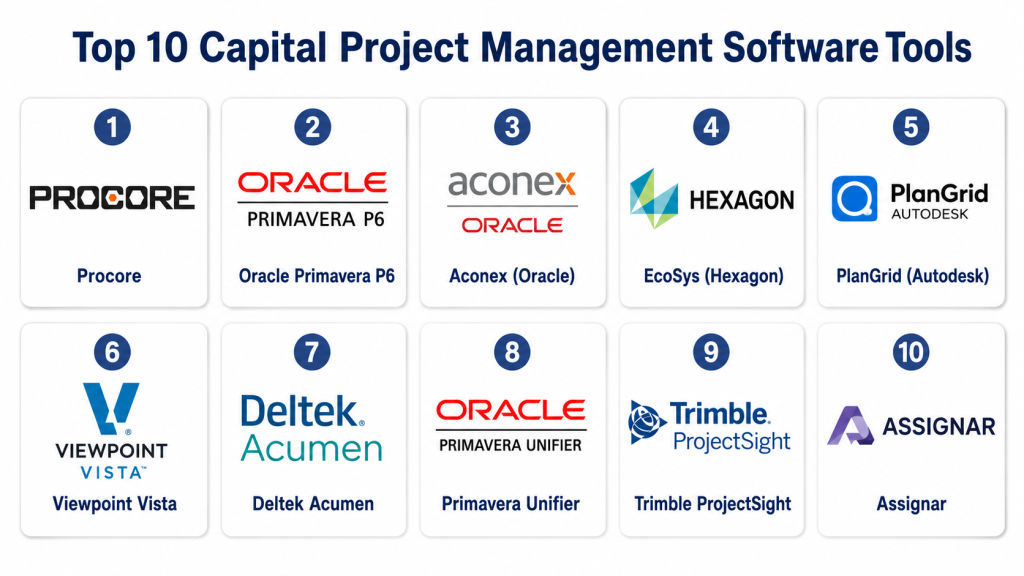
Top 10 Capital Project Management Software Tools
1- Procore
Short description: Enterprise-grade platform for managing capital projects with financials, scheduling, and field collaboration.
Key Features
- Capital budget tracking and cost management
- Project scheduling and milestone tracking
- Subcontractor and vendor management
- Document management with version control
- Risk assessment and reporting
- Mobile field applications
- Analytics dashboards
Pros
- Scalable for large projects
- Unified office and field platform
- Strong mobile capabilities
Cons
- Premium pricing for SMBs
- Learning curve for first-time users
- Limited flexibility for niche workflows
Platforms / Deployment
- Web, iOS, Android
- Cloud
Security & Compliance
- SSO/SAML, MFA, encryption, RBAC
- SOC 2, ISO 27001, GDPR
Integrations & Ecosystem
Supports ERP, BIM, and accounting systems.
- Autodesk BIM 360
- Sage, QuickBooks
- API integrations
Support & Community
- 24/7 support, knowledge base, training, and active user community
2- Oracle Primavera P6
Short description: Industry-standard tool for large-scale capital project scheduling, resource, and risk management.
Key Features
- Advanced scheduling and resource allocation
- Multi-project portfolio management
- Risk analysis and forecasting
- Reporting dashboards
- Integration with ERP and financial tools
- Mobile access
Pros
- Handles complex project portfolios
- Strong risk management and analytics
- Widely adopted in energy and infrastructure sectors
Cons
- Complex implementation and setup
- Steep learning curve
- Premium cost
Platforms / Deployment
- Windows, Web, iOS
- Cloud / On-premises
Security & Compliance
- Not publicly stated
Integrations & Ecosystem
- ERP systems, BIM tools, financial software
- API for custom workflows
Support & Community
- Extensive training programs, vendor support, community forums
3- Aconex (Oracle)
Short description: Cloud-based capital project management platform focused on document control, collaboration, and communication.
Key Features
- Document and workflow management
- Submittal and RFI tracking
- Bid management
- Audit trails and compliance
- Mobile and web access
- Integration with ERP and BIM
Pros
- Excellent document control
- Facilitates collaboration across stakeholders
- Cloud-based with mobile access
Cons
- Limited financial management tools
- Enterprise-focused pricing
- Less suitable for small projects
Platforms / Deployment
- Web, iOS, Android
- Cloud
Security & Compliance
- Not publicly stated
Integrations & Ecosystem
- ERP integration, BIM tools, email workflows
- API access for custom integration
Support & Community
- Online help, chat support, training sessions
4- EcoSys (Hexagon)
Short description: Capital project platform emphasizing budgeting, forecasting, and performance monitoring for enterprise programs.
Key Features
- Capital planning and budgeting
- Forecasting and financial reporting
- Workflow automation
- Project performance dashboards
- Risk and compliance tracking
- Integration with ERP systems
Pros
- Strong financial and reporting capabilities
- Scalable for enterprise portfolios
- Integration with ERP and accounting systems
Cons
- Complex implementation
- Learning curve for advanced features
- High cost for smaller teams
Platforms / Deployment
- Web, iOS
- Cloud / On-premises
Security & Compliance
- Not publicly stated
Integrations & Ecosystem
- ERP and financial software integrations
- API access for reporting and analytics
Support & Community
- Vendor support, onboarding, and training programs
5- PlanGrid (Autodesk)
Short description: Mobile-focused tool for field teams managing project documentation and construction workflows.
Key Features
- Document and blueprint management
- Version control and markups
- Issue tracking and punch lists
- Task assignment and RFIs
- Mobile access for offline use
- Reporting dashboards
Pros
- Strong field documentation and mobile access
- Intuitive interface
- Integrates with Autodesk ecosystem
Cons
- Limited financial tracking
- Enterprise pricing
- Better suited for field documentation than ERP
Platforms / Deployment
- Web, iOS, Android
- Cloud
Security & Compliance
- Not publicly stated
Integrations & Ecosystem
- Autodesk BIM 360
- Procore
- API integrations
Support & Community
- Online documentation, chat support
6- Viewpoint Vista
Short description: Comprehensive ERP and capital project management platform for enterprise construction projects.
Key Features
- Financial management and accounting
- Project scheduling and resource tracking
- Document management
- Reporting and dashboards
- Compliance tracking
- Mobile field access
Pros
- ERP plus capital project management
- Scalable for enterprise portfolios
- Strong reporting capabilities
Cons
- Complex setup
- Requires training for full functionality
- Higher cost for SMBs
Platforms / Deployment
- Web, Windows
- Cloud / On-premises
Security & Compliance
- Not publicly stated
Integrations & Ecosystem
- ERP, BIM, and financial integrations
- API for custom workflows
Support & Community
- Vendor support, user community, training resources
7- Deltek Acumen
Short description: Analytics-focused capital project software for schedule risk analysis and portfolio performance.
Key Features
- Schedule risk analysis
- Portfolio performance dashboards
- Forecasting and trend analysis
- Integration with scheduling tools
- Mobile and desktop access
Pros
- Advanced analytics for capital projects
- Portfolio-level visibility
- Risk prediction features
Cons
- Not a full ERP solution
- Enterprise-oriented pricing
- Limited field functionality
Platforms / Deployment
- Windows, Web
- Cloud / On-premises
Security & Compliance
- Not publicly stated
Integrations & Ecosystem
- ERP and scheduling integrations
- API access for analytics
Support & Community
- Online support, training, and documentation
8- Primavera Unifier
Short description: Cloud-based capital project lifecycle management tool for enterprise organizations.
Key Features
- Project financials and budgeting
- Workflow and approval automation
- Document control
- Reporting dashboards
- Risk and compliance management
- Mobile access
Pros
- Enterprise-grade functionality
- Scalable for multi-site projects
- Workflow automation
Cons
- Implementation complexity
- Learning curve
- Higher cost
Platforms / Deployment
- Web, iOS
- Cloud
Security & Compliance
- Not publicly stated
Integrations & Ecosystem
- ERP and BIM systems
- API for workflow customization
Support & Community
- Vendor training, support, and resources
9- Trimble ProjectSight
Short description: Construction-focused capital project management software emphasizing cost and document control.
Key Features
- Budget tracking and cost management
- Document management and version control
- RFIs and submittals
- Reporting dashboards
- Mobile access for field teams
Pros
- Strong financial and document management
- Mobile-friendly
- Easy to adopt for mid-market projects
Cons
- Limited advanced analytics
- Smaller integration ecosystem
- Enterprise features may require upgrades
Platforms / Deployment
- Web, iOS, Android
- Cloud
Security & Compliance
- Not publicly stated
Integrations & Ecosystem
- ERP, accounting software, API access
- BIM integrations
Support & Community
- Online documentation, chat support
10- Assignar
Short description: Workforce and asset management tool supporting capital project execution.
Key Features
- Workforce scheduling
- Asset and equipment tracking
- Compliance management
- Mobile field applications
- Reporting dashboards
- Timesheet management
Pros
- Focused on workforce and assets
- Mobile-first solution
- Streamlined compliance tracking
Cons
- Limited financial/project management
- Best suited for mid-sized projects
- Smaller ecosystem
Platforms / Deployment
- Web, iOS, Android
- Cloud
Security & Compliance
- Not publicly stated
Integrations & Ecosystem
- Accounting tools, ERP, API access
- QuickBooks, Sage, BIM integrations
Support & Community
- Online documentation, chat support, onboarding programs
Comparison Table (Top 10)
| Tool Name | Best For | Platform(s) Supported | Deployment | Standout Feature | Public Rating |
|---|---|---|---|---|---|
| Procore | Enterprise projects | Web, iOS, Android | Cloud | Unified office & field platform | N/A |
| Oracle Primavera P6 | Multi-project scheduling | Windows, Web, iOS | Cloud/On-prem | Resource & portfolio management | N/A |
| Aconex | Document-heavy projects | Web, iOS, Android | Cloud | Collaboration & document control | N/A |
| EcoSys | Budget & financial tracking | Web, iOS | Cloud/On-prem | Financial planning dashboards | N/A |
| PlanGrid | Field documentation | Web, iOS, Android | Cloud | Blueprint management | N/A |
| Viewpoint Vista | Enterprise capital programs | Web, Windows | Cloud/On-prem | ERP + project management | N/A |
| Deltek Acumen | Analytics & risk analysis | Windows, Web | Cloud/On-prem | Schedule risk analysis | N/A |
| Primavera Unifier | Enterprise lifecycle management | Web, iOS | Cloud | Workflow automation | N/A |
| Trimble ProjectSight | Mid-market cost/document mgmt | Web, iOS, Android | Cloud | Cost & document control | N/A |
| Assignar | Workforce & assets | Web, iOS, Android | Cloud | Labor & equipment tracking | N/A |
Evaluation & Scoring of Capital Project Management Software
| Tool Name | Core (25%) | Ease (15%) | Integrations (15%) | Security (10%) | Performance (10%) | Support (10%) | Value (15%) | Weighted Total (0–10) |
|---|---|---|---|---|---|---|---|---|
| Procore | 9 | 8 | 9 | 8 | 9 | 8 | 7 | 8.6 |
| Oracle Primavera P6 | 9 | 7 | 8 | 8 | 9 | 7 | 6 | 8.1 |
| Aconex | 8 | 8 | 7 | 7 | 7 | 7 | 7 | 7.5 |
| EcoSys | 8 | 7 | 7 | 7 | 8 | 7 | 7 | 7.5 |
| PlanGrid | 7 | 8 | 7 | 7 | 7 | 7 | 7 | 7.3 |
| Viewpoint Vista | 9 | 7 | 8 | 8 | 9 | 8 | 6 | 8.2 |
| Deltek Acumen | 8 | 7 | 7 | 7 | 8 | 7 | 7 | 7.5 |
| Primavera Unifier | 8 | 7 | 7 | 7 | 8 | 7 | 7 | 7.5 |
| Trimble ProjectSight | 7 | 8 | 7 | 7 | 7 | 7 | 7 | 7.2 |
| Assignar | 7 | 8 | 7 | 7 | 7 | 7 | 7 | 7.2 |
Interpretation: Higher scores reflect better performance across core capabilities, usability, integrations, security, and value. Weighted totals help enterprises identify which platforms align best with project complexity and organizational priorities.
Which Capital Project Management Software Tool Is Right for You?
Solo / Freelancer
- Limited applicability; consider lightweight PM tools or PlanGrid for documentation-heavy projects
SMB
- Trimble ProjectSight or Aconex for manageable multi-site projects
- Balance affordability and essential features
Mid-Market
- EcoSys, Viewpoint Vista, or Deltek Acumen
- Focus on budgeting, reporting, and multi-team coordination
Enterprise
- Procore, Oracle Primavera P6, or Primavera Unifier
- Best for multi-year, multi-site capital programs
Budget vs Premium
- Budget-conscious: Trimble ProjectSight, Assignar
- Premium: Procore, Primavera Unifier, Oracle Primavera P6
Feature Depth vs Ease of Use
- Feature-rich: Primavera P6, EcoSys, Viewpoint Vista
- Ease-of-use: PlanGrid, Aconex
Integrations & Scalability
- Enterprise platforms support ERP, BIM, and multi-site scalability
- Smaller platforms suitable for limited integrations
Security & Compliance Needs
- Enterprise teams prioritize Procore, Viewpoint Vista, and Primavera Unifier for stronger compliance and audit readiness
Frequently Asked Questions (FAQs)
1. What pricing models do capital project management tools use?
Mostly subscription-based, either per user, per project, or enterprise-level licensing. Custom quotes are common for large portfolios.
2. How long does onboarding take?
Varies by platform; SMBs may onboard in days, while enterprise deployment can take weeks to months.
3. Can these tools handle multi-site projects?
Yes, enterprise platforms like Procore, Oracle Primavera P6, and Viewpoint Vista are built for multi-site, multi-year projects.
4. How do mobile apps improve project oversight?
They allow field teams to update status, submit reports, and track issues in real-time, increasing transparency and reducing delays.
5. What integrations are essential?
ERP, financial systems, BIM tools, and document management integrations streamline workflows and prevent data silos.
6. Are these platforms secure?
Top platforms include encryption, SSO/MFA, audit logs, and compliance with SOC 2, ISO 27001, or GDPR where applicable. Some platforms have limited public info.
7. Can I switch tools mid-project?
Possible but requires careful migration planning to avoid disruption in ongoing projects.
8. Do these tools provide analytics and reporting?
Yes, most platforms provide dashboards, KPIs, and customizable reporting; enterprise tools offer advanced analytics.
9. Are there AI capabilities in 2026 platforms?
AI helps with predictive scheduling, risk alerts, and resource optimization for select tools.
10. What common mistakes should organizations avoid?
Ignoring training, insufficient integration, choosing a tool without mobile access, or selecting overly complex platforms for small teams.
Conclusion
Capital Project Management Software is critical for organizations managing large-scale, multi-year projects. Platform selection depends on organizational size, project complexity, and budget. Smaller teams may adopt PlanGrid or Aconex, while mid-market and enterprise firms benefit from Procore, Oracle Primavera P6, or Viewpoint Vista for advanced financials, workflow automation, and compliance management. Next steps include shortlisting 2–3 platforms, piloting with core teams, and validating integration, mobile, and reporting capabilities before full-scale deployment.
