Introduction
Browser-based SSO (Single Sign-On) Portals are platforms that allow users to authenticate once and access multiple web applications through a single login interface. They simplify access management, improve security, and enhance user experience by reducing password fatigue and minimizing login friction across browser-based applications.
As organizations increasingly rely on cloud applications and SaaS platforms, browser-based SSO has become essential for centralizing access, enforcing policies, and meeting compliance requirements. These portals also help IT teams efficiently manage user provisioning and de-provisioning across dozens or hundreds of applications.
Real-world use cases include:
- Enabling employees to access multiple SaaS apps via a single login
- Centralized enforcement of MFA and adaptive authentication
- Reducing IT support tickets related to password resets
- Auditing and compliance reporting for access activity
- Streamlining onboarding and offboarding in enterprise environments
Evaluation criteria buyers should consider:
- Supported authentication protocols (SAML, OAuth2, OpenID Connect)
- Integration with enterprise directories (Active Directory, LDAP)
- MFA and adaptive authentication capabilities
- Centralized user lifecycle management
- Policy enforcement and access control
- Browser compatibility and user experience
- Reporting and audit capabilities
- Cloud vs on-prem deployment options
- Scalability for large organizations
- Pricing flexibility
Best for: IT administrators, security teams, and CIOs managing multiple SaaS applications in mid-market to enterprise organizations.
Not ideal for: Small organizations with minimal browser-based SaaS usage or limited IT resources for managing SSO.
Key Trends in Browser-based SSO Portals
- Integration with Zero Trust security frameworks
- AI-assisted risk-based authentication and anomaly detection
- Passwordless login adoption across web applications
- Cross-browser and cross-device SSO support
- Adaptive authentication with contextual access controls
- Integration with multi-cloud SaaS applications
- Federated identity management across partners and subsidiaries
- Enhanced reporting for compliance and auditing
- API-first approach for automation and workflow integration
- Consolidation of SSO with identity lifecycle and governance
How We Selected These Tools (Methodology)
- Market adoption and enterprise recognition
- Depth of authentication and access management features
- Compliance and security capabilities
- Integration with cloud, SaaS, and on-prem apps
- User lifecycle and provisioning flexibility
- Performance and scalability in large organizations
- Ease of administration and user adoption
- Support and community resources
- Automation and API integration capabilities
- Cost-effectiveness and subscription flexibility
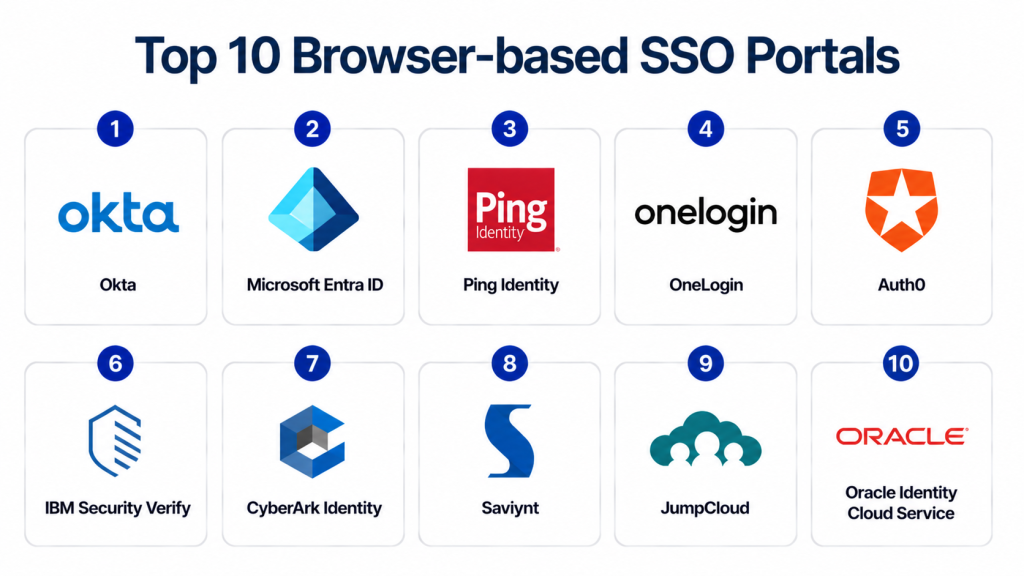
Top 10 Browser-based SSO Portals
1- Okta
Short description: Okta provides cloud-based browser SSO with centralized access management, MFA, and adaptive authentication for enterprises.
Key Features
- Browser SSO for thousands of SaaS apps
- Adaptive MFA
- Centralized policy enforcement
- Lifecycle management for users
- API access for custom integrations
- Reporting and audit dashboards
Pros
- Extensive app integration catalog
- Enterprise-grade security
Cons
- Premium pricing for advanced features
- Policy configuration can be complex
Platforms / Deployment
- Web / Windows / macOS
- Cloud
Security & Compliance
- SOC 2, ISO 27001, GDPR
- RBAC, MFA, audit logs
Integrations & Ecosystem
Supports Salesforce, Office 365, G Suite, AWS
- API integrations
- CI/CD and IAM workflows
- Extensive app catalog
Support & Community
- Enterprise support tiers
- Documentation and tutorials
- Active community forums
2- Microsoft Entra ID
Short description: Microsoft Entra ID provides browser-based SSO across Microsoft and third-party apps with conditional access and risk-based authentication.
Key Features
- Browser SSO for web apps
- Conditional access policies
- MFA and risk-based authentication
- Integration with Active Directory
- Privileged Identity Management (PIM)
Pros
- Deep Microsoft ecosystem integration
- Enterprise-grade compliance and monitoring
Cons
- Best value for Microsoft-heavy environments
- Configuration complexity for hybrid setups
Platforms / Deployment
- Web / Windows / macOS
- Cloud
Security & Compliance
- SOC 2, ISO 27001, GDPR, HIPAA
- RBAC, MFA, audit logs
Integrations & Ecosystem
- Office 365, Azure apps, SaaS integrations
- API support for workflows
- Compliance dashboards
Support & Community
- Enterprise support
- Extensive Microsoft documentation
- Global user community
3- Ping Identity
Short description: Ping Identity offers browser-based SSO with adaptive authentication and enterprise-scale access management.
Key Features
- Browser SSO for web and mobile apps
- Adaptive authentication
- Risk-based policies
- Directory integration
- API and cloud app management
Pros
- Flexible deployment
- Strong security features
Cons
- Premium pricing
- Steeper learning curve
Platforms / Deployment
- Web / Windows / Linux
- Cloud / Hybrid
Security & Compliance
- SOC 2, ISO 27001, GDPR
- RBAC, audit logs
Integrations & Ecosystem
- SaaS apps, CI/CD integration
- API-first automation
- Custom policy workflows
Support & Community
- Enterprise support tiers
- Documentation and training
- Active customer community
4- OneLogin
Short description: OneLogin provides browser SSO with adaptive MFA and centralized user management for cloud and on-premises apps.
Key Features
- SSO and MFA for browsers
- Risk-based adaptive authentication
- User provisioning and lifecycle management
- Policy enforcement and auditing
- API access and integrations
Pros
- User-friendly and cloud-first
- Strong adaptive authentication
Cons
- Smaller integration ecosystem
- Limited advanced analytics
Platforms / Deployment
- Web / Windows / macOS
- Cloud
Security & Compliance
- SOC 2, ISO 27001, GDPR
- MFA, RBAC
Integrations & Ecosystem
- SaaS apps, directories, on-prem apps
- API access
- CI/CD integration
Support & Community
- Enterprise support
- Documentation
- User forums
5- Auth0
Short description: Auth0 (by Okta) provides developer-friendly browser-based SSO, MFA, and API authorization for applications.
Key Features
- Browser SSO
- MFA and passwordless authentication
- OAuth2 and OpenID Connect support
- Custom rules and policies
- Social login integration
Pros
- Developer-focused and flexible
- API-first integration
Cons
- Advanced enterprise features cost extra
- Mainly app-focused
Platforms / Deployment
- Web / Windows / macOS
- Cloud
Security & Compliance
- SOC 2, ISO 27001, GDPR
- MFA, RBAC
Integrations & Ecosystem
- SaaS and custom apps
- API integrations
- Authentication workflows
Support & Community
- Enterprise support tiers
- Developer documentation
- Active community
6- IBM Security Verify
Short description: IBM Security Verify provides browser SSO with adaptive authentication and identity governance for enterprise applications.
Key Features
- Browser-based SSO
- Adaptive MFA
- Identity governance and administration
- Compliance dashboards
- Risk-based access policies
Pros
- Enterprise-grade security
- Compliance-focused analytics
Cons
- Best for large enterprises
- Higher cost
Platforms / Deployment
- Web / Windows / Linux
- Cloud / Hybrid
Security & Compliance
- SOC 2, ISO 27001, GDPR, HIPAA
- MFA, RBAC, audit logs
Integrations & Ecosystem
- SaaS and on-prem apps
- API integrations
- Dashboards and reporting
Support & Community
- Enterprise support
- Documentation
- Security analyst community
7- CyberArk Identity
Short description: CyberArk Identity secures privileged and regular accounts with browser SSO, MFA, and identity governance.
Key Features
- Browser SSO for cloud apps
- Privileged account management
- Adaptive authentication
- User lifecycle and policy management
- Risk-based access enforcement
Pros
- Strong privileged access security
- Enterprise-grade
Cons
- Premium pricing
- Complex configuration
Platforms / Deployment
- Web / Windows / Linux
- Cloud / Hybrid
Security & Compliance
- SOC 2, ISO 27001, GDPR
- MFA, audit logs, RBAC
Integrations & Ecosystem
- SaaS apps, on-prem apps, APIs
- CI/CD integrations
- Privileged workflows
Support & Community
- Enterprise support
- Documentation
- Customer community
8- Saviynt
Short description: Saviynt provides browser SSO with identity governance, access certification, and risk management for enterprises.
Key Features
- Browser SSO
- MFA and adaptive authentication
- Access certification
- Risk-based policies
- Compliance dashboards
Pros
- Governance and compliance focus
- Enterprise-ready
Cons
- Enterprise-focused, complex for SMBs
- Premium pricing
Platforms / Deployment
- Web / Windows / Linux
- Cloud / Hybrid
Security & Compliance
- SOC 2, ISO 27001, GDPR
- Audit logs, RBAC
Integrations & Ecosystem
- SaaS and on-prem apps
- API integrations
- Identity workflows
Support & Community
- Enterprise support
- Documentation
- User forums
9- JumpCloud
Short description: JumpCloud offers browser SSO with cloud directory, MFA, and device management for hybrid environments.
Key Features
- Browser-based SSO
- MFA and adaptive authentication
- Device management and policies
- Compliance reporting
- User lifecycle management
Pros
- Lightweight and easy to adopt
- Cloud directory and device mgmt combined
Cons
- Limited enterprise features
- Smaller global footprint
Platforms / Deployment
- Web / Windows / macOS / Linux
- Cloud
Security & Compliance
- SOC 2, GDPR
- MFA, RBAC
Integrations & Ecosystem
- SaaS apps, cloud apps
- APIs and policy workflows
- CI/CD integration
Support & Community
- Enterprise and SMB support
- Documentation
- Community forum
10- Oracle Identity Cloud Service
Short description: Oracle Identity Cloud Service provides browser SSO with MFA, governance, and API access for enterprise cloud applications.
Key Features
- Browser SSO
- MFA and passwordless authentication
- Identity lifecycle management
- Risk-based access policies
- API access and integrations
Pros
- Strong Oracle ecosystem integration
- Enterprise-ready
Cons
- Best suited for large enterprises
- Learning curve
Platforms / Deployment
- Web / Windows / Linux
- Cloud / Hybrid
Security & Compliance
- SOC 2, ISO 27001, GDPR
- MFA, RBAC, audit logs
Integrations & Ecosystem
- Oracle apps, SaaS apps
- CI/CD integrations
- Workflow automation
Support & Community
- Enterprise support
- Documentation
- Oracle user community
Comparison Table
| Tool Name | Best For | Platform(s) Supported | Deployment | Standout Feature | Public Rating |
|---|---|---|---|---|---|
| Okta | Enterprises | Web, Windows, macOS | Cloud | Enterprise SSO & MFA | N/A |
| Microsoft Entra ID | Enterprises | Web, Windows, macOS | Cloud | Microsoft ecosystem integration | N/A |
| Ping Identity | Enterprises | Web, Windows, Linux | Cloud/Hybrid | Adaptive authentication | N/A |
| OneLogin | SMB/Enterprises | Web, Windows, macOS | Cloud | Risk-based MFA | N/A |
| Auth0 | Developers | Web, Windows, macOS | Cloud | API-first SSO | N/A |
| IBM Security Verify | Enterprises | Web, Windows, Linux | Cloud/Hybrid | Governance & compliance | N/A |
| CyberArk Identity | Enterprises | Web, Windows, Linux | Cloud/Hybrid | Privileged access SSO | N/A |
| Saviynt | Enterprises | Web, Windows, Linux | Cloud/Hybrid | Governance & risk | N/A |
| JumpCloud | SMB/Mid-market | Web, Windows, macOS, Linux | Cloud | Directory + device mgmt | N/A |
| Oracle Identity Cloud | Enterprises | Web, Windows, Linux | Cloud/Hybrid | Enterprise SSO & governance | N/A |
Evaluation & Scoring
| Tool Name | Core | Ease | Integrations | Security | Performance | Support | Value | Weighted Total |
|---|---|---|---|---|---|---|---|---|
| Okta | 9 | 8 | 8 | 9 | 8 | 8 | 7 | 8.3 |
| Microsoft Entra ID | 9 | 7 | 8 | 9 | 8 | 8 | 7 | 8.2 |
| Ping Identity | 8 | 7 | 8 | 8 | 8 | 7 | 7 | 7.7 |
| OneLogin | 8 | 8 | 7 | 8 | 7 | 7 | 7 | 7.5 |
| Auth0 | 8 | 8 | 8 | 7 | 7 | 7 | 7 | 7.5 |
| IBM Security Verify | 8 | 7 | 7 | 8 | 7 | 7 | 6 | 7.2 |
| CyberArk Identity | 9 | 6 | 8 | 9 | 8 | 7 | 6 | 7.6 |
| Saviynt | 8 | 6 | 7 | 8 | 7 | 6 | 6 | 7.0 |
| JumpCloud | 7 | 8 | 7 | 7 | 7 | 6 | 7 | 7.0 |
| Oracle Identity Cloud | 8 | 6 | 7 | 8 | 7 | 7 | 6 | 7.1 |
Which Browser-based SSO Portal Is Right for You?
Solo / Freelancer
Auth0 or JumpCloud for lightweight browser SSO.
SMB
OneLogin or Okta for simplified cloud app access.
Mid-Market
Ping Identity or JumpCloud for scalable identity security.
Enterprise
Okta, Microsoft Entra ID, CyberArk Identity for full lifecycle browser-based identity management.
Budget vs Premium
JumpCloud and Auth0 are cost-efficient; Okta, Microsoft Entra ID, and CyberArk provide enterprise-grade features.
Feature Depth vs Ease of Use
Auth0 and OneLogin balance developer usability; Okta and Microsoft Entra ID offer deep enterprise controls.
Integrations & Scalability
Okta, Microsoft Entra ID, CyberArk scale across multi-cloud and enterprise SaaS apps; smaller tools fit mid-market or SMB deployments.
Security & Compliance Needs
Enterprise compliance: Okta, CyberArk, Microsoft Entra ID; lightweight enforcement: Auth0, JumpCloud.
Frequently Asked Questions (FAQs)
1- What authentication methods are supported?
Most platforms support SSO, MFA, passwordless login, and adaptive authentication.
2- How quickly can policies be applied?
Many cloud-native platforms allow real-time policy enforcement across browser applications.
3- Can these tools integrate with CI/CD pipelines?
Yes, all major platforms provide APIs or connectors for automating identity workflows.
4- Are these platforms compliant with regulations?
Top platforms comply with SOC 2, ISO 27001, GDPR, and HIPAA.
5- Do these tools support hybrid environments?
Yes, enterprise platforms support on-prem and cloud hybrid deployments.
6- Can developers use these tools for custom apps?
Yes, Auth0 and Ping Identity provide developer APIs for custom authentication.
7- How are privileged accounts handled?
CyberArk and Microsoft Entra ID support privileged account management, RBAC, and auditing.
8- What reporting features are available?
Dashboards, audit logs, access reports, and compliance analytics are standard.
9- Are there free tiers?
Auth0 and JumpCloud offer free tiers; enterprise platforms require paid subscriptions.
10- How often should SSO policies be updated?
Policies should be updated regularly and adaptive platforms automatically adjust to risk patterns.
Conclusion
Browser-based SSO Portals simplify access, enhance security, and support compliance across cloud applications. The right platform depends on organization size, SaaS usage, and security needs. Developer-focused tools like Auth0 and SMB-friendly platforms like JumpCloud offer easy adoption, while Okta, Microsoft Entra ID, and CyberArk Identity provide enterprise-grade controls, policy enforcement, and scalability for complex environments.
