Introduction
Asset Inspection Apps are mobile and web applications designed to help organizations inspect, monitor, and maintain physical assets efficiently. They digitize inspection checklists, enable real-time reporting, track compliance, and improve overall asset lifecycle management. By replacing paper forms and manual reporting, these apps enhance visibility, accountability, and operational efficiency across industries.
Why it matters: In 2026+, enterprises, field service teams, manufacturing plants, energy companies, and transportation fleets face increased regulatory scrutiny and operational complexity. Asset inspection apps reduce downtime, ensure compliance, optimize maintenance schedules, and provide actionable insights through real-time dashboards and analytics.
Real-world use cases include:
- Manufacturing plants: monitor machinery, track inspections, and schedule preventive maintenance.
- Construction sites: perform safety audits, check equipment conditions, and generate compliance reports.
- Energy & utilities: inspect pipelines, transformers, and grid equipment with mobile data capture.
- Transportation & logistics: track fleet vehicles, conduct safety checks, and manage service histories.
- Facilities management: inspect HVAC systems, elevators, and building equipment efficiently.
Best for: field service managers, operations teams, maintenance engineers, quality assurance teams, facility managers, and compliance officers across mid-market to enterprise organizations.
Not ideal for: very small businesses with minimal assets or teams that do not need structured inspections, compliance reporting, or real-time mobile workflows.
Key Trends in Asset Inspection Apps
- Mobile-first workflows: Tablets and smartphones enable on-site inspections with real-time reporting.
- AI-assisted defect detection: Emerging apps use AI to automatically identify asset issues from images or sensor data.
- IoT integration: Connected devices provide real-time health data for predictive inspections.
- Cloud-based dashboards: Centralized reporting and analytics allow remote monitoring of assets across locations.
- Offline functionality: Critical for field teams operating in remote areas with limited connectivity.
- Regulatory compliance: Digital inspection trails ensure audit-readiness for OSHA, ISO, or industry standards.
- Workflow automation: Automate alerts, maintenance requests, and follow-up inspections.
- Custom inspection templates: Organizations can create asset-specific checklists, scoring, and safety forms.
- Integration with enterprise systems: ERP, CMMS, and maintenance management platforms enable seamless data flow.
- Data analytics & predictive insights: Apps provide KPIs, historical trends, and predictive maintenance recommendations.
How We Selected These Tools
- Evaluated market adoption and visibility among field service and maintenance teams.
- Prioritized feature completeness, including inspection checklists, image capture, reporting, and mobile accessibility.
- Assessed security posture, including access control, encryption, and audit logging.
- Considered integration ecosystem with CMMS, ERP, and enterprise platforms.
- Ensured coverage across customer segments from SMBs to enterprise deployments.
- Evaluated ease of adoption for field teams and supervisors.
- Reviewed scalability across locations, teams, and asset types.
- Focused on practical fit for inspection-intensive industries.
- Considered offline functionality and mobile usability.
- Verified analytics and predictive capabilities where available.
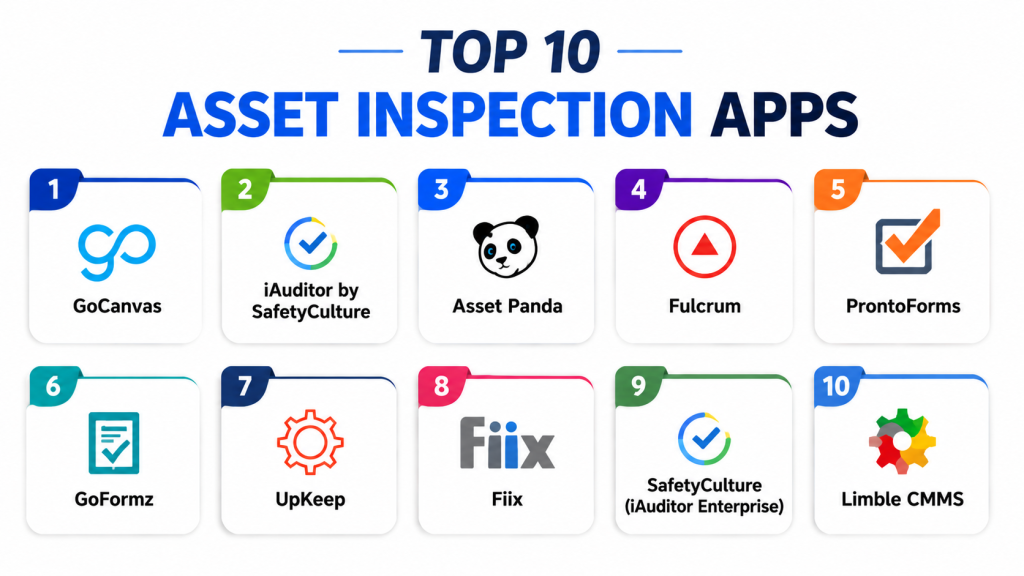
Top 10 Asset Inspection Apps
1- GoCanvas
Short description: GoCanvas digitizes asset inspections, forms, and workflows, allowing field teams to capture data and images on mobile devices. Ideal for manufacturing, facilities, and field services.
Key Features
- Customizable mobile inspection forms
- Photo and signature capture
- Workflow automation and alerts
- Offline data entry
- Reporting dashboards and analytics
- Multi-device support
- Integration with CMMS and cloud storage
Pros
- Quick digital replacement for paper forms
- Supports offline inspection data collection
- Easy customization for different asset types
Cons
- Advanced integrations may require configuration
- Learning curve for complex workflows
- Some enterprise analytics features limited
Platforms / Deployment
Web / iOS / Android
Cloud
Security & Compliance
Not publicly stated
Integrations & Ecosystem
- CMMS and ERP integrations
- Cloud storage (Dropbox, Google Drive)
- Reporting dashboards
- Email/SMS notifications
- API access for automation
Support & Community
Documentation, onboarding, and email support available; community forums for users.
2- iAuditor by SafetyCulture
Short description: iAuditor provides mobile inspections, audit checklists, and compliance reporting for manufacturing, construction, and healthcare organizations.
Key Features
- Pre-built and custom inspection templates
- Real-time dashboards and analytics
- Photo capture and annotation
- Automated follow-up actions
- Offline inspection mode
- Compliance reporting tools
- Multi-location oversight
Pros
- Strong compliance and audit support
- Easy to deploy for field teams
- Real-time reporting enables quick decision-making
Cons
- Advanced analytics require premium plans
- Workflow customization can be complex
- Heavy usage may require training
Platforms / Deployment
Web / iOS / Android
Cloud
Security & Compliance
Not publicly stated
Integrations & Ecosystem
- CMMS, ERP, and HR systems
- Slack and email notifications
- Cloud storage integration
- API for custom automation
Support & Community
Comprehensive support, knowledge base, and community forums.
3- Asset Panda
Short description: Asset Panda combines asset tracking with inspection workflows, offering mobile-first checklists, audit trails, and lifecycle management.
Key Features
- Mobile inspection and tracking
- Barcode/QR code scanning
- Custom checklists and fields
- Workflow automation for maintenance
- Reporting dashboards
- Asset lifecycle tracking
- Offline data capture
Pros
- Flexible inspection workflows
- Strong asset management integration
- Barcode and QR code support for efficiency
Cons
- Interface may be complex for small teams
- Advanced reporting requires configuration
- Pricing may be higher for SMBs
Platforms / Deployment
Web / iOS / Android
Cloud
Security & Compliance
Not publicly stated
Integrations & Ecosystem
- ERP and CMMS systems
- Barcode scanners
- Reporting dashboards
- Email/SMS notifications
Support & Community
Email, chat, and onboarding support provided.
4- Fulcrum
Short description: Fulcrum enables custom inspection forms for field teams, including data capture, geolocation, and real-time reporting. Suitable for utilities, construction, and logistics.
Key Features
- Mobile data collection with geotagging
- Photo and video capture
- Custom inspection workflows
- Offline inspection capability
- Real-time dashboards and reports
- Automated alerts and follow-ups
- Integration with enterprise tools
Pros
- Strong geolocation and mapping support
- Fully customizable inspection templates
- Works offline and online seamlessly
Cons
- Advanced analytics require setup
- Small learning curve for custom templates
- Multi-location deployment may need planning
Platforms / Deployment
Web / iOS / Android
Cloud
Security & Compliance
Not publicly stated
Integrations & Ecosystem
- ERP and CMMS integrations
- Cloud storage
- Reporting and dashboard tools
- Notifications via email/SMS
Support & Community
Comprehensive online resources, tutorials, and support.
5- ProntoForms
Short description: ProntoForms provides mobile forms and inspection apps for field service and asset maintenance teams, focusing on data capture, workflow automation, and analytics.
Key Features
- Mobile form and checklist creation
- Image capture and annotation
- Workflow automation
- Offline data collection
- Real-time dashboards
- Data export for reporting
- Multi-location management
Pros
- Excellent workflow automation
- Offline-friendly for remote inspections
- Supports a wide range of asset types
Cons
- Complexity for non-technical users
- Some integrations require IT support
- Reporting features may need premium plan
Platforms / Deployment
Web / iOS / Android
Cloud
Security & Compliance
Not publicly stated
Integrations & Ecosystem
- ERP and CMMS
- Slack and email notifications
- Cloud storage and API support
Support & Community
Documentation, webinars, and email support available.
6- GoFormz
Short description: GoFormz converts paper inspection forms to mobile apps with offline capabilities, workflows, and real-time data capture for field teams.
Key Features
- Mobile forms and checklists
- Photo and signature capture
- Workflow automation
- Offline data entry
- Real-time dashboards
- Notifications and alerts
- Reporting and analytics
Pros
- Quick conversion of paper processes
- Offline functionality for field operations
- Easy workflow automation
Cons
- Limited predictive analytics
- Advanced templates require setup
- May require training for staff
Platforms / Deployment
Web / iOS / Android
Cloud
Security & Compliance
Not publicly stated
Integrations & Ecosystem
- CMMS/ERP integration
- Email/SMS alerts
- Cloud storage
- API access for automation
Support & Community
Support via documentation, email, and training sessions.
7- UpKeep
Short description: UpKeep is a mobile-first maintenance and asset management app with inspection workflows, ideal for manufacturing, facilities, and field service teams.
Key Features
- Asset tracking and inspection checklists
- Work order creation from inspections
- Barcode scanning
- Photo and signature capture
- Offline mode
- Reporting dashboards
- Notifications and alerts
Pros
- Integrates inspection with maintenance workflows
- Mobile-friendly for field teams
- Supports offline operations
Cons
- Complex setups for large enterprises
- Some reporting features require premium plan
- Advanced workflow automation may need IT support
Platforms / Deployment
Web / iOS / Android
Cloud
Security & Compliance
Not publicly stated
Integrations & Ecosystem
- CMMS and ERP integrations
- Email and push notifications
- Reporting dashboards
Support & Community
Customer support via email, documentation, and training resources.
8- Fiix
Short description: Fiix provides inspection and maintenance workflows for asset-intensive organizations, combining mobile forms, work orders, and reporting dashboards.
Key Features
- Inspection checklists on mobile devices
- Work order automation
- Offline functionality
- Barcode/QR scanning
- Real-time dashboards and reports
- Notifications and alerts
- Multi-location support
Pros
- Strong integration with maintenance operations
- Easy-to-use mobile inspection forms
- Offline data collection
Cons
- Premium features may be costly
- Complex workflows require setup
- Enterprise integrations need configuration
Platforms / Deployment
Web / iOS / Android
Cloud
Security & Compliance
Not publicly stated
Integrations & Ecosystem
- CMMS and ERP
- Barcode scanners
- Reporting dashboards
- Email/SMS notifications
Support & Community
Documentation, webinars, and email support.
9- SafetyCulture (iAuditor Enterprise)
Short description: Enterprise version of iAuditor with advanced reporting, analytics, and integrations for large-scale inspections and compliance.
Key Features
- Custom inspection templates
- Real-time analytics dashboards
- Workflow automation and follow-ups
- Offline data capture
- Multi-location management
- Notifications and alerts
- Compliance reporting
Pros
- Enterprise-grade analytics
- Scales across multiple locations
- Supports complex inspection workflows
Cons
- Premium pricing
- Setup complexity for custom workflows
- Training needed for staff
Platforms / Deployment
Web / iOS / Android
Cloud
Security & Compliance
Not publicly stated
Integrations & Ecosystem
- CMMS, ERP, and enterprise platforms
- Email/SMS notifications
- Reporting dashboards
- API integrations
Support & Community
Enterprise support with documentation and onboarding.
10- Limble CMMS
Short description: Limble CMMS offers mobile asset inspections, preventive maintenance, and reporting dashboards, bridging inspection and maintenance workflows for mid-market and enterprise teams.
Key Features
- Mobile inspection forms
- Work order creation
- Asset tracking
- Barcode scanning
- Offline inspections
- Notifications and alerts
- Analytics and dashboards
Pros
- Integrates inspection with maintenance workflows
- Easy mobile access for field staff
- Supports multiple locations
Cons
- Advanced analytics may require higher-tier plans
- Complex workflows need setup
- Premium pricing for enterprise features
Platforms / Deployment
Web / iOS / Android
Cloud
Security & Compliance
Not publicly stated
Integrations & Ecosystem
- CMMS and ERP systems
- Reporting dashboards
- Email/SMS notifications
- API access for integrations
Support & Community
Documentation, onboarding, and email support available.
Comparison Table
| Tool Name | Best For | Platform(s) Supported | Deployment | Standout Feature | Public Rating |
|---|---|---|---|---|---|
| GoCanvas | SMB & field inspections | Web, iOS, Android | Cloud | Custom mobile inspection forms | N/A |
| iAuditor by SafetyCulture | Compliance & enterprise | Web, iOS, Android | Cloud | Audit & compliance reporting | N/A |
| Asset Panda | Asset-heavy organizations | Web, iOS, Android | Cloud | Barcode/QR-based tracking | N/A |
| Fulcrum | Utilities & construction | Web, iOS, Android | Cloud | Geolocation & mapping | N/A |
| ProntoForms | Field service teams | Web, iOS, Android | Cloud | Workflow automation | N/A |
| GoFormz | Paper-to-mobile conversion | Web, iOS, Android | Cloud | Offline form functionality | N/A |
| UpKeep | Maintenance & facilities | Web, iOS, Android | Cloud | Work order integration | N/A |
| Fiix | Asset-intensive enterprises | Web, iOS, Android | Cloud | Inspection & maintenance workflow | N/A |
| iAuditor Enterprise | Large-scale enterprise | Web, iOS, Android | Cloud | Enterprise analytics & compliance | N/A |
| Limble CMMS | Mid-market & enterprise | Web, iOS, Android | Cloud | Inspection + maintenance integration | N/A |
Evaluation & Scoring of Asset Inspection Apps
| Tool Name | Core 25% | Ease 15% | Integrations 15% | Security 10% | Performance 10% | Support 10% | Value 15% | Weighted Total 0–10 |
|---|---|---|---|---|---|---|---|---|
| GoCanvas | 9 | 9 | 8 | 8 | 9 | 8 | 8 | 8.50 |
| iAuditor | 9 | 8 | 9 | 8 | 9 | 8 | 7 | 8.40 |
| Asset Panda | 8 | 8 | 8 | 8 | 8 | 8 | 8 | 8.00 |
| Fulcrum | 8 | 8 | 8 | 8 | 8 | 8 | 7 | 7.95 |
| ProntoForms | 8 | 8 | 7 | 7 | 8 | 8 | 8 | 7.85 |
| GoFormz | 7 | 8 | 7 | 7 | 8 | 7 | 8 | 7.55 |
| UpKeep | 8 | 8 | 7 | 8 | 8 | 8 | 7 | 7.85 |
| Fiix | 8 | 8 | 8 | 8 | 8 | 8 | 7 | 7.95 |
| iAuditor Enterprise | 9 | 7 | 8 | 8 | 9 | 8 | 7 | 8.05 |
| Limble CMMS | 8 | 8 | 8 | 8 | 8 | 8 | 7 | 7.95 |
Which Asset Inspection App Is Right for You?
Solo / Freelancer
For small teams or single-location operations, apps like GoFormz, GoCanvas, or ProntoForms offer simple mobile inspections without complex setup.
SMB
Small to mid-sized businesses benefit from GoCanvas, Asset Panda, Fulcrum, or ProntoForms for customizable forms, mobile checklists, and offline functionality.
Mid-Market
Organizations with multiple sites, diverse asset types, and field teams should consider UpKeep, Fiix, and Limble CMMS for inspection integration with maintenance workflows and reporting.
Enterprise
Large-scale enterprises or compliance-heavy industries should prioritize iAuditor Enterprise, Asset Panda, or GoCanvas Enterprise editions for audit-ready workflows, multi-location oversight, and integration with CMMS and ERP systems.
Budget vs Premium
Budget-focused SMBs: GoFormz, ProntoForms, Fulcrum. Premium/enterprise: iAuditor Enterprise, Asset Panda, UpKeep, Limble CMMS.
Feature Depth vs Ease of Use
Ease-first: GoFormz, GoCanvas, ProntoForms. Feature-depth: iAuditor, Asset Panda, Limble CMMS, Fiix.
Integrations & Scalability
Heavy integration or multi-location needs favor iAuditor Enterprise, Asset Panda, UpKeep, and Limble CMMS.
Security & Compliance Needs
Organizations requiring audit trails and compliance documentation should prioritize iAuditor Enterprise, Asset Panda, and Limble CMMS.
Frequently Asked Questions
1. What is an Asset Inspection App?
A software application that digitizes inspections, captures asset data, supports checklists, photos, and generates reports for maintenance and compliance.
2. How does it improve asset management?
It provides real-time visibility, reduces errors, automates notifications, and tracks asset conditions for better maintenance planning.
3. Are these apps secure?
Most provide digital logs, audit trails, and controlled access. Confirm encryption and enterprise compliance for sensitive assets.
4. Can these apps work offline?
Yes, leading apps like GoCanvas, Fulcrum, and ProntoForms support offline inspections with automatic sync once online.
5. What industries benefit most?
Manufacturing, utilities, construction, transportation, logistics, healthcare, and facility management teams benefit significantly.
6. Do they integrate with CMMS/ERP?
Yes, many apps offer integration with enterprise systems for maintenance scheduling, inventory, and reporting dashboards.
7. How long does implementation take?
Simple setups take a few hours; enterprise-scale deployments may take days to weeks depending on workflows and integrations.
8. Can inspections include photos and signatures?
Yes, almost all modern apps support images, signatures, and attachments to validate inspections.
9. Are there predictive analytics features?
Some apps provide trend analysis and predictive maintenance recommendations to prevent asset failures.
10. Are mobile devices required?
Mobile devices are highly recommended for field inspections, real-time data capture, and offline functionality.
Conclusion
Asset Inspection Apps are essential for organizations aiming to optimize maintenance, improve compliance, and streamline inspections. SMBs can leverage GoCanvas, GoFormz, ProntoForms, or Fulcrum for lightweight mobile workflows, while mid-market and enterprise teams benefit from Asset Panda, UpKeep, Fiix, Limble CMMS, or iAuditor Enterprise for multi-location oversight, workflow automation, and predictive maintenance insights. Organizations should shortlist 2–3 apps, pilot them with real assets and inspection scenarios, validate offline functionality, reporting, and notifications, and then scale adoption across teams once the workflow proves effective.
