Introduction
Enterprise browser management tools help IT and security teams control, configure, monitor, and secure web browsers across an organization. In simple terms, these platforms allow admins to enforce browser policies, manage extensions, secure web sessions, distribute updates, and ensure consistent configurations across endpoints and users.
Browser management matters because web browsers are the primary interface for work applications, cloud services, and online collaboration. Misconfigured browsers, unapproved extensions, outdated versions, and inconsistent policies create security risks, compliance gaps, and operational challenges. Enterprises need tools to maintain control, protect data, and streamline browser deployment and updates across distributed teams.
Real-world use cases include:
- Policy enforcement for security settings, pop-ups, cookies, and history.
- Extension management to allow or block specific add-ons.
- Browser version updates to ensure endpoints are up to date.
- Monitoring web activity for security and compliance.
- Configuration standardization across corporate devices.
- Integration with identity and endpoint management for centralized control.
- Remote deployment for distributed or hybrid teams.
- Audit and compliance reporting for security teams.
What buyers should evaluate:
- Policy enforcement depth and flexibility.
- Extension and plugin management capabilities.
- Update and patch management for browser versions.
- Integration with endpoint management and identity platforms.
- Security controls including SSO, RBAC, MFA, and encryption.
- Reporting and analytics for compliance and usage insights.
- Cross-platform support for Windows, macOS, Linux, and managed endpoints.
- Ease of deployment and management across distributed teams.
- Scalability for enterprise environments.
- Support for remote or hybrid workforce management.
Best for: IT administrators, security teams, compliance officers, managed device teams, and enterprises with distributed users needing consistent, secure browser configurations.
Not ideal for: very small teams with few endpoints, organizations relying solely on manual updates, or environments where browser security policies are less critical.
Key Trends in Browser Management (Enterprise)
- Cloud-based browser policy management: Centralized cloud platforms allow real-time policy enforcement across distributed endpoints.
- Extension and plugin control: Enterprises increasingly manage third-party browser extensions to reduce security risk.
- Integration with endpoint management: Browser management platforms integrate with MDM, UEM, and EDR tools for centralized control.
- Secure web session enforcement: Tools now enforce secure browsing, isolate sessions, and prevent data exfiltration.
- Automated updates and patching: Ensures all endpoints run supported browser versions without manual intervention.
- Audit and compliance reporting: Platforms provide logs, reports, and compliance dashboards for regulatory purposes.
- Multi-browser support: Managing Chrome, Edge, Firefox, Safari, and Chromium-based browsers in one console.
- Identity and access integration: Enforces user-based policies and single sign-on across browsers.
- Zero-trust alignment: Browser management tools are being integrated into broader zero-trust security models.
- Remote workforce optimization: Policies, updates, and extensions can be applied to remote and hybrid users seamlessly.
How We Selected These Tools
The Top 10 browser management platforms were selected using a practical IT operations and security evaluation approach. Tools were chosen for visibility, policy enforcement, update management, security, and integration with enterprise workflows.
- Policy enforcement capability for security, compliance, and standardization.
- Extension and plugin management to control browser behavior.
- Update automation for patching and version control.
- Cross-platform endpoint coverage including desktops, laptops, and remote devices.
- Integration ecosystem with MDM, UEM, EDR, SIEM, and identity providers.
- Security controls including RBAC, SSO, audit logs, and encryption.
- Reporting and compliance dashboards and logs.
- Scalability for large enterprises and distributed teams.
- Ease of deployment for IT admins and support teams.
- Practical buyer fit across enterprise sizes and hybrid workforce environments.
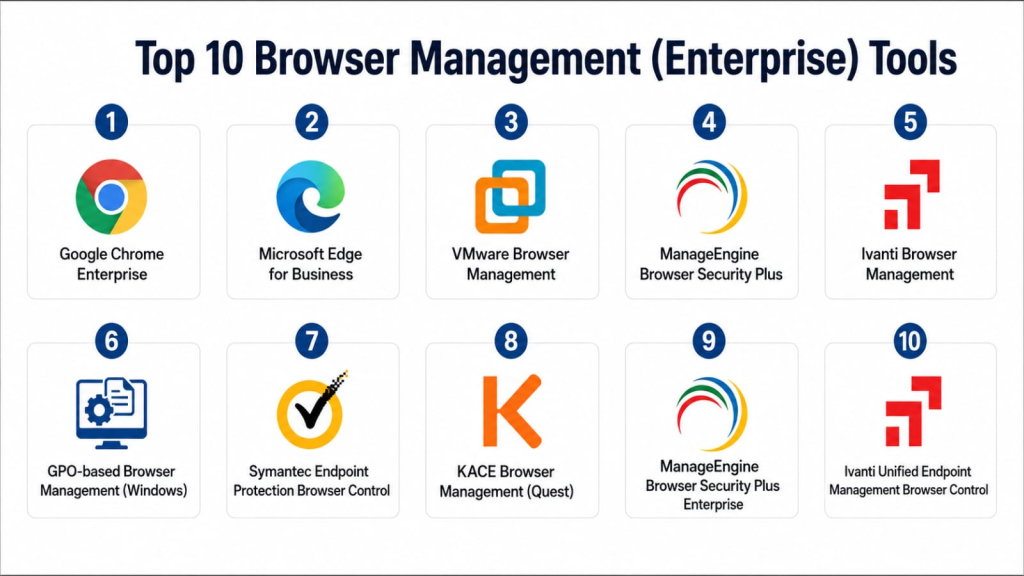
Top 10 Browser Management (Enterprise) Tools
1- Google Chrome Enterprise
Short description: Google Chrome Enterprise provides centralized browser management, policy enforcement, and security features for corporate deployments of Chrome. It is ideal for organizations standardizing on Chrome across desktops and laptops.
Key Features
- Centralized policy management via Google Admin console.
- Extension and plugin management.
- Automatic updates and version control.
- Safe browsing and threat protection.
- Integration with Active Directory and identity providers.
- Reporting and audit logs.
- Enterprise-grade security controls.
Pros
- Seamless updates and strong extension control.
- Tight integration with Google Workspace and identity systems.
- Broad adoption and community support.
Cons
- Limited to Chrome browser; managing other browsers requires additional tools.
- Some advanced security features depend on Google Workspace licensing.
- Cloud console may require learning for new admins.
Platforms / Deployment
Windows, macOS, Linux / Cloud-based management.
Security & Compliance
Supports RBAC, SSO, audit logs, encryption, and enterprise policy enforcement. Compliance features depend on configuration.
Integrations & Ecosystem
Integrates with Google Workspace, Active Directory, MDM/UEM, SIEM tools, and identity providers.
- Google Workspace
- Active Directory
- MDM/UEM solutions
- SIEM platforms
- Identity providers
- APIs for automation
Support & Community
Google provides documentation, enterprise support, training resources, and community forums. Support tiers vary by Workspace licensing.
2- Microsoft Edge for Business
Short description: Microsoft Edge for Business enables enterprise management of Edge browsers, policies, updates, and extensions. It is well-suited for organizations standardizing on Microsoft platforms.
Key Features
- Centralized policy management via Intune or Group Policy.
- Extension control and whitelist/blacklist enforcement.
- Auto-update and version control.
- Secure browsing and phishing protection.
- Integration with Azure AD and identity management.
- Reporting, auditing, and compliance logs.
- Cross-platform support for Windows and macOS.
Pros
- Tight integration with Microsoft ecosystem.
- Enterprise security and compliance features.
- Scalable for large deployments.
Cons
- Best value when combined with Microsoft Endpoint Manager.
- Limited non-Microsoft ecosystem integration.
- Policy setup may require additional training.
Platforms / Deployment
Windows, macOS / Cloud / Hybrid management via Intune or Group Policy.
Security & Compliance
Supports RBAC, SSO via Azure AD, audit logging, and encryption. Compliance features depend on policy configuration.
Integrations & Ecosystem
Integrates with Azure AD, Intune, SIEM, Microsoft 365 apps, and identity providers.
- Azure AD
- Microsoft Intune
- Microsoft 365
- SIEM platforms
- Identity providers
- APIs
Support & Community
Microsoft provides extensive documentation, training, partner resources, and enterprise support options.
3- VMware Browser Management
Short description: VMware Browser Management allows IT teams to control browser configurations, policies, and extensions across managed devices. It is suitable for enterprises using VMware workspace and UEM tools.
Key Features
- Centralized browser policy enforcement.
- Extension and plugin management.
- Version control and automated updates.
- Secure web browsing enforcement.
- Integration with VMware Workspace ONE and UEM.
- Reporting and compliance dashboards.
- Role-based access for IT admins.
Pros
- Tight integration with VMware UEM and Workspace ONE.
- Supports remote and hybrid workforce management.
- Policy and extension enforcement across large deployments.
Cons
- Requires VMware ecosystem to maximize value.
- Limited browser support outside of managed endpoints.
- May require training for administrators.
Platforms / Deployment
Windows, macOS / Cloud / Hybrid with UEM integration.
Security & Compliance
Supports RBAC, encryption, SSO integration, and audit logs. Compliance features depend on enterprise configuration.
Integrations & Ecosystem
Integrates with VMware Workspace ONE, endpoint management tools, identity providers, and reporting systems.
- VMware Workspace ONE
- Endpoint management systems
- Identity providers
- SIEM platforms
- Reporting and analytics tools
- APIs
Support & Community
VMware provides documentation, enterprise support, training, and partner resources. Community and knowledge base are well established.
4- ManageEngine Browser Security Plus
Short description: Browser Security Plus provides enterprise-grade browser management, extension control, patching, and compliance for Windows endpoints. It is ideal for organizations looking to enforce secure browser policies centrally.
Key Features
- Browser policy enforcement and compliance.
- Extension management and whitelist/blacklist control.
- Patch management for browser updates.
- Secure browsing and threat protection.
- Reporting dashboards for security and compliance.
- Integration with Active Directory.
- Remote deployment and configuration.
Pros
- Strong reporting and compliance capabilities.
- Easy integration with Active Directory.
- Supports multiple browsers for patching and control.
Cons
- Best for Windows endpoints; macOS support limited.
- Some advanced features require additional licensing.
- UI may be less intuitive for new administrators.
Platforms / Deployment
Windows / On-premises / Cloud console options may vary.
Security & Compliance
Supports RBAC, audit logs, encryption, and Active Directory integration. Compliance dashboards help with reporting.
Integrations & Ecosystem
Integrates with Active Directory, endpoint management tools, SIEM, and reporting solutions.
- Active Directory
- Endpoint management
- SIEM platforms
- Reporting dashboards
- APIs
- Automation workflows
Support & Community
ManageEngine provides documentation, support, training, and partner resources. Community forums are available for guidance.
5- Ivanti Browser Management
Short description: Ivanti Browser Management allows enterprises to deploy, configure, and manage browsers securely across endpoints, enforcing policies and updates centrally.
Key Features
- Browser policy enforcement.
- Extension and plugin management.
- Automated updates and version control.
- Security policy enforcement.
- Integration with Ivanti UEM.
- Reporting and compliance monitoring.
- Role-based access controls.
Pros
- Integrated with Ivanti endpoint management ecosystem.
- Supports distributed and remote workforce.
- Centralized management simplifies enterprise deployments.
Cons
- Best value when combined with Ivanti UEM.
- Limited standalone capabilities outside Ivanti ecosystem.
- May require training for policy configuration.
Platforms / Deployment
Windows, macOS / Cloud / Hybrid with UEM integration.
Security & Compliance
Supports RBAC, SSO, encryption, and audit logs. Compliance depends on deployment and policy configuration.
Integrations & Ecosystem
Integrates with Ivanti UEM, endpoint management, SIEM, and identity systems.
- Ivanti UEM
- Endpoint management tools
- SIEM
- Identity providers
- Reporting and compliance tools
- APIs
Support & Community
Ivanti provides documentation, enterprise support, training, and partner resources for enterprise IT teams.
6- GPO-based Browser Management (Windows)
Short description: Group Policy Objects (GPO) enable IT teams to configure and enforce browser policies centrally on Windows endpoints. It is suitable for enterprises standardizing Windows devices.
Key Features
- Centralized policy enforcement for browsers.
- Extension and plugin controls.
- Security and privacy configuration.
- Update and version management via AD policies.
- Integration with Active Directory.
- Audit and reporting capabilities.
- Role-based access via AD permissions.
Pros
- Native Windows integration.
- No additional licensing required.
- Robust policy enforcement for Windows endpoints.
Cons
- Limited cross-platform support.
- Complex policy management for large deployments.
- Reporting and analytics are basic compared to dedicated platforms.
Platforms / Deployment
Windows / On-premises / Active Directory-based deployment.
Security & Compliance
Supports RBAC via AD, encryption, audit logs, and policy enforcement. Compliance reporting depends on additional tools.
Integrations & Ecosystem
Integrates with Active Directory, endpoint management, and monitoring tools.
- Active Directory
- Endpoint monitoring
- Reporting systems
- Automation scripts
- Compliance dashboards
- APIs
Support & Community
Microsoft provides documentation and community support. Support quality depends on enterprise contracts and AD infrastructure.
7- Symantec Endpoint Protection Browser Control
Short description: Symantec Endpoint Protection provides browser management as part of endpoint protection, including policy enforcement, extension control, and secure browsing for enterprise endpoints.
Key Features
- Policy enforcement for browser security settings.
- Extension management and control.
- Update and version enforcement.
- Threat protection and safe browsing.
- Reporting and compliance dashboards.
- Integration with Symantec endpoint security ecosystem.
- Centralized management console.
Pros
- Strong combination of endpoint security and browser control.
- Enterprise-grade reporting and policy enforcement.
- Supports Windows and macOS endpoints.
Cons
- Best used within Symantec endpoint ecosystem.
- Limited advanced browser features outside security controls.
- May require administrator training for full policy configuration.
Platforms / Deployment
Windows, macOS / Cloud / On-premises management console.
Security & Compliance
Supports RBAC, SSO, audit logging, encryption, and policy enforcement. Compliance dashboards assist reporting.
Integrations & Ecosystem
Integrates with Symantec endpoint security, SIEM, identity, and reporting platforms.
- Symantec endpoint tools
- SIEM
- Identity systems
- Reporting dashboards
- Compliance workflows
- APIs
Support & Community
Symantec offers documentation, training, partner services, and enterprise support. Community resources are available for administrators.
8- KACE Browser Management (Quest)
Short description: KACE Browser Management enables enterprises to deploy and enforce browser configurations, extensions, and updates across managed endpoints using Quest KACE UEM.
Key Features
- Policy enforcement for browser settings.
- Extension and plugin management.
- Automatic browser updates.
- Integration with KACE UEM console.
- Reporting and audit logs.
- Role-based administrative control.
- Supports remote workforce deployment.
Pros
- Strong integration with KACE UEM.
- Centralized management simplifies deployment.
- Reporting and compliance tracking included.
Cons
- Limited standalone capability without KACE UEM.
- Browser coverage may vary by endpoint OS.
- Initial setup may require administrator training.
Platforms / Deployment
Windows, macOS / Cloud / On-premises UEM integration.
Security & Compliance
Supports RBAC, encryption, audit logging, and policy enforcement. Compliance depends on configuration and UEM deployment.
Integrations & Ecosystem
Integrates with KACE UEM, endpoint management tools, reporting platforms, and identity providers.
- KACE UEM
- Endpoint management systems
- Reporting dashboards
- Identity providers
- SIEM
- APIs
Support & Community
Quest provides documentation, enterprise support, training resources, and partner enablement. Community forums are active.
9- ManageEngine Browser Security Plus Enterprise
Short description: ManageEngine Browser Security Plus Enterprise edition provides enterprise-grade browser management, policy enforcement, extension control, and patching for large-scale deployments.
Key Features
- Centralized browser policy enforcement.
- Extension management and control.
- Browser version updates and patch management.
- Security policy enforcement for endpoints.
- Integration with Active Directory and endpoint management.
- Audit and compliance reporting.
- Remote configuration deployment.
Pros
- Enterprise-ready management features.
- Strong reporting and compliance dashboards.
- Supports multiple browsers and Windows endpoints.
Cons
- macOS support is limited.
- Advanced enterprise features may require additional licensing.
- UI may require training for new administrators.
Platforms / Deployment
Windows / Cloud / On-premises management console.
Security & Compliance
Supports RBAC, audit logs, encryption, Active Directory integration, and enterprise policy enforcement.
Integrations & Ecosystem
Integrates with Active Directory, endpoint management tools, SIEM platforms, reporting dashboards, and automation systems.
- Active Directory
- Endpoint management
- SIEM
- Reporting dashboards
- Automation tools
- APIs
Support & Community
ManageEngine provides documentation, training, partner resources, and enterprise support options. Community forums assist IT administrators.
10- Ivanti Unified Endpoint Management Browser Control
Short description: Ivanti UEM Browser Control allows IT teams to manage browser settings, extensions, policies, and updates across endpoints through Ivanti’s unified endpoint management platform.
Key Features
- Policy enforcement for browser configurations.
- Extension and plugin management.
- Automated browser updates.
- Secure web browsing enforcement.
- Integration with Ivanti UEM console.
- Reporting and compliance monitoring.
- Role-based access and administrative control.
Pros
- Integrated with Ivanti UEM for centralized management.
- Supports distributed and hybrid workforces.
- Simplifies policy and extension enforcement across multiple browsers.
Cons
- Best suited for organizations already using Ivanti UEM.
- Standalone capabilities limited.
- Policy configuration may require administrator training.
Platforms / Deployment
Windows, macOS / Cloud / Hybrid via UEM integration.
Security & Compliance
Supports RBAC, SSO, encryption, and audit logs. Compliance depends on deployment and policy configuration.
Integrations & Ecosystem
Integrates with Ivanti UEM, endpoint management, SIEM, and identity systems.
- Ivanti UEM
- Endpoint management tools
- SIEM
- Identity providers
- Reporting dashboards
- APIs
Support & Community
Ivanti provides documentation, enterprise support, training, and partner resources for IT teams managing large-scale browser deployments.
Comparison Table
| Tool Name | Best For | Platform(s) Supported | Deployment | Standout Feature | Public Rating |
|---|---|---|---|---|---|
| Google Chrome Enterprise | Chrome standardization | Windows, macOS, Linux | Cloud | Centralized policy enforcement | N/A |
| Microsoft Edge for Business | Microsoft ecosystem | Windows, macOS | Cloud / Hybrid | Integration with Intune and Azure AD | N/A |
| VMware Browser Management | VMware UEM users | Windows, macOS | Cloud / Hybrid | Policy enforcement via Workspace ONE | N/A |
| ManageEngine Browser Security Plus | Windows endpoints | Windows | Cloud / On-premises | Extension and patch management | N/A |
| Ivanti Browser Management | Distributed enterprise endpoints | Windows, macOS | Cloud / Hybrid | Integration with Ivanti UEM | N/A |
| GPO-based Browser Management | Windows AD environments | Windows | On-premises | Native AD policy enforcement | N/A |
| Symantec Endpoint Protection Browser Control | Security-focused endpoints | Windows, macOS | Cloud / On-premises | Endpoint protection plus browser control | N/A |
| KACE Browser Management | UEM-integrated browser control | Windows, macOS | Cloud / On-premises | Centralized UEM-based management | N/A |
| ManageEngine Browser Security Plus Enterprise | Enterprise-scale deployments | Windows | Cloud / On-premises | Enterprise patching and policy enforcement | N/A |
| Ivanti Unified Endpoint Management Browser Control | Ivanti UEM environments | Windows, macOS | Cloud / Hybrid | Unified endpoint browser policy | N/A |
Evaluation & Scoring of Browser Management (Enterprise) Tools
| Tool Name | Core (25%) | Ease (15%) | Integrations (15%) | Security (10%) | Performance (10%) | Support (10%) | Value (15%) | Weighted Total (0–10) |
| Google Chrome Enterprise | 9.0 | 8.5 | 9.0 | 8.5 | 8.5 | 8.5 | 8.0 | 8.6 |
| Microsoft Edge for Business | 8.5 | 8.0 | 8.5 | 8.5 | 8.0 | 8.0 | 8.0 | 8.3 |
| VMware Browser Management | 8.0 | 7.5 | 8.0 | 8.0 | 7.5 | 8.0 | 7.5 | 7.9 |
| ManageEngine Browser Security Plus | 8.5 | 8.0 | 7.5 | 8.0 | 7.5 | 8.0 | 7.5 | 8.0 |
| Ivanti Browser Management | 8.0 | 8.0 | 7.5 | 8.0 | 7.5 | 8.0 | 7.5 | 7.9 |
| GPO-based Browser Management | 7.5 | 7.5 | 7.0 | 7.5 | 7.0 | 7.5 | 7.0 | 7.4 |
| Symantec Endpoint Protection Browser Control | 8.0 | 7.5 | 7.5 | 8.0 | 7.5 | 8.0 | 7.5 | 7.9 |
| KACE Browser Management | 7.5 | 7.5 | 7.0 | 7.5 | 7.0 | 7.5 | 7.0 | 7.4 |
| ManageEngine Browser Security Plus Enterprise | 8.0 | 7.5 | 7.5 | 8.0 | 7.5 | 8.0 | 7.5 | 7.9 |
| Ivanti Unified Endpoint Management Browser Control | 8.0 | 7.5 | 7.5 | 8.0 | 7.5 | 8.0 | 7.5 | 7.9 |
Scores are comparative and reflect policy enforcement depth, extension control, update management, security controls, integration, and usability across enterprise environments.
Which Browser Management Tool Is Right for You?
Solo / Freelancer
For small IT teams or consultants managing limited devices, GPO-based browser management, ManageEngine Browser Security Plus, or basic Chrome Enterprise policies can provide essential control without additional cost.
SMB
SMBs may benefit from Chrome Enterprise, Microsoft Edge for Business, or VMware Browser Management for simplified deployment, extension control, and centralized updates.
Mid-Market
Mid-market organizations should consider Chrome Enterprise, Microsoft Edge for Business, VMware Browser Management, or Ivanti Browser Management to manage policies across multiple locations and endpoints.
Enterprise
Enterprises with large, distributed workforces should deploy Chrome Enterprise, Microsoft Edge for Business, Ivanti UEM Browser Control, VMware Browser Management, or ManageEngine Browser Security Plus Enterprise to ensure consistent, secure, and compliant browser configurations.
Budget vs Premium
Budget-conscious organizations can start with GPO-based management or basic Chrome/Edge policies. Premium buyers should invest in enterprise platforms that integrate with UEM, endpoint management, SIEM, and identity systems.
Feature Depth vs Ease of Use
Feature depth is highest in enterprise-focused platforms like Ivanti UEM, VMware Browser Management, and ManageEngine Browser Security Plus Enterprise. Ease of use is strongest with cloud-based Chrome and Edge management consoles.
Integrations & Scalability
Enterprises should validate integration with MDM/UEM, identity systems, SIEM, reporting, and endpoint management. Platforms must scale across distributed, hybrid, and remote endpoints.
Security & Compliance Needs
Security-conscious organizations should check RBAC, SSO, audit logging, encryption, and centralized policy enforcement to ensure consistent compliance and secure browsing across the workforce.
Frequently Asked Questions
1- What is enterprise browser management?
Enterprise browser management allows IT teams to control configurations, extensions, updates, and security settings for web browsers across corporate endpoints.
2- Why is browser management important for security?
Browsers are a primary attack vector. Managing policies, extensions, and updates reduces vulnerabilities, enforces compliance, and improves endpoint security.
3- Can browser management control extensions?
Yes, most enterprise platforms allow admins to whitelist or block specific extensions and monitor plugin usage across endpoints.
4- How are browser updates managed?
Enterprise tools automate updates, deploy patches, and ensure endpoints run supported browser versions, reducing manual maintenance.
5- Do these tools support multiple browsers?
Many platforms support Chrome, Edge, Firefox, and Safari, though some may be limited to a single browser or require separate management consoles.
6- How do browser management tools integrate with UEM?
They integrate with MDM/UEM platforms to apply policies, monitor endpoints, enforce security settings, and report compliance centrally.
7- Can remote workers be managed?
Yes, cloud-based and UEM-integrated tools can enforce policies, deploy updates, and monitor endpoints for remote and hybrid employees.
8- Are compliance reports included?
Most enterprise browser management tools include reporting dashboards, audit logs, and compliance features to support internal and regulatory audits.
9- What are common mistakes?
Common mistakes include managing only one browser, not enforcing extension policies, ignoring remote endpoints, and not integrating with identity and UEM tools.
10- Do small organizations need browser management?
Small organizations with few endpoints may use GPO or basic cloud policies. Full enterprise platforms are usually more suitable for large, distributed, or regulated environments.
Conclusion
Browser management platforms are essential for enterprises seeking consistent, secure, and compliant browser configurations. Chrome Enterprise is strong for Google-focused environments, Microsoft Edge for Business for Microsoft ecosystems, VMware and Ivanti Browser Management for UEM-integrated control, and ManageEngine Browser Security Plus Enterprise for enterprise patching and policy enforcement. The best approach is to shortlist two to three platforms, pilot policy deployment, validate integration with endpoint management and identity systems, and select the tool that balances control, usability, and compliance.
