Introduction
Network inventory tools help IT teams discover, document, monitor, and manage all devices, assets, software, configurations, IP addresses, and connectivity details across a network. In simple terms, these tools create a live map of what exists in your IT environment, including routers, switches, firewalls, servers, endpoints, virtual machines, cloud resources, printers, access points, and connected devices.
Network inventory matters because modern IT environments are becoming more distributed, hybrid, and complex. Companies now manage on-premises infrastructure, cloud assets, remote endpoints, IoT devices, SaaS systems, and multiple locations. Without accurate inventory visibility, teams struggle with troubleshooting, compliance, security audits, patch planning, lifecycle management, and incident response. A strong network inventory tool helps reduce blind spots, improve operational control, and support better IT decision-making.
Real-world use cases include:
- Automatic device discovery across LAN, WAN, cloud, and remote environments.
- Hardware and software inventory tracking for IT asset management.
- IP address and subnet visibility for network planning.
- Configuration tracking for routers, switches, firewalls, and servers.
- Security audits to identify unknown or unmanaged devices.
- Lifecycle management for warranty, ownership, and replacement planning.
- Compliance reporting for audits and internal governance.
- Troubleshooting support by giving teams accurate device and dependency data.
What buyers should evaluate:
- Discovery accuracy across different networks and device types.
- Real-time inventory updates and automated scanning.
- Network topology mapping for visual asset relationships.
- Configuration management for network devices.
- Software and hardware asset tracking depth.
- Cloud and hybrid infrastructure support.
- Security controls such as RBAC, SSO, audit logs, and encryption.
- Integration support with ITSM, monitoring, CMDB, SIEM, and endpoint tools.
- Reporting and compliance capabilities.
- Ease of deployment for small, mid-market, and enterprise teams.
Best for: IT administrators, network engineers, infrastructure teams, security teams, MSPs, compliance teams, and organizations that need accurate visibility into network-connected assets.
Not ideal for: very small teams with only a few devices, organizations that only need a basic spreadsheet-based asset list, or companies that already have complete inventory visibility inside a broader IT asset management platform.
Key Trends in Network Inventory Tools
- Continuous asset discovery: Network inventory is moving from one-time scans to continuous discovery, helping teams detect new, changed, or unauthorized devices faster.
- Hybrid infrastructure visibility: Modern tools increasingly support on-premises devices, virtual infrastructure, cloud assets, remote endpoints, and distributed branch networks.
- Security-focused inventory: Inventory data is becoming essential for vulnerability management, zero trust planning, compliance, and unknown device detection.
- Integration with CMDB and ITSM: Network inventory tools are increasingly connected with service management workflows to keep asset records updated automatically.
- Network topology automation: Visual maps now help teams understand dependencies, device relationships, switch ports, subnets, and service impact more clearly.
- IP address management alignment: Many buyers want inventory data connected with IPAM, DNS, DHCP, and subnet management for better planning and troubleshooting.
- Configuration and change tracking: Network teams want to know not only what devices exist but also how configurations change over time.
- Cloud and container awareness: As infrastructure becomes more dynamic, inventory tools are expanding visibility into cloud networks, virtual machines, containers, and dynamic workloads.
- Automation-friendly APIs: IT teams increasingly expect APIs, webhooks, and integrations to push inventory data into monitoring, security, service desk, and reporting platforms.
- Compliance-ready reporting: Asset inventory is now a major part of audit readiness, cyber insurance, risk management, and internal governance programs.
How We Selected These Tools
The Top 10 network inventory tools were selected using a practical IT operations and infrastructure evaluation approach. The goal was to include tools that are widely recognized, useful across different organization sizes, and relevant for network discovery, asset visibility, topology mapping, and IT inventory management.
- Market visibility and adoption: Tools with strong recognition among IT, network, security, and infrastructure teams were prioritized.
- Network discovery capability: Preference was given to platforms that can automatically identify devices, IPs, hardware, software, services, and dependencies.
- Inventory depth: Tools were evaluated for the quality of asset data they collect, including device type, vendor, OS, serial numbers, software, ports, interfaces, and configurations.
- Topology and mapping support: Tools with strong visual mapping, device relationships, and network path visibility were considered stronger.
- Integration ecosystem: Platforms with integrations into ITSM, CMDB, monitoring, endpoint management, security, and reporting tools received higher consideration.
- Security and compliance relevance: Tools that help identify unknown devices, unmanaged assets, configuration changes, and compliance gaps were prioritized.
- Scalability: The list balances tools for SMBs, MSPs, mid-market IT teams, and large enterprise environments.
- Ease of use: Tools with simpler deployment, intuitive dashboards, clear reports, and admin-friendly workflows were favored.
- Automation and reporting: Strong scoring was given to tools with scheduled scans, alerts, reports, APIs, and export options.
- Practical buyer fit: The final list includes dedicated network inventory tools, IT asset discovery platforms, infrastructure monitoring tools, and broader network management suites.
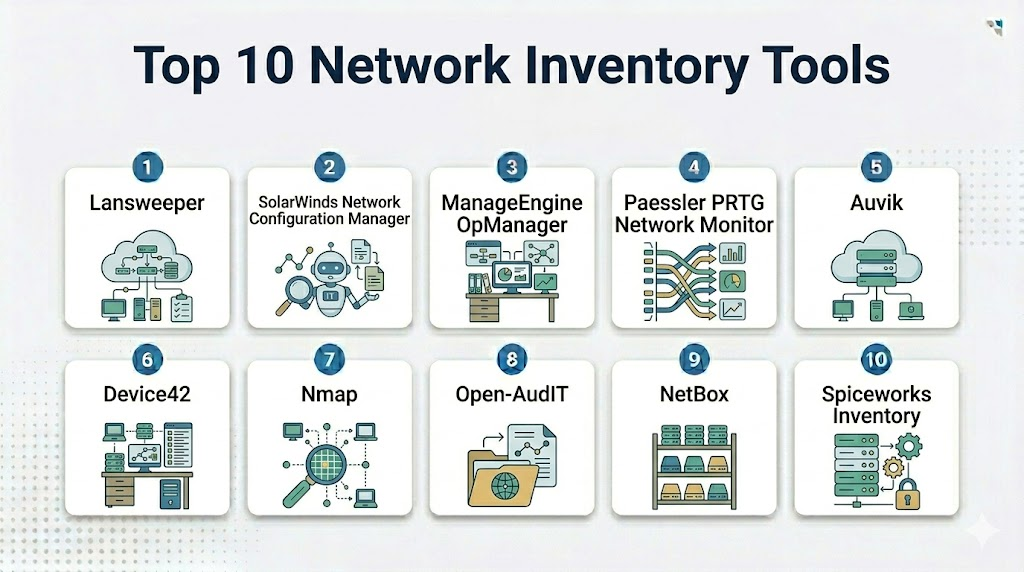
Top 10 Network Inventory Tools
1- Lansweeper
Short description: Lansweeper is a widely used IT asset discovery and network inventory platform that helps organizations scan networks, discover devices, and maintain detailed hardware and software inventory records. It is suitable for IT teams that need broad visibility across endpoints, servers, network devices, and software assets.
Key Features
- Automated discovery of network-connected devices.
- Hardware and software inventory tracking.
- Agent-based and agentless scanning options.
- Asset relationship and dependency visibility.
- Custom reports and dashboards for IT inventory.
- Detection of unknown, unmanaged, or unauthorized assets.
- Integration support for ITSM, security, and business tools.
Pros
- Strong all-around asset discovery for IT environments.
- Useful for both IT operations and security visibility.
- Reporting capabilities are practical for audits and asset reviews.
Cons
- Advanced environments may require careful scan configuration.
- Some integrations and advanced features may depend on plan.
- Large inventories may require proper data cleanup and governance.
Platforms / Deployment
Cloud / On-premises / Hybrid options may vary by setup. Supports Windows-based scanning components and broad network device discovery.
Security & Compliance
Lansweeper supports role-based access and administrative controls. Encryption, access management, and security capabilities may vary by deployment and plan. Specific certifications should be validated directly.
Integrations & Ecosystem
Lansweeper integrates with ITSM, security, endpoint, and reporting tools to help teams use asset data across IT operations and governance workflows.
- ServiceNow
- Jira Service Management
- Microsoft Intune
- Power BI
- Security platforms
- API-based integrations
Support & Community
Lansweeper offers documentation, customer support resources, product guides, and community content. Support availability may vary by subscription tier.
2- SolarWinds Network Configuration Manager
Short description: SolarWinds Network Configuration Manager is focused on network device inventory, configuration backup, compliance, and change management. It is especially useful for network teams managing routers, switches, firewalls, and other infrastructure devices.
Key Features
- Automated network device discovery and inventory.
- Configuration backup and restore.
- Change tracking for network device configurations.
- Compliance policy checks and reporting.
- Vulnerability and firmware visibility for supported devices.
- Network device lifecycle and configuration management.
- Integration with broader SolarWinds monitoring tools.
Pros
- Strong for network configuration inventory and change control.
- Useful for compliance-focused network operations.
- Good fit for infrastructure teams managing many network devices.
Cons
- More focused on network devices than full endpoint inventory.
- May be more than small teams need.
- Best value often comes when used with the broader SolarWinds ecosystem.
Platforms / Deployment
Windows / On-premises / Network infrastructure-focused deployment.
Security & Compliance
Supports role-based access, audit logging, configuration change records, and compliance reporting features. Specific certifications and compliance claims should be validated directly.
Integrations & Ecosystem
SolarWinds Network Configuration Manager works well with SolarWinds monitoring and network management products, helping teams connect inventory with performance and configuration workflows.
- SolarWinds Network Performance Monitor
- SolarWinds Orion Platform
- Syslog and trap systems
- Network infrastructure devices
- IT operations workflows
- Reporting tools
Support & Community
SolarWinds has extensive documentation, customer support options, training content, and a large user community. Support experience may vary by subscription and maintenance agreement.
3- ManageEngine OpManager
Short description: ManageEngine OpManager is a network monitoring and management platform with strong device discovery, inventory, topology mapping, and infrastructure visibility features. It is suitable for IT teams that want monitoring and inventory in one platform.
Key Features
- Network device discovery and inventory.
- Topology maps and network visualization.
- Performance monitoring for routers, switches, servers, and virtual infrastructure.
- Device availability and health monitoring.
- Interface, bandwidth, and traffic visibility.
- Alerts, reports, and dashboards.
- Add-on ecosystem for configuration, IPAM, and firewall analysis.
Pros
- Combines inventory with monitoring and network visibility.
- Good fit for SMBs and mid-market IT teams.
- Flexible feature set across infrastructure operations.
Cons
- Advanced capabilities may require additional modules.
- Initial configuration can take time for larger networks.
- Interface depth may feel complex for new users.
Platforms / Deployment
Windows / Linux / On-premises / Cloud-based options may vary by product edition.
Security & Compliance
ManageEngine products commonly include access controls, user roles, audit capabilities, and administrative security options. Specific compliance details should be confirmed for the selected product and edition.
Integrations & Ecosystem
OpManager integrates with other ManageEngine tools and common IT operations systems. It is useful when organizations want inventory data connected with alerts, tickets, and infrastructure performance.
- ManageEngine ServiceDesk Plus
- ManageEngine Network Configuration Manager
- ManageEngine Applications Manager
- Slack
- Microsoft Teams
- REST APIs
Support & Community
ManageEngine provides documentation, knowledge base articles, customer support, user forums, and training materials. Support tiers may vary based on edition and region.
4- Paessler PRTG Network Monitor
Short description: Paessler PRTG Network Monitor is a monitoring platform that also helps teams discover devices, track sensors, and maintain visibility into network infrastructure. It is useful for teams that want inventory insights combined with performance and availability monitoring.
Key Features
- Auto-discovery of network devices and services.
- Sensor-based monitoring for devices, ports, bandwidth, applications, and systems.
- Device tree and network structure visibility.
- Dashboards, maps, and alerts.
- SNMP, WMI, flow, packet sniffing, and API-based monitoring.
- Inventory-style visibility through discovered devices and sensors.
- Reports for performance, uptime, and infrastructure health.
Pros
- Strong monitoring-first approach with useful inventory visibility.
- Flexible sensor model for different infrastructure types.
- Suitable for SMBs, mid-market teams, and MSP-style environments.
Cons
- Not a dedicated IT asset inventory system.
- Licensing can depend on sensor usage.
- Deep asset lifecycle management may require another tool.
Platforms / Deployment
Windows / Web / Mobile apps / On-premises and hosted options may vary.
Security & Compliance
PRTG supports user access controls, authentication options, encrypted connections, and administrative controls. Specific compliance certifications should be validated directly.
Integrations & Ecosystem
PRTG integrates with alerting, notification, ticketing, and operations workflows. Its APIs and notification channels help teams connect monitoring data with broader IT processes.
- Email and SMS alerts
- Microsoft Teams
- Slack
- Webhooks
- REST APIs
- ITSM tools through integrations
Support & Community
Paessler provides documentation, knowledge base resources, training content, and support options. It also has an active user and partner ecosystem.
5- Auvik
Short description: Auvik is a cloud-based network management and inventory platform designed for visibility, automation, and remote network operations. It is popular among MSPs and IT teams that need automatic network discovery, topology mapping, and device management.
Key Features
- Automated network discovery and inventory.
- Live network topology mapping.
- Device configuration backup and change detection.
- Remote network management capabilities.
- Traffic insights and device health monitoring.
- Alerting for network changes and issues.
- MSP-friendly multi-client visibility.
Pros
- Strong network mapping and remote visibility.
- Useful for MSPs and distributed IT teams.
- Cloud-based approach reduces on-premises management overhead.
Cons
- Primarily focused on network infrastructure rather than full endpoint inventory.
- Pricing may vary based on network size and requirements.
- Some organizations may prefer self-hosted deployment.
Platforms / Deployment
Cloud / SaaS with collector-based network discovery. Supports web-based access.
Security & Compliance
Auvik commonly supports secure access controls, encrypted communication, and administrative permissions. Specific compliance and certification details should be validated directly.
Integrations & Ecosystem
Auvik integrates with PSA, RMM, documentation, alerting, and IT operations tools, making it especially useful for MSP and network operations workflows.
- ConnectWise
- Autotask
- IT Glue
- Slack
- Microsoft Teams
- API integrations
Support & Community
Auvik provides documentation, onboarding resources, support options, and MSP-focused enablement materials. Community strength is strong among managed service and network operations users.
6- Device42
Short description: Device42 is an IT infrastructure discovery, asset management, dependency mapping, and CMDB platform. It is useful for organizations that need deep visibility into data center assets, cloud infrastructure, applications, IP addresses, and network dependencies.
Key Features
- Automated discovery of physical, virtual, cloud, and network assets.
- CMDB and infrastructure inventory management.
- Application dependency mapping.
- IP address management and rack documentation.
- Hardware, software, and lifecycle tracking.
- Data center and cloud infrastructure visibility.
- Integration with ITSM, automation, and migration workflows.
Pros
- Strong infrastructure and dependency visibility.
- Useful for data center, cloud migration, and CMDB use cases.
- Good fit for enterprises needing detailed asset relationships.
Cons
- May be more complex than simple network inventory tools.
- Requires proper implementation for best results.
- Can be more suitable for mature IT operations teams.
Platforms / Deployment
Virtual appliance / Cloud / Hybrid options may vary by deployment model.
Security & Compliance
Device42 supports role-based access, authentication controls, audit-related visibility, and administrative permissions. Specific certifications and compliance claims should be validated directly.
Integrations & Ecosystem
Device42 integrates with ITSM, automation, monitoring, cloud, and DevOps tools to keep infrastructure inventory connected with operational workflows.
- ServiceNow
- Jira
- Ansible
- Puppet
- AWS
- VMware
Support & Community
Device42 offers documentation, implementation guidance, customer support, and partner resources. Support quality may depend on deployment scope and contract level.
7- Nmap
Short description: Nmap is an open-source network scanning tool widely used for device discovery, port scanning, service detection, and security assessment. It is useful for technical teams that need flexible, scriptable, and lightweight network discovery.
Key Features
- Network host discovery.
- Port scanning and service detection.
- OS detection capabilities.
- Scriptable scanning through Nmap Scripting Engine.
- Useful for security audits and unknown device detection.
- Works across many operating systems.
- Can be used manually or inside automation workflows.
Pros
- Free and open-source.
- Highly flexible for technical users.
- Strong for discovery, scanning, and security-oriented inventory checks.
Cons
- Not a full inventory management platform by itself.
- Requires technical skill to use effectively.
- No built-in IT asset lifecycle, dashboard, or CMDB features.
Platforms / Deployment
Windows / macOS / Linux / Command-line / Self-managed.
Security & Compliance
Nmap itself is a scanning utility, not a compliance platform. Security depends on how it is used, where it is run, and how scan data is stored. Certifications are not applicable.
Integrations & Ecosystem
Nmap is commonly used with scripts, security tools, reporting workflows, and custom automation. It can feed discovery data into broader inventory or security processes when paired with other tools.
- Security assessment workflows
- SIEM enrichment through custom pipelines
- Vulnerability management workflows
- Custom scripts
- Reporting tools
- Automation platforms
Support & Community
Nmap has extensive documentation and a large open-source security community. Formal enterprise support is not the same as commercial platforms, so organizations may need internal expertise.
8- Open-AudIT
Short description: Open-AudIT is a network discovery and IT auditing tool that helps teams identify what is connected to their network and collect asset details. It is useful for organizations looking for audit-focused inventory visibility with flexible deployment options.
Key Features
- Network device discovery.
- Hardware and software inventory.
- Audit reports for IT assets.
- Discovery of computers, network devices, and connected systems.
- Scheduled scans and asset tracking.
- Useful for compliance and documentation.
- Flexible inventory reporting.
Pros
- Good fit for audit-focused IT inventory.
- Helps identify unknown or unmanaged network assets.
- Offers practical visibility for small and mid-sized environments.
Cons
- User experience may not feel as modern as some commercial SaaS tools.
- Advanced enterprise features may require paid editions or additional setup.
- Best results require scan tuning and proper credentials.
Platforms / Deployment
Linux / Windows options may vary by edition / Self-hosted and commercial deployment options may vary.
Security & Compliance
Security controls depend on deployment, edition, and configuration. Role-based access and administrative controls may vary. Specific certifications should be validated directly.
Integrations & Ecosystem
Open-AudIT can support inventory reporting and asset documentation workflows. Integration depth may vary depending on edition and implementation approach.
- IT asset workflows
- Reporting exports
- Discovery credentials
- Network scanning workflows
- Documentation systems
- Custom integrations
Support & Community
Support and community resources vary by edition. Documentation is available, while commercial support may depend on the selected offering.
9- NetBox
Short description: NetBox is an open-source infrastructure resource modeling and network source-of-truth platform. It is commonly used for documenting networks, IP addresses, racks, devices, circuits, virtual machines, and infrastructure relationships.
Key Features
- Network source-of-truth documentation.
- IP address management and prefix tracking.
- Device, rack, site, and circuit documentation.
- Virtualization and infrastructure modeling.
- API-first design for automation.
- Strong data model for network engineering teams.
- Plugin ecosystem and extensibility.
Pros
- Excellent for structured network documentation.
- Strong API and automation support.
- Open-source foundation with broad network engineering adoption.
Cons
- Not primarily an auto-discovery tool unless integrated with discovery workflows.
- Requires disciplined data management.
- Setup and customization may need technical expertise.
Platforms / Deployment
Linux / Self-hosted / Cloud-hosted options available through providers may vary.
Security & Compliance
NetBox supports user permissions and administrative controls depending on deployment. Security and compliance depend heavily on hosting model, configuration, and operational practices. Specific certifications are not applicable unless using a managed provider.
Integrations & Ecosystem
NetBox is widely used as a network source of truth and integrates well with automation, monitoring, IPAM, and infrastructure workflows through APIs and plugins.
- Ansible
- Terraform workflows
- Monitoring systems
- DNS and IPAM workflows
- Custom scripts
- Plugin ecosystem
Support & Community
NetBox has a strong open-source community, documentation, plugins, and ecosystem support. Commercial support may be available through managed or enterprise offerings.
10- Spiceworks Inventory
Short description: Spiceworks Inventory is an IT inventory tool designed for discovering and tracking devices, software, and basic network assets. It is often used by small IT teams that need simple asset visibility without heavy enterprise complexity.
Key Features
- Network device discovery.
- Hardware and software inventory.
- Basic asset tracking.
- Simple reporting for IT assets.
- Useful for small business IT environments.
- Helps identify devices connected to the network.
- Community-driven IT management ecosystem.
Pros
- Simple and approachable for small teams.
- Useful for basic network and IT asset visibility.
- Strong community recognition among IT administrators.
Cons
- May not match enterprise-grade inventory platforms.
- Advanced automation and integration depth may be limited.
- Product availability and capabilities may vary, so buyers should validate current options.
Platforms / Deployment
Web / Cloud or self-managed options may vary by current offering. Buyers should confirm current deployment availability.
Security & Compliance
Security and compliance details are not publicly stated for all use cases. Buyers should validate access controls, data handling, and deployment model before adoption.
Integrations & Ecosystem
Spiceworks is known for its IT community and practical small-business IT workflows. Integration depth may be more limited than enterprise platforms.
- IT community resources
- Basic helpdesk workflows
- Asset reporting
- Network scanning workflows
- Export-based reporting
- Small business IT processes
Support & Community
Spiceworks has a strong IT administrator community and public knowledge resources. Formal support and product availability may vary depending on the current offering.
Comparison Table
| Tool Name | Best For | Platform(s) Supported | Deployment | Standout Feature | Public Rating |
|---|---|---|---|---|---|
| Lansweeper | Broad IT asset and network inventory | Windows, Web, network devices | Cloud / On-premises / Hybrid | Automated hardware and software discovery | N/A |
| SolarWinds Network Configuration Manager | Network configuration inventory and compliance | Windows, network devices | On-premises | Configuration backup and change tracking | N/A |
| ManageEngine OpManager | Network monitoring with inventory visibility | Windows, Linux, Web | On-premises / Cloud options vary | Monitoring plus device discovery | N/A |
| Paessler PRTG Network Monitor | Monitoring-first network visibility | Windows, Web, Mobile | On-premises / Hosted options vary | Sensor-based monitoring and discovery | N/A |
| Auvik | MSPs and remote network management | Web, network devices | Cloud | Automated topology mapping | N/A |
| Device42 | CMDB, dependency mapping, and infrastructure inventory | Web, virtual appliance | Cloud / Hybrid options vary | Infrastructure dependency mapping | N/A |
| Nmap | Technical network discovery and scanning | Windows, macOS, Linux | Self-managed | Open-source scanning flexibility | N/A |
| Open-AudIT | Audit-focused network inventory | Linux, Windows options vary | Self-hosted / Varies | IT audit and discovery reporting | N/A |
| NetBox | Network source-of-truth and IPAM | Linux, Web | Self-hosted / Cloud-hosted options vary | Structured network documentation | N/A |
| Spiceworks Inventory | Small business IT inventory | Web, network devices | Varies | Simple asset discovery for small teams | N/A |
Evaluation & Scoring of Network Inventory Tools
The scoring below is comparative and based on practical category fit, not official third-party ratings. Scores reflect network inventory relevance, discovery depth, ease of use, ecosystem strength, security posture, performance, support, and overall value. Actual results depend on network size, credentials, scanning setup, integrations, internal processes, and inventory governance.
| Tool Name | Core (25%) | Ease (15%) | Integrations (15%) | Security (10%) | Performance (10%) | Support (10%) | Value (15%) | Weighted Total (0–10) |
| Lansweeper | 9.0 | 8.5 | 8.5 | 8.0 | 8.5 | 8.0 | 8.5 | 8.6 |
| SolarWinds Network Configuration Manager | 8.5 | 7.5 | 8.5 | 8.0 | 8.5 | 8.0 | 7.5 | 8.2 |
| ManageEngine OpManager | 8.5 | 8.0 | 8.0 | 7.5 | 8.5 | 8.0 | 8.0 | 8.2 |
| Paessler PRTG Network Monitor | 8.0 | 8.5 | 8.0 | 7.5 | 8.5 | 8.0 | 8.0 | 8.1 |
| Auvik | 8.5 | 8.5 | 8.0 | 8.0 | 8.5 | 8.0 | 7.5 | 8.2 |
| Device42 | 9.0 | 7.5 | 8.5 | 8.0 | 8.0 | 8.0 | 7.5 | 8.2 |
| Nmap | 7.5 | 6.5 | 7.5 | 7.0 | 8.5 | 8.5 | 9.5 | 7.9 |
| Open-AudIT | 7.5 | 7.0 | 7.0 | 7.0 | 7.5 | 7.0 | 8.0 | 7.4 |
| NetBox | 8.0 | 7.0 | 9.0 | 7.5 | 8.0 | 8.5 | 8.5 | 8.1 |
| Spiceworks Inventory | 6.5 | 8.0 | 6.5 | 6.5 | 7.0 | 7.5 | 8.5 | 7.1 |
A higher weighted score does not mean one tool is the best choice for every organization. Lansweeper is strong for broad IT asset inventory, while Auvik is excellent for network mapping and MSP-style management. Device42 is better for infrastructure dependency mapping, and NetBox is ideal when teams need a network source of truth. Nmap is powerful for technical discovery, but it usually needs to be paired with another platform for full inventory management.
Which Network Inventory Tool Is Right for You?
Solo / Freelancer
Solo IT consultants and freelancers usually need lightweight discovery, documentation, and scanning tools rather than large enterprise platforms. Nmap, NetBox, Open-AudIT, or Spiceworks Inventory can be useful depending on whether the goal is scanning, documentation, or basic asset tracking.
The best approach is to keep the stack simple. Use Nmap for technical discovery, NetBox for structured network documentation, and a simple inventory tool when client asset reporting is needed.
SMB
Small and medium-sized businesses need network inventory tools that are easy to deploy, affordable, and practical for day-to-day IT operations. Lansweeper, ManageEngine OpManager, PRTG Network Monitor, Open-AudIT, and Spiceworks Inventory can be strong options depending on the size and complexity of the network.
SMBs should prioritize automated scanning, clear reporting, basic alerts, simple dashboards, and easy export options. A tool that requires too much configuration may become difficult to maintain.
Mid-Market
Mid-market organizations usually need stronger inventory governance, multi-site visibility, integrations, and better reporting. Lansweeper, Auvik, ManageEngine OpManager, PRTG Network Monitor, SolarWinds Network Configuration Manager, and Device42 are strong candidates.
At this stage, buyers should look for discovery accuracy, role-based access, integration with ITSM or CMDB, network topology, device configuration tracking, and audit-ready reports.
Enterprise
Enterprises typically need large-scale discovery, governance, CMDB integration, role-based access, security reporting, cloud visibility, and infrastructure dependency mapping. Lansweeper, Device42, SolarWinds Network Configuration Manager, Auvik, ManageEngine OpManager, and NetBox can be useful depending on the use case.
Enterprise teams should validate scalability, deployment architecture, integration depth, data governance, API access, network segmentation support, and compliance reporting before rollout.
Budget vs Premium
Budget-conscious teams can consider Nmap, NetBox, Open-AudIT, Spiceworks Inventory, or entry-level editions of commercial tools. These can provide useful visibility without major upfront investment.
Premium buyers should evaluate Lansweeper, Auvik, Device42, SolarWinds Network Configuration Manager, ManageEngine OpManager, or PRTG Network Monitor when they need automation, support, reporting, scalability, and integrations.
Feature Depth vs Ease of Use
For feature depth, Device42, Lansweeper, SolarWinds Network Configuration Manager, and ManageEngine OpManager are strong options. These tools provide deeper visibility into assets, configurations, dependencies, or monitoring data.
For ease of use, Auvik, PRTG Network Monitor, Spiceworks Inventory, and Lansweeper may be easier for many teams to adopt, depending on environment size and setup requirements.
Integrations & Scalability
If integration is a priority, buyers should evaluate how well the tool connects with ITSM, CMDB, monitoring, SIEM, endpoint management, IPAM, and automation platforms. Lansweeper, Device42, ManageEngine, SolarWinds, Auvik, and NetBox all have strong integration use cases.
Scalability should be evaluated through real discovery tests. Teams should confirm how the tool handles multiple sites, large subnets, remote workers, cloud assets, credentials, scan schedules, and reporting performance.
Security & Compliance Needs
Security-focused teams should prioritize tools that help detect unknown devices, track configuration changes, support audit logs, control admin access, and export compliance-ready reports. SolarWinds Network Configuration Manager is strong for configuration compliance, while Lansweeper and Device42 can support broader asset visibility.
For regulated environments, buyers should validate data storage, access control, encryption, audit logging, deployment model, and vendor security documentation before choosing a tool.
Frequently Asked Questions
1- What is a network inventory tool?
A network inventory tool discovers and records devices, IP addresses, hardware details, software, configurations, and relationships across a network. It helps IT teams understand what assets exist and how they are connected.
2- Why is network inventory important?
Network inventory is important because unknown or unmanaged assets create security, compliance, and operational risks. Accurate inventory helps teams troubleshoot faster, plan upgrades, manage licenses, and prepare for audits.
3- What is the difference between network inventory and IT asset management?
Network inventory focuses on discovering and documenting network-connected devices and infrastructure. IT asset management is broader and may include ownership, lifecycle, contracts, warranties, procurement, and financial tracking.
4- Can network inventory tools detect unknown devices?
Yes, many network inventory tools can detect unknown or unmanaged devices by scanning networks, IP ranges, ports, SNMP data, and device responses. Detection accuracy depends on credentials, scan coverage, and network configuration.
5- Do network inventory tools support cloud assets?
Some tools support cloud assets, while others focus mainly on on-premises networks. Buyers should check whether the tool supports AWS, Azure, Google Cloud, virtual machines, cloud networking, and hybrid environments.
6- Are open-source network inventory tools enough?
Open-source tools like Nmap and NetBox can be very useful, especially for technical teams. However, they may require more configuration and may not provide full dashboards, lifecycle tracking, support, or enterprise reporting by default.
7- How often should network inventory scans run?
Scan frequency depends on network size, change rate, and security requirements. Many organizations run scheduled scans daily, weekly, or continuously for critical environments, while static networks may need less frequent scanning.
8- Can network inventory tools integrate with ITSM platforms?
Yes, many commercial tools integrate with ITSM platforms to update CMDB records, create tickets, attach asset details, and support incident response. Integration quality varies by tool and plan.
9- What are common mistakes when using network inventory tools?
Common mistakes include scanning only part of the network, using incomplete credentials, ignoring stale records, not integrating with ITSM, and failing to review unknown devices. Inventory data needs regular validation.
10- How do network inventory tools help security teams?
They help security teams identify unknown devices, outdated systems, exposed services, unmanaged endpoints, and configuration changes. Accurate inventory is also important for vulnerability management and incident response.
Conclusion
Network inventory tools are essential for IT teams that need accurate visibility into devices, infrastructure, software, IP addresses, configurations, and network relationships. The right tool depends on your environment size, technical skill level, budget, deployment preference, and operational goals. Lansweeper is strong for broad IT asset discovery, Auvik is excellent for cloud-based network mapping and MSP workflows, SolarWinds Network Configuration Manager is useful for configuration control, Device42 is strong for CMDB and dependency mapping, and NetBox is ideal for teams that need a structured network source of truth. The best next step is to shortlist two or three tools, run a discovery pilot on real network segments, validate security and integration needs, and choose the platform that gives your team the clearest and most reliable inventory visibility.
