Introduction
Customer Support Ticketing Systems help businesses manage customer questions, complaints, technical issues, service requests, and follow-ups from one organized workspace. In simple words, these systems turn customer conversations from email, chat, phone, social media, forms, and help centers into trackable tickets so support teams can assign, prioritize, resolve, and report on every request properly.
Customer support ticketing matters because growing businesses cannot rely only on shared inboxes, spreadsheets, chat threads, or manual follow-up. Without a ticketing system, teams often miss customer requests, duplicate responses, lose context, delay escalations, and struggle to measure service quality. A strong ticketing platform gives support agents, managers, operations teams, and customers a cleaner way to track issues from first contact to final resolution.
Real-world use cases include:
- Email support management for turning customer emails into organized tickets
- Live chat and messaging support for real-time customer conversations
- Omnichannel ticketing across email, chat, phone, social, and self-service portals
- SLA tracking for response time and resolution commitments
- Knowledge base and self-service for reducing repetitive tickets
- Escalation workflows for routing complex issues to the right teams
- Customer support analytics for tracking ticket volume, response time, and satisfaction
Evaluation Criteria for Buyers:
- Ticket management workflow
- Omnichannel support coverage
- Automation and routing rules
- SLA and escalation management
- Knowledge base support
- AI and chatbot capabilities
- CRM and product integrations
- Reporting and customer satisfaction analytics
- Ease of use for agents and customers
- Security, permissions, and auditability
Best for: Customer Support Ticketing Systems are best for SaaS companies, ecommerce brands, IT support teams, B2B service providers, agencies, fintech firms, healthcare service teams, education platforms, marketplaces, and enterprises that need structured customer issue tracking across multiple support channels.
Not ideal for: Customer Support Ticketing Systems may not be ideal for very small businesses with only a few customer messages per week, teams that manage support entirely through direct phone calls, or companies that only need simple contact forms. In those cases, a shared inbox, CRM notes, or basic email management tool may be enough.
Key Trends in Customer Support Ticketing Systems
- AI-assisted ticket routing is becoming more important because teams want faster assignment based on issue type, urgency, customer profile, and agent expertise.
- Generative AI reply suggestions are helping agents draft faster, more consistent responses while still keeping human review in the workflow.
- Omnichannel support is becoming a standard expectation because customers contact businesses through email, chat, social, phone, apps, and portals.
- Self-service knowledge bases are growing as companies try to reduce repetitive tickets and help customers solve common issues faster.
- Customer context inside tickets is becoming critical because support teams need purchase history, subscription plan, product usage, and past conversations in one view.
- SLA and escalation automation is helping teams avoid missed deadlines and improve accountability for urgent issues.
- Conversation-based ticketing is replacing rigid case handling in many SaaS and ecommerce support teams.
- Support analytics are becoming more practical for measuring agent workload, first response time, resolution time, customer satisfaction, and recurring issue patterns.
- Integration with CRM, product analytics, billing, ecommerce, and collaboration tools is now essential for fast issue resolution.
- Customer experience personalization is becoming a key differentiator as support teams tailor responses based on customer tier, history, urgency, and sentiment.
How We Selected These Tools
The tools in this list were selected based on their relevance to customer support ticketing, help desk management, omnichannel support, automation, knowledge base, customer communication, support analytics, and service team productivity. The goal is not to name one universal winner, but to help buyers compare credible options by business model, support volume, team size, and customer experience needs.
Selection factors include:
- Market recognition in customer support, help desk, service desk, or ticketing software
- Support for email, chat, phone, social, help center, and customer portal workflows
- Ability to assign, prioritize, escalate, and resolve customer tickets efficiently
- Automation support for routing, SLAs, macros, triggers, and repetitive actions
- Knowledge base, self-service, and AI-assisted support capabilities
- Integration with CRM, ecommerce, product, billing, communication, and collaboration systems
- Suitability for startups, SMBs, mid-market companies, and enterprise support teams
- Reporting depth for support managers, CX leaders, operations teams, and executives
- Security, role-based access, auditability, and governance signals
- Ease of use for agents, admins, managers, and customers
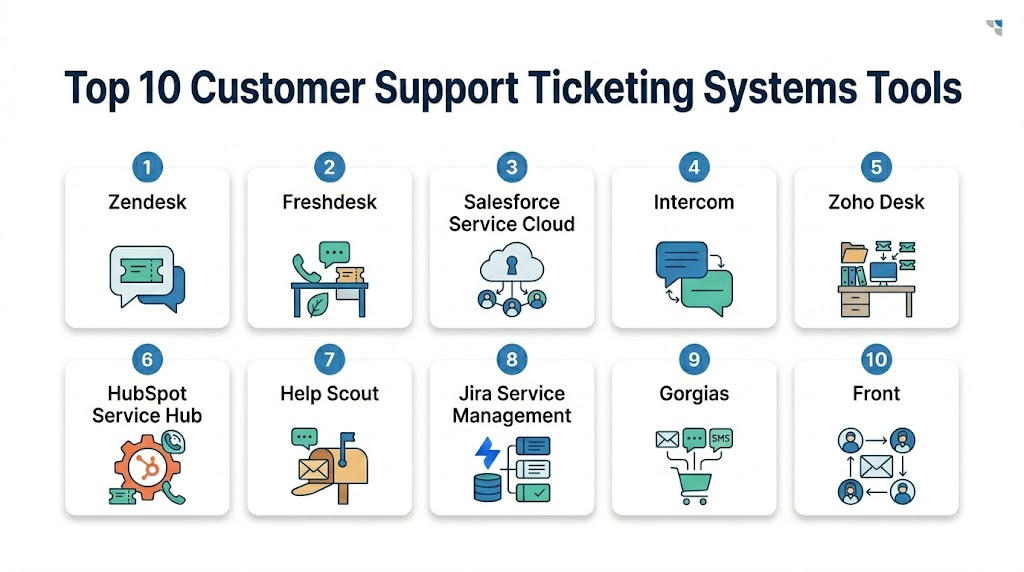
Top 10 Customer Support Ticketing Systems Tools
1- Zendesk
Short description: Zendesk is a widely used customer support and ticketing platform built for omnichannel service, automation, knowledge management, and support analytics. It is suitable for growing companies and enterprises that need scalable customer support across multiple channels.
Key Features
- Omnichannel ticketing across email, chat, phone, social, and help center
- Automated routing, triggers, macros, and SLA workflows
- Knowledge base and self-service support
- AI-assisted agent productivity features
- Customer context and conversation history
- Reporting and analytics dashboards
- Large marketplace and integration ecosystem
Pros
- Strong fit for scalable customer support operations
- Broad omnichannel and automation capabilities
- Large ecosystem of integrations, apps, and implementation partners
Cons
- Advanced setup can require admin expertise
- Costs can increase as teams add more modules and features
- Smaller teams may not need the full platform depth
Platforms / Deployment
Web / Cloud / iOS / Android
Security & Compliance
Zendesk supports enterprise support environments where access controls, roles, permissions, auditability, encryption, and secure customer data handling are important. Specific controls such as SSO, MFA, encryption options, audit logs, data residency, and certifications should be verified directly with the vendor. Not publicly stated for every configuration.
Integrations & Ecosystem
Zendesk has a broad ecosystem for connecting support tickets with CRM, ecommerce, collaboration, analytics, product, and customer success systems. It is useful when teams need customer context from many tools inside the support workflow.
Common integration areas include:
- CRM systems
- Ecommerce platforms
- Chat and messaging tools
- Collaboration tools
- Product analytics platforms
- Billing and subscription systems
Support & Community
Zendesk provides documentation, training resources, support plans, implementation partners, and a large user community. Support depth depends on package, contract level, and deployment complexity.
2- Freshdesk
Short description: Freshdesk is a customer support ticketing platform from Freshworks that helps teams manage tickets, automate workflows, support multiple channels, and build self-service experiences. It is popular with SMBs, mid-market teams, and companies that want a practical help desk with strong usability.
Key Features
- Email, chat, phone, social, and portal-based ticketing
- Ticket assignment, categorization, and prioritization
- Automation rules for routing and repetitive tasks
- SLA management and escalation workflows
- Knowledge base and self-service support
- AI-powered assistance depending on plan and setup
- Reporting and customer satisfaction tracking
Pros
- Strong balance of usability and capability
- Good fit for SMB and mid-market support teams
- Helpful automation and omnichannel support options
Cons
- Advanced enterprise customization may require careful setup
- Some AI and advanced workflow features may depend on plan
- Very complex service operations may need additional configuration
Platforms / Deployment
Web / Cloud / iOS / Android
Security & Compliance
Freshdesk supports business support environments where secure access, permissions, customer data protection, and auditability matter. Specific details such as SSO, MFA, encryption, role-based access, audit logs, and certifications should be verified directly with the vendor. Not publicly stated for every configuration.
Integrations & Ecosystem
Freshdesk integrates with CRM, collaboration, ecommerce, telephony, marketing, and productivity tools. It is useful for support teams that need a connected help desk without heavy enterprise complexity.
Common integration areas include:
- CRM systems
- Telephony and call center tools
- Ecommerce platforms
- Collaboration tools
- Knowledge base workflows
- Reporting and analytics tools
Support & Community
Freshworks provides documentation, support resources, onboarding materials, community content, and customer success options. Support levels vary by plan and customer agreement.
3- Salesforce Service Cloud
Short description: Salesforce Service Cloud is an enterprise customer service platform that supports case management, omnichannel routing, knowledge, automation, AI, and CRM-connected service workflows. It is best suited for organizations already using Salesforce for sales, marketing, customer data, or revenue operations.
Key Features
- CRM-native case and ticket management
- Omnichannel routing and service workflows
- Knowledge base and self-service options
- AI-assisted service capabilities depending on setup
- Customer profile and account history integration
- Service analytics and dashboards
- Field service, contact center, and automation ecosystem
Pros
- Strong fit for Salesforce-centered organizations
- Deep customer data and CRM context inside support workflows
- Scalable for enterprise service operations
Cons
- Can require Salesforce administration and implementation support
- May feel complex for small teams
- Cost and configuration can increase with advanced features
Platforms / Deployment
Web / Cloud / iOS / Android
Security & Compliance
Salesforce enterprise products commonly support SSO, MFA, role-based access, permissions, audit features, encryption options, and administrative controls depending on edition and configuration. Specific certifications and compliance coverage should be verified directly with Salesforce. Not publicly stated for every configuration.
Integrations & Ecosystem
Salesforce Service Cloud integrates deeply with the Salesforce ecosystem and connects service workflows with sales, marketing, commerce, analytics, field service, and customer success processes.
Common integration areas include:
- Salesforce CRM
- Marketing automation platforms
- Commerce systems
- Contact center tools
- Field service workflows
- Analytics and data platforms
Support & Community
Salesforce provides documentation, training, enterprise support, Trailhead learning, implementation partners, and a large user community. Support levels depend on edition, contract, and deployment scope.
4- Intercom
Short description: Intercom is a customer service platform focused on conversational support, messaging, AI assistance, help center content, and customer engagement. It is especially useful for SaaS and digital businesses that want support experiences built around chat, in-app messaging, and customer context.
Key Features
- Conversational ticketing and inbox workflows
- Live chat and in-app messaging
- AI chatbot and automation capabilities
- Help center and self-service support
- Customer segmentation and context
- Product-led support workflows
- Reporting and team performance analytics
Pros
- Strong fit for SaaS and digital product companies
- Excellent for chat-first and in-app support experiences
- Helps combine support, engagement, and self-service
Cons
- Traditional email-heavy help desk teams may prefer other tools
- Advanced automation and AI features may require careful setup
- Pricing can grow with contacts, seats, or feature needs
Platforms / Deployment
Web / Cloud / iOS / Android
Security & Compliance
Intercom supports customer communication environments where secure access, permissions, data handling, and privacy controls matter. Specific details such as SSO, MFA, encryption, audit logs, role-based access, and certifications should be verified directly with the vendor. Not publicly stated for every configuration.
Integrations & Ecosystem
Intercom connects with product, CRM, billing, marketing, data, and support tools. It is useful when teams want customer behavior, product context, and messaging workflows connected.
Common integration areas include:
- CRM systems
- Product analytics tools
- Billing platforms
- Data warehouses
- Marketing automation tools
- Collaboration platforms
Support & Community
Intercom provides documentation, support resources, onboarding guidance, product education, and implementation assistance. Support depth varies by plan and customer needs.
5- Zoho Desk
Short description: Zoho Desk is a customer support ticketing platform that helps teams manage tickets, automate support workflows, build help centers, and track customer service performance. It is a strong fit for businesses already using Zoho applications or teams looking for affordable help desk capabilities.
Key Features
- Email, social, chat, phone, and portal ticketing
- Ticket assignment and workflow automation
- SLA and escalation management
- Knowledge base and customer self-service
- AI assistant capabilities depending on plan
- Customer context from Zoho ecosystem
- Reporting and support analytics
Pros
- Strong value for SMB and mid-market teams
- Works well inside the Zoho ecosystem
- Good mix of ticketing, automation, and self-service features
Cons
- Enterprise-level customization may require careful setup
- Best ecosystem value comes when using other Zoho products
- Interface and workflow preferences may vary by team
Platforms / Deployment
Web / Cloud / iOS / Android
Security & Compliance
Zoho Desk supports role-based permissions, access control, and data protection features depending on setup. Specific details such as SSO, MFA, encryption, audit logs, data residency, and certifications should be verified directly with the vendor. Not publicly stated for every configuration.
Integrations & Ecosystem
Zoho Desk integrates well with Zoho CRM and other Zoho apps, while also supporting integrations with external business tools. It is useful for companies that want service data connected with sales and business operations.
Common integration areas include:
- Zoho CRM
- Email and telephony tools
- Chat systems
- Project management tools
- Analytics platforms
- Business productivity apps
Support & Community
Zoho provides documentation, community resources, customer support, onboarding materials, and product learning content. Support options vary by plan and customer agreement.
6- HubSpot Service Hub
Short description: HubSpot Service Hub helps teams manage support tickets, customer conversations, knowledge base content, feedback surveys, and service reporting inside the HubSpot CRM platform. It is suitable for companies that want customer support closely connected with sales and marketing data.
Key Features
- Ticket pipeline and help desk workflows
- Shared inbox and customer conversations
- Knowledge base and self-service support
- Customer feedback and survey tools
- Automation and routing workflows
- CRM-connected customer history
- Reporting dashboards and service analytics
Pros
- Strong fit for companies using HubSpot CRM
- Easy to connect support with sales and marketing context
- Good usability for growing customer-facing teams
Cons
- Advanced enterprise service workflows may need higher-tier features
- Best value comes when using the broader HubSpot platform
- Complex omnichannel support may require additional tools
Platforms / Deployment
Web / Cloud / iOS / Android
Security & Compliance
HubSpot supports business environments where user permissions, secure access, data protection, and administrative controls are important. Specific details such as SSO, MFA, encryption, audit logs, data residency, and certifications should be verified directly with the vendor. Not publicly stated for every configuration.
Integrations & Ecosystem
HubSpot Service Hub integrates with HubSpot CRM, marketing, sales, content, and operations tools, as well as many third-party apps. It is useful for teams that want one customer record across support and revenue workflows.
Common integration areas include:
- HubSpot CRM
- Marketing automation
- Sales tools
- Chat and messaging
- Customer feedback tools
- Reporting and analytics apps
Support & Community
HubSpot provides documentation, Academy resources, community forums, customer support, onboarding partners, and training content. Support levels depend on plan and customer agreement.
7- Help Scout
Short description: Help Scout is a customer support platform built around shared inboxes, ticketing, knowledge base, live chat, and customer-friendly support workflows. It is useful for small and mid-sized teams that want a simple, human support experience without heavy enterprise complexity.
Key Features
- Shared inbox and ticket management
- Customer conversation history
- Knowledge base and self-service
- Live chat and messaging support
- Automation rules and workflows
- Customer satisfaction feedback
- Reporting and team performance analytics
Pros
- Simple and clean support experience
- Strong fit for customer-focused SMB teams
- Easy for agents to learn and use
Cons
- May not fit highly complex enterprise service operations
- Advanced omnichannel or ITSM needs may require other tools
- Customization depth may be more limited than larger platforms
Platforms / Deployment
Web / Cloud / iOS / Android
Security & Compliance
Help Scout supports customer conversation workflows where secure access, permissions, data protection, and privacy controls matter. Specific details such as SSO, MFA, encryption, audit logs, role-based access, and certifications should be verified directly with the vendor. Not publicly stated for every configuration.
Integrations & Ecosystem
Help Scout integrates with CRM, ecommerce, collaboration, analytics, and customer communication tools. It is useful for teams that want support conversations connected with customer records and business systems.
Common integration areas include:
- CRM systems
- Ecommerce platforms
- Collaboration tools
- Analytics tools
- Customer messaging tools
- Billing and subscription platforms
Support & Community
Help Scout provides documentation, support resources, onboarding content, and customer-focused education. Support levels vary by plan and customer agreement.
8- Jira Service Management
Short description: Jira Service Management is a service management and ticketing platform from Atlassian that helps teams manage customer requests, IT support, incidents, service requests, approvals, and workflow automation. It is especially useful for technical support, IT, DevOps, and engineering-connected service teams.
Key Features
- Request and ticket management
- Custom workflows and queues
- SLA tracking and escalation rules
- Incident and change management support
- Knowledge base integration with Confluence
- Automation and approval workflows
- Strong integration with Jira Software and Atlassian tools
Pros
- Strong fit for technical support and IT service teams
- Deep workflow flexibility and Atlassian ecosystem integration
- Useful when support tickets need engineering collaboration
Cons
- May feel too technical for simple customer support teams
- Setup can require workflow design and administration
- Customer experience may need careful portal configuration
Platforms / Deployment
Web / Cloud / Data Center / iOS / Android
Security & Compliance
Atlassian products support enterprise security and administration features depending on plan and deployment, including access controls, permissions, auditability, and identity management options. Specific details such as SSO, MFA, encryption, audit logs, and certifications should be verified directly with Atlassian. Not publicly stated for every configuration.
Integrations & Ecosystem
Jira Service Management integrates deeply with Atlassian tools and can connect with development, incident management, monitoring, communication, and knowledge systems. It is useful when customer or internal support tickets need engineering handoff.
Common integration areas include:
- Jira Software
- Confluence
- Monitoring and incident tools
- Collaboration platforms
- DevOps tools
- Asset and configuration systems
Support & Community
Atlassian provides documentation, community forums, training resources, marketplace apps, partners, and support plans. Support depth depends on plan, deployment model, and enterprise agreement.
9- Gorgias
Short description: Gorgias is a customer support ticketing platform built mainly for ecommerce brands. It helps support teams manage customer conversations, order-related questions, refunds, shipping issues, and social commerce messages from one workspace.
Key Features
- Ecommerce-focused ticketing
- Email, chat, social, and messaging support
- Order and customer context inside tickets
- Macros and automation rules
- Shopify and ecommerce platform integrations
- Revenue and support performance reporting
- Customer self-service and automation options
Pros
- Strong fit for ecommerce and DTC brands
- Useful for order-related support and social messages
- Helps agents resolve issues with customer and order context
Cons
- Less suitable for non-ecommerce support teams
- Advanced enterprise service workflows may need other tools
- Best value depends on ecommerce platform integration
Platforms / Deployment
Web / Cloud
Security & Compliance
Gorgias supports ecommerce support workflows where customer, order, and payment-adjacent information may be visible to agents. Buyers should verify SSO, MFA, encryption, audit logs, role-based access, and compliance documentation directly with the vendor. Not publicly stated for every configuration.
Integrations & Ecosystem
Gorgias connects closely with ecommerce platforms, social channels, messaging tools, loyalty systems, and shipping workflows. It is useful when support agents need customer order context to answer quickly.
Common integration areas include:
- Ecommerce platforms
- Social media channels
- Live chat and messaging tools
- Shipping tools
- Loyalty platforms
- Payment and order workflows
Support & Community
Gorgias provides customer support, onboarding resources, documentation, ecommerce support guidance, and partner resources. Support depth depends on plan and customer requirements.
10- Front
Short description: Front is a customer communication and shared inbox platform that combines email collaboration, ticketing-style workflows, automation, analytics, and team accountability. It is useful for support, success, operations, and sales teams that want shared inbox simplicity with more structured customer communication management.
Key Features
- Shared inbox and ticket-style workflows
- Email, SMS, chat, and communication channel management
- Assignment, internal comments, and collaboration
- Automation rules and routing
- SLA and response tracking
- Customer conversation history
- Analytics and team performance reporting
Pros
- Strong fit for teams that live in email-based customer communication
- Easier to adopt than many traditional enterprise ticketing systems
- Useful for cross-functional support and operations workflows
Cons
- May not fit teams needing deep ITSM or highly structured case management
- Advanced support portal or knowledge base needs may require integrations
- Best suited for conversation-centric workflows
Platforms / Deployment
Web / Cloud / Windows / macOS / iOS / Android
Security & Compliance
Front supports customer communication environments where access control, permissions, data protection, and admin governance are important. Specific details such as SSO, MFA, encryption, audit logs, role-based access, and certifications should be verified directly with the vendor. Not publicly stated for every configuration.
Integrations & Ecosystem
Front integrates with CRM, collaboration, support, ecommerce, productivity, and workflow tools. It is useful for teams that want shared customer conversations connected with business context.
Common integration areas include:
- CRM systems
- Collaboration tools
- Ecommerce platforms
- Productivity apps
- Customer success platforms
- Analytics and reporting tools
Support & Community
Front provides documentation, customer support, onboarding resources, and implementation assistance depending on plan. Support depth varies by package and customer agreement.
Comparison Table
| Tool Name | Best For | Platform Supported | Deployment | Standout Feature | Public Rating |
|---|---|---|---|---|---|
| Zendesk | Scalable omnichannel support teams | Web / iOS / Android | Cloud | Omnichannel ticketing and automation | N/A |
| Freshdesk | SMB and mid-market support teams | Web / iOS / Android | Cloud | Usable help desk with automation | N/A |
| Salesforce Service Cloud | Salesforce-centered enterprises | Web / iOS / Android | Cloud | CRM-native case and service workflows | N/A |
| Intercom | SaaS and digital product support | Web / iOS / Android | Cloud | Conversational and in-app support | N/A |
| Zoho Desk | Value-focused teams using Zoho | Web / iOS / Android | Cloud | Affordable ticketing with Zoho ecosystem fit | N/A |
| HubSpot Service Hub | Support teams using HubSpot CRM | Web / iOS / Android | Cloud | CRM-connected support and feedback workflows | N/A |
| Help Scout | Customer-focused SMB support teams | Web / iOS / Android | Cloud | Simple shared inbox and knowledge base | N/A |
| Jira Service Management | IT and technical support teams | Web / iOS / Android | Cloud / Data Center | Technical workflows and Jira integration | N/A |
| Gorgias | Ecommerce and DTC support teams | Web | Cloud | Ecommerce order-aware ticketing | N/A |
| Front | Email-centric support and operations teams | Web / Windows / macOS / iOS / Android | Cloud | Shared inbox with ticket-style accountability | N/A |
Evaluation & Scoring of Customer Support Ticketing Systems
The scoring below is comparative and buyer-oriented. It should be used as a shortlisting guide, not as a final purchasing decision. A platform with a lower weighted total may still be the best choice if it matches your support channels, customer base, team size, CRM stack, ecommerce setup, or technical support workflow.
| Tool Name | Core 25% | Ease 15% | Integrations 15% | Security 10% | Performance 10% | Support 10% | Value 15% | Weighted Total |
| Zendesk | 9 | 8 | 9 | 8 | 9 | 8 | 7 | 8.35 |
| Freshdesk | 8 | 9 | 8 | 8 | 8 | 8 | 8 | 8.15 |
| Salesforce Service Cloud | 9 | 7 | 9 | 8 | 9 | 9 | 7 | 8.30 |
| Intercom | 8 | 8 | 8 | 8 | 8 | 8 | 7 | 7.90 |
| Zoho Desk | 8 | 8 | 8 | 7 | 8 | 8 | 9 | 8.00 |
| HubSpot Service Hub | 8 | 9 | 8 | 8 | 8 | 8 | 8 | 8.15 |
| Help Scout | 7 | 9 | 7 | 7 | 8 | 8 | 8 | 7.70 |
| Jira Service Management | 8 | 7 | 9 | 8 | 9 | 8 | 8 | 8.10 |
| Gorgias | 8 | 8 | 8 | 7 | 8 | 8 | 8 | 7.85 |
| Front | 7 | 9 | 8 | 8 | 8 | 8 | 8 | 7.95 |
How to interpret the scores:
- Core score reflects ticketing depth, routing, automation, omnichannel support, knowledge base, SLA management, and reporting.
- Ease score reflects usability for agents, admins, managers, and customers.
- Integration score reflects fit with CRM, ecommerce, billing, product, communication, and collaboration tools.
- Security score reflects visible governance signals and expected controls, not unverified certifications.
- Performance score reflects suitability for ticket volume, channel complexity, customer scale, and automation workload.
- Value score reflects practical fit relative to features, implementation effort, support needs, and expected customer experience impact.
Which Customer Support Ticketing System Is Right for You?
Solo / Freelancer
Solo consultants, freelancers, and independent service providers usually do not need a heavy enterprise ticketing platform. A simple shared inbox, Front, Help Scout, Zoho Desk, or HubSpot Service Hub may be enough to track client requests, avoid missed follow-ups, and keep communication organized.
If the freelancer works with ecommerce clients, Gorgias may be useful for order-related support. If the freelancer handles technical support or product issue tracking, Jira Service Management may be useful when issues need to flow into engineering workflows.
SMB
Small and mid-sized businesses should prioritize ease of use, fast setup, affordable pricing, and practical automation. Freshdesk, Zoho Desk, HubSpot Service Hub, Help Scout, Front, and Gorgias can be strong options depending on support style and business model.
SMBs should avoid overbuilding support operations too early. The first goal should be to centralize customer requests, assign ownership, respond faster, track open issues, and build a basic knowledge base for common questions.
Mid-Market
Mid-market companies often need more structured automation, SLAs, reporting, channel coverage, integrations, and agent productivity workflows. Zendesk, Freshdesk, Intercom, HubSpot Service Hub, Jira Service Management, and Salesforce Service Cloud can be strong candidates depending on existing systems.
Mid-market buyers should test email, chat, phone, portal, escalation, SLA, knowledge base, and reporting workflows with real support scenarios. A strong platform should reduce ticket chaos while giving managers visibility into team performance.
Enterprise
Large enterprises need scalable customer support ticketing systems that support high ticket volume, multiple brands, regions, languages, teams, permission layers, escalation paths, analytics, and enterprise integrations. Zendesk, Salesforce Service Cloud, Jira Service Management, Freshdesk, and Intercom are strong enterprise candidates depending on support model.
Enterprise buyers should prioritize governance, role-based access, auditability, integration depth, workflow flexibility, AI readiness, global support coverage, and reporting for CX leadership. The best enterprise platform is usually the one that fits the existing CRM, IT, support, and customer data environment.
Budget vs Premium
Budget-conscious teams should first identify the biggest support problem. If the issue is missed emails and poor ownership, a simpler help desk or shared inbox tool may be enough. If the issue is omnichannel complexity, SLAs, AI routing, global teams, and enterprise reporting, a premium platform may deliver better long-term value.
Premium platforms are more useful when companies need advanced automation, AI-assisted support, custom workflows, large-scale analytics, service portals, contact center integrations, and deeper governance.
Feature Depth vs Ease of Use
Zendesk and Salesforce Service Cloud offer strong enterprise depth, but may require more administration. Freshdesk and Zoho Desk offer a strong mix of usability and capability. Intercom is strong for conversational and SaaS product support, while Help Scout is strong for simple human support workflows.
Jira Service Management is best when support issues require IT or engineering workflows. Gorgias is strong for ecommerce support. Front is useful for teams that want shared inbox simplicity with ticket-style control.
Integrations & Scalability
Customer support ticketing becomes more powerful when it integrates with CRM, ecommerce, product analytics, billing, telephony, live chat, collaboration tools, and customer success systems. Without integration, agents may waste time switching tools and asking customers for information the business already has.
Buyers should test customer lookup, order data, subscription details, SLA triggers, escalation paths, internal notes, knowledge base suggestions, and reporting exports. Integration quality often determines whether the ticketing system improves support speed or simply creates another inbox.
Security & Compliance Needs
Customer support ticketing systems often store customer conversations, personal data, order details, billing-related questions, product issues, attachments, and internal notes. Buyers should evaluate SSO, MFA, encryption, role-based access, audit logs, data retention, data residency, admin controls, and permission structures.
Companies in regulated industries should involve security, legal, IT, compliance, and support operations teams during vendor review. Teams should also confirm how the platform manages customer data, agent permissions, export controls, and third-party integrations.
Frequently Asked Questions
1- What is a Customer Support Ticketing System?
A Customer Support Ticketing System helps teams manage customer requests as trackable tickets. It centralizes questions from channels like email, chat, phone, social media, and portals so agents can assign, prioritize, resolve, and report on support issues.
2- Why do businesses need a ticketing system?
Businesses need a ticketing system to avoid missed requests, duplicate replies, delayed escalations, and poor customer visibility. It helps support teams organize work, improve response times, track ownership, and measure service quality.
3- What is the difference between help desk software and ticketing software?
Ticketing software focuses on creating, tracking, assigning, and resolving customer issues. Help desk software is often broader and may include knowledge base, automation, live chat, reporting, self-service portals, SLA tracking, and customer satisfaction tools.
4- What are the most important ticketing system features?
Important features include ticket assignment, routing, automation, SLA tracking, omnichannel support, knowledge base, customer history, collaboration tools, reporting dashboards, AI assistance, and integration with CRM or business systems.
5- Who uses Customer Support Ticketing Systems?
These systems are used by customer support teams, IT help desks, SaaS support teams, ecommerce support teams, technical support groups, customer success teams, service desks, and operations teams that manage customer or internal requests.
6- How much do Customer Support Ticketing Systems cost?
Pricing varies by vendor, users, features, channels, AI add-ons, automation depth, support level, and implementation scope. Many tools charge per agent or per seat. Buyers should compare software cost, setup, training, integrations, support, and long-term administration.
7- Can ticketing systems support live chat and social media?
Yes, many modern ticketing systems support live chat, social media, messaging apps, email, phone, and customer portals. The depth of each channel varies by vendor, so buyers should test the channels their customers use most.
8- Can ticketing systems integrate with CRM tools?
Yes, most customer support ticketing systems integrate with CRM tools. CRM integration helps agents see customer profiles, sales history, account status, subscription details, and past interactions while resolving tickets.
9- What are common mistakes when choosing ticketing software?
Common mistakes include choosing based only on price, ignoring agent usability, failing to test integrations, underestimating workflow complexity, and not involving support agents in evaluation. Another mistake is buying an enterprise tool before defining core support processes.
10- Are Customer Support Ticketing Systems useful for SaaS companies?
Yes, SaaS companies benefit from ticketing systems because they often handle technical issues, onboarding questions, billing problems, feature requests, and product feedback. Tools like Intercom, Zendesk, Freshdesk, HubSpot Service Hub, and Jira Service Management can support different SaaS support models.
Conclusion
Customer Support Ticketing Systems help businesses turn scattered customer conversations into organized, trackable, and measurable support workflows. The right platform depends on support volume, customer channels, team size, business model, CRM stack, ecommerce setup, technical workflow needs, and customer experience goals. Zendesk and Salesforce Service Cloud are strong for scalable enterprise support, while Freshdesk, Zoho Desk, HubSpot Service Hub, and Help Scout are practical for SMB and mid-market teams. Intercom is strong for SaaS and conversational support, Jira Service Management fits technical and IT support, Gorgias is useful for ecommerce brands, and Front is practical for email-centric customer communication. Buyers should shortlist two or three platforms, test real support scenarios, validate integrations, review security controls, and confirm that the chosen tool improves both agent productivity and customer satisfaction.
