Introduction
Collections Automation Tools help finance teams manage unpaid invoices, overdue accounts, payment reminders, customer follow-ups, dispute handling, payment promises, and cash collection workflows. In simple words, these tools replace manual spreadsheet tracking, scattered email follow-ups, and reactive collections work with structured automation that helps accounts receivable teams get paid faster and manage customer communication more professionally.
Collections automation matters because delayed payments directly affect cash flow, working capital, forecasting accuracy, and finance team productivity. When collections are handled manually, teams often miss follow-ups, treat all customers the same, lose visibility into disputes, and spend too much time chasing invoices instead of managing risk. A strong collections automation platform helps prioritize accounts, automate reminders, segment customers, track collector activity, reduce overdue balances, and give finance leaders better visibility into receivables performance.
Real-world use cases include:
- Automated payment reminders for upcoming, overdue, and high-risk invoices.
- Collector worklists for prioritizing accounts based on balance, risk, aging, and payment behavior.
- Customer communication tracking across emails, calls, notes, payment promises, and disputes.
- Dispute and deduction follow-up for invoices that customers are not ready to pay.
- Cash forecasting using payment behavior, aging data, and expected collection dates.
- Self-service payment portals where customers can view invoices and pay online.
- AR performance reporting for DSO, aging, collector productivity, payment trends, and cash flow.
Evaluation Criteria for Buyers:
- Automated dunning and reminders for scheduled, personalized, and rule-based follow-ups.
- Collector prioritization using invoice aging, balance size, customer risk, and payment history.
- ERP and accounting integration for invoice data, customer records, payments, credits, and account balances.
- Customer communication tools for email templates, notes, call logs, and activity history.
- Payment portal support for online payments, invoice access, customer self-service, and payment status.
- Dispute management for short payments, deductions, invoice issues, and customer claims.
- Cash forecasting to estimate payment timing and improve working capital planning.
- Security controls such as RBAC, SSO, audit logs, encryption, and permission management.
- Analytics and dashboards for aging, DSO, collector performance, disputes, and overdue trends.
- Ease of adoption for collectors, AR managers, finance leaders, customer service teams, and administrators.
Best for: Collections Automation Tools are best for accounts receivable teams, finance departments, credit and collections managers, CFOs, controllers, shared service centers, subscription businesses, distributors, manufacturers, SaaS companies, and organizations that manage high invoice volume or recurring overdue payments.
Not ideal for: Very small businesses with only a few invoices per month may not need a dedicated collections automation platform. If overdue invoice volume is low and follow-ups are simple, basic accounting reminders, email templates, or a spreadsheet may be enough until collections complexity increases.
Key Trends in Collections Automation Tools
- AI-assisted collections prioritization is becoming more useful as platforms help collectors focus on accounts most likely to delay payment or affect cash flow.
- Customer segmentation is improving collections strategy by allowing teams to apply different reminder workflows based on customer size, risk, aging, and payment behavior.
- Self-service payment portals are becoming standard because customers expect easy access to invoices, balances, payment links, and account statements.
- Cash forecasting is becoming more connected with collections activity so finance leaders can better understand expected cash inflows.
- ERP integration remains critical because collections teams need accurate invoice, credit, payment, and customer account data.
- Dispute and deduction workflows are becoming more important because many overdue invoices are blocked by customer issues rather than simple non-payment.
- Collector productivity dashboards are becoming stronger as finance teams track follow-up volume, promise-to-pay outcomes, overdue reduction, and escalation results.
- Automated customer communication is becoming more personalized with smarter templates, customer-specific language, and invoice-level context.
- Collaboration between AR, sales, and customer success is increasing because collections issues often require commercial, service, or relationship context.
- Security and auditability are stronger buying criteria because collections platforms handle customer financial data, invoice records, payment details, and communication history.
How We Selected These Tools
The tools in this list were selected based on their relevance to accounts receivable automation, collections workflows, invoice-to-cash operations, payment reminders, cash application, customer portals, disputes, reporting, and integration capability.
Evaluation logic included:
- Collections automation depth across reminders, collector worklists, customer segmentation, escalations, and payment follow-up.
- Market recognition and adoption among finance, AR, credit, collections, and invoice-to-cash teams.
- Invoice-to-cash coverage including invoicing, payments, disputes, cash application, collections, and reporting.
- ERP and accounting integration for invoice data, customer balances, credits, payments, and finance workflows.
- Customer experience quality through portals, payment links, statements, communication tracking, and self-service.
- Analytics and cash visibility for aging, DSO, expected payments, overdue trends, and collector performance.
- Security and control signals such as permissions, audit trails, authentication, and administrative settings.
- Scalability for SMB, mid-market, and enterprise AR operations.
- Ease of use for collectors, AR managers, finance leaders, customer-facing teams, and administrators.
- Practical buyer fit across SaaS, manufacturing, distribution, services, healthcare, logistics, and B2B commerce.
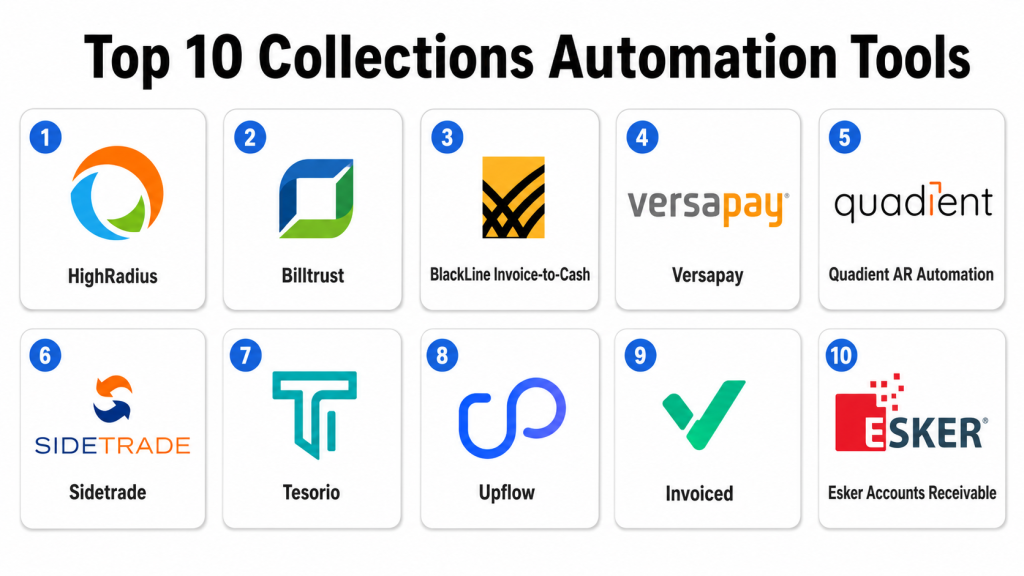
Top 10 Collections Automation Tools
1- HighRadius
Short description: HighRadius is an enterprise accounts receivable automation platform that supports collections, cash application, credit, deductions, payments, and invoice-to-cash workflows. It is best suited for large organizations with high invoice volumes, complex customer portfolios, and mature finance operations.
Key Features
- AI-assisted collections worklists and prioritization.
- Automated reminders and customer follow-up workflows.
- Cash application and payment matching capabilities.
- Credit and deductions management support.
- Customer payment behavior analytics.
- Dashboards for aging, DSO, collections productivity, and cash visibility.
- ERP integration for invoice, payment, and customer data.
Pros
- Strong fit for enterprise AR and invoice-to-cash teams.
- Broad platform coverage across collections, cash application, credit, and deductions.
- Useful for high-volume finance operations needing automation and visibility.
Cons
- Implementation may require process redesign and finance data preparation.
- May be too advanced for smaller businesses with simple AR workflows.
- Best value depends on ERP integration quality and data readiness.
Platforms / Deployment
Web / Cloud
Security & Compliance
HighRadius commonly supports enterprise access controls, permissions, workflow auditability, and secure finance data handling. Specific certifications and compliance requirements should be confirmed directly with the vendor.
Integrations & Ecosystem
HighRadius connects with ERP, finance, payment, invoice, and reporting systems to support invoice-to-cash automation.
Common integration areas include:
- ERP systems.
- Accounting platforms.
- Payment gateways.
- Bank data sources.
- Customer portals.
- Reporting and analytics tools.
Support & Community
HighRadius provides enterprise support, implementation guidance, documentation, customer success services, and finance transformation resources. Its community is strongest among enterprise AR, treasury, credit, collections, and shared service teams.
2- Billtrust
Short description: Billtrust is an accounts receivable automation platform that supports invoicing, payments, collections, cash application, credit, and customer payment experiences. It is useful for mid-market and enterprise companies that want to modernize AR and reduce manual collections work.
Key Features
- Collections management and customer follow-up workflows.
- Electronic invoicing and payment delivery.
- Online payment portal and customer self-service.
- Cash application and payment matching support.
- Credit and risk visibility capabilities.
- Customer communication and activity tracking.
- Dashboards for AR performance and invoice-to-cash visibility.
Pros
- Strong fit for companies modernizing invoicing and payment collection.
- Good customer payment experience through digital payment workflows.
- Useful for improving AR efficiency and reducing manual follow-up.
Cons
- Best results depend on integration with ERP and finance systems.
- Advanced use cases may require implementation planning.
- Smaller teams may not need the full AR automation suite.
Platforms / Deployment
Web / Cloud
Security & Compliance
Billtrust commonly supports secure payment workflows, access controls, user permissions, auditability, and administrative settings. Specific certifications and compliance requirements should be confirmed during vendor evaluation.
Integrations & Ecosystem
Billtrust integrates with finance, ERP, payment, banking, and customer communication systems to streamline AR operations.
Common integration areas include:
- ERP systems.
- Accounting platforms.
- Payment gateways.
- Banking networks.
- Customer portals.
- Reporting tools.
Support & Community
Billtrust provides customer support, documentation, onboarding resources, implementation services, and finance-focused guidance. Its community is strong among AR leaders, credit teams, collections teams, and finance transformation professionals.
3- BlackLine Invoice-to-Cash
Short description: BlackLine Invoice-to-Cash helps organizations automate accounts receivable processes, including collections, cash application, dispute management, credit risk, and AR analytics. It is well suited for finance teams that need stronger control, visibility, and automation across receivables.
Key Features
- Collections automation and collector worklists.
- Cash application automation.
- Dispute and deduction management support.
- Credit risk and customer account visibility.
- AR analytics and reporting dashboards.
- Workflow automation for finance operations.
- ERP integration for invoice and payment data.
Pros
- Strong fit for enterprise finance and accounting teams.
- Good coverage across cash application, collections, and disputes.
- Useful for organizations focused on financial close and AR control.
Cons
- Implementation can require finance process alignment.
- Smaller teams may not need the broader platform capabilities.
- Integration planning is important for accurate AR visibility.
Platforms / Deployment
Web / Cloud
Security & Compliance
BlackLine enterprise products commonly support access controls, permissions, audit trails, authentication options, and finance process governance. Specific certifications and compliance requirements should be confirmed directly.
Integrations & Ecosystem
BlackLine Invoice-to-Cash connects AR workflows with ERP, accounting, treasury, banking, and financial operations.
Common integration areas include:
- ERP systems.
- Accounting systems.
- Banking data.
- Payment systems.
- Finance close workflows.
- Reporting and analytics platforms.
Support & Community
BlackLine provides enterprise support, documentation, implementation services, customer success resources, and finance transformation guidance. Its community is strong among controllers, accounting teams, AR leaders, and finance operations teams.
4- Versapay
Short description: Versapay is a collaborative accounts receivable platform that supports digital invoicing, payments, collections, cash application, and customer collaboration. It is useful for businesses that want to improve AR automation while giving customers a better payment and communication experience.
Key Features
- Collections automation and payment follow-up.
- Digital invoicing and payment acceptance.
- Customer self-service portal.
- Cash application and payment matching.
- Collaborative communication between AR teams and customers.
- Dispute and invoice issue visibility.
- Reporting for receivables performance and payment trends.
Pros
- Strong customer collaboration and payment experience.
- Useful for reducing friction between AR teams and customers.
- Good fit for companies modernizing invoice and payment workflows.
Cons
- Advanced enterprise workflows may require configuration.
- Best value depends on customer adoption of the payment portal.
- Complex finance environments may need integration planning.
Platforms / Deployment
Web / Cloud
Security & Compliance
Versapay commonly supports secure payment workflows, user permissions, access controls, auditability, and administrative controls. Specific certifications and compliance coverage should be confirmed during vendor evaluation.
Integrations & Ecosystem
Versapay connects invoicing, payments, collections, and customer communication with finance systems.
Common integration areas include:
- ERP systems.
- Accounting platforms.
- Payment gateways.
- Customer portals.
- Banking systems.
- Reporting tools.
Support & Community
Versapay provides documentation, onboarding, customer success resources, and support services. Its community is strong among AR teams, finance leaders, B2B payment teams, and invoice-to-cash users.
5- Quadient AR Automation
Short description: Quadient AR Automation, including capabilities associated with YayPay, helps finance teams automate collections, cash forecasting, payment reminders, dispute workflows, and accounts receivable visibility. It is useful for companies that need structured collections and forecasting workflows.
Key Features
- Automated collections workflows and reminders.
- Collector dashboards and prioritized worklists.
- Cash forecasting and payment prediction support.
- Customer communication tracking.
- Dispute and payment issue management.
- AR analytics for aging, risk, and performance.
- Integration with ERP and accounting platforms.
Pros
- Strong fit for collections visibility and cash forecasting.
- Useful for AR teams moving away from manual follow-up.
- Good option for mid-market and enterprise finance teams.
Cons
- Implementation depends on invoice and customer data quality.
- Broader finance workflows may require additional integrations.
- Advanced customization needs should be validated before purchase.
Platforms / Deployment
Web / Cloud
Security & Compliance
Quadient commonly supports enterprise access controls, user permissions, workflow auditability, and secure finance data handling. Specific certifications and compliance requirements should be confirmed with the vendor.
Integrations & Ecosystem
Quadient AR Automation connects collections and receivables workflows with finance and ERP systems.
Common integration areas include:
- ERP systems.
- Accounting platforms.
- Payment systems.
- Customer communication tools.
- Banking data sources.
- Reporting dashboards.
Support & Community
Quadient provides documentation, customer support, onboarding resources, implementation guidance, and finance workflow expertise. Its community is strongest among AR managers, finance operations, collections teams, and invoice-to-cash users.
6- Sidetrade
Short description: Sidetrade is an order-to-cash and accounts receivable automation platform focused on collections, payment behavior intelligence, dispute management, cash application, and customer risk visibility. It is suitable for finance teams that want smarter cash collection decisions and automation.
Key Features
- AI-assisted collections prioritization.
- Payment behavior analysis and risk visibility.
- Automated reminders and dunning workflows.
- Dispute and deduction management support.
- Cash application and receivables workflow automation.
- Dashboards for DSO, aging, and collection performance.
- Integration with ERP and finance systems.
Pros
- Strong focus on intelligent collections and order-to-cash visibility.
- Useful for prioritizing accounts based on payment behavior.
- Good fit for mid-market and enterprise AR operations.
Cons
- Implementation may require finance process maturity.
- Best results depend on quality of invoice and customer data.
- Smaller companies may not need the full order-to-cash depth.
Platforms / Deployment
Web / Cloud
Security & Compliance
Sidetrade commonly supports access controls, permissions, workflow auditability, and secure data handling. Specific certifications and compliance needs should be confirmed directly with the vendor.
Integrations & Ecosystem
Sidetrade connects receivables workflows with ERP, accounting, payment, customer, and reporting systems.
Common integration areas include:
- ERP systems.
- Accounting tools.
- Payment platforms.
- Customer data sources.
- Banking systems.
- Reporting systems.
Support & Community
Sidetrade provides documentation, onboarding support, customer success services, implementation guidance, and AR automation expertise. Its community is strong among credit, collections, order-to-cash, and finance transformation teams.
7- Tesorio
Short description: Tesorio is a cash flow performance and accounts receivable platform that helps teams manage collections, cash forecasting, customer follow-up, and receivables visibility. It is useful for finance teams that want better control over expected cash and overdue invoices.
Key Features
- Collections automation and customer follow-up workflows.
- Cash forecasting and expected payment visibility.
- Invoice aging and customer account dashboards.
- Collector worklists and activity tracking.
- Payment promise and follow-up management.
- Integration with accounting, ERP, and CRM systems.
- Reporting for AR performance and cash flow.
Pros
- Strong fit for cash forecasting and AR visibility.
- Useful for finance teams managing collections and expected payments.
- Practical for companies that want better cash flow predictability.
Cons
- May require integration setup for accurate invoice and payment data.
- Advanced enterprise AR workflows should be validated carefully.
- Best results depend on disciplined collections process adoption.
Platforms / Deployment
Web / Cloud
Security & Compliance
Tesorio commonly supports controlled access, user permissions, secure finance data handling, and administrative settings. Specific certifications and compliance requirements should be confirmed directly with the vendor.
Integrations & Ecosystem
Tesorio connects AR, cash forecasting, accounting, and customer data workflows.
Common integration areas include:
- ERP systems.
- Accounting platforms.
- CRM systems.
- Payment systems.
- Finance reporting tools.
- Data warehouses.
Support & Community
Tesorio provides onboarding, documentation, support resources, and finance-focused customer success services. Its community is strongest among finance leaders, controllers, AR teams, and cash flow management users.
8- Upflow
Short description: Upflow is an accounts receivable and collections platform built to help finance teams automate payment reminders, track unpaid invoices, manage customer communication, and improve cash collection. It is especially useful for SMB and mid-market teams seeking a modern collections workflow.
Key Features
- Automated payment reminders and follow-up sequences.
- Customer account and invoice visibility.
- Collections dashboards and aging reports.
- Customer communication tracking.
- Payment status and promise-to-pay management.
- Integration with accounting and billing systems.
- Team collaboration for AR follow-up.
Pros
- Easy to adopt for growing finance teams.
- Good fit for SMB and mid-market collections workflows.
- Helpful for reducing manual reminders and improving payment visibility.
Cons
- May not offer the same enterprise depth as larger AR platforms.
- Complex dispute and deduction workflows may need additional systems.
- Best value depends on accounting and billing integration quality.
Platforms / Deployment
Web / Cloud
Security & Compliance
Upflow commonly supports user permissions, secure access, and administrative controls. Specific certifications and compliance requirements should be confirmed directly with the vendor.
Integrations & Ecosystem
Upflow connects with accounting, billing, payment, and finance tools to support collections workflows.
Common integration areas include:
- Accounting systems.
- Billing platforms.
- Payment systems.
- CRM tools.
- Finance reporting tools.
- Collaboration tools.
Support & Community
Upflow provides onboarding, documentation, support resources, and customer success guidance. Its community is strongest among SMB finance teams, SaaS companies, AR managers, and startup finance teams.
9- Invoiced
Short description: Invoiced is an accounts receivable automation platform that supports invoicing, collections, payments, customer portals, cash application, and finance workflows. It is useful for companies that want to automate AR while improving customer payment access.
Key Features
- Automated collections and invoice reminders.
- Online customer payment portal.
- Invoice delivery and tracking.
- Payment processing and customer self-service.
- Cash application support.
- AR dashboards and receivables reporting.
- Integration with accounting and finance systems.
Pros
- Practical option for automating invoices and collections.
- Good customer portal and payment workflow support.
- Useful for SMB and mid-market AR teams.
Cons
- Enterprise-level complexity should be validated before purchase.
- Best results depend on customer adoption of portal and payment workflows.
- Advanced dispute management may require additional tools or configuration.
Platforms / Deployment
Web / Cloud
Security & Compliance
Invoiced commonly supports secure payment workflows, access permissions, user controls, and administrative settings. Specific certifications and compliance requirements should be confirmed with the vendor.
Integrations & Ecosystem
Invoiced connects AR automation with accounting, payment, billing, and customer systems.
Common integration areas include:
- Accounting platforms.
- Payment gateways.
- ERP systems.
- Customer portals.
- Billing systems.
- Reporting tools.
Support & Community
Invoiced provides documentation, onboarding resources, customer support, and implementation guidance. Its community is strongest among SMB finance teams, AR teams, subscription businesses, and B2B payment users.
10- Esker Accounts Receivable
Short description: Esker Accounts Receivable helps organizations automate invoice delivery, collections management, cash application, dispute handling, and AR workflow visibility. It is useful for finance teams that want a broader automation suite across order-to-cash and document process automation.
Key Features
- Collections management and automated reminders.
- Invoice delivery and customer communication workflows.
- Cash application automation.
- Dispute and deduction workflow support.
- Customer portal and payment visibility.
- AR dashboards and reporting.
- ERP integration for finance and receivables data.
Pros
- Strong fit for invoice-to-cash automation needs.
- Useful for connecting collections, cash application, and disputes.
- Good option for finance teams focused on process automation.
Cons
- Implementation may require workflow design and ERP integration.
- Some organizations may need training for full platform adoption.
- Advanced customization should be validated during evaluation.
Platforms / Deployment
Web / Cloud
Security & Compliance
Esker commonly supports enterprise access controls, permissions, auditability, secure document workflows, and administrative controls. Specific certifications and compliance details should be confirmed directly with the vendor.
Integrations & Ecosystem
Esker connects AR automation with ERP, finance, invoice, customer, and payment workflows.
Common integration areas include:
- ERP systems.
- Accounting platforms.
- Payment systems.
- Customer portals.
- Document automation workflows.
- Reporting tools.
Support & Community
Esker provides documentation, customer support, onboarding resources, implementation services, and finance automation guidance. Its community is strongest among finance operations, AR, order-to-cash, and document automation teams.
Comparison Table
| Tool Name | Best For | Platform Supported | Deployment | Standout Feature | Public Rating |
|---|---|---|---|---|---|
| HighRadius | Enterprise invoice-to-cash automation | Web | Cloud | AI-assisted collections and broad AR automation | N/A |
| Billtrust | Digital invoicing, payments, and AR automation | Web | Cloud | Customer payment experience and AR workflows | N/A |
| BlackLine Invoice-to-Cash | Enterprise AR control and cash application | Web | Cloud | Collections, disputes, and finance workflow control | N/A |
| Versapay | Collaborative AR and payment experience | Web | Cloud | Customer collaboration and payment portal | N/A |
| Quadient AR Automation | Collections visibility and cash forecasting | Web | Cloud | Automated collections and forecasting workflows | N/A |
| Sidetrade | Intelligent order-to-cash teams | Web | Cloud | Payment behavior intelligence and prioritization | N/A |
| Tesorio | Cash flow forecasting and AR visibility | Web | Cloud | Collections connected with cash forecasting | N/A |
| Upflow | SMB and mid-market collections teams | Web | Cloud | Easy automated reminders and customer follow-up | N/A |
| Invoiced | Invoice automation and customer payments | Web | Cloud | Online payment portal and AR automation | N/A |
| Esker Accounts Receivable | Invoice-to-cash process automation | Web | Cloud | Collections, cash application, and disputes | N/A |
Evaluation & Scoring of Collections Automation Tools
| Tool Name | Core 25% | Ease 15% | Integrations 15% | Security 10% | Performance 10% | Support 10% | Value 15% | Weighted Total |
| HighRadius | 9 | 7 | 9 | 9 | 9 | 8 | 7 | 8.25 |
| Billtrust | 9 | 8 | 9 | 8 | 9 | 8 | 8 | 8.50 |
| BlackLine Invoice-to-Cash | 9 | 7 | 9 | 9 | 9 | 8 | 7 | 8.25 |
| Versapay | 8 | 8 | 8 | 8 | 8 | 8 | 8 | 8.00 |
| Quadient AR Automation | 8 | 8 | 8 | 8 | 8 | 8 | 8 | 8.00 |
| Sidetrade | 8 | 7 | 8 | 8 | 8 | 8 | 7 | 7.60 |
| Tesorio | 8 | 8 | 8 | 8 | 8 | 8 | 8 | 8.00 |
| Upflow | 7 | 9 | 7 | 7 | 8 | 8 | 9 | 7.85 |
| Invoiced | 7 | 8 | 8 | 8 | 8 | 8 | 8 | 7.75 |
| Esker Accounts Receivable | 8 | 7 | 8 | 8 | 8 | 8 | 7 | 7.60 |
The scoring is comparative and should be used as a practical starting point, not a final buying decision. Enterprise teams may value ERP integration, cash application, dispute management, and auditability more than ease of setup. SMB and mid-market teams may prioritize simple reminders, customer payment portals, and fast adoption. A tool with a slightly lower total score may still be the best fit if it matches your invoice volume, customer base, accounting system, collections process, and budget. Buyers should test each platform with real overdue invoices, customer segments, reminder workflows, dispute scenarios, and payment data before final selection.
Which Collections Automation Tool Is Right for You?
Solo / Freelancer
Solo professionals and freelancers usually do not need a dedicated collections automation tool unless they manage recurring invoices, multiple clients, or frequent overdue payments. A simple invoicing system with automated reminders may be enough for basic follow-up.
If overdue invoices are becoming difficult to manage, Upflow or Invoiced may be practical starting points because they offer easier collections workflows and payment visibility. Large enterprise AR tools are usually unnecessary for solo users unless they manage finance operations for clients.
SMB
SMBs should focus on ease of setup, automated reminders, customer payment links, simple dashboards, and accounting integration. Upflow, Invoiced, Versapay, Tesorio, and Billtrust may be useful depending on invoice volume and payment workflow needs.
Small businesses should avoid overcomplicating collections. The first priority should be clear invoice delivery, payment reminders, customer communication history, and easy online payment options. Once overdue balances, disputes, or customer segmentation become more complex, a stronger AR automation platform becomes more valuable.
Mid-Market
Mid-market companies often need stronger collections automation because they manage more customers, larger invoice volumes, multiple payment terms, and recurring overdue accounts. Billtrust, Versapay, Quadient AR Automation, Tesorio, Upflow, Invoiced, and Esker can all be relevant depending on finance maturity.
If payment experience and invoicing are the main needs, Billtrust, Versapay, or Invoiced may be strong choices. If cash forecasting is important, Tesorio or Quadient may be useful. If the company wants broader invoice-to-cash automation, Esker or BlackLine may be better options.
Enterprise
Enterprises usually need advanced collections worklists, AI-assisted prioritization, cash application, dispute management, credit workflows, ERP integration, global customer portfolios, audit trails, and cash visibility. HighRadius, Billtrust, BlackLine, Sidetrade, Quadient, Esker, and Versapay are strong enterprise candidates.
Enterprise buyers should focus on integration depth, data governance, customer segmentation, workflow automation, compliance controls, reporting, and scalability. The best enterprise tool should help collectors prioritize the right accounts while giving finance leaders visibility into risk, cash, and working capital.
Budget vs Premium
Budget-focused buyers should start by solving the most urgent problem. If the main challenge is manual reminders, Upflow or Invoiced may be practical. If payment experience is the priority, Versapay or Billtrust may provide strong value depending on company size.
Premium buyers should evaluate HighRadius, Billtrust, BlackLine, Sidetrade, Quadient, and Esker when AR operations are complex. These platforms are better suited for teams that need advanced collections automation, cash application, dispute workflows, ERP integration, and enterprise reporting.
Feature Depth vs Ease of Use
HighRadius, BlackLine, Sidetrade, Esker, Billtrust, and Quadient offer deeper AR automation capabilities for complex finance environments. They are useful when collections must connect with cash application, credit, disputes, payments, and invoice-to-cash reporting.
Upflow, Invoiced, Versapay, and Tesorio may be easier to adopt depending on the use case. Buyers should choose feature depth when AR complexity is high and choose ease of use when the main goal is faster reminders, better visibility, and improved customer payment behavior.
Integrations & Scalability
Collections automation depends heavily on integration with ERP, accounting, billing, payments, banking, CRM, customer portals, and reporting systems. If invoice and payment data are not accurate, collectors may follow up on paid invoices, miss credits, or send incorrect reminders.
Scalability depends on invoice volume, customer count, currencies, regions, payment terms, dispute volume, and collector team size. Large organizations should validate data sync frequency, ERP connectors, payment matching, credit memo handling, user roles, audit logs, and dashboard performance before rollout.
Security & Compliance Needs
Collections automation tools handle sensitive customer financial data, invoice details, payment status, account balances, credit notes, payment promises, and communication history. Buyers should review role-based access, SSO, MFA, audit logs, encryption, customer-level permissions, and administrative controls.
Highly regulated organizations should also evaluate data retention, integration security, user activity history, payment data protection, and audit reporting. A strong collections automation tool should help teams collect faster without weakening customer trust or financial data security.
Frequently Asked Questions
1- What are Collections Automation Tools?
Collections Automation Tools help finance teams automate payment reminders, customer follow-ups, overdue invoice tracking, collector worklists, dispute workflows, and receivables reporting. They reduce manual effort and improve visibility into unpaid invoices.
2- Who should use Collections Automation Tools?
Accounts receivable teams, finance departments, credit and collections managers, controllers, CFOs, shared service centers, and businesses with high invoice volume should use collections automation tools. They are especially useful when overdue follow-ups are difficult to manage manually.
3- What is the difference between AR automation and collections automation?
AR automation covers broader accounts receivable processes such as invoicing, payments, cash application, deductions, and reporting. Collections automation focuses specifically on following up with customers, managing overdue invoices, tracking promises to pay, and reducing past due balances.
4- What features are most important in collections automation software?
Important features include automated reminders, collector worklists, customer segmentation, payment portals, dispute tracking, communication history, cash forecasting, ERP integration, dashboards, audit trails, and security controls.
5- How much do Collections Automation Tools cost?
Pricing varies by vendor, number of users, invoice volume, customer count, modules, integrations, payment features, support level, and implementation scope. Many vendors use custom pricing, so buyers should request quotes based on real AR workflows.
6- How long does implementation take?
Implementation depends on ERP integration, invoice data quality, customer records, payment workflows, reminder rules, dispute processes, and user training. A simple setup can move faster, while enterprise AR automation often requires phased implementation.
7- What are common mistakes when choosing collections software?
Common mistakes include ignoring ERP integration, using poor customer data, automating generic reminders without segmentation, skipping dispute workflows, and failing to involve collectors. Buyers should test the tool with real invoices and customer accounts.
8- Can collections automation reduce DSO?
Yes, collections automation can help reduce DSO by improving follow-up timing, prioritizing high-risk accounts, automating reminders, tracking payment promises, and improving customer payment access. Results depend on process quality, customer behavior, and adoption.
9- Do collections tools integrate with ERP systems?
Most leading collections tools integrate with ERP and accounting systems to access invoices, customer balances, payments, credits, and account history. Buyers should validate sync frequency, field mapping, payment updates, and exception handling before purchase.
10- Can collections automation improve customer experience?
Yes, collections automation can improve customer experience by sending timely reminders, providing clear invoice details, offering payment links, reducing duplicate follow-ups, and giving customers self-service access to account information.
Conclusion
Collections Automation Tools help finance teams move from reactive invoice chasing to structured, data-driven receivables management. The right platform can automate reminders, prioritize high-risk accounts, improve customer communication, support payment portals, reduce manual work, and give finance leaders better visibility into overdue cash. HighRadius, Billtrust, BlackLine, Versapay, Quadient, Sidetrade, Tesorio, Upflow, Invoiced, and Esker each serve different needs, from enterprise invoice-to-cash automation to simpler collections workflows for growing teams. The best choice depends on your invoice volume, ERP environment, customer base, dispute process, payment methods, cash forecasting needs, and budget. Start by shortlisting two or three tools, test them with real overdue invoices and customer segments, validate integrations and security, and then scale once collectors and finance leaders trust the workflow.
