Introduction
Insurance Broker Management Systems (IBMS) are software platforms designed to streamline the operations of insurance brokers, agencies, and intermediaries. In plain terms, these systems help brokers manage clients, policies, commissions, compliance, and reporting in a single digital environment. For 2026 and beyond, they are increasingly leveraging AI, automation, and integrated ecosystems to reduce manual tasks, improve accuracy, and enhance customer experiences.
Real-world use cases include:
- Tracking client interactions, policy renewals, and follow-ups automatically.
- Managing multi-carrier products and comparing insurance plans for clients.
- Automating commission calculations and reconciliations for brokers.
- Maintaining compliance with local and international insurance regulations.
- Integrating with accounting and CRM platforms for unified business operations.
Evaluation Criteria for Buyers:
When selecting an Insurance Broker Management System, buyers should assess:
- Core feature completeness (client, policy, commission management).
- Ease of use and intuitive interfaces.
- Integration capabilities with CRMs, accounting tools, and insurance carriers.
- Security & compliance features (SSO, MFA, GDPR, SOC 2).
- Scalability for different broker sizes and multi-region operations.
- Performance reliability and uptime guarantees.
- Support quality and community resources.
- Deployment flexibility (cloud, hybrid, on-prem).
- Value for price and ROI potential.
- Reporting and analytics capabilities.
Best for: Insurance brokers, small to large agencies, insurance intermediaries, and multi-carrier brokers seeking efficiency and compliance.
Not ideal for: Individual agents with minimal client volume or companies seeking a generic CRM without insurance-specific capabilities.
Key Trends in Insurance Broker Management Systems
- AI-powered recommendations for policy selection and client cross-selling.
- Automation of commission tracking, reporting, and regulatory filings.
- Cloud-first deployment with hybrid options for regional compliance.
- Embedded analytics and dashboards for real-time decision-making.
- Integration-ready APIs for CRM, accounting, and marketing automation.
- Enhanced cybersecurity: MFA, SSO, audit trails, and encryption standards.
- Regulatory compliance automation, including GDPR, SOC 2, and ISO certifications.
- Mobile-first interfaces for on-the-go brokers.
- Modular pricing models including subscription, tiered, and pay-per-user.
- Increased adoption of collaborative tools to manage multi-broker teams efficiently.
How We Selected These Tools (Methodology)
- Evaluated market adoption and industry mindshare among brokerages.
- Assessed feature completeness including client, policy, and commission management.
- Reviewed reliability, uptime, and performance signals from case studies.
- Verified security posture: encryption, SSO, MFA, audit logs, compliance certifications.
- Evaluated integrations, API availability, and ecosystem flexibility.
- Analyzed customer fit across different segments: solo brokers, SMBs, and enterprises.
- Considered support availability: onboarding, documentation, and community.
- Examined deployment flexibility and scalability potential.
- Prioritized solutions updated for 2026+ compliance and AI capabilities.
- Focused on practical ROI and overall value versus cost.
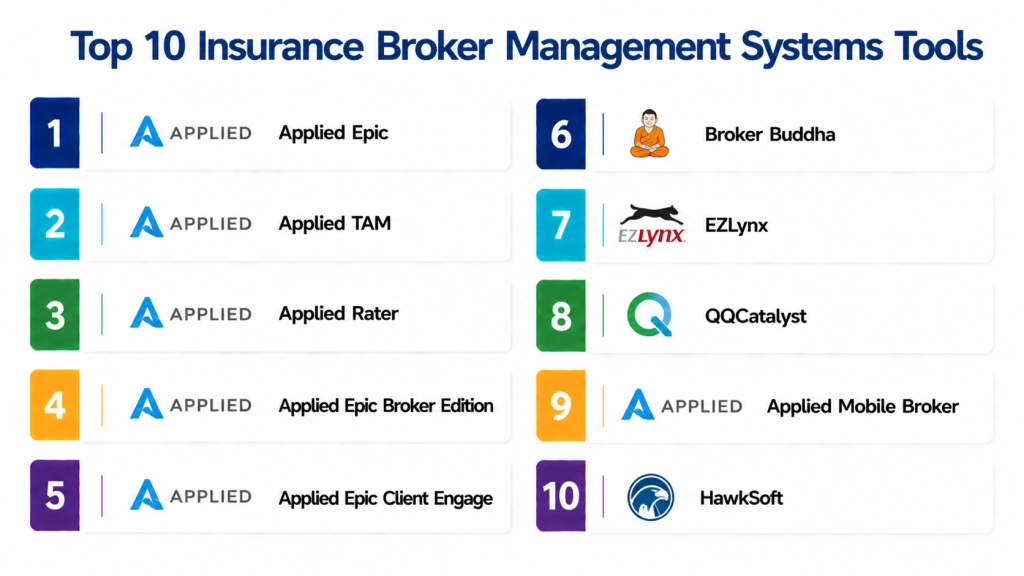
Top 10 Insurance Broker Management Systems Tools
1- Applied Epic
Short description: Applied Epic is a comprehensive broker management platform for mid-market and enterprise insurance agencies, offering policy, client, and commission automation.
Key Features
- Multi-carrier policy management.
- Automated commission calculations.
- Customizable client dashboards.
- Integrated CRM for broker workflows.
- Reporting and analytics modules.
- Compliance tracking and alerts.
Pros
- Streamlines multi-carrier workflows.
- Strong reporting capabilities.
Cons
- Learning curve for new users.
- Higher price for small brokers.
Platforms / Deployment
- Web, Windows, iOS
- Cloud / Hybrid
Security & Compliance
- MFA, encryption, SSO
- SOC 2, Not publicly stated ISO
Integrations & Ecosystem
Works with accounting, CRM, and email platforms.
- Salesforce
- QuickBooks
- DocuSign
- API access for custom workflows
Support & Community
- Dedicated onboarding
- Tiered support options
- Active community forums
2- Applied TAM
Short description: Applied TAM is designed for high-volume brokers, emphasizing policy lifecycle management and automated workflows.
Key Features
- Policy administration and renewal alerts.
- Commission tracking and reconciliation.
- Document management with e-signature.
- Compliance dashboards.
- AI-assisted client engagement tools.
Pros
- Automation reduces manual errors.
- Strong compliance support.
Cons
- Complexity for small agencies.
- Requires structured onboarding.
Platforms / Deployment
- Web / Windows / iOS / Android
- Cloud / Hybrid
Security & Compliance
- SSO, audit logs
- SOC 2, GDPR
Integrations & Ecosystem
Supports CRM, accounting, and marketing tools:
- Salesforce
- Xero
- HubSpot
Support & Community
- 24/7 support
- Extensive knowledge base
- Community discussion boards
3- Applied Rater
Short description: Focuses on real-time quoting and carrier comparison, ideal for brokers who need multi-line insurance offerings.
Key Features
- Real-time rate comparison across carriers.
- Integrated quoting engine.
- Client record management.
- Automated follow-up notifications.
- Multi-line insurance support.
Pros
- Saves time on manual rate checks.
- Helps clients compare policies easily.
Cons
- Limited reporting functionality.
- May require third-party integrations for analytics.
Platforms / Deployment
- Web / iOS
- Cloud
Security & Compliance
- Encryption at rest and in transit
- Not publicly stated SOC/ISO
Integrations & Ecosystem
- CRM integration
- Email platforms
- API access
Support & Community
- Live chat and ticketing
- User guides available
- Limited community forums
4- Applied Epic Broker Edition
Short description: Enterprise-grade broker management software for complex agencies, offering automation across the insurance lifecycle.
Key Features
- Multi-carrier and multi-line policy management.
- Commission automation.
- Advanced reporting dashboards.
- Workflow automation and notifications.
- Document repository with compliance tagging.
Pros
- Robust feature set for large agencies.
- Strong analytics support.
Cons
- High implementation cost.
- Not suitable for small brokers.
Platforms / Deployment
- Web / Windows
- Cloud / Hybrid
Security & Compliance
- SSO, MFA, encryption
- SOC 2, GDPR
Integrations & Ecosystem
- CRM, accounting, email marketing integrations.
- API access for custom tools.
- Workflow automation support.
Support & Community
- Dedicated account manager
- Extensive knowledge base
- Regular webinars
5- Applied Epic Client Engage
Short description: Designed for brokers prioritizing customer experience, combining CRM and policy management.
Key Features
- Client relationship management dashboards.
- Policy lifecycle tracking.
- Automated communications and reminders.
- Commission tracking.
- Analytics for client engagement.
Pros
- Enhances client engagement.
- Automates follow-ups and renewals.
Cons
- Lacks advanced reporting compared to full Epic suite.
- Premium pricing tier.
Platforms / Deployment
- Web / iOS / Android
- Cloud
Security & Compliance
- MFA, audit logs
- Not publicly stated SOC 2
Integrations & Ecosystem
- CRM tools
- Marketing automation
- Email integration
Support & Community
- Customer support
- Online guides and tutorials
- Community forums
6- Broker Buddha
Short description: Modern, cloud-first IBMS tailored for SMB brokers focusing on simplicity and quick onboarding.
Key Features
- Policy management and renewals.
- Automated commission tracking.
- Client relationship management.
- Reporting dashboards.
- Mobile-friendly interface.
Pros
- Quick setup and intuitive interface.
- Affordable for SMBs.
Cons
- Limited carrier integrations for complex portfolios.
- Reporting customization is basic.
Platforms / Deployment
- Web / iOS / Android
- Cloud
Security & Compliance
- SSO, encryption
- Not publicly stated
Integrations & Ecosystem
- Accounting software
- CRM
- API access for custom extensions
Support & Community
- Email support
- Online knowledge base
- Varies / Not publicly stated
7- EZLynx
Short description: Focuses on independent agencies with multi-line quoting, workflow, and client management.
Key Features
- Rating and quoting engine.
- Client record management.
- Commission automation.
- Reporting and analytics.
- Automated renewals notifications.
Pros
- Efficient multi-line quoting.
- Streamlines small to mid-sized agencies.
Cons
- May require training for new users.
- Some limitations in advanced reporting.
Platforms / Deployment
- Web / iOS / Android
- Cloud
Security & Compliance
- Encryption, MFA
- Not publicly stated SOC/ISO
Integrations & Ecosystem
- CRM integration
- Accounting platforms
- Email marketing tools
Support & Community
- Customer service
- Online knowledge base
- Active user community
8- QQCatalyst
Short description: Cloud-based broker management platform emphasizing ease-of-use for small to mid-sized agencies.
Key Features
- Policy administration.
- Commission tracking.
- Document management.
- Workflow automation.
- Analytics dashboards.
Pros
- Simple interface for quick adoption.
- Affordable pricing tiers.
Cons
- Limited AI features compared to enterprise solutions.
- Fewer carrier integrations for complex portfolios.
Platforms / Deployment
- Web / iOS / Android
- Cloud
Security & Compliance
- MFA, encryption
- Not publicly stated
Integrations & Ecosystem
- CRM platforms
- Email and marketing integrations
- Accounting tools
Support & Community
- Online support portal
- Email and chat support
- User community
9- Applied Mobile Broker
Short description: Mobile-first solution for brokers on-the-go, combining policy management with client communication.
Key Features
- Mobile dashboards for client and policy management.
- Automated notifications and alerts.
- Commission tracking.
- Integration with Epic suite.
- Reporting analytics.
Pros
- Great for remote brokers.
- Keeps client interactions accessible on mobile.
Cons
- Limited desktop functionality.
- Not ideal for large enterprise operations.
Platforms / Deployment
- iOS / Android
- Cloud
Security & Compliance
- Encryption, MFA
- Not publicly stated
Integrations & Ecosystem
- Epic tools
- CRM integrations
- Email platforms
Support & Community
- Mobile-focused support
- Documentation and guides
- Community forums
10- HawkSoft
Short description: Focused on independent agents with a balance of policy, client, and commission management.
Key Features
- Policy administration and renewals.
- Client management CRM.
- Commission tracking.
- Reporting and dashboards.
- Integration-ready API.
Pros
- Tailored for independent agents.
- Balanced feature set.
Cons
- Desktop-first interface may feel dated.
- Limited advanced analytics.
Platforms / Deployment
- Windows / Web
- Cloud / Hybrid
Security & Compliance
- MFA, encryption
- Not publicly stated
Integrations & Ecosystem
- Accounting software
- CRM platforms
- Document management
Support & Community
- Email and phone support
- Training resources
- User community
Comparison Table (Top 10)
| Tool Name | Best For | Platform(s) Supported | Deployment | Standout Feature | Public Rating |
|---|---|---|---|---|---|
| Applied Epic | Mid-market/Enterprise | Web, Windows, iOS | Cloud / Hybrid | Multi-carrier automation | N/A |
| Applied TAM | High-volume brokers | Web, Windows, iOS, Android | Cloud / Hybrid | Policy lifecycle automation | N/A |
| Applied Rater | Brokers needing quoting | Web, iOS | Cloud | Real-time rate comparison | N/A |
| Applied Epic Broker Edition | Large agencies | Web, Windows | Cloud / Hybrid | Workflow automation | N/A |
| Applied Epic Client Engage | Client-focused brokers | Web, iOS, Android | Cloud | Client engagement dashboards | N/A |
| Broker Buddha | SMB brokers | Web, iOS, Android | Cloud | Quick onboarding | N/A |
| EZLynx | Independent agencies | Web, iOS, Android | Cloud | Multi-line quoting | N/A |
| QQCatalyst | SMB brokers | Web, iOS, Android | Cloud | Ease-of-use | N/A |
| Applied Mobile Broker | On-the-go brokers | iOS, Android | Cloud | Mobile-first interface | N/A |
| HawkSoft | Independent agents | Windows, Web | Cloud / Hybrid | Balanced feature set | N/A |
Evaluation & Scoring of Insurance Broker Management Systems
| Tool Name | Core | Ease | Integrations | Security | Performance | Support | Value | Weighted Total |
|---|---|---|---|---|---|---|---|---|
| Applied Epic | 9 | 7 | 8 | 8 | 9 | 7 | 6 | 7.85 |
| Applied TAM | 8 | 6 | 8 | 8 | 8 | 7 | 6 | 7.4 |
| Applied Rater | 7 | 7 | 7 | 7 | 7 | 6 | 6 | 6.9 |
| Applied Epic Broker Edition | 9 | 6 | 8 | 8 | 9 | 7 | 5 | 7.65 |
| Applied Epic Client Engage | 8 | 8 | 7 | 7 | 8 | 7 | 6 | 7.4 |
| Broker Buddha | 7 | 9 | 6 | 7 | 7 | 6 | 8 | 7.35 |
| EZLynx | 8 | 8 | 7 | 7 | 8 | 7 | 6 | 7.4 |
| QQCatalyst | 7 | 9 | 6 | 6 | 7 | 6 | 7 | 7.05 |
| Applied Mobile Broker | 6 | 8 | 6 | 6 | 7 | 6 | 7 | 6.75 |
| HawkSoft | 7 | 7 | 7 | 7 | 7 | 7 | 6 | 7.0 |
Interpretation: Scores are comparative; higher weighted totals indicate broader capability and fit for mid to large agencies. Scores help evaluate trade-offs based on deployment, size, and feature needs.
Which Insurance Broker Management Systems Tool Is Right for You?
Solo / Freelancer
- Broker Buddha, QQCatalyst, HawkSoft: simple setup, mobile-friendly, cost-effective.
SMB
- EZLynx, Applied Mobile Broker: scalable, integrates with common CRMs and accounting.
Mid-Market
- Applied Epic Client Engage, Applied Rater: advanced automation, reporting, and multi-line support.
Enterprise
- Applied Epic, Applied TAM, Applied Epic Broker Edition: full-featured suites, multi-carrier automation, AI capabilities.
Budget vs Premium
- Budget: Broker Buddha, QQCatalyst
- Premium: Applied Epic, Applied TAM
Feature Depth vs Ease of Use
- Depth: Applied Epic Broker Edition, TAM
- Ease: QQCatalyst, Broker Buddha
Integrations & Scalability
- For integrations and API flexibility: Applied Epic, EZLynx, HawkSoft
- For simpler SMB workflows: Broker Buddha, QQCatalyst
Security & Compliance Needs
- Enterprises needing audit-ready compliance: Applied Epic, Applied TAM
- SMBs: Broker Buddha, QQCatalyst provide basic encryption and MFA.
Frequently Asked Questions (FAQs)
1. What pricing models do IBMS tools offer?
Most platforms use subscription-based pricing with tiers for user count, features, or carriers. Some enterprise solutions offer custom quotes.
2. How long does onboarding take?
SMB-focused tools can onboard in days; enterprise suites often require several weeks for training, data migration, and workflow setup.
3. Are these systems mobile-friendly?
Yes, most modern IBMS platforms offer web and mobile apps to manage policies, clients, and commissions on-the-go.
4. What integrations are commonly available?
CRM, accounting, email marketing, e-signature, and document management integrations are common; API support allows custom connections.
5. How secure are these platforms?
Security features typically include MFA, SSO, encryption, and audit logs; compliance certifications vary by vendor.
6. Can I switch tools easily?
Switching requires data migration, carrier integrations, and workflow adjustments; planning and vendor support are critical.
7. Do they support multi-carrier insurance management?
Yes, enterprise and mid-market platforms often support multiple carriers and lines of insurance.
8.Are commissions automated?
Most platforms offer automated commission calculations, tracking, and reconciliation to reduce manual errors.
9. Is AI used in these tools?
AI is increasingly used for client engagement, policy recommendations, risk scoring, and workflow automation.
H3: Which tool is best for small independent agents?
Broker Buddha, QQCatalyst, and HawkSoft are suitable due to affordability, simplicity, and mobile accessibility.
Conclusion
Insurance Broker Management Systems are essential for streamlining operations, improving client engagement, and ensuring compliance in modern brokerage workflows. Choosing the right platform depends on agency size, budget, integration needs, and feature depth. SMBs may prefer intuitive, mobile-friendly tools like Broker Buddha, while enterprises benefit from full-featured suites like Applied Epic and Applied TAM. The best approach is to shortlist run a pilot, validate integrations, and ensure security and compliance meet organizational standards before full adoption.
