Introduction
Court e-Filing Systems are specialized software platforms that enable legal professionals, law firms, and courts to electronically file, manage, and track legal documents and case submissions. These systems streamline workflows, reduce paper handling, and ensure compliance with judicial rules and deadlines.
Why it matters: In 2026+, courts and legal offices are under pressure to improve efficiency, reduce administrative errors, and provide faster access to case information. e-Filing systems provide secure, compliant, and auditable document submission, allowing attorneys, clerks, and court staff to collaborate remotely, track case statuses, and maintain proper records. Integration with case management, docketing, and payment systems further enhances operational efficiency.
Real-world use cases include:
- Law firms: electronically submit motions, petitions, and supporting documents
- Courts: track filings, manage deadlines, and maintain official case records
- Government legal departments: coordinate multi-agency legal submissions
- Attorneys and paralegals: streamline workflow with document templates and digital signatures
- Judicial oversight: ensure compliance, transparency, and audit-ready documentation
Best for: courts, law firms, legal departments, and agencies that require secure, compliant, and efficient management of legal filings.
Not ideal for: informal dispute resolution services or organizations without formal legal filing needs.
Key Trends in Court e-Filing Systems
- Cloud-based platforms for centralized access
- Integration with case management systems (CMS)
- Support for digital signatures and e-payments
- AI-assisted document validation and error detection
- Mobile-friendly portals for attorneys and court staff
- Role-based access control and audit trails
- Multi-jurisdiction e-Filing support
- Automated deadline tracking and notifications
- Analytics dashboards for case and filing metrics
- Enhanced cybersecurity and compliance with legal regulations
How We Selected These Tools
- Evaluated market adoption across courts, law firms, and government agencies
- Prioritized feature completeness: document submission, validation, tracking, and notifications
- Assessed security and compliance with court regulations and data protection laws
- Reviewed integration ecosystems: CMS, payment systems, document management, and docketing
- Ensured coverage across user segments, from solo attorneys to large courts
- Checked ease of adoption for legal staff and clerks
- Evaluated scalability for high-volume filings and multi-court jurisdictions
- Verified audit and reporting capabilities for legal compliance
- Considered workflow automation for document routing and approvals
- Focused on practical fit for improving efficiency, accuracy, and accessibility
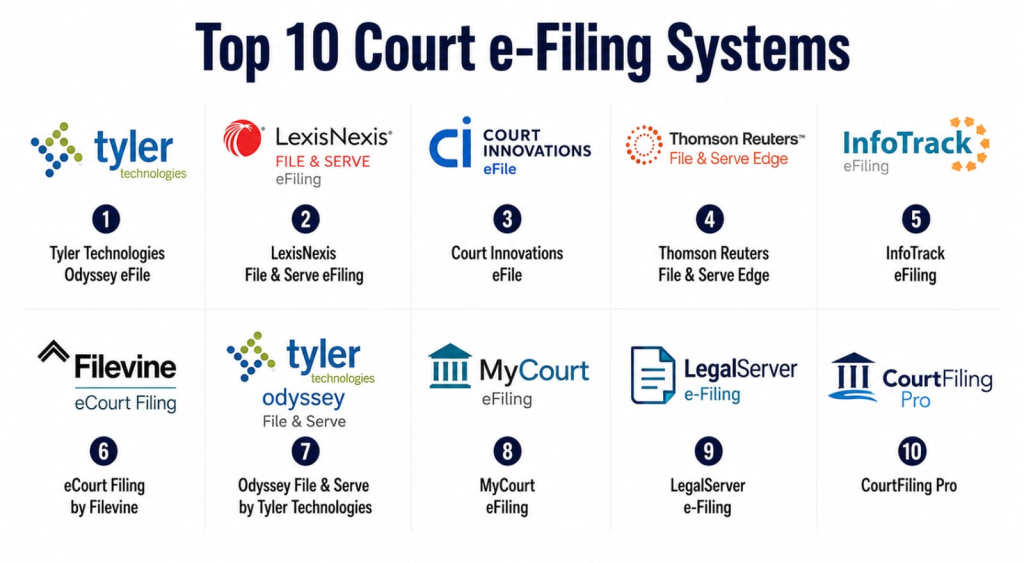
Top 10 Court e-Filing Systems
1- Tyler Technologies Odyssey eFile
Short description: Odyssey eFile provides courts and law firms with cloud-based e-Filing for secure, compliant, and efficient legal document management.
Key Features
- Secure online document submission
- Integration with case management systems
- Automated filing validation
- Digital signature support
- Role-based access control
- Audit trails and compliance reporting
- Notifications and alerts for deadlines
Pros
- Enterprise-grade security
- Supports multi-jurisdiction filings
- Real-time status updates
Cons
- Premium pricing
- Complex initial setup
- Requires training for staff
Platforms / Deployment
Web / iOS / Android
Cloud
Security & Compliance
Not publicly stated
Integrations & Ecosystem
- Case management systems
- Payment gateways for filing fees
- Notifications and alert systems
- Document management tools
Support & Community
Documentation, webinars, and professional training.
2- LexisNexis File & Serve eFiling
Short description: LexisNexis File & Serve eFiling enables attorneys and courts to submit legal documents electronically with integrated payment and compliance features.
Key Features
- Secure e-Filing and case submission
- Automated document validation
- Payment processing for filing fees
- Integration with court CMS
- Notifications and audit logs
- Mobile access for attorneys
- Analytics dashboards
Pros
- Trusted by many law firms
- Streamlined filing process
- Secure and compliant
Cons
- Subscription costs
- Learning curve for new users
- Advanced features require training
Platforms / Deployment
Web / iOS / Android
Cloud
Security & Compliance
Not publicly stated
Integrations & Ecosystem
- Court CMS
- Payment gateways
- Mobile portals
- Reporting dashboards
Support & Community
Documentation, webinars, and support.
3- Court Innovations eFile
Short description: Court Innovations eFile offers cloud-based document submission, validation, and tracking for courts and legal professionals.
Key Features
- Secure online document submission
- Workflow automation for approvals
- Case tracking and status notifications
- Digital signature support
- Integration with CMS and docketing
- Mobile-friendly interface
- Compliance and audit-ready reporting
Pros
- Easy-to-use interface
- Supports multiple courts
- Real-time document status
Cons
- Subscription required
- Staff training needed
- Some integrations require IT setup
Platforms / Deployment
Web / iOS / Android
Cloud
Security & Compliance
Not publicly stated
Integrations & Ecosystem
- CMS and docketing systems
- Mobile apps
- Analytics dashboards
Support & Community
Documentation, email support, and webinars.
4- Thomson Reuters File & Serve Edge
Short description: File & Serve Edge enables attorneys and courts to securely file, manage, and track legal documents online with integrated workflow automation.
Key Features
- Secure e-Filing
- Automated document validation
- Workflow routing and approvals
- Notifications for deadlines
- Case management integration
- Mobile and web access
- Compliance and audit reporting
Pros
- Enterprise-grade reliability
- Mobile-enabled
- Real-time status updates
Cons
- Premium pricing
- Learning curve for staff
- Setup may require IT support
Platforms / Deployment
Web / iOS / Android
Cloud
Security & Compliance
Not publicly stated
Integrations & Ecosystem
- Case management systems
- Notifications and alerts
- Payment gateways
- Document storage solutions
Support & Community
Documentation, webinars, and professional support.
5- InfoTrack eFiling
Short description: InfoTrack eFiling streamlines legal submissions for law firms and courts with online filing, compliance tracking, and integration with case management.
Key Features
- Online document submission
- Integration with CMS and docketing
- Automated error checking
- Notifications and alerts
- Digital signature support
- Audit and compliance reporting
- Mobile access
Pros
- Fast and efficient filing
- Real-time status updates
- Compliance-focused
Cons
- Subscription fees
- Training needed for new users
- Some advanced features require IT setup
Platforms / Deployment
Web / iOS / Android
Cloud
Security & Compliance
Not publicly stated
Integrations & Ecosystem
- Court CMS
- Docketing systems
- Payment gateways
- Mobile access apps
Support & Community
Documentation, support, and webinars.
6- eCourt Filing by Filevine
Short description: Filevine eCourt Filing provides attorneys and courts with a secure online portal for submitting legal documents and tracking filings.
Key Features
- Secure cloud submission
- Automated validation and routing
- Mobile access
- Notifications for status updates
- Integration with CMS
- Digital signature support
- Compliance reporting
Pros
- Mobile and cloud access
- Supports multi-jurisdiction filings
- Real-time status tracking
Cons
- Premium pricing
- Requires training
- Integration setup complexity
Platforms / Deployment
Web / iOS / Android
Cloud
Security & Compliance
Not publicly stated
Integrations & Ecosystem
- Case management systems
- Payment processing
- Notification systems
- Analytics dashboards
Support & Community
Documentation, webinars, and professional support.
7- Odyssey File & Serve by Tyler Technologies
Short description: Odyssey File & Serve provides secure e-Filing with workflow automation, case tracking, and integration with court management systems.
Key Features
- Secure online filing
- Workflow automation and approvals
- Integration with CMS
- Digital signatures and validation
- Notifications and alerts
- Audit and compliance tracking
- Mobile and desktop access
Pros
- Enterprise-grade solution
- Real-time status updates
- Scalable for multi-court jurisdictions
Cons
- Premium subscription
- Staff training required
- Advanced setup for integrations
Platforms / Deployment
Web / iOS / Android
Cloud
Security & Compliance
Not publicly stated
Integrations & Ecosystem
- CMS systems
- Docketing
- Payment gateways
- Mobile apps
Support & Community
Documentation, training, and webinars.
8- MyCourt eFiling
Short description: MyCourt eFiling provides cloud-based submission, validation, and tracking of legal documents for law firms and courts.
Key Features
- Secure document submission
- Integration with case management
- Workflow approvals and routing
- Mobile and web access
- Notifications and alerts
- Compliance tracking and audit logs
- Analytics dashboards
Pros
- Cloud-based and mobile-friendly
- Real-time tracking
- Automated workflow
Cons
- Subscription pricing
- Setup requires training
- Limited advanced features
Platforms / Deployment
Web / iOS / Android
Cloud
Security & Compliance
Not publicly stated
Integrations & Ecosystem
- CMS systems
- Mobile apps
- Analytics dashboards
Support & Community
Documentation, support, and tutorials.
9- LegalServer e-Filing
Short description: LegalServer e-Filing enables law firms and courts to submit legal documents electronically with compliance, workflow, and reporting features.
Key Features
- Secure e-Filing and submission
- Automated validation
- Integration with case management systems
- Workflow automation
- Notifications and alerts
- Mobile access
- Audit and compliance reporting
Pros
- Cloud-based accessibility
- Workflow automation
- Supports multi-jurisdiction filings
Cons
- Subscription costs
- Training required
- Advanced setup for integrations
Platforms / Deployment
Web / iOS / Android
Cloud
Security & Compliance
Not publicly stated
Integrations & Ecosystem
- CMS systems
- Payment gateways
- Notifications and alerts
- Mobile apps
Support & Community
Documentation, webinars, and support.
10- CourtFiling Pro
Short description: CourtFiling Pro provides cloud-based document submission, tracking, and workflow management for courts and attorneys.
Key Features
- Secure online filing
- Automated workflow and approvals
- Integration with CMS
- Digital signature support
- Notifications and alerts
- Compliance tracking and audit logs
- Mobile access
Pros
- Easy-to-use interface
- Mobile and cloud-enabled
- Supports multi-court jurisdictions
Cons
- Subscription required
- Training needed
- Some integrations require IT setup
Platforms / Deployment
Web / iOS / Android
Cloud
Security & Compliance
Not publicly stated
Integrations & Ecosystem
- CMS systems
- Payment gateways
- Mobile apps
- Analytics dashboards
Support & Community
Documentation, tutorials, and professional support.
Comparison Table
| Tool Name | Best For | Platforms | Deployment | Standout Feature | Public Rating |
|---|---|---|---|---|---|
| Tyler Odyssey eFile | Courts & Law Firms | Web, iOS, Android | Cloud | Workflow automation | N/A |
| LexisNexis File & Serve | Attorneys & Courts | Web, iOS, Android | Cloud | Integrated payments | N/A |
| Court Innovations eFile | Courts & Attorneys | Web, iOS, Android | Cloud | Document validation | N/A |
| Thomson Reuters File & Serve Edge | Multi-court | Web, iOS, Android | Cloud | Notifications & alerts | N/A |
| InfoTrack eFiling | Law firms | Web, iOS, Android | Cloud | Automated error checking | N/A |
| Filevine eCourt Filing | Courts & Law Firms | Web, iOS, Android | Cloud | Multi-jurisdiction support | N/A |
| Odyssey File & Serve | Courts & Law Firms | Web, iOS, Android | Cloud | Digital signatures | N/A |
| MyCourt eFiling | Attorneys & Courts | Web, iOS, Android | Cloud | Mobile-friendly access | N/A |
| LegalServer e-Filing | Multi-agency | Web, iOS, Android | Cloud | Compliance tracking | N/A |
| CourtFiling Pro | Law Firms & Courts | Web, iOS, Android | Cloud | Workflow & tracking | N/A |
Evaluation & Scoring of Court e-Filing Systems
| Tool Name | Core 25% | Ease 15% | Integrations 15% | Security 10% | Performance 10% | Support 10% | Value 15% | Weighted Total 0–10 |
|---|---|---|---|---|---|---|---|---|
| Tyler Odyssey eFile | 9 | 8 | 8 | 8 | 9 | 8 | 7 | 8.05 |
| LexisNexis File & Serve | 9 | 8 | 8 | 8 | 9 | 8 | 7 | 8.05 |
| Court Innovations eFile | 8 | 8 | 7 | 8 | 8 | 8 | 7 | 7.95 |
| Thomson Reuters File & Serve Edge | 9 | 7 | 8 | 8 | 9 | 8 | 7 | 8.00 |
| InfoTrack eFiling | 8 | 8 | 7 | 8 | 8 | 8 | 7 | 7.95 |
| Filevine eCourt Filing | 8 | 8 | 7 | 8 | 8 | 8 | 7 | 7.95 |
| Odyssey File & Serve | 9 | 7 | 8 | 8 | 9 | 8 | 7 | 8.00 |
| MyCourt eFiling | 8 | 8 | 7 | 8 | 8 | 8 | 7 | 7.95 |
| LegalServer e-Filing | 8 | 7 | 7 | 8 | 8 | 8 | 7 | 7.90 |
| CourtFiling Pro | 8 | 7 | 7 | 8 | 8 | 8 | 7 | 7.90 |
Which Court e-Filing System Is Right for You?
Solo / Freelancer
Solo practitioners can leverage MyCourt eFiling or InfoTrack eFiling for simple, compliant online filings.
SMB
Mid-sized law firms and small courts benefit from Court Innovations eFile, Filevine eCourt Filing, or InfoTrack eFiling for multi-court management and workflow automation.
Mid-Market
Regional courts and multi-agency legal offices should consider Tyler Odyssey eFile, LexisNexis File & Serve, or Odyssey File & Serve for enterprise-grade compliance and tracking.
Enterprise
Large metropolitan courts, state agencies, or multi-jurisdiction systems will benefit from Thomson Reuters File & Serve Edge, LegalServer e-Filing, or CourtFiling Pro for AI-assisted validation, mobile access, and audit-ready reporting.
Budget vs Premium
Budget: InfoTrack eFiling, MyCourt eFiling. Premium: Tyler Odyssey eFile, LexisNexis File & Serve, Thomson Reuters File & Serve Edge.
Feature Depth vs Ease of Use
Ease-first: MyCourt eFiling, InfoTrack eFiling. Feature-depth: Tyler Odyssey eFile, LexisNexis File & Serve, Thomson Reuters File & Serve Edge.
Integrations & Scalability
Large multi-court deployments should prioritize Tyler Odyssey eFile, LexisNexis File & Serve, and Thomson Reuters File & Serve Edge.
Security & Compliance Needs
Agencies requiring audit-ready compliance: Tyler Odyssey eFile, LexisNexis File & Serve, Odyssey File & Serve.
Frequently Asked Questions
1. What is a court e-Filing system?
A platform for electronically submitting, managing, and tracking legal documents in courts and law offices.
2. How does it improve efficiency?
It reduces manual paperwork, accelerates filing, and ensures deadlines and compliance requirements are met.
3. Can mobile filing be done?
Yes, most platforms support iOS and Android apps for document submission and status tracking.
4. Does it integrate with case management systems?
Yes, e-Filing systems integrate with CMS, docketing, and payment systems for seamless workflow.
5. Are digital signatures supported?
Yes, most tools provide secure digital signature functionality.
6. Can multiple courts be managed?
Enterprise-grade solutions support filings across multiple courts or jurisdictions.
7. Does it provide compliance reporting?
Yes, platforms maintain audit trails and reports to ensure adherence to court rules and legal standards.
8. Are notifications included?
Yes, notifications alert attorneys and clerks of filing status, deadlines, and errors.
9. Can filings be tracked in real-time?
Yes, real-time dashboards show document status and history for users.
10. Which users benefit most?
Law firms, attorneys, paralegals, and court clerks benefit most from e-Filing systems.
Conclusion
Court e-Filing Systems are essential for modern legal workflows, providing secure, compliant, and efficient document management for courts and law firms. Solo practitioners and small courts can use MyCourt eFiling or InfoTrack eFiling for straightforward online filings, while mid-sized law firms benefit from Court Innovations eFile or Filevine eCourt Filing for workflow automation and multi-court management. Large metropolitan courts or multi-jurisdiction agencies should consider Tyler Odyssey eFile, LexisNexis File & Serve, or Thomson Reuters File & Serve Edge for enterprise-grade compliance, digital signatures, mobile access, and audit-ready reporting. Agencies should shortlist 2–3 solutions, pilot real filings, validate CMS integration, mobile access, and compliance workflows, and scale adoption once performance and reliability are confirmed
