Introduction
Crowd Management Tools are specialized software solutions designed to monitor, control, and optimize the flow of people in public spaces, events, and venues. In 2026, these tools are essential for stadiums, concert halls, convention centers, and urban planners aiming to improve safety, efficiency, and attendee experience. By leveraging AI, real-time analytics, and smart sensors, organizations can proactively manage crowd density, prevent bottlenecks, and respond to emergencies faster.
Real-world use cases include:
- Real-time monitoring of event entrances, queues, and high-density zones.
- Predictive analysis for peak crowd times and route optimization.
- Emergency response management and evacuation planning.
- Staff allocation based on crowd behavior insights.
- Integration with ticketing, access control, and mobile apps for attendee guidance.
Evaluation criteria for buyers:
- Real-time crowd analytics and predictive modeling.
- Integration with sensors, cameras, and ticketing systems.
- AI-driven alerts and notifications for risk zones.
- Mobile and remote accessibility for staff.
- Customizable reporting dashboards.
- Ease of deployment and scalability.
- Security, compliance, and data privacy measures.
- Vendor support and community ecosystem.
- Cost versus feature depth and operational ROI.
Best for: Event organizers, stadium operators, public safety authorities, theme parks, and urban planners needing centralized crowd monitoring and control.
Not ideal for: Small gatherings or venues with minimal foot traffic, where simple manual management is sufficient.
Key Trends in Crowd Management Tools for 2026 and Beyond
- AI-driven predictive crowd behavior analytics.
- Real-time dashboards integrating IoT sensors, cameras, and ticketing data.
- Cloud-native platforms enabling multi-site monitoring and remote access.
- Enhanced cybersecurity with SSO, MFA, and encrypted data streams.
- Mobile apps for staff coordination and instant alerts.
- Automated resource allocation for security and event personnel.
- Integration with emergency services and city safety systems.
- Dynamic signage and navigation for crowd flow optimization.
- Data-driven decision-making for operational efficiency and fan experience.
- Compliance with GDPR, ISO 27001, and public safety standards.
How We Selected These Tools (Methodology)
- Reviewed market adoption and visibility in stadium, events, and urban management sectors.
- Assessed core feature coverage: real-time monitoring, AI alerts, sensor integration.
- Evaluated platform reliability, uptime, and performance history.
- Considered security and compliance measures (encryption, audit logs, certifications).
- Checked integration capabilities with sensors, ERP, CRM, and ticketing systems.
- Analyzed suitability for SMB, mid-market, and enterprise venues.
- Assessed mobile and remote access capabilities.
- Reviewed analytics, reporting, and predictive modeling features.
- Prioritized tools updated for 2026+ operational and technological standards.
- Considered customer feedback and support options.
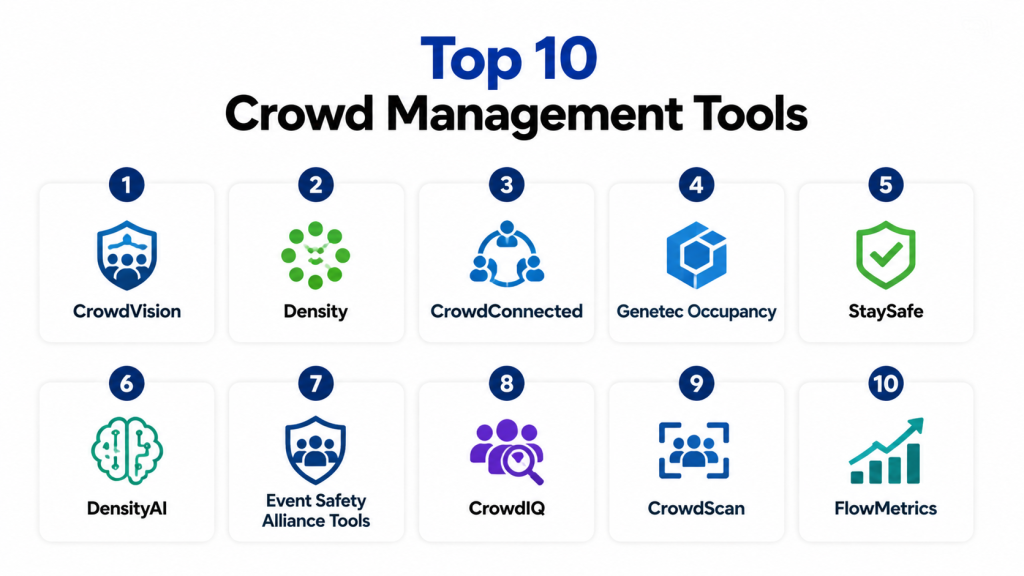
Top 10 Crowd Management Tools
1- CrowdVision
Short description: CrowdVision provides AI-powered crowd analytics and density monitoring for stadiums, venues, and public spaces, helping staff optimize flow and safety.
Key Features
- Real-time crowd density mapping.
- Predictive analytics for peak times and congestion.
- Integration with CCTV and sensors.
- Mobile dashboards for staff coordination.
- Automated alerts for high-risk zones.
Pros
- AI-driven insights for proactive management.
- Easy integration with existing security infrastructure.
Cons
- Advanced analytics require trained personnel.
- Premium features may be expensive for smaller venues.
Platforms / Deployment
- Web / iOS / Android
- Cloud
Security & Compliance
- Not publicly stated
Integrations & Ecosystem
Integrates with video cameras, IoT sensors, and access control systems.
- CCTV platforms
- IoT devices
- Access control systems
Support & Community
- Documentation and tutorials available
- Email support and onboarding
2- Density
Short description: Density focuses on real-time occupancy and movement tracking for commercial and public venues, providing actionable insights for crowd control.
Key Features
- IoT-based people counting.
- Historical and real-time occupancy analytics.
- Alerts for capacity thresholds.
- Integration with access systems.
- Visual dashboards for management teams.
Pros
- Accurate occupancy tracking.
- Useful for compliance with safety limits.
Cons
- Limited predictive analytics.
- Integration may require additional hardware.
Platforms / Deployment
- Web / iOS / Android
- Cloud
Security & Compliance
- Not publicly stated
Integrations & Ecosystem
- IoT sensors
- Access control systems
- Analytics platforms
Support & Community
- Email support and onboarding guides
3- CrowdConnected
Short description: CrowdConnected provides data-driven crowd management solutions with predictive modeling, suitable for large-scale stadiums and events.
Key Features
- AI-based predictive analytics.
- Real-time heatmaps and alerts.
- Integration with ticketing and event platforms.
- Mobile staff apps.
- Emergency evacuation simulations.
Pros
- Strong predictive modeling.
- Supports multi-event management.
Cons
- Requires technical expertise for setup.
- Higher price point for small venues.
Platforms / Deployment
- Web / iOS / Android
- Cloud / Hybrid
Security & Compliance
- Not publicly stated
Integrations & Ecosystem
- Ticketing systems
- IoT sensors
- CRM and ERP platforms
Support & Community
- 24/7 support available
- Knowledge base and training
4- Genetec Occupancy
Short description: Genetec Occupancy combines surveillance, access control, and crowd analytics for enterprise venues and stadiums.
Key Features
- Video-based people counting.
- Real-time occupancy alerts.
- Dashboard analytics for crowd flow.
- Integration with security and access systems.
- Customizable notifications.
Pros
- Enterprise-grade security and monitoring.
- Scalable for multiple venues.
Cons
- Complexity may require dedicated IT resources.
- Limited small-venue features.
Platforms / Deployment
- Web / Windows / iOS
- Cloud / Hybrid
Security & Compliance
- SOC 2, ISO 27001
Integrations & Ecosystem
- CCTV systems
- Access control
- Security management platforms
Support & Community
- Vendor support and training
- Enterprise knowledge base
5- StaySafe
Short description: StaySafe focuses on indoor crowd monitoring and alerting for public buildings and event spaces, emphasizing health and safety compliance.
Key Features
- Real-time occupancy dashboards.
- Alerts for overcrowding.
- Mobile app for facility managers.
- Historical reporting.
- Sensor integration.
Pros
- Simple and easy to deploy.
- Supports health and safety compliance.
Cons
- Limited predictive analytics.
- Fewer integrations for enterprise systems.
Platforms / Deployment
- Web / iOS / Android
- Cloud
Security & Compliance
- Not publicly stated
Integrations & Ecosystem
- IoT sensors
- Access control systems
- Mobile notifications
Support & Community
- Documentation and email support
6- DensityAI
Short description: DensityAI uses AI and IoT data to provide predictive insights into crowd behavior and optimize staff allocation.
Key Features
- Predictive crowd analytics.
- Real-time alerts.
- Mobile dashboards.
- Integration with event scheduling tools.
- Custom reporting.
Pros
- Advanced AI modeling.
- Supports complex venue layouts.
Cons
- Implementation can be resource-intensive.
- High learning curve.
Platforms / Deployment
- Web / iOS / Android
- Cloud
Security & Compliance
- Not publicly stated
Integrations & Ecosystem
- IoT sensors
- Scheduling platforms
- Access control
Support & Community
- Training resources and email support
7- Event Safety Alliance Tools
Short description: Offers safety-focused crowd management solutions for events, including analytics, emergency response planning, and staff coordination.
Key Features
- Event risk assessment dashboards.
- Crowd density analytics.
- Emergency alerting and simulation.
- Staff task management.
- Integration with access systems.
Pros
- Strong safety compliance focus.
- Designed for large events.
Cons
- Not as feature-rich for daily venue operations.
- Limited mobile app features.
Platforms / Deployment
- Web / iOS / Android
- Cloud
Security & Compliance
- Not publicly stated
Integrations & Ecosystem
- Access control systems
- Emergency services APIs
- Staff communication platforms
Support & Community
- Email support and documentation
8- CrowdIQ
Short description: CrowdIQ provides real-time crowd flow analysis and alerting for stadiums, transportation hubs, and large public venues.
Key Features
- Live crowd density mapping.
- Predictive congestion alerts.
- Mobile app for operational staff.
- Integration with ticketing and access systems.
- Data export and reporting.
Pros
- Excellent real-time visualization.
- Supports staff coordination.
Cons
- Limited historical trend analytics.
- Small-scale venues may find it complex.
Platforms / Deployment
- Web / iOS / Android
- Cloud
Security & Compliance
- Not publicly stated
Integrations & Ecosystem
- IoT sensors
- Ticketing platforms
- CRM and ERP systems
Support & Community
- Knowledge base
- Email support
9- CrowdScan
Short description: CrowdScan focuses on large-scale venue monitoring, offering AI-based crowd detection and flow optimization.
Key Features
- AI-powered video analytics.
- Occupancy alerts and heatmaps.
- Emergency response integration.
- Reporting dashboards.
- Mobile staff coordination.
Pros
- Strong AI and visual analytics.
- Scalable to large stadiums.
Cons
- Hardware-dependent for video analytics.
- Premium pricing for smaller venues.
Platforms / Deployment
- Web / iOS / Android
- Cloud / Hybrid
Security & Compliance
- Not publicly stated
Integrations & Ecosystem
- CCTV
- Ticketing systems
- Access control platforms
Support & Community
- Training and documentation
10- FlowMetrics
Short description: FlowMetrics provides actionable insights on crowd movement and density for stadiums, public spaces, and event venues.
Key Features
- Real-time flow tracking.
- Predictive congestion alerts.
- Historical data visualization.
- Integration with mobile apps and access systems.
- Staff task coordination.
Pros
- Easy to visualize crowd patterns.
- Supports multiple venue types.
Cons
- Limited advanced AI features.
- Fewer integrations than enterprise platforms.
Platforms / Deployment
- Web / iOS / Android
- Cloud
Security & Compliance
- Not publicly stated
Integrations & Ecosystem
- Ticketing platforms
- IoT sensors
- Access control systems
Support & Community
- Email support and knowledge base
Comparison Table (Top 10)
| Tool Name | Best For | Platform(s) Supported | Deployment | Standout Feature | Public Rating |
|---|---|---|---|---|---|
| CrowdVision | AI crowd analytics | Web, iOS, Android | Cloud | Predictive congestion alerts | N/A |
| Density | Occupancy tracking | Web, iOS, Android | Cloud | Real-time people counting | N/A |
| CrowdConnected | Multi-event prediction | Web, iOS, Android | Cloud/Hybrid | Predictive modeling | N/A |
| Genetec Occupancy | Enterprise monitoring | Web, Windows, iOS | Cloud/Hybrid | Video-based occupancy | N/A |
| StaySafe | Health & safety monitoring | Web, iOS, Android | Cloud | Alerts for overcrowding | N/A |
| DensityAI | Predictive AI insights | Web, iOS, Android | Cloud | AI modeling | N/A |
| Event Safety Alliance Tools | Event risk management | Web, iOS, Android | Cloud | Safety compliance dashboards | N/A |
| CrowdIQ | Real-time flow analysis | Web, iOS, Android | Cloud | Live heatmaps | N/A |
| CrowdScan | Large-scale detection | Web, iOS, Android | Cloud/Hybrid | AI-powered video analytics | N/A |
| FlowMetrics | Crowd movement visualization | Web, iOS, Android | Cloud | Flow tracking | N/A |
Evaluation & Scoring of Crowd Management Tools
| Tool Name | Core (25%) | Ease (15%) | Integrations (15%) | Security (10%) | Performance (10%) | Support (10%) | Value (15%) | Weighted Total |
|---|---|---|---|---|---|---|---|---|
| CrowdVision | 9 | 8 | 8 | 6 | 9 | 7 | 8 | 8.1 |
| Density | 8 | 9 | 7 | 6 | 8 | 7 | 8 | 7.9 |
| CrowdConnected | 9 | 7 | 8 | 6 | 8 | 7 | 7 | 7.9 |
| Genetec Occupancy | 9 | 6 | 8 | 7 | 9 | 8 | 6 | 7.9 |
| StaySafe | 7 | 9 | 6 | 6 | 7 | 7 | 8 | 7.3 |
| DensityAI | 9 | 7 | 7 | 6 | 8 | 7 | 7 | 7.7 |
| Event Safety Alliance Tools | 8 | 7 | 7 | 6 | 7 | 7 | 7 | 7.2 |
| CrowdIQ | 8 | 8 | 7 | 6 | 8 | 7 | 7 | 7.4 |
| CrowdScan | 9 | 7 | 7 | 6 | 8 | 7 | 7 | 7.7 |
| FlowMetrics | 8 | 8 | 7 | 6 | 7 | 7 | 7 | 7.3 |
Scores are comparative and help identify best-fit tools based on venue size, AI capabilities, and integration needs.
Which Crowd Management Tool Is Right for You?
Solo / Freelancer
- StaySafe or Density for small events or pop-up venues.
- Focus on simplicity and real-time alerts without complex integrations.
SMB
- CrowdVision or CrowdIQ for mid-size venues and events.
- Good balance of predictive insights and operational visibility.
Mid-Market
- CrowdConnected or DensityAI for multi-event management with AI analytics.
- Strong for operational teams needing predictive tools.
Enterprise
- Genetec Occupancy or CrowdScan for large stadiums or city-scale venues.
- Advanced AI, video analytics, and integration with multiple data streams.
Budget vs Premium
- Budget: StaySafe, Density – low cost, essential functionality.
- Premium: CrowdVision, Genetec, CrowdScan – full analytics, AI, multi-venue management.
Feature Depth vs Ease of Use
- Depth: CrowdConnected, Genetec, CrowdScan – robust analytics and AI.
- Ease: StaySafe, Density, FlowMetrics – quick adoption, minimal training.
Integrations & Scalability
- Enterprise venues: Genetec, CrowdScan, CrowdConnected for multi-site integration and IoT connectivity.
- Smaller venues: StaySafe, Density for straightforward setup and limited integrations.
Security & Compliance Needs
- Enterprise venues must verify SSO, MFA, encryption, and audit compliance.
- Mid-market: focus on safe data handling and GDPR compliance.
Frequently Asked Questions (FAQs)
1. What are common pricing models?
Pricing varies by user count, venue size, and feature depth. Cloud subscriptions are common, with premium AI analytics often costing extra.
2. How long is the onboarding process?
Smaller tools take days; enterprise solutions with video analytics or AI may require weeks for setup and staff training.
3. Can these tools integrate with sensors or ticketing systems?
Yes, most enterprise and mid-market tools integrate with IoT devices, CCTV, access control, and ticketing platforms. Simpler tools may have limited APIs.
4. Do they provide mobile access for staff?
Yes, nearly all platforms offer mobile apps for iOS/Android, enabling real-time alerts and operational monitoring.
5. Are AI features standard?
Emerging 2026+ trend: predictive crowd analytics, congestion forecasting, and AI-driven alerts. Not all tools provide AI natively.
6. Can tools handle multi-venue or multi-event operations?
Enterprise solutions like Genetec Occupancy or CrowdScan can manage multiple venues. Mid-market tools often handle several events per dashboard.
7. How secure are these platforms?
Security varies. Enterprise solutions often have SSO, MFA, and encryption. Smaller platforms provide basic security features.
8. What are common mistakes when implementing?
Skipping staff training, ignoring integration needs, and overestimating tool scalability are frequent issues.
9. Is switching between tools easy?
Enterprise tools may require careful data migration; smaller platforms are simpler to replace.
10. Do all platforms provide reporting?
Yes, but the depth varies. Enterprise platforms offer detailed dashboards and predictive modeling; simpler tools provide basic occupancy and flow reports.
Conclusion
Selecting the right Crowd Management Tool depends on venue size, operational complexity, and desired AI capabilities. Small events or SMB venues can use StaySafe or Density for cost-effective monitoring, while mid-market venues benefit from CrowdVision or CrowdConnected for predictive analytics. Enterprise stadiums and large public spaces require Genetec Occupancy or CrowdScan for multi-venue scalability, advanced AI, and integration with multiple data sources. Prioritize tools that provide real-time alerts, mobile access, and actionable analytics. Start by shortlisting 2–3 tools, run a pilot to verify integration and performance, and scale operations as your venue needs evolve.
