Introduction
Facilities Space Planning Tools are software platforms that help organizations manage, optimize, and plan their physical workspace efficiently. These tools provide visibility into space utilization, occupancy, and layout design, enabling better decision-making for offices, campuses, or multi-site facilities. In 2026, workplace dynamics are shifting with hybrid work, smart office technologies, and real-time analytics, making these platforms essential for maximizing productivity and reducing operational costs.
Real-world use cases include:
- Mapping office layouts and seating arrangements for hybrid teams.
- Tracking occupancy and space utilization across multiple locations.
- Optimizing conference rooms, collaborative zones, and amenities.
- Planning expansions, renovations, or relocations based on data-driven insights.
- Integrating with IoT sensors to monitor real-time usage and resource allocation.
Best for: Facility managers, real estate teams, corporate real estate professionals, and organizations managing multiple offices or campuses.
Not ideal for: Small offices or single-site teams where simple spreadsheets or CAD tools suffice.
Key Trends in Facilities Space Planning Tools
- AI-driven space optimization and predictive occupancy planning
- Real-time IoT sensor integration for space and asset monitoring
- Hybrid workplace management for flexible seating and hot-desking
- Cloud-based platforms with mobile access for facilities teams
- Enhanced collaboration with 3D floor plans and digital twins
- Integration with CAFM, ERP, and HR systems
- Data-driven reporting and analytics dashboards
- Automated room booking and resource allocation
- Scenario planning for office redesign or expansion
- Subscription-based pricing with scalable modules
How We Selected These Tools (Methodology)
- Market adoption and industry recognition
- Feature completeness for space planning, occupancy, and reporting
- Reliability and performance in enterprise and mid-market environments
- Security posture including SSO, MFA, encryption, and audit logs
- Integration ecosystem with CAFM, HR, and IoT platforms
- Suitability for organizations with multiple locations or complex layouts
- Vendor support, onboarding, and training quality
- Mobile and cloud deployment options
- Scalability for office expansions or renovations
- Cost-effectiveness relative to capabilities
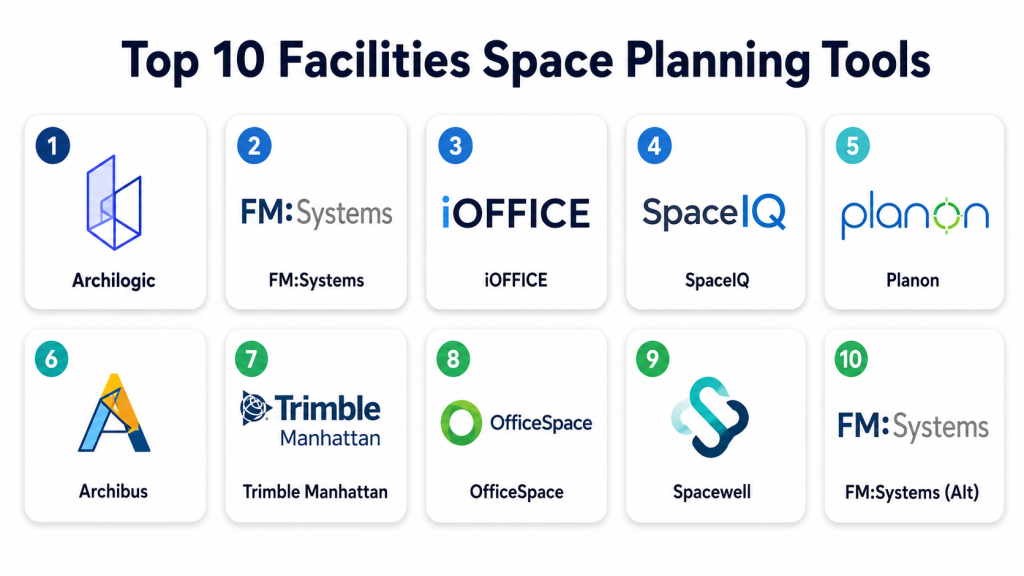
Top 10 Facilities Space Planning Tools
1- Archilogic
Short description: Cloud-based 3D space planning platform for visualizing layouts, planning office spaces, and interactive floor designs.
Key Features
- 3D modeling and floor plan visualization
- Space utilization analytics
- Interactive office layouts
- Collaboration for teams and stakeholders
- Integration with IoT and CAFM systems
- Mobile-friendly access
- Reporting dashboards
Pros
- Intuitive 3D interface
- Real-time collaboration
- Scalable for multiple facilities
Cons
- Premium pricing for larger organizations
- Limited advanced analytics
- Requires 3D familiarity for full benefits
Platforms / Deployment
- Web, iOS, Android
- Cloud
Security & Compliance
- Not publicly stated
Integrations & Ecosystem
- CAFM systems, IoT sensors, BIM tools
- API for custom integrations
Support & Community
- Online resources, chat support, training sessions
2- FM:Systems
Short description: Enterprise facility management platform with advanced space planning, occupancy, and analytics features.
Key Features
- Space inventory and utilization tracking
- Floor plan management
- Occupancy analytics and reporting
- Hot-desking and room booking
- Scenario planning for office layouts
- Integration with ERP and HR systems
Pros
- Comprehensive enterprise features
- Strong analytics capabilities
- Supports multi-site organizations
Cons
- Complex setup and learning curve
- High cost for smaller teams
- Customization requires support
Platforms / Deployment
- Web, Windows, iOS, Android
- Cloud / On-premises
Security & Compliance
- Not publicly stated
Integrations & Ecosystem
- ERP, HRIS, CAFM, IoT devices
- API access for custom workflows
Support & Community
- Dedicated support, onboarding programs, knowledge base
3- iOFFICE
Short description: Cloud-based workplace management and space planning software for hybrid workspaces.
Key Features
- Interactive floor plans and seating charts
- Space utilization reporting
- Room booking and resource management
- Occupancy analytics and dashboards
- Integration with IoT sensors for real-time monitoring
- Mobile apps for managers and employees
Pros
- Optimized for hybrid workplace planning
- Real-time data from sensors
- User-friendly interface
Cons
- Advanced features require enterprise tier
- Limited offline capabilities
- Integration setup may require IT support
Platforms / Deployment
- Web, iOS, Android
- Cloud
Security & Compliance
- Not publicly stated
Integrations & Ecosystem
- CAFM, HRIS, IoT sensors, ERP tools
- API for custom integration
Support & Community
- Online tutorials, email and chat support
4- SpaceIQ
Short description: Platform for optimizing real estate portfolios, space allocation, and occupancy planning.
Key Features
- Space utilization and occupancy tracking
- Floor plan and seating management
- Scenario planning and relocation tools
- Room booking and reservations
- Real-time dashboards and reporting
- Integration with CAFM and HR systems
Pros
- Easy-to-use for mid-market and enterprise
- Data-driven insights
- Supports multi-location planning
Cons
- Limited 3D visualization features
- Premium features require higher tiers
- Setup may require consulting
Platforms / Deployment
- Web, iOS, Android
- Cloud
Security & Compliance
- Not publicly stated
Integrations & Ecosystem
- CAFM, HRIS, IoT devices
- API access
Support & Community
- Vendor support, online resources, training
5- Planon
Short description: Enterprise software for facilities and real estate management with space planning and asset tracking.
Key Features
- Space and asset management
- Interactive floor plans
- Occupancy and utilization analytics
- Maintenance and service requests
- Room booking and hot-desking
- Scenario and relocation planning
Pros
- Comprehensive enterprise capabilities
- Strong analytics and reporting
- Supports large multi-site portfolios
Cons
- High complexity and setup time
- Costly for small teams
- Learning curve for new users
Platforms / Deployment
- Web, Windows, iOS, Android
- Cloud / On-premises
Security & Compliance
- Not publicly stated
Integrations & Ecosystem
- CAFM, HRIS, IoT, ERP
- API for custom integration
Support & Community
- Dedicated support, training resources
6- Archibus
Short description: Facility and real estate management platform with space planning, asset tracking, and workplace optimization.
Key Features
- Space and occupancy management
- Interactive floor plans and seating charts
- Asset and resource tracking
- Reporting and analytics dashboards
- Integration with CAFM and ERP
Pros
- Enterprise-grade analytics
- Scalable for multiple sites
- Supports hybrid workplace planning
Cons
- Complex implementation
- High cost for smaller portfolios
- Requires training
Platforms / Deployment
- Web, Windows, iOS
- Cloud / On-premises
Security & Compliance
- Not publicly stated
Integrations & Ecosystem
- CAFM, ERP, IoT sensors
- API access
Support & Community
- Training programs, online resources, support
7- Trimble Manhattan
Short description: Enterprise real estate and workplace management software with space planning and portfolio optimization.
Key Features
- Space planning and allocation
- Occupancy and utilization analytics
- Interactive floor plans and 3D visualization
- Room booking and amenities management
- Reporting dashboards
Pros
- Scalable for enterprise portfolios
- Supports hybrid and flexible workspaces
- Integrates with smart building devices
Cons
- Premium pricing
- Complex implementation
- Requires training for full functionality
Platforms / Deployment
- Web, iOS, Android
- Cloud / On-premises
Security & Compliance
- Not publicly stated
Integrations & Ecosystem
- CAFM, IoT, ERP, HRIS
- API for custom integrations
Support & Community
- Vendor support, training, online resources
8- OfficeSpace
Short description: Cloud platform for workplace management with space planning, employee scheduling, and occupancy analytics.
Key Features
- Interactive floor plans
- Space utilization tracking
- Desk and room booking
- Occupancy and capacity dashboards
- Integration with HR and CAFM tools
Pros
- Easy-to-use interface
- Optimized for flexible workplaces
- Real-time analytics
Cons
- Limited enterprise features
- Smaller portfolio support
- Some integrations require additional setup
Platforms / Deployment
- Web, iOS, Android
- Cloud
Security & Compliance
- Not publicly stated
Integrations & Ecosystem
- HR systems, CAFM, IoT
- API for custom workflows
Support & Community
- Online tutorials, email support
9- Spacewell
Short description: Platform for facility management and space optimization with advanced analytics and IoT integration.
Key Features
- Space utilization and occupancy tracking
- Interactive floor plans
- IoT sensor integration
- Maintenance and service requests
- Reporting and analytics dashboards
Pros
- Advanced analytics and real-time data
- Supports multi-site portfolios
- Integrates with IoT devices
Cons
- Premium pricing
- Complexity for small teams
- Implementation may require consulting
Platforms / Deployment
- Web, iOS, Android
- Cloud
Security & Compliance
- Not publicly stated
Integrations & Ecosystem
- CAFM, ERP, IoT sensors
- API for custom integration
Support & Community
- Vendor support, online resources, training
10- FM:Systems (Alt)
Short description: Workplace management software with space planning, occupancy tracking, and scenario planning capabilities.
Key Features
- Space allocation and planning
- Occupancy dashboards
- Room and desk booking
- Reporting and analytics
- Integration with CAFM and HR systems
Pros
- Enterprise-grade features
- Scalable for multi-site organizations
- Supports hybrid workspace planning
Cons
- Complex setup
- High cost for small portfolios
- Training required
Platforms / Deployment
- Web, iOS, Android
- Cloud
Security & Compliance
- Not publicly stated
Integrations & Ecosystem
- CAFM, HRIS, ERP
- API access
Support & Community
- Vendor support, online resources
Comparison Table (Top 10)
| Tool Name | Best For | Platform(s) Supported | Deployment | Standout Feature | Public Rating |
|---|---|---|---|---|---|
| Archilogic | Multi-unit residential | Web, iOS, Android | Cloud | 3D visualization | N/A |
| FM:Systems | Enterprise portfolios | Web, iOS, Android | Cloud | Space utilization analytics | N/A |
| iOFFICE | Hybrid workplaces | Web, iOS, Android | Cloud | Real-time occupancy tracking | N/A |
| SpaceIQ | Mid-market offices | Web, iOS, Android | Cloud | Scenario planning | N/A |
| Planon | Large enterprises | Web, Windows, iOS, Android | Cloud/On-prem | Asset + space management | N/A |
| Archibus | Enterprise portfolios | Web, Windows, iOS | Cloud/On-prem | Space allocation analytics | N/A |
| Trimble Manhattan | Multi-site enterprises | Web, iOS, Android | Cloud/On-prem | 3D visualization & analytics | N/A |
| OfficeSpace | Mid-size offices | Web, iOS, Android | Cloud | Desk and room booking | N/A |
| Spacewell | IoT-enabled buildings | Web, iOS, Android | Cloud | IoT & analytics integration | N/A |
| FM:Systems (Alt) | Multi-site organizations | Web, iOS, Android | Cloud | Hybrid workspace planning | N/A |
Evaluation & Scoring of Facilities Space Planning Tools
| Tool Name | Core (25%) | Ease (15%) | Integrations (15%) | Security (10%) | Performance (10%) | Support (10%) | Value (15%) | Weighted Total (0–10) |
|---|---|---|---|---|---|---|---|---|
| Archilogic | 8 | 8 | 7 | 7 | 8 | 7 | 7 | 7.6 |
| FM:Systems | 9 | 7 | 8 | 8 | 9 | 8 | 6 | 8.1 |
| iOFFICE | 8 | 8 | 7 | 7 | 8 | 7 | 7 | 7.5 |
| SpaceIQ | 8 | 7 | 7 | 7 | 8 | 7 | 7 | 7.4 |
| Planon | 9 | 7 | 8 | 8 | 9 | 8 | 6 | 8.1 |
| Archibus | 9 | 7 | 8 | 8 | 9 | 8 | 6 | 8.1 |
| Trimble Manhattan | 9 | 7 | 8 | 8 | 9 | 8 | 6 | 8.1 |
| OfficeSpace | 7 | 8 | 7 | 7 | 7 | 7 | 7 | 7.2 |
| Spacewell | 8 | 7 | 8 | 8 | 8 | 7 | 7 | 7.8 |
| FM:Systems (Alt) | 9 | 7 | 8 | 8 | 9 | 8 | 6 | 8.1 |
Interpretation: Weighted totals show comparative performance across core functionality, usability, integrations, security, and value for organizations planning facilities spaces.
Which Facilities Space Planning Tool Is Right for You?
Solo / Freelancer
- Limited applicability; Archilogic for small layouts or single-site offices
SMB
- SpaceIQ or OfficeSpace for small-to-mid-size office planning
- Focus on usability and occupancy tracking
Mid-Market
- iOFFICE, Archilogic, Spacewell
- Provides real-time occupancy, reporting, and hybrid workplace planning
Enterprise
- FM:Systems, Planon, Trimble Manhattan, Archibus
- Multi-site, hybrid workplace management, 3D visualizations, and IoT integrations
Budget vs Premium
- Budget-conscious: OfficeSpace, SpaceIQ
- Premium: FM:Systems, Planon, Trimble Manhattan
Feature Depth vs Ease of Use
- Feature-rich: Planon, FM:Systems, Trimble Manhattan
- Ease-of-use: Archilogic, OfficeSpace
Integrations & Scalability
- Enterprise platforms integrate with CAFM, HR, ERP, and IoT sensors
- SMB platforms suitable for smaller offices and simpler workflows
Security & Compliance Needs
- Enterprise users prioritize FM:Systems, Planon, and Trimble Manhattan for audit readiness and secure data handling
Frequently Asked Questions (FAQs)
1. What pricing models do space planning tools use?
Most offer subscription-based plans per user, per site, or modular pricing depending on features.
2. How long does onboarding take?
Small offices may onboard in a few days; large multi-site enterprises may require weeks for training and configuration.
3. Can these platforms integrate with IoT sensors?
Yes, enterprise platforms like FM:Systems and Trimble Manhattan integrate with occupancy sensors and smart devices.
4. How do mobile apps improve space planning?
Mobile access allows facilities teams to view layouts, manage bookings, and track occupancy on the go.
5. Can these platforms handle multi-site portfolios?
Yes, enterprise tools support multiple locations, complex layouts, and hybrid workspaces.
6. Are these platforms secure?
Enterprise solutions typically offer encryption, SSO/MFA, and audit logs; smaller platforms may have standard security measures.
7. Do these platforms provide analytics and reporting?
Yes, dashboards provide occupancy, space utilization, and resource optimization insights.
8. Can I switch platforms mid-portfolio?
Possible but requires careful data migration and planning to avoid disruptions.
9. Are there AI features in 2026 tools?
AI helps optimize space allocation, predict occupancy trends, and automate room booking for advanced platforms.
10. What common mistakes should organizations avoid?
Avoid ignoring integrations, underestimating training needs, or selecting overly complex platforms for small portfolios.
Conclusion
Facilities Space Planning Tools are essential for organizations aiming to maximize workspace efficiency, optimize occupancy, and support hybrid work environments. Small offices benefit from Archilogic or OfficeSpace, mid-market portfolios may use iOFFICE or Spacewell, while enterprises should consider FM:Systems, Planon, or Trimble Manhattan for multi-site and IoT-enabled planning. The next step is to shortlist 2–3 platforms, pilot with key teams, and validate reporting, mobile access, and integrations before full deployment.
