Introduction
Mailroom Management Tools help organizations automate, track, and optimize incoming and outgoing mail, packages, and courier operations. By replacing manual logs, spreadsheets, and scattered email notifications, these tools provide visibility, accountability, and efficiency across corporate mailrooms, distribution centers, and shared office spaces.
Why it matters: As workplaces grow and hybrid operations expand, the volume of physical mail and packages has increased. Efficient mailroom management reduces delays, minimizes lost items, improves security, and provides clear accountability. Automated systems also support real-time notifications, package tracking, and compliance reporting, which are critical for enterprise, education, healthcare, and logistics environments.
Real-world use cases include:
- Corporate offices: track incoming/outgoing packages and notify recipients automatically.
- Universities and campuses: manage student mail, packages, and inter-departmental deliveries.
- Healthcare facilities: securely handle sensitive documents and medical shipments.
- Co-working spaces: streamline member mail handling with notifications and lockers.
- Logistics hubs: monitor high volumes of courier deliveries, prioritize urgent items, and maintain detailed logs.
Best for: facility managers, operations teams, receptionists, corporate administrators, logistics coordinators, and shared workspace managers.
Not ideal for: very small offices with minimal mail volume or organizations that rely primarily on digital communications and do not require detailed physical mail tracking.
Key Trends in Mailroom Management Tools
- Automation and workflow optimization: Automated package sorting, notifications, and check-in/out processes reduce human errors.
- Digital notifications and alerts: Email, SMS, and mobile app alerts inform recipients of incoming packages instantly.
- Secure package handling: Advanced logging, barcode scanning, and RFID tracking improve accountability and reduce lost items.
- Integration with facility systems: Connecting mailroom tools with access control, HR, and facility management systems.
- Cloud-based solutions: Many platforms offer SaaS deployment, enabling remote tracking and multi-location management.
- Analytics and reporting: Dashboards provide mailroom performance metrics, package volume trends, and SLA compliance.
- Mobile-first applications: Staff can scan, track, and update deliveries via tablets or smartphones.
- Contactless handling: Digital check-in and locker systems enhance hygiene and minimize direct contact.
- AI-assisted routing: Emerging tools optimize package sorting and predict delivery timelines.
- Hybrid mailroom operations: Tools increasingly support both physical and digital document workflows.
How We Selected These Tools
- Evaluated market adoption and mindshare in enterprise, education, healthcare, and co-working environments.
- Prioritized feature completeness, including package tracking, notifications, and workflow automation.
- Considered security posture, including secure logging, access controls, and accountability.
- Assessed integration ecosystems, including facility, HR, and workflow systems.
- Balanced customer segment coverage, from SMBs to enterprise-grade operations.
- Checked ease of adoption and usability for mailroom staff.
- Reviewed scalability across multiple locations and high-volume mailrooms.
- Focused on practical fit for real-world mailroom workflows.
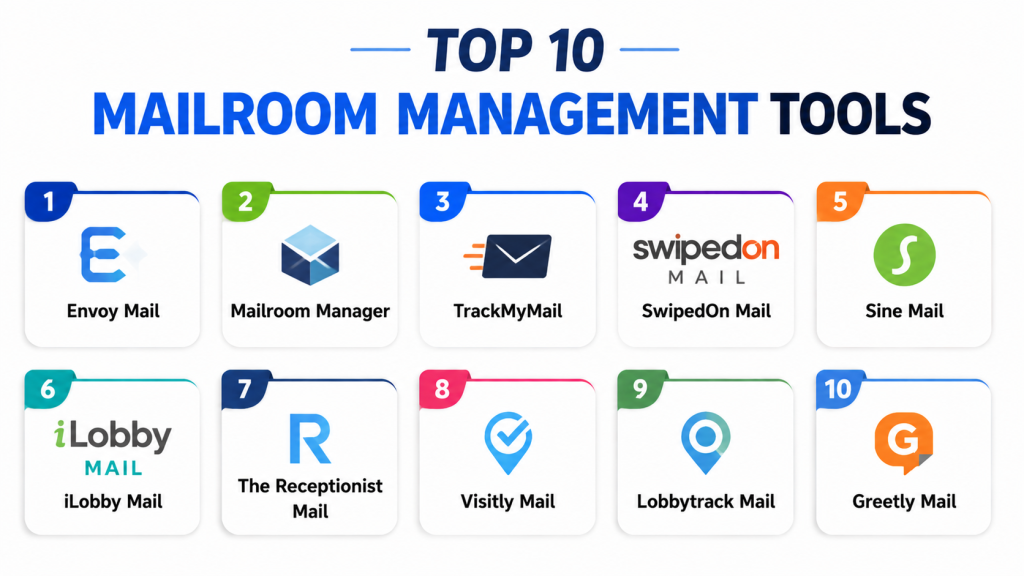
Top 10 Mailroom Management Tools
1- Envoy Mail
Short description: Envoy Mail provides a complete mailroom automation platform with package tracking, notifications, and secure check-in, ideal for enterprise offices and multi-location workplaces.
Key Features
- Digital package tracking with QR codes
- Automated email and SMS notifications
- Package check-in and check-out logging
- Secure storage and locker management
- Multi-location visibility
- Reporting dashboards for mailroom metrics
- Integration with workplace systems
Pros
- Reduces lost packages and human errors
- Easy notifications for recipients and staff
- Scalable across multiple office locations
Cons
- Enterprise features may be overkill for small offices
- Hardware setup (lockers, scanners) can be costly
- Advanced integrations may require IT support
Platforms / Deployment
Web / iOS / Android
Cloud
Security & Compliance
Not publicly stated
Integrations & Ecosystem
Integrates with office directories, access control, and notifications.
- Slack/Teams alerts
- Calendar integration
- Access control systems
- Locker hardware
- Reporting dashboards
Support & Community
Documentation and onboarding resources available; support tiers vary by plan.
2- Mailroom Manager
Short description: Mailroom Manager streamlines mail operations with barcode scanning, package logs, and digital notifications, suited for SMBs and universities with moderate mail volumes.
Key Features
- Barcode scanning for package tracking
- Recipient notifications via email/SMS
- Digital check-in/out records
- Reporting on mailroom performance
- Integration with mailroom hardware
- Customizable workflow templates
- Visitor mail handling
Pros
- Flexible workflow for diverse mail types
- Affordable for SMBs and educational institutions
- Reduces manual logging errors
Cons
- Interface may be less modern for enterprise users
- Limited AI-based optimization features
- Multi-location support is moderate
Platforms / Deployment
Web / iOS / Android
Cloud
Security & Compliance
Not publicly stated
Integrations & Ecosystem
- Email notifications
- Barcode scanners
- Locker systems
- Reporting dashboards
Support & Community
Standard onboarding and product support for SMBs.
3- TrackMyMail
Short description: TrackMyMail focuses on real-time package tracking, notifications, and audit logs for corporate offices and logistics hubs.
Key Features
- Package scanning and tracking
- Recipient notifications
- Audit logs for compliance
- Secure storage management
- Multi-location package overview
- SLA monitoring
- Reporting and analytics
Pros
- Strong audit and accountability features
- Ideal for high-volume offices and logistics hubs
- Multi-location support
Cons
- May require staff training for scanning workflows
- Advanced integrations are limited
- Hardware-dependent for barcode scanning
Platforms / Deployment
Web / iOS / Android
Cloud
Security & Compliance
Not publicly stated
Integrations & Ecosystem
- Email/SMS alerts
- Locker systems
- Reporting dashboards
- ERP/HR systems
Support & Community
Business support and training documentation available.
4- SwipedOn Mail
Short description: SwipedOn Mail adds mailroom management to its reception-focused platform, providing simple check-in, notifications, and tracking for SMB offices and co-working spaces.
Key Features
- Package pre-registration and check-in
- iPad-based mail check-in
- Notifications for recipients
- Badge printing integration
- History logs of packages
- Multi-location capability
- Reporting dashboards
Pros
- User-friendly and simple for small offices
- Combines visitor and mail tracking
- Affordable and quick setup
Cons
- Enterprise-grade security limited
- Workflow customization is moderate
- Multi-site scalability limited
Platforms / Deployment
Web / iOS
Cloud
Security & Compliance
Not publicly stated
Integrations & Ecosystem
- Badge printers
- Email notifications
- Locker integration
- Reporting dashboards
Support & Community
Support focused on SMBs; documentation included.
5- Sine Mail
Short description: Sine Mail integrates package and visitor management for industrial sites, healthcare, and offices, providing compliance-focused tracking and notifications.
Key Features
- Visitor and package pre-registration
- Mobile check-in for packages
- Compliance and audit logging
- Secure locker access
- Multi-location visibility
- Host notifications
- Reporting dashboards
Pros
- Strong for industrial and healthcare settings
- Mobile-first check-in
- Compliance-ready tracking
Cons
- Overkill for small offices
- Hardware and scanning setup needed
- Limited SMB-focused UI
Platforms / Deployment
Web / iOS / Android
Cloud
Security & Compliance
Not publicly stated
Integrations & Ecosystem
- Access control systems
- Locker management
- Notification apps
- Reporting dashboards
Support & Community
Business-focused support available.
6- iLobby Mail
Short description: iLobby Mailroom combines package, courier, and visitor management for enterprises, providing secure logging, audit trails, and multi-location tracking.
Key Features
- Pre-registration and logging of mail
- Secure check-in and check-out
- Digital notifications
- Badge/locker integration
- Multi-location management
- Audit and compliance dashboards
- Reporting tools
Pros
- Enterprise-grade security
- Multi-site management
- Supports high-volume operations
Cons
- Overkill for SMBs
- Setup complexity
- Premium pricing
Platforms / Deployment
Web / iOS / Android
Cloud
Security & Compliance
Not publicly stated
Integrations & Ecosystem
- Access control systems
- Locker hardware
- Reporting dashboards
- ERP/HR systems
Support & Community
Onboarding and support for enterprise deployments.
7- The Receptionist Mail
Short description: Adds package handling to a simple reception system, perfect for small offices, clinics, and coworking spaces.
Key Features
- Pre-registration of packages
- iPad check-in
- Notifications for recipients
- Digital logs
- Locker integration
- Multi-location support
- Reports and dashboards
Pros
- Easy setup and usability
- Affordable
- Combines visitor and mail tracking
Cons
- Limited enterprise security
- Workflow customization moderate
- Scalability limited
Platforms / Deployment
Web / iOS
Cloud
Security & Compliance
Not publicly stated
Integrations & Ecosystem
- Email alerts
- Locker integration
- Reporting dashboards
Support & Community
Support tailored to small offices.
8- Visitly Mail
Short description: Lightweight package tracking with pre-registration, notifications, and basic logging for small and mid-sized offices.
Key Features
- Package pre-registration
- Tablet/mobile check-in
- Notifications
- Basic logs
- Locker management
- Multi-location support
- Reports
Pros
- Quick and simple
- Affordable
- Easy to deploy
Cons
- Limited enterprise-grade security
- Advanced integrations lacking
- Best for straightforward operations
Platforms / Deployment
Web / iOS
Cloud
Security & Compliance
Not publicly stated
Integrations & Ecosystem
- Email/SMS alerts
- Locker support
- Reporting dashboards
Support & Community
SMB-focused support.
9- Lobbytrack Mail
Short description: Structured mailroom operations with badge integration, digital logging, and multi-device check-in for offices and facilities.
Key Features
- Package and mail pre-registration
- Badge printing
- Tablet/iPad check-in
- Logging and audit trails
- Multi-location support
- Notifications to recipients
- Reporting
Pros
- Flexible badge and package management
- Multi-device support
- Structured workflow
Cons
- Operational interface may feel dated
- Integration depth limited
- Hardware planning needed
Platforms / Deployment
Web / iOS / Android
Cloud
Security & Compliance
Not publicly stated
Integrations & Ecosystem
- Badge printers
- Tablet scanning
- Reporting dashboards
Support & Community
Support for setup and mailroom workflows.
10- Greetly Mail
Short description: Digital receptionist for mailroom workflows, pre-registration, notifications, and simple package management for SMB offices.
Key Features
- Pre-registration for mail/packages
- Notifications for recipients
- Digital check-in
- Locker integration
- Badge printing
- Reporting dashboards
- Branded front-desk experience
Pros
- Easy setup
- Combines visitor and mail tracking
- Affordable
Cons
- Enterprise security features limited
- Advanced integrations lacking
- Best for SMBs and co-working
Platforms / Deployment
Web / iOS / Android
Cloud
Security & Compliance
Not publicly stated
Integrations & Ecosystem
- Email notifications
- Locker integration
- Badge printing
- Reporting dashboards
Support & Community
SMB-focused support included.
Comparison Table
| Tool Name | Best For | Platform(s) Supported | Deployment | Standout Feature | Public Rating |
|---|---|---|---|---|---|
| Envoy Mail | Enterprise offices | Web, iOS, Android | Cloud | Polished package workflow | N/A |
| Mailroom Manager | SMBs, universities | Web, iOS, Android | Cloud | Barcode package tracking | N/A |
| TrackMyMail | Logistics & offices | Web, iOS, Android | Cloud | Audit logging & compliance | N/A |
| SwipedOn Mail | SMBs, co-working | Web, iOS | Cloud | Tablet check-in simplicity | N/A |
| Sine Mail | Industrial & healthcare | Web, iOS, Android | Cloud | Compliance-focused workflows | N/A |
| iLobby Mail | Enterprise & industrial | Web, iOS, Android | Cloud | Multi-location oversight | N/A |
| The Receptionist Mail | SMB offices | Web, iOS | Cloud | Simple front-desk mail | N/A |
| Visitly Mail | SMB & mid-sized offices | Web, iOS | Cloud | Lightweight mail tracking | N/A |
| Lobbytrack Mail | Offices/facilities | Web, iOS, Android | Cloud | Structured badge & mail | N/A |
| Greetly Mail | SMB offices | Web, iOS, Android | Cloud | Digital receptionist | N/A |
Evaluation & Scoring of Mailroom Management Tools
| Tool Name | Core 25% | Ease 15% | Integrations 15% | Security 10% | Performance 10% | Support 10% | Value 15% | Weighted Total 0–10 |
|---|---|---|---|---|---|---|---|---|
| Envoy Mail | 9 | 9 | 9 | 8 | 9 | 8 | 8 | 8.65 |
| Mailroom Manager | 8 | 8 | 7 | 7 | 8 | 7 | 8 | 7.75 |
| TrackMyMail | 8 | 8 | 7 | 8 | 8 | 8 | 8 | 7.90 |
| SwipedOn Mail | 8 | 9 | 7 | 7 | 8 | 8 | 8 | 8.05 |
| Sine Mail | 8 | 8 | 8 | 8 | 8 | 8 | 8 | 8.00 |
| iLobby Mail | 9 | 7 | 8 | 9 | 8 | 8 | 7 | 8.00 |
| The Receptionist Mail | 7 | 9 | 7 | 7 | 8 | 8 | 8 | 7.75 |
| Visitly Mail | 7 | 8 | 7 | 7 | 8 | 7 | 8 | 7.45 |
| Lobbytrack Mail | 8 | 7 | 7 | 7 | 8 | 7 | 8 | 7.50 |
| Greetly Mail | 7 | 8 | 7 | 7 | 7 | 7 | 8 | 7.35 |
Which Mailroom Management Tool Is Right for You?
Solo / Freelancer
Minimal mail volume? Choose Greetly Mail, Visitly Mail, or The Receptionist Mail for lightweight, simple setup and digital notifications.
SMB
Small offices and co-working spaces benefit from SwipedOn Mail, The Receptionist Mail, and Mailroom Manager to streamline package check-in and recipient notifications.
Mid-Market
Multi-location or higher-volume offices should consider Envoy Mail, TrackMyMail, and Sine Mail for automated workflows, tracking, and compliance features.
Enterprise
Organizations with complex mailroom operations require Envoy Mail, iLobby Mail, or Sine Mail for multi-location visibility, secure logging, and advanced integrations.
Budget vs Premium
Budget-conscious SMBs: SwipedOn Mail, Visitly Mail, Greetly Mail. Premium/Enterprise: Envoy Mail, iLobby Mail, TrackMyMail.
Feature Depth vs Ease of Use
Ease-first: SwipedOn Mail, Visitly Mail, The Receptionist Mail. Feature-depth: Envoy Mail, iLobby Mail, Sine Mail, TrackMyMail.
Integrations & Scalability
High integration needs with ERP, HR, access control, or notification systems favor Envoy Mail, TrackMyMail, Sine Mail, and iLobby Mail.
Security & Compliance Needs
High security or regulated environments should prioritize Envoy Mail, iLobby Mail, Sine Mail, and TrackMyMail for audit logs, access control, and reporting.
Frequently Asked Questions
1. What is a Mailroom Management Tool?
A software system that tracks incoming/outgoing packages, logs details, automates notifications, and manages mailroom workflows efficiently.
2. How does pre-registration help mailrooms?
Pre-registration allows staff to prepare packages, notify recipients, and track deliveries in advance, reducing delays and errors.
3. Are these tools secure?
Most tools provide digital logs, access control, and audit trails. Validate encryption, SSO, and compliance features before purchase.
4. What deployment options exist?
Most tools are cloud-based SaaS, with web and mobile interfaces. Some support hybrid or limited on-prem setups.
5. Do they support multi-location operations?
Yes, enterprise-focused tools like Envoy Mail, iLobby Mail, and Sine Mail support centralized oversight across multiple offices.
6. Can they integrate with lockers or badge systems?
Yes, many tools support secure lockers, badge printing, and access control integration for efficient package handling.
7. How long does implementation take?
SMBs may deploy in hours or days; enterprises may require weeks for hardware, workflow, and integration setup.
8. Are mobile apps supported?
Yes, most platforms offer iOS/Android apps for mailroom staff to scan, track, and update deliveries.
9. What alternatives exist to software tools?
Paper logs, spreadsheets, and manual notifications exist, but these lack automation, audit trails, and digital visibility.
10. What is the ROI of using a mailroom tool?
Reduces lost packages, staff time, errors, and improves accountability, compliance, and employee satisfaction.
Conclusion
Mailroom Management Tools are now essential for modern workplaces, logistics hubs, educational institutions, and healthcare facilities to manage mail, packages, and courier operations efficiently. SMBs can rely on SwipedOn Mail, The Receptionist Mail, Visitly Mail, or Mailroom Manager for simplicity and cost-effectiveness, while mid-market and enterprise organizations will benefit from Envoy Mail, iLobby Mail, TrackMyMail, or Sine Mail for multi-location visibility, workflow automation, and security compliance. Organizations should shortlist two to three tools, run a real-world pilot with typical mail volume, validate package notifications, locker integrations, and reporting workflows, and then scale across locations once the workflow proves effective.
