Introduction
Privacy-preserving analytics tools help organizations understand users, products, campaigns, websites, apps, and customer journeys without collecting or exposing unnecessary personal data. Instead of relying only on invasive tracking, these tools support methods such as anonymization, cookieless analytics, consent-aware tracking, first-party data control, data minimization, self-hosting, event-level governance, and privacy-safe reporting.
They matter now because businesses need useful insights while meeting rising expectations around privacy, consent, security, and data governance. Marketing teams still need attribution, product teams still need behavior analytics, and leadership still needs performance visibility. But buyers now expect analytics platforms to reduce personal data exposure, support compliance workflows, and work well with modern cloud, warehouse, and consent ecosystems.
Real-world use cases include:
- Website analytics: Track traffic, pages, sources, campaigns, and conversions with less personal data collection.
- Product analytics: Understand feature usage, funnels, retention, and user behavior with privacy controls.
- Marketing performance: Measure campaigns while reducing dependency on third-party cookies.
- Consent-aware reporting: Respect regional privacy requirements and user consent choices.
- First-party data strategy: Keep analytics data closer to your own infrastructure and governance model.
- Enterprise data governance: Limit access, audit usage, and reduce exposure of customer-level data.
Evaluation Criteria for Buyers:
- Privacy model: Look for anonymization, cookieless tracking, consent controls, IP masking, and data minimization.
- Deployment flexibility: Decide whether you need cloud, self-hosted, hybrid, or warehouse-native analytics.
- Ease of use: Marketing and product teams need clear dashboards, simple reporting, and low-friction setup.
- Data ownership: Check whether raw data can be exported, self-hosted, or controlled by your team.
- Security controls: Review SSO, MFA, RBAC, audit logs, encryption, and admin permissions.
- Integrations: Evaluate CMS, tag managers, CDPs, data warehouses, BI tools, and marketing platforms.
- Compliance readiness: Look for GDPR, consent management compatibility, data residency, and retention controls.
- Performance impact: Lightweight scripts matter for website speed and user experience.
- Scalability: Larger teams need governance, event volume handling, advanced segmentation, and enterprise support.
- Pricing model: Compare pageview-based, event-based, seat-based, and enterprise pricing carefully.
Best for: Privacy-preserving analytics tools are best for marketing teams, product managers, data teams, SaaS companies, publishers, agencies, ecommerce brands, privacy-conscious startups, and enterprises that need insight without unnecessary personal data exposure.
Not ideal for: These tools may not be ideal for teams that need extremely deep ad-platform attribution, unrestricted user-level tracking, or highly customized behavioral datasets without any privacy constraints. In some cases, a broader CDP, data warehouse, or data clean room may be a better fit.
Key Trends in Privacy-preserving Analytics Tools
- Cookieless and first-party analytics are becoming standard: Businesses want dependable measurement without relying heavily on third-party cookies or opaque browser tracking.
- Consent-aware analytics is now a buying requirement: Analytics tools increasingly need to work with consent banners, CMPs, and regional privacy rules.
- Self-hosted and hybrid deployment options are gaining attention: Technical buyers want more control over where analytics data is stored and processed.
- Lightweight tracking is becoming a competitive advantage: Website owners care about speed, SEO performance, and simple scripts that do not slow pages down.
- Product analytics and privacy are converging: Teams want funnels, cohorts, retention, and feature analytics, but with stronger controls over personal data.
- Data warehouse integration is more important: Modern analytics buyers want to send privacy-safe events into Snowflake, BigQuery, Redshift, or other analytics stacks.
- AI-assisted analytics is emerging carefully: Some vendors are adding AI summaries, anomaly detection, and reporting automation, but privacy and governance remain key concerns.
- Open-source analytics is becoming more credible: Tools like Matomo, PostHog, Countly, and Umami appeal to teams that want transparency and control.
- Enterprise buyers want auditability: RBAC, access control, retention policies, and administrative visibility are becoming more important than simple dashboard features.
- Privacy-preserving measurement is expanding beyond websites: Product usage, mobile apps, customer journeys, and partner analytics are now part of the same conversation.
How We Selected These Tools
The tools in this list were selected using practical buyer-focused evaluation logic rather than public rating claims. The goal is to include a balanced mix of enterprise, SMB, developer-first, open-source, and marketing-friendly analytics platforms.
Selection factors included:
- Market adoption and mindshare across privacy analytics, product analytics, web analytics, and first-party measurement.
- Feature completeness including dashboards, events, funnels, goals, segmentation, retention, and reporting.
- Privacy posture signals such as cookieless tracking, self-hosting, anonymization, consent controls, and data minimization.
- Deployment flexibility across cloud, self-hosted, hybrid, and open-source models.
- Security and governance controls such as SSO, RBAC, audit logs, data retention, and admin access.
- Integration ecosystem covering CMS platforms, tag managers, data warehouses, BI tools, and developer APIs.
- Performance and reliability for high-traffic websites, SaaS products, and event-heavy applications.
- Customer fit across segments including freelancers, SMBs, startups, agencies, mid-market companies, and enterprises.
- Practical usability for both non-technical marketing users and technical product/data teams.
- Long-term relevance for privacy-first analytics strategies.
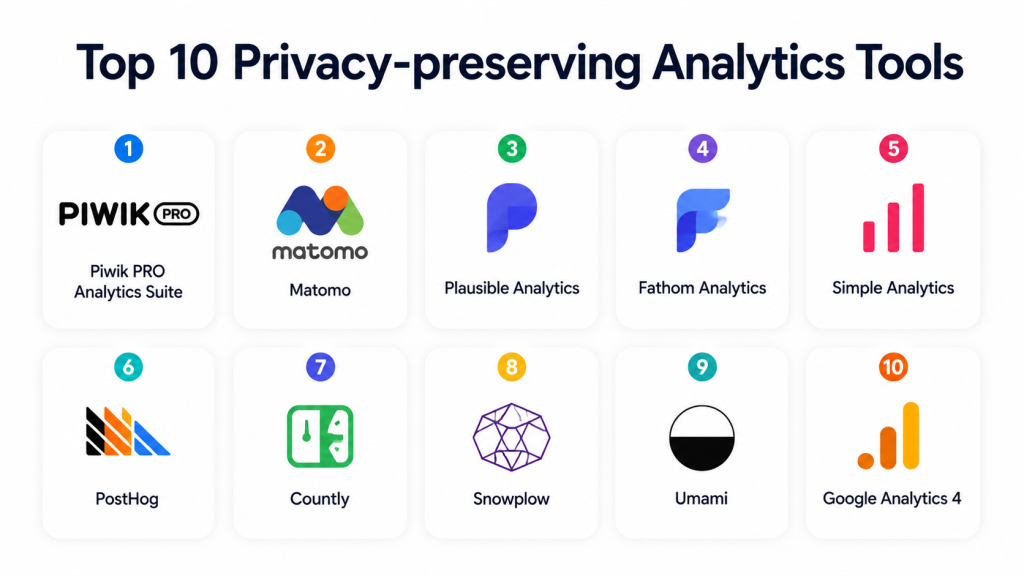
Top 10 Privacy-preserving Analytics Tools
1- Piwik PRO Analytics Suite
Short description: Piwik PRO Analytics Suite is an enterprise-focused privacy-friendly analytics platform built for organizations that need web and app analytics, consent management alignment, and stronger data governance. It is commonly used by regulated, privacy-sensitive, and compliance-focused teams.
Key Features
- Web and app analytics for traffic, behavior, goals, and campaign measurement
- Privacy-focused analytics architecture with enterprise controls
- Consent management and privacy workflow alignment
- Customer journey, funnel, and conversion reporting
- Tag management and data collection capabilities
- Enterprise access controls and administration options
- Flexible deployment and data governance features
Pros
- Strong fit for enterprises and regulated industries.
- Good balance between analytics depth and privacy-conscious operation.
- Useful for teams that need more governance than lightweight analytics tools.
Cons
- May be more complex than basic website analytics tools.
- Pricing and setup may be better suited for mid-market and enterprise buyers.
- Some advanced workflows may require implementation support.
Platforms / Deployment
Cloud / Private cloud / Hybrid options may be available depending on plan and customer requirements.
Security & Compliance
Supports privacy-oriented controls and enterprise governance features. Specific certifications, regional hosting, SSO, audit logs, and compliance coverage should be confirmed directly with the vendor. If not contractually verified, write Not publicly stated.
Integrations & Ecosystem
Piwik PRO fits well into privacy-conscious marketing, analytics, and enterprise reporting stacks. It is especially useful when teams need analytics connected to consent, campaign tracking, and controlled data access.
Common integrations and ecosystem areas include:
- Consent management workflows
- Tag management
- Marketing campaign tracking
- BI and reporting workflows
- CMS and website platforms
- Data export and analytics pipelines
Support & Community
Piwik PRO is positioned for professional and enterprise usage, so onboarding, documentation, and support tiers are important parts of the buying process. Support depth may vary by plan and contract.
2- Matomo
Short description: Matomo is a popular privacy-focused web analytics platform known for data ownership, open-source availability, and self-hosting options. It is suitable for organizations that want Google Analytics alternatives with more control over analytics data.
Key Features
- Web analytics with visits, traffic sources, goals, events, and conversions
- Self-hosted option for greater data control
- Cloud-hosted option for easier management
- Heatmaps, session recordings, and form analytics available in some editions
- Ecommerce tracking and campaign analytics
- Custom dimensions and reporting options
- Broad plugin and developer ecosystem
Pros
- Strong choice for teams that prioritize data ownership.
- Flexible for both technical and non-technical analytics teams.
- Open-source roots make it appealing for transparency-focused buyers.
Cons
- Self-hosted deployment requires technical management.
- Advanced features may require paid editions or plugins.
- User experience may feel less modern than some newer lightweight tools.
Platforms / Deployment
Cloud / Self-hosted / Web-based.
Security & Compliance
Matomo is widely used by privacy-conscious organizations and supports privacy-related configuration options such as IP anonymization and data control. Exact certifications, SSO, audit logs, and compliance commitments depend on edition and hosting model.
Integrations & Ecosystem
Matomo has a mature ecosystem for websites, CMS platforms, ecommerce, and reporting workflows. It is flexible for teams that want analytics embedded into existing digital operations.
Common integrations and ecosystem areas include:
- WordPress and CMS platforms
- Ecommerce platforms
- Tag managers
- Custom APIs
- Reporting exports
- Campaign tracking tools
Support & Community
Matomo has a strong community due to its open-source background. Paid support, cloud support, documentation, and plugin resources are available depending on the edition selected.
3- Plausible Analytics
Short description: Plausible Analytics is a lightweight, privacy-friendly web analytics tool designed for simple website measurement without unnecessary complexity. It is popular among startups, publishers, developers, and teams that want clean dashboards and fast performance.
Key Features
- Lightweight website analytics script
- Simple dashboard for traffic, sources, pages, and goals
- Privacy-friendly analytics model
- Cookieless tracking approach
- Goal and conversion tracking
- Team access and shared reporting options
- Open-source availability
Pros
- Very easy to use and quick to deploy.
- Lightweight script helps reduce website performance impact.
- Strong fit for privacy-conscious websites and SMBs.
Cons
- Not as deep as enterprise product analytics platforms.
- Limited advanced behavioral analytics compared with tools like PostHog or Countly.
- Less suitable for complex multi-touch attribution.
Platforms / Deployment
Cloud / Self-hosted option available.
Security & Compliance
Plausible is privacy-focused and designed around reduced personal data collection. Specific enterprise controls, certifications, and compliance details should be confirmed by plan and deployment model.
Integrations & Ecosystem
Plausible works well for simple web analytics, content websites, SaaS landing pages, and marketing teams that need clean reporting without heavy setup.
Common integrations and ecosystem areas include:
- Website platforms
- CMS tools
- Custom events
- Goal tracking
- API access
- Public or shared dashboards
Support & Community
Plausible has documentation, product support, and an open-source community. Support depth depends on hosting model and subscription plan.
4- Fathom Analytics
Short description: Fathom Analytics is a privacy-focused website analytics tool designed for simple, fast, and compliant-friendly reporting. It is commonly used by creators, agencies, small businesses, and privacy-conscious website owners.
Key Features
- Simple website analytics dashboard
- Lightweight tracking script
- Privacy-friendly measurement approach
- Cookieless analytics model
- Event and goal tracking
- Fast setup for websites and landing pages
- Easy-to-read traffic and campaign reporting
Pros
- Very simple for non-technical users.
- Good fit for teams that want minimal analytics overhead.
- Strong option for privacy-focused website reporting.
Cons
- Limited advanced product analytics.
- Not ideal for deep user behavior analysis.
- May not fit large enterprise analytics requirements alone.
Platforms / Deployment
Cloud / Web-based.
Security & Compliance
Fathom is positioned around privacy-friendly analytics and reduced tracking complexity. Specific certifications, SSO, audit logs, and enterprise compliance details should be confirmed directly with the vendor.
Integrations & Ecosystem
Fathom is best suited for straightforward website analytics and reporting. It fits well into small business, creator, agency, and content website workflows.
Common integrations and ecosystem areas include:
- Website builders
- CMS platforms
- Custom events
- Campaign tracking
- API workflows
- Client reporting
Support & Community
Fathom provides documentation and customer support. Community depth is smaller than large open-source ecosystems, but the product is known for simplicity and ease of adoption.
5- Simple Analytics
Short description: Simple Analytics is a privacy-first website analytics platform focused on clean reporting, minimal data collection, and easy implementation. It is well suited for teams that want simple analytics without invasive tracking.
Key Features
- Privacy-first website analytics
- Clean and minimal dashboard
- Cookieless analytics approach
- Event tracking and goals
- Lightweight script
- Public dashboard options
- Simple campaign and referral reporting
Pros
- Easy to understand for marketers and founders.
- Good for organizations that want minimal data collection.
- Useful alternative to complex analytics platforms.
Cons
- Not designed for advanced product analytics.
- Limited deep segmentation compared with larger analytics suites.
- May not meet advanced enterprise governance requirements alone.
Platforms / Deployment
Cloud / Web-based.
Security & Compliance
Simple Analytics is privacy-oriented, but specific security certifications, SSO, audit logs, and enterprise compliance commitments should be confirmed directly.
Integrations & Ecosystem
Simple Analytics fits into lightweight website measurement workflows. It is practical for small teams, agencies, publishers, and privacy-conscious companies.
Common integrations and ecosystem areas include:
- CMS platforms
- Website builders
- Event tracking
- Public dashboards
- Reporting exports
- API usage
Support & Community
Documentation and support are available. Community strength is moderate and mainly centered around privacy-conscious web analytics users.
6- PostHog
Short description: PostHog is an open-source product analytics platform that includes event analytics, funnels, session replay, feature flags, experiments, and product insights. It is suitable for product-led teams that want deeper analytics with flexible deployment and data control options.
Key Features
- Product analytics for events, funnels, retention, and cohorts
- Session replay and user behavior analysis
- Feature flags and experimentation
- Open-source availability
- Cloud and self-hosted deployment options
- Data pipelines and warehouse-related workflows
- Developer-friendly APIs and SDKs
Pros
- Strong fit for product teams and SaaS companies.
- Combines analytics with feature management and experimentation.
- Self-hosting option can support stronger data control.
Cons
- More complex than simple website analytics tools.
- Requires event planning for best results.
- Some privacy controls depend on configuration and deployment choices.
Platforms / Deployment
Cloud / Self-hosted / Web-based / Developer SDKs.
Security & Compliance
PostHog supports modern product analytics workflows and deployment flexibility. Specific SSO, RBAC, audit logs, retention controls, and compliance certifications should be verified by plan and deployment model.
Integrations & Ecosystem
PostHog is developer-friendly and fits well into modern product engineering stacks. It works best when product and engineering teams collaborate on event tracking and experimentation.
Common integrations and ecosystem areas include:
- Web and app SDKs
- Data warehouses
- Feature flag workflows
- Experimentation workflows
- Product analytics dashboards
- Developer APIs
Support & Community
PostHog has strong documentation and an active open-source community. Paid support and enterprise options may vary by plan.
7- Countly
Short description: Countly is a product analytics and customer engagement platform with open-source and enterprise options. It is useful for teams that need web, mobile, desktop, and IoT analytics with flexible deployment and data ownership options.
Key Features
- Product analytics for web, mobile, desktop, and IoT
- Self-hosted and enterprise deployment options
- Dashboards, events, funnels, retention, and cohorts
- Crash analytics and performance insights in some editions
- User segmentation and engagement features
- Plugin-based architecture
- Strong fit for multi-platform product analytics
Pros
- Flexible for organizations with web, mobile, and product analytics needs.
- Self-hosted option supports stronger data control.
- Useful for technical teams that need extensibility.
Cons
- Setup can be more involved than simple web analytics tools.
- Advanced features may require enterprise licensing.
- User experience and implementation quality depend on configuration.
Platforms / Deployment
Cloud / Self-hosted / Web / Mobile SDKs / Desktop / IoT options may vary.
Security & Compliance
Security and privacy controls depend on edition and deployment model. Buyers should verify SSO, RBAC, audit logs, encryption, and compliance requirements directly with the vendor.
Integrations & Ecosystem
Countly fits technical product analytics environments where organizations need flexible tracking across platforms. Its plugin model and SDK coverage make it useful for multi-channel products.
Common integrations and ecosystem areas include:
- Web SDKs
- Mobile SDKs
- Backend integrations
- Product analytics dashboards
- Engagement workflows
- Custom plugins
Support & Community
Countly has documentation, open-source community resources, and enterprise support options. Support quality may depend on edition and contract.
8- Snowplow
Short description: Snowplow is a behavioral data platform for organizations that want to collect, validate, model, and own event-level customer data. It is best for data-mature teams that want privacy-aware data pipelines rather than a simple plug-and-play dashboard.
Key Features
- First-party event data collection
- Data modeling and pipeline control
- Warehouse and lakehouse-friendly architecture
- Strong schema and data quality controls
- Behavioral analytics foundation
- Real-time and batch data workflows
- Developer and data engineering flexibility
Pros
- Excellent fit for data teams that want full ownership of behavioral data.
- Strong foundation for custom analytics, BI, and ML workflows.
- Useful for privacy-aware first-party data strategies.
Cons
- Requires data engineering maturity.
- Not as simple as plug-and-play website analytics tools.
- Dashboarding and business reporting may require additional tools.
Platforms / Deployment
Cloud / Self-managed or customer-controlled architecture options may vary / Data warehouse and lakehouse ecosystem.
Security & Compliance
Security and compliance depend on deployment architecture, cloud environment, and customer configuration. Buyers should verify enterprise controls directly.
Integrations & Ecosystem
Snowplow is strong for organizations that want analytics data in their own data warehouse or lakehouse. It is often used as the event-data foundation for BI, product analytics, customer intelligence, and machine learning.
Common integrations and ecosystem areas include:
- Data warehouses
- Cloud storage
- BI tools
- Event tracking SDKs
- Data modeling workflows
- Machine learning pipelines
Support & Community
Snowplow has documentation, technical resources, and professional support options. It is best suited for teams with data engineering or analytics engineering capability.
9- Umami
Short description: Umami is an open-source, privacy-focused web analytics tool designed to be simple, lightweight, and self-hostable. It is a good option for developers, small teams, and organizations that want basic analytics with strong control over hosting.
Key Features
- Simple website analytics dashboard
- Open-source availability
- Self-hosting support
- Lightweight tracking script
- Pageviews, referrers, devices, and event tracking
- Multi-site analytics
- Privacy-focused measurement approach
Pros
- Strong option for developers and technical teams.
- Self-hosting gives more infrastructure control.
- Clean and lightweight alternative to complex analytics tools.
Cons
- Limited enterprise governance features.
- Less advanced than full product analytics platforms.
- Requires technical setup when self-hosted.
Platforms / Deployment
Self-hosted / Cloud options may vary / Web-based.
Security & Compliance
Security and compliance depend heavily on hosting, configuration, and maintenance. Specific certifications are Not publicly stated unless confirmed by the chosen provider or deployment.
Integrations & Ecosystem
Umami is best for lightweight web analytics and developer-controlled environments. It fits well for personal sites, SaaS websites, documentation portals, and privacy-conscious teams.
Common integrations and ecosystem areas include:
- Website frameworks
- CMS platforms
- Self-hosted infrastructure
- Event tracking
- API access
- Developer workflows
Support & Community
Umami has an open-source community, documentation, and community support. Enterprise-grade support may vary depending on hosting choice or vendor plan.
10- Google Analytics 4
Short description: Google Analytics 4 is a widely used analytics platform for website and app measurement. While it is not always viewed as the most privacy-first tool, it includes privacy controls, consent mode support, event-based analytics, and broad ecosystem compatibility.
Key Features
- Web and app analytics in one event-based model
- Campaign measurement and attribution reporting
- Audience and conversion tracking
- Consent mode support
- Integration with Google marketing and advertising ecosystem
- Exploration reports and funnel analysis
- BigQuery export options for deeper analysis in some configurations
Pros
- Very broad adoption and strong ecosystem support.
- Useful for marketing teams that rely on Google Ads and search reporting.
- Good starting point for many organizations needing standard analytics.
Cons
- Privacy-sensitive teams may prefer more minimal or self-hosted alternatives.
- Configuration can be complex for accurate reporting.
- Advanced governance often requires careful setup and review.
Platforms / Deployment
Cloud / Web / Mobile app SDKs.
Security & Compliance
Google Analytics 4 includes privacy-related configuration options, but buyers must configure consent, retention, data sharing, and regional requirements carefully. Specific compliance fit depends on implementation and legal review.
Integrations & Ecosystem
Google Analytics 4 has one of the broadest analytics ecosystems because of its connection to Google marketing, advertising, tagging, and reporting tools.
Common integrations and ecosystem areas include:
- Google Ads
- Google Tag Manager
- Search reporting workflows
- BigQuery export
- Looker Studio
- Ecommerce platforms
Support & Community
Google Analytics has extensive documentation, training resources, agency support, and community knowledge. Enterprise support may depend on broader Google agreements and account structure.
Comparison Table
| Tool Name | Best For | Platform(s) Supported | Deployment | Standout Feature | Public Rating |
|---|---|---|---|---|---|
| Piwik PRO Analytics Suite | Enterprises and regulated teams | Web / App analytics | Cloud / Private cloud / Hybrid | Privacy-focused enterprise analytics suite | N/A |
| Matomo | Data ownership and Google Analytics alternative | Web | Cloud / Self-hosted | Open-source roots with self-hosting | N/A |
| Plausible Analytics | Lightweight privacy-friendly web analytics | Web | Cloud / Self-hosted | Simple cookieless analytics | N/A |
| Fathom Analytics | Simple privacy-focused website reporting | Web | Cloud | Lightweight privacy-first dashboard | N/A |
| Simple Analytics | Minimal data collection and clean reporting | Web | Cloud | Simple privacy-first analytics | N/A |
| PostHog | Product analytics and feature experimentation | Web / App SDKs | Cloud / Self-hosted | Product analytics plus feature flags | N/A |
| Countly | Multi-platform product analytics | Web / Mobile / Desktop / IoT | Cloud / Self-hosted | Multi-platform analytics flexibility | N/A |
| Snowplow | Data-mature first-party event pipelines | Web / App / Server-side | Cloud / Customer-controlled options | First-party behavioral data pipeline | N/A |
| Umami | Developers and self-hosted lightweight analytics | Web | Self-hosted / Cloud options vary | Open-source lightweight analytics | N/A |
| Google Analytics 4 | Broad marketing analytics ecosystem | Web / Mobile apps | Cloud | Google ecosystem integration | N/A |
Evaluation & Scoring of Privacy-preserving Analytics Tools
The scoring below is comparative and based on practical buyer-fit factors, not public star ratings. A higher score does not mean a universal winner. It means the tool performs strongly across this specific evaluation model. Teams should validate scores through pilots, security review, and integration testing.
| Tool Name | Core (25%) | Ease (15%) | Integrations (15%) | Security (10%) | Performance (10%) | Support (10%) | Value (15%) | Weighted Total |
| Piwik PRO Analytics Suite | 9 | 7 | 8 | 9 | 8 | 8 | 7 | 8.10 |
| Matomo | 8 | 7 | 8 | 8 | 7 | 8 | 9 | 7.95 |
| Plausible Analytics | 7 | 9 | 7 | 8 | 9 | 7 | 8 | 7.80 |
| Fathom Analytics | 7 | 9 | 6 | 8 | 9 | 7 | 8 | 7.65 |
| Simple Analytics | 7 | 9 | 6 | 8 | 9 | 7 | 8 | 7.65 |
| PostHog | 9 | 7 | 9 | 8 | 8 | 8 | 8 | 8.25 |
| Countly | 8 | 7 | 8 | 8 | 8 | 7 | 8 | 7.80 |
| Snowplow | 9 | 5 | 9 | 8 | 9 | 8 | 7 | 8.00 |
| Umami | 6 | 8 | 6 | 7 | 8 | 6 | 9 | 7.05 |
| Google Analytics 4 | 8 | 7 | 10 | 7 | 8 | 8 | 9 | 8.15 |
How to Interpret the Scores
- Highest score does not mean best for every team. For example, Snowplow is powerful but better for data-mature teams than beginners.
- Privacy fit depends on configuration. A tool can support privacy-friendly workflows, but poor setup can still create risk.
- Ease and depth often trade off. Plausible, Fathom, and Simple Analytics are easier, while PostHog, Snowplow, and Piwik PRO offer deeper capabilities.
- Deployment matters. Self-hosted tools can improve control but require technical ownership.
- Run a pilot before committing. Validate tracking accuracy, consent behavior, data exports, and reporting needs.
Which Privacy-preserving Analytics Tool Is Right for You?
Solo / Freelancer
For solo professionals, creators, consultants, and small website owners, simplicity matters more than complex event modeling. Plausible Analytics, Fathom Analytics, Simple Analytics, and Umami are strong options because they are lightweight and easy to understand.
Choose Plausible Analytics if you want simple dashboards and open-source availability. Choose Fathom Analytics or Simple Analytics if you want a clean hosted experience with minimal setup. Choose Umami if you are comfortable with self-hosting and want developer control.
SMB
Small and medium-sized businesses usually need a balance of privacy, marketing reporting, and ease of use. Matomo, Plausible Analytics, Piwik PRO, and Google Analytics 4 are common options depending on the company’s maturity.
Choose Matomo if data ownership matters. Choose Plausible Analytics if your reporting needs are simple. Choose Google Analytics 4 if your marketing depends heavily on Google Ads and campaign integrations. Choose Piwik PRO if you need more formal privacy governance.
Mid-Market
Mid-market companies often need more advanced segmentation, product analytics, data exports, and governance. PostHog, Piwik PRO, Matomo, Countly, and Snowplow are good candidates.
Choose PostHog if product analytics, funnels, feature flags, and experimentation matter. Choose Countly if you need multi-platform product analytics. Choose Snowplow if your data team wants a first-party behavioral data pipeline. Choose Piwik PRO when privacy governance is a major requirement.
Enterprise
Enterprises should evaluate privacy-preserving analytics through governance, security, deployment, scalability, and integration depth. Piwik PRO, Snowplow, PostHog, Countly, and Google Analytics 4 are usually more relevant than very lightweight tools.
Choose Piwik PRO for privacy-focused enterprise web analytics. Choose Snowplow for owned event pipelines and warehouse-centered analytics. Choose PostHog for product-led analytics and experimentation. Choose Google Analytics 4 when Google marketing ecosystem integration is essential.
Budget vs Premium
For budget-conscious teams, Umami, Matomo self-hosted, and lightweight hosted analytics tools can be attractive. However, technical time should be counted as part of the total cost.
Premium buyers should consider Piwik PRO, Snowplow, PostHog enterprise options, and Countly enterprise options where governance, scale, support, and advanced features matter more than the lowest monthly price.
Feature Depth vs Ease of Use
If ease of use is the priority, choose Plausible Analytics, Fathom Analytics, or Simple Analytics. These tools are strong for quick reporting, simple dashboards, and privacy-friendly website analytics.
If feature depth is the priority, choose PostHog, Snowplow, Countly, Piwik PRO, or Matomo. These platforms can support deeper analytics, custom events, product behavior, and more advanced reporting.
Integrations & Scalability
For broad marketing integrations, Google Analytics 4 remains one of the strongest options. For data warehouse and first-party pipelines, Snowplow is a strong fit. For product engineering workflows, PostHog offers strong developer ecosystem value.
For privacy-conscious web analytics with basic integrations, Matomo, Plausible Analytics, Fathom Analytics, and Simple Analytics may be enough. The right choice depends on whether your analytics data needs to flow into BI, CDP, marketing, or warehouse systems.
Security & Compliance Needs
For strict security and compliance needs, prioritize tools that support strong access controls, data retention settings, hosting choices, auditability, and enterprise support. Piwik PRO, Snowplow, Matomo, PostHog, and Countly are usually more relevant for formal governance workflows.
For simpler privacy-first websites, Plausible Analytics, Fathom Analytics, Simple Analytics, and Umami can reduce unnecessary personal data collection. However, legal and compliance teams should still review consent, data storage, retention, and regional requirements.
Frequently Asked Questions
1- What are privacy-preserving analytics tools?
Privacy-preserving analytics tools help businesses measure website, product, or campaign performance while reducing unnecessary personal data collection. They often support anonymization, cookieless analytics, consent-aware tracking, data minimization, or self-hosted control.
2- Are privacy-preserving analytics tools only for GDPR compliance?
No. GDPR is one reason companies adopt these tools, but the bigger goal is responsible data collection. Privacy-preserving analytics can also improve customer trust, reduce data risk, simplify governance, and support first-party data strategies.
3- What is the best privacy-preserving analytics tool for small websites?
For small websites, Plausible Analytics, Fathom Analytics, Simple Analytics, and Umami are strong choices. They are lightweight, easier to use, and focused on simple reporting without heavy tracking complexity.
4- What is the best option for product analytics?
PostHog and Countly are strong options for product analytics because they support events, funnels, cohorts, retention, and user behavior analysis. Snowplow is also powerful when your data team wants to build a custom first-party event pipeline.
5- Are self-hosted analytics tools more private?
Self-hosting can improve control over data storage and processing, but it does not automatically guarantee privacy. Teams still need proper configuration, security hardening, access controls, retention rules, consent handling, and legal review.
6- How do these tools usually price their products?
Pricing models vary. Some tools charge by pageviews, events, monthly visitors, tracked sessions, seats, data volume, or enterprise contracts. Open-source tools may reduce licensing cost but can add infrastructure and maintenance effort.
7- How long does implementation take?
Simple website analytics tools can often be implemented quickly by adding a tracking script. Product analytics, self-hosted deployments, and data pipeline platforms may take longer because they require event planning, governance, testing, and integration work.
8- What are common mistakes when switching analytics tools?
Common mistakes include copying old tracking habits without privacy review, failing to define events clearly, ignoring consent behavior, not testing reports, and comparing numbers directly between platforms without understanding methodology differences.
9- Can privacy-preserving analytics replace Google Analytics 4?
Yes, for many website reporting needs, tools like Matomo, Plausible, Fathom, Simple Analytics, and Piwik PRO can replace GA4. However, if your business depends heavily on Google Ads and Google ecosystem reporting, GA4 may still be needed.
10- What should enterprises check before buying?
Enterprises should check SSO, RBAC, audit logs, encryption, data residency, retention controls, support SLAs, APIs, warehouse integrations, consent compatibility, legal terms, and implementation support. A controlled pilot is strongly recommended.
Conclusion
Privacy-preserving analytics tools help organizations keep measurement useful while reducing unnecessary personal data exposure. The best tool depends on your company size, technical maturity, privacy requirements, analytics depth, and integration needs. Plausible, Fathom, Simple Analytics, and Umami are strong for lightweight website reporting. Matomo and Piwik PRO offer more control and governance. PostHog and Countly are better for product analytics. Snowplow is ideal for data-mature teams that want owned event pipelines. Google Analytics 4 remains relevant for organizations deeply connected to the Google marketing ecosystem. The smartest next step is to shortlist two or three tools, run a pilot on one website or product flow, validate consent and security requirements, test integrations, and then scale only after reporting accuracy and governance are proven.
