Introduction
Intranet Platforms provide organizations with a centralized digital workspace to manage internal communication, document sharing, collaboration, and employee engagement. They streamline workflows, reduce email clutter, and enable teams to access information quickly.
Modern intranets are crucial for remote and hybrid workforces, offering secure access to company resources, structured content, and tools for team collaboration. By centralizing knowledge and communication, intranet platforms improve productivity, transparency, and organizational culture.
Real-world use cases:
- Sharing company news and updates across departments.
- Managing internal documents, policies, and procedures.
- Team collaboration with shared workspaces and task tracking.
- Employee engagement through polls, recognition, and discussion forums.
- Onboarding and training new employees efficiently.
Evaluation criteria for buyers:
- Ease of deployment and use.
- Customization and branding capabilities.
- Integration with existing tools like email, CRM, and productivity suites.
- Security, access control, and compliance features.
- Mobile and multi-device support.
- Collaboration features such as chat, file sharing, and discussion boards.
- Search and content discovery capabilities.
- Analytics and reporting tools.
Best for: HR teams, internal communications, IT departments, and organizations seeking to enhance productivity and employee engagement.
Not ideal for: Very small businesses with minimal employees or simple file-sharing needs; standard productivity apps may suffice.
Key Trends in Intranet Platforms
- Increased adoption of cloud-based and SaaS intranets for scalability.
- Enhanced employee engagement features such as polls, recognition, and gamification.
- AI-powered search and content recommendations for faster information retrieval.
- Integration with collaboration and productivity tools like Teams, Slack, and SharePoint.
- Mobile-first intranets for remote and hybrid workforces.
- Emphasis on security and role-based access controls.
- Analytics dashboards to monitor usage, engagement, and content performance.
- Personalized intranet experiences for different departments or teams.
- Automation of workflows and notifications for tasks and approvals.
- Support for multilingual content for global organizations.
How We Selected These Tools
- Evaluated market adoption and reputation among organizations.
- Reviewed feature completeness: communication, collaboration, and document management.
- Checked integration capabilities with productivity, HR, and CRM systems.
- Assessed security and compliance standards, including SSO, encryption, and GDPR.
- Considered ease of use and administrative control.
- Evaluated scalability for SMBs, mid-market, and enterprises.
- Reviewed reporting, analytics, and engagement tracking.
- Prioritized tools with automation and workflow management capabilities.
- Balanced enterprise, mid-market, and SMB suitability.
- Verified support and community resources.
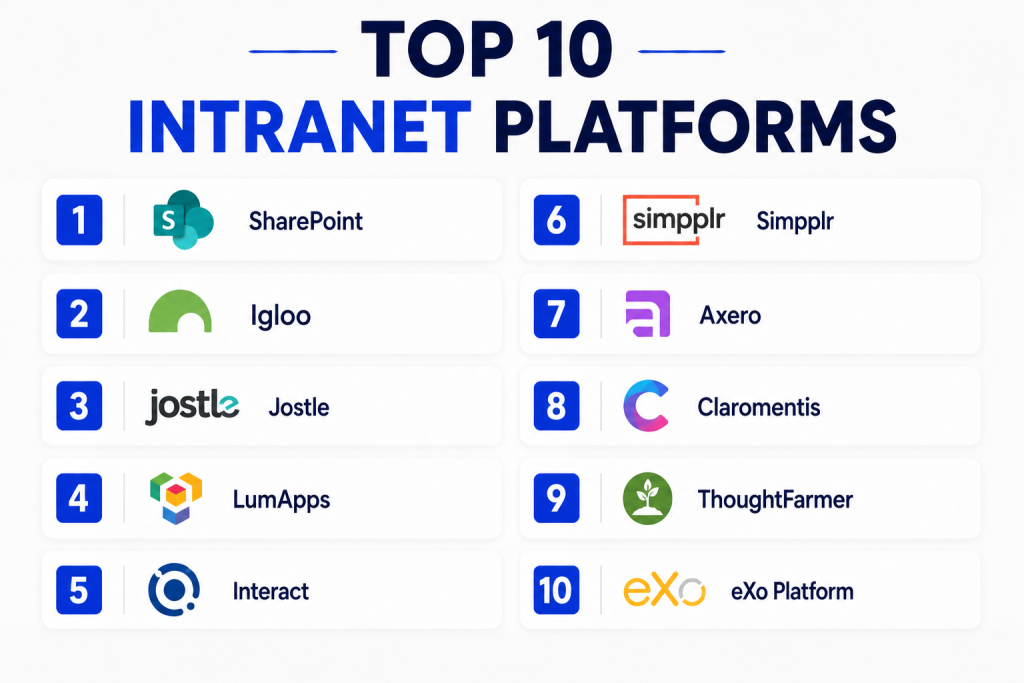
Top 10 Intranet Platforms
#1 — SharePoint
Short description: Microsoft SharePoint offers a flexible intranet platform for content management, team collaboration, and enterprise workflows.
It integrates tightly with Office 365 and Teams, providing document libraries, discussion boards, and customizable sites.
SharePoint supports enterprise security, compliance, and extensive permissions management.
It is suitable for large organizations seeking a scalable and integrated intranet.
Key Features
- Document libraries and version control
- Team sites and project collaboration
- Integration with Office 365 and Teams
- Workflow automation and approvals
- Search and enterprise content discovery
Pros
- Deep integration with Microsoft ecosystem
- Scalable for large enterprises
- Strong security and compliance
Cons
- Steeper learning curve for new users
- Requires licensing for Office 365
Platforms / Deployment
- Web / Windows / macOS / Mobile
- Cloud / Hybrid / On-premises
Security & Compliance
- SSO, encryption, RBAC
- GDPR, SOC 2, ISO 27001
Integrations & Ecosystem
- Office 365 apps, Teams, Power Automate
- APIs for custom workflows
- Third-party add-ons for enhanced functionality
Support & Community
- Extensive Microsoft documentation
- Community forums and enterprise support tiers
#2 — Igloo
Short description: Igloo is a cloud-based intranet solution focused on communication, collaboration, and employee engagement.
It offers customizable workspaces, document sharing, and social collaboration features.
Igloo supports workflow automation, notifications, and analytics dashboards.
It is suitable for mid-market and enterprise teams seeking a modern digital workplace.
Key Features
- Customizable intranet pages
- Collaboration workspaces and forums
- Document management and file sharing
- Employee recognition and surveys
- Analytics and reporting dashboards
Pros
- Modern interface with strong collaboration tools
- Easy customization and branding
- Cloud-based deployment for simplicity
Cons
- Less suitable for heavily regulated industries
- Some advanced features require higher-tier plans
Platforms / Deployment
- Web / iOS / Android
- Cloud
Security & Compliance
- SSO, encryption
- GDPR
Integrations & Ecosystem
- Office 365, Google Workspace, Slack
- APIs for integration
- Workflow automation
Support & Community
- Documentation and support guides
- Customer support tiers
#3 — Jostle
Short description: Jostle provides an intranet focused on employee engagement, internal communications, and team collaboration.
It offers news feeds, directories, and easy navigation for company content.
Jostle is simple to use and helps organizations improve transparency and connection across teams.
It is suitable for SMBs and mid-market organizations emphasizing engagement.
Key Features
- Company news and announcement feeds
- Employee directories and profiles
- Content search and discovery
- Team collaboration spaces
- Mobile access for remote teams
Pros
- Intuitive interface for employees
- Strong engagement and communication tools
- Easy onboarding and adoption
Cons
- Less document management depth
- Limited workflow automation
Platforms / Deployment
- Web / iOS / Android
- Cloud
Security & Compliance
- Encryption and access controls
- GDPR
Integrations & Ecosystem
- Slack, Google Workspace, Office 365
- APIs for basic integration
Support & Community
- Documentation and tutorials
- Customer support available
#4 — LumApps
Short description: LumApps is a cloud intranet platform integrated with Google Workspace, focusing on communication, collaboration, and employee experience.
It provides personalized dashboards, news, and social feeds.
LumApps is designed for organizations using Google Workspace heavily.
It is suitable for mid-market and large enterprises with a digital workplace strategy.
Key Features
- Personalized intranet homepages
- Google Workspace integration
- Social collaboration and commenting
- News publishing and announcement management
- Workflow automation
Pros
- Strong Google Workspace integration
- Personalized user experience
- Cloud deployment simplifies access
Cons
- Dependent on Google ecosystem
- Advanced features require higher-tier plans
Platforms / Deployment
- Web / iOS / Android
- Cloud
Security & Compliance
- SSO, encryption
- GDPR
Integrations & Ecosystem
- Google Workspace apps
- Third-party integrations via API
- Workflow automation tools
Support & Community
- Documentation and tutorials
- Customer support tiers
#5 — Interact
Short description: Interact provides intranet solutions for communication, collaboration, and employee engagement.
It includes social feeds, document libraries, and self-service tools.
Interact helps organizations centralize internal information.
It is suitable for mid-market and enterprise teams focused on internal communications.
Key Features
- Document management and libraries
- Social collaboration tools
- News feeds and announcement pages
- Workflow and approval automation
- Analytics and reporting
Pros
- Modern intranet interface
- Easy employee engagement
- Scalable for growing teams
Cons
- Some customization requires higher-tier plans
- Limited mobile feature parity
Platforms / Deployment
- Web / iOS / Android
- Cloud
Security & Compliance
- Encryption and access control
- GDPR
Integrations & Ecosystem
- Office 365, Google Workspace, Slack
- API and workflow integrations
Support & Community
- Documentation and guides
- Customer support available
#6 — Simpplr
Short description: Simpplr focuses on employee engagement and productivity with a modern intranet interface.
It provides news feeds, analytics, and collaboration tools.
Simpplr enables organizations to improve transparency and communication.
It is suitable for mid-market and enterprise organizations.
Key Features
- Personalized news and content feeds
- Employee directories
- Analytics for engagement tracking
- Collaboration spaces
- Workflow automation and approvals
Pros
- User-friendly interface
- Strong engagement focus
- Easy adoption for employees
Cons
- Limited document management features
- Mobile app features can vary
Platforms / Deployment
- Web / iOS / Android
- Cloud
Security & Compliance
- Encryption and access control
- GDPR
Integrations & Ecosystem
- Slack, Microsoft 365, Google Workspace
- API access for workflow integration
Support & Community
- Documentation available
- Support tiers offered
#7 — Axero
Short description: Axero provides intranet solutions with social collaboration, content management, and employee engagement tools.
It offers workspaces, discussions, and document sharing.
Axero is suitable for SMBs and mid-market teams seeking communication-focused intranets.
Its main advantage is ease of use combined with social collaboration.
Key Features
- Document sharing and libraries
- Discussion boards and workspaces
- Employee directories
- Content management
- Analytics and reporting
Pros
- Easy setup and adoption
- Social collaboration focus
- Intuitive navigation
Cons
- Advanced features may require higher-tier plans
- Less enterprise integration depth
Platforms / Deployment
- Web / iOS / Android
- Cloud
Security & Compliance
- Encryption and access control
- GDPR
Integrations & Ecosystem
- Office 365, Google Workspace
- API for integrations
Support & Community
- Documentation and guides
- Support available
#8 — Claromentis
Short description: Claromentis provides intranet and digital workplace solutions with collaboration and document management.
It offers workflow automation, forms, and analytics dashboards.
Claromentis suits organizations seeking a complete digital workplace in a single platform.
It is ideal for SMBs and mid-market enterprises.
Key Features
- Document management and workflows
- Collaboration tools and forums
- Forms and task management
- Analytics and reporting dashboards
- Mobile-friendly access
Pros
- Comprehensive digital workplace features
- Workflow automation
- Good for mid-market enterprises
Cons
- Some features require training
- Interface may feel complex for small teams
Platforms / Deployment
- Web / iOS / Android
- Cloud / On-premises
Security & Compliance
- Encryption and access control
- GDPR
Integrations & Ecosystem
- Office 365, Slack, Google Workspace
- API and custom workflows
Support & Community
- Documentation and guides
- Customer support tiers
#9 — ThoughtFarmer
Short description: ThoughtFarmer offers intranet platforms focusing on communication, knowledge management, and engagement.
It includes social feeds, content publishing, and team collaboration.
It is suitable for mid-market and enterprise teams.
It helps centralize knowledge and improve organizational communication.
Key Features
- Content publishing and document management
- Employee profiles and directories
- Social collaboration features
- Analytics and engagement reporting
- Workflow and approvals
Pros
- Intuitive interface
- Strong engagement tools
- Scalable for larger organizations
Cons
- Limited customization for small teams
- Some advanced features require premium plans
Platforms / Deployment
- Web / iOS / Android
- Cloud / On-premises
Security & Compliance
- Encryption and access control
- GDPR
Integrations & Ecosystem
- Office 365, Slack, Google Workspace
- API for custom workflows
Support & Community
- Documentation and support resources
- Customer support tiers
#10 — eXo Platform
Short description: eXo Platform provides intranet, collaboration, and knowledge management tools for mid-sized and large organizations.
It includes team spaces, file sharing, discussion forums, and social collaboration.
It is suitable for enterprises seeking a centralized digital workplace.
It combines content management and collaboration in a single platform.
Key Features
- Team collaboration spaces
- Document management and sharing
- Discussion forums and social feeds
- Workflow and approval management
- Analytics and engagement tracking
Pros
- All-in-one intranet and collaboration platform
- Supports team collaboration and content management
- Scalable for large teams
Cons
- Interface may require onboarding
- Some features require premium plans
Platforms / Deployment
- Web / iOS / Android / Desktop
- Cloud / On-premises
Security & Compliance
- Encryption and access control
- GDPR
Integrations & Ecosystem
- Office 365, Google Workspace, Slack
- API for workflows and custom integrations
Support & Community
- Documentation and tutorials
- Enterprise support tiers
Comparison Table
| Tool Name | Best For | Platform(s) Supported | Deployment | Standout Feature | Public Rating |
|---|---|---|---|---|---|
| SharePoint | Enterprise content & collaboration | Web / Windows / macOS / Mobile | Cloud / Hybrid / On-premises | Office 365 integration & workflows | N/A |
| Igloo | Mid-market collaboration & engagement | Web / iOS / Android | Cloud | Customizable workspaces & social features | N/A |
| Jostle | Employee engagement & communications | Web / iOS / Android | Cloud | Intuitive engagement-focused intranet | N/A |
| LumApps | Google Workspace-integrated intranet | Web / iOS / Android | Cloud | Personalized dashboards & feeds | N/A |
| Interact | Mid-market content & collaboration | Web / iOS / Android | Cloud | Social collaboration & analytics | N/A |
| Simpplr | Engagement-focused intranet | Web / iOS / Android | Cloud | Personalized news & content feeds | N/A |
| Axero | SMB & mid-market collaboration | Web / iOS / Android | Cloud | Social collaboration & team workspaces | N/A |
| Claromentis | Digital workplace & intranet | Web / iOS / Android | Cloud / On-premises | Workflow automation & analytics | N/A |
| ThoughtFarmer | Knowledge management & intranet | Web / iOS / Android | Cloud / On-premises | Social collaboration & publishing | N/A |
| eXo Platform | Enterprise collaboration & content | Web / iOS / Android / Desktop | Cloud / On-premises | All-in-one intranet & collaboration | N/A |
Evaluation & Scoring of Intranet Platforms
| Tool Name | Core (25%) | Ease (15%) | Integrations (15%) | Security (10%) | Performance (10%) | Support (10%) | Value (15%) | Weighted Total (0–10) |
|---|---|---|---|---|---|---|---|---|
| SharePoint | 9 | 7 | 9 | 9 | 9 | 8 | 7 | 8.3 |
| Igloo | 8 | 8 | 7 | 8 | 8 | 7 | 7 | 7.6 |
| Jostle | 8 | 9 | 6 | 8 | 7 | 7 | 7 | 7.5 |
| LumApps | 8 | 8 | 8 | 8 | 8 | 7 | 7 | 7.7 |
| Interact | 8 | 8 | 7 | 8 | 8 | 7 | 7 | 7.6 |
| Simpplr | 8 | 8 | 7 | 8 | 7 | 7 | 7 | 7.5 |
| Axero | 7 | 8 | 6 | 8 | 7 | 6 | 7 | 7.1 |
| Claromentis | 8 | 7 | 8 | 8 | 8 | 7 | 7 | 7.7 |
| ThoughtFarmer | 8 | 7 | 7 | 8 | 7 | 7 | 7 | 7.5 |
| eXo Platform | 8 | 7 | 8 | 8 | 7 | 7 | 7 | 7.6 |
Which Intranet Platform Is Right for You?
Solo / Freelancer
Simpplr or Jostle provide easy-to-use intranet interfaces for small teams or project-based work.
SMB
Igloo, Interact, or Axero offer scalable collaboration, document sharing, and engagement features.
Mid-Market
LumApps, ThoughtFarmer, or Claromentis deliver personalized dashboards, workflows, and content management.
Enterprise
SharePoint or eXo Platform provide full-scale intranet with advanced integration, compliance, and workflow management.
Budget vs Premium
SMBs can adopt mid-tier intranet solutions like Igloo or Jostle for cost efficiency. Enterprises may need premium tools like SharePoint or LumApps for full functionality.
Feature Depth vs Ease of Use
SharePoint and Claromentis provide extensive features but require training. Jostle and Simpplr are easier to adopt.
Integrations & Scalability
Cloud-native intranets like LumApps, SharePoint, and Interact offer easy integration and scalability. On-premises options may suit regulated enterprises.
Security & Compliance Needs
Enterprises should prioritize platforms with robust SSO, RBAC, encryption, and GDPR compliance.
Frequently Asked Questions
1. What is an intranet platform?
An intranet platform is a centralized digital workspace for communication, collaboration, and information sharing. It helps employees access resources, collaborate, and stay engaged.
2. Which organizations benefit most?
Mid-market and enterprise organizations with distributed teams, remote workers, and complex workflows benefit the most from intranet platforms.
3. Can SMBs use intranet platforms?
Yes, many intranet solutions like Jostle, Simpplr, and Igloo provide affordable, easy-to-use platforms suitable for SMBs.
4. Do intranet platforms support mobile access?
Most modern intranet platforms provide mobile apps or responsive web access, ensuring employees can collaborate on the go.
5. Can intr
anet platforms integrate with existing tools?
Yes, leading platforms integrate with Microsoft 365, Google Workspace, Slack, CRM systems, and productivity tools.
6. Are intranet platforms secure?
Modern intranet platforms support encryption, access controls, SSO, and role-based permissions. Buyers should verify compliance requirements before purchase.
7. How long does implementation take?
Implementation depends on company size, content migration, customization, and integrations. Small teams may launch faster, while enterprises may need phased rollout.
8. Can intranet platforms improve employee engagement?
Yes, features like news feeds, recognition, surveys, discussion spaces, and employee directories can improve communication and engagement.
9. Do intranet platforms replace email?
They reduce internal email dependency but may not fully replace email. They work best for announcements, knowledge sharing, and collaboration.
10. How should companies choose an intranet platform?
Companies should evaluate team size, integration needs, security, ease of use, content structure, mobile access, and long-term scalability.
Conclusion
Choosing the right Intranet Platform depends on your company size, communication needs, security requirements, and existing software ecosystem. SharePoint is strong for Microsoft-focused enterprises, LumApps fits Google Workspace environments, while Jostle, Simpplr, Igloo, and Axero are easier for teams that want fast adoption and better engagement. Mid-market and enterprise teams should also compare workflow automation, analytics, mobile access, and content governance before making a decision. Start by shortlisting two or three platforms, test them with real employees, review integrations, and choose the one that improves communication without adding unnecessary complexity.
