Introduction
Donation Management Software helps nonprofits, charities, religious organizations, schools, foundations, community groups, and fundraising teams manage donor relationships, donations, campaigns, receipts, communication, reporting, and fundraising workflows in one place. Instead of tracking donations through spreadsheets, emails, manual receipts, and disconnected payment tools, these platforms help organizations create a cleaner and more reliable fundraising process.
Donation management tools are useful for online giving, donor database management, recurring donations, campaign tracking, event fundraising, peer-to-peer fundraising, email communication, payment processing, tax receipt management, and donor engagement.
For nonprofits, the right system can improve donor retention, reduce manual work, simplify reporting, and help teams understand which campaigns are working. However, not every tool fits every organization. Some platforms are better for small nonprofits, while others are built for large fundraising operations with complex reporting and compliance needs.
Buyers should evaluate ease of use, donor database quality, online donation forms, recurring giving, payment processing, reporting, integrations, email tools, security, support, scalability, and pricing flexibility.
Best for: nonprofits, NGOs, charities, schools, churches, fundraising teams, foundations, associations, community organizations, and donor relations teams.
Not ideal for: businesses that do not collect donations, teams that only need a basic payment link, or organizations that already have a full CRM and only need a simple donation form.
Key Trends in Donation Management Software
- Donor retention tools are becoming more important because nonprofits want to build long-term relationships instead of focusing only on one-time gifts.
- Recurring donation management is now a core feature as many organizations prefer predictable monthly giving programs.
- AI-assisted donor insights are growing, helping teams identify giving patterns, donor segments, and engagement opportunities.
- Online donation forms are becoming more flexible, with branded pages, mobile-friendly checkout, suggested giving amounts, and recurring gift options.
- Integrated email and communication tools are becoming essential for donor nurturing, campaign updates, thank-you messages, and appeals.
- Peer-to-peer fundraising is gaining more attention, especially for community-driven campaigns, events, and supporter-led fundraising.
- Payment security and donor data protection are now critical, especially when handling card payments, personal data, and donor history.
- Automation is reducing manual admin work, including receipts, thank-you emails, donor segmentation, follow-ups, and campaign reporting.
- Reporting and impact measurement are becoming stronger, helping nonprofits show donors how contributions are being used.
- Integration with accounting, email, website, and event tools is increasingly important for nonprofits that want a connected fundraising system.
How We Selected These Tools
The tools in this list were selected based on their relevance, recognition, and practical usefulness for donation management and nonprofit fundraising operations. The focus is on platforms that help organizations collect, manage, track, and grow donations more effectively.
Selection logic included:
- Strength of donor database and contact management features
- Online donation form and payment collection capabilities
- Recurring donation and campaign management support
- Fundraising automation and donor communication features
- Suitability for small nonprofits, growing organizations, and larger fundraising teams
- Reporting, analytics, and donor segmentation capabilities
- Integration potential with accounting, email, website, and CRM tools
- Security and compliance-related controls where clearly available
- Ease of use for nonprofit staff and volunteers
- Support quality, onboarding resources, and platform maturity
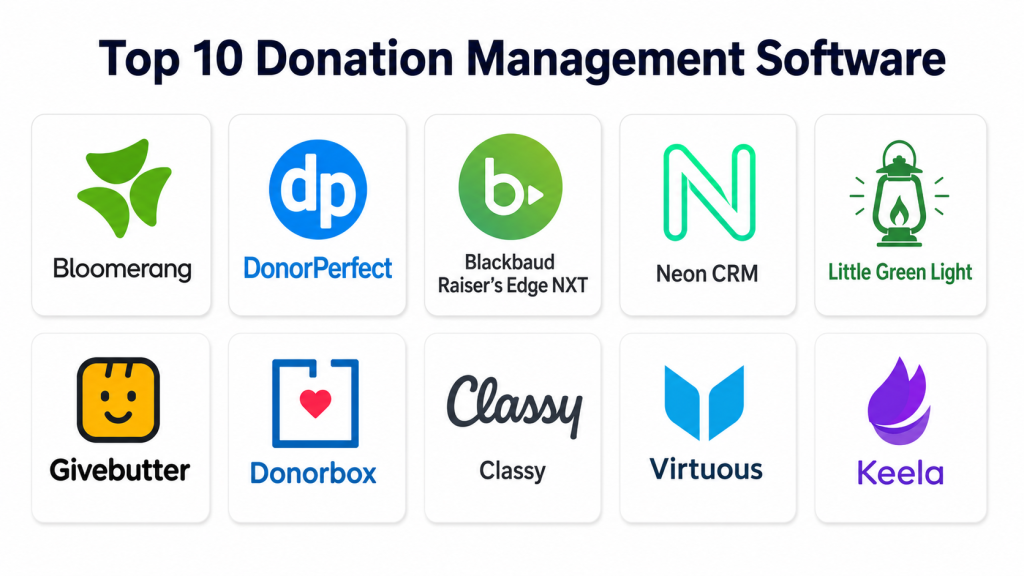
Top 10 Donation Management Software
1. Bloomerang
Short description: Bloomerang is a donor management and fundraising platform designed to help nonprofits improve donor relationships, fundraising campaigns, reporting, and retention. It is especially useful for small and mid-sized nonprofits that want a clean donor database with engagement-focused tools.
Key Features
- Donor database and contact management
- Donation tracking and gift history
- Donor engagement and retention insights
- Email communication and campaign tools
- Online giving and donation form support
- Reporting and dashboard views
- Integrations with nonprofit and fundraising tools
Pros
- Strong focus on donor retention and relationship building.
- User-friendly interface for nonprofit teams.
- Good fit for organizations moving away from spreadsheets.
Cons
- Advanced needs may require integrations or higher-tier features.
- Pricing may vary depending on organization size and needs.
- Large enterprise fundraising teams may need deeper customization.
Platforms / Deployment
Web
Cloud-based deployment
Security & Compliance
Security features may include user permissions, payment-related protections through supported processors, and data management controls. Specific certifications such as SOC 2, ISO 27001, or HIPAA are not publicly stated for all use cases and should be verified directly.
Integrations & Ecosystem
Bloomerang works well as a donor management hub for nonprofits that need fundraising, communication, and reporting workflows in one system.
- Email marketing integrations
- Payment processing support
- Accounting workflow support
- Website donation form connections
- Fundraising campaign tools
- Nonprofit reporting workflows
Support & Community
Bloomerang provides nonprofit-focused support, onboarding resources, help documentation, and educational content. Support experience may vary by plan and organization needs.
2. DonorPerfect
Short description: DonorPerfect is a donation management and fundraising CRM platform used by nonprofits to manage donors, campaigns, gifts, receipts, reporting, and fundraising communications. It is suitable for organizations that need a structured donor database and fundraising workflows.
Key Features
- Donor and contact database
- Gift and pledge tracking
- Online donation forms
- Recurring donation management
- Campaign and appeal tracking
- Reporting and dashboard tools
- Email and communication support
Pros
- Strong donor database and fundraising management capabilities.
- Useful for nonprofits with structured campaign workflows.
- Good reporting options for tracking fundraising performance.
Cons
- Setup may require planning for clean data structure.
- Interface and workflows may take time for new users.
- Some advanced features may require additional configuration.
Platforms / Deployment
Web
Cloud-based deployment
Security & Compliance
DonorPerfect includes role-based access and donor data management controls. Specific security certifications and compliance details should be verified directly based on organizational requirements.
Integrations & Ecosystem
DonorPerfect supports nonprofit fundraising workflows through donation collection, donor records, campaign tracking, and reporting.
- Online giving tools
- Payment processing workflows
- Email communication support
- Accounting-related workflows
- Event and campaign management
- Reporting and analytics
Support & Community
DonorPerfect provides documentation, training resources, customer support, and nonprofit-focused guidance. Support depth may vary by plan and service level.
3. Blackbaud Raiser’s Edge NXT
Short description: Blackbaud Raiser’s Edge NXT is a fundraising and donor management platform built for nonprofits with more advanced fundraising, reporting, and donor engagement needs. It is often used by larger organizations, institutions, and fundraising teams with complex operations.
Key Features
- Advanced donor and constituent management
- Fundraising campaign tracking
- Gift management and donation history
- Reporting and analytics
- Donor segmentation and engagement insights
- Workflow and team collaboration features
- Integrations with broader nonprofit technology ecosystem
Pros
- Strong fit for large and established fundraising teams.
- Deep donor management and reporting capabilities.
- Suitable for complex nonprofit operations.
Cons
- May be too complex for small organizations.
- Implementation and training can require time.
- Cost may be higher than simpler donation tools.
Platforms / Deployment
Web
Cloud-based deployment
Security & Compliance
Enterprise-grade security controls may be available depending on product configuration and contract. Specific certifications, SSO, audit logs, encryption, and compliance requirements should be verified directly.
Integrations & Ecosystem
Blackbaud Raiser’s Edge NXT fits into a broader nonprofit technology ecosystem and is useful for organizations needing connected fundraising, finance, and reporting workflows.
- Blackbaud ecosystem integrations
- Fundraising campaign workflows
- Donor analytics
- Payment and gift processing
- Reporting tools
- Constituent engagement workflows
Support & Community
Blackbaud provides enterprise support, training resources, documentation, and a large nonprofit user community. Support options may vary by contract and plan.
4. Neon CRM
Short description: Neon CRM is a nonprofit CRM and fundraising platform that helps organizations manage donors, members, events, donations, campaigns, and communications. It is useful for nonprofits that need donor management plus broader constituent engagement tools.
Key Features
- Donor and constituent management
- Online donation forms
- Recurring gift support
- Email marketing and communication tools
- Event registration and management
- Membership management features
- Reporting and analytics
Pros
- Good fit for nonprofits managing donors, members, and events together.
- Offers a broad set of nonprofit CRM features.
- Useful for growing organizations that need more than simple donation tracking.
Cons
- Broad functionality may require onboarding and configuration.
- Smaller teams may not need all available features.
- Some workflows may take time to learn.
Platforms / Deployment
Web
Cloud-based deployment
Security & Compliance
Security features may include user roles, data permissions, and payment-related protections through supported processors. Specific certifications and compliance details should be verified directly.
Integrations & Ecosystem
Neon CRM supports nonprofits that want a connected system for fundraising, events, membership, and communications.
- Donation forms
- Email communication
- Event registration
- Membership workflows
- Reporting tools
- Payment processing support
Support & Community
Neon CRM provides support resources, onboarding assistance, documentation, and nonprofit education materials. Support experience may depend on plan and implementation needs.
5. Little Green Light
Short description: Little Green Light is a donor management system designed for small and mid-sized nonprofits that need a simple, practical way to manage donors, gifts, appeals, acknowledgments, and reporting.
Key Features
- Donor and contact management
- Gift tracking and donation history
- Appeal and campaign tracking
- Acknowledgment letters and receipt workflows
- Custom fields and segmentation
- Reporting and exports
- Integrations with common nonprofit tools
Pros
- Good value for small and growing nonprofits.
- Practical donor management without unnecessary complexity.
- Useful for teams moving from spreadsheets.
Cons
- May not fit very large organizations with complex enterprise needs.
- Interface may feel more functional than highly modern.
- Some advanced automation may require external tools.
Platforms / Deployment
Web
Cloud-based deployment
Security & Compliance
User permissions and donor database controls are available. Specific certifications and advanced compliance details are not publicly stated for all requirements and should be verified directly.
Integrations & Ecosystem
Little Green Light works well as a core donor database and can connect with other tools for online giving, email, and accounting workflows.
- Online donation integrations
- Email tool connections
- Accounting workflow support
- Data imports and exports
- Campaign tracking
- Reporting workflows
Support & Community
Little Green Light provides documentation, support resources, and nonprofit-focused help. It is commonly valued by smaller teams for practical usability and support accessibility.
6. Givebutter
Short description: Givebutter is a fundraising platform that supports donation pages, campaigns, events, peer-to-peer fundraising, donor management, and communication tools. It is especially useful for nonprofits that want modern online fundraising experiences.
Key Features
- Online donation pages
- Peer-to-peer fundraising campaigns
- Event fundraising and ticketing
- Donor management tools
- Recurring donation support
- Email and text communication features
- Fundraising campaign dashboards
Pros
- Strong for modern online fundraising campaigns.
- Easy for supporters to donate and engage.
- Useful for events, peer-to-peer fundraising, and community campaigns.
Cons
- May not replace a complex enterprise donor CRM for large organizations.
- Some advanced donor database needs may require integrations.
- Pricing and payment processing costs should be reviewed carefully.
Platforms / Deployment
Web
Cloud-based deployment
Security & Compliance
Payment security is supported through platform and payment processing workflows. Specific certifications and enterprise compliance details should be verified directly.
Integrations & Ecosystem
Givebutter is useful for organizations that need fast campaign creation, online donations, and supporter engagement.
- Donation forms
- Peer-to-peer fundraising
- Event ticketing
- Email and text tools
- Donor database features
- Payment processing workflows
Support & Community
Givebutter provides support resources, help documentation, and fundraising guidance. Community strength is growing among nonprofits and grassroots fundraising teams.
7. Donorbox
Short description: Donorbox is an online fundraising and donation platform that helps organizations create donation forms, recurring giving programs, campaign pages, and donor records. It is useful for nonprofits, churches, schools, and community organizations that need simple online giving.
Key Features
- Online donation forms
- Recurring donation support
- Campaign pages
- Donor management features
- Payment processing support
- Embeddable forms for websites
- Donor receipts and basic reporting
Pros
- Simple and quick to start for online fundraising.
- Good fit for small organizations and donation-focused campaigns.
- Strong recurring donation support.
Cons
- May not offer the same depth as full nonprofit CRMs.
- Advanced donor engagement may require additional tools.
- Transaction and platform costs should be evaluated carefully.
Platforms / Deployment
Web
Cloud-based deployment
Security & Compliance
Payment-related security is supported through platform and processor workflows. Specific certifications, SSO, audit logs, or advanced compliance details should be verified directly.
Integrations & Ecosystem
Donorbox fits well for organizations that need website donation forms and recurring giving without a heavy CRM setup.
- Website donation forms
- Payment processors
- Campaign pages
- Donor records
- Receipt workflows
- Fundraising reporting
Support & Community
Donorbox provides help resources, guides, and customer support options. Support levels may vary depending on plan and organization needs.
8. Classy
Short description: Classy is a fundraising platform designed for nonprofit campaigns, online donations, events, recurring giving, and peer-to-peer fundraising. It is often used by organizations that want polished campaign experiences and donor engagement tools.
Key Features
- Branded donation pages
- Peer-to-peer fundraising
- Event fundraising support
- Recurring donation programs
- Campaign analytics
- Donor management features
- Fundraising experience customization
Pros
- Strong campaign and donor experience design.
- Good for peer-to-peer and event-based fundraising.
- Useful for nonprofits that need polished online fundraising pages.
Cons
- May be more than small nonprofits need.
- Pricing and platform fees should be reviewed carefully.
- Full donor CRM needs may require integrations.
Platforms / Deployment
Web
Cloud-based deployment
Security & Compliance
Payment processing security and platform data controls are available. Specific certifications and compliance requirements should be confirmed directly.
Integrations & Ecosystem
Classy works well for nonprofits that prioritize digital fundraising campaigns and supporter engagement.
- Donation pages
- Peer-to-peer fundraising
- Event campaigns
- Payment workflows
- Donor data exports
- CRM integration possibilities
Support & Community
Classy provides nonprofit-focused support, campaign resources, documentation, and onboarding guidance. Support depth may vary by plan and organization size.
9. Virtuous
Short description: Virtuous is a responsive fundraising platform and nonprofit CRM designed to help organizations manage donors, automate communication, and build personalized donor engagement. It is suitable for nonprofits that want stronger donor intelligence and automation.
Key Features
- Donor CRM and relationship tracking
- Fundraising automation
- Donor segmentation
- Personalized communication workflows
- Gift and campaign tracking
- Reporting and analytics
- Integration with fundraising and nonprofit tools
Pros
- Strong focus on donor engagement and automation.
- Useful for nonprofits that want smarter donor communication.
- Good fit for growing fundraising teams.
Cons
- May require onboarding to use automation effectively.
- Smaller nonprofits may not need all advanced features.
- Pricing and implementation needs should be reviewed carefully.
Platforms / Deployment
Web
Cloud-based deployment
Security & Compliance
Security features may include user permissions and donor data controls. Specific certifications such as SOC 2, ISO 27001, or HIPAA should be verified directly if required.
Integrations & Ecosystem
Virtuous supports nonprofits that want donor CRM, automation, and engagement workflows together.
- Donor CRM
- Email and communication workflows
- Automation tools
- Gift tracking
- Fundraising integrations
- Reporting and analytics
Support & Community
Virtuous provides support resources, onboarding, training, and nonprofit-focused guidance. Support quality may depend on plan and implementation scope.
10. Keela
Short description: Keela is a nonprofit CRM and fundraising platform that helps organizations manage donor data, email campaigns, donation forms, receipts, reporting, and fundraising workflows. It is suitable for small and growing nonprofits that need an organized donor management system.
Key Features
- Donor database and contact management
- Donation tracking
- Online forms and fundraising pages
- Email campaign tools
- Receipt and acknowledgment workflows
- Donor segmentation
- Reporting and analytics
Pros
- Good fit for small and mid-sized nonprofits.
- Combines donor management and communication tools.
- Helps reduce manual work around receipts and reporting.
Cons
- May not fit very complex enterprise fundraising operations.
- Advanced customization needs should be reviewed before adoption.
- Some integrations or features may vary by plan.
Platforms / Deployment
Web
Cloud-based deployment
Security & Compliance
Keela includes donor data management and user access controls. Specific certifications and advanced compliance details should be verified directly.
Integrations & Ecosystem
Keela supports nonprofits that need fundraising, communication, and donor records in one system.
- Donation forms
- Email campaigns
- Donor records
- Reporting tools
- Receipt workflows
- Fundraising pages
Support & Community
Keela provides support resources, documentation, and nonprofit-focused guidance. Support availability may vary based on subscription and organization needs.
Comparison Table
| Tool Name | Best For | Platform(s) Supported | Deployment | Standout Feature | Public Rating |
|---|---|---|---|---|---|
| Bloomerang | Donor retention and nonprofit CRM | Web | Cloud | Donor engagement and retention focus | N/A |
| DonorPerfect | Structured donation and campaign management | Web | Cloud | Donor database with fundraising workflows | N/A |
| Blackbaud Raiser’s Edge NXT | Large nonprofit fundraising teams | Web | Cloud | Advanced donor and fundraising management | N/A |
| Neon CRM | Nonprofits managing donors, members, and events | Web | Cloud | Broad nonprofit CRM capabilities | N/A |
| Little Green Light | Small and mid-sized nonprofit donor tracking | Web | Cloud | Practical donor database management | N/A |
| Givebutter | Online fundraising and peer-to-peer campaigns | Web | Cloud | Modern campaign and donation pages | N/A |
| Donorbox | Simple online donation forms and recurring giving | Web | Cloud | Easy recurring donation setup | N/A |
| Classy | Branded fundraising campaigns and events | Web | Cloud | Peer-to-peer and campaign fundraising | N/A |
| Virtuous | Donor engagement and fundraising automation | Web | Cloud | Responsive donor communication workflows | N/A |
| Keela | Small nonprofit CRM and donation management | Web | Cloud | Donor management plus email tools | N/A |
Evaluation & Scoring of Donation Management Software
| Tool Name | Core (25%) | Ease (15%) | Integrations (15%) | Security (10%) | Performance (10%) | Support (10%) | Value (15%) | Weighted Total (0–10) |
|---|---|---|---|---|---|---|---|---|
| Bloomerang | 9 | 8 | 8 | 7 | 8 | 8 | 8 | 8.10 |
| DonorPerfect | 9 | 7 | 8 | 7 | 8 | 8 | 8 | 7.95 |
| Blackbaud Raiser’s Edge NXT | 10 | 6 | 9 | 8 | 9 | 8 | 7 | 8.35 |
| Neon CRM | 8 | 7 | 8 | 7 | 8 | 8 | 8 | 7.75 |
| Little Green Light | 8 | 8 | 7 | 6 | 8 | 8 | 9 | 7.75 |
| Givebutter | 8 | 9 | 7 | 7 | 8 | 8 | 9 | 8.05 |
| Donorbox | 7 | 9 | 7 | 7 | 8 | 7 | 9 | 7.70 |
| Classy | 9 | 8 | 8 | 7 | 8 | 8 | 7 | 8.00 |
| Virtuous | 9 | 7 | 8 | 7 | 8 | 8 | 7 | 7.85 |
| Keela | 8 | 8 | 7 | 6 | 8 | 7 | 8 | 7.45 |
These scores are comparative and should be used as a practical decision guide, not as official public ratings. A higher score shows stronger overall fit across donation management needs, but the best choice depends on your nonprofit size, fundraising model, donor database needs, reporting requirements, and budget. A small nonprofit may prefer Donorbox, Givebutter, Little Green Light, or Keela, while a larger fundraising team may need Blackbaud Raiser’s Edge NXT, DonorPerfect, Bloomerang, Classy, or Virtuous.
Which Donation Management Software Is Right for You?
Solo / Freelancer
Individual fundraisers, consultants, campaign organizers, and small community leaders usually need a simple donation collection tool rather than a full nonprofit CRM. Donorbox and Givebutter can be practical choices because they support online donation forms, campaign pages, and recurring giving without heavy setup.
If the main need is to collect donations quickly and share a campaign page, choose a simple fundraising platform. If the goal is to manage long-term donor relationships, consider a donor CRM.
SMB
Small nonprofits and growing organizations need a balance of affordability, usability, and donor tracking. Little Green Light, Keela, Bloomerang, DonorPerfect, Givebutter, and Neon CRM can be strong options depending on fundraising complexity.
For small teams, the best platform should simplify donation tracking, receipts, donor notes, email communication, and reporting without creating too much admin work.
Mid-Market
Mid-sized nonprofits usually need stronger segmentation, campaign reporting, donor communication, recurring giving, and integrations. Bloomerang, DonorPerfect, Neon CRM, Classy, Virtuous, and Keela can be useful depending on priorities.
At this stage, organizations should evaluate whether the system can support multiple campaigns, donor groups, staff permissions, board reporting, event fundraising, and accounting workflows.
Enterprise
Large nonprofits, universities, healthcare foundations, cultural institutions, and national organizations often need advanced donor records, reporting, permissions, campaign management, and integration capabilities. Blackbaud Raiser’s Edge NXT, DonorPerfect, Classy, Virtuous, and Bloomerang may be better fits for larger teams.
Enterprise buyers should validate security, implementation support, customization, data migration, integrations, reporting depth, and donor privacy requirements before choosing a platform.
Budget vs Premium
Budget-focused organizations should consider Donorbox, Givebutter, Little Green Light, and Keela because they are often easier to adopt for smaller teams. However, organizations should review transaction fees, platform fees, payment processing costs, and feature limits carefully.
Premium-focused organizations may prefer Blackbaud Raiser’s Edge NXT, Classy, Virtuous, Bloomerang, or DonorPerfect when they need stronger reporting, campaign management, automation, and donor relationship tools.
Feature Depth vs Ease of Use
Donorbox and Givebutter are easier for online donation campaigns. Little Green Light and Keela offer practical donor management for smaller teams. Bloomerang and DonorPerfect provide stronger donor CRM depth. Blackbaud Raiser’s Edge NXT offers deeper fundraising capabilities but may require more training and setup.
Choose ease of use when your team is small. Choose feature depth when fundraising complexity, donor volume, and reporting requirements are higher.
Integrations & Scalability
Small nonprofits may only need donation forms, receipts, and basic reporting. Growing organizations may need integrations with accounting tools, email platforms, event systems, websites, payment processors, and CRM workflows.
Before selecting software, check whether it can scale with your donor database, campaign volume, recurring giving program, reporting needs, and team permissions.
Security & Compliance Needs
Donation management involves sensitive donor data, payment details, addresses, giving history, and communication records. Organizations should evaluate user permissions, payment security, data exports, access controls, donor privacy, and audit needs.
For larger nonprofits or regulated environments, security review should happen before implementation, not after the system is already live.
Frequently Asked Questions
1. What is Donation Management Software?
Donation Management Software helps organizations collect, track, manage, and report donations. It usually includes donor records, online giving forms, receipts, campaign tracking, and fundraising reports.
2. Who should use Donation Management Software?
Nonprofits, charities, schools, religious organizations, foundations, NGOs, and fundraising teams can use it. Any organization that depends on donor support can benefit from better donation tracking and donor relationship management.
3. How is Donation Management Software different from a payment processor?
A payment processor mainly handles transactions, while Donation Management Software manages donor data, campaigns, receipts, recurring gifts, communication, and reporting. Many donation platforms connect with payment processors.
4. Can Donation Management Software support recurring donations?
Yes, many platforms support recurring giving. This allows donors to contribute monthly or on another regular schedule, helping nonprofits build more predictable fundraising income.
5. What features should small nonprofits look for?
Small nonprofits should look for easy donation forms, donor database tools, receipt automation, basic reports, email communication, recurring donation support, and simple pricing.
6. Is donor data secure in these platforms?
Most reputable platforms include security controls, but details vary. Nonprofits should verify payment security, user permissions, data protection, access controls, and compliance requirements before choosing.
7. Can Donation Management Software help improve donor retention?
Yes, many tools help track donor history, segment donors, send thank-you messages, automate follow-ups, and identify engaged supporters. These features can support stronger donor relationships.
8. What are common mistakes when choosing donation software?
Common mistakes include choosing based only on price, ignoring transaction fees, skipping data migration planning, failing to check integrations, and selecting a tool that does not match the organization’s fundraising process.
9. Can donation platforms integrate with accounting and email tools?
Many platforms support integrations with accounting, email, payment, website, event, and CRM tools. Integration depth varies, so organizations should verify the exact tools they need before buying.
10. What is the best Donation Management Software?
There is no single best option for every nonprofit. Donorbox and Givebutter are strong for simple online fundraising, Little Green Light and Keela fit smaller nonprofits, while Blackbaud Raiser’s Edge NXT, Bloomerang, DonorPerfect, Classy, and Virtuous fit more advanced fundraising needs.
Conclusion
Donation Management Software can make fundraising more organized, transparent, and relationship-focused. The right platform helps nonprofits manage donor data, collect online donations, automate receipts, improve campaign visibility, and build stronger supporter relationships. However, the best tool depends on your organization’s size, budget, donor volume, reporting needs, and fundraising model. Small nonprofits may prefer simple and affordable tools, while larger organizations may need advanced donor CRM, automation, and analytics. A smart next step is to shortlist two or three platforms, map your current donation process, test donation forms, review reporting, check integrations, validate security needs, and choose the system that fits your real fundraising workflow.
