Introduction
STEM coding education platforms are becoming highly useful for schools, teachers, parents, students, and training institutes. These platforms help learners understand science, technology, engineering, mathematics, and coding through practical projects, visual learning, games, simulations, and real-world problem-solving activities.
Today, coding is not only for software developers. It is also useful for students who want to improve logical thinking, creativity, problem-solving, digital confidence, and future career readiness. A good STEM coding platform helps students learn step by step, starting from basic concepts like blocks, logic, loops, conditions, and variables, and then moving toward robotics, app development, artificial intelligence, data, and web development.
For teachers and institutions, these platforms make classroom learning more interactive. They provide structured lessons, student progress tracking, ready-made activities, assignments, and project-based learning. For parents, they offer a safe and guided way to introduce children to technology in a meaningful way.
This blog explains the top STEM coding education platforms, their features, pros, cons, comparison, evaluation, and practical selection guide.
What Are STEM Coding Education Platforms?
STEM coding education platforms are digital learning tools that teach coding and technical thinking through structured lessons, visual activities, games, projects, and interactive exercises. These platforms usually combine coding with subjects like science, mathematics, engineering, robotics, electronics, and computational thinking.
They may support block-based coding for beginners, text-based programming for advanced learners, robotics kits, classroom dashboards, assessments, and project portfolios. Some platforms are made for young students, while others are suitable for schools, coding bootcamps, colleges, and self-paced learners.
The main goal of these platforms is not only to teach programming syntax but also to develop problem-solving skills, creativity, experimentation, and confidence with technology.
Why STEM Coding Education Platforms Are Important
STEM coding education platforms are important because they help students learn by doing. Instead of only reading theory, students create animations, games, apps, robots, simulations, and digital projects. This practical approach makes learning more engaging and memorable.
These platforms also help teachers manage coding lessons without needing to build everything from scratch. Many platforms provide curriculum support, classroom management tools, progress reports, and project libraries.
For students, STEM coding platforms build important skills such as logical thinking, creativity, debugging, collaboration, design thinking, and digital literacy. These skills are useful not only in technology careers but also in business, science, finance, engineering, healthcare, and many other fields.
Key Benefits of STEM Coding Education Platforms
STEM coding platforms offer many practical benefits for learners and institutions. They make coding easier to understand through visual learning, guided lessons, and interactive challenges. Beginners can start with drag-and-drop coding and slowly move to real programming languages.
They also support project-based learning, where students build something meaningful instead of only memorizing concepts. This helps students understand how coding is used in real situations.
For teachers, these platforms reduce preparation time and provide ready-to-use resources. For schools, they support modern digital learning goals. For parents, they offer a structured path for children to learn technology safely.
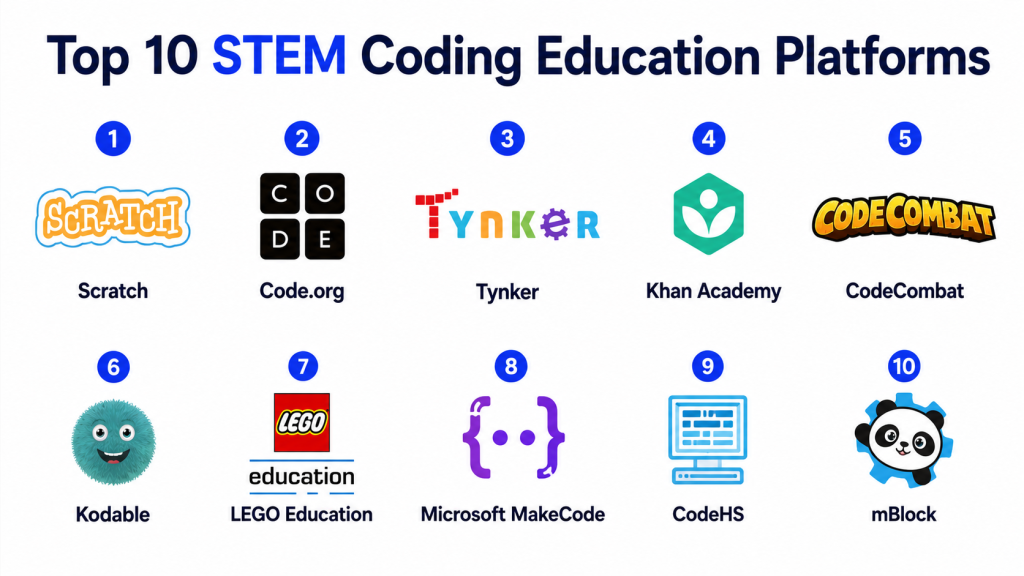
Top 10 STEM Coding Education Platforms
1. Scratch
Scratch is one of the most popular beginner-friendly coding platforms for children and early learners. It uses block-based programming, making it easy for students to create games, stories, animations, and interactive projects without worrying about complex syntax.
Scratch is excellent for introducing programming logic such as loops, conditions, events, variables, and sequences. It helps students think creatively and learn coding through visual experimentation.
Key Features
- Block-based coding interface
- Interactive project creation
- Animation, games, and storytelling support
- Beginner-friendly learning environment
- Large learning community
- Good for classroom and home use
- Encourages creative thinking
Pros
- Very easy for beginners
- Strong visual learning experience
- Good for creativity and logical thinking
Cons
- Limited for advanced programming
- Not suitable for professional coding depth
- Requires teacher guidance for structured learning
Best For
Scratch is best for young beginners, schools, coding clubs, and students starting their first coding journey.
2. Code.org
Code.org is a widely used coding education platform designed for schools, teachers, and students. It offers structured courses, classroom resources, coding activities, and interactive lessons for different age groups.
The platform is known for making computer science accessible to beginners. It includes block-based programming, app creation, game development, and computer science fundamentals.
Key Features
- Structured coding curriculum
- Teacher dashboard
- Student progress tracking
- Block-based and text-based learning
- Classroom-ready lesson plans
- Activities for multiple grade levels
- Strong focus on computer science basics
Pros
- Excellent for schools
- Easy for teachers to manage
- Strong beginner curriculum
Cons
- Advanced learners may need more depth
- Less flexible for custom institutional programs
- Some activities may feel basic for older students
Best For
Code.org is best for schools, teachers, beginner students, and classroom-based computer science learning.
3. Tynker
Tynker is a STEM coding education platform focused on helping children learn coding through games, puzzles, Minecraft-style activities, robotics, and creative projects. It supports both block-based and text-based programming paths.
Tynker is useful for learners who enjoy interactive and gamified learning. It helps students move from basic coding logic to more advanced programming concepts.
Key Features
- Game-based coding lessons
- Block coding and text coding
- Minecraft modding support
- Robotics and drone coding options
- Structured learning paths
- Student progress tracking
- Creative coding projects
Pros
- Engaging for children
- Good transition from blocks to real code
- Strong project-based learning
Cons
- Some features may require paid access
- Younger learners may need guidance
- Interface can feel content-heavy
Best For
Tynker is best for kids, parents, schools, and learners who enjoy gamified coding experiences.
4. Khan Academy
Khan Academy offers coding and computer science lessons along with mathematics, science, and other academic subjects. Its coding content includes programming basics, computer science concepts, animation, and web-related learning.
It is useful for students who want a broader STEM learning experience, especially when coding is combined with math and logical reasoning.
Key Features
- Coding and computer science lessons
- Mathematics and science integration
- Interactive exercises
- Self-paced learning
- Beginner-friendly explanations
- Practice-based learning
- Free learning structure
Pros
- Strong academic learning support
- Good for self-paced students
- Useful for both coding and STEM basics
Cons
- Not a dedicated coding-only platform
- Limited classroom coding management features
- Less project-heavy compared to some platforms
Best For
Khan Academy is best for students who want coding along with math, science, and academic learning support.
5. CodeCombat
CodeCombat teaches coding through game-based adventures. Students learn programming by writing real code to control characters, solve challenges, and complete missions.
This platform is useful for learners who are ready to move beyond block coding and start writing actual code. Its game-like environment keeps students engaged while teaching programming logic.
Key Features
- Game-based coding lessons
- Real programming language practice
- Interactive coding challenges
- Classroom support
- Progress tracking
- Problem-solving activities
- Suitable for beginner to intermediate learners
Pros
- Makes real coding engaging
- Good for problem-solving skills
- Strong game-based motivation
Cons
- May be difficult for very young beginners
- Requires consistent practice
- Some advanced features may require paid access
Best For
CodeCombat is best for students who want to learn real coding through games and interactive challenges.
6. Kodable
Kodable is designed for young children and early learners. It introduces programming concepts through simple games, visual puzzles, and step-by-step activities.
The platform is especially useful for elementary-level coding education. It helps children understand sequences, loops, conditions, problem-solving, and computational thinking in a friendly way.
Key Features
- Beginner-friendly coding games
- Visual learning interface
- Early coding curriculum
- Teacher resources
- Student progress tracking
- Problem-solving activities
- Designed for young learners
Pros
- Excellent for early learners
- Simple and child-friendly interface
- Good classroom support
Cons
- Not suitable for advanced coding
- Limited depth for older students
- Mostly focused on foundational skills
Best For
Kodable is best for young children, elementary schools, and first-time coding learners.
7. LEGO Education
LEGO Education combines hands-on building, robotics, engineering, and coding. It helps students learn STEM concepts by building models and programming them to perform actions.
This platform is especially powerful for robotics, engineering thinking, teamwork, and classroom-based STEM activities. It supports practical learning through physical interaction and coding.
Key Features
- Robotics and hands-on STEM learning
- Coding with physical models
- Engineering-based classroom activities
- Teacher lesson plans
- Team-based learning
- Problem-solving projects
- Strong practical learning approach
Pros
- Excellent hands-on experience
- Strong robotics and engineering focus
- Encourages teamwork and creativity
Cons
- Requires hardware kits
- Higher setup cost compared to software-only tools
- Needs teacher preparation
Best For
LEGO Education is best for schools, robotics labs, STEM classrooms, and project-based learning programs.
8. Microsoft MakeCode
Microsoft MakeCode is a coding education platform that supports block-based and JavaScript-based programming. It is commonly used with hardware boards, robotics, and physical computing projects.
The platform helps students connect coding with real-world devices, making it useful for STEM labs, electronics projects, and hands-on learning.
Key Features
- Block-based coding
- JavaScript learning path
- Hardware and electronics support
- Simulator-based practice
- Robotics and physical computing projects
- Beginner-friendly interface
- Project-based learning
Pros
- Good for hardware-based STEM learning
- Supports both blocks and text code
- Useful for classroom projects
Cons
- Hardware knowledge may be needed
- Some learners may need teacher guidance
- Best value comes with compatible devices
Best For
Microsoft MakeCode is best for STEM labs, electronics learning, robotics projects, and students moving from visual coding to text coding.
9. CodeHS
CodeHS is a structured computer science teaching platform for schools. It offers courses, coding exercises, assessments, lesson plans, teacher tools, and student progress tracking.
It is more suitable for middle school, high school, and structured academic programs. CodeHS supports beginner to advanced coding topics and helps schools run organized computer science programs.
Key Features
- Full coding curriculum
- Teacher dashboard
- Assignments and assessments
- Student progress reports
- Multiple programming topics
- Classroom management tools
- Structured learning paths
Pros
- Strong for formal education
- Good teacher and school support
- Suitable for structured computer science programs
Cons
- May feel academic for casual learners
- Some features may require paid plans
- Younger learners may find it advanced
Best For
CodeHS is best for schools, coding teachers, academic programs, and students learning computer science in a structured way.
10. mBlock
mBlock is a coding platform designed for STEM learning, robotics, and AI-based education. It supports block-based coding and text-based coding, making it useful for both beginners and growing learners.
It is often used with robotics kits and STEM hardware. Students can learn coding by controlling robots, sensors, and interactive devices.
Key Features
- Block-based programming
- Python learning support
- Robotics and hardware integration
- AI and STEM project support
- Classroom-friendly learning
- Visual coding environment
- Suitable for hands-on projects
Pros
- Good for robotics learning
- Supports beginner to advanced transition
- Strong practical STEM project use
Cons
- Best experience may require hardware
- Some setup may be needed
- Not ideal for learners who only want software coding
Best For
mBlock is best for robotics education, STEM labs, coding clubs, and students interested in hardware-based projects.
Comparison Table
| Platform | Best For | Learning Style | Suitable Users | Key Strength | Limitation |
|---|---|---|---|---|---|
| Scratch | Beginner coding | Block-based projects | Young learners, schools | Creative coding and animations | Limited advanced coding depth |
| Code.org | School coding curriculum | Structured lessons | Teachers, students | Classroom-ready computer science learning | May feel basic for advanced learners |
| Tynker | Kids coding and games | Gamified learning | Children, parents, schools | Fun project-based learning | Some content may require paid access |
| Khan Academy | STEM and coding basics | Self-paced learning | Students, homeschoolers | Strong academic support | Not a coding-only platform |
| CodeCombat | Real coding through games | Game-based coding | Intermediate beginners | Teaches real code interactively | May be hard for very young learners |
| Kodable | Early coding education | Visual puzzles | Young children | Simple foundation building | Limited advanced features |
| LEGO Education | Robotics and engineering | Hands-on learning | Schools, STEM labs | Practical robotics experience | Requires hardware |
| Microsoft MakeCode | Physical computing | Blocks and JavaScript | STEM labs, students | Hardware and simulator support | Needs compatible devices for full use |
| CodeHS | Formal computer science | Structured curriculum | Schools, teachers | Strong academic coding program | Less casual for home learners |
| mBlock | Robotics and AI learning | Blocks and Python | STEM labs, robotics learners | Good hardware integration | Hardware may be needed |
Evaluation & Scoring Table
| Platform | Ease of Use | STEM Learning Depth | Coding Progression | Classroom Support | Project Quality | Overall Score |
|---|---|---|---|---|---|---|
| Scratch | 9 | 7 | 7 | 8 | 9 | 8.0 |
| Code.org | 9 | 8 | 8 | 9 | 8 | 8.4 |
| Tynker | 8 | 8 | 8 | 8 | 9 | 8.2 |
| Khan Academy | 9 | 8 | 7 | 7 | 7 | 7.6 |
| CodeCombat | 7 | 8 | 9 | 8 | 8 | 8.0 |
| Kodable | 9 | 7 | 6 | 8 | 7 | 7.4 |
| LEGO Education | 8 | 9 | 8 | 8 | 9 | 8.4 |
| Microsoft MakeCode | 8 | 9 | 8 | 8 | 8 | 8.2 |
| CodeHS | 8 | 9 | 9 | 9 | 8 | 8.6 |
| mBlock | 8 | 9 | 8 | 8 | 9 | 8.4 |
How to Choose the Right STEM Coding Education Platform
Choosing the right STEM coding platform depends on the learner’s age, learning goal, school requirement, budget, and preferred teaching style. For very young learners, simple visual platforms like Kodable and Scratch are better because they make coding easy and playful.
For schools that need structured computer science lessons, Code.org and CodeHS are stronger choices. They provide teacher dashboards, lesson plans, assignments, and student progress tracking.
For robotics and hands-on STEM learning, LEGO Education, Microsoft MakeCode, and mBlock are more suitable. These platforms help students connect coding with real-world devices and engineering projects.
For students who enjoy games, Tynker and CodeCombat can make coding more exciting. They help learners stay motivated while developing programming skills.
Best Platforms by Use Case
| Use Case | Recommended Platforms |
|---|---|
| Best for young beginners | Scratch, Kodable |
| Best for schools | Code.org, CodeHS |
| Best for game-based coding | Tynker, CodeCombat |
| Best for robotics | LEGO Education, mBlock |
| Best for electronics and hardware | Microsoft MakeCode, mBlock |
| Best for self-paced learning | Khan Academy, Scratch |
| Best for structured computer science | CodeHS, Code.org |
| Best for creative projects | Scratch, Tynker |
| Best for real coding practice | CodeCombat, CodeHS |
| Best for STEM labs | LEGO Education, Microsoft MakeCode, mBlock |
Key Features to Look For
A good STEM coding education platform should provide a simple learning path for beginners and enough depth for growing learners. It should include coding exercises, real projects, teacher resources, progress tracking, and safe learning environments.
For schools, classroom management is very important. Teachers need dashboards, assignments, reports, and curriculum support. For parents, ease of use and child-friendly lessons matter more. For advanced students, support for real coding languages, robotics, and project-building is important.
The best platform is not always the most advanced one. The best platform is the one that matches the learner’s level and keeps them interested.
Common Mistakes to Avoid
Many schools and parents choose STEM coding platforms only because they look attractive. This can be a mistake if the platform does not match the student’s age or learning level.
Another common mistake is starting with advanced coding too early. Beginners need time to understand logic, sequencing, loops, and problem-solving before moving to text-based coding.
Some institutions also ignore teacher training. Even a good platform may fail if teachers do not know how to use it properly in the classroom.
It is also important not to focus only on certificates or completion badges. The real value of STEM coding education comes from practical projects, problem-solving, and confidence building.
Frequently Asked Questions
1. What is a STEM coding education platform?
A STEM coding education platform is a digital tool that teaches coding, science, technology, engineering, and math concepts through lessons, games, projects, simulations, and hands-on activities.
2. Which STEM coding platform is best for beginners?
Scratch, Kodable, and Code.org are good options for beginners because they offer simple visual coding and easy step-by-step learning.
3. Are STEM coding platforms useful for schools?
Yes, many platforms are designed for schools and provide lesson plans, teacher dashboards, assignments, progress tracking, and classroom-ready coding activities.
4. Can young children learn coding through these platforms?
Yes, young children can learn basic coding concepts through visual blocks, puzzles, games, stories, and simple problem-solving tasks.
5. Which platform is best for robotics learning?
LEGO Education, mBlock, and Microsoft MakeCode are strong choices for robotics and hardware-based STEM learning.
6. Do students need prior coding knowledge?
No, many STEM coding platforms are beginner-friendly and start with basic concepts such as sequences, loops, conditions, and simple logic.
7. Are these platforms useful for advanced learners?
Some platforms such as CodeHS, CodeCombat, Microsoft MakeCode, and mBlock are useful for learners who want to move toward text-based coding and advanced projects.
8. How do teachers benefit from STEM coding platforms?
Teachers benefit through ready-made lessons, structured curriculum, classroom tools, assignments, reports, and easier student progress management.
9. Can STEM coding platforms improve problem-solving skills?
Yes, coding platforms help students break problems into smaller steps, test solutions, fix errors, and think logically.
10. How should I choose the right platform?
Choose based on learner age, skill level, classroom needs, project type, teacher support, hardware requirement, and whether the goal is basic coding, robotics, or advanced programming.
Conclusion
STEM coding education platforms are powerful tools for building digital skills, creativity, logical thinking, and real-world problem-solving ability. The right platform can make coding simple for beginners, exciting for children, practical for classrooms, and useful for advanced learners. Scratch and Kodable are strong choices for early learners, while Code.org and CodeHS are suitable for structured school programs. Tynker and CodeCombat are helpful for game-based learning, and LEGO Education, Microsoft MakeCode, and mBlock are excellent for robotics and hands-on STEM education. Before choosing any platform, schools, parents, and learners should focus on learning goals, ease of use, project quality, classroom support, and long-term skill development.
