Introduction
Personal journal and diary apps help users record thoughts, memories, emotions, goals, habits, ideas, photos, voice notes, and daily reflections in a private digital space. In simple words, these apps replace or improve the traditional paper diary by making journaling easier, searchable, secure, and available across devices.
These tools matter because more people now use journaling for mental clarity, productivity, personal growth, gratitude practice, habit tracking, therapy support, creative writing, and life documentation. A good journal app can help users build consistency, protect private thoughts, and organize personal history in a meaningful way.
Common real-world use cases include:
- Writing daily personal reflections
- Tracking mood, habits, and emotions
- Saving memories with photos and locations
- Practicing gratitude and mindfulness
- Keeping private notes, life logs, and personal goals
Buyers should evaluate:
- Privacy and lock features
- Encryption and data protection
- Ease of writing
- Search and organization
- Mood tracking
- Media support
- Cross-device sync
- Export and backup options
- Pricing model
- Long-term data ownership
Best for: individuals, students, creators, professionals, wellness-focused users, writers, coaches, therapists, and anyone who wants a private and structured way to capture daily thoughts.
Not ideal for: users who prefer paper journals, people who do not want to store personal data digitally, or businesses needing advanced enterprise knowledge management tools instead of personal journaling apps.
Key Trends in Personal Journal & Diary Apps
- AI-assisted reflection: Journal apps are adding smarter prompts, mood insights, writing suggestions, and reflection summaries to help users write more consistently.
- Privacy-first journaling: Users are becoming more careful about where their personal thoughts are stored, making encryption, local storage, locks, and export options more important.
- Mood and mental wellness tracking: Many apps now combine journaling with mood logs, gratitude practice, mindfulness, and emotional pattern tracking.
- Multimedia journaling: Text-only journaling is no longer enough for many users. Photos, audio notes, videos, tags, locations, and attachments are becoming standard expectations.
- Cross-device continuity: Users want to start writing on mobile and continue on desktop without losing formatting, sync, or privacy controls.
- Prompt-based journaling: Guided prompts help beginners overcome blank-page resistance and build a regular writing habit.
- Data ownership and export: Users want the ability to export journals in readable formats instead of being locked into one platform forever.
- Integration with productivity systems: Some users prefer journaling tools that connect with calendars, reminders, notes, tasks, or personal knowledge management apps.
- Minimalist writing experiences: Clean design, distraction-free writing, and fast entry creation are important for daily journaling habits.
- Subscription value pressure: Users are more selective about paid plans and expect clear value through sync, backup, prompts, media storage, or advanced insights.
How We Selected These Tools
The Top 10 personal journal and diary apps were selected using a practical SaaS and product evaluation approach. The goal is to compare widely recognized tools that support personal reflection, privacy, writing, organization, and long-term journaling habits.
Selection criteria included:
- Market adoption and user recognition
- Core journaling feature completeness
- Ease of writing and daily usability
- Privacy and security posture signals
- Search, tags, and organization features
- Cross-platform availability
- Backup and export options
- Support for photos, audio, mood, and prompts
- Fit for beginners, writers, wellness users, and productivity-focused users
- Overall free and paid value
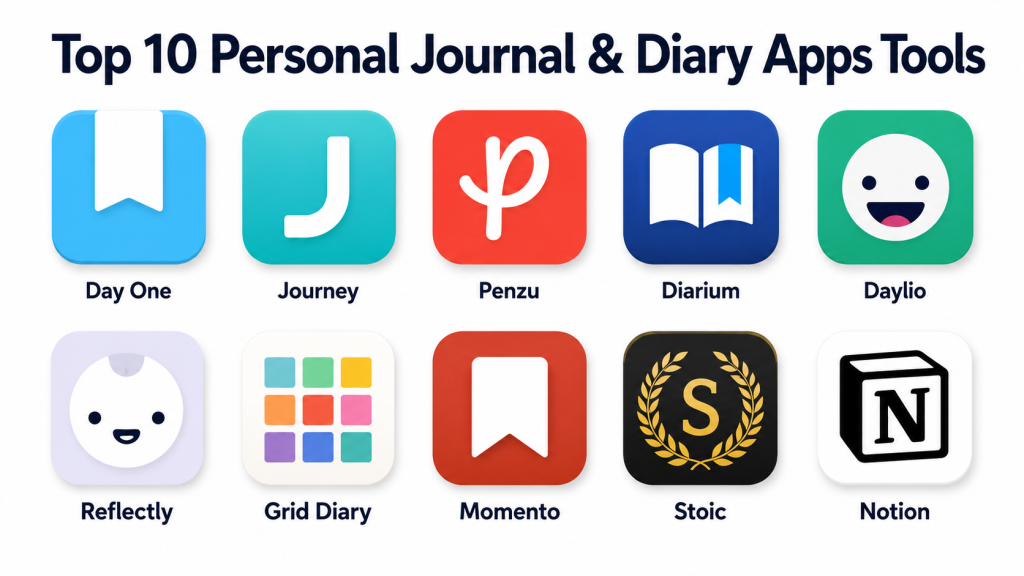
Top 10 Personal Journal & Diary Apps Tools
#1 — Day One
Short description (2–3 lines): Day One is a polished journaling app designed for personal memories, daily reflections, photos, locations, and private writing. It is best for users who want a premium digital diary experience with strong design and long-term journaling features.
Key Features
- Text-based journal entries
- Photo and media support
- Location and weather-style context features where available
- Multiple journals
- Writing prompts
- Search and tagging
- Cross-device sync
Pros
- Clean and premium journaling experience
- Strong for memory keeping and personal reflection
- Good balance of writing, media, and organization
Cons
- Best experience may require a paid plan
- Advanced users may want more flexible database-style organization
- Not ideal for users who prefer fully local-only storage
Platforms / Deployment
Web / macOS / iOS / Android
Cloud-based sync available
Security & Compliance
Day One has publicly emphasized privacy and encryption features for journal content. Enterprise compliance details such as SOC 2, ISO 27001, HIPAA, SSO/SAML, RBAC, and audit logs are not publicly stated for general personal use.
Integrations & Ecosystem
Day One works best as a dedicated journaling ecosystem. Its value comes from daily writing, media capture, reminders, prompts, and long-term memory organization.
- Photo journaling
- Prompt-based writing
- Multiple journals
- Search and tags
- Export options
- Mobile and desktop access
Support & Community
Day One provides help documentation and customer support resources. It has a strong community among digital journaling users, memory keepers, writers, and personal reflection enthusiasts.
#2 — Journey
Short description (2–3 lines): Journey is a cross-platform journal app focused on personal reflection, mood tracking, media entries, and guided journaling. It is useful for users who want a journal available across many devices.
Key Features
- Daily journal entries
- Mood tracking
- Photo and video support
- Calendar and timeline views
- Guided prompts
- Cross-platform access
- Export and backup options
Pros
- Works across many device types
- Good for mood-based and personal reflection journaling
- Helpful prompts for beginners
Cons
- Some features may require paid access
- Interface preferences may vary by user
- Security and compliance details are not fully enterprise-focused
Platforms / Deployment
Web / Windows / macOS / Linux / iOS / Android
Cloud-based service
Security & Compliance
Journey provides privacy and account security controls, but specific enterprise compliance details such as SOC 2, ISO 27001, HIPAA, SSO/SAML, RBAC, and audit logs are not publicly stated for general personal use.
Integrations & Ecosystem
Journey supports a broad journaling workflow with writing, mood tracking, reminders, and multimedia entries. Its ecosystem is strongest for users who want access across several devices.
- Mood tracking
- Media entries
- Calendar views
- Guided prompts
- Export options
- Multi-device journaling
Support & Community
Journey offers documentation and support resources. Community strength is moderate to strong among users who prefer cross-platform personal journaling.
#3 — Penzu
Short description (2–3 lines): Penzu is an online diary and private journal app focused on secure writing, diary-style entries, and personal privacy. It is best for users who want a simple private diary experience.
Key Features
- Private journal entries
- Password protection
- Custom journal covers
- Email reminders
- Search features
- Multiple journals
- Web and mobile access
Pros
- Simple diary-style experience
- Strong focus on private writing
- Good for users moving from paper diaries to digital journals
Cons
- Design may feel traditional compared with newer apps
- Advanced features may require paid plans
- Less flexible for productivity-style workflows
Platforms / Deployment
Web / iOS / Android
Cloud-based service
Security & Compliance
Penzu is known for privacy-focused journaling features such as password protection. Specific enterprise certifications or controls such as SOC 2, ISO 27001, HIPAA, SSO/SAML, RBAC, and audit logs are not publicly stated.
Integrations & Ecosystem
Penzu focuses mainly on private journal writing rather than broad integrations. Its ecosystem is simple and diary-centered.
- Private diary entries
- Email reminders
- Multiple journals
- Search
- Mobile access
- Customization options
Support & Community
Penzu provides help resources and standard support. Its community is strongest among users who want a private digital diary without complex setup.
#4 — Diarium
Short description (2–3 lines): Diarium is a feature-rich journal app for users who want text, photos, audio, location, calendar views, and device-friendly journaling. It is useful for users who want a strong personal journal without unnecessary complexity.
Key Features
- Text journal entries
- Photo and audio support
- Calendar-based journaling
- Location support where available
- Tags and search
- Backup and export options
- Cross-device support depending on platform
Pros
- Good balance of features and simplicity
- Strong multimedia journaling support
- Useful for personal life logging
Cons
- Platform experience may vary
- Sync setup may depend on selected device ecosystem
- Not built for team or enterprise use
Platforms / Deployment
Windows / macOS / iOS / Android
Cloud sync options may vary by platform
Security & Compliance
Not publicly stated for SOC 2, ISO 27001, HIPAA, SSO/SAML, RBAC, audit logs, and enterprise compliance controls.
Integrations & Ecosystem
Diarium works well as a personal life logging app. Its ecosystem is centered on capturing personal entries with rich context and media.
- Calendar journaling
- Photo attachments
- Audio entries
- Tags and search
- Export options
- Device-based workflows
Support & Community
Diarium provides support resources and has a positive presence among users who want a practical, feature-rich personal journal app.
#5 — Daylio
Short description (2–3 lines): Daylio is a mood journal and micro-diary app that helps users track emotions, activities, habits, and personal patterns without requiring long writing sessions. It is best for users who prefer quick daily check-ins.
Key Features
- Mood tracking
- Activity logging
- Habit tracking
- Short journal notes
- Charts and personal insights
- Reminders
- Goal tracking
Pros
- Very easy for beginners
- Great for users who do not like long writing
- Helpful for spotting mood and habit patterns
Cons
- Less suitable for long-form journaling
- Advanced insights may require paid access
- Not ideal for detailed memory keeping with rich writing
Platforms / Deployment
iOS / Android
Cloud-based mobile app with backup options
Security & Compliance
Not publicly stated for SOC 2, ISO 27001, HIPAA, SSO/SAML, RBAC, audit logs, and enterprise compliance controls.
Integrations & Ecosystem
Daylio is built around mood, habits, activities, and simple reflection. It is more of a micro-journal than a traditional long-form diary.
- Mood logs
- Activity tracking
- Habit tracking
- Reminders
- Charts and insights
- Short notes
Support & Community
Daylio provides support resources and has a strong user base among mood tracking, wellness, and habit-building users.
#6 — Reflectly
Short description (2–3 lines): Reflectly is a guided journal app focused on mood tracking, reflection, and mental wellness-style journaling. It is useful for users who want prompts and emotional check-ins instead of blank-page writing.
Key Features
- Guided journal prompts
- Mood tracking
- Daily reflection flow
- Personal insights
- Simple writing interface
- Reminders
- Wellness-focused design
Pros
- Beginner-friendly journaling experience
- Good for emotional reflection
- Prompts help users write more consistently
Cons
- Less flexible for detailed long-form journaling
- Some features may require paid access
- Not designed for advanced note management
Platforms / Deployment
iOS / Android
Cloud-based mobile app
Security & Compliance
Not publicly stated for SOC 2, ISO 27001, HIPAA, SSO/SAML, RBAC, audit logs, and enterprise compliance controls.
Integrations & Ecosystem
Reflectly focuses on guided reflection and mood-based journaling. Its ecosystem is best suited for users who want a simple wellness-style journal.
- Guided prompts
- Mood check-ins
- Reflection summaries
- Reminders
- Mobile journaling
- Personal insights
Support & Community
Reflectly provides app support and has a community of users focused on mood journaling, self-reflection, and wellness habits.
#7 — Grid Diary
Short description (2–3 lines): Grid Diary is a structured journaling app built around question-based templates and guided reflection. It is best for users who want thoughtful prompts and organized journal sections.
Key Features
- Grid-style journal format
- Question-based prompts
- Custom templates
- Daily reflection sections
- Habit and goal journaling
- Calendar view
- Export options
Pros
- Great for structured journaling
- Reduces blank-page difficulty
- Useful for gratitude, goals, and self-reflection
Cons
- May feel too structured for free-form writers
- Some features may require paid access
- Less focused on heavy multimedia journaling
Platforms / Deployment
iOS / Android / Web availability may vary
Cloud-based service
Security & Compliance
Not publicly stated for SOC 2, ISO 27001, HIPAA, SSO/SAML, RBAC, audit logs, and enterprise compliance controls.
Integrations & Ecosystem
Grid Diary is designed around guided and structured writing. Its ecosystem is strongest for users who want prompts, templates, and personal growth journaling.
- Prompt templates
- Grid-based entries
- Goal reflection
- Habit journaling
- Calendar views
- Export options
Support & Community
Grid Diary offers standard support resources. It has a dedicated audience among users who prefer guided journaling and structured reflection.
#8 — Momento
Short description (2–3 lines): Momento is a personal journal app focused on capturing memories, photos, activities, and life events. It is useful for users who want a private timeline of personal moments.
Key Features
- Daily journal entries
- Photo memories
- Timeline-style view
- Tags and people references
- Search and filtering
- Location support where available
- Personal archive features
Pros
- Strong for memory keeping
- Good timeline-based journal experience
- Useful for life events, travel, and personal milestones
Cons
- Platform availability may be limited compared with broader tools
- Less suited for productivity-heavy journaling
- Advanced sync or export expectations should be checked before adoption
Platforms / Deployment
iOS
Cloud or backup options may vary
Security & Compliance
Not publicly stated for SOC 2, ISO 27001, HIPAA, SSO/SAML, RBAC, audit logs, and enterprise compliance controls.
Integrations & Ecosystem
Momento is focused on private memory keeping. Its ecosystem is centered on personal timelines, tags, photos, and life events.
- Timeline journaling
- Photo memories
- Tags and search
- Personal archive
- Location context where available
- Event-based journaling
Support & Community
Support availability may vary. Momento has recognition among users who prefer private memory-focused journaling.
#9 — Stoic
Short description (2–3 lines): Stoic is a journaling and mental wellness app that combines reflection, mood tracking, breathing, meditation-style exercises, and guided self-improvement. It is best for users who want journaling connected with emotional wellness.
Key Features
- Guided journaling
- Mood tracking
- Reflection prompts
- Breathing exercises
- Personal insights
- Habit-style check-ins
- Wellness-focused content
Pros
- Strong wellness and reflection experience
- Good for users interested in mindfulness
- Offers more than simple diary writing
Cons
- May not fit users wanting a traditional diary only
- Some features may require paid access
- Not designed for enterprise or team use
Platforms / Deployment
iOS / Android
Cloud-based mobile app
Security & Compliance
Not publicly stated for SOC 2, ISO 27001, HIPAA, SSO/SAML, RBAC, audit logs, and enterprise compliance controls.
Integrations & Ecosystem
Stoic combines journaling with wellness routines. Its ecosystem is designed around reflection, mood, breathing, and self-awareness practices.
- Guided prompts
- Mood check-ins
- Breathing exercises
- Reflection tracking
- Wellness routines
- Personal insights
Support & Community
Stoic provides app support resources and has a community among users interested in mindfulness, emotional balance, and self-reflection.
#10 — Notion
Short description (2–3 lines): Notion is not a dedicated diary app, but it can be used as a powerful custom journaling system. It is best for users who want full control over templates, databases, goals, notes, and personal dashboards.
Key Features
- Custom journal templates
- Daily, weekly, and monthly reflection pages
- Databases and tags
- Habit and goal tracking
- Notes and documents
- Media embedding
- Cross-device access
Pros
- Highly customizable
- Useful for combining journaling with productivity
- Strong for personal knowledge management
Cons
- Requires setup and structure
- Not as private-feeling as dedicated diary apps
- May be too complex for simple journaling
Platforms / Deployment
Web / Windows / macOS / iOS / Android
Cloud-based service
Security & Compliance
Notion provides account security and workspace controls depending on plan. Specific compliance details may vary by plan and should be verified for business or sensitive use. For personal journaling, users should review privacy and data storage settings carefully.
Integrations & Ecosystem
Notion has a strong ecosystem for templates, databases, documents, and personal productivity workflows. It works well for users who want journaling connected with goals, projects, and notes.
- Journal templates
- Databases
- Calendar views
- Goal tracking
- Notes and documents
- Productivity integrations
Support & Community
Notion has extensive documentation, support resources, and a very large template community. It is especially strong for users who like building custom systems.
Comparison Table
| Tool Name | Best For | Platform(s) Supported | Deployment | Standout Feature | Public Rating |
|---|---|---|---|---|---|
| Day One | Premium personal journaling | Web / macOS / iOS / Android | Cloud | Polished journaling with media and prompts | N/A |
| Journey | Cross-platform journaling | Web / Windows / macOS / Linux / iOS / Android | Cloud | Broad device support | N/A |
| Penzu | Private online diary | Web / iOS / Android | Cloud | Simple private diary experience | N/A |
| Diarium | Multimedia life logging | Windows / macOS / iOS / Android | Cloud sync options vary | Rich journal entries with media | N/A |
| Daylio | Mood and habit tracking | iOS / Android | Cloud / Mobile app | Micro-journaling with mood insights | N/A |
| Reflectly | Guided emotional journaling | iOS / Android | Cloud / Mobile app | Prompt-based reflection | N/A |
| Grid Diary | Structured journaling | iOS / Android / Web availability varies | Cloud | Grid-based guided journal format | N/A |
| Momento | Memory timeline journaling | iOS | Cloud / Backup options vary | Timeline-style memory keeping | N/A |
| Stoic | Wellness-focused journaling | iOS / Android | Cloud / Mobile app | Journaling with mindfulness exercises | N/A |
| Notion | Custom journal dashboards | Web / Windows / macOS / iOS / Android | Cloud | Flexible templates and databases | N/A |
Evaluation & Scoring of Personal Journal & Diary Apps
| Tool Name | Core (25%) | Ease (15%) | Integrations (15%) | Security (10%) | Performance (10%) | Support (10%) | Value (15%) | Weighted Total (0–10) |
|---|---|---|---|---|---|---|---|---|
| Day One | 9 | 9 | 7 | 8 | 9 | 8 | 8 | 8.35 |
| Journey | 8 | 8 | 7 | 6 | 8 | 7 | 8 | 7.45 |
| Penzu | 7 | 8 | 5 | 6 | 8 | 7 | 7 | 6.90 |
| Diarium | 8 | 8 | 6 | 6 | 8 | 7 | 8 | 7.35 |
| Daylio | 8 | 9 | 5 | 5 | 8 | 7 | 8 | 7.25 |
| Reflectly | 7 | 9 | 5 | 5 | 8 | 7 | 7 | 6.95 |
| Grid Diary | 8 | 8 | 5 | 5 | 8 | 7 | 7 | 6.95 |
| Momento | 7 | 8 | 5 | 5 | 7 | 6 | 7 | 6.45 |
| Stoic | 8 | 8 | 5 | 5 | 8 | 7 | 7 | 7.05 |
| Notion | 9 | 7 | 9 | 7 | 8 | 8 | 8 | 8.05 |
These scores are comparative and should be used as a practical shortlist guide. A higher score does not always mean the app is best for every user. For example, Daylio may be excellent for mood tracking, while Day One may be better for long-form journaling. Security scores are conservative where apps do not clearly publish advanced compliance details. Users should test each tool based on writing style, privacy expectations, export needs, and long-term comfort.
Which Personal Journal & Diary App Tool Is Right for You?
Solo / Freelancer
Solo users usually need a journaling app that is simple, private, and easy to use every day. The best choice depends on whether the user wants long writing, quick mood check-ins, or structured reflection.
Good options include:
- Day One for premium personal journaling
- Daylio for quick mood and habit tracking
- Reflectly for guided emotional journaling
- Diarium for multimedia journaling
- Notion for custom personal dashboards
Solo users should avoid overly complex tools if the goal is simply to build a daily writing habit.
SMB
Small coaching businesses, wellness consultants, creators, and personal development professionals may use journaling apps for private reflection, content ideas, coaching notes, or client-free personal planning.
Good options include:
- Notion for structured personal knowledge management
- Day One for private reflection and memory keeping
- Journey for cross-platform journaling
- Grid Diary for structured prompts
- Stoic for wellness-focused reflection
SMB users should avoid storing sensitive client data in consumer journaling apps unless privacy and compliance requirements are clearly understood.
Mid-Market
Mid-market wellness teams, coaching groups, and creator-led communities may need structured reflection tools, templates, mood logs, or knowledge systems. However, most diary apps are personal tools, not formal team systems.
Good options include:
- Notion for internal reflection templates and documentation
- Journey for cross-platform journaling workflows
- Day One for polished private journaling
- Grid Diary for prompt-based reflection
- Stoic for wellness-oriented journaling
Mid-market users should check data export, user permissions, and privacy controls before using these tools in professional workflows.
Enterprise
Enterprise buyers should be careful with personal journaling apps because many are consumer-focused. For workplace reflection, coaching, wellbeing programs, or employee journaling, organizations may need stronger admin controls, compliance documentation, and privacy governance.
Better-fit options may include:
- Notion under a managed workspace plan
- Dedicated employee wellness platforms
- Secure note-taking systems
- Managed productivity suites
- Internal reflection templates with clear access controls
For enterprise use, do not assume that a personal diary app is suitable for sensitive employee or health-related information.
Budget vs Premium
Budget users can start with simple apps that offer useful free features. Daylio, Penzu, Diarium, and Notion can be practical starting points depending on the desired workflow.
Premium users may prefer Day One, Journey, Reflectly, Grid Diary, or Stoic if they want sync, prompts, advanced insights, media support, or a more polished experience.
A paid plan is worth considering only when it improves consistency, protects long-term data, or provides features that support the user’s journaling habit.
Feature Depth vs Ease of Use
For deep journaling features, consider:
- Day One
- Journey
- Diarium
- Notion
For easy daily use, consider:
- Daylio
- Reflectly
- Penzu
- Stoic
For structured writing, consider:
- Grid Diary
- Notion
- Journey
The best app is the one the user can realistically use every day or several times a week.
Integrations & Scalability
Users who want journaling connected with productivity should consider tools that support templates, databases, calendars, or cross-device access.
Strong options include:
- Notion for productivity and personal knowledge systems
- Journey for cross-platform journaling
- Day One for polished journaling workflows
- Diarium for multimedia life logging
Users who only need emotional tracking may not need many integrations. For them, Daylio, Reflectly, or Stoic may be enough.
Security & Compliance Needs
Journals can contain highly personal thoughts, emotions, health notes, family details, financial worries, private memories, and sensitive reflections. Security should be taken seriously.
Users should check:
- App lock or password protection
- Encryption details
- Backup controls
- Export options
- Account recovery process
- Data deletion options
- Cloud sync settings
- Privacy policy clarity
For highly sensitive journaling, users may prefer apps with strong privacy controls or local-first storage options.
Frequently Asked Questions
1. What is a personal journal and diary app?
A personal journal and diary app is a digital tool for writing private thoughts, memories, emotions, goals, and daily reflections. Many apps also support photos, mood tracking, prompts, and search.
2. Are personal journal apps free?
Many journal apps offer free versions, but advanced features may require paid plans. Paid features can include cloud sync, media storage, guided prompts, export options, or extra journals.
3. Which journal app is best for beginners?
Daylio, Reflectly, Penzu, and Grid Diary are good beginner-friendly options. They reduce blank-page pressure through mood tracking, prompts, or simple diary-style writing.
4. Which app is best for long-form journaling?
Day One, Journey, Diarium, and Penzu are strong options for long-form journaling. They are better suited for users who like writing detailed daily entries.
5. Which app is best for mood tracking?
Daylio, Reflectly, and Stoic are strong choices for mood tracking and emotional reflection. They are useful for users who want quick check-ins rather than long writing.
6. Are journal apps secure?
Many journal apps provide basic privacy features, but security depth varies. Users should check app lock, encryption, sync settings, backup options, and data export controls before choosing.
7. Can I export my journal entries?
Some apps support export options, but the format and flexibility vary. Users should check export features before building a long-term journal inside any app.
8. Can journaling apps help with mental wellness?
Yes, journaling apps can support self-reflection, mood awareness, gratitude practice, and emotional clarity. They are not a replacement for professional care, but they can be useful as a personal wellness habit.
9. What is the biggest mistake when choosing a journal app?
The biggest mistake is choosing a feature-heavy app that feels hard to use. A simple app that encourages regular writing is usually more valuable than a complex app that users abandon.
10. Can I use Notion as a journal app?
Yes, Notion can be used as a journal app with templates, databases, tags, and reflection pages. It is best for users who want customization rather than a traditional diary experience.
Conclusion
Personal journal and diary apps can help users build self-awareness, preserve memories, track emotions, organize thoughts, and develop a healthier reflection habit. The best app depends on how the user likes to write. Some people want a beautiful long-form journal, while others prefer quick mood check-ins, guided prompts, or a fully custom personal dashboard.
Day One is strong for polished journaling and memory keeping. Journey is useful for cross-platform access. Penzu works well for private diary-style writing. Diarium is practical for multimedia life logging. Daylio, Reflectly, and Stoic are better for mood and wellness tracking. Grid Diary supports structured reflection, while Notion is ideal for users who want custom dashboards and productivity-style journaling.
The best next step is to shortlist two or three apps, write a few entries in each, test privacy settings, check export options, and choose the tool that feels easy, safe, and natural to use consistently.
