Introduction
Newsletter platforms are software tools that help organizations create, distribute, and track email newsletters. They simplify communication with subscribers, customers, or internal teams, enabling businesses to engage audiences efficiently. These platforms increasingly include AI, automation, and analytics to optimize delivery, personalization, and conversion.
Businesses use newsletter platforms for:
- Marketing campaigns and product announcements
- Customer retention and engagement programs
- Internal communications and employee updates
- Event invitations and follow-ups
- Educational content distribution and thought leadership
When choosing a platform, buyers should evaluate:
- Ease of use and interface design
- Automation and workflow capabilities
- Personalization and segmentation
- Analytics and reporting
- Deliverability and anti-spam compliance
- Security and compliance
- Integrations with CRM, CMS, and analytics tools
- Pricing and scalability
- Customer support and community resources
Best for: Marketing teams, SMBs, enterprises, content creators, subscription-based businesses
Not ideal for: Organizations with minimal email communication needs or those relying on full-service marketing agencies
Key Trends in Newsletter Platforms
- AI-assisted content suggestions and subject line optimization
- Automation of multi-step email sequences
- Improved personalization using behavioral and demographic data
- Real-time analytics dashboards for engagement and conversions
- Built-in GDPR and global privacy compliance
- Multi-channel integration including email, SMS, and push notifications
- Integration with e-commerce and CRM platforms
- Dynamic segmentation and subscription management
- Deliverability monitoring using AI predictions
- Flexible freemium and tiered pricing models
How We Selected These Tools
- Evaluated global market adoption and brand recognition
- Assessed feature completeness, including automation and personalization
- Reviewed reliability and platform performance
- Considered security and compliance posture including encryption and access controls
- Examined integration capabilities with CRM, CMS, and analytics tools
- Compared suitability across business sizes and industries
- Looked at community support and onboarding resources
- Ensured relevance to modern AI-enhanced capabilities
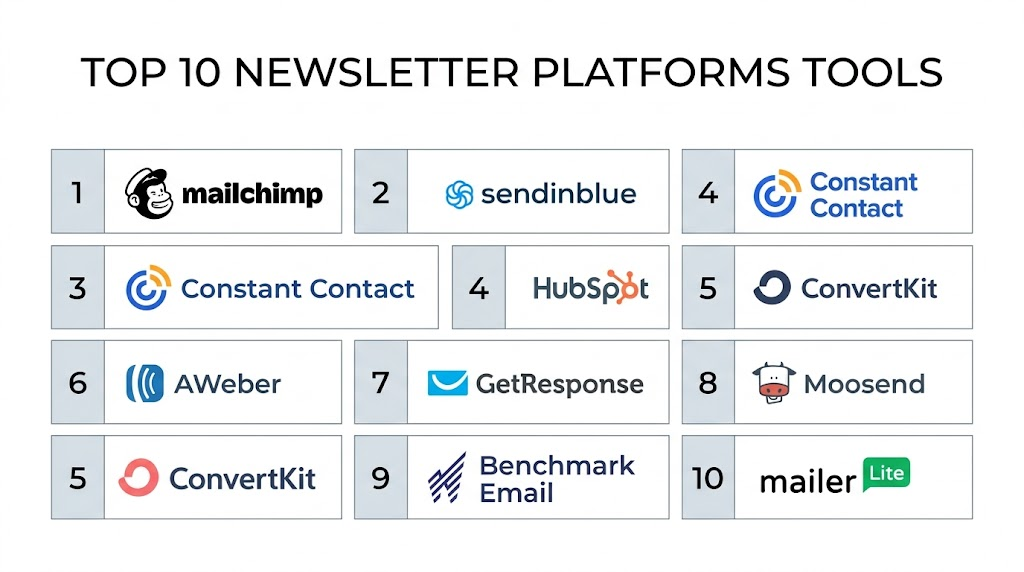
Top 10 Newsletter Platforms
#1 — Mailchimp
Short description: A widely adopted email marketing platform that supports businesses of all sizes with professional newsletters, automated campaigns, and engagement analytics
Key Features
- Drag-and-drop editor
- Audience segmentation and personalization
- Automated workflows
- Behavioral targeting and predictive insights
- Analytics and reporting
- A/B testing
- Multi-channel support
Pros
- Intuitive for beginners
- Scales from SMBs to enterprises
Cons
- Pricing increases with large subscriber lists
- Advanced features require paid tiers
Platforms / Deployment
- Web / iOS / Android
- Cloud
Security & Compliance
- SSO/SAML, MFA, encryption
- GDPR, SOC 2, ISO 27001
Integrations & Ecosystem
Integrates with many CRMs, e-commerce, and analytics tools
- Salesforce, Shopify, WordPress
- Zapier automation
- API for custom integrations
Support & Community
- Strong documentation and tutorials
- Email and chat support depending on plan
#2 — Sendinblue
Short description: Sendinblue offers email campaigns, transactional emails, and SMS automation, ideal for small to mid-sized businesses
Key Features
- Email and SMS campaigns
- Marketing automation workflows
- Real-time analytics
- A/B testing
- Dynamic content
- Transactional email support
- GDPR-compliant subscription management
Pros
- Multi-channel automation
- Flexible pricing for SMBs
Cons
- Interface less modern
- Advanced features require premium plans
Platforms / Deployment
- Web
- Cloud
Security & Compliance
- Encryption, MFA
- GDPR compliant
Integrations & Ecosystem
- Shopify, WordPress, Magento
- Zapier
- API support
Support & Community
- Email support, knowledge base
- Community forums
#3 — Constant Contact
Short description: Designed for small businesses, Constant Contact provides email marketing, automation, and event management tools
Key Features
- Pre-built templates
- List segmentation and tagging
- Automated series
- Event and RSVP management
- Analytics dashboards
- Social media integration
- Mobile-responsive design
Pros
- Easy setup
- Effective for event-driven campaigns
Cons
- Limited advanced automation
- Fewer integrations
Platforms / Deployment
- Web / iOS / Android
- Cloud
Security & Compliance
- MFA, encryption
- SOC 2, GDPR
Integrations & Ecosystem
- Shopify, WooCommerce, Salesforce
- Zapier
- API available
Support & Community
- Live chat and phone support
- Extensive documentation
#4 — HubSpot
Short description: HubSpot Marketing Hub offers robust email marketing with deep CRM integration for mid-market and enterprise businesses
Key Features
- Drag-and-drop editor
- Advanced personalization
- CRM integration and automation
- Analytics dashboards
- Lifecycle email campaigns
- A/B testing
- Lead scoring
Pros
- Deep CRM integration
- Scales to enterprise needs
Cons
- Higher cost
- Learning curve for beginners
Platforms / Deployment
- Web / iOS / Android
- Cloud
Security & Compliance
- SSO/SAML, MFA, encryption
- GDPR, SOC 2, ISO 27001
Integrations & Ecosystem
- Salesforce, Shopify, Zapier
- CMS integration
- API access
Support & Community
- Knowledge base, tutorials, community forum
- Tiered support
#5 — ConvertKit
Short description: ConvertKit focuses on content creators and bloggers, offering automation, email campaigns, and subscriber tagging
Key Features
- Visual automation workflows
- Subscriber tagging and segmentation
- Landing page builder
- E-commerce integrations
- Analytics dashboards
- Incentive email delivery
- Multi-device optimized emails
Pros
- Ideal for creators and bloggers
- Simple automation setup
Cons
- Not suitable for large enterprises
- Limited templates
Platforms / Deployment
- Web / iOS / Android
- Cloud
Security & Compliance
- Encryption, MFA
- GDPR
Integrations & Ecosystem
- Shopify, Teachable, WordPress
- Zapier
- API for custom integrations
Support & Community
- Email support, tutorials
- Creator community
#6 — AWeber
Short description: AWeber provides email marketing solutions for SMBs including automation, segmentation, and templates
Key Features
- Email templates and builder
- Automation sequences
- Subscriber segmentation
- Analytics dashboards
- A/B testing
- Landing page integration
- Mobile app
Pros
- Affordable
- Reliable deliverability
Cons
- Dated interface
- Limited advanced automation
Platforms / Deployment
- Web / iOS / Android
- Cloud
Security & Compliance
- Encryption, MFA
- GDPR
Integrations & Ecosystem
- Shopify, WordPress, PayPal
- Zapier
- API support
Support & Community
- Email support and tutorials
- Active forums
#7 — GetResponse
Short description: GetResponse is a marketing platform supporting newsletters, automation, and webinars for SMBs and mid-sized businesses
Key Features
- Email editor
- Automation workflows
- Webinar hosting
- Landing page builder
- Segmentation and personalization
- Analytics dashboards
- Conversion funnels
Pros
- All-in-one platform
- Strong automation
Cons
- Complex for beginners
- Some features require premium plan
Platforms / Deployment
- Web / iOS / Android
- Cloud
Security & Compliance
- Encryption, MFA
- GDPR
Integrations & Ecosystem
- Shopify, WordPress, Zapier
- API access
Support & Community
- Email and chat support
- Tutorials and webinars
#8 — Moosend
Short description: Moosend offers email marketing and automation for SMBs with advanced personalization
Key Features
- Drag-and-drop editor
- Automation workflows
- Dynamic content
- Analytics dashboards
- A/B testing
- Subscription forms
- E-commerce integrations
Pros
- Cost-effective
- Easy-to-use interface
Cons
- Smaller user community
- Limited templates
Platforms / Deployment
- Web / iOS / Android
- Cloud
Security & Compliance
- MFA, encryption
- GDPR
Integrations & Ecosystem
- Shopify, WooCommerce, Zapier
- API support
Support & Community
- Email support and documentation
- Limited forums
#9 — Benchmark Email
Short description: Benchmark Email focuses on simple automation, ideal for SMBs
Key Features
- Drag-and-drop builder
- Automation workflows
- Real-time analytics
- List management
- A/B testing
- Responsive templates
- Event-triggered campaigns
Pros
- Easy onboarding
- Responsive emails
Cons
- Fewer advanced features
- Limited integrations
Platforms / Deployment
- Web / iOS / Android
- Cloud
Security & Compliance
- MFA, encryption
- GDPR
Integrations & Ecosystem
- Shopify, WordPress, Zapier
- API access
Support & Community
- Email and chat support
- Documentation
#10 — MailerLite
Short description: MailerLite is an intuitive platform for newsletters, automation, and landing pages for small businesses
Key Features
- Drag-and-drop editor
- Automation workflows
- Landing pages
- Subscriber segmentation
- Analytics dashboards
- A/B testing
- Campaign scheduling
Pros
- Very user-friendly
- Affordable
Cons
- Limited advanced analytics
- Fewer integrations
Platforms / Deployment
- Web / iOS / Android
- Cloud
Security & Compliance
- MFA, encryption
- GDPR
Integrations & Ecosystem
- Shopify, WordPress, Zapier
- API access
Support & Community
- Email support and tutorials
- Community forums
Comparison Table
| Tool Name | Best For | Platform(s) Supported | Deployment | Standout Feature | Public Rating |
|---|---|---|---|---|---|
| Mailchimp | SMBs, Enterprises | Web / iOS / Android | Cloud | AI-powered insights | N/A |
| Sendinblue | SMBs, Marketers | Web | Cloud | Email + SMS automation | N/A |
| Constant Contact | Small Businesses | Web / iOS / Android | Cloud | Event management | N/A |
| HubSpot | Mid-Market, Enterprise | Web / iOS / Android | Cloud | CRM integration | N/A |
| ConvertKit | Creators, Bloggers | Web / iOS / Android | Cloud | Subscriber tagging | N/A |
| AWeber | SMBs | Web / iOS / Android | Cloud | Easy-to-use automation | N/A |
| GetResponse | SMBs, Mid-sized Businesses | Web / iOS / Android | Cloud | All-in-one marketing | N/A |
| Moosend | SMBs | Web / iOS / Android | Cloud | Advanced personalization | N/A |
| Benchmark Email | SMBs | Web / iOS / Android | Cloud | Simple automation | N/A |
| MailerLite | Small Businesses, Startups | Web / iOS / Android | Cloud | Landing page + email combo | N/A |
Evaluation & Scoring
| Tool Name | Core (25%) | Ease (15%) | Integrations (15%) | Security (10%) | Performance (10%) | Support (10%) | Value (15%) | Weighted Total |
|---|---|---|---|---|---|---|---|---|
| Mailchimp | 9 | 9 | 9 | 9 | 9 | 8 | 7 | 8.85 |
| Sendinblue | 8 | 8 | 8 | 8 | 8 | 7 | 9 | 8.05 |
| Constant Contact | 7 | 8 | 7 | 8 | 8 | 7 | 8 | 7.65 |
| HubSpot | 9 | 7 | 9 | 9 | 9 | 8 | 6 | 8.25 |
| ConvertKit | 7 | 9 | 7 | 7 | 8 | 7 | 8 | 7.75 |
| AWeber | 7 | 8 | 7 | 7 | 8 | 7 | 9 | 7.85 |
| GetResponse | 8 | 8 | 8 | 8 | 8 | 7 | 8 | 8.0 |
| Moosend | 7 | 9 | 7 | 7 | 8 | 7 | 9 | 7.9 |
| Benchmark Email | 6 | 8 | 6 | 7 | 7 | 6 | 8 | 7.05 |
| MailerLite | 7 | 9 | 7 | 7 | 8 | 7 | 9 | 7.85 |
Which Tool Is Right for You
Solo / Freelancer
ConvertKit and MailerLite: simple, affordable, easy automation
SMB
Sendinblue, AWeber, Moosend: scalable, multi-channel, cost-effective
Mid-Market
GetResponse, HubSpot: integrated CRM, analytics, and automation
Enterprise
HubSpot, Mailchimp: advanced personalization, multi-channel support
Budget vs Premium
Budget: MailerLite, Moosend, Benchmark Email
Premium: HubSpot, Mailchimp, GetResponse
Feature Depth vs Ease of Use
Depth: HubSpot, Mailchimp, GetResponse
Ease: ConvertKit, MailerLite, AWeber
Integrations & Scalability
HubSpot and Mailchimp offer the broadest integrations and enterprise scalability
Security & Compliance Needs
Mailchimp, HubSpot, Sendinblue provide strong GDPR, SOC 2, ISO 27001 compliance
Frequently Asked Questions
1. What pricing models do newsletter platforms use?
Most platforms use tiered subscriptions based on subscribers, features, and email volume. Freemium models exist for small businesses.
2. How easy is onboarding for beginners?
Drag-and-drop editors, templates, and tutorials make onboarding straightforward. Enterprise platforms may require training.
3. Can I migrate subscribers from another platform?
Yes, most platforms support CSV imports, API-based migration, or native migration tools.
4. Are newsletters mobile-optimized?
Yes, all major platforms provide responsive templates for mobile and desktop viewing.
5. How do I ensure high deliverability?
Authenticate emails, maintain list hygiene, and follow best practices recommended by the platform.
6. Can I integrate with my CRM?
Yes, most platforms integrate with Salesforce, HubSpot CRM, and others. APIs allow custom integrations.
7. Is automation available?
Yes, automated sequences, triggers, and A/B testing are standard features.
8. How is security handled?
Platforms use encryption, MFA, SSO, and compliance with GDPR, SOC 2, and ISO standards.
9. Can I personalize content for subscribers?
Yes, segmentation, dynamic content, and behavioral targeting enable personalization.
10. What alternatives exist for newsletter platforms?
Alternatives include social media updates, messaging apps, or full marketing automation suites.
Conclusion
Newsletter platforms are essential for maintaining engagement and efficient communication. Selection depends on team size, budget, desired features, and compliance needs. Solo creators may prioritize simplicity and cost, SMBs need multi-channel automation, and enterprises require robust analytics and integrations. The next step is to shortlist 2–3 platforms, run pilot campaigns, and validate integrations and security standards.
