Introduction
Secure DNS Clients are software solutions that ensure DNS queries are safe, private, and protected against cyber threats. By encrypting queries and applying policy-driven filtering, these tools prevent access to malicious domains, phishing websites, and malware, while improving network visibility and user privacy. Secure DNS is increasingly essential for organizations, remote teams, and individuals managing sensitive data or cloud infrastructure.
Real-world use cases include blocking malicious domains, enforcing company internet policies, protecting IoT devices, encrypting DNS queries for privacy, and monitoring DNS traffic for compliance and performance.
Evaluation criteria for buyers include security and encryption, threat intelligence, ease of deployment, cross-platform support, reporting and analytics, compliance alignment, performance, integrations, pricing, and support.
Best for: IT managers, network administrators, cybersecurity teams, SMBs to enterprises, and industries handling sensitive data such as finance, healthcare, and education.
Not ideal for: Users with minimal DNS security needs, small businesses without dedicated IT staff, or individuals content with basic public DNS providers.
Key Trends in Secure DNS Clients
- AI-driven threat detection using machine learning and behavioral analytics
- Growing adoption of DNS-over-HTTPS (DoH) and DNS-over-TLS (DoT) for privacy
- Cloud-native integration with hybrid and SaaS environments
- Centralized policy management across distributed endpoints
- DNS protection for IoT and operational technology devices
- Automation in incident response and policy enforcement
- Real-time analytics and traffic monitoring
- Alignment with regulatory frameworks like GDPR, SOC 2, and ISO 27001
- Flexible subscription and per-user pricing models
- API-based interoperability with SIEM, firewalls, and endpoint platforms
How We Selected These Tools
- Evaluated market adoption and enterprise mindshare
- Reviewed feature completeness including encryption, threat blocking, and analytics
- Analyzed reliability and performance metrics
- Assessed security posture and compliance certifications
- Examined integrations and ecosystem compatibility
- Considered customer fit across solo, SMB, mid-market, and enterprise
- Assessed vendor support, documentation, and community engagement
- Compared cost-effectiveness and subscription flexibility
- Checked deployment options: cloud, hybrid, or on-premises
- Verified cross-platform support for desktop, mobile, and network devices
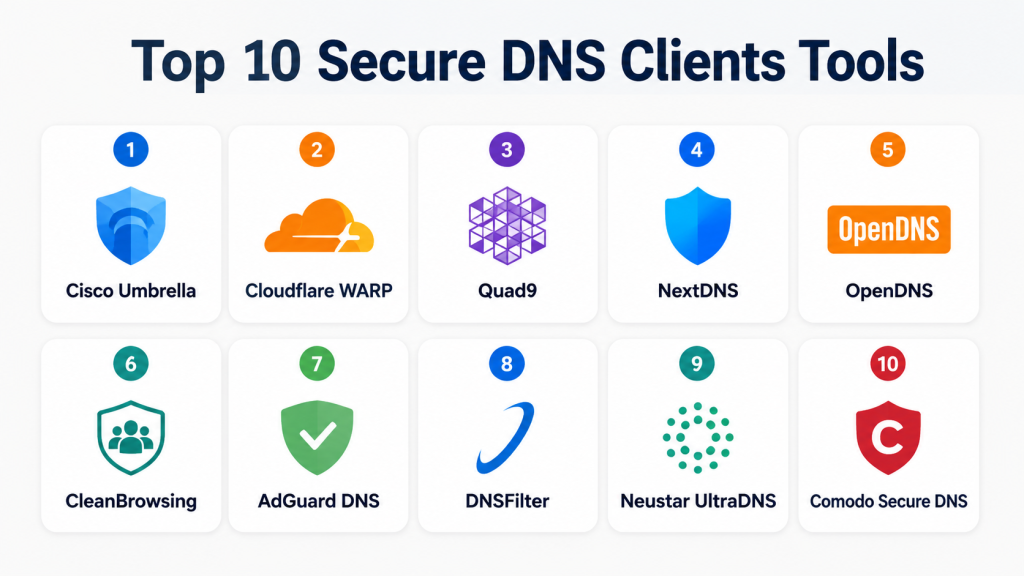
Top 10 Secure DNS Clients Tools
#1 — Cisco Umbrella
Short description: Cloud-delivered secure DNS client providing threat intelligence and policy enforcement for enterprises of all sizes.
Key Features
- Global threat intelligence feed
- Policy-based web filtering
- Malware and phishing protection
- Cloud-delivered firewall
- Centralized dashboard for analytics
- SIEM and endpoint integrations
Pros
- Strong enterprise-level security
- Easy cloud deployment
- Scalable across multiple offices
Cons
- Higher pricing for small teams
- Some advanced features require additional licenses
Platforms / Deployment
- Web / Windows / macOS / Linux / iOS / Android
- Cloud
Security & Compliance
- SSO/SAML, MFA, encryption, audit logs
- SOC 2, ISO 27001, GDPR
Integrations & Ecosystem
Integrates with SIEM, endpoint protection, firewalls, and cloud apps.
- Firewalls
- SIEM platforms
- Endpoint protection
- CASB
- Cloud app integrations
Support & Community
Extensive documentation, onboarding guides, multiple support tiers, active enterprise community
#2 — Cloudflare WARP
Short description: Secure DNS and VPN client aimed at individuals and teams for privacy, encryption, and performance
Key Features
- DNS-over-HTTPS (DoH) and DNS-over-TLS (DoT)
- Malware blocking and content filtering
- Fast 1.1.1.1 resolver
- Team-based policy management
- Mobile and desktop client support
Pros
- Easy to use
- Free and paid tiers
- Fast DNS resolution
Cons
- Limited enterprise reporting
- Hybrid policy enforcement may require Teams subscription
Platforms / Deployment
- Windows / macOS / Linux / iOS / Android
- Cloud
Security & Compliance
- Encryption: DoH, DoT
- Not publicly stated
Integrations & Ecosystem
Supports endpoint security, network routing, and cloud apps.
- VPN integration
- API access for teams
- Cloud app security
Support & Community
Documentation and guides; community forums; professional support for enterprise
#3 — Quad9
Short description: Security-focused DNS resolver that blocks malicious domains using threat intelligence for privacy-conscious users
Key Features
- Threat intelligence-driven blocking
- DNS-over-HTTPS/TLS support
- No personal data logging
- Global anycast network
- Free for personal use; paid enterprise options
Pros
- Privacy-focused
- Free and accessible
- High malware protection
Cons
- Limited enterprise features
- Minimal reporting
Platforms / Deployment
- Windows / macOS / Linux / iOS / Android
- Cloud
Security & Compliance
- Encryption: DoH, DoT
- Not publicly stated
Integrations & Ecosystem
Simple API integration for enterprise networks
- Network monitoring
- Endpoint enforcement
- Cloud apps
Support & Community
Community support, online documentation; minimal enterprise support
#4 — NextDNS
Short description: Highly configurable secure DNS service providing content filtering, threat blocking, and analytics for teams and families
Key Features
- Custom blocklists
- Analytics dashboard
- Malware and phishing protection
- DNS-over-HTTPS/TLS support
- Parental controls
Pros
- Customizable policies
- Privacy-conscious
- Detailed analytics
Cons
- Free tier limited
- Learning curve for advanced features
Platforms / Deployment
- Windows / macOS / Linux / iOS / Android
- Cloud
Security & Compliance
- Encryption: DoH, DoT
- Not publicly stated
Integrations & Ecosystem
API integrations with network management and monitoring tools
- API automation
- SIEM integration
- Cloud app compatibility
Support & Community
Documentation, active online forums, email support for paid tiers
#5 — OpenDNS
Short description: Enterprise-grade DNS service for security, web filtering, and threat prevention
Key Features
- Web content filtering
- Malware protection
- Threat intelligence feeds
- Cloud-based policy enforcement
- Analytics dashboard
Pros
- Enterprise-friendly
- Easy deployment
- Strong threat intelligence
Cons
- Interface feels outdated
- Premium features require extra license
Platforms / Deployment
- Windows / macOS / Linux / iOS / Android
- Cloud
Security & Compliance
- SSO/SAML, encryption
- SOC 2, ISO 27001
Integrations & Ecosystem
Compatible with Cisco security products, SIEMs, and endpoints
- Cisco integration
- Cloud apps
- SIEM integration
Support & Community
Enterprise support, knowledge base, active community
#6 — CleanBrowsing
Short description: Secure DNS client for families, schools, and small businesses to enforce content policies
Key Features
- Predefined content filters
- Malware and phishing protection
- DNS-over-HTTPS
- Analytics dashboard
- Family-safe profiles
Pros
- Easy policy enforcement
- Affordable for SMBs
- Multiple filtering options
Cons
- Less suitable for large enterprises
- Limited free plan customization
Platforms / Deployment
- Windows / macOS / Linux / iOS / Android
- Cloud
Security & Compliance
- Encryption: DoH
- Not publicly stated
Integrations & Ecosystem
Integrates with network management and parental controls
- Router configuration
- Endpoint devices
- API access
Support & Community
Documentation and forums; limited support for free tier
#7 — AdGuard DNS
Short description: DNS service focused on privacy, ad blocking, and malware protection
Key Features
- Ad and tracker blocking
- Malware protection
- DNS-over-HTTPS/TLS
- Configurable filtering rules
- Global resolver network
Pros
- Privacy-focused
- Easy deployment
- Free and paid tiers
Cons
- Limited enterprise analytics
- Basic policy management
Platforms / Deployment
- Windows / macOS / Linux / iOS / Android
- Cloud
Security & Compliance
- Encryption: DoH, DoT
- Not publicly stated
Integrations & Ecosystem
Integrates with browsers, endpoints, and routers
- API access
- Endpoint configuration
- Router setup
Support & Community
Community forums; paid plans include support
#8 — DNSFilter
Short description: AI-driven DNS security solution providing filtering, threat protection, and analytics
Key Features
- Machine learning threat detection
- Policy-driven web filtering
- DNS-over-HTTPS/TLS
- Analytics and reporting
- Cloud console
Pros
- Strong AI threat intelligence
- Scalable for SMBs and enterprises
- Detailed policy management
Cons
- Higher pricing for small teams
- Onboarding requires training
Platforms / Deployment
- Windows / macOS / Linux / iOS / Android
- Cloud
Security & Compliance
- Encryption: DoH, DoT
- Not publicly stated
Integrations & Ecosystem
Integrates with SIEM, EDR, and cloud security platforms
- SIEM platforms
- Endpoint protection
- Cloud apps
Support & Community
Professional support, documentation, knowledge base
#9 — Neustar UltraDNS
Short description: Enterprise DNS and threat protection platform offering secure resolution and traffic management
Key Features
- DDoS mitigation
- Threat intelligence
- Policy enforcement
- DNS performance optimization
- Advanced analytics
Pros
- Enterprise-grade security
- High reliability
- Advanced reporting
Cons
- Complex setup for smaller organizations
- Higher cost
Platforms / Deployment
- Windows / macOS / Linux / iOS / Android
- Cloud
Security & Compliance
- Encryption: Not publicly stated
- SOC 2, ISO 27001
Integrations & Ecosystem
Compatible with network and security monitoring systems
- SIEM
- Endpoint security
- Cloud apps
Support & Community
Professional enterprise support; documentation available
#10 — Comodo Secure DNS
Short description: Free and paid secure DNS service providing malware and phishing protection
Key Features
- Malware and phishing blocking
- Content filtering
- Fast global DNS resolution
- DNS-over-HTTPS
- Simple setup
Pros
- Easy deployment
- Free and paid tiers
- Basic security for home and SMB
Cons
- Limited analytics
- Not enterprise-focused
Platforms / Deployment
- Windows / macOS / Linux / iOS / Android
- Cloud
Security & Compliance
- Encryption: DoH
- Not publicly stated
Integrations & Ecosystem
Works with home and office routers; limited API support
- Router configuration
- Endpoint setup
- Basic network integration
Support & Community
Documentation available; limited direct support; community forums
Comparison Table
| Tool Name | Best For | Platform(s) Supported | Deployment | Standout Feature | Public Rating |
|---|---|---|---|---|---|
| Cisco Umbrella | Enterprise IT, SMBs | Web/Windows/macOS/Linux/iOS/Android | Cloud | Global threat intelligence | N/A |
| Cloudflare WARP | Teams and individuals | Windows/macOS/Linux/iOS/Android | Cloud | Fast and privacy-focused DNS | N/A |
| Quad9 | Privacy-conscious users | Windows/macOS/Linux/iOS/Android | Cloud | Threat-intelligence blocking | N/A |
| NextDNS | Teams, families, SMBs | Windows/macOS/Linux/iOS/Android | Cloud | Highly configurable policies | N/A |
| OpenDNS | Enterprises | Windows/macOS/Linux/iOS/Android | Cloud | Policy enforcement + analytics | N/A |
| CleanBrowsing | Schools, SMBs, families | Windows/macOS/Linux/iOS/Android | Cloud | Predefined content filters | N/A |
| AdGuard DNS | Privacy-focused individuals | Windows/macOS/Linux/iOS/Android | Cloud | Ad and tracker blocking | N/A |
| DNSFilter | SMBs, mid-market, enterprises | Windows/macOS/Linux/iOS/Android | Cloud | AI-driven threat detection | N/A |
| Neustar UltraDNS | Large enterprises | Windows/macOS/Linux/iOS/Android | Cloud | Enterprise-grade security | N/A |
| Comodo Secure DNS | Individuals, small businesses | Windows/macOS/Linux/iOS/Android | Cloud | Easy malware protection | N/A |
Evaluation & Scoring
| Tool Name | Core (25%) | Ease (15%) | Integrations (15%) | Security (10%) | Performance (10%) | Support (10%) | Value (15%) | Weighted Total (0–10) |
|---|---|---|---|---|---|---|---|---|
| Cisco Umbrella | 9 | 8 | 8 | 9 | 9 | 8 | 7 | 8.6 |
| Cloudflare WARP | 7 | 9 | 7 | 7 | 8 | 7 | 9 | 7.8 |
| Quad9 | 7 | 9 | 6 | 8 | 8 | 6 | 8 | 7.5 |
| NextDNS | 8 | 8 | 7 | 8 | 8 | 7 | 8 | 7.9 |
| OpenDNS | 8 | 7 | 8 | 9 | 8 | 7 | 7 | 7.8 |
| CleanBrowsing | 7 | 8 | 6 | 7 | 7 | 6 | 8 | 7.1 |
| AdGuard DNS | 7 | 9 | 6 | 7 | 8 | 6 | 8 | 7.3 |
| DNSFilter | 9 | 8 | 8 | 9 | 8 | 7 | 7 | 8.3 |
| Neustar UltraDNS | 9 | 7 | 8 | 9 | 9 | 7 | 6 | 8.1 |
| Comodo Secure DNS | 6 | 9 | 6 | 7 | 7 | 6 | 8 | 7.0 |
Weighted totals allow comparison across features, usability, integrations, security, performance, support, and cost. Scores are relative and guide selection.
Which Secure DNS Clients Tool Is Right for You?
Solo / Freelancer
Cloudflare WARP or Quad9 for privacy, encryption, and ease of setup.
SMB
NextDNS, CleanBrowsing, or Cisco Umbrella for malware protection and manageable policies.
Mid-Market
DNSFilter, OpenDNS, or NextDNS for AI-driven threat detection and reporting.
Enterprise
Cisco Umbrella, Neustar UltraDNS, or OpenDNS for scalable policies, compliance, and reliability.
Budget vs Premium
Budget: Quad9, AdGuard DNS, Comodo Secure DNS.
Premium: Cisco Umbrella, DNSFilter for advanced enterprise features.
Feature Depth vs Ease of Use
NextDNS and DNSFilter balance rich features with usability.
Cloudflare WARP and Quad9 focus on simplicity.
Integrations & Scalability
Cisco Umbrella, DNSFilter, Neustar UltraDNS excel for large-scale deployments and integrations.
Security & Compliance Needs
Cisco Umbrella, OpenDNS, Neustar UltraDNS suitable for compliance-heavy organizations.
Frequently Asked Questions
1. What is a secure DNS client?
A secure DNS client encrypts DNS queries and filters malicious domains, enhancing privacy and network security.
2. How does DNS-over-HTTPS (DoH) improve security?
DoH encrypts DNS requests, preventing interception, tampering, or eavesdropping.
3. Are secure DNS clients suitable for remote teams?
Yes, they allow centralized policy enforcement and protection for distributed endpoints.
4. Can secure DNS clients replace firewalls or antivirus?
No, they complement existing security layers but do not replace endpoint or network protections.
5. How difficult is deployment for enterprises?
Most enterprise solutions offer cloud deployment and centralized management, minimizing complexity.
6. Do secure DNS clients improve internet performance?
They can enhance resolution speed with optimized DNS servers; filtering may add minimal latency.
7. Can individuals use these clients?
Yes, services like Cloudflare WARP, Quad9, and AdGuard DNS are suitable for personal use.
8. Are these solutions compatible with all devices?
Most secure DNS clients support Windows, macOS, Linux, iOS, and Android devices.
9. How do these clients handle compliance requirements?
Enterprise-grade clients include features to meet GDPR, SOC 2, ISO 27001, and similar regulatory standards.
10. What is the typical cost model?
Pricing varies: free tiers for individuals, per-user subscriptions for SMBs, and enterprise licensing for large organizations.
Conclusion
Secure DNS clients are essential tools for privacy, threat prevention, and network policy enforcement. Choosing the right client depends on team size, security requirements, budget, and integration needs. Solo users may prioritize simplicity and privacy, SMBs and mid-market organizations should balance features with ease of management, and enterprises require robust analytics, compliance alignment, and scalability. A practical next step is to shortlist 2–3 clients, run a pilot, and validate performance, integrations, and security against organizational needs.
