Introduction
Terminal emulators are software applications that replicate command-line interfaces, allowing developers, system administrators, and IT professionals to interact with local or remote systems using text-based commands. They enable users to execute scripts, manage servers, connect via SSH, and automate workflows without relying on graphical interfaces.
Terminal emulators are highly relevant because modern organizations rely on remote infrastructure, cloud environments, containerized systems, and DevOps workflows. They provide fast, precise, and scriptable access to complex systems, making them essential for debugging, automation, server management, and log monitoring.
Common use cases include connecting to remote servers via SSH, managing cloud and container workloads, running automation scripts, debugging applications, and monitoring logs in real-time. They are valuable for multi-platform management and workflow automation.
Buyers should evaluate:
- Platform support (Windows, macOS, Linux)
- Remote connection protocols (SSH, Telnet, Mosh)
- Session management and multi-tab support
- Customizability (themes, key bindings, extensions)
- Performance and responsiveness
- Security features (encryption, authentication)
- Integration with development tools
- Script execution and automation support
- Clipboard, file transfer, and copy-paste support
- Licensing and support options
Best for: Developers, system administrators, DevOps engineers, IT operations teams, and enterprises managing multiple systems or cloud infrastructure.
Not ideal for: Users who only need basic command-line access on a single system or prefer fully graphical interfaces.
Key Trends in Terminal Emulators
- Multi-tab and multi-pane support for efficient workflows.
- Integration with cloud and container platforms is standard.
- GPU acceleration for smoother rendering and performance.
- Scripting and automation integration is emphasized for DevOps.
- Customizable themes, fonts, and key bindings improve usability.
- Enhanced security with SSH key management, MFA, and encrypted sessions.
- Cross-platform consistency is critical for mixed OS environments.
- Persistent remote sessions reduce operational overhead.
- AI-powered command suggestions and workflow automation are emerging.
- Open-source projects are complemented by commercial enterprise solutions.
How We Selected These Tools
- Popularity and adoption in the developer and IT community.
- Cross-platform support for major operating systems.
- Feature completeness including tabs, panes, SSH, scripting, and automation.
- Performance and responsiveness.
- Security posture and encryption capabilities.
- Integration with DevOps, cloud, and container workflows.
- Community and enterprise support availability.
- Customizability and user experience.
- Real-world utility for development, operations, and administration.
- Longevity and active maintenance.
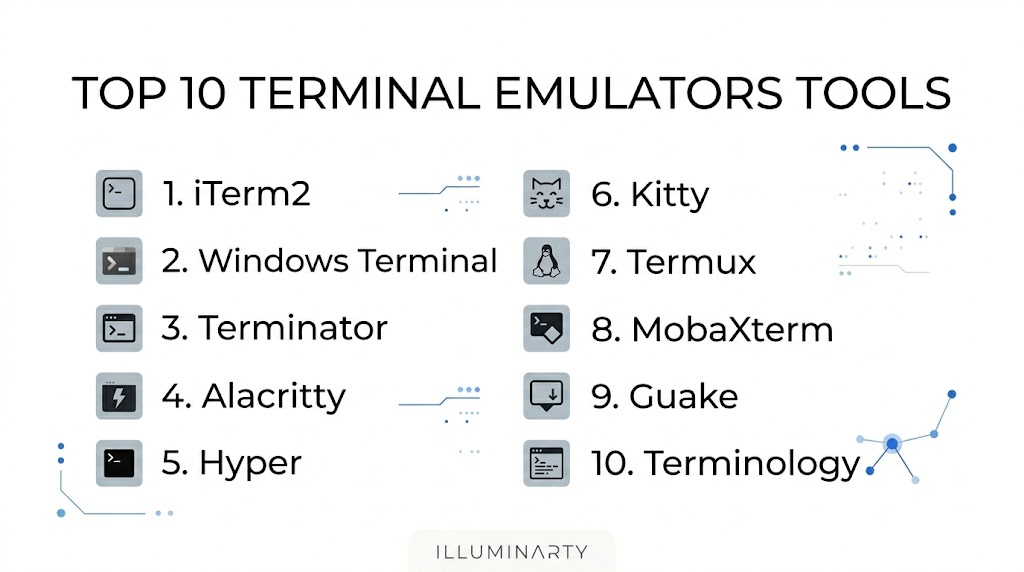
Top 10 Terminal Emulators Tools
#1 — iTerm2
Short description: iTerm2 is a feature-rich terminal emulator designed for macOS, supporting multiple tabs, panes, and extensive customization.
Key Features
- Split panes and multi-tab management
- Advanced theming and customization
- Search and autocomplete
- tmux integration
- Python scripting API
- Session restoration
- Inline image support
Pros
- Excellent macOS integration
- Highly customizable interface
- Powerful automation and scripting
Cons
- macOS only
- Resource-intensive with many sessions
- Steep learning curve
Platforms / Deployment
macOS
Security & Compliance
Supports SSH and encrypted sessions. Certifications are Not publicly stated.
Integrations & Ecosystem
Works with tmux and scripting automation:
- SSH connections
- tmux integration
- Python scripts
- macOS clipboard
- Workflow automation
- Git integration
Support & Community
Strong community, comprehensive documentation, active forums.
#2 — Windows Terminal
Short description: A modern terminal for Windows integrating PowerShell, Command Prompt, and WSL with tabs and GPU acceleration.
Key Features
- Multi-tab and multi-pane support
- GPU-accelerated rendering
- Rich text, emoji, and hyperlink support
- Integration with PowerShell, Cmd, WSL
- Customizable key bindings and themes
- Quake-style drop-down window
- JSON-based configuration
Pros
- Unified interface for multiple shells
- Fast and responsive
- Open-source and actively updated
Cons
- Windows only
- JSON configuration may be complex
- Limited scripting support
Platforms / Deployment
Windows
Security & Compliance
Supports SSH encryption. Certifications are Not publicly stated.
Integrations & Ecosystem
- PowerShell
- Command Prompt
- WSL
- SSH utilities
- Git Bash
- DevOps scripts
Support & Community
Microsoft-backed, extensive documentation, active open-source community.
#3 — Terminator
Short description: Linux terminal for heavy users needing multiple terminals in one window with advanced layouts.
Key Features
- Grid-based layout
- Drag-and-drop pane resizing
- Broadcast typing to multiple terminals
- Configurable profiles
- Keyboard shortcuts
- Persistent sessions
- Plugin support
Pros
- Efficient multitasking
- Optimizes screen real estate
- Advanced automation features
Cons
- Linux only
- Functional UI, less polished
- Limited cross-platform support
Platforms / Deployment
Linux
Security & Compliance
Supports SSH. Certifications are Not publicly stated.
Integrations & Ecosystem
- Bash, Zsh, Fish
- SSH
- tmux integration
- Automation scripts
- Clipboard management
- System notifications
Support & Community
Open-source with active Linux community and documentation.
#4 — Alacritty
Short description: GPU-accelerated terminal focused on speed and performance across platforms.
Key Features
- GPU rendering
- Minimalist design
- Cross-platform
- High performance
- YAML configuration
- TrueColor support
- Ligatures and font customization
Pros
- Extremely fast
- Low resource usage
- Cross-platform
Cons
- Lacks tabs/splits by default
- Needs external tools for layouts
- YAML config may challenge beginners
Platforms / Deployment
Windows / macOS / Linux
Security & Compliance
SSH support via shell. Certifications are Not publicly stated.
Integrations & Ecosystem
- tmux
- SSH
- Shell scripts
- DevOps pipelines
- Git workflows
- Cross-platform automation
Support & Community
Open-source with growing community support and documentation.
#5 — Hyper
Short description: Electron-based terminal with plugin ecosystem for customizability.
Key Features
- Plugin-based architecture
- JavaScript, HTML, CSS customization
- Cross-platform
- Tabs and split support
- Themes and fonts
- SSH integration
- Live reload configuration
Pros
- Highly customizable
- Cross-platform consistency
- Active plugin ecosystem
Cons
- Resource-heavy
- Performance can lag with many tabs
- Web tech knowledge required
Platforms / Deployment
Windows / macOS / Linux
Security & Compliance
Supports SSH encryption. Certifications are Not publicly stated.
Integrations & Ecosystem
- SSH
- Terminal multiplexers
- Clipboard utilities
- DevOps scripts
- Git
- Workflow extensions
Support & Community
Open-source with active plugin development and documentation.
#6 — Kitty
Short description: GPU-based cross-platform terminal emphasizing performance and advanced features.
Key Features
- GPU rendering
- Unicode/emoji support
- Multiple tabs and windows
- Layout control and splits
- Extensible via scripts
- TrueColor support
- Cross-platform configuration
Pros
- Fast and responsive
- Highly customizable
- Cross-platform
Cons
- Configuration requires learning
- Less beginner-friendly
- Tab management requires familiarity
Platforms / Deployment
Windows / macOS / Linux
Security & Compliance
SSH supported. Certifications are Not publicly stated.
Integrations & Ecosystem
- Bash, Zsh, Fish
- SSH
- tmux
- Automation scripts
- Git workflows
- Cross-platform setups
Support & Community
Active community, good documentation, ongoing maintenance.
#7 — Termux
Short description: Terminal emulator and Linux environment for Android devices.
Key Features
- Full Linux environment
- Package management via apt
- SSH client/server
- Scripting with bash, Python
- Lightweight and mobile-optimized
- Local and remote workflows
- Plugin support
Pros
- Linux capabilities on mobile
- Lightweight and portable
- Includes package manager
Cons
- Android only
- Limited UI for complex workflows
- Not a desktop replacement
Platforms / Deployment
Android
Security & Compliance
SSH support included. Certifications are Not publicly stated.
Integrations & Ecosystem
- SSH
- Bash scripting
- Python
- Git
- Local servers
- Mobile DevOps testing
Support & Community
Open-source with active forums and documentation.
#8 — MobaXterm
Short description: Windows terminal with X11 server, SSH, and network tools for IT administrators.
Key Features
- Multi-tab SSH sessions
- X11 server integration
- SFTP file transfer
- Network utilities
- Macro support
- Portable and installable versions
- Session management
Pros
- All-in-one Windows solution
- Simplifies server access
- Easy configuration
Cons
- Windows only
- Feature-heavy interface
- Limited cross-platform usage
Platforms / Deployment
Windows
Security & Compliance
Supports SSH encryption. Certifications are Not publicly stated.
Integrations & Ecosystem
- SSH
- X11 server
- File transfer
- Macro scripting
- Network diagnostics
- Windows integration
Support & Community
Commercial and free versions; active documentation.
#9 — Guake
Short description: Linux dropdown terminal inspired by Quake console.
Key Features
- Quake-style drop-down
- Keyboard hotkey access
- Tabbed interface
- Customizable appearance
- Lightweight
- Scriptable commands
- Persistent sessions
Pros
- Fast access
- Lightweight
- Ideal for repetitive tasks
Cons
- Linux only
- Limited advanced features
- Single window focus
Platforms / Deployment
Linux
Security & Compliance
SSH integration supported. Certifications are Not publicly stated.
Integrations & Ecosystem
- Bash, Zsh, Fish
- SSH
- Scripting automation
- CLI tools
- Development workflows
- Window management
Support & Community
Open-source with active community and documentation.
#10 — Terminology
Short description: Linux terminal emphasizing visual appeal and multimedia integration.
Key Features
- Advanced text rendering
- Multimedia support
- Multiple tabs
- Scripting support
- Drag-and-drop file handling
- Clipboard integration
- Configurable profiles
Pros
- Rich visual experience
- Advanced customization
- Multimedia support
Cons
- Linux only
- Visual features may consume more resources
- Learning curve
Platforms / Deployment
Linux
Security & Compliance
SSH support included. Certifications are Not publicly stated.
Integrations & Ecosystem
- Bash, Zsh
- SSH
- Scripting workflows
- File handling
- Multimedia display
- Development tasks
Support & Community
Open-source, active development, good documentation.
Comparison Table
| Tool Name | Best For | Platform(s) Supported | Deployment | Standout Feature | Public Rating |
|---|---|---|---|---|---|
| iTerm2 | macOS power users | macOS | Self-hosted | Multi-pane and scriptable | N/A |
| Windows Terminal | Windows users | Windows | Self-hosted | GPU acceleration and tabs | N/A |
| Terminator | Linux multitasking | Linux | Self-hosted | Grid-based layout and broadcast typing | N/A |
| Alacritty | Performance | Windows, macOS, Linux | Self-hosted | GPU acceleration | N/A |
| Hyper | Plugin-based customization | Windows, macOS, Linux | Self-hosted | Plugin ecosystem | N/A |
| Kitty | High-performance cross-platform | Windows, macOS, Linux | Self-hosted | GPU acceleration and TrueColor | N/A |
| Termux | Mobile Linux | Android | Self-hosted | Linux on mobile | N/A |
| MobaXterm | Windows IT admins | Windows | Self-hosted | Integrated X11 and SSH | N/A |
| Guake | Quick-access Linux | Linux | Self-hosted | Quake-style drop-down | N/A |
| Terminology | Visual Linux terminal | Linux | Self-hosted | Advanced text rendering | N/A |
Evaluation & Scoring of Terminal Emulators
| Tool Name | Core (25%) | Ease (15%) | Integrations (15%) | Security (10%) | Performance (10%) | Support (10%) | Value (15%) | Weighted Total (0–10) |
|---|---|---|---|---|---|---|---|---|
| iTerm2 | 9 | 8 | 9 | 7 | 8 | 8 | 8 | 8.20 |
| Windows Terminal | 9 | 8 | 8 | 8 | 8 | 9 | 8 | 8.25 |
| Terminator | 8 | 7 | 8 | 7 | 7 | 8 | 8 | 7.60 |
| Alacritty | 8 | 7 | 7 | 7 | 9 | 8 | 8 | 7.90 |
| Hyper | 8 | 7 | 7 | 7 | 7 | 7 | 8 | 7.45 |
| Kitty | 9 | 7 | 8 | 7 | 9 | 8 | 8 | 8.15 |
| Termux | 8 | 8 | 7 | 7 | 7 | 8 | 8 | 7.70 |
| MobaXterm | 8 | 8 | 8 | 8 | 7 | 8 | 8 | 7.95 |
| Guake | 7 | 9 | 7 | 7 | 7 | 8 | 8 | 7.65 |
| Terminology | 8 | 8 | 7 | 7 | 7 | 8 | 8 | 7.75 |
Which Terminal Emulator Tool Is Right for You?
Solo / Freelancer
iTerm2, Alacritty, or Hyper are ideal for individual developers needing customization and scripting.
SMB
Windows Terminal, Kitty, or MobaXterm are suitable for small teams managing servers or cloud environments.
Mid-Market
Terminator, Kitty, and Hyper work well for teams needing multiple panes, tabs, and scriptable workflows.
Enterprise
iTerm2, Windows Terminal, and MobaXterm provide session management, remote connectivity, and multi-user administration.
Budget vs Premium
Open-source tools like Alacritty, Terminator, and Termux reduce cost but require configuration. MobaXterm offers premium features for enterprise convenience.
Feature Depth vs Ease of Use
Power users benefit from iTerm2 and Kitty for advanced customization, while Windows Terminal and Guake provide quick access and simplicity.
Integrations & Scalability
Windows Terminal, MobaXterm, and Kitty integrate well with DevOps scripts, SSH, and automation tools.
Security & Compliance Needs
Enterprise teams should prioritize SSH encryption, key management, and persistent session security available in iTerm2, Windows Terminal, and MobaXterm.
Frequently Asked Questions
1. What is a terminal emulator?
A terminal emulator is software that replicates a command-line interface, allowing interaction with local or remote systems via text commands.
2. Why are terminal emulators important?
They enable system administration, remote management, automation, scripting, and debugging efficiently without graphical interfaces.
3. Are terminal emulators only for developers?
No. System administrators, IT operations teams, and DevOps engineers also rely on terminal emulators for workflow efficiency.
4. Which terminal emulator is best for macOS?
iTerm2 is the most feature-rich and widely used option for macOS users.
5. Which terminal emulator is best for Windows?
Windows Terminal offers multi-tab support, GPU acceleration, and integration with PowerShell, Cmd, and WSL.
6. Are terminal emulators secure?
Yes. Most support SSH and encrypted remote connections. Security also depends on key management and session handling.
7. Can terminal emulators run multiple sessions?
Yes. Tools like iTerm2, Windows Terminal, Terminator, and Kitty allow multi-tab and split-pane management.
8. Do terminal emulators support scripting?
Yes. Many support automation scripts via shell, Python, or plugin APIs for workflow enhancement.
9. Can terminal emulators work on mobile devices?
Yes. Termux provides a Linux terminal environment on Android, including SSH, scripting, and package management.
10. Are terminal emulators open-source?
Many are open-source, including iTerm2, Alacritty, Hyper, Kitty, Termux, Terminator, and Guake, allowing community contributions.
Conclusion
Terminal emulators are vital for developers, system administrators, DevOps teams, and IT professionals. They provide efficient, secure, and scriptable access to systems and infrastructure, supporting automation, remote management, and workflow optimization.
The best terminal emulator depends on OS, workflow, and user expertise. iTerm2 and Kitty suit macOS power users. Windows Terminal and MobaXterm are excellent for Windows and enterprise workflows. Terminator, Alacritty, Hyper, Guake, Termux, and Terminology provide cross-platform or specialized capabilities.
The next step is to shortlist 2–3 terminal emulators that fit your operating system, workflow, and security needs, test them in your environment, and validate integration with your automation and DevOps tools.
