Introduction
CCTV Monitoring Software enables users to view, manage, record, and analyze video feeds from surveillance cameras in real time. These platforms are essential for security operations across homes, businesses, and public infrastructure. They provide centralized control over multiple cameras, video storage, alerts, and analytics.
With the rise of smart surveillance and AI-driven security, modern CCTV software goes far beyond simple video viewing. Today’s solutions offer motion detection, facial recognition, cloud storage, and remote access through mobile apps. This allows users to monitor security systems from anywhere and respond quickly to incidents.
Common use cases:
- Monitoring live video feeds from security cameras
- Recording and storing surveillance footage
- Detecting motion and triggering alerts
- Managing multi-camera systems
- Enhancing security with analytics
What buyers should evaluate:
- Video quality and streaming performance
- Ease of use and interface
- Storage options and retention policies
- AI features like motion detection
- Integration with cameras and systems
- Security and access control
- Scalability for large deployments
- Support and updates
Best for: Businesses, security teams, homeowners, and organizations needing surveillance monitoring.
Not ideal for: Users without CCTV hardware or minimal security requirements.
Key Trends in CCTV Monitoring Software
- AI-based video analytics and detection
- Cloud and hybrid video storage
- Mobile-first remote monitoring
- Integration with IoT and smart devices
- Real-time alerts and automation
- Facial recognition and object detection
- Enhanced cybersecurity features
- Scalability for enterprise surveillance
How We Evaluate CCTV Monitoring Software (Methodology)
- Market adoption and popularity
- Feature completeness and innovation
- Ease of use and interface design
- Integration ecosystem
- Performance and reliability
- Security capabilities
- Scalability across environments
- Customer support and updates
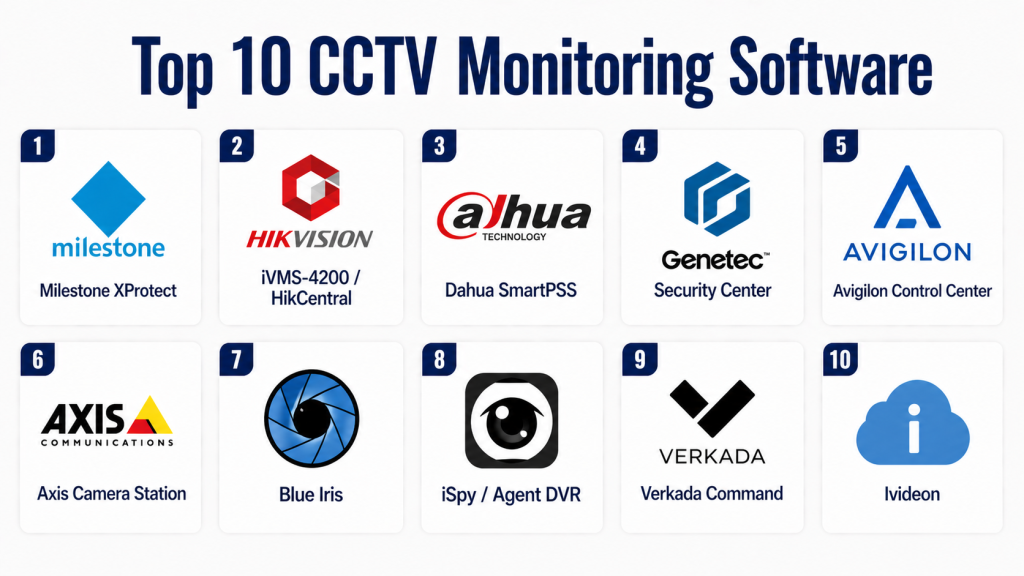
Top 10 CCTV Monitoring Software
#1 — Milestone XProtect
Short description:
Milestone XProtect is a professional video management system used for large-scale surveillance. It supports thousands of cameras and advanced analytics. The platform is highly scalable. It is ideal for enterprises and security professionals. It offers strong performance and flexibility.
Key Features
- Multi-camera management
- Advanced analytics
- Scalable architecture
- Video recording
Pros
- Enterprise-grade
- Highly scalable
Cons
- Complex setup
- Expensive
Platforms / Deployment
Windows / On-premise, Hybrid
Security & Compliance
RBAC, encryption
Other: Not publicly stated
Integrations & Ecosystem
Integrates with security and analytics tools.
- IoT systems
- Security devices
Support & Community
Strong enterprise support.
#2 — Hikvision iVMS
Short description:
Hikvision iVMS is a widely used CCTV monitoring software for managing surveillance systems. It supports live viewing and recording. The platform is suitable for homes and businesses. It offers reliable performance. It is easy to use.
Key Features
- Live monitoring
- Recording
- Alerts
- Device management
Pros
- Easy setup
- Affordable
Cons
- Limited advanced features
- Privacy concerns
Platforms / Deployment
Windows, Mobile / Cloud
Security & Compliance
Not publicly stated
Integrations & Ecosystem
Supports integrations with cameras.
- CCTV devices
Support & Community
Good support.
#3 — Dahua SmartPSS
Short description:
Dahua SmartPSS is a video surveillance management software for Dahua devices. It provides real-time monitoring and recording. The platform is suitable for small to mid-sized deployments. It offers a simple interface. It is reliable.
Key Features
- Live monitoring
- Recording
- Playback
- Alerts
Pros
- Easy to use
- Reliable
Cons
- Limited ecosystem
- Device dependency
Platforms / Deployment
Windows / On-premise
Security & Compliance
Not publicly stated
Integrations & Ecosystem
Integrates with Dahua devices.
- CCTV systems
Support & Community
Moderate support.
#4 — Blue Iris
Short description:
Blue Iris is a popular CCTV monitoring software for Windows systems. It supports multiple camera brands. The platform offers recording and alerts. It is suitable for advanced users. It provides flexibility.
Key Features
- Multi-camera support
- Alerts
- Recording
- Remote access
Pros
- Flexible
- Affordable
Cons
- Complex setup
- Windows-only
Platforms / Deployment
Windows / On-premise
Security & Compliance
Not publicly stated
Integrations & Ecosystem
Supports integrations with cameras.
- IP cameras
Support & Community
Strong community.
#5 — ZoneMinder
Short description:
ZoneMinder is an open-source CCTV monitoring software. It provides video capture and analysis features. The platform is customizable. It is suitable for technical users. It offers flexibility.
Key Features
- Video recording
- Motion detection
- Alerts
- Open-source
Pros
- Free and flexible
- Customizable
Cons
- Complex setup
- Requires technical knowledge
Platforms / Deployment
Linux / Self-hosted
Security & Compliance
Not publicly stated
Integrations & Ecosystem
Supports integrations with cameras.
- IP cameras
Support & Community
Strong community support.
#6 — iSpy
Short description:
iSpy is an open-source video surveillance software. It supports multiple cameras and recording. The platform offers remote monitoring features. It is suitable for home users. It is flexible.
Key Features
- Live monitoring
- Recording
- Alerts
- Remote access
Pros
- Free version available
- Flexible
Cons
- Limited advanced features
- UI complexity
Platforms / Deployment
Windows / Cloud, On-premise
Security & Compliance
Not publicly stated
Integrations & Ecosystem
Supports integrations with cameras.
- IP devices
Support & Community
Active community.
#7 — Agent DVR
Short description:
Agent DVR is a modern video surveillance software with remote monitoring capabilities. It supports multiple cameras and AI features. The platform is suitable for home and business use. It provides flexibility.
Key Features
- AI detection
- Remote access
- Recording
- Alerts
Pros
- Modern features
- Flexible
Cons
- Subscription features
- Learning curve
Platforms / Deployment
Web, Windows / Cloud, On-premise
Security & Compliance
Not publicly stated
Integrations & Ecosystem
Supports integrations with devices.
- IP cameras
Support & Community
Good support.
#8 — Shinobi
Short description:
Shinobi is an open-source CCTV monitoring platform designed for performance and flexibility. It supports real-time monitoring and recording. The platform is suitable for developers. It offers customization.
Key Features
- Real-time monitoring
- Recording
- Alerts
- Customization
Pros
- Lightweight
- Flexible
Cons
- Technical setup
- Limited support
Platforms / Deployment
Linux / Self-hosted
Security & Compliance
Not publicly stated
Integrations & Ecosystem
Supports integrations with cameras.
- CCTV devices
Support & Community
Community-driven support.
#9 — Reolink Client
Short description:
Reolink Client is a monitoring software for Reolink cameras. It provides live viewing and recording features. The platform is easy to use. It is suitable for home users. It offers reliability.
Key Features
- Live viewing
- Recording
- Alerts
- Device control
Pros
- Easy to use
- Reliable
Cons
- Device dependency
- Limited features
Platforms / Deployment
Windows, Mobile / Cloud
Security & Compliance
Not publicly stated
Integrations & Ecosystem
Integrates with Reolink devices.
- Cameras
Support & Community
Good support.
#10 — Ivideon
Short description:
Ivideon is a cloud-based CCTV monitoring software with remote access features. It supports live streaming and recording. The platform is suitable for businesses. It offers scalability.
Key Features
- Cloud monitoring
- Live streaming
- Alerts
- Recording
Pros
- Cloud-based
- Scalable
Cons
- Subscription required
- Internet dependency
Platforms / Deployment
Web, Mobile / Cloud
Security & Compliance
Not publicly stated
Integrations & Ecosystem
Supports integrations with cameras.
- CCTV systems
Support & Community
Reliable support.
Comparison Table
| Tool Name | Best For | Platform(s) | Deployment | Standout Feature | Public Rating |
|---|---|---|---|---|---|
| Milestone XProtect | Enterprise | Windows | Hybrid | Scalability | N/A |
| Hikvision iVMS | SMB | Windows/Mobile | Cloud | Ease of use | N/A |
| Dahua SmartPSS | SMB | Windows | On-premise | Reliability | N/A |
| Blue Iris | Advanced users | Windows | On-premise | Flexibility | N/A |
| ZoneMinder | Developers | Linux | Self-hosted | Open-source | N/A |
| iSpy | Home users | Windows | Hybrid | Affordability | N/A |
| Agent DVR | SMB | Web/Windows | Hybrid | AI features | N/A |
| Shinobi | Developers | Linux | Self-hosted | Lightweight | N/A |
| Reolink Client | Home users | Windows/Mobile | Cloud | Simplicity | N/A |
| Ivideon | Businesses | Web/Mobile | Cloud | Remote access | N/A |
Evaluation & Scoring Table
| Tool | Core | Ease | Integrations | Security | Performance | Support | Value | Total |
|---|---|---|---|---|---|---|---|---|
| Milestone | 9 | 6 | 9 | 8 | 9 | 9 | 7 | 8.3 |
| Hikvision | 8 | 8 | 7 | 6 | 8 | 7 | 8 | 7.7 |
| Dahua | 8 | 8 | 6 | 6 | 8 | 7 | 8 | 7.6 |
| Blue Iris | 8 | 7 | 7 | 6 | 8 | 7 | 8 | 7.6 |
| ZoneMinder | 8 | 6 | 7 | 6 | 8 | 7 | 9 | 7.6 |
| iSpy | 7 | 7 | 7 | 6 | 7 | 7 | 8 | 7.2 |
| Agent DVR | 8 | 7 | 7 | 6 | 8 | 7 | 8 | 7.6 |
| Shinobi | 7 | 6 | 7 | 6 | 7 | 6 | 8 | 6.9 |
| Reolink | 7 | 9 | 6 | 6 | 7 | 7 | 8 | 7.3 |
| Ivideon | 8 | 8 | 7 | 6 | 8 | 7 | 7 | 7.6 |
Which CCTV Monitoring Software Is Right for You?
Solo / Home Users
If you are a homeowner or managing a small setup, tools like Reolink Client or iSpy are ideal. These platforms are easy to install and provide essential features like live viewing, alerts, and recording. They are budget-friendly and require minimal technical knowledge. You can quickly set up and start monitoring your property. For basic surveillance needs, simplicity and reliability are the most important factors.
SMB / Small Business
Small businesses should consider solutions like Hikvision iVMS or Dahua SmartPSS. These tools provide stable performance and support multiple cameras. They offer features like playback, alerts, and centralized control. They are suitable for offices, retail stores, and small facilities. These platforms strike a balance between cost and functionality.
Mid-Market / Growing Organizations
Mid-sized organizations can benefit from tools like Blue Iris or Agent DVR. These platforms provide better flexibility, multi-camera support, and some advanced analytics. They allow customization and integration with different camera systems. They are suitable for growing environments with moderate security needs. They offer more control without enterprise-level complexity.
Enterprise / Large-Scale Surveillance
Large enterprises should choose Milestone XProtect or Ivideon. These platforms offer advanced features, scalability, and strong performance. They support thousands of cameras and complex setups. They also provide analytics and centralized management. These tools are ideal for large-scale security operations.
Budget vs Premium
Budget tools like iSpy and ZoneMinder provide basic monitoring and flexibility at low cost. Premium tools like Milestone XProtect offer advanced analytics and scalability. If your needs are simple, budget tools are enough. For high-security environments, premium tools are better. Choose based on your requirements and budget.
Feature Depth vs Ease of Use
Some tools offer advanced features but require technical setup and training. Others are simple but limited in functionality. Beginners should choose easy-to-use platforms. Advanced users can benefit from feature-rich solutions. The right choice depends on your technical expertise.
Integrations & Scalability
CCTV software should integrate with cameras, storage systems, and security tools. Choose platforms that support your existing hardware. Scalability is important if you plan to expand your system. Ensure the software can handle future growth. Integration capability is critical for long-term use.
Security & Compliance Needs
CCTV systems handle sensitive video data, so security is critical. Choose software with encryption and access control features. Enterprise users should prioritize compliance and secure data storage. Protecting surveillance data is essential. Always evaluate security before selecting a platform.
Frequently Asked Questions (FAQs)
1. What is CCTV monitoring software?
CCTV monitoring software is a platform used to view, manage, and record video from surveillance cameras. It allows users to monitor live feeds and review recorded footage. These tools provide alerts and analytics features. They improve security and visibility. They are essential for modern surveillance systems.
2. Do I need cameras to use CCTV software?
Yes, CCTV software requires compatible cameras to function. The software acts as a management and viewing platform. Without cameras, it cannot provide monitoring capabilities. Always ensure compatibility between software and hardware. Cameras and software work together.
3. Can I monitor CCTV remotely?
Yes, most modern CCTV software supports remote access. You can view live footage and receive alerts on your smartphone or computer. This allows monitoring from anywhere. It improves convenience and response time. Remote access is a key feature.
4. Is CCTV monitoring software secure?
Security depends on the platform you choose. Many tools offer encryption and user access controls. Some provide advanced security features. It is important to use trusted software. Regular updates also improve security.
5. How much does CCTV software cost?
Pricing varies depending on features and scale. Some tools are free or open-source. Others require subscriptions or licenses. Enterprise solutions are more expensive. Choose based on your budget and requirements.
6. Can CCTV software support multiple cameras?
Yes, most software supports multiple cameras. Enterprise tools can handle thousands of devices. This is useful for large facilities. Multi-camera support improves monitoring efficiency. It is an essential feature.
7. What features should I look for?
Look for live monitoring, recording, and alerts. AI features like motion detection are useful. Integration with devices is important. Ease of use should be considered. Choose features based on your needs.
8. Can CCTV software store video recordings?
Yes, most tools provide storage options. These can be cloud-based or local storage. Storage capacity depends on the system. Proper storage ensures footage is محفوظ for future use. It is a key feature.
9. What are common mistakes when choosing CCTV software?
Choosing incompatible software is a common mistake. Ignoring scalability can limit future growth. Not considering security can lead to risks. Overpaying for unused features is another issue. Proper evaluation is important.
10. What are alternatives to CCTV monitoring software?
Alternatives include manual monitoring or standalone camera systems. These lack centralized control and analytics. CCTV software provides automation and insights. It improves efficiency and security. It is a better solution for modern surveillance.
Conclusion
CCTV Monitoring Software has become a critical component of modern security systems, offering real-time monitoring, recording, and intelligent analytics. These platforms allow users to manage multiple cameras, detect threats quickly, and improve overall safety. With advancements in AI and cloud technology, surveillance systems are now more efficient and accessible than ever.
Choosing the right software depends on your specific needs, budget, and technical expertise. Home users may prioritize simplicity and affordability, while businesses and enterprises require scalability, advanced features, and integration capabilities. Evaluating performance, ease of use, and security is essential for making the right decision.
To get started, shortlist a few tools that match your requirements and test them in your environment. Ensure compatibility with your existing hardware and verify security features before deployment. The right CCTV monitoring software will not only enhance security but also provide long-term reliability and peace of mind.
