Introduction
Third-Party Risk Management (TPRM) tools help organizations identify, assess, monitor, and mitigate risks associated with vendors, suppliers, and external partners. As businesses increasingly rely on third parties for operations, cloud services, and supply chains, managing external risk has become a critical priority.
In today’s landscape, TPRM is closely tied to Identity Management, CyberSecurity, Zero Trust, and Access Control frameworks. Organizations must ensure that vendors meet strict security, compliance, and operational standards. Modern TPRM tools leverage automation, AI-driven risk scoring, and continuous monitoring to provide real-time visibility into vendor risks and compliance posture.
Real-world use cases:
- Vendor onboarding and due diligence
- Continuous risk monitoring of third parties
- Compliance tracking and audit readiness
- Cybersecurity risk assessment of vendors
- Managing contracts and service-level agreements
What buyers should evaluate:
- Risk assessment and scoring capabilities
- Vendor onboarding workflows
- Continuous monitoring and alerts
- Integration with security and compliance tools
- Reporting and audit features
- Ease of use and automation
- Scalability across vendor ecosystems
- Regulatory compliance support
Best for: Enterprises, financial institutions, healthcare organizations, and any company managing multiple vendors with compliance or security requirements.
Not ideal for: Small businesses with minimal vendor exposure or organizations with simple supplier relationships.
Key Trends in Third-Party Risk Management (TPRM)
- Continuous vendor monitoring with real-time risk scoring
- AI-driven risk analysis and anomaly detection
- Integration with cybersecurity and GRC platforms
- Zero Trust security models applied to vendor access
- Automated vendor onboarding and due diligence workflows
- Regulatory compliance automation and reporting
- API-first architecture for integrations
- Cloud-native deployment models
- Vendor performance and SLA tracking
- Centralized risk dashboards and analytics
How We Selected These TPRM Tools (Methodology)
- Market adoption and industry reputation
- Comprehensive risk management capabilities
- Reliability and performance in enterprise environments
- Security and compliance features
- Integration ecosystem and extensibility
- Scalability across large vendor ecosystems
- Innovation in AI and automation
- Customer feedback and usability
- Flexibility for different industries
- Balanced mix of leading enterprise vendors
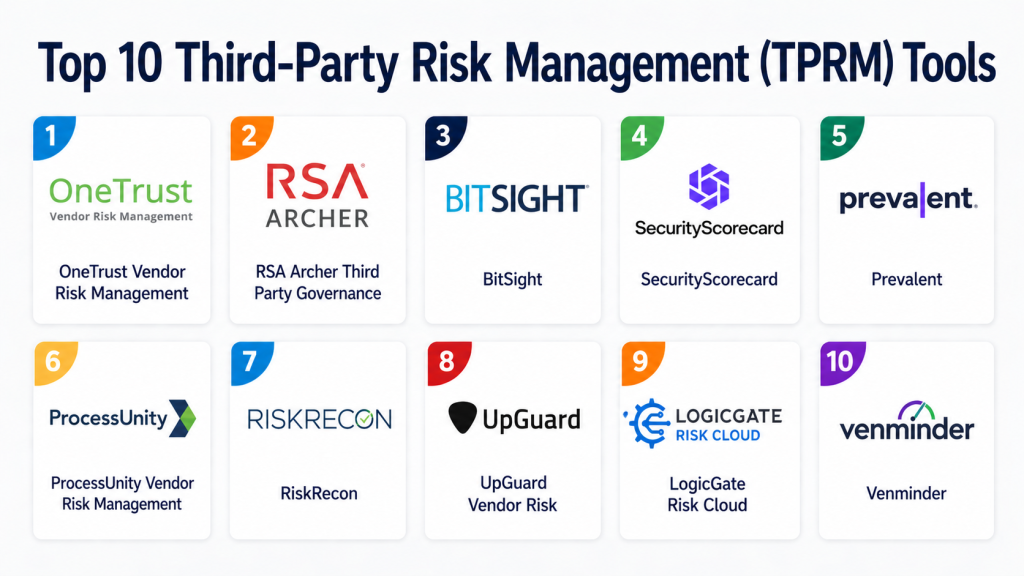
Top 10 Third-Party Risk Management (TPRM) Tools
#1 — OneTrust Vendor Risk Management
Short description:
OneTrust is a leading TPRM platform that helps organizations manage vendor risk, privacy, and compliance. It provides end-to-end capabilities for vendor onboarding, risk assessment, and continuous monitoring. The platform integrates with broader GRC and privacy frameworks. It is widely used by enterprises with strict regulatory requirements. OneTrust emphasizes automation and scalability. It is suitable for organizations managing large vendor ecosystems.
Key Features
- Vendor onboarding workflows
- Risk assessments and scoring
- Continuous monitoring
- Compliance tracking
- Reporting dashboards
- Workflow automation
Pros
- Comprehensive platform
- Strong compliance features
Cons
- Complex setup
- Higher cost
Platforms / Deployment
Web
Cloud
Security & Compliance
SSO, encryption, RBAC, audit logs; compliance features supported
Integrations & Ecosystem
Integrates with GRC, security, and business tools.
- Compliance platforms
- Security tools
- APIs
Support & Community
Enterprise support and documentation
#2 — RSA Archer Third Party Governance
Short description:
RSA Archer is a well-established GRC platform with strong TPRM capabilities. It provides tools for risk assessment, compliance management, and vendor governance. The platform supports complex workflows and enterprise needs. It is widely used in regulated industries. RSA Archer offers customization and scalability. It is ideal for large organizations with advanced risk management requirements.
Key Features
- Risk assessment tools
- Vendor governance workflows
- Compliance management
- Reporting and analytics
- Workflow automation
Pros
- Strong enterprise capabilities
- Highly customizable
Cons
- Complex implementation
- Requires expertise
Platforms / Deployment
Web
Cloud / Hybrid
Security & Compliance
Enterprise-grade security; compliance varies
Integrations & Ecosystem
Supports integration with enterprise systems.
- GRC tools
- Security platforms
- APIs
Support & Community
Enterprise-level support
#3 — BitSight
Short description:
BitSight focuses on cybersecurity risk ratings for third parties. It provides continuous monitoring and risk scoring based on external data. The platform helps organizations assess vendor security posture. It is widely used for cyber risk management. BitSight offers easy deployment and insights. It is ideal for organizations prioritizing cybersecurity.
Key Features
- Security ratings
- Continuous monitoring
- Risk analytics
- Reporting tools
- Vendor insights
Pros
- Strong cybersecurity focus
- Easy to deploy
Cons
- Limited full TPRM workflows
- Focused primarily on cyber risk
Platforms / Deployment
Web
Cloud
Security & Compliance
Encryption, access control; compliance varies
Integrations & Ecosystem
Integrates with security platforms.
- Security tools
- APIs
Support & Community
Good support and resources
#4 — SecurityScorecard
Short description:
SecurityScorecard provides security ratings and risk insights for vendors. It enables continuous monitoring of third-party cybersecurity posture. The platform uses external data to assess risk. It is widely used for vendor risk management. It offers automation and analytics features. It is suitable for organizations focused on cyber risk.
Key Features
- Security ratings
- Continuous monitoring
- Risk analytics
- Reporting dashboards
- Alerts and notifications
Pros
- Real-time insights
- Strong cybersecurity analytics
Cons
- Limited workflow capabilities
- Focus on security risk only
Platforms / Deployment
Web
Cloud
Security & Compliance
Encryption, access control; compliance varies
Integrations & Ecosystem
Supports integration with security tools.
- SIEM tools
- APIs
Support & Community
Good documentation and support
#5 — Prevalent
Short description:
Prevalent is a TPRM platform designed for vendor risk assessment and monitoring. It provides tools for onboarding, assessments, and continuous monitoring. The platform emphasizes automation and scalability. It is suitable for mid-market and enterprise organizations. It integrates with security and compliance tools.
Key Features
- Vendor onboarding
- Risk assessments
- Continuous monitoring
- Reporting tools
- Workflow automation
Pros
- Balanced feature set
- Scalable solution
Cons
- UI improvements needed
- Limited customization
Platforms / Deployment
Web
Cloud
Security & Compliance
Encryption, access control; compliance varies
Integrations & Ecosystem
Integrates with security and compliance tools.
- GRC platforms
- APIs
Support & Community
Moderate support
#6 — ProcessUnity Vendor Risk Management
Short description:
ProcessUnity provides a comprehensive TPRM solution with strong automation capabilities. It helps organizations manage vendor risk throughout the lifecycle. The platform supports compliance and reporting. It is suitable for enterprises with complex vendor ecosystems. It integrates with business and security tools.
Key Features
- Vendor lifecycle management
- Risk assessments
- Workflow automation
- Reporting tools
- Compliance tracking
Pros
- Strong automation
- Enterprise-ready
Cons
- Requires setup
- Learning curve
Platforms / Deployment
Web
Cloud
Security & Compliance
Encryption, RBAC; compliance varies
Integrations & Ecosystem
Supports integration with enterprise systems.
- Security tools
- APIs
Support & Community
Enterprise support available
#7 — RiskRecon
Short description:
RiskRecon provides cybersecurity risk assessments for third parties. It offers continuous monitoring and detailed risk insights. The platform focuses on actionable intelligence. It is suitable for organizations prioritizing cyber risk. It integrates with security tools and workflows.
Key Features
- Cyber risk assessments
- Continuous monitoring
- Analytics
- Reporting tools
- Alerts
Pros
- Detailed insights
- Easy to use
Cons
- Limited full TPRM features
- Focused on cybersecurity
Platforms / Deployment
Web
Cloud
Security & Compliance
Encryption, access control; compliance varies
Integrations & Ecosystem
Integrates with security platforms.
- SIEM tools
- APIs
Support & Community
Good support
#8 — UpGuard Vendor Risk
Short description:
UpGuard offers a TPRM platform focused on cybersecurity and vendor monitoring. It provides risk assessments and continuous monitoring. The platform is easy to use and deploy. It is suitable for SMBs and mid-market organizations. It integrates with security tools.
Key Features
- Risk assessments
- Continuous monitoring
- Security ratings
- Reporting tools
- Alerts
Pros
- Easy to use
- Quick deployment
Cons
- Limited enterprise features
- Focus on cybersecurity
Platforms / Deployment
Web
Cloud
Security & Compliance
Encryption, access control; compliance varies
Integrations & Ecosystem
Supports integration with security tools.
- APIs
- Security platforms
Support & Community
Good support
#9 — LogicGate Risk Cloud
Short description:
LogicGate Risk Cloud is a flexible GRC platform with TPRM capabilities. It allows organizations to build custom workflows for vendor risk management. The platform is highly customizable and scalable. It is suitable for mid-market and enterprise teams. It integrates with business systems.
Key Features
- Custom workflows
- Risk management tools
- Reporting dashboards
- Automation
- Integration support
Pros
- Highly customizable
- Flexible platform
Cons
- Requires configuration
- Learning curve
Platforms / Deployment
Web
Cloud
Security & Compliance
Encryption, RBAC; compliance varies
Integrations & Ecosystem
Integrates with GRC and business tools.
- APIs
- Enterprise systems
Support & Community
Good support
#10 — Venminder
Short description:
Venminder is a TPRM platform focused on vendor risk and compliance management. It provides tools for assessments, monitoring, and reporting. The platform is widely used in regulated industries. It offers automation and analytics features. It is suitable for organizations with compliance needs.
Key Features
- Vendor risk assessments
- Monitoring tools
- Compliance tracking
- Reporting dashboards
- Workflow automation
Pros
- Strong compliance focus
- Industry-specific features
Cons
- Limited customization
- UI can be improved
Platforms / Deployment
Web
Cloud
Security & Compliance
Encryption, access control; compliance varies
Integrations & Ecosystem
Supports integration with business tools.
- APIs
- Compliance systems
Support & Community
Moderate support
Comparison Table (Top 10)
| Tool Name | Best For | Platform(s) Supported | Deployment | Standout Feature | Public Rating |
|---|---|---|---|---|---|
| OneTrust | Enterprise | Web | Cloud | Comprehensive TPRM | N/A |
| RSA Archer | Enterprise | Web | Cloud/Hybrid | GRC integration | N/A |
| BitSight | Cyber Risk | Web | Cloud | Security ratings | N/A |
| SecurityScorecard | Cyber Risk | Web | Cloud | Real-time monitoring | N/A |
| Prevalent | Mid/Enterprise | Web | Cloud | Balanced features | N/A |
| ProcessUnity | Enterprise | Web | Cloud | Automation | N/A |
| RiskRecon | Cyber Risk | Web | Cloud | Risk insights | N/A |
| UpGuard | SMB/Mid | Web | Cloud | Ease of use | N/A |
| LogicGate | Mid/Enterprise | Web | Cloud | Custom workflows | N/A |
| Venminder | Compliance | Web | Cloud | Compliance tracking | N/A |
Evaluation & Scoring of TPRM Tools
| Tool Name | Core | Ease | Integrations | Security | Performance | Support | Value | Weighted Total |
|---|---|---|---|---|---|---|---|---|
| OneTrust | 9 | 7 | 9 | 9 | 9 | 9 | 7 | 8.6 |
| RSA Archer | 9 | 6 | 9 | 9 | 9 | 8 | 6 | 8.3 |
| BitSight | 8 | 8 | 7 | 9 | 8 | 8 | 7 | 8.0 |
| SecurityScorecard | 8 | 8 | 7 | 9 | 8 | 8 | 7 | 8.0 |
| Prevalent | 8 | 7 | 8 | 8 | 8 | 7 | 7 | 7.9 |
| ProcessUnity | 8 | 7 | 8 | 8 | 8 | 8 | 7 | 8.0 |
| RiskRecon | 7 | 8 | 7 | 9 | 8 | 7 | 7 | 7.8 |
| UpGuard | 7 | 9 | 7 | 8 | 7 | 7 | 8 | 7.8 |
| LogicGate | 8 | 7 | 8 | 8 | 8 | 7 | 7 | 7.9 |
| Venminder | 8 | 7 | 7 | 8 | 8 | 7 | 7 | 7.8 |
Interpretation:
Scores are comparative and based on weighted criteria. Higher scores indicate stronger overall performance. Organizations should prioritize criteria based on their specific risk management needs.
Which TPRM Tool Is Right for You?
Solo / Freelancer
Generally not required unless dealing with sensitive vendor relationships.
SMB
UpGuard or Prevalent for simplicity and cost-effectiveness.
Mid-Market
LogicGate or ProcessUnity for flexibility and scalability.
Enterprise
OneTrust, RSA Archer, or Venminder for compliance and scale.
Budget vs Premium
Budget: UpGuard
Premium: OneTrust, RSA Archer
Feature Depth vs Ease of Use
Depth: RSA Archer, OneTrust
Ease: UpGuard, BitSight
Integrations & Scalability
Best: OneTrust, LogicGate
Moderate: Prevalent, UpGuard
Security & Compliance Needs
Enterprise-grade: OneTrust, RSA Archer
Basic: SMB-focused tools
Frequently Asked Questions (FAQs)
1. What is Third-Party Risk Management (TPRM)?
TPRM is the process of identifying and managing risks associated with vendors and partners. It includes risk assessments, monitoring, and compliance tracking. Organizations use TPRM tools to automate these processes. This ensures better visibility and control. It is essential for managing external dependencies.
2. Why are TPRM tools important?
They help reduce risks related to vendors and third parties. These tools ensure compliance with regulations. They improve visibility into vendor performance. Organizations can detect risks early. This leads to better decision-making and security.
3. Are TPRM tools suitable for small businesses?
Yes, but only if they manage multiple vendors. SMB-friendly tools provide simplified features. Small businesses benefit from automation and monitoring. However, very small teams may not need full TPRM platforms. Simpler solutions may be enough.
4. What is the typical pricing model?
Most tools use subscription-based pricing. Costs depend on features and scale. Enterprise tools may require custom pricing. Some tools offer tiered plans. Pricing varies based on vendor ecosystem size.
5. How long does implementation take?
Implementation can take weeks to months. Simple tools deploy faster. Enterprise platforms require configuration and integration. Training and onboarding affect timelines. Proper planning ensures success.
6. Do TPRM tools integrate with other systems?
Yes, most tools integrate with GRC, CRM, and security platforms. APIs allow custom integrations. Integration depth varies by vendor. Strong integrations improve workflows. This is a key evaluation factor.
7. What are common mistakes when choosing TPRM tools?
Choosing overly complex tools is common. Ignoring integration needs can cause issues. Not considering scalability is risky. Poor onboarding leads to low adoption. Proper evaluation avoids these mistakes.
8. Are TPRM tools secure?
Most platforms offer encryption and access controls. Enterprise tools provide advanced security features. Compliance varies by vendor. Security aligns with Zero Trust models. Verification is essential before selection.
9. Can organizations switch TPRM tools later?
Switching is possible but requires effort. Data migration and retraining are needed. Integration changes may also be required. Planning ahead reduces risks. Choosing scalable tools helps minimize switching.
10. What are alternatives to TPRM tools?
Alternatives include manual tracking or basic GRC tools. However, they lack automation and real-time monitoring. Some organizations use custom solutions. TPRM tools provide a comprehensive approach. They are ideal for managing vendor risk at scale.
Conclusion
Third-Party Risk Management (TPRM) tools have become essential for organizations that rely on vendors, suppliers, and external partners. With increasing regulatory pressure and cybersecurity threats, businesses must proactively manage vendor risk using structured, automated platforms. Modern TPRM solutions provide continuous monitoring, AI-driven insights, and strong compliance capabilities, helping organizations reduce risk exposure and improve operational resilience.
Choosing the right TPRM tool depends on your organization’s size, complexity, and regulatory requirements. Enterprise platforms offer deep functionality and scalability, while SMB-focused tools prioritize ease of use and quick deployment. The best approach is to shortlist a few solutions, run pilot programs, and evaluate how well they integrate with your existing systems and workflows. This ensures you select a tool that delivers long-term value and supports your risk management strategy effectively.
