Introduction
Inventory Management Systems help businesses track, manage, and optimize stock levels across warehouses, stores, and sales channels. These systems provide real-time visibility into inventory, automate stock updates, and ensure efficient order fulfillment.
In modern commerce, inventory management is critical due to increasing demand for faster delivery, multi-channel selling, and accurate stock tracking. Advanced systems now include automation, AI-driven forecasting, and integrations with supply chain tools to improve efficiency and reduce stockouts or overstocking.
Common use cases include:
- Managing stock across multiple warehouses and locations
- Tracking inventory in real time
- Automating stock replenishment
- Integrating with eCommerce and POS systems
- Managing returns and stock adjustments
Key evaluation criteria:
- Real-time inventory tracking
- Multi-location management
- Automation and forecasting
- Integration with ERP and eCommerce systems
- Ease of use and onboarding
- Security and access control
- Reporting and analytics
- Scalability and performance
Best for: Retailers, eCommerce businesses, wholesalers, manufacturers, and logistics companies managing inventory across multiple channels.
Not ideal for: Very small businesses with minimal inventory or those managing stock manually with simple tools.
Key Trends in Inventory Management Systems
- AI-based demand forecasting and stock optimization
- Cloud-native inventory platforms replacing legacy systems
- Real-time inventory visibility across multiple channels
- Integration with OMS, ERP, and supply chain systems
- Automation of replenishment and stock alerts
- Barcode and RFID-based inventory tracking
- Mobile-first inventory management apps
- API-first and headless architecture
- Enhanced security with role-based access control
- Subscription-based pricing models
How We Evaluated Inventory Management Systems
- Market adoption and usage across industries
- Feature depth and inventory capabilities
- Performance, reliability, and scalability
- Security features and compliance readiness
- Integration ecosystem and flexibility
- Ease of use and onboarding experience
- Vendor support and documentation quality
- Suitability across SMB, mid-market, and enterprise
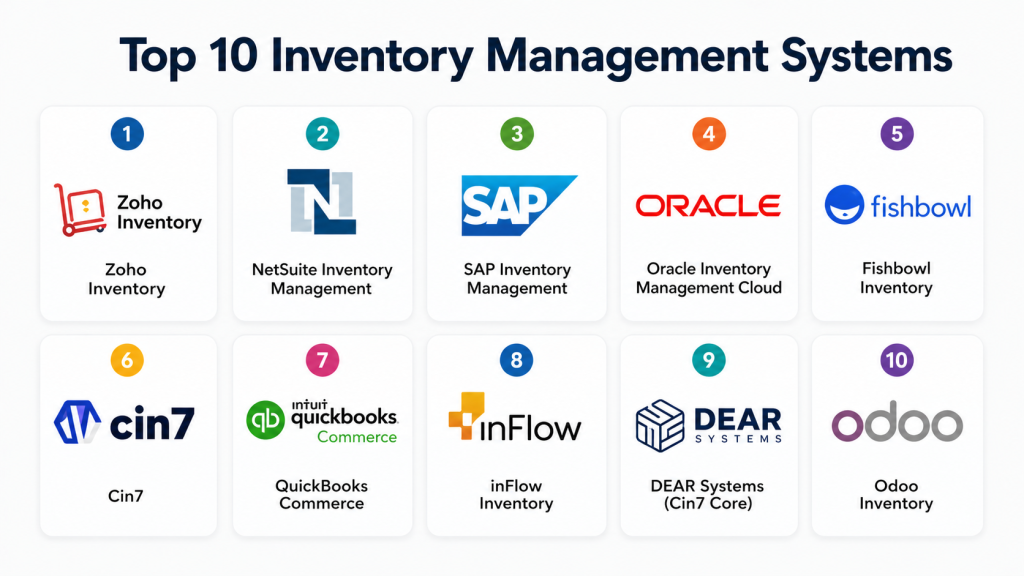
Top 10 Inventory Management Systems
#1 — Zoho Inventory
Short description :
Zoho Inventory is a cloud-based inventory management solution designed for small to mid-sized businesses. It provides real-time inventory tracking, order management, and warehouse control. The platform integrates seamlessly with Zoho’s ecosystem. It supports multi-channel selling and shipping integrations. Zoho Inventory is easy to deploy and scale. It is ideal for businesses looking for affordability and simplicity.
Key Features
- Real-time stock tracking
- Multi-channel sales integration
- Order and warehouse management
- Barcode scanning
- Reporting and analytics
Pros
- Affordable pricing
- Easy to use
Cons
- Limited advanced features
- Not ideal for large enterprises
Platforms / Deployment
Web / Cloud
Security & Compliance
SSO, encryption
Integrations & Ecosystem
- Zoho apps
- Payment gateways
- Shipping providers
Support & Community
Strong SMB support and documentation
#2 — NetSuite Inventory Management
Short description :
NetSuite Inventory Management is part of Oracle NetSuite’s ERP platform, offering integrated inventory and financial management. It provides real-time visibility into stock levels and order processing. The system supports multi-location inventory tracking and automation. It is ideal for growing businesses and mid-market companies. NetSuite offers scalability and strong reporting capabilities. It integrates well with other NetSuite modules.
Key Features
- Multi-location inventory tracking
- Demand planning
- Automated replenishment
- Real-time visibility
- Financial integration
Pros
- Strong ERP integration
- Scalable solution
Cons
- Requires NetSuite ecosystem
- Cost can be high
Platforms / Deployment
Cloud
Security & Compliance
SSO, RBAC, encryption
Integrations & Ecosystem
- NetSuite ERP
- CRM tools
Support & Community
Reliable support and documentation
#3 — SAP Inventory Management
Short description :
SAP Inventory Management is a robust solution integrated within SAP’s ERP system. It supports complex inventory operations and global supply chains. The platform provides real-time tracking and compliance features. It is ideal for large enterprises. SAP ensures scalability and strong process integration. It is widely used in manufacturing and retail industries.
Key Features
- Inventory tracking
- Warehouse management
- Integration with SAP ERP
- Compliance tracking
- Reporting
Pros
- Enterprise-grade features
- Strong integration
Cons
- Complex implementation
- High cost
Platforms / Deployment
Cloud / On-prem
Security & Compliance
SSO, RBAC
Integrations & Ecosystem
- SAP ERP
- Supply chain tools
Support & Community
Enterprise support
#4 — Oracle Inventory Management Cloud
Short description :
Oracle Inventory Management Cloud offers comprehensive inventory tracking and control. It supports global supply chains and complex operations. The platform provides real-time analytics and automation. It integrates with Oracle ERP. It is ideal for large enterprises. Oracle ensures scalability and performance.
Key Features
- Real-time tracking
- Inventory optimization
- Automation
- Analytics
- Global support
Pros
- Scalable
- Strong analytics
Cons
- Complex
- Requires Oracle ecosystem
Platforms / Deployment
Cloud
Security & Compliance
RBAC, encryption
Integrations & Ecosystem
- Oracle ERP
- Supply chain systems
Support & Community
Enterprise support
#5 — Fishbowl Inventory
Short description :
Fishbowl Inventory is a popular solution for SMBs needing advanced inventory control. It offers features like asset tracking and warehouse management. The platform integrates with accounting tools. It is easy to use and affordable. Fishbowl is ideal for small manufacturers and distributors. It helps improve operational efficiency.
Key Features
- Inventory tracking
- Warehouse management
- Asset tracking
- Integration with accounting tools
- Reporting
Pros
- Affordable
- Easy to use
Cons
- Limited scalability
- Basic UI
Platforms / Deployment
Windows / On-prem / Cloud
Security & Compliance
Encryption
Integrations & Ecosystem
- Accounting tools
- ERP systems
Support & Community
Good SMB support
#6 — Cin7
Short description :
Cin7 is a cloud-based inventory management system designed for product businesses. It provides inventory tracking, order management, and warehouse control. The platform supports multi-channel sales. It is ideal for SMBs and mid-market companies. Cin7 offers automation and integration features. It helps streamline operations.
Key Features
- Inventory and order management
- Multi-channel integration
- Warehouse control
- Automation
- Reporting
Pros
- Easy to use
- Good integrations
Cons
- Limited enterprise features
- Pricing can increase with scale
Platforms / Deployment
Cloud
Security & Compliance
Encryption
Integrations & Ecosystem
- eCommerce platforms
- POS systems
Support & Community
Reliable support
#7 — TradeGecko (QuickBooks Commerce)
Short description :
QuickBooks Commerce, formerly TradeGecko, is designed for small businesses managing inventory and orders. It offers real-time tracking and automation. The platform integrates with accounting tools. It is easy to use and deploy. It is ideal for growing businesses. It supports multi-channel selling.
Key Features
- Inventory tracking
- Order management
- Automation
- Reporting
- Multi-channel support
Pros
- User-friendly
- Good for SMBs
Cons
- Limited advanced features
- Not ideal for enterprises
Platforms / Deployment
Cloud
Security & Compliance
Encryption
Integrations & Ecosystem
- QuickBooks
- eCommerce tools
Support & Community
Good documentation
#8 — inFlow Inventory
Short description :
inFlow Inventory is a simple inventory management system for small businesses. It provides stock tracking and order management. The platform is easy to use and affordable. It supports barcode scanning and reporting. It is ideal for SMBs. It helps improve inventory accuracy.
Key Features
- Inventory tracking
- Order management
- Barcode support
- Reporting
- Multi-location tracking
Pros
- Easy setup
- Affordable
Cons
- Limited scalability
- Basic features
Platforms / Deployment
Windows / Cloud
Security & Compliance
Encryption
Integrations & Ecosystem
- Accounting tools
- eCommerce platforms
Support & Community
Good SMB support
#9 — DEAR Systems (Cin7 Core)
Short description :
DEAR Systems, now Cin7 Core, is an inventory and order management platform for growing businesses. It supports automation, manufacturing, and reporting. The platform integrates with accounting and eCommerce tools. It is ideal for SMBs and mid-market companies. It provides real-time visibility. It helps improve efficiency.
Key Features
- Inventory tracking
- Manufacturing support
- Automation
- Reporting
- Multi-channel integration
Pros
- Strong features
- Good integrations
Cons
- Learning curve
- Limited enterprise capabilities
Platforms / Deployment
Cloud
Security & Compliance
Encryption
Integrations & Ecosystem
- Accounting tools
- eCommerce platforms
Support & Community
Reliable support
#10 — Odoo Inventory
Short description :
Odoo Inventory is part of the Odoo ERP suite, offering flexible inventory management capabilities. It supports warehouse management, automation, and reporting. The platform is highly customizable. It is suitable for SMBs and enterprises. Odoo offers modular functionality. It helps streamline operations.
Key Features
- Inventory tracking
- Warehouse management
- Automation
- Reporting
- Modular integration
Pros
- Flexible and customizable
- Affordable
Cons
- Requires setup effort
- Customization needed
Platforms / Deployment
Cloud / On-prem
Security & Compliance
RBAC, encryption
Integrations & Ecosystem
- Odoo apps
- ERP modules
Support & Community
Large open-source community
Comparison Table (Top 10)
| Tool Name | Best For | Platform(s) | Deployment | Standout Feature | Rating |
|---|---|---|---|---|---|
| Zoho | SMB | Web | Cloud | Affordability | N/A |
| NetSuite | Mid-market | Web | Cloud | ERP integration | N/A |
| SAP | Enterprise | Web | Hybrid | Scalability | N/A |
| Oracle | Enterprise | Web | Cloud | Analytics | N/A |
| Fishbowl | SMB | Windows | Hybrid | Warehouse control | N/A |
| Cin7 | SMB/Mid | Web | Cloud | Multi-channel | N/A |
| QuickBooks Commerce | SMB | Web | Cloud | Ease of use | N/A |
| inFlow | SMB | Windows | Cloud | Simplicity | N/A |
| Cin7 Core | SMB/Mid | Web | Cloud | Automation | N/A |
| Odoo | All sizes | Web | Hybrid | Customization | N/A |
Evaluation & Scoring of Inventory Management Systems
| Tool | Core | Ease | Integrations | Security | Performance | Support | Value | Total |
|---|---|---|---|---|---|---|---|---|
| Zoho | 7 | 9 | 7 | 7 | 7 | 8 | 9 | 7.9 |
| NetSuite | 8 | 8 | 8 | 8 | 8 | 8 | 7 | 7.9 |
| SAP | 9 | 6 | 9 | 9 | 9 | 9 | 6 | 8.4 |
| Oracle | 9 | 6 | 9 | 9 | 9 | 9 | 6 | 8.4 |
| Fishbowl | 7 | 8 | 7 | 7 | 7 | 7 | 8 | 7.5 |
| Cin7 | 7 | 8 | 8 | 7 | 7 | 7 | 8 | 7.6 |
| QuickBooks | 7 | 9 | 7 | 7 | 7 | 7 | 8 | 7.7 |
| inFlow | 6 | 9 | 6 | 7 | 7 | 7 | 9 | 7.5 |
| Cin7 Core | 7 | 8 | 8 | 7 | 7 | 7 | 8 | 7.6 |
| Odoo | 8 | 7 | 8 | 8 | 8 | 8 | 8 | 7.9 |
How to interpret scores:
These scores provide a relative comparison across key criteria. Higher scores indicate stronger overall performance. Enterprise tools excel in features and scalability, while SMB tools perform better in ease of use and affordability. Always align scores with your business needs.
Which Inventory Management System Is Right for You?
Solo / Freelancer
Zoho Inventory or inFlow is sufficient.
SMB
Cin7, Zoho, and QuickBooks Commerce are ideal.
Mid-Market
NetSuite and Cin7 Core provide balance.
Enterprise
SAP and Oracle are best choices.
Budget vs Premium
Budget: Zoho, inFlow
Premium: SAP, Oracle
Feature Depth vs Ease of Use
Deep: SAP, Oracle
Easy: Zoho, inFlow
Integrations & Scalability
Strong: NetSuite, SAP
Scalable: Oracle, Odoo
Security & Compliance Needs
High: SAP, Oracle
Moderate: Zoho, Cin7
Frequently Asked Questions (FAQs)
1. What is an inventory management system?
An inventory management system helps businesses track and manage stock levels across locations and channels. It provides real-time visibility into inventory, reducing errors and improving efficiency. These systems automate stock updates and replenishment processes. They also support order fulfillment and reporting. Overall, they help businesses maintain accurate inventory records.
2. How much does inventory software cost?
Inventory software pricing varies depending on features, scale, and deployment type. Cloud-based solutions typically use subscription pricing, while enterprise systems may require higher investment. SMB tools are generally more affordable. Additional costs may include integrations and customization. Businesses should evaluate total cost before choosing.
3. Is inventory software necessary for small businesses?
Small businesses may manage inventory manually at first, but as operations grow, manual tracking becomes inefficient. Inventory systems help automate processes and reduce errors. They improve stock visibility and operational efficiency. They also support multi-channel selling. For growing businesses, inventory software becomes essential.
4. How long does implementation take?
Implementation time depends on system complexity and business requirements. Cloud solutions can be deployed within days or weeks. Enterprise systems may take months. Integration with other systems can extend timelines. Proper planning ensures smoother deployment. Testing is also important before full use.
5. What integrations are important?
Important integrations include eCommerce platforms, ERP systems, accounting tools, and shipping providers. These integrations ensure seamless data flow. APIs enable flexibility and customization. Strong integration capabilities improve efficiency. Businesses should ensure compatibility before selecting a system.
6. Can inventory systems prevent stockouts?
Yes, inventory systems use real-time tracking and forecasting to prevent stockouts. They provide alerts for low stock levels. Automation helps maintain optimal inventory levels. This reduces lost sales and improves customer satisfaction. Accurate tracking ensures better inventory control.
7. What security features should inventory systems have?
Inventory systems should include role-based access control, encryption, and audit logs. Authentication mechanisms like SSO enhance security. Data protection is critical for business operations. Compliance with regulations is also important. Secure systems ensure safe and reliable inventory management.
8. Can inventory systems handle multiple warehouses?
Yes, most modern inventory systems support multi-location and warehouse management. They provide real-time visibility across locations. This helps optimize stock distribution. It also improves fulfillment efficiency. Multi-warehouse support is essential for growing businesses.
9. Can you switch inventory systems later?
Switching inventory systems is possible but can be complex. It involves data migration and integration changes. Costs and downtime may occur. Proper planning reduces risks. Choosing a scalable system initially helps avoid frequent changes.
10. What are alternatives to inventory systems?
Alternatives include spreadsheets, ERP modules, or basic tracking tools. However, these lack advanced features and automation. Inventory systems provide better accuracy and efficiency. They support scalability and integration. For growing businesses, dedicated inventory systems are recommended.
Conclusion
Inventory Management Systems have become essential tools for businesses operating in fast-paced and multi-channel environments. From enterprise platforms like SAP and Oracle to SMB-friendly solutions like Zoho Inventory and Cin7, there are options available for every business size and complexity. These systems help improve inventory accuracy, reduce operational inefficiencies, and enhance customer satisfaction through better stock management.
Choosing the right inventory system depends on your business needs, budget, and scalability requirements. Instead of focusing only on features, consider ease of use, integration capabilities, and long-term flexibility. A practical approach is to shortlist a few tools, test them in real scenarios, and validate how well they integrate with your existing systems. This ensures you select a solution that supports growth and operational efficiency.
