Introduction
Email Security Tools are cybersecurity solutions designed to protect organizations from email-based threats such as phishing, malware, ransomware, business email compromise (BEC), and spam. These tools analyze inbound and outbound emails to detect malicious content, suspicious links, and unauthorized data sharing.
In today’s threat landscape, email remains one of the most common attack vectors. With the rise of sophisticated phishing campaigns and AI-generated attacks, organizations need advanced email protection with real-time detection, AI-driven analysis, and automated response capabilities. Modern email security platforms also integrate with Zero Trust frameworks, identity systems, and cloud email services.
Real-world use cases:
- Blocking phishing and malware emails
- Protecting against business email compromise (BEC)
- Preventing spam and malicious attachments
- Securing cloud email platforms (Microsoft 365, Google Workspace)
- Monitoring outbound email for data leaks
What buyers should evaluate:
- Threat detection accuracy (phishing, malware, BEC)
- AI and behavioral analysis capabilities
- Integration with email platforms (M365, Gmail)
- Real-time protection and response
- Data loss prevention features
- Ease of deployment and management
- Reporting and visibility
- Scalability across users
- API and integration capabilities
- Pricing and licensing
Best for: Enterprises, SMBs, IT security teams, and organizations relying heavily on email communication
Not ideal for: Organizations with minimal email usage
Key Trends in Email Security Tools
- AI-driven phishing detection and prevention
- Protection against AI-generated email attacks
- Integration with Zero Trust security frameworks
- Cloud-native email security platforms
- Real-time threat intelligence integration
- Automation of incident response
- User behavior analytics for anomaly detection
- API-based email security solutions
- Integration with DLP and CASB platforms
- Focus on identity-based email threats
How We Selected These Tools (Methodology)
- Market adoption and reputation
- Strength of threat detection capabilities
- Integration with email and security ecosystems
- Automation and analytics features
- Scalability across organizations
- Ease of deployment and usability
- Vendor innovation and maturity
- Support and community strength
- Fit across SMB and enterprise environments
- Coverage of modern threats
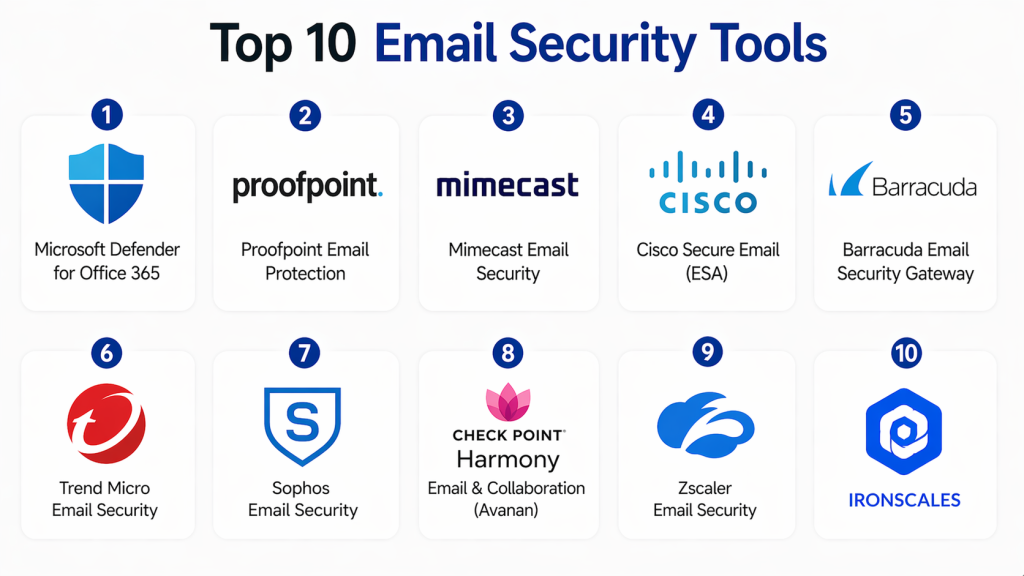
Top 10 Email Security Tools
#1 — Microsoft Defender for Office 365
Short description :
Microsoft Defender for Office 365 provides advanced email protection for Microsoft environments. It detects phishing, malware, and malicious links. It integrates with Microsoft ecosystem. It offers real-time protection. It is scalable. It is widely used by enterprises.
Key Features
- Phishing protection
- Malware detection
- Safe links and attachments
- Integration
- Reporting
Pros
- Strong integration
- Scalable
- Easy deployment
Cons
- Microsoft dependency
- Limited outside ecosystem
Platforms / Deployment
- Cloud
Security & Compliance
- RBAC
- Compliance: Not publicly stated
Integrations & Ecosystem
- Microsoft tools
- APIs
Support & Community
- Enterprise support
#2 — Proofpoint Email Security
Short description :
Proofpoint provides enterprise-grade email security with strong phishing and malware detection. It offers threat intelligence and analytics. It integrates with security tools. It is scalable. It provides strong protection.
Key Features
- Threat detection
- Phishing protection
- Analytics
- Integration
- Reporting
Pros
- Strong detection
- Scalable
- Reliable
Cons
- Expensive
- Complex
Platforms / Deployment
- Cloud
Security & Compliance
- RBAC
- Compliance: Not publicly stated
#3 — Mimecast Email Security
Short description :
Mimecast offers email security with strong threat detection and continuity features. It protects against phishing and malware. It supports archiving and backup. It is scalable. It provides strong visibility.
Key Features
- Email protection
- Archiving
- Threat detection
- Integration
- Reporting
Pros
- Comprehensive
- Scalable
- Reliable
Cons
- Complex UI
- Cost
Platforms / Deployment
- Cloud
Security & Compliance
- RBAC
- Compliance: Not publicly stated
#4 — Cisco Secure Email (ESA)
Short description :
Cisco Secure Email provides email security with advanced threat protection. It detects malware and phishing attacks. It integrates with Cisco ecosystem. It is scalable. It provides strong protection.
Key Features
- Threat detection
- Malware protection
- Integration
- Monitoring
- Reporting
Pros
- Strong protection
- Scalable
- Reliable
Cons
- Complex setup
- Cost
Platforms / Deployment
- Cloud / On-prem
Security & Compliance
- RBAC
- Compliance: Not publicly stated
#5 — Barracuda Email Security Gateway
Short description :
Barracuda provides email security with spam filtering and threat detection. It protects against phishing and malware. It is easy to use. It is scalable. It is suitable for SMB and enterprises.
Key Features
- Spam filtering
- Threat detection
- Monitoring
- Integration
- Reporting
Pros
- Easy to use
- Scalable
- Cost-effective
Cons
- Limited advanced features
- Smaller ecosystem
Platforms / Deployment
- Cloud / On-prem
Security & Compliance
- RBAC
- Compliance: Not publicly stated
#6 — Trend Micro Email Security
Short description :
Trend Micro provides email security with strong threat detection and analytics. It protects against phishing and malware. It integrates with cloud platforms. It is scalable. It provides strong insights.
Key Features
- Threat detection
- Phishing protection
- Monitoring
- Integration
- Reporting
Pros
- Strong detection
- Scalable
- Flexible
Cons
- Complex
- Cost
Platforms / Deployment
- Cloud
Security & Compliance
- RBAC
- Compliance: Not publicly stated
#7 — Sophos Email Security
Short description :
Sophos provides email security with advanced threat protection. It detects phishing and malware. It integrates with Sophos ecosystem. It is scalable. It is easy to use. It provides strong protection.
Key Features
- Threat detection
- Phishing protection
- Monitoring
- Integration
- Reporting
Pros
- Easy to use
- Scalable
- Reliable
Cons
- Limited advanced features
- Smaller ecosystem
Platforms / Deployment
- Cloud
Security & Compliance
- RBAC
- Compliance: Not publicly stated
#8 — Avanan (Check Point Harmony Email)
Short description :
Avanan provides API-based email security for cloud email platforms. It detects phishing and malware. It integrates with Microsoft 365 and Google Workspace. It is scalable. It provides strong visibility.
Key Features
- API-based protection
- Threat detection
- Monitoring
- Integration
- Analytics
Pros
- Easy deployment
- Strong detection
- Scalable
Cons
- Limited on-prem support
- Cost
Platforms / Deployment
- Cloud
Security & Compliance
- RBAC
- Compliance: Not publicly stated
#9 — Zscaler Email Security
Short description :
Zscaler provides cloud-based email security with real-time protection. It detects phishing and malware. It integrates with Zero Trust architecture. It is scalable. It provides strong insights.
Key Features
- Threat detection
- Monitoring
- Integration
- Analytics
- Reporting
Pros
- Strong cloud integration
- Scalable
- Reliable
Cons
- Limited customization
- Cost
Platforms / Deployment
- Cloud
Security & Compliance
- RBAC
- Compliance: Not publicly stated
#10 — IRONSCALES
Short description :
IRONSCALES provides AI-driven email security focused on phishing protection. It uses machine learning to detect threats. It integrates with cloud email platforms. It is scalable. It is easy to use.
Key Features
- AI detection
- Phishing protection
- Monitoring
- Integration
- Reporting
Pros
- Strong AI detection
- Easy to use
- Scalable
Cons
- Limited enterprise features
- Smaller ecosystem
Platforms / Deployment
- Cloud
Security & Compliance
- RBAC
- Compliance: Not publicly stated
Comparison Table
| Tool | Best For | Platform | Deployment | Feature | Rating |
|---|---|---|---|---|---|
| Microsoft | Enterprise | Cloud | Cloud | Integration | N/A |
| Proofpoint | Enterprise | Cloud | Cloud | Detection | N/A |
| Mimecast | Enterprise | Cloud | Cloud | Continuity | N/A |
| Cisco | Enterprise | Multi | Hybrid | Protection | N/A |
| Barracuda | SMB | Multi | Hybrid | Simplicity | N/A |
| Trend Micro | Enterprise | Cloud | Cloud | Analytics | N/A |
| Sophos | SMB | Cloud | Cloud | Ease | N/A |
| Avanan | Cloud users | Cloud | Cloud | API | N/A |
| Zscaler | Enterprise | Cloud | Cloud | Zero Trust | N/A |
| IRONSCALES | SMB | Cloud | Cloud | AI | N/A |
Evaluation & Scoring of Email Security Tools
| Tool | Core | Ease | Integration | Security | Performance | Support | Value | Total |
|---|---|---|---|---|---|---|---|---|
| Microsoft | 10 | 9 | 10 | 9 | 9 | 9 | 9 | 9.4 |
| Proofpoint | 10 | 7 | 9 | 10 | 9 | 9 | 7 | 9.0 |
| Mimecast | 9 | 8 | 8 | 9 | 8 | 8 | 8 | 8.4 |
| Cisco | 9 | 7 | 8 | 9 | 9 | 8 | 7 | 8.3 |
| Barracuda | 8 | 9 | 7 | 8 | 8 | 8 | 9 | 8.4 |
| Trend Micro | 9 | 8 | 8 | 9 | 8 | 8 | 8 | 8.5 |
| Sophos | 8 | 9 | 7 | 8 | 8 | 8 | 9 | 8.4 |
| Avanan | 9 | 9 | 9 | 9 | 8 | 8 | 8 | 8.7 |
| Zscaler | 9 | 8 | 9 | 9 | 8 | 8 | 8 | 8.6 |
| IRONSCALES | 8 | 9 | 7 | 8 | 8 | 7 | 9 | 8.3 |
Which Email Security Tool Is Right for You?
Solo / Freelancer
- IRONSCALES
SMB
- Barracuda, Sophos
Mid-Market
- Mimecast, Trend Micro
Enterprise
- Microsoft, Proofpoint, Cisco
Budget vs Premium
- Budget → Barracuda
- Premium → Proofpoint
Feature Depth vs Ease
- Easy → Sophos
- Advanced → Proofpoint
Integrations & Scalability
- Best → Microsoft
Security Needs
- High security → Proofpoint
Frequently Asked Questions (FAQs)
1. What are Email Security Tools?
Email security tools are solutions designed to protect email systems from threats like phishing, malware, and spam. They analyze incoming and outgoing emails. They detect malicious content. They help prevent cyberattacks.
2. Why are email security tools important?
Email is a common attack vector for cyber threats. These tools help prevent phishing and malware attacks. They protect sensitive data. They improve overall security posture.
3. How do email security tools work?
They scan emails for suspicious content and behavior. They use AI and threat intelligence to detect threats. They block malicious emails. They provide alerts and reports.
4. Who should use email security tools?
Organizations of all sizes using email should use these tools. They are essential for IT and security teams. Enterprises benefit the most. They help protect communication channels.
5. Are email security tools scalable?
Yes, they are designed to scale across large user bases. Cloud-based solutions make scaling easier. This ensures consistent protection. Scalability is important for growing organizations.
6. Do email security tools integrate with other tools?
Yes, they integrate with SIEM, IAM, and cloud platforms. This creates a unified security ecosystem. Integration improves workflows. It enables faster threat response.
7. Are email security tools secure?
Yes, they include security controls like encryption and monitoring. They help improve security posture. Proper configuration ensures optimal protection. They reduce risk exposure.
8. Are email security tools difficult to implement?
Implementation depends on the tool. Many cloud-based tools are easy to deploy. Advanced setups may require expertise. Proper planning ensures success.
9. What are alternatives to email security tools?
Alternatives include endpoint security and network security tools. However, they do not focus specifically on email threats. Email security tools provide specialized protection. They complement other solutions.
10. Are email security tools expensive?
Pricing varies based on features and scale. SMB tools are affordable, while enterprise tools can be costly. Flexible pricing models are available. Investing in email security helps prevent costly breaches.
Conclusion
Email Security Tools are essential for protecting organizations from phishing, malware, and other email-based threats. As cyberattacks become more sophisticated, these tools play a critical role in safeguarding communication and sensitive data.
The right email security solution depends on your organization’s needs. Enterprise tools like Microsoft Defender and Proofpoint offer advanced protection, while solutions like Barracuda and Sophos provide cost-effective options. Organizations should evaluate their requirements, test tools, and integrate email security into their overall cybersecurity strategy.
