Introduction
Password managers are security tools designed to store, generate, and manage passwords securely in an encrypted vault. Instead of remembering multiple passwords, users only need one master password to access all their credentials. This improves both convenience and security.
With the rapid growth of online accounts, SaaS tools, and remote work, password security has become a major concern. Weak or reused passwords are still one of the biggest causes of data breaches. Password managers help eliminate this risk by generating strong, unique passwords for every account.
Real-world use cases:
- Managing employee login credentials
- Securing personal online accounts
- Sharing passwords safely within teams
- Protecting admin and privileged accounts
- Generating strong passwords automatically
What buyers should evaluate:
- Encryption and security model
- Password generation capabilities
- Autofill and browser support
- Multi-device synchronization
- Secure sharing features
- MFA support
- Ease of use
- Backup and recovery options
- Admin and team controls
- Pricing and scalability
Best for: Individuals, SMBs, enterprises, IT teams, and remote work environments
Not ideal for: Users with minimal digital presence or no password complexity
Key Trends in Password Managers
- Rise of passwordless authentication and passkeys
- Integration with biometric authentication
- Cloud-based encrypted vault adoption
- AI-based password strength monitoring
- Secure credential sharing for teams
- Integration with IAM and SSO platforms
- Alignment with Zero Trust security models
- Browser-native password management improvements
- Increased focus on phishing protection
- Cross-platform sync becoming standard
How We Selected These Tools (Methodology)
- High market adoption and popularity
- Strong security and encryption capabilities
- Ease of use across platforms
- Integration with browsers and apps
- Availability of business features
- Performance and reliability
- Support for MFA and passkeys
- Scalability across teams and enterprises
- Pricing flexibility
- Vendor reputation and ecosystem
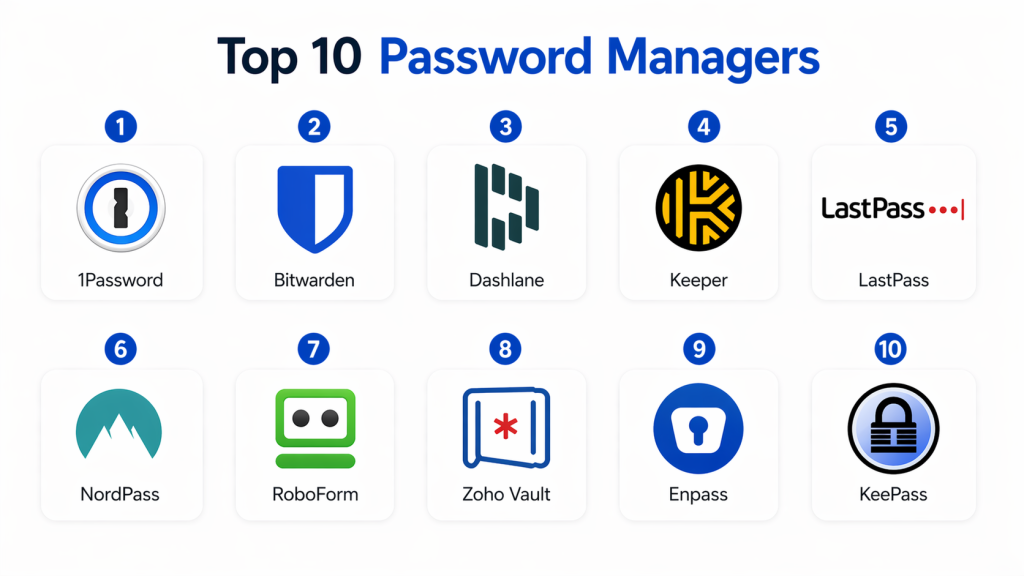
Top 10 Password Managers
#1 — 1Password
Short description :
1Password is a premium password manager designed for both individuals and businesses. It securely stores passwords, documents, and sensitive information in encrypted vaults. It supports cross-platform usage and team collaboration. It offers strong usability and advanced features. It is widely used by enterprises. It is known for its secure sharing capabilities.
Key Features
- Encrypted vault
- Secure sharing
- Password generator
- Autofill
- Multi-device sync
- Document storage
Pros
- Excellent UI and UX
- Strong security features
- Cross-platform support
Cons
- Paid-only tool
- Higher cost for teams
Platforms / Deployment
- Web / Windows / macOS / Linux / iOS / Android
- Cloud
Security & Compliance
- Encryption, MFA, zero-knowledge
- Compliance: Not publicly stated
Integrations & Ecosystem
- Browser extensions
- Mobile apps
- Enterprise tools
Support & Community
- Strong support
- Large user base
#2 — Bitwarden
Short description :
Bitwarden is an open-source password manager known for its transparency and affordability. It offers secure password storage and supports both cloud and self-hosted deployment. It is widely used by developers and businesses. It provides strong encryption and flexibility. It is one of the best value-for-money tools.
Key Features
- Open-source vault
- Self-hosting
- Password generator
- Secure sharing
- Multi-device sync
Pros
- Affordable
- Transparent security
- Flexible deployment
Cons
- UI less polished
- Setup required for self-hosting
Platforms / Deployment
- Web / Windows / macOS / Linux / iOS / Android
- Cloud / Self-hosted
Security & Compliance
- Encryption, MFA
- Compliance: Not publicly stated
Integrations & Ecosystem
- APIs
- Browser extensions
Support & Community
- Strong community
#3 — Dashlane
Short description :
Dashlane is a user-friendly password manager with additional security features. It includes password monitoring and secure storage. It offers a clean interface and easy setup. It supports multiple devices. It is ideal for individuals and teams. It also includes privacy tools.
Key Features
- Password vault
- Autofill
- Secure sharing
- Password monitoring
- Password generator
Pros
- Easy to use
- Strong security
- Clean UI
Cons
- Expensive
- Limited free version
Platforms / Deployment
- Web / Mobile / Desktop
- Cloud
Security & Compliance
- Encryption, MFA
- Compliance: Not publicly stated
Integrations & Ecosystem
- Browser extensions
- Apps
Support & Community
- Good support
#4 — Keeper
Short description :
Keeper is an enterprise-grade password manager focused on strong security and compliance. It offers encrypted storage, secure sharing, and reporting features. It is widely used in businesses. It supports team collaboration. It provides strong admin controls. It is ideal for enterprises.
Key Features
- Secure vault
- Password sharing
- Admin controls
- Security reporting
- Access control
Pros
- Strong enterprise features
- High security
- Scalable
Cons
- Expensive
- Complex for beginners
Platforms / Deployment
- Web / Mobile / Desktop
- Cloud
Security & Compliance
- Encryption, MFA
- Compliance: Not publicly stated
Integrations & Ecosystem
- Enterprise systems
- APIs
Support & Community
- Enterprise support
#5 — LastPass
Short description :
LastPass is a popular password manager offering secure vault storage and autofill. It provides both free and premium plans. It supports password sharing and multi-device sync. It is easy to use. It is widely adopted by individuals and SMBs. It offers strong browser support.
Key Features
- Password vault
- Autofill
- Password generator
- Secure sharing
- Multi-device sync
Pros
- Easy setup
- Free version
- Good usability
Cons
- Limited advanced features
- Premium required for full features
Platforms / Deployment
- Web / Mobile / Desktop
- Cloud
Security & Compliance
- Encryption, MFA
- Compliance: Not publicly stated
Integrations & Ecosystem
- Browsers
- Apps
Support & Community
- Large user base
#6 — NordPass
Short description :
NordPass is a simple and secure password manager designed for individuals and small teams. It offers password storage, autofill, and sharing features. It supports multiple devices. It is easy to use. It provides strong encryption. It is ideal for beginners.
Key Features
- Password vault
- Autofill
- Secure sharing
- Password generator
- Multi-device sync
Pros
- Simple UI
- Affordable
- Easy setup
Cons
- Limited enterprise features
- Smaller ecosystem
Platforms / Deployment
- Web / Mobile / Desktop
- Cloud
Security & Compliance
- Encryption, MFA
- Compliance: Not publicly stated
Integrations & Ecosystem
- Browser extensions
Support & Community
- Good support
#7 — RoboForm
Short description :
RoboForm is a reliable password manager known for its autofill capabilities. It stores passwords securely and fills forms automatically. It is easy to use. It supports multiple platforms. It is affordable. It is ideal for individuals.
Key Features
- Autofill
- Password vault
- Form filling
- Password generator
- Multi-device sync
Pros
- Easy to use
- Affordable
- Reliable
Cons
- Basic UI
- Limited advanced features
Platforms / Deployment
- Web / Mobile / Desktop
- Cloud
Security & Compliance
- Encryption
- Compliance: Not publicly stated
#8 — Zoho Vault
Short description :
Zoho Vault is a business password manager designed for teams. It offers secure credential storage and sharing. It supports role-based access. It integrates with Zoho ecosystem. It is affordable. It is ideal for SMBs.
Key Features
- Password vault
- Secure sharing
- Role-based access
- Audit logs
- Policy management
Pros
- Affordable
- Team-focused
- Good integration
Cons
- Limited outside Zoho
- UI needs improvement
Platforms / Deployment
- Web / Mobile / Desktop
- Cloud
Security & Compliance
- Encryption, RBAC
- Compliance: Not publicly stated
#9 — Enpass
Short description :
Enpass is a password manager focused on privacy and offline storage. It allows users to store passwords locally. It supports optional sync. It is secure and flexible. It is ideal for privacy-focused users. It offers strong control over data.
Key Features
- Offline vault
- Password generator
- Autofill
- Secure storage
- Multi-device support
Pros
- Privacy-focused
- Offline storage
- Secure
Cons
- Limited enterprise features
- Smaller ecosystem
Platforms / Deployment
- Desktop / Mobile
- Local
Security & Compliance
- Encryption
- Compliance: Not publicly stated
#10 — KeePass
Short description :
KeePass is an open-source password manager that stores passwords locally. It offers strong encryption and customization. It is free to use. It is widely used by technical users. It requires manual setup. It provides high control.
Key Features
- Local vault
- Open-source
- Password generator
- Plugin support
- Encryption
Pros
- Free
- Highly secure
- Customizable
Cons
- Complex setup
- No built-in cloud sync
Platforms / Deployment
- Desktop
- Local / Self-hosted
Security & Compliance
- Encryption
- Compliance: Not publicly stated
Comparison Table
| Tool | Best For | Platform | Deployment | Standout Feature | Rating |
|---|---|---|---|---|---|
| 1Password | Enterprise | Multi | Cloud | Secure sharing | N/A |
| Bitwarden | Developers | Multi | Hybrid | Open-source | N/A |
| Dashlane | Individuals | Multi | Cloud | Password monitoring | N/A |
| Keeper | Enterprise | Multi | Cloud | Security controls | N/A |
| LastPass | SMB | Multi | Cloud | Easy setup | N/A |
| NordPass | Individuals | Multi | Cloud | Simplicity | N/A |
| RoboForm | Individuals | Multi | Cloud | Autofill | N/A |
| Zoho Vault | SMB | Multi | Cloud | Team features | N/A |
| Enpass | Privacy users | Multi | Local | Offline vault | N/A |
| KeePass | Advanced users | Desktop | Local | Open-source | N/A |
Evaluation & Scoring of Password Managers
| Tool | Core | Ease | Integration | Security | Performance | Support | Value | Total |
|---|---|---|---|---|---|---|---|---|
| 1Password | 9 | 9 | 9 | 10 | 9 | 9 | 8 | 9.1 |
| Bitwarden | 9 | 8 | 8 | 9 | 9 | 8 | 10 | 8.9 |
| Dashlane | 9 | 9 | 8 | 9 | 9 | 8 | 8 | 8.8 |
| Keeper | 9 | 8 | 8 | 10 | 9 | 9 | 7 | 8.8 |
| LastPass | 8 | 9 | 8 | 8 | 8 | 8 | 9 | 8.4 |
| NordPass | 8 | 9 | 7 | 9 | 8 | 8 | 8 | 8.3 |
| RoboForm | 8 | 9 | 7 | 8 | 8 | 8 | 9 | 8.3 |
| Zoho Vault | 8 | 8 | 8 | 9 | 8 | 8 | 9 | 8.4 |
| Enpass | 7 | 8 | 6 | 9 | 8 | 7 | 9 | 8.0 |
| KeePass | 9 | 6 | 7 | 10 | 8 | 7 | 10 | 8.4 |
Which Password Managers Is Right for You?
Solo / Freelancer
- Bitwarden, NordPass
- Easy, affordable, simple
SMB
- 1Password, Zoho Vault
- Team sharing and control
Mid-Market
- Dashlane, Keeper
- Reporting and scalability
Enterprise
- Keeper, 1Password
- Security and governance
Budget vs Premium
- Budget → Bitwarden
- Premium → 1Password
Feature Depth vs Ease of Use
- Easy → NordPass
- Advanced → Keeper
Integrations & Scalability
- Best → 1Password, Bitwarden
Security & Compliance Needs
Privacy → KeePass
Frequently Asked Questions (FAQs)
High security → Keeper
1. What is a password manager?
A password manager stores and organizes passwords securely. It encrypts sensitive data. It helps generate strong passwords. It reduces security risks. It simplifies login management.
2. Are password managers safe?
Yes, they use strong encryption. They protect data securely. Risks exist if master password is weak. MFA improves safety. Trusted tools are highly secure.
3. Can password managers be hacked?
No system is completely safe. Strong encryption reduces risk. Proper usage is important. MFA helps prevent attacks. Security depends on setup.
4. Do password managers work offline?
Some tools support offline access. Others use cloud sync. Offline vaults improve privacy. Both options exist. Choice depends on needs.
5. Are free password managers good?
Free versions are useful for individuals. Premium offers more features. Security remains strong. Limitations exist. Businesses prefer paid plans.
6. Can I share passwords securely?
Yes, most tools support secure sharing. It uses encryption. It prevents exposure. Useful for teams. Access control is possible.
7. Do password managers sync across devices?
Yes, most tools support sync. It allows access anywhere. Cloud sync is common. Offline options exist. Improves usability.
8. What is a master password?
It is the main key to the vault. It must be strong. It protects all data. Losing it is risky. Critical for security.
9. Are password managers necessary?
Yes, they improve security. They prevent weak passwords. They reduce risks. Recommended for everyone. Essential today.
10. Do password managers support MFA?
Yes, most tools support MFA. It adds extra security. Prevents unauthorized access. Highly recommended. Improves protection.
Conclusion
Password managers have become essential tools in modern cybersecurity, helping individuals and organizations manage credentials securely while reducing the risks of weak and reused passwords. As digital ecosystems continue to expand, these tools play a key role in protecting sensitive data and improving overall security posture.
There is no single best solution for everyone. Tools like 1Password and Keeper are ideal for enterprise environments, while Bitwarden and KeePass offer flexibility and cost efficiency. Dashlane and NordPass provide excellent usability for individuals and teams. The best approach is to shortlist a few tools, test them in real scenarios, and choose the one that balances usability, security, and scalability.
