Introduction
Firewall Management Tools are platforms designed to centralize, automate, and optimize firewall policy management across multiple devices and environments. Instead of manually configuring rules on each firewall, these tools provide a unified interface to manage policies, monitor traffic, enforce compliance, and reduce security risks.
As organizations adopt hybrid cloud, multi-vendor security stacks, and Zero Trust architectures, firewall management becomes increasingly complex. Misconfigured rules can lead to security breaches, downtime, or compliance violations. Modern firewall management tools help teams simplify rule management, automate policy changes, and ensure continuous compliance.
Real-World Use Cases
- Centralized management of multi-vendor firewalls
- Policy auditing and compliance enforcement
- Automated rule changes and approvals
- Firewall rule cleanup and optimization
- Security incident investigation and reporting
What Buyers Should Evaluate
- Multi-vendor firewall support
- Policy automation and orchestration
- Compliance and audit capabilities
- Risk analysis and rule optimization
- Integration with SIEM and security tools
- Scalability for large environments
- Ease of use and visualization
- Change management workflows
Best for: Security teams, network administrators, enterprises, MSSPs, and organizations with complex firewall environments.
Not ideal for: Small businesses with a single firewall device or minimal security requirements.
Key Trends in Firewall Management Tools
- AI-driven policy analysis and risk detection
- Zero Trust policy enforcement integration
- Automation-first rule lifecycle management
- Cloud-native firewall management platforms
- Multi-cloud and hybrid security visibility
- Integration with SIEM, SOAR, and DevSecOps tools
- Continuous compliance monitoring and reporting
- Policy simulation and impact analysis
How We Selected These Tools (Methodology)
- Strong market presence and adoption
- Comprehensive firewall policy management features
- Proven performance and reliability
- Advanced security and compliance capabilities
- Integration with security ecosystems (SIEM, SOAR)
- Multi-vendor firewall support
- Fit across SMB, mid-market, and enterprise
- Availability of support and documentation
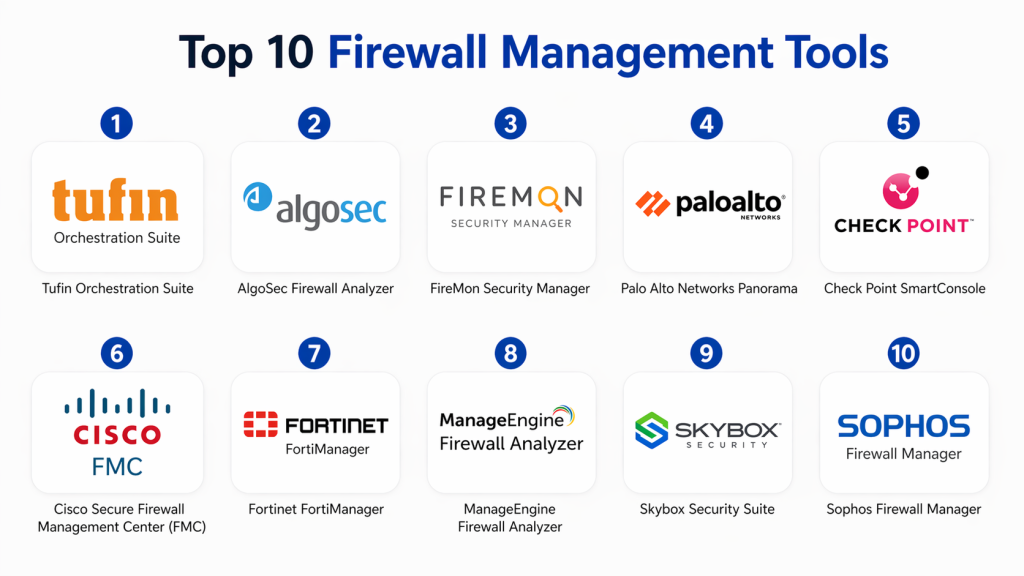
Top 10 Firewall Management Tools
#1 — Tufin Orchestration Suite
Short description :
Tufin Orchestration Suite is an enterprise-grade platform designed for managing complex firewall environments. It offers centralized policy control, automation, and compliance reporting. Ideal for large enterprises with multi-vendor infrastructures. Known for its scalability and advanced analytics capabilities.
Key Features
- Policy automation and orchestration
- Multi-vendor firewall support
- Risk analysis and compliance
- Change workflow management
- Network topology mapping
Pros
- Highly scalable
- Strong compliance features
Cons
- Expensive
- Complex setup
Platforms / Deployment
Linux / On-premise / Hybrid
Security & Compliance
RBAC, audit logs, compliance reporting
Integrations & Ecosystem
Integrates with enterprise security and IT tools.
- SIEM tools
- APIs
- ITSM platforms
Support & Community
Enterprise-level support
#2 — AlgoSec Firewall Analyzer
Short description :
AlgoSec provides visibility and control over firewall policies with strong automation and compliance features. It helps organizations manage security policies across hybrid environments. Ideal for enterprises focused on risk reduction.
Key Features
- Policy analysis
- Compliance reporting
- Risk assessment
- Automation
Pros
- Strong visibility
- Compliance-focused
Cons
- Complex interface
- Premium pricing
Platforms / Deployment
Cloud / On-premise
Security & Compliance
RBAC, audit logs
Integrations & Ecosystem
- SIEM
- APIs
- Cloud platforms
Support & Community
Strong vendor support
#3 — FireMon Security Manager
Short description :
FireMon Security Manager offers real-time firewall policy management and risk analysis. It provides continuous compliance monitoring. Ideal for security-focused organizations.
Key Features
- Policy management
- Risk analysis
- Compliance monitoring
- Automation
Pros
- Real-time insights
- Strong analytics
Cons
- Learning curve
- Costly
Platforms / Deployment
On-premise / Cloud
Security & Compliance
RBAC, audit logs
Integrations & Ecosystem
- SIEM tools
- APIs
Support & Community
Enterprise support
#4 — Palo Alto Networks Panorama
Short description :
Panorama provides centralized management for Palo Alto firewalls. It offers policy control, monitoring, and automation. Ideal for organizations using Palo Alto networks.
Key Features
- Centralized management
- Policy control
- Monitoring
- Automation
Pros
- Deep integration
- Strong performance
Cons
- Vendor lock-in
- Expensive
Platforms / Deployment
On-premise / Cloud
Security & Compliance
RBAC, audit logs
Integrations & Ecosystem
- Palo Alto ecosystem
- APIs
Support & Community
Strong support
#5 — Check Point SmartConsole
Short description :
SmartConsole is a management platform for Check Point firewalls. It provides centralized policy control and monitoring. Ideal for enterprises using Check Point security solutions.
Key Features
- Policy management
- Monitoring
- Centralized control
Pros
- Integrated platform
- Reliable
Cons
- Vendor-specific
- Complex
Platforms / Deployment
On-premise
Security & Compliance
RBAC
Integrations & Ecosystem
- Check Point ecosystem
Support & Community
Enterprise support
#6 — Cisco Secure Firewall Management Center (FMC)
Short description :
Cisco FMC provides centralized management for Cisco firewalls. It offers policy control, analytics, and automation. Ideal for Cisco environments.
Key Features
- Centralized management
- Policy control
- Analytics
- Automation
Pros
- Strong integration
- Scalable
Cons
- Cisco-focused
- Complex UI
Platforms / Deployment
On-premise / Cloud
Security & Compliance
RBAC
Integrations & Ecosystem
- Cisco ecosystem
Support & Community
Strong support
#7 — Fortinet FortiManager
Short description :
FortiManager is a centralized management platform for Fortinet firewalls. It offers automation, policy control, and monitoring. Suitable for enterprise environments.
Key Features
- Policy management
- Automation
- Monitoring
Pros
- Integrated platform
- Scalable
Cons
- Vendor-specific
- Complex
Platforms / Deployment
On-premise / Cloud
Security & Compliance
RBAC
Integrations & Ecosystem
- Fortinet ecosystem
Support & Community
Enterprise support
#8 — ManageEngine Firewall Analyzer
Short description :
ManageEngine Firewall Analyzer provides monitoring and analysis of firewall logs. It helps in compliance and security reporting. Ideal for SMBs and mid-market.
Key Features
- Log analysis
- Compliance reporting
- Monitoring
Pros
- Affordable
- Easy to use
Cons
- Limited automation
- Basic features
Platforms / Deployment
Windows / Linux
Security & Compliance
Audit logs
Integrations & Ecosystem
- IT tools
- APIs
Support & Community
Good support
#9 — Skybox Security Suite
Short description :
Skybox Security provides network security management with firewall policy optimization. It offers risk analysis and vulnerability management. Ideal for enterprises.
Key Features
- Risk analysis
- Policy optimization
- Vulnerability management
Pros
- Strong analytics
- Enterprise-ready
Cons
- Expensive
- Complex
Platforms / Deployment
On-premise
Security & Compliance
RBAC
Integrations & Ecosystem
- Security tools
- APIs
Support & Community
Enterprise support
#10 — Sophos Firewall Manager
Short description :
Sophos Firewall Manager provides centralized management for Sophos firewalls. It offers policy control and monitoring. Suitable for SMBs and enterprises.
Key Features
- Centralized management
- Policy control
- Monitoring
Pros
- Easy to use
- Integrated ecosystem
Cons
- Vendor-specific
- Limited advanced features
Platforms / Deployment
On-premise
Security & Compliance
RBAC
Integrations & Ecosystem
- Sophos ecosystem
Support & Community
Good support
Comparison Table (Top 10)
| Tool Name | Best For | Platform(s) Supported | Deployment | Standout Feature | Public Rating |
|---|---|---|---|---|---|
| Tufin | Enterprise | Linux | Hybrid | Policy automation | N/A |
| AlgoSec | Enterprise | Web | Hybrid | Risk analysis | N/A |
| FireMon | Enterprise | Web | Hybrid | Real-time compliance | N/A |
| Panorama | Palo Alto users | Web | Hybrid | Centralized control | N/A |
| Check Point | Enterprise | Varies | On-premise | Integration | N/A |
| Cisco FMC | Cisco users | Web | Hybrid | Analytics | N/A |
| FortiManager | Fortinet users | Web | Hybrid | Automation | N/A |
| ManageEngine | SMB | Windows/Linux | On-premise | Log analysis | N/A |
| Skybox | Enterprise | Varies | On-premise | Risk modeling | N/A |
| Sophos | SMB | Varies | On-premise | Ease of use | N/A |
Evaluation & Scoring of Firewall Management Tools
| Tool Name | Core (25%) | Ease (15%) | Integrations (15%) | Security (10%) | Performance (10%) | Support (10%) | Value (15%) | Weighted Total |
|---|---|---|---|---|---|---|---|---|
| Tufin | 9 | 6 | 9 | 9 | 9 | 9 | 6 | 8.4 |
| AlgoSec | 9 | 6 | 8 | 9 | 9 | 8 | 6 | 8.2 |
| FireMon | 8 | 6 | 8 | 9 | 8 | 8 | 6 | 7.9 |
| Panorama | 8 | 7 | 8 | 8 | 9 | 8 | 7 | 7.9 |
| Check Point | 8 | 6 | 7 | 8 | 8 | 8 | 6 | 7.5 |
| Cisco FMC | 8 | 6 | 8 | 8 | 9 | 8 | 6 | 7.8 |
| FortiManager | 8 | 6 | 8 | 8 | 8 | 8 | 6 | 7.7 |
| ManageEngine | 7 | 8 | 6 | 7 | 7 | 7 | 8 | 7.3 |
| Skybox | 9 | 5 | 8 | 9 | 9 | 8 | 6 | 8.0 |
| Sophos | 7 | 8 | 6 | 7 | 7 | 7 | 8 | 7.3 |
How to interpret:
These scores are comparative and help evaluate tools across key criteria. Higher scores indicate stronger enterprise capabilities, while smaller organizations may prioritize ease of use and cost.
Which Firewall Management Tool Is Right for You?
Solo / Freelancer
Typically not required unless managing multiple firewalls.
SMB
ManageEngine or Sophos are good choices due to simplicity and affordability.
Mid-Market
FortiManager or Cisco FMC provide balanced features and scalability.
Enterprise
Tufin, AlgoSec, or Skybox offer advanced automation and compliance.
Budget vs Premium
- Budget: ManageEngine, Sophos
- Premium: Tufin, AlgoSec
Feature Depth vs Ease of Use
- Advanced: Tufin, Skybox
- Easy: ManageEngine
Integrations & Scalability
Choose tools with strong API and SIEM integration.
Security & Compliance Needs
Prioritize tools with audit logs, RBAC, and compliance reporting.
Frequently Asked Questions (FAQs)
1. What are firewall management tools?
Firewall management tools are platforms used to manage and monitor firewall policies. They centralize control across multiple devices. They help automate rule changes and improve security. These tools also provide visibility and compliance reporting. They are essential for managing complex firewall environments.
2. How much do firewall management tools cost?
Pricing varies based on vendor and features. Enterprise tools are typically expensive due to advanced capabilities. Some tools offer subscription-based pricing. Costs may include licensing and support. Always evaluate total cost of ownership.
3. Are these tools necessary for small businesses?
Small businesses may not need advanced tools. Basic firewall management can be sufficient. However, growing businesses may benefit from automation. The need depends on network complexity. Evaluate based on requirements.
4. How do these tools improve security?
They provide centralized policy management and monitoring. They help detect misconfigurations and risks. Automation reduces human errors. Compliance features ensure adherence to standards. Overall, they strengthen security posture.
5. Can firewall tools integrate with SIEM?
Yes, most modern tools integrate with SIEM systems. This enables better monitoring and incident response. Integration improves visibility. It also supports automation and analytics.
6. How long does implementation take?
Implementation time depends on environment size. Small setups are quicker. Large enterprises may take weeks. Integration adds complexity. Planning is essential.
7. Do these tools support cloud firewalls?
Yes, many tools support cloud and hybrid environments. They provide centralized management. Cloud support is increasingly important. Always verify compatibility.
8. What are common mistakes?
Common mistakes include poor planning and lack of training. Ignoring integration needs can cause issues. Not optimizing rules reduces efficiency. Proper evaluation is important.
9. Is training required?
Yes, especially for enterprise tools. Training helps users understand features. It improves efficiency. Vendors often provide resources.
10. How to choose the right tool?
Evaluate your environment and needs. Consider features, integrations, and budget. Test a few tools. Choose based on scalability and security.
Conclusion
Firewall Management Tools are essential for maintaining security, compliance, and operational efficiency in modern network environments. As organizations adopt multi-vendor and hybrid infrastructures, managing firewall policies manually becomes increasingly complex and risky. These tools provide centralized control, automation, and visibility, helping teams reduce errors and improve security posture. However, the best solution depends on your specific requirements—whether you need simplicity for smaller environments or advanced automation for enterprise-scale networks. It is important to evaluate features, scalability, and integration capabilities carefully. A practical next step is to shortlist a few tools, run a pilot deployment, and validate performance, usability, and security before making a final decision.
