Introduction
Log Management Tools are platforms that collect, store, analyze, and visualize log data generated by applications, servers, and infrastructure. Logs capture detailed events such as errors, requests, system activities, and security incidents, making them essential for troubleshooting and monitoring.
In modern distributed systems, logs are one of the most critical data sources for understanding system behavior. With microservices, cloud-native architectures, and high-volume traffic, managing logs manually is no longer practical. Log management tools centralize logs, enable real-time analysis, and help teams quickly detect and resolve issues.
Common real-world use cases:
- Troubleshooting application errors
- Monitoring system health and activity
- Security analysis and threat detection
- Compliance and audit logging
- Performance debugging
What buyers should evaluate:
- Log ingestion and storage capabilities
- Search and query performance
- Real-time analytics and alerting
- Scalability for large data volumes
- Integration with DevOps and cloud tools
- Data retention and cost management
- Security and compliance features
- Ease of use and dashboards
- Support for structured and unstructured logs
Best for: DevOps teams, SREs, security teams, and organizations managing complex infrastructure.
Not ideal for: Small applications with minimal logging needs.
Key Trends in Log Management Tools
- Shift toward centralized logging platforms
- Integration with observability and APM tools
- Adoption of AI-driven log analysis
- Real-time monitoring and alerting
- Support for cloud-native and container environments
- Increased focus on cost optimization for log storage
- Integration with security and SIEM platforms
- Use of structured logging formats
- Expansion of OpenTelemetry support
- Enhanced visualization and dashboards
How We Selected These Tools (Methodology)
- Market adoption and industry reputation
- Strength of log ingestion and analysis features
- Scalability for large environments
- Integration with DevOps ecosystems
- Ease of use and onboarding
- Security and compliance capabilities
- Flexibility in deployment models
- Innovation in analytics and automation
- Community and enterprise support
- Suitability across different team sizes
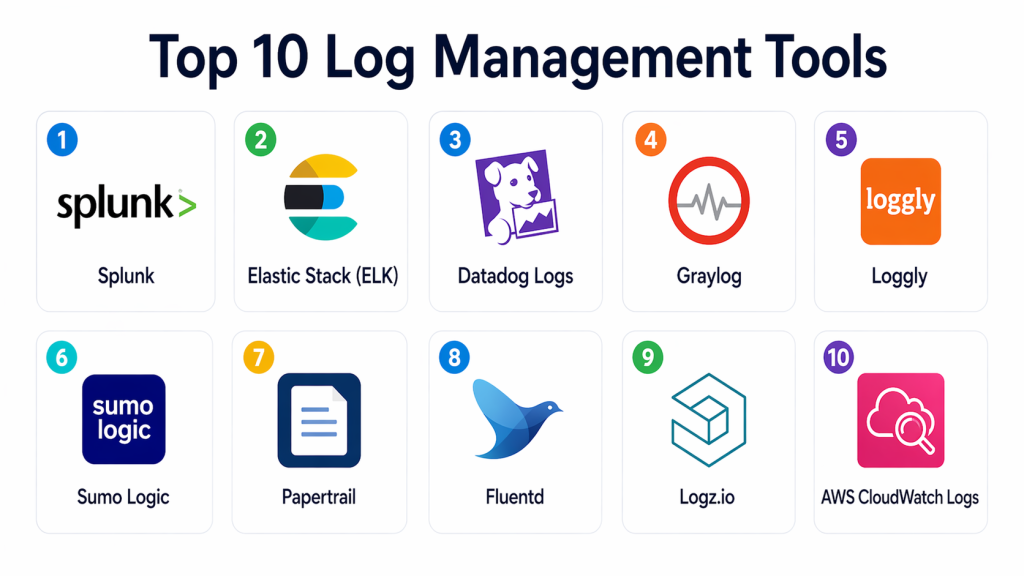
Top 10 Log Management Tools
#1 — Splunk
Short description: Splunk is a leading log management and analytics platform designed for enterprise-scale environments. It provides powerful search, real-time monitoring, and advanced analytics.
Key Features
- Log ingestion and indexing
- Advanced search and analytics
- Real-time monitoring
- Alerting and dashboards
- Machine learning capabilities
Pros
- Powerful analytics
- Highly scalable
Cons
- Expensive
- Complex setup
Platforms / Deployment
- Web
- Cloud / Self-hosted
Security & Compliance
- RBAC, audit logs
Integrations & Ecosystem
Splunk integrates with enterprise systems and security platforms.
- DevOps tools
- Security systems
- Cloud services
Support & Community
Strong enterprise support.
#2 — Elastic Stack (ELK)
Short description: Elastic Stack (Elasticsearch, Logstash, Kibana) is a popular open-source log management solution offering flexible deployment and powerful search capabilities.
Key Features
- Log ingestion and processing
- Search and analytics
- Visualization dashboards
- Distributed architecture
- Open-source ecosystem
Pros
- Highly flexible
- Strong community
Cons
- Requires setup and maintenance
- Learning curve
Platforms / Deployment
- Web
- Cloud / Self-hosted
Security & Compliance
- RBAC
Integrations & Ecosystem
Works with modern infrastructure and DevOps tools.
- Cloud platforms
- APIs
- DevOps tools
Support & Community
Large open-source community.
#3 — Datadog Logs
Short description: Datadog Logs provides centralized log management integrated with metrics and APM, enabling full observability across systems.
Key Features
- Log aggregation
- Real-time search
- Correlation with metrics and traces
- Alerting
- Dashboards
Pros
- Strong integration with observability
- Easy to use
Cons
- Cost can increase with data volume
- Vendor dependency
Platforms / Deployment
- Web
- Cloud
Security & Compliance
- RBAC
Integrations & Ecosystem
Integrates with modern DevOps and cloud ecosystems.
- Kubernetes
- CI/CD tools
- Cloud platforms
Support & Community
Strong documentation and support.
#4 — Graylog
Short description: Graylog is a centralized log management platform focused on security and operational visibility with strong search capabilities.
Key Features
- Log collection and indexing
- Real-time search
- Alerting
- Dashboards
- Security analytics
Pros
- Open-source option
- Strong search performance
Cons
- Limited advanced analytics
- Setup required
Platforms / Deployment
- Web
- Self-hosted
Security & Compliance
- RBAC
Integrations & Ecosystem
Supports integration with infrastructure tools.
- APIs
- DevOps tools
Support & Community
Active community support.
#5 — Loggly
Short description: Loggly is a cloud-based log management tool designed for easy log aggregation and analysis.
Key Features
- Log aggregation
- Search and filtering
- Real-time alerts
- Visualization dashboards
- Cloud-based deployment
Pros
- Easy setup
- User-friendly interface
Cons
- Limited advanced features
- Cost scaling
Platforms / Deployment
- Web
- Cloud
Security & Compliance
- Not publicly stated
Integrations & Ecosystem
Works with cloud and DevOps tools.
- Cloud services
- APIs
Support & Community
Moderate support.
#6 — Sumo Logic
Short description: Sumo Logic provides cloud-native log management with strong analytics and security features.
Key Features
- Log collection
- Real-time analytics
- Dashboards
- Alerting
- Security monitoring
Pros
- Scalable
- Strong analytics
Cons
- Pricing complexity
- Learning curve
Platforms / Deployment
- Web
- Cloud
Security & Compliance
- RBAC
Integrations & Ecosystem
Integrates with modern cloud and security tools.
- Cloud platforms
- DevOps tools
Support & Community
Enterprise support.
#7 — Papertrail
Short description: Papertrail is a lightweight log management tool focused on simplicity and real-time log monitoring.
Key Features
- Real-time log streaming
- Search and filtering
- Alerts
- Easy setup
- Cloud-based
Pros
- Simple and fast
- Easy to use
Cons
- Limited advanced features
- Not suitable for large-scale environments
Platforms / Deployment
- Web
- Cloud
Security & Compliance
- Not publicly stated
Integrations & Ecosystem
Supports basic integrations with cloud tools.
- APIs
- Cloud services
Support & Community
Basic support.
#8 — Fluentd
Short description: Fluentd is an open-source log collector that helps unify data collection and forwarding across systems.
Key Features
- Log collection
- Data routing
- Plugin ecosystem
- Lightweight architecture
- Open-source
Pros
- Highly flexible
- Strong plugin support
Cons
- Requires configuration
- Not a full platform
Platforms / Deployment
- Linux / Cloud
Security & Compliance
- Not publicly stated
Integrations & Ecosystem
Works with modern logging stacks.
- Kubernetes
- Cloud platforms
- DevOps tools
Support & Community
Large open-source community.
#9 — Logz.io
Short description: Logz.io provides managed log analytics based on open-source technologies with added enterprise features.
Key Features
- Log analytics
- Managed ELK stack
- Dashboards
- Alerts
- Security monitoring
Pros
- Easy to deploy
- Open-source base
Cons
- Limited customization
- Pricing tiers
Platforms / Deployment
- Web
- Cloud
Security & Compliance
- RBAC
Integrations & Ecosystem
Integrates with cloud and DevOps tools.
- APIs
- Cloud platforms
Support & Community
Good support.
#10 — AWS CloudWatch Logs
Short description: AWS CloudWatch Logs provides log monitoring and analysis within AWS environments, enabling centralized logging for cloud applications.
Key Features
- Log collection
- Monitoring
- Alerts
- Integration with cloud services
- Dashboards
Pros
- Native cloud integration
- Easy setup for AWS users
Cons
- Limited outside AWS
- Less advanced analytics
Platforms / Deployment
- Web
- Cloud
Security & Compliance
- IAM-based access
Integrations & Ecosystem
Works within cloud-native ecosystems.
- AWS services
- DevOps tools
Support & Community
Strong cloud support.
Comparison Table (Top 10)
| Tool Name | Best For | Platform(s) Supported | Deployment | Standout Feature | Public Rating |
|---|---|---|---|---|---|
| Splunk | Enterprises | Web | Hybrid | Advanced analytics | N/A |
| Elastic Stack | Open-source users | Web | Hybrid | Flexibility | N/A |
| Datadog Logs | DevOps teams | Web | Cloud | Observability integration | N/A |
| Graylog | Security teams | Web | Self-hosted | Search | N/A |
| Loggly | SMB | Web | Cloud | Simplicity | N/A |
| Sumo Logic | Enterprises | Web | Cloud | Analytics | N/A |
| Papertrail | Small teams | Web | Cloud | Real-time logs | N/A |
| Fluentd | Developers | CLI | Local | Data routing | N/A |
| Logz.io | Managed ELK | Web | Cloud | Managed solution | N/A |
| AWS CloudWatch | AWS users | Web | Cloud | Native integration | N/A |
Evaluation & Scoring of Log Management Tools
| Tool Name | Core (25%) | Ease (15%) | Integrations (15%) | Security (10%) | Performance (10%) | Support (10%) | Value (15%) | Weighted Total (0–10) |
|---|---|---|---|---|---|---|---|---|
| Splunk | 9 | 7 | 9 | 9 | 9 | 9 | 6 | 8.4 |
| Elastic | 8 | 6 | 8 | 8 | 8 | 8 | 8 | 7.9 |
| Datadog | 8 | 8 | 9 | 8 | 8 | 8 | 7 | 8.0 |
| Graylog | 7 | 7 | 7 | 7 | 7 | 7 | 8 | 7.2 |
| Loggly | 7 | 9 | 7 | 6 | 7 | 7 | 8 | 7.5 |
| Sumo Logic | 8 | 7 | 8 | 8 | 8 | 8 | 7 | 7.8 |
| Papertrail | 6 | 9 | 6 | 6 | 7 | 7 | 9 | 7.3 |
| Fluentd | 7 | 6 | 8 | 6 | 7 | 7 | 9 | 7.4 |
| Logz.io | 7 | 8 | 7 | 7 | 7 | 7 | 8 | 7.5 |
| AWS CloudWatch | 7 | 8 | 8 | 8 | 7 | 8 | 8 | 7.8 |
How to interpret scores:
These scores provide a comparative benchmark based on weighted criteria. Higher scores indicate stronger overall capabilities, but the best tool depends on your use case. Enterprise tools focus on scalability and analytics, while lightweight tools prioritize simplicity and cost efficiency. Always evaluate tools based on real-world needs.
Which Log Management Tool Is Right for You?
Solo / Freelancer
Papertrail and Loggly are ideal due to simplicity and ease of use. They provide essential logging features without complexity. These tools are suitable for small projects. They require minimal setup.
SMB
Elastic Stack and Datadog Logs offer a balance of flexibility and features. They support growing environments and provide strong integration capabilities. SMB teams benefit from their scalability. These tools offer good value.
Mid-Market
Sumo Logic and Elastic provide better analytics and scalability. They support complex infrastructures and DevOps workflows. These tools help manage increasing log volumes. They are ideal for expanding teams.
Enterprise
Splunk and Datadog are best for large organizations. They offer advanced analytics, scalability, and security features. Enterprises benefit from their robust capabilities. These tools handle large-scale environments effectively.
Budget vs Premium
- Budget: Elastic Stack, Fluentd
- Premium: Splunk, Datadog
Feature Depth vs Ease of Use
- Easy: Loggly, Papertrail
- Advanced: Splunk
Integrations & Scalability
Choose tools that integrate with cloud and DevOps platforms. Scalability is essential for handling large log volumes. Ensure the tool supports distributed systems. Integration flexibility is key.
Security & Compliance Needs
Prioritize tools with strong access control and audit logging. Compliance requirements vary by industry. Tools with monitoring and reporting features provide better governance. Security visibility is critical.
Frequently Asked Questions (FAQs)
1. What is log management?
Log management involves collecting, storing, and analyzing log data from systems and applications. It helps monitor system behavior and troubleshoot issues. Logs provide detailed insights into operations. They are essential for modern IT environments.
2. Why is log management important?
It helps identify errors, monitor performance, and detect security threats. Log management improves system reliability. It also supports compliance requirements. Teams rely on logs for troubleshooting.
3. What types of logs are collected?
Logs include application logs, system logs, security logs, and access logs. These provide insights into different aspects of systems. Centralized logging helps analyze them effectively. It improves visibility.
4. Can log management tools scale?
Yes, modern tools are designed to handle large volumes of log data. They support distributed systems and cloud environments. Scalability is a key feature. It ensures performance at scale.
5. Are log management tools expensive?
Costs vary depending on data volume and features. Enterprise tools can be expensive. Open-source tools offer cost-effective options. Teams should evaluate based on needs.
6. Do log tools integrate with DevOps?
Yes, most tools integrate with DevOps pipelines. They support CI/CD workflows and automation. This improves monitoring and debugging. Integration enhances efficiency.
7. How difficult is implementation?
Implementation depends on the tool. Some tools are easy to set up, while others require expertise. Proper planning simplifies the process. Start small and scale gradually.
8. Can log management improve security?
Yes, logs help detect suspicious activity and security incidents. They provide audit trails. This improves security monitoring. Many tools integrate with SIEM systems.
9. What are common challenges in log management?
Challenges include handling large data volumes, cost, and complexity. Proper configuration helps manage these issues. Choosing the right tool is important. Monitoring and optimization are key.
10. What are alternatives to log management tools?
Alternatives include manual log analysis or basic monitoring tools. However, these approaches are limited. Log management tools provide automation and scalability. They are essential for modern systems.
Conclusion
Log management tools are essential for understanding system behavior, troubleshooting issues, and maintaining security in modern environments. As systems become more complex and data volumes grow, centralized logging becomes critical for efficient operations. Tools like Splunk and Datadog provide advanced analytics and scalability, while open-source solutions like Elastic Stack and Fluentd offer flexibility and cost efficiency. The best choice depends on your infrastructure, team size, and requirements. Start by evaluating your logging needs, test a few tools, and choose the one that aligns with your operational goals.
