Introduction
Code Signing Tools are platforms that enable developers and organizations to digitally sign software, applications, scripts, and binaries to verify authenticity and integrity. Code signing ensures that software has not been tampered with and confirms the identity of the publisher, building trust with users and operating systems.
In modern software distribution, especially across cloud, mobile, and enterprise environments, unsigned or improperly signed code can trigger security warnings, block execution, or expose systems to risk. Code signing tools help automate certificate usage, manage keys securely, and integrate signing into CI/CD pipelines.
Common real-world use cases:
- Signing software releases and binaries
- Securing applications distributed to end users
- Preventing tampering and malware injection
- Meeting compliance and platform requirements
- Automating signing in CI/CD pipelines
What buyers should evaluate:
- Support for multiple platforms (Windows, macOS, mobile)
- Key management and security controls (HSM, encryption)
- Integration with CI/CD pipelines
- Certificate lifecycle management
- Automation capabilities
- Compliance and audit logging
- Scalability for enterprise workflows
- Ease of use and developer experience
- Support for modern signing standards
Best for: Software developers, DevOps teams, security engineers, and organizations distributing applications or binaries.
Not ideal for: Small internal projects or environments where code distribution is limited and trust boundaries are controlled.
Key Trends in Code Signing Tools
- Increased adoption of hardware-backed key storage (HSM)
- Integration with DevSecOps pipelines for automated signing
- Rise of cloud-based code signing services
- Focus on supply chain security and trust verification
- Adoption of short-lived signing certificates
- Integration with artifact repositories and build systems
- Enhanced audit logging and compliance tracking
- Support for multi-platform signing workflows
- Shift toward zero trust security models
- Automation of certificate and key lifecycle management
How We Selected These Tools (Methodology)
- Market adoption and industry credibility
- Strength of signing and key management capabilities
- Integration with development and DevOps ecosystems
- Security features including HSM and encryption
- Scalability across environments
- Ease of use and automation
- Support for multiple platforms and formats
- Compliance and audit capabilities
- Vendor innovation and product maturity
- Community and enterprise support
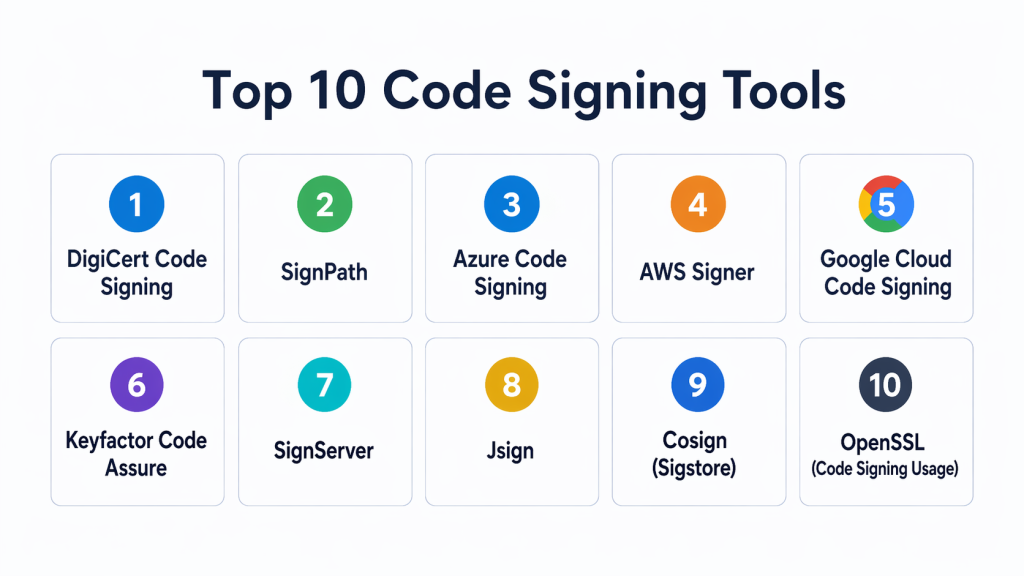
Top 10 Code Signing Tools
#1 — DigiCert Code Signing
Short description: DigiCert provides enterprise-grade code signing solutions with strong certificate management and secure key storage. It is widely used for signing software across multiple platforms.
Key Features
- Code signing certificates
- Secure key storage
- Multi-platform support
- Timestamping services
- Compliance reporting
- Integration with CI/CD
Pros
- High trust and reliability
- Strong enterprise features
Cons
- Premium pricing
- Requires setup and management
Platforms / Deployment
- Cloud / Hybrid
Security & Compliance
- Encryption, audit logs
Integrations & Ecosystem
Integrates with development and deployment pipelines.
- CI/CD tools
- Build systems
- DevOps platforms
Support & Community
Enterprise support with strong documentation.
#2 — SignPath
Short description: SignPath is a cloud-based code signing platform designed for DevOps teams. It enables automated signing workflows integrated into CI/CD pipelines.
Key Features
- Automated code signing
- Secure key storage
- CI/CD integration
- Approval workflows
- Audit logging
Pros
- Easy automation
- Developer-friendly
Cons
- Cloud dependency
- Limited offline usage
Platforms / Deployment
- Cloud
Security & Compliance
- RBAC, audit logs
Integrations & Ecosystem
Designed for modern DevOps workflows.
- CI/CD pipelines
- Dev tools
Support & Community
Good documentation with growing adoption.
#3 — Azure Code Signing
Short description: Azure Code Signing provides a managed service for signing applications using secure cloud-based infrastructure.
Key Features
- Managed code signing
- Secure key storage
- Integration with Azure services
- Automated workflows
- Compliance features
Pros
- Strong cloud integration
- Secure infrastructure
Cons
- Limited outside Azure
- Vendor dependency
Platforms / Deployment
- Cloud
Security & Compliance
- RBAC, encryption
Integrations & Ecosystem
Works within Microsoft cloud ecosystem.
- Azure services
- DevOps pipelines
Support & Community
Enterprise-grade support.
#4 — AWS Signer
Short description: AWS Signer is a fully managed service for code signing within cloud environments, focusing on automation and security.
Key Features
- Managed code signing
- Integration with cloud services
- Secure key storage
- Automated workflows
- Policy-based controls
Pros
- Strong cloud integration
- Scalable
Cons
- Limited outside AWS
- Vendor lock-in
Platforms / Deployment
- Cloud
Security & Compliance
- IAM, encryption
Integrations & Ecosystem
Integrates with cloud and DevOps tools.
- Cloud services
- CI/CD pipelines
Support & Community
Enterprise support available.
#5 — Google Cloud Code Signing
Short description: Google Cloud provides code signing capabilities integrated into its cloud platform, supporting secure and scalable signing workflows.
Key Features
- Secure signing infrastructure
- Key management integration
- Automated workflows
- API-based access
- Cloud integration
Pros
- Scalable
- Secure
Cons
- Limited outside cloud
- Vendor dependency
Platforms / Deployment
- Cloud
Security & Compliance
- IAM, encryption
Integrations & Ecosystem
Works with cloud-native development environments.
- CI/CD pipelines
- Cloud services
Support & Community
Enterprise support.
#6 — Keyfactor Code Assure
Short description: Keyfactor Code Assure provides centralized code signing and key management for enterprise environments, focusing on compliance and security.
Key Features
- Centralized signing management
- HSM integration
- Policy enforcement
- Audit logging
- Automation workflows
Pros
- Strong enterprise capabilities
- High security
Cons
- Complex setup
- Higher cost
Platforms / Deployment
- Cloud / Self-hosted
Security & Compliance
- RBAC, audit logs
Integrations & Ecosystem
Integrates with enterprise security and DevOps tools.
- CI/CD pipelines
- Security platforms
Support & Community
Enterprise-grade support.
#7 — SignServer
Short description: SignServer is an open-source code signing platform that supports secure signing workflows and integrates with hardware security modules.
Key Features
- Open-source signing
- HSM support
- Certificate management
- API integration
- Multi-format signing
Pros
- Flexible and customizable
- Open-source
Cons
- Requires setup and expertise
- Limited UI
Platforms / Deployment
- Self-hosted
Security & Compliance
- Encryption, HSM support
Integrations & Ecosystem
Supports integration with enterprise systems.
- APIs
- DevOps tools
Support & Community
Active open-source community.
#8 — Jsign
Short description: Jsign is a lightweight tool for signing Java applications and binaries, designed for developers needing simple and efficient signing capabilities.
Key Features
- Java code signing
- Lightweight CLI tool
- Certificate support
- Cross-platform usage
- Easy integration
Pros
- Simple to use
- Lightweight
Cons
- Limited features
- Focused on Java
Platforms / Deployment
- Local
Security & Compliance
- Not publicly stated
Integrations & Ecosystem
Works with development workflows.
- Build tools
- Dev environments
Support & Community
Moderate community support.
#9 — Cosign (Sigstore)
Short description: Cosign is an open-source tool for signing container images and artifacts, focusing on modern supply chain security.
Key Features
- Container image signing
- Keyless signing support
- Integration with registries
- Transparency logs
- CI/CD integration
Pros
- Modern security approach
- Open-source
Cons
- Requires learning curve
- Limited traditional signing
Platforms / Deployment
- Cloud / Local
Security & Compliance
- Encryption, transparency logs
Integrations & Ecosystem
Works with container and DevOps ecosystems.
- Container registries
- CI/CD pipelines
Support & Community
Strong open-source community.
#10 — OpenSSL (Code Signing Usage)
Short description: OpenSSL can be used for basic code signing and certificate handling, offering flexibility for developers managing custom workflows.
Key Features
- Certificate creation
- Signing capabilities
- Encryption tools
- CLI-based usage
- Open-source
Pros
- Highly flexible
- Widely available
Cons
- Not user-friendly
- Requires expertise
Platforms / Deployment
- Local
Security & Compliance
- Encryption
Integrations & Ecosystem
Works with various development tools.
- Dev tools
- Build systems
Support & Community
Large global community.
Comparison Table (Top 10)
| Tool Name | Best For | Platform(s) Supported | Deployment | Standout Feature | Public Rating |
|---|---|---|---|---|---|
| DigiCert | Enterprises | Web | Hybrid | Trusted certificates | N/A |
| SignPath | DevOps teams | Web | Cloud | Automated workflows | N/A |
| Azure Code Signing | Cloud users | Web | Cloud | Managed signing | N/A |
| AWS Signer | Cloud teams | Web | Cloud | Policy-based signing | N/A |
| Google Cloud | Cloud users | Web | Cloud | Scalable signing | N/A |
| Keyfactor | Enterprises | Web | Hybrid | Centralized control | N/A |
| SignServer | Open-source | Web | Self-hosted | HSM support | N/A |
| Jsign | Developers | CLI | Local | Lightweight | N/A |
| Cosign | Containers | CLI | Hybrid | Keyless signing | N/A |
| OpenSSL | Advanced users | CLI | Local | Flexibility | N/A |
Evaluation & Scoring of Code Signing Tools
| Tool Name | Core (25%) | Ease (15%) | Integrations (15%) | Security (10%) | Performance (10%) | Support (10%) | Value (15%) | Weighted Total (0–10) |
|---|---|---|---|---|---|---|---|---|
| DigiCert | 9 | 8 | 9 | 9 | 9 | 9 | 7 | 8.6 |
| SignPath | 8 | 9 | 8 | 8 | 8 | 8 | 8 | 8.2 |
| Azure | 8 | 8 | 9 | 9 | 8 | 8 | 8 | 8.3 |
| AWS | 8 | 8 | 9 | 9 | 8 | 8 | 8 | 8.3 |
| 8 | 8 | 8 | 9 | 8 | 8 | 8 | 8.2 | |
| Keyfactor | 9 | 7 | 9 | 9 | 8 | 8 | 7 | 8.3 |
| SignServer | 7 | 6 | 7 | 8 | 7 | 7 | 9 | 7.5 |
| Jsign | 6 | 9 | 6 | 7 | 7 | 7 | 9 | 7.4 |
| Cosign | 8 | 7 | 8 | 9 | 8 | 8 | 9 | 8.3 |
| OpenSSL | 7 | 6 | 7 | 8 | 8 | 8 | 10 | 7.8 |
How to interpret scores:
These scores provide a comparative overview based on weighted criteria. Higher scores indicate stronger overall capability, but the best tool depends on your specific environment. Enterprise tools prioritize security and compliance, while open-source tools focus on flexibility and cost efficiency. Always evaluate tools based on your workflow and requirements.
Which Code Signing Tool Is Right for You?
Solo / Freelancer
Jsign and OpenSSL are ideal due to their simplicity and flexibility. They provide basic signing capabilities without requiring complex infrastructure. These tools are cost-effective and easy to integrate into small workflows. They are suitable for lightweight projects.
SMB
SignPath and Azure Code Signing offer automation and ease of use. They integrate well with CI/CD pipelines and simplify signing processes. These tools balance functionality and usability. SMB teams benefit from their scalability and simplicity.
Mid-Market
AWS Signer and Google Cloud Code Signing provide better scalability and integration. They support growing infrastructure and DevOps practices. These tools help manage increasing complexity. They are suitable for expanding teams.
Enterprise
DigiCert and Keyfactor are best suited for large organizations. They provide advanced security, compliance, and centralized control. Enterprises benefit from their robust architecture and scalability. These tools handle complex environments effectively.
Budget vs Premium
- Budget: OpenSSL, Jsign
- Premium: DigiCert, Keyfactor
Feature Depth vs Ease of Use
- Easy: SignPath
- Advanced: DigiCert, Keyfactor
Integrations & Scalability
Choose tools that integrate with CI/CD pipelines and cloud platforms. Scalability is essential for handling large deployments. Ensure the tool supports automation and distributed systems. Integration flexibility is critical.
Security & Compliance Needs
Prioritize tools with strong encryption, HSM support, and audit logging. Compliance requirements vary by industry. Tools with policy enforcement provide better governance. Continuous monitoring enhances security posture.
Frequently Asked Questions (FAQs)
1. What is code signing?
Code signing is the process of digitally signing software to verify its authenticity and integrity. It ensures that the code has not been altered since it was signed. This builds trust with users and systems. It is essential for secure software distribution.
2. Why is code signing important?
Code signing prevents tampering and ensures that software comes from a trusted source. It helps avoid security warnings and improves user trust. Many platforms require signed code for execution. It is critical for modern application security.
3. What types of code can be signed?
Executable files, scripts, applications, and container images can all be signed. This includes desktop, mobile, and cloud applications. Signing ensures integrity across different platforms. It is widely used in software distribution.
4. Can code signing be automated?
Yes, modern tools integrate with CI/CD pipelines to automate code signing. This ensures consistent signing during builds and releases. Automation reduces manual errors. It also improves development efficiency.
5. What is HSM in code signing?
HSM stands for Hardware Security Module, which securely stores cryptographic keys. It provides enhanced protection against unauthorized access. Many enterprise tools use HSMs for secure key management. This improves overall security.
6. Are open-source code signing tools reliable?
Yes, open-source tools like Cosign and OpenSSL are widely used and reliable. They offer flexibility and cost advantages. However, they may require expertise to configure. Organizations should evaluate their needs carefully.
7. How difficult is implementation?
Implementation complexity depends on the tool and environment. Some tools are easy to use, while others require setup and expertise. Proper planning simplifies the process. Starting with small projects can help.
8. Can code signing tools support multi-platform environments?
Yes, many tools support multiple platforms including Windows, macOS, and cloud environments. This ensures consistent signing across applications. Multi-platform support is important for modern development. It helps maintain security across ecosystems.
9. What are common mistakes in code signing?
Common mistakes include poor key management, lack of automation, and expired certificates. These issues can lead to security risks and deployment failures. Using proper tools helps avoid these problems. Regular monitoring is essential.
10. What are alternatives to code signing tools?
Alternatives include manual signing or basic scripting methods. However, these approaches are less secure and harder to scale. Code signing tools provide automation and centralized control. They are the preferred solution for modern development.
Conclusion
Code signing tools are essential for ensuring software integrity, authenticity, and trust in modern development environments. They help protect applications from tampering, reduce security risks, and meet compliance requirements. As software supply chains become more complex, automated code signing integrated with CI/CD pipelines is becoming a necessity. Tools like DigiCert and Keyfactor provide enterprise-grade capabilities, while solutions like Cosign and OpenSSL offer flexibility and cost efficiency. The best choice depends on your infrastructure, team size, and security needs. Start by evaluating your signing requirements, test tools in real workflows, and implement the solution that best aligns with your development and security strategy.
