Introduction
Source Code Management (SCM) tools are critical for managing software code efficiently and securely. They track changes, maintain version history, and allow teams to collaborate seamlessly on projects of any size. Modern software development, especially in DevOps and CI/CD environments, relies heavily on SCM tools to ensure code quality, coordination, and traceability.
Use cases include:
- Tracking changes across multiple developers and projects.
- Managing branching, merging, and release workflows.
- Supporting CI/CD pipelines by integrating with build and deployment tools.
- Enabling rollback to previous versions when issues arise.
- Collaborating across distributed teams with controlled access.
Evaluation criteria:
- Version control type (distributed vs centralized)
- Branching and merging capabilities
- Integration with IDEs, CI/CD, and project management tools
- Security and access control
- Cloud-hosted vs self-hosted options
- Scalability for team size and codebase complexity
- Ease of use and learning curve
- Community support and ecosystem
- Cost and licensing
- Backup and disaster recovery options
Best for: Developers, DevOps engineers, QA teams, and organizations managing medium to large codebases.
Not ideal for: Small projects with minimal collaboration or teams not requiring code version tracking.
Key Trends in SCM Tools
- Dominance of distributed version control systems like Git.
- Cloud-hosted repositories for easier collaboration and reduced maintenance.
- AI-assisted code suggestions and automated conflict resolution.
- Integration with DevOps practices and CI/CD pipelines.
- Enhanced security with role-based access, SSO, and encryption.
- Support for monorepos and microservices-based projects.
- Real-time collaboration and code review features.
- Container and cloud-native workflow support.
- Event-driven webhooks for automation.
- Subscription-based and cloud usage pricing models.
How We Selected These Tools
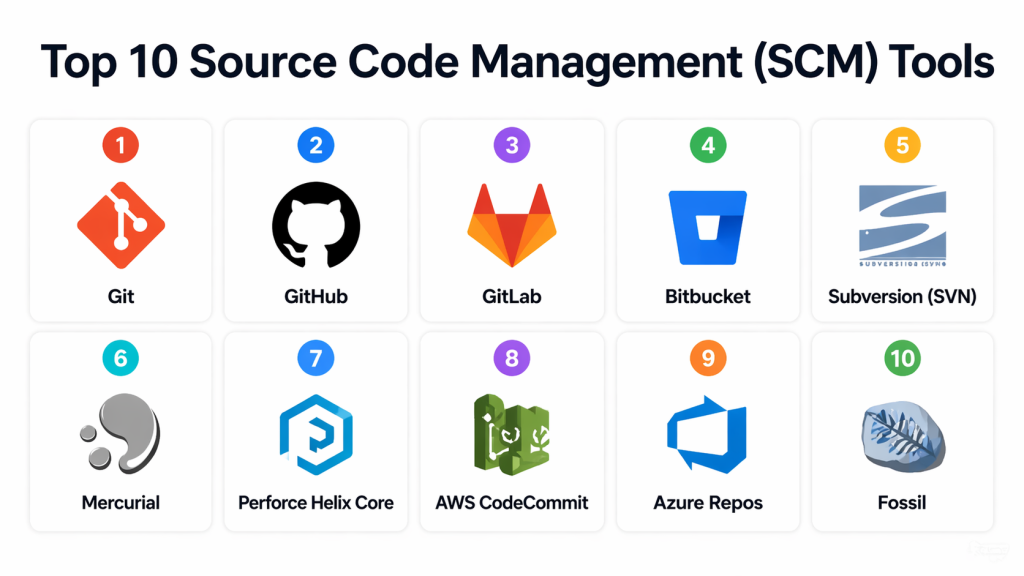
Top 10 Source Code Management (SCM) Tools
#1 — Git
Short description: Distributed version control system widely used for collaborative development.
Key Features
- Distributed version control
- Branching and merging support
- Offline commits
- Integration with CI/CD and IDEs
- Large repository support via Git LFS
- Open-source and cross-platform
Pros
- Highly flexible and powerful
- Large community and plugin ecosystem
- Suitable for distributed teams
Cons
- Learning curve for beginners
- Merge conflicts can be challenging
Platforms / Deployment
- Windows / macOS / Linux
- Self-hosted / Cloud
Security & Compliance
- SSH and HTTPS support
- Not publicly stated
Integrations & Ecosystem
- GitHub, GitLab, Bitbucket
- Jenkins, CI/CD pipelines
- IDE plugins
Support & Community
- Extensive community support
- Documentation and tutorials widely available
- Vendor support via hosting providers
#2 — GitHub
Short description: Cloud-based Git hosting with collaboration, code review, and CI/CD integration.
Key Features
- Repository hosting and management
- Pull requests and code reviews
- Issue tracking and project boards
- GitHub Actions for CI/CD
- Security features including branch protection
- Cloud-native platform for collaboration
Pros
- Excellent for team collaboration
- Integrated CI/CD via Actions
- Strong security and compliance features
Cons
- Limited self-hosted options
- Advanced enterprise features require paid plans
Platforms / Deployment
- Web / Windows / macOS / Linux
- Cloud / GitHub Enterprise
Security & Compliance
- SSO, MFA, encryption, branch protection
- Not publicly stated
Integrations & Ecosystem
- CI/CD tools, Slack, Jira
- IDE plugins
- APIs for automation
Support & Community
#3 — GitLab
Short description: All-in-one DevOps platform with integrated Git-based SCM, CI/CD, and project management.
Key Features
- Git repository management
- CI/CD pipelines
- Issue and project tracking
- Container registry support
- Security scanning
- Cloud and self-hosted deployment
Pros
- Comprehensive DevOps platform
- Flexible deployment options
- Built-in security features
Cons
- Resource-intensive for self-hosted setups
- Complex interface for beginners
Platforms / Deployment
- Web / Windows / macOS / Linux
- Cloud / Self-hosted / Hybrid
Security & Compliance
- SSO/SAML, MFA, encryption
- Not publicly stated
Integrations & Ecosystem
- Docker, Kubernetes, CI/CD tools
- Jira, Slack integrations
- Automation via APIs
Support & Community
#4 — Bitbucket
Short description: Git-based repository hosting with tight integration with Atlassian products like Jira.
Key Features
- Git repository hosting
- Branch permissions
- Pipelines for CI/CD
- Code reviews and pull requests
- Jira integration
- Deployment and cloud hosting
Pros
- Atlassian product integration
- Easy setup for small teams
- Supports cloud and self-hosted options
Cons
- Less widely adopted than GitHub
- Advanced features require paid plans
Platforms / Deployment
- Web / Windows / macOS / Linux
- Cloud / Self-hosted
Security & Compliance
- Role-based access, MFA
- Not publicly stated
Integrations & Ecosystem
- Jira, Trello, Slack
- CI/CD tools, Docker
- REST API
Support & Community
- Atlassian support
- Active community
- Extensive documentation
#5 — Subversion (SVN)
Short description: Centralized version control system widely used in enterprise environments.
Key Features
- Central repository management
- Branching and tagging
- Access control
- IDE integration
- Cross-platform support
- Revision history
Pros
- Stable and mature
- Good for centralized teams
- Enterprise-ready
Cons
- Less flexible than Git
- Network-dependent for commits
Platforms / Deployment
- Windows / macOS / Linux
- Self-hosted / Hybrid
Security & Compliance
- Authentication and encryption support
- Not publicly stated
Integrations & Ecosystem
- IDEs (Eclipse, IntelliJ)
- CI/CD tools
- Issue tracking systems
Support & Community
- Enterprise support available
- Established documentation
- Long-standing user base
#6 — Mercurial
Short description: Distributed version control system optimized for performance and large repositories.
Key Features
- Distributed version control
- Simple branching and merging
- Command-line and GUI clients
- Cross-platform
- CI/CD integration
- Scalable for large projects
Pros
- Fast and lightweight
- Suitable for large codebases
- Flexible workflows
Cons
- Smaller community than Git
- Limited cloud-hosted options
Platforms / Deployment
- Windows / macOS / Linux
- Self-hosted / Cloud
Security & Compliance
- Not publicly stated
Integrations & Ecosystem
- IDEs and CI/CD tools
- Cloud hosting via third-party services
- Automation APIs
Support & Community
#7 — Perforce Helix Core
Short description: Enterprise SCM optimized for large-scale projects and binary files.
Key Features
- Centralized repository
- Large file and asset support
- Branching, merging, labeling
- Role-based access control
- CI/CD integration
- Cloud and on-prem deployment
Pros
- Handles large repositories efficiently
- Strong enterprise security
- Scalable for large teams
Cons
- Commercial license required
- Learning curve for new users
Platforms / Deployment
- Windows / macOS / Linux
- Self-hosted / Cloud / Hybrid
Security & Compliance
- Role-based access, encryption
- Not publicly stated
Integrations & Ecosystem
- CI/CD tools, IDEs
- Jira, Slack
- Automation
#8 — AWS CodeCommit
Short description: Fully managed Git repository service integrated with AWS DevOps ecosystem.
Key Features
- Git repositories
- Managed cloud hosting
- Integration with CodePipeline and CodeBuild
- Encryption at rest
- IAM-based access control
- AWS ecosystem integration
Pros
- Fully managed
- Scales with team size
- Seamless AWS integration
Cons
- Best for AWS users
- Limited outside AWS ecosystem
Platforms / Deployment
- Web / Windows / macOS / Linux
- Cloud
Security & Compliance
- IAM access control, encryption
- Not publicly stated
Integrations & Ecosystem
- AWS CodePipeline, CodeBuild
- Lambda, CloudFormation
- APIs for automation
Support & Community
- AWS support tiers
- Comprehensive documentation
- Active community
#9 — Azure Repos
Short description: Cloud-hosted Git and TFVC repositories integrated with Azure DevOps.
Key Features
- Git and TFVC support
- Branch policies and pull requests
- Azure Pipelines integration
- Access control and security
- Code search and review
- Scalable cloud hosting
Pros
- Native integration with Azure DevOps
- Secure and scalable
- Supports multiple repository types
Cons
- Best suited for Azure environments
- Limited flexibility outside Azure
Platforms / Deployment
- Web / Windows / macOS / Linux
- Cloud / Azure DevOps Server
Security & Compliance
- SSO, MFA, encryption
- Not publicly stated
Integrations & Ecosystem
- Azure Pipelines, Boards
- IDEs, CI/CD tools
- APIs for automation
Support & Community
- Microsoft support tiers
- Comprehensive documentation
- Active community
#10 — Fossil
Short description: Lightweight distributed SCM with integrated bug tracking and wiki.
Key Features
- Distributed version control
- Built-in wiki and bug tracker
- Web interface
- Lightweight and self-contained
- Cross-platform support
Pros
- Simple and lightweight
- All-in-one SCM solution
- Easy deployment
Cons
- Smaller community
- Limited enterprise features
Platforms / Deployment
- Windows / macOS / Linux
- Self-hosted
Security & Compliance
- Not publicly stated
Integrations & Ecosystem
- IDE plugins
- APIs for automation
- CI/CD integration via scripts
Support & Community
- Documentation available
- Community forums
- Limited commercial support
Comparison Table (Top 10)
| Tool Name | Best For | Platform(s) Supported | Deployment | Standout Feature | Public Rating |
|---|---|---|---|---|---|
| Git | Developers & DevOps teams | Windows / macOS / Linux | Self-hosted / Cloud | Distributed version control | N/A |
| GitHub | Cloud DevOps & collaboration | Web / Windows / macOS / Linux | Cloud / Enterprise | Pull requests & collaboration | N/A |
| GitLab | Integrated DevOps teams | Web / Windows / macOS / Linux | Cloud / Self-hosted | CI/CD integration | N/A |
| Bitbucket | Teams using Atlassian products | Web / Windows / macOS / Linux | Cloud / Self-hosted | Jira integration | N/A |
| Subversion (SVN) | Enterprise & legacy projects | Windows / macOS / Linux | Self-hosted / Hybrid | Centralized version control | N/A |
| Mercurial | Medium/large distributed teams | Windows / macOS / Linux | Self-hosted / Cloud | Lightweight DVCS | N/A |
| Perforce Helix Core | Large-scale enterprise projects | Windows / macOS / Linux | Self-hosted / Cloud | Large file handling | N/A |
| AWS CodeCommit | AWS-native DevOps teams | Web / Windows / macOS / Linux | Cloud | Managed Git repositories | N/A |
| Azure Repos | Azure DevOps users | Web / Windows / macOS / Linux | Cloud / Server | Git + TFVC support | N/A |
| Fossil | Small teams & lightweight usage | Windows / macOS / Linux | Self-hosted | All-in-one SCM + wiki + tracker | N/A |
Evaluation & Scoring of SCM Tools
| Tool Name | Core (25%) | Ease (15%) | Integrations (15%) | Security (10%) | Performance (10%) | Support (10%) | Value (15%) | Weighted Total (0–10) |
|---|---|---|---|---|---|---|---|---|
| Git | 10 | 7 | 9 | 7 | 9 | 8 | 10 | 8.85 |
| GitHub | 9 | 9 | 9 | 8 | 9 | 8 | 9 | 8.90 |
| GitLab | 9 | 8 | 9 | 8 | 9 | 8 | 8 | 8.65 |
| Bitbucket | 8 | 8 | 8 | 8 | 8 | 7 | 8 | 8.00 |
| Subversion (SVN) | 7 | 7 | 6 | 7 | 7 | 7 | 7 | 7.05 |
| Mercurial | 8 | 8 | 7 | 7 | 8 | 7 | 8 | 7.85 |
| Perforce Helix Core | 10 | 6 | 8 | 8 | 10 | 8 | 7 | 8.35 |
| AWS CodeCommit | 8 | 9 | 8 | 8 | 8 | 7 | 8 | 8.10 |
| Azure Repos | 8 | 8 | 8 | 8 | 8 | 7 | 8 | 8.00 |
| Fossil | 7 | 9 | 6 | 7 | 7 | 6 | 8 | 7.35 |
Interpretation:
Weighted scores evaluate core features, ease of use, integrations, security, performance, support, and value. They provide a comparative snapshot to guide selection based on team needs.
Frequently Asked Questions (FAQs)
What version control types do SCM tools support?
Most modern SCM tools use distributed version control (Git), while some like SVN are centralized. Several tools support both approaches.
Can SCM tools integrate with CI/CD pipelines?
Yes, almost all SCM tools integrate with CI/CD platforms for automated builds, testing, and deployment.
How secure are SCM repositories?
Enterprise-grade tools support SSO, MFA, encryption, and role-based access control for secure code management.
Are cloud-hosted or self-hosted repositories better?
Cloud-hosted solutions reduce maintenance overhead, while self-hosted options offer more control and compliance options.
Can SCM tools handle large codebases?
Tools like Git with LFS and Perforce Helix Core are optimized for large repositories and binary assets.
How do branching and merging work?
Modern tools provide flexible branching workflows to manage features, hotfixes, and releases efficiently.
Can SCM tools track history and roll back changes?
Yes, all SCM tools maintain version history and enable reverting to previous commits or revisions.
Are SCM tools suitable for small teams?
Yes, lightweight tools like GitHub, GitLab, and Fossil are ideal for small teams and open-source projects.
How do SCM tools support collaboration?
Features include pull requests, code review, branching policies, and issue tracking for team coordination.
Can I migrate between SCM tools easily?
Migration involves exporting repositories, credentials, and configurations. Pilot testing is recommended before full adoption.
Conclusion
Source Code Management tools are critical for ensuring code integrity, collaboration, and efficient development workflows. From distributed systems like Git to centralized options like SVN, there is a suitable SCM tool for every team and project size. Cloud-hosted tools simplify management, while enterprise-grade solutions provide advanced security, scalability, and integrations. Evaluating branching strategies, repository size, integrations, security, and deployment requirements will help teams select the best SCM tool. Piloting multiple tools ensures the chosen solution aligns with team workflows and organizational needs, facilitating efficient development, collaboration, and continuous delivery.
