Introduction
Web Servers are software systems that handle HTTP requests and deliver web content such as HTML pages, images, APIs, and application data to users through browsers. They act as the foundation of the internet, enabling websites and web applications to function reliably and efficiently.
Whenever a user opens a website, the web server processes the request, retrieves the required resources, and sends them back to the client. Modern web servers also support security, load balancing, caching, and application hosting.
Real-world use cases:
- Hosting websites and web applications
- Serving APIs for mobile and cloud applications
- Running enterprise backend systems
- Supporting microservices architectures
- Handling static and dynamic content delivery
What buyers should evaluate:
- Performance and request handling speed
- Security features (SSL/TLS, authentication)
- Scalability and load handling
- Ease of configuration and management
- Compatibility with frameworks and languages
- Support for HTTP/2 and HTTP/3
- Logging and monitoring capabilities
- Integration with DevOps tools
- Resource efficiency
Best for:
Developers, DevOps teams, enterprises, hosting providers, and organizations running web applications.
Not ideal for:
Users who only need offline applications or non-web-based systems.
Key Trends in Web Servers
- Increased adoption of cloud-native web servers
- Support for HTTP/3 for faster communication
- Integration with containerized environments
- Stronger focus on security and zero-trust models
- AI-driven traffic optimization and load balancing
- Lightweight web servers for microservices
- Serverless architecture integration
- Edge computing deployment
- Improved automation and DevOps integration
How We Selected These Tools (Methodology)
- Market adoption and industry usage
- Performance and scalability capabilities
- Security features and compliance readiness
- Ease of configuration and management
- Compatibility with programming languages and frameworks
- Support for modern protocols (HTTP/2, HTTP/3)
- Integration with cloud and DevOps ecosystems
- Community and vendor support
- Stability and reliability in production
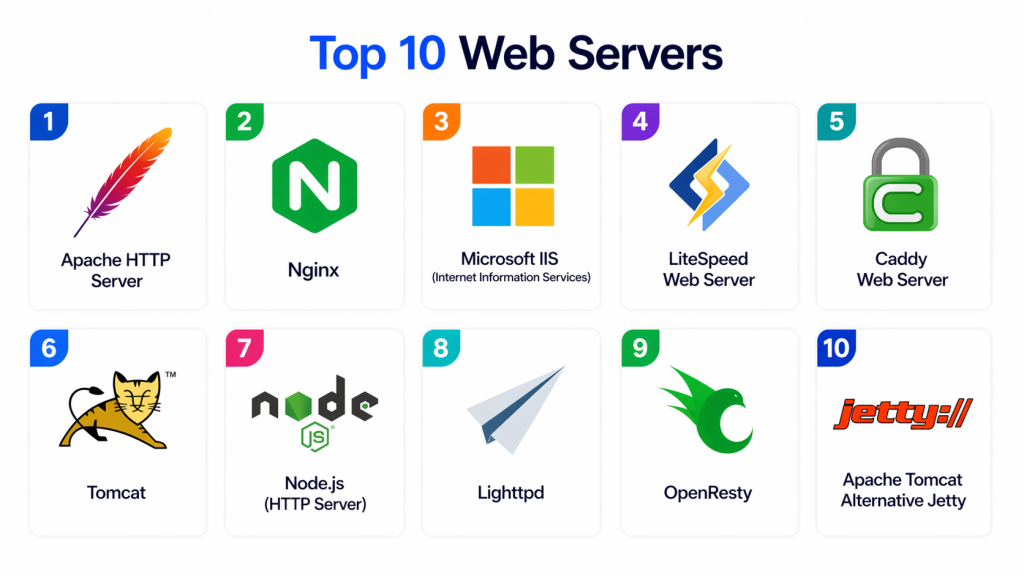
Top 10 Web Servers
#1 — Apache HTTP Server
Short description:
Apache HTTP Server is one of the oldest and most widely used web servers. It is known for flexibility, modular architecture, and strong community support. Organizations use it for hosting websites and applications. It is ideal for general-purpose web hosting.
Key Features
- Modular architecture
- Cross-platform support
- URL rewriting
- Authentication modules
- Virtual hosting
Pros
- Highly flexible
- Large community
Cons
- Slower than modern alternatives
- Complex configuration
Platforms / Deployment
Windows / Linux / macOS / Cloud
Security & Compliance
SSL/TLS support, access control
Integrations & Ecosystem
- PHP, Python, Perl
- CMS platforms
- DevOps tools
Support & Community
Very large open-source community
#2 — Nginx
Short description:
Nginx is a high-performance web server designed for speed and scalability. It is widely used for handling high traffic websites and reverse proxy setups. Organizations use it for modern web applications. It is ideal for performance-critical environments.
Key Features
- Reverse proxy support
- Load balancing
- Static content handling
- Event-driven architecture
- SSL termination
Pros
- Extremely fast
- Low resource usage
Cons
- Complex configuration for beginners
- Limited dynamic processing
Platforms / Deployment
Linux / Windows / Cloud
Security & Compliance
SSL/TLS, rate limiting
Integrations & Ecosystem
- Docker
- Kubernetes
- Application frameworks
Support & Community
Strong global community
#3 — Microsoft IIS (Internet Information Services)
Short description:
IIS is a web server developed by Microsoft for Windows environments. It is tightly integrated with the Windows ecosystem and .NET applications. Organizations use it for enterprise web hosting. It is ideal for Microsoft-based infrastructures.
Key Features
- Windows integration
- Application hosting
- Security modules
- Logging and monitoring
- FTP support
Pros
- Easy Windows integration
- Enterprise-ready
Cons
- Windows-only
- Less flexible than open-source options
Platforms / Deployment
Windows / Cloud
Security & Compliance
Windows security features, SSL/TLS
Integrations & Ecosystem
- .NET framework
- Azure services
Support & Community
Strong enterprise support
#4 — LiteSpeed Web Server
Short description:
LiteSpeed is a high-performance web server designed for speed and scalability. It is often used as a drop-in replacement for Apache. Organizations use it for high-traffic websites. It is ideal for performance-focused hosting environments.
Key Features
- High-speed processing
- Apache compatibility
- Built-in caching
- Load balancing
- HTTP/3 support
Pros
- Very fast
- Efficient resource usage
Cons
- Paid licensing
- Smaller community
Platforms / Deployment
Linux / Cloud
Security & Compliance
DDoS protection, SSL/TLS
Integrations & Ecosystem
- WordPress
- Hosting platforms
Support & Community
Vendor-based support
#5 — Caddy Web Server
Short description:
Caddy is a modern web server known for automatic HTTPS and simple configuration. It is designed for ease of use and security. Developers use it for modern web applications. It is ideal for cloud-native environments.
Key Features
- Automatic HTTPS
- Simple configuration
- Reverse proxy
- Static file serving
- HTTP/2 and HTTP/3 support
Pros
- Very easy setup
- Secure by default
Cons
- Smaller ecosystem
- Less enterprise adoption
Platforms / Deployment
Linux / Windows / macOS / Cloud
Security & Compliance
Automatic TLS encryption
Integrations & Ecosystem
- Containers
- Cloud platforms
Support & Community
Growing community
#6 — Tomcat
Short description:
Apache Tomcat is a web server and servlet container used for Java applications. It is widely used in enterprise Java environments. Organizations use it for hosting Java-based web apps. It is ideal for Java developers.
Key Features
- Java servlet support
- JSP processing
- Lightweight architecture
- Session management
- Security controls
Pros
- Strong Java support
- Lightweight
Cons
- Limited to Java apps
- Requires configuration
Platforms / Deployment
Linux / Windows / Cloud
Security & Compliance
Java security model
Integrations & Ecosystem
- Java frameworks
- Enterprise apps
Support & Community
Strong Java community
#7 — Node.js (HTTP Server)
Short description:
Node.js is a runtime environment that can also act as a lightweight web server for JavaScript applications. It is widely used for building scalable APIs and real-time applications. It is ideal for modern web development.
Key Features
- Event-driven architecture
- Non-blocking I/O
- API server support
- Real-time applications
- Lightweight server setup
Pros
- Fast performance
- Great for APIs
Cons
- Not a full web server
- Requires coding
Platforms / Deployment
Multi-platform / Cloud
Security & Compliance
Depends on implementation
Integrations & Ecosystem
- JavaScript ecosystem
- Frameworks like Express
Support & Community
Very large developer community
#8 — Lighttpd
Short description:
Lighttpd is a lightweight web server designed for speed and efficiency. It is optimized for high-performance environments with low resource usage. Organizations use it for static content delivery. It is ideal for lightweight systems.
Key Features
- Low memory usage
- Fast request handling
- Static content serving
- FastCGI support
- Event-driven design
Pros
- Lightweight
- Fast performance
Cons
- Smaller ecosystem
- Limited features
Platforms / Deployment
Linux / Cloud
Security & Compliance
Basic SSL/TLS support
Integrations & Ecosystem
- Web frameworks
- Hosting tools
Support & Community
Moderate community
#9 — OpenResty
Short description:
OpenResty is a web platform built on Nginx with extended Lua scripting capabilities. It is used for high-performance web applications. Organizations use it for advanced routing and logic. It is ideal for developers needing customization.
Key Features
- Nginx-based architecture
- Lua scripting support
- API gateway capabilities
- High performance
- Extensible design
Pros
- Highly flexible
- Powerful customization
Cons
- Requires expertise
- Complex setup
Platforms / Deployment
Linux / Cloud
Security & Compliance
Nginx security model
Integrations & Ecosystem
- APIs
- Microservices
Support & Community
Active developer community
#10 — Apache Tomcat Alternative Jetty
Short description:
Jetty is a lightweight Java-based web server and servlet container. It is widely used in embedded systems and Java applications. Organizations use it for scalable Java services. It is ideal for developers building microservices.
Key Features
- Java servlet support
- Embedded server capability
- Lightweight design
- HTTP/2 support
- Session management
Pros
- Lightweight
- Flexible embedding
Cons
- Limited general-purpose use
- Java-specific
Platforms / Deployment
Multi-platform / Cloud
Security & Compliance
Java security model
Integrations & Ecosystem
- Java frameworks
- Microservices
Support & Community
Strong Java ecosystem
Comparison Table (Top 10)
| Tool Name | Best For | Platform(s) Supported | Deployment | Standout Feature | Public Rating |
|---|---|---|---|---|---|
| Apache | General hosting | Multi | Hybrid | Flexibility | N/A |
| Nginx | High traffic | Multi | Hybrid | Performance | N/A |
| IIS | Microsoft users | Windows | Cloud | Integration | N/A |
| LiteSpeed | Hosting | Linux | Cloud | Speed | N/A |
| Caddy | Developers | Multi | Cloud | Auto HTTPS | N/A |
| Tomcat | Java apps | Multi | Cloud | Java support | N/A |
| Node.js | APIs | Multi | Cloud | Event-driven | N/A |
| Lighttpd | Lightweight systems | Linux | Cloud | Efficiency | N/A |
| OpenResty | Advanced apps | Linux | Cloud | Lua scripting | N/A |
| Jetty | Java microservices | Multi | Cloud | Embedded server | N/A |
Evaluation & Scoring of Web Servers
| Tool Name | Core | Ease | Integrations | Security | Performance | Support | Value | Total |
|---|---|---|---|---|---|---|---|---|
| Apache | 9 | 8 | 9 | 8 | 8 | 10 | 9 | 8.6 |
| Nginx | 10 | 8 | 9 | 9 | 10 | 9 | 9 | 9.1 |
| IIS | 9 | 9 | 9 | 9 | 8 | 9 | 8 | 8.7 |
| LiteSpeed | 9 | 8 | 8 | 9 | 10 | 8 | 7 | 8.4 |
| Caddy | 8 | 9 | 8 | 10 | 9 | 8 | 9 | 8.6 |
| Tomcat | 8 | 7 | 8 | 8 | 8 | 9 | 8 | 8.0 |
| Node.js | 9 | 8 | 10 | 8 | 9 | 10 | 9 | 8.8 |
| Lighttpd | 8 | 8 | 7 | 8 | 9 | 7 | 9 | 8.0 |
| OpenResty | 9 | 7 | 9 | 9 | 10 | 8 | 8 | 8.5 |
| Jetty | 8 | 8 | 8 | 8 | 8 | 8 | 9 | 8.1 |
Which Web Server Is Right for You?
Solo / Freelancer
Caddy, Node.js, or Lighttpd for simplicity and speed.
SMB
Apache and Nginx for balanced performance and flexibility.
Mid-Market
LiteSpeed and OpenResty for performance optimization.
Enterprise
Nginx, IIS, and Apache for scalability and stability.
Budget vs Premium
Open-source tools are cost-effective; enterprise tools offer advanced features.
Feature Depth vs Ease of Use
Caddy is simple; OpenResty is advanced.
Integrations & Scalability
Nginx and Node.js excel.
Security Needs
Caddy and IIS provide strong built-in security.
Frequently Asked Questions (FAQs)
1. What is a web server?
A web server is software that delivers web content to users over the internet.
2. Why are web servers important?
They power websites and web applications by handling requests and responses.
3. Is Nginx better than Apache?
Nginx is faster for high traffic; Apache is more flexible.
4. What is a reverse proxy?
It is a server that forwards requests to backend services.
5. Are web servers secure?
Yes, with proper configuration and SSL/TLS setup.
6. Can web servers handle APIs?
Yes, many web servers are used for API hosting.
7. What is HTTP/3?
It is the latest version of the HTTP protocol for faster communication.
8. Which web server is easiest to use?
Caddy is one of the easiest due to automatic configuration.
9. Are web servers free?
Many are open-source, but some enterprise versions are paid.
10. How do I choose a web server?
Evaluate performance, scalability, and security needs.
Conclusion
Web Servers are the backbone of the internet, enabling websites, APIs, and applications to function reliably and efficiently. They handle incoming requests, process data, and deliver content to users across the world.
Each web server offers unique strengths, from high-performance solutions like Nginx to beginner-friendly options like Caddy. The right choice depends on your workload, technical expertise, and scalability requirements.
A practical approach is to test multiple servers based on real traffic needs and infrastructure goals. This ensures optimal performance and compatibility.
Choosing the right web server will improve speed, security, and scalability of your digital applications.
