Introduction
Virtual Desktop Infrastructure (VDI) is a technology that hosts desktop environments on centralized servers and delivers them to users over a network. Instead of running operating systems locally, users access virtual desktops remotely, enabling secure, flexible, and scalable computing environments.
VDI has become critical for modern enterprises adopting remote and hybrid work models. It allows organizations to centralize management, enhance security, and provide consistent user experiences across devices and locations.
Real-world use cases:
- Secure remote work environments
- Centralized desktop management for IT teams
- Access to high-performance applications remotely
- BYOD (Bring Your Own Device) environments
- Training labs and development environments
What buyers should evaluate:
- Performance and latency
- Scalability and infrastructure requirements
- Security and access control
- Ease of deployment and management
- Integration with cloud platforms
- Cost and licensing model
- User experience and device compatibility
- Automation and provisioning capabilities
- Disaster recovery and backup support
Best for:
Enterprises, IT teams, educational institutions, and organizations needing centralized desktop management and secure remote access.
Not ideal for:
Small teams with minimal infrastructure needs or users requiring offline-only systems.
Key Trends in Virtual Desktop Infrastructure (VDI)
- Shift toward cloud-based VDI solutions
- Zero-trust security models for remote access
- Integration with identity and access management systems
- AI-driven performance optimization
- GPU-enabled virtual desktops for high-performance workloads
- Hybrid and multi-cloud VDI deployments
- Automation in desktop provisioning and scaling
- Enhanced user experience with low-latency streaming
- Growth of Desktop-as-a-Service (DaaS) offerings
How We Selected These Tools (Methodology)
- Market adoption and enterprise usage
- Performance and scalability capabilities
- Security features and compliance readiness
- Integration with cloud and enterprise systems
- Ease of deployment and management
- Feature completeness and innovation
- Support for multiple use cases
- Vendor reliability and support quality
- User experience and flexibility
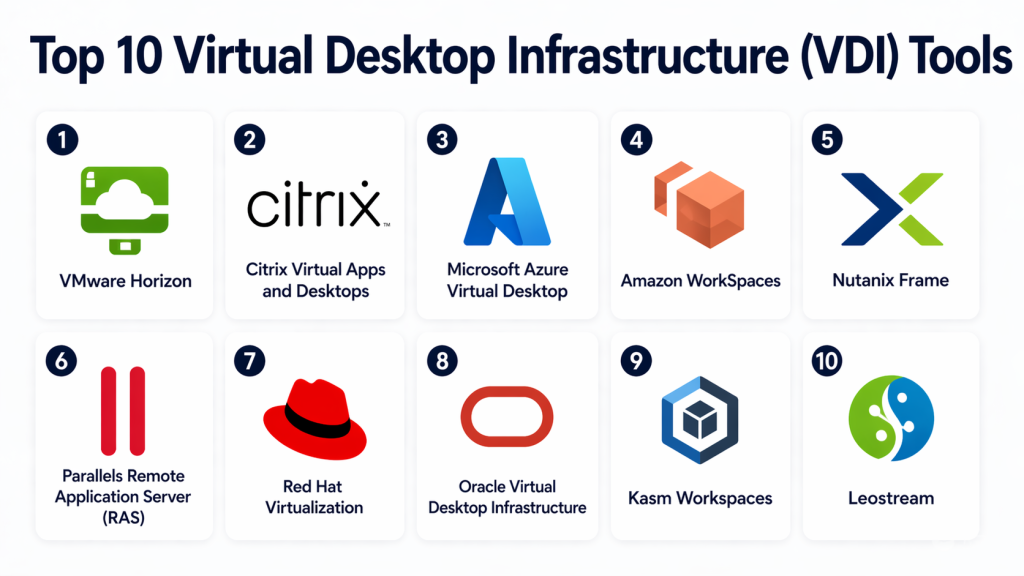
Top 10 Virtual Desktop Infrastructure (VDI) Tools
#1 — VMware Horizon
Short description:
VMware Horizon is a leading VDI platform designed for delivering virtual desktops and applications securely. It provides centralized management and high-performance remote access. Organizations use it for scalable desktop environments. It is ideal for enterprises requiring robust virtualization solutions.
Key Features
- Virtual desktop delivery
- Application virtualization
- Centralized management
- GPU support
- Cloud integration
Pros
- Highly scalable
- Enterprise-grade features
Cons
- Complex setup
- Expensive licensing
Platforms / Deployment
Cloud / On-premise / Hybrid
Security & Compliance
Encryption, access control
Integrations & Ecosystem
- VMware ecosystem
- Cloud platforms
- Enterprise tools
Support & Community
Strong enterprise support
#2 — Citrix Virtual Apps and Desktops
Short description:
Citrix Virtual Apps and Desktops is a powerful VDI solution designed for delivering secure and high-performance virtual environments. It supports application and desktop virtualization. Businesses use it for remote work and IT management. It is ideal for large enterprises.
Key Features
- Virtual desktop delivery
- Application virtualization
- Remote access
- Performance optimization
- Security controls
Pros
- High performance
- Strong security
Cons
- Complex configuration
- High cost
Platforms / Deployment
Cloud / On-premise / Hybrid
Security & Compliance
Encryption, compliance support
Integrations & Ecosystem
- Enterprise systems
- Cloud services
- APIs
Support & Community
Enterprise-level support
#3 — Microsoft Azure Virtual Desktop
Short description:
Microsoft Azure Virtual Desktop is a cloud-based VDI solution that delivers virtual desktops through Azure. It enables scalable and secure remote access. Organizations use it for flexible work environments. It is ideal for businesses using Microsoft cloud services.
Key Features
- Cloud-based desktops
- Multi-session support
- Integration with Azure
- Remote access
- Centralized management
Pros
- Scalable
- Cloud-native
Cons
- Requires Azure knowledge
- Cost management complexity
Platforms / Deployment
Cloud
Security & Compliance
Encryption, identity integration
Integrations & Ecosystem
- Microsoft ecosystem
- Azure services
- Enterprise tools
Support & Community
Strong support
#4 — Amazon WorkSpaces
Short description:
Amazon WorkSpaces is a cloud-based VDI service that provides managed virtual desktops. It enables users to access desktops from anywhere. Organizations use it for remote work and scalability. It is ideal for cloud-first businesses.
Key Features
- Managed virtual desktops
- Cloud scalability
- Secure access
- Multi-device support
- Pay-as-you-go pricing
Pros
- Easy deployment
- Flexible pricing
Cons
- Limited customization
- Performance depends on network
Platforms / Deployment
Cloud
Security & Compliance
Encryption
Integrations & Ecosystem
- Cloud services
- APIs
Support & Community
Reliable support
#5 — Nutanix Frame
Short description:
Nutanix Frame is a cloud-based desktop virtualization platform designed for simplicity and scalability. It delivers virtual desktops through a browser. Businesses use it for remote work and application delivery. It is ideal for organizations seeking simplified VDI deployment.
Key Features
- Browser-based desktops
- Cloud deployment
- Centralized management
- Application delivery
- Automation
Pros
- Easy to deploy
- Flexible
Cons
- Limited advanced features
- Dependency on cloud
Platforms / Deployment
Cloud
Security & Compliance
Encryption
Integrations & Ecosystem
- Cloud platforms
- Enterprise tools
Support & Community
Good support
#6 — Parallels Remote Application Server (RAS)
Short description:
Parallels RAS is a VDI solution designed for delivering virtual applications and desktops. It simplifies deployment and management for IT teams. Businesses use it for remote access and virtualization. It is ideal for SMBs and enterprises.
Key Features
- Virtual desktop delivery
- Application virtualization
- Centralized management
- Remote access
- Load balancing
Pros
- Easy setup
- Cost-effective
Cons
- Limited enterprise features
- Scaling challenges
Platforms / Deployment
Cloud / On-premise
Security & Compliance
Encryption
Integrations & Ecosystem
- IT tools
- Enterprise systems
Support & Community
Good support
#7 — Red Hat Virtualization
Short description:
Red Hat Virtualization is an open-source-based virtualization platform for managing virtual desktops and servers. It provides enterprise-grade performance and flexibility. Organizations use it for infrastructure management. It is ideal for enterprises preferring open-source solutions.
Key Features
- Virtualization platform
- Centralized management
- High availability
- Automation
- Open-source flexibility
Pros
- Flexible
- Open-source
Cons
- Complex setup
- Requires expertise
Platforms / Deployment
On-premise / Hybrid
Security & Compliance
Encryption
Integrations & Ecosystem
- Open-source tools
- Enterprise systems
Support & Community
Strong community
#8 — Oracle Virtual Desktop Infrastructure
Short description:
Oracle VDI is a desktop virtualization solution designed for enterprise environments. It enables centralized desktop delivery and management. Businesses use it for secure remote access. It is ideal for organizations using Oracle infrastructure.
Key Features
- Desktop virtualization
- Centralized management
- Secure access
- Integration tools
- Resource optimization
Pros
- Strong integration
- Reliable
Cons
- Limited ecosystem
- Complex setup
Platforms / Deployment
On-premise
Security & Compliance
Encryption
Integrations & Ecosystem
- Oracle ecosystem
Support & Community
Enterprise support
#9 — Kasm Workspaces
Short description:
Kasm Workspaces is a container-based VDI platform designed for secure and scalable remote desktops. It provides browser-based access to virtual environments. Organizations use it for secure workspaces. It is ideal for modern cloud-native environments.
Key Features
- Container-based desktops
- Browser access
- Secure isolation
- Scalability
- Session management
Pros
- Modern architecture
- Flexible deployment
Cons
- Limited maturity
- Requires setup
Platforms / Deployment
Cloud / On-premise
Security & Compliance
Encryption
Integrations & Ecosystem
- Cloud platforms
- APIs
Support & Community
Growing community
#10 — Leostream
Short description:
Leostream is a VDI connection broker designed for managing remote desktop environments. It enables centralized control of virtual desktops. Organizations use it for flexible infrastructure management. It is ideal for enterprises needing custom VDI solutions.
Key Features
- Connection broker
- Centralized management
- Resource allocation
- Session control
- Integration support
Pros
- Flexible
- Customizable
Cons
- Complex setup
- Requires expertise
Platforms / Deployment
Cloud / On-premise
Security & Compliance
Encryption
Integrations & Ecosystem
- VDI platforms
- Enterprise tools
Support & Community
Enterprise support
Comparison Table (Top 10)
| Tool Name | Best For | Platform(s) Supported | Deployment | Standout Feature | Public Rating |
|---|---|---|---|---|---|
| VMware Horizon | Enterprise | Multi | Hybrid | Scalability | N/A |
| Citrix VAD | Enterprise | Multi | Hybrid | Performance | N/A |
| Azure Virtual Desktop | Cloud users | Multi | Cloud | Integration | N/A |
| Amazon WorkSpaces | Cloud-first | Multi | Cloud | Managed service | N/A |
| Nutanix Frame | SMB | Multi | Cloud | Simplicity | N/A |
| Parallels RAS | SMB | Multi | Hybrid | Cost-effective | N/A |
| Red Hat Virtualization | Open-source | Multi | Hybrid | Flexibility | N/A |
| Oracle VDI | Oracle users | Multi | On-prem | Integration | N/A |
| Kasm Workspaces | Cloud-native | Multi | Hybrid | Container-based | N/A |
| Leostream | Custom VDI | Multi | Hybrid | Flexibility | N/A |
Evaluation & Scoring of Virtual Desktop Infrastructure (VDI)
| Tool Name | Core | Ease | Integrations | Security | Performance | Support | Value | Total |
|---|---|---|---|---|---|---|---|---|
| VMware Horizon | 10 | 7 | 9 | 9 | 9 | 9 | 7 | 8.7 |
| Citrix VAD | 10 | 6 | 9 | 9 | 9 | 9 | 7 | 8.6 |
| Azure Virtual Desktop | 9 | 8 | 9 | 9 | 8 | 8 | 8 | 8.5 |
| Amazon WorkSpaces | 8 | 8 | 8 | 8 | 8 | 8 | 8 | 8.1 |
| Nutanix Frame | 8 | 9 | 7 | 8 | 8 | 7 | 8 | 8.0 |
| Parallels RAS | 8 | 9 | 7 | 8 | 8 | 7 | 9 | 8.1 |
| Red Hat Virtualization | 9 | 6 | 8 | 8 | 8 | 7 | 8 | 7.9 |
| Oracle VDI | 8 | 6 | 7 | 8 | 8 | 7 | 7 | 7.5 |
| Kasm Workspaces | 8 | 7 | 8 | 8 | 7 | 7 | 8 | 7.8 |
| Leostream | 8 | 6 | 9 | 8 | 8 | 8 | 7 | 7.9 |
Which VDI Tool Is Right for You?
Solo / Freelancer
VDI is generally not required unless accessing enterprise systems.
SMB
Parallels RAS and Nutanix Frame are cost-effective and easier to deploy.
Mid-Market
Azure Virtual Desktop and Amazon WorkSpaces provide scalability and flexibility.
Enterprise
VMware Horizon and Citrix are best for large-scale deployments.
Budget vs Premium
Cloud-based VDI offers flexible pricing, while enterprise tools require higher investment.
Feature Depth vs Ease of Use
Nutanix Frame is simple, VMware Horizon is feature-rich.
Integrations & Scalability
Azure and VMware excel.
Security & Compliance Needs
Citrix and VMware provide strong security features.
Frequently Asked Questions (FAQs)
1. What is VDI?
VDI is a technology that delivers virtual desktops from centralized servers. Users access these desktops remotely. It improves security and management.
2. Is VDI secure?
Yes, VDI provides centralized security controls. Data stays on servers instead of devices. Proper configuration is essential.
3. What is the difference between VDI and DaaS?
VDI is typically on-premise or self-managed. DaaS is cloud-based and managed by providers. Both deliver virtual desktops.
4. Who should use VDI?
Enterprises and IT teams benefit the most. It is ideal for secure and scalable environments.
5. Is VDI expensive?
VDI can be costly depending on infrastructure. Cloud options provide flexible pricing.
6. Can VDI support remote work?
Yes, VDI is widely used for remote work. It enables secure access to desktops.
7. What are the main challenges?
Setup complexity and cost are common challenges. Performance depends on network quality.
8. Can VDI run heavy applications?
Yes, with GPU support, VDI can run high-performance applications.
9. What industries use VDI?
IT, healthcare, finance, and education sectors use VDI.
10. How do I choose a VDI solution?
Evaluate performance, security, cost, and scalability.
Conclusion
Virtual Desktop Infrastructure (VDI) has become a cornerstone for modern enterprises seeking secure, scalable, and flexible desktop environments. By centralizing desktop management, organizations can improve security, reduce operational complexity, and support remote work effectively.
Each VDI solution offers unique strengths, from cloud-native scalability to enterprise-grade performance and security. The right choice depends on your organization’s size, technical requirements, and infrastructure strategy.
Instead of selecting a single solution blindly, organizations should evaluate multiple tools through pilot testing and real-world scenarios. This ensures compatibility with workflows, performance expectations, and security requirements.
Choosing the right VDI platform will enhance productivity, strengthen security, and enable efficient remote operations across your organization.
