Introduction
Secure File Transfer (MFT – Managed File Transfer) tools are enterprise-grade solutions designed to move files securely, reliably, and efficiently across systems, partners, and users. Unlike traditional FTP or email-based transfers, MFT platforms provide encryption, automation, centralized governance, and detailed audit trails for every file movement.
In modern digital environments, organizations deal with sensitive data such as financial records, healthcare data, and customer information. MFT tools ensure that these transfers are secure, compliant, and automated, reducing manual effort and operational risk while improving efficiency.
Real-world use cases:
- Secure B2B file exchange between partners
- Automated data workflows in IT operations
- Financial reporting and transaction transfers
- Healthcare data exchange with compliance needs
- Large-scale batch file processing
What buyers should evaluate:
- Encryption standards and security protocols
- Workflow automation capabilities
- Compliance and audit readiness
- Transfer speed and reliability
- Integration with enterprise systems
- Monitoring and reporting tools
- Deployment flexibility
- Scalability for high-volume transfers
- Ease of management
Best for:
Enterprises, financial institutions, healthcare providers, and organizations managing sensitive or regulated data transfers.
Not ideal for:
Small teams needing simple file sharing without compliance or automation requirements.
Key Trends in Secure File Transfer (MFT)
- Adoption of zero-trust security frameworks
- Automation-first file transfer workflows
- API-driven integrations with enterprise systems
- Hybrid and multi-cloud deployment models
- Real-time monitoring and alerts
- Increased compliance and governance requirements
- AI-driven anomaly detection
- Integration with DevOps pipelines
- Centralized data control and visibility
How We Selected These Tools (Methodology)
- Market adoption and enterprise usage
- Security capabilities and encryption standards
- Workflow automation and orchestration features
- Performance and reliability in high-volume transfers
- Compliance readiness and audit capabilities
- Integration ecosystem strength
- Deployment flexibility (cloud, on-premise, hybrid)
- Ease of use and management interface
- Support quality and vendor maturity
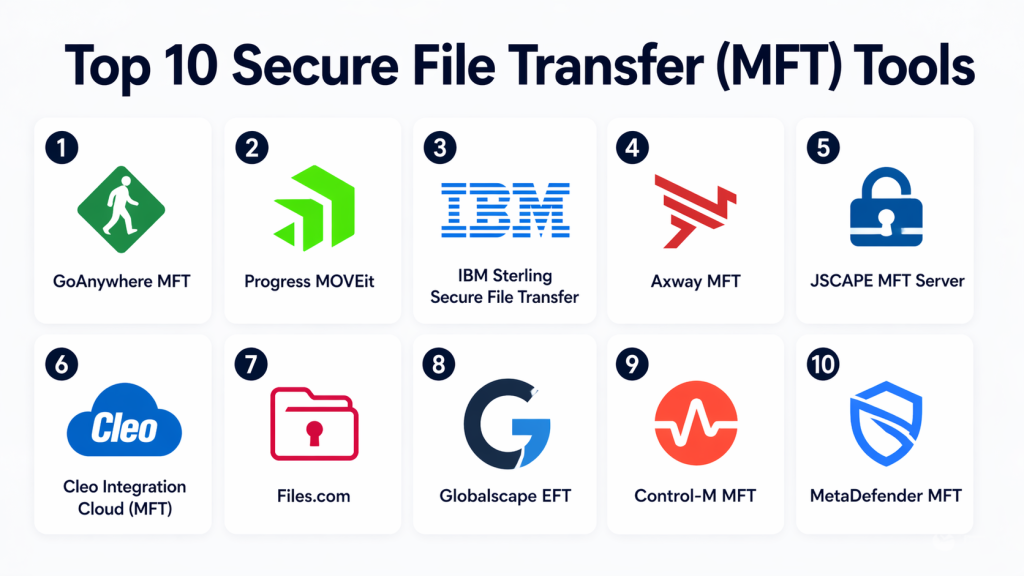
Top 10 Secure File Transfer (MFT) Tools
#1 — GoAnywhere MFT
Short description:
GoAnywhere MFT is an enterprise-grade managed file transfer solution designed for secure and automated file exchanges. It centralizes transfer processes and provides complete visibility into workflows. Organizations use it to streamline operations and ensure compliance. It is ideal for businesses requiring full control over data movement.
Key Features
- Workflow automation
- Multi-protocol support
- Centralized dashboard
- File encryption
- Audit reporting
Pros
- Strong automation
- Enterprise-grade security
Cons
- Complex setup
- Requires technical expertise
Platforms / Deployment
Cloud / On-premise / Hybrid
Security & Compliance
Encryption, audit logs
Integrations & Ecosystem
Supports enterprise integrations
- Databases
- Cloud platforms
- Enterprise applications
Support & Community
Strong enterprise support and documentation
#2 — Progress MOVEit
Short description:
MOVEit is a secure file transfer platform built to automate and manage file exchanges across organizations. It provides centralized visibility and control over sensitive data transfers. Businesses use it to meet compliance and security requirements. It is ideal for regulated industries.
Key Features
- Secure file transfer automation
- Centralized management
- Compliance tracking
- File encryption
- Reporting tools
Pros
- Strong compliance capabilities
- Reliable performance
Cons
- Expensive
- Limited UI flexibility
Platforms / Deployment
Cloud / On-premise
Security & Compliance
Encryption, compliance-ready
Integrations & Ecosystem
- APIs
- Enterprise systems
- Automation tools
Support & Community
Enterprise-grade support
#3 — IBM Sterling Secure File Transfer
Short description:
IBM Sterling is a high-performance MFT solution designed for large enterprises handling mission-critical data. It supports complex workflows and high-volume file transfers. Organizations use it for global operations and integration-heavy environments. It is ideal for large-scale enterprises.
Key Features
- High-volume transfers
- Workflow automation
- Real-time monitoring
- Secure protocols
- Integration tools
Pros
- Highly scalable
- Advanced capabilities
Cons
- Complex implementation
- High cost
Platforms / Deployment
Cloud / On-premise / Hybrid
Security & Compliance
Encryption, compliance support
Integrations & Ecosystem
- Enterprise systems
- APIs
- Integration platforms
Support & Community
Enterprise-level support
#4 — Axway MFT
Short description:
Axway MFT is a powerful platform designed for secure and large-scale data exchange. It enables organizations to automate workflows and maintain compliance. Businesses rely on it for critical file transfer operations. It is ideal for enterprises handling high data volumes.
Key Features
- Secure transfers
- Workflow automation
- Monitoring tools
- Multi-protocol support
- Compliance tracking
Pros
- Scalable solution
- Strong security
Cons
- Complex configuration
- Expensive
Platforms / Deployment
Cloud / On-premise
Security & Compliance
Encryption
Integrations & Ecosystem
- APIs
- Enterprise tools
- Cloud systems
Support & Community
Strong enterprise support
#5 — JSCAPE MFT Server
Short description:
JSCAPE MFT Server is a centralized file transfer solution designed for automation and flexibility. It helps organizations manage complex transfers efficiently. Businesses use it to streamline workflows and improve security. It is suitable for mid-to-large enterprises.
Key Features
- Centralized management
- Automation
- Multi-protocol support
- Secure transfers
- Logging
Pros
- Flexible deployment
- Strong automation
Cons
- Learning curve
- UI limitations
Platforms / Deployment
Cloud / On-premise
Security & Compliance
Encryption, logs
Integrations & Ecosystem
- APIs
- Enterprise tools
Support & Community
Good documentation and support
#6 — Cleo Integration Cloud (MFT)
Short description:
Cleo Integration Cloud combines managed file transfer with integration capabilities. It enables secure and automated data exchange across systems and partners. Businesses use it for supply chain and B2B workflows. It is ideal for integration-heavy environments.
Key Features
- Automation workflows
- Integration tools
- Secure protocols
- Cloud connectivity
- Data orchestration
Pros
- Strong integration capabilities
- Scalable platform
Cons
- Complex setup
- Higher pricing
Platforms / Deployment
Cloud / Hybrid
Security & Compliance
Encryption
Integrations & Ecosystem
- ERP systems
- APIs
- Enterprise tools
Support & Community
Enterprise-level support
#7 — Files.com
Short description:
Files.com is a cloud-native MFT platform designed for simplicity and scalability. It provides secure file transfers with strong API support. Teams use it to automate workflows and manage data efficiently. It is ideal for modern cloud-first organizations.
Key Features
- Cloud-native architecture
- API automation
- Secure sharing
- Workflow management
- Integration tools
Pros
- Easy to use
- Strong API support
Cons
- Limited on-premise options
- Pricing varies
Platforms / Deployment
Cloud
Security & Compliance
Encryption
Integrations & Ecosystem
- Cloud platforms
- APIs
- DevOps tools
Support & Community
Good documentation
#8 — Globalscape EFT
Short description:
Globalscape EFT is a secure file transfer platform focused on compliance and automation. It provides centralized control and detailed reporting for file transfers. Organizations use it to meet regulatory requirements. It is ideal for enterprises requiring audit capabilities.
Key Features
- Secure transfers
- Automation
- Reporting
- Access controls
- Workflow management
Pros
- Strong compliance
- Detailed reporting
Cons
- Complex interface
- Expensive
Platforms / Deployment
Cloud / On-premise
Security & Compliance
Encryption
Integrations & Ecosystem
- APIs
- Enterprise systems
Support & Community
Strong enterprise support
#9 — Control-M MFT
Short description:
Control-M MFT is an enterprise solution designed for automation and centralized file transfer management. It integrates file transfers into broader business workflows. Organizations use it to streamline complex processes. It is ideal for automation-driven environments.
Key Features
- Workflow automation
- Monitoring dashboards
- Secure transfers
- Analytics tools
- Integration support
Pros
- High automation
- Strong visibility
Cons
- Complex setup
- Requires expertise
Platforms / Deployment
Cloud / Hybrid
Security & Compliance
Encryption
Integrations & Ecosystem
- Enterprise tools
- APIs
Support & Community
Enterprise support
#10 — MetaDefender MFT
Short description:
MetaDefender MFT is a security-focused file transfer solution designed to protect against threats. It includes malware scanning and data sanitization features. Organizations use it to secure sensitive data transfers. It is ideal for security-critical environments.
Key Features
- Threat detection
- Malware scanning
- Secure transfers
- Data sanitization
- Compliance support
Pros
- Advanced security
- Strong protection
Cons
- Limited integrations
- Complex setup
Platforms / Deployment
Cloud / On-premise
Security & Compliance
Advanced security controls
Integrations & Ecosystem
- Security tools
- APIs
Support & Community
Enterprise-grade support
Comparison Table (Top 10)
| Tool Name | Best For | Platform(s) Supported | Deployment | Standout Feature | Public Rating |
|---|---|---|---|---|---|
| GoAnywhere | Enterprises | Multi-platform | Hybrid | Automation | N/A |
| MOVEit | Compliance | Multi-platform | Cloud/On-prem | Secure workflows | N/A |
| IBM Sterling | Large enterprises | Multi-platform | Hybrid | Scalability | N/A |
| Axway | High-volume transfers | Multi-platform | Cloud/On-prem | Performance | N/A |
| JSCAPE | Automation | Multi-platform | Hybrid | Flexibility | N/A |
| Cleo | Integration workflows | Multi-platform | Cloud | Data orchestration | N/A |
| Files.com | Cloud-first teams | Web | Cloud | API-first | N/A |
| Globalscape EFT | Compliance | Multi-platform | Hybrid | Reporting | N/A |
| Control-M | Automation | Multi-platform | Hybrid | Workflow integration | N/A |
| MetaDefender | Security | Multi-platform | Hybrid | Threat protection | N/A |
Evaluation & Scoring of Secure File Transfer (MFT) Tools
| Tool Name | Core (25%) | Ease (15%) | Integrations (15%) | Security (10%) | Performance (10%) | Support (10%) | Value (15%) | Weighted Total (0–10) |
|---|---|---|---|---|---|---|---|---|
| GoAnywhere | 9 | 7 | 8 | 9 | 9 | 9 | 8 | 8.5 |
| MOVEit | 9 | 7 | 8 | 9 | 8 | 8 | 7 | 8.3 |
| IBM Sterling | 10 | 6 | 9 | 9 | 10 | 9 | 7 | 8.6 |
| Axway | 9 | 6 | 8 | 9 | 9 | 8 | 7 | 8.2 |
| JSCAPE | 8 | 7 | 8 | 8 | 8 | 7 | 8 | 7.9 |
| Cleo | 9 | 6 | 9 | 8 | 8 | 8 | 7 | 8.1 |
| Files.com | 8 | 9 | 9 | 8 | 8 | 7 | 8 | 8.3 |
| Globalscape | 9 | 6 | 8 | 9 | 8 | 8 | 7 | 8.1 |
| Control-M | 9 | 6 | 9 | 9 | 9 | 9 | 7 | 8.4 |
| MetaDefender | 8 | 6 | 7 | 10 | 8 | 8 | 7 | 8.0 |
How to interpret scores:
These scores are comparative across tools and reflect relative strengths based on key evaluation criteria. Enterprise platforms typically score higher in security and scalability, while cloud-native tools perform better in usability and integrations. Use these scores as a guide, not a final decision factor.
Which Secure File Transfer (MFT) Tool Is Right for You?
Solo / Freelancer
Most individual users do not require MFT tools. Basic file sharing platforms are usually sufficient.
SMB
Files.com and JSCAPE offer a balance of ease of use and automation for growing businesses.
Mid-Market
MOVEit and Cleo provide a strong mix of security, integrations, and scalability.
Enterprise
IBM Sterling, GoAnywhere, and Axway are best for high-volume, compliance-heavy environments.
Budget vs Premium
Cloud-native tools are more cost-effective, while enterprise platforms offer advanced capabilities at a higher cost.
Feature Depth vs Ease of Use
Files.com is easy to use, while IBM Sterling offers deep functionality but requires expertise.
Integrations & Scalability
Cleo and IBM Sterling excel in integration-heavy environments.
Security & Compliance Needs
MetaDefender, MOVEit, and GoAnywhere are strong choices for security-focused organizations.
Frequently Asked Questions (FAQs)
1. What is a Managed File Transfer (MFT) tool?
MFT tools are platforms that securely manage and automate file transfers between systems. They provide encryption, monitoring, and centralized control. These tools are essential for handling sensitive or regulated data efficiently.
2. How is MFT different from FTP?
FTP is a basic file transfer method with limited security features. MFT tools provide encryption, automation, audit trails, and compliance capabilities. This makes them more suitable for enterprise environments.
3. Are MFT tools secure?
Yes, MFT tools use strong encryption, authentication mechanisms, and monitoring systems. Security depends on proper configuration and implementation. Advanced tools also include threat detection and compliance features.
4. Who should use MFT tools?
Organizations handling sensitive data, such as financial, healthcare, or government entities, benefit the most. They are also useful for enterprises with complex workflows. Smaller teams may not need them.
5. What protocols do MFT tools support?
Most MFT tools support secure protocols like SFTP, FTPS, HTTPS, and AS2. These protocols ensure safe data transmission. Support varies by platform.
6. Can MFT tools integrate with other systems?
Yes, most MFT platforms provide APIs and integrations with enterprise systems. This allows seamless workflow automation. Integration capability is a key evaluation factor.
7. Are MFT tools expensive?
Enterprise MFT solutions can be costly depending on features and scale. Cloud-based options may offer flexible pricing models. Costs vary widely across vendors.
8. Can MFT handle large file transfers?
Yes, MFT tools are designed for high-volume and large file transfers. They ensure reliability and performance even under heavy workloads. This makes them suitable for enterprise use.
9. What are common mistakes when choosing MFT tools?
Common mistakes include ignoring integration needs, underestimating scalability, and not evaluating security properly. Choosing based only on price can also lead to issues. Proper evaluation is essential.
10. How long does implementation take?
Implementation time varies depending on complexity and organization size. Simple deployments can take days, while enterprise setups may take weeks. Planning and testing are important for success.
Conclusion
Secure File Transfer (MFT) tools are critical for organizations that need to move sensitive data securely, efficiently, and at scale. They provide far more than basic file transfer by enabling automation, compliance, and centralized visibility across complex workflows.
From enterprise-grade platforms like IBM Sterling and GoAnywhere to cloud-native solutions like Files.com, each tool offers a unique balance of usability, security, and scalability. The right choice depends on your organization’s size, compliance requirements, and technical capabilities.
Instead of choosing based on features alone, organizations should evaluate real-world performance, integration compatibility, and long-term scalability. Testing a few shortlisted tools can help identify the best fit.
Ultimately, the right MFT solution will strengthen your data transfer infrastructure, improve operational efficiency, and ensure compliance with modern security standards.
