Introduction
Cloud Backup Tools are software solutions that automatically store copies of your data in remote cloud environments, ensuring that critical information is protected from loss, corruption, ransomware, or hardware failure. Instead of relying on physical backups, organizations can securely store and retrieve data anytime, anywhere.
In today’s cloud-first and hybrid IT landscape, backup is no longer optional—it’s a core part of business continuity and cybersecurity. With increasing ransomware attacks, distributed teams, and SaaS sprawl, modern cloud backup tools provide automation, encryption, and rapid recovery capabilities that businesses depend on.
Common use cases include:
- Disaster recovery and business continuity planning
- Protecting SaaS applications (email, files, collaboration tools)
- Endpoint backup for remote teams
- Long-term archival and compliance storage
- Database and workload protection across hybrid environments
Key evaluation criteria:
- Backup scope (endpoints, SaaS, servers, databases)
- Recovery speed and granularity
- Automation and scheduling
- Security (encryption, ransomware protection)
- Scalability and storage flexibility
- Integration with existing tools
- Compliance and audit capabilities
- Ease of use and management
- Pricing model (per user, per TB, etc.)
Best for: IT managers, DevOps teams, MSPs, enterprises, and SMBs that require reliable data protection and disaster recovery.
Not ideal for: Individuals with minimal data needs or organizations relying solely on offline/manual backups.
Key Trends in Cloud Backup Tools for 2026 and Beyond
- AI-powered threat detection for identifying ransomware patterns early
- Immutable backups becoming standard for zero-trust architectures
- SaaS-native backup expansion (email, CRM, collaboration platforms)
- Automation-first workflows reducing manual intervention
- Hybrid and multi-cloud backup strategies gaining traction
- Granular recovery options (file-level, app-level, instant restore)
- Consumption-based pricing models replacing fixed licenses
- API-first ecosystems for integration with DevOps pipelines
- Edge and endpoint protection for distributed workforces
- Compliance-driven features for data governance and audit readiness
How We Selected These Tools (Methodology)
- Strong market adoption and brand recognition
- Comprehensive feature sets across backup and recovery
- Proven reliability and performance signals
- Security posture (encryption, immutability, access controls)
- Integration capabilities with cloud and enterprise ecosystems
- Flexibility across SMB, mid-market, and enterprise use cases
- Ease of deployment and user experience
- Support quality and community presence
- Scalability for growing data volumes
- Balanced representation across different segments
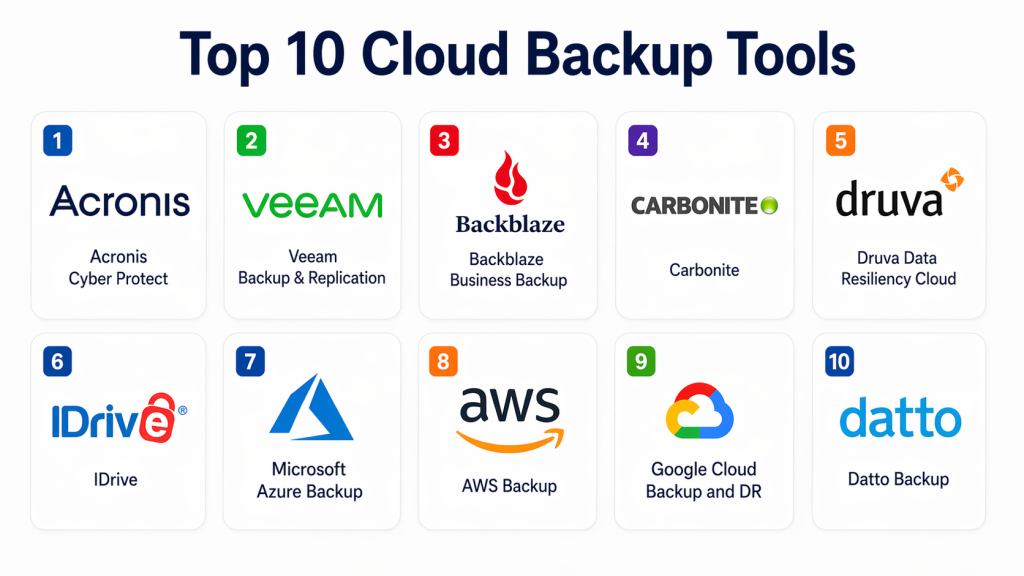
Top 10 Cloud Backup Tools Tools
#1 — Acronis Cyber Protect
Short description: A unified platform combining backup, disaster recovery, and cybersecurity. Ideal for businesses seeking all-in-one data protection with advanced threat detection.
Key Features
- Full image and file-level backups
- Integrated anti-malware protection
- Ransomware detection
- Cloud and hybrid backup support
- Automated scheduling and policies
- Disaster recovery orchestration
Pros
- Combines backup and security in one platform
- Strong automation capabilities
Cons
- Can be complex for beginners
- Pricing varies based on features
Platforms / Deployment
Cloud / Hybrid / Windows / macOS / Linux
Security & Compliance
Encryption, MFA, RBAC, audit logs; certifications not publicly stated
Integrations & Ecosystem
Supports integration with virtualization platforms, cloud providers, and enterprise tools.
- VMware
- Microsoft environments
- APIs for automation
Support & Community
Strong documentation and enterprise support options; active partner ecosystem
#2 — Veeam Backup & Replication
Short description: A leading enterprise-grade backup solution focused on virtualized and cloud environments with robust recovery options.
Key Features
- VM-level backups
- Instant recovery
- Continuous data protection
- Cloud-native support
- Backup verification
Pros
- Excellent for virtualization environments
- High-performance recovery
Cons
- Requires configuration expertise
- Licensing complexity
Platforms / Deployment
Cloud / Hybrid / Windows / Linux
Security & Compliance
Encryption, RBAC, audit logging; certifications not publicly stated
Integrations & Ecosystem
Strong integration with virtualization and cloud ecosystems.
- VMware
- Hyper-V
- Cloud providers
Support & Community
Large community and enterprise-grade support
#3 — Backblaze Business Backup
Short description: A simple and cost-effective cloud backup solution designed for SMBs and individuals.
Key Features
- Unlimited backup storage
- Automatic backup
- File versioning
- Easy restore options
- Endpoint protection
Pros
- Affordable pricing
- Easy to use
Cons
- Limited enterprise features
- Fewer advanced integrations
Platforms / Deployment
Cloud / Windows / macOS
Security & Compliance
Encryption, MFA; compliance details not publicly stated
Integrations & Ecosystem
Focuses on simplicity rather than deep integrations.
- Basic API support
- Limited third-party integrations
Support & Community
Good documentation; limited enterprise support tiers
#4 — Carbonite
Short description: A widely used backup solution for small businesses with strong endpoint and server protection.
Key Features
- Automatic cloud backup
- Server backup support
- File recovery
- Encryption
- Centralized management
Pros
- Reliable for SMB use
- Simple deployment
Cons
- Limited advanced features
- Slower large-scale restores
Platforms / Deployment
Cloud / Windows / macOS
Security & Compliance
Encryption and MFA; certifications not publicly stated
Integrations & Ecosystem
Moderate integration capabilities.
- Basic cloud integrations
- Limited API options
Support & Community
Standard support options; documentation available
#5 — Druva Data Resiliency Cloud
Short description: A cloud-native backup platform offering enterprise-grade data protection without on-prem infrastructure.
Key Features
- SaaS backup
- Endpoint and workload protection
- Automated compliance
- Global deduplication
- Ransomware protection
Pros
- Fully cloud-native
- Strong compliance features
Cons
- Pricing may be high
- Learning curve for new users
Platforms / Deployment
Cloud
Security & Compliance
Encryption, RBAC, audit logs; compliance frameworks not publicly stated
Integrations & Ecosystem
Broad SaaS and enterprise integrations.
- Cloud apps
- APIs
- Enterprise systems
Support & Community
Enterprise support with onboarding services
#6 — IDrive
Short description: A versatile backup solution supporting multiple devices and hybrid backup configurations.
Key Features
- Multi-device backup
- Hybrid cloud backup
- File versioning
- Continuous sync
- Snapshot backups
Pros
- Supports multiple devices per account
- Flexible backup options
Cons
- Interface can feel outdated
- Performance varies
Platforms / Deployment
Cloud / Hybrid / Windows / macOS / Linux / iOS / Android
Security & Compliance
Encryption, MFA; compliance details not publicly stated
Integrations & Ecosystem
Basic integration ecosystem.
- Limited APIs
- File sync integrations
Support & Community
Moderate support options; smaller community
#7 — Microsoft Azure Backup
Short description: A cloud-native backup service designed for Azure workloads and hybrid environments.
Key Features
- Backup for Azure workloads
- Hybrid backup support
- Policy-based automation
- Scalable storage
- Secure recovery
Pros
- Seamless Azure integration
- Scalable and reliable
Cons
- Best suited for Azure users
- Requires cloud expertise
Platforms / Deployment
Cloud / Hybrid
Security & Compliance
Encryption, RBAC, audit logs; compliance details vary
Integrations & Ecosystem
Deep integration with Microsoft ecosystem.
- Azure services
- Enterprise tools
- APIs
Support & Community
Strong enterprise support and global community
#8 — AWS Backup
Short description: A centralized backup service for AWS workloads with automation and compliance features.
Key Features
- Centralized backup management
- Policy-based automation
- Multi-service support
- Lifecycle management
- Audit capabilities
Pros
- Native AWS integration
- Scalable
Cons
- Limited outside AWS
- Complex pricing
Platforms / Deployment
Cloud
Security & Compliance
Encryption, IAM, audit logs; compliance varies
Integrations & Ecosystem
Deep AWS ecosystem integration.
- AWS services
- APIs
- DevOps tools
Support & Community
Extensive documentation and support tiers
#9 — Google Cloud Backup and DR
Short description: Backup and disaster recovery solution for Google Cloud workloads with automation and security features.
Key Features
- Cloud-native backup
- Disaster recovery
- Policy automation
- Scalable storage
- Snapshot management
Pros
- Strong Google Cloud integration
- High scalability
Cons
- Limited outside Google ecosystem
- Requires cloud knowledge
Platforms / Deployment
Cloud
Security & Compliance
Encryption, IAM controls; compliance not publicly stated
Integrations & Ecosystem
Integrated with Google Cloud services.
- APIs
- Cloud tools
Support & Community
Enterprise-level support available
#10 — Datto Backup
Short description: A business continuity and disaster recovery solution widely used by MSPs.
Key Features
- Image-based backups
- Disaster recovery
- Ransomware protection
- Cloud replication
- Instant virtualization
Pros
- Strong DR capabilities
- MSP-friendly
Cons
- Pricing varies
- Complex setup
Platforms / Deployment
Cloud / Hybrid
Security & Compliance
Encryption, RBAC; compliance not publicly stated
Integrations & Ecosystem
Strong MSP ecosystem integrations.
- IT management tools
- APIs
Support & Community
Strong partner support and training programs
Comparison Table (Top 10)
| Tool Name | Best For | Platform(s) Supported | Deployment | Standout Feature | Public Rating |
|---|---|---|---|---|---|
| Acronis | SMB & Enterprise | Multi-platform | Hybrid | Backup + Security | N/A |
| Veeam | Enterprise | Windows/Linux | Hybrid | Instant recovery | N/A |
| Backblaze | SMB | Windows/macOS | Cloud | Unlimited storage | N/A |
| Carbonite | SMB | Windows/macOS | Cloud | Simple backup | N/A |
| Druva | Enterprise | Cloud | Cloud | SaaS backup | N/A |
| IDrive | SMB | Multi-platform | Hybrid | Multi-device support | N/A |
| Azure Backup | Enterprise | Cloud | Hybrid | Azure-native | N/A |
| AWS Backup | Enterprise | Cloud | Cloud | Centralized AWS backup | N/A |
| Google Backup | Enterprise | Cloud | Cloud | GCP integration | N/A |
| Datto | MSPs | Hybrid | Hybrid | Disaster recovery | N/A |
Evaluation & Scoring of Cloud Backup Tools
| Tool | Core | Ease | Integrations | Security | Performance | Support | Value | Weighted Total |
|---|---|---|---|---|---|---|---|---|
| Acronis | 9 | 7 | 8 | 9 | 8 | 8 | 7 | 8.1 |
| Veeam | 9 | 6 | 9 | 9 | 9 | 8 | 7 | 8.3 |
| Backblaze | 7 | 9 | 6 | 7 | 7 | 6 | 9 | 7.5 |
| Carbonite | 7 | 8 | 6 | 7 | 7 | 7 | 8 | 7.4 |
| Druva | 9 | 7 | 8 | 9 | 8 | 8 | 6 | 8.0 |
| IDrive | 7 | 7 | 6 | 7 | 7 | 6 | 8 | 7.2 |
| Azure Backup | 8 | 6 | 9 | 9 | 9 | 8 | 7 | 8.2 |
| AWS Backup | 8 | 6 | 9 | 9 | 9 | 8 | 7 | 8.2 |
| Google Backup | 8 | 6 | 8 | 8 | 8 | 7 | 7 | 7.8 |
| Datto | 8 | 6 | 7 | 8 | 8 | 8 | 7 | 7.8 |
How to interpret scores:
These scores are comparative across tools in this list. A higher score indicates stronger overall capability across weighted criteria. Enterprises should prioritize security and integrations, while SMBs may focus more on ease and value.
Which Cloud Backup Tools Tool Is Right for You?
Solo / Freelancer
Choose simple tools like Backblaze or IDrive for affordability and ease of use.
SMB
Carbonite or Acronis provide balanced features with manageable complexity.
Mid-Market
Druva or Veeam offer scalability and better control for growing teams.
Enterprise
Azure Backup, AWS Backup, or Veeam provide deep integrations and scalability.
Budget vs Premium
- Budget: Backblaze, IDrive
- Premium: Veeam, Druva, Datto
Feature Depth vs Ease of Use
- Easy: Backblaze, Carbonite
- Advanced: Veeam, Acronis
Integrations & Scalability
- Strong integrations: AWS, Azure, Veeam
- Moderate: Carbonite, IDrive
Security & Compliance Needs
- High compliance: Druva, Acronis
- Basic: Backblaze, IDrive
Frequently Asked Questions (FAQs)
1. What is a cloud backup tool?
Cloud backup tools store copies of your data in remote servers, allowing recovery in case of loss, corruption, or cyberattacks.
2. How much do cloud backup tools cost?
Pricing varies based on storage, features, and deployment. Models include per-user, per-device, or per-TB pricing.
3. Are cloud backups secure?
Most tools use encryption and access controls, but security levels vary. Always verify compliance and encryption standards.
4. Can I recover individual files?
Yes, most tools support granular recovery at file, folder, or system level.
5. What is immutable backup?
Immutable backups cannot be altered or deleted, protecting against ransomware attacks.
6. How long does recovery take?
Recovery time depends on data size, network speed, and tool performance.
7. Do I need cloud backup if I use SaaS apps?
Yes, SaaS providers may not guarantee full data recovery; backups provide additional protection.
8. Can I switch backup providers easily?
Migration can be complex; plan carefully to avoid data loss or downtime.
9. What are common mistakes?
Not testing recovery, underestimating storage needs, and ignoring security settings.
10. Are there alternatives to cloud backup?
Alternatives include on-prem backups or hybrid models, but they lack scalability and flexibility.
Conclusion
Cloud backup tools have become a critical foundation for modern data protection strategies. With increasing cyber threats, distributed work environments, and reliance on SaaS applications, organizations must ensure their data is not only backed up but also recoverable quickly and securely. The tools covered in this guide offer a wide range of capabilities—from simple, cost-effective solutions for individuals to highly scalable, enterprise-grade platforms designed for complex environments.
There is no single “best” solution for everyone. The right choice depends on your infrastructure, budget, security requirements, and operational complexity. SMBs may prioritize simplicity and cost, while enterprises should focus on scalability, integrations, and compliance capabilities. Tools like Veeam, Acronis, and Druva stand out for advanced use cases, while Backblaze and IDrive offer accessible entry points.
As a next step, shortlist 4–5 tools that align with your needs, run pilot deployments, and validate key factors like recovery speed, integrations, and security features. A well-tested backup strategy today can prevent major business disruptions tomorrow.
